QA
QA
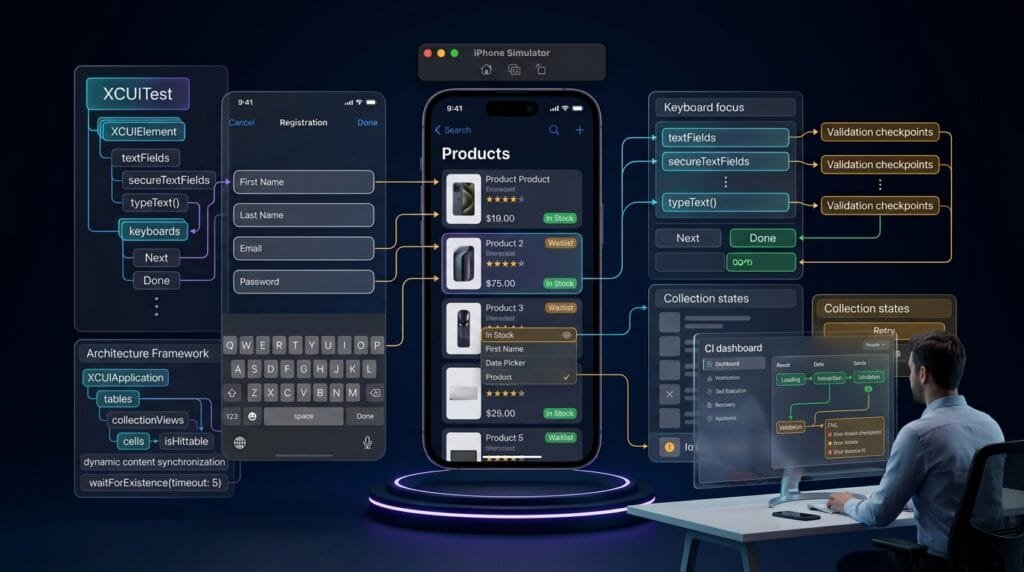
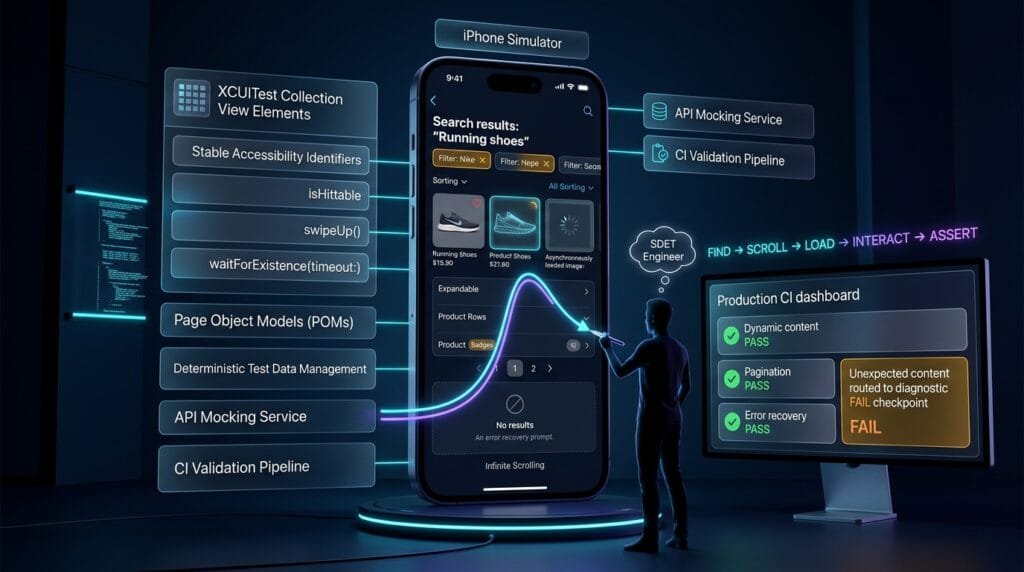
XCUITest Collection Testing is essential for validating iOS interfaces where users interact with tables, collection views, lists, reusable cells, and dynamically loaded content. Unlike static screens, collection-based interfaces constantly change their visible elements, positions, and data, making reliable element identification, scrolling, synchronization, and state validation critical for production-grade UI automation.
What is XCUITest Collection Testing?
XCUITest Collection Testing is the practice of automating and validating iOS tables, collection views, lists, reusable cells, and dynamic content using XCUITest.
Common targets include:
UITableViewUICollectionView- SwiftUI
List - SwiftUI
LazyVStack - SwiftUI
LazyVGrid - Dynamic search results
- Infinite scrolling feeds
- Reusable cells
- Paginated content
- Empty states
- Loading states
- Error states
- Dynamic badges
- Expandable rows
- Nested collection content
A typical automation workflow looks like this:
Launch Application
       ↓
Locate Collection
       ↓
Wait for Content
       ↓
Find Target Cell
       ↓
Scroll if Required
       ↓
Interact With Cell
       ↓
Validate Cell State
       ↓
Validate Result
Definition
XCUITest Collection Testing validates the behavior, structure, interaction, scrolling, synchronization, and dynamic state of iOS tables, lists, collection views, and reusable content.
Key Points
- Use stable accessibility identifiers.
- Query collections semantically.
- Avoid hard-coded indexes when possible.
- Synchronize with dynamic content.
- Use
waitForExistence(timeout:). - Check
isHittablebefore interaction. - Scroll based on target visibility.
- Validate cell content.
- Test empty and loading states.
- Test pagination and infinite scrolling.
- Validate dynamic content changes.
- Separate collection structure from business assertions.
- Use reusable Page Objects for complex collections.
- Avoid coordinate-based scrolling.
- Do not rely blindly on
firstMatch. - Validate the result after cell interaction.
Why Collection Testing Is Different
A static screen might contain:
Login
Email
Password
Login Button
The structure is predictable.
A collection screen can contain:
Item 1
Item 2
Item 3
Item 4
...
Item 1000
Only a subset may exist in the visible viewport.
The application may also load content progressively:
Initial Request
      ↓
Loading
      ↓
First 20 Items
      ↓
Scroll
      ↓
Next Request
      ↓
Next 20 Items
      ↓
Continue
This creates several automation challenges.
Dynamic Position
A target item may not always be at index 4.
Dynamic Data
Content may change between test runs.
Reusable Cells
The same cell structure may represent different records.
Lazy Loading
Elements may not exist until the user scrolls.
Asynchronous Updates
The collection can change after an API response.
Therefore, robust XCUITest Collection Testing should identify content by meaning rather than position whenever possible.
1. Finding a Table
A table can commonly be queried through:
let table =
    app.tables.firstMatch
Then synchronize:
XCTAssertTrue(
    table.waitForExistence(
        timeout: 10
    )
)
A more reliable approach is to provide an accessibility identifier:
let table =
    app.tables[
        "products.table"
    ]
Then:
XCTAssertTrue(
    table.waitForExistence(
        timeout: 10
    )
)
Stable identifiers are preferable when you control the application code.
2. Finding Table Cells
A basic query is:
let cell =
    app.cells["product.cell"]
However, reusable cells normally represent multiple records.
Instead of relying only on a generic cell identifier, expose meaningful identifiers for important content.
For example:
products.cell.101
products.cell.102
products.cell.103
Or use stable business identifiers:
product.iphone15
product.macbook
product.airpods
Then:
let product =
    app.cells[
        "product.iphone15"
    ]
This is usually more maintainable than:
app.cells.element(
    boundBy: 5
)
3. Why Index-Based Queries Are Fragile
Consider:
let cell =
    app.cells.element(
        boundBy: 4
    )
This assumes the target is always the fifth cell.
That assumption can break when:
- Sorting changes.
- Filtering changes.
- New records are inserted.
- Backend data changes.
- Feature flags change.
- Personalization changes.
- Pagination changes.
- Ads appear.
- A header is introduced.
Instead, identify the actual content:
let cell =
    app.cells[
        "product.iphone15"
    ]
This makes the test intention explicit.
4. Testing Collection Content
Finding a cell is not enough.
Validate its content:
let cell =
    app.cells[
        "product.iphone15"
    ]

XCTAssertTrue(
    cell.staticTexts[
        "iPhone 15"
    ].exists
)

XCTAssertTrue(
    cell.staticTexts[
        "$799"
    ].exists
)
A stronger assertion verifies the business information presented to the user.
For example:
XCTAssertTrue(
    cell.staticTexts[
        "In Stock"
    ].exists
)
The test now validates more than the existence of a cell.
5. Testing Collection Cell Actions
Suppose each product cell contains an Add button:
let cell =
    app.cells[
        "product.iphone15"
    ]

cell.buttons[
    "Add"
].tap()
Then validate the resulting state:
XCTAssertTrue(
    cell.staticTexts[
        "Added"
    ].exists
)
The complete flow becomes:
Find Product
    ↓
Find Action
    ↓
Tap
    ↓
Validate State
This is a core pattern in reliable collection automation.
6. Testing Collection Views
For collection views:
let collection =
    app.collectionViews.firstMatch
Or use a stable identifier:
let collection =
    app.collectionViews[
        "products.collection"
    ]
Then:
XCTAssertTrue(
    collection.waitForExistence(
        timeout: 10
    )
)
The same principles apply to collection views as tables:
- Identify meaningful content.
- Synchronize with loading.
- Scroll dynamically.
- Avoid unnecessary indexes.
- Validate content and interaction outcomes.
7. Testing SwiftUI Lists
SwiftUI applications can expose list content through the accessibility hierarchy.
A test may use:
let list =
    app.otherElements[
        "products.list"
    ]
The exact element type depends on how the SwiftUI view is exposed to accessibility.
This is why inspecting the accessibility hierarchy during framework development is important.
Do not assume every SwiftUI container maps to the same XCUITest query type.
8. Dynamic Content Synchronization
Dynamic collections frequently load asynchronously.
Avoid:
sleep(5)Instead:
let firstProduct =
    app.staticTexts[
        "iPhone 15"
    ]

XCTAssertTrue(
    firstProduct.waitForExistence(
        timeout: 10
    )
)
This waits for a meaningful UI condition.
For collection testing, condition-based synchronization is generally more reliable than fixed delays.
9. Testing Loading States
A collection may initially display:
Loading...Then:
Loading...
 ↓
API Response
 ↓
Products
Test the loading state if it is part of the user experience:
let loading =
    app.staticTexts[
        "Loading..."
    ]

XCTAssertTrue(
    loading.waitForExistence(
        timeout: 5
    )
)
Then wait for the expected content:
let product =
    app.staticTexts[
        "iPhone 15"
    ]

XCTAssertTrue(
    product.waitForExistence(
        timeout: 15
    )
)
10. Testing Empty Collections
Empty states are frequently overlooked.
A robust suite should cover:
Data Available
Empty Data
Loading
Error
Retry
Example:
let emptyState =
    app.staticTexts[
        "No products found"
    ]

XCTAssertTrue(
    emptyState.waitForExistence(
        timeout: 10
    )
)
The test should also verify that inappropriate collection controls are absent or disabled where relevant.
11. Testing Collection Error States
Dynamic content can fail.
For example:
let error =
    app.staticTexts[
        "Unable to load products"
    ]

XCTAssertTrue(
    error.waitForExistence(
        timeout: 10
    )
)
Then verify Retry:
app.buttons[
    "Retry"
].tap()
Followed by:
XCTAssertTrue(
    app.staticTexts[
        "iPhone 15"
    ].waitForExistence(
        timeout: 15
    )
)
This creates a complete recovery test.
12. Scrolling to Dynamic Content
One of the most important collection automation problems is finding an off-screen element.
For example:
let target =
    app.cells[
        "product.macbook"
    ]
The cell may exist conceptually but not be visible.
A practical strategy is to scroll until the target becomes hittable:
let collection =
    app.collectionViews[
        "products.collection"
    ]

for _ in 0..<10 {

    if target.isHittable {
        break
    }

    collection.swipeUp()
}

XCTAssertTrue(
    target.isHittable
)

target.tap()
The test adapts to the actual UI state.
13. Why isHittable Matters
An element can exist without currently being interactable.
For example:
XCTAssertTrue(
    target.exists
)
does not necessarily mean:
target.tap()will succeed.
Use:
target.isHittablewhen visibility and interaction are important.
The distinction is:
exists
  ↓
Element Is In Accessibility Hierarchy

isHittable
  ↓
Element Can Currently Be Interacted With
14. Scrolling With swipeUp()
A simple approach:
collection.swipeUp()For multiple attempts:
for _ in 0..<10 {
    collection.swipeUp()

    if target.isHittable {
        break
    }
}
Always include a maximum iteration count.
Otherwise, a missing element can create an endless test loop.
15. Testing Pagination
Pagination often follows:
First Page
 ↓
Scroll
 ↓
Loading More
 ↓
Second Page
 ↓
Scroll
 ↓
Third Page
The test should validate that additional content actually appears.
For example:
let firstPageItem =
    app.staticTexts[
        "Product 20"
    ]

XCTAssertTrue(
    firstPageItem.waitForExistence(
        timeout: 10
    )
)
Then scroll:
collection.swipeUp()Wait for a later item:
let nextPageItem =
    app.staticTexts[
        "Product 21"
    ]

XCTAssertTrue(
    nextPageItem.waitForExistence(
        timeout: 15
    )
)
The exact test data should be deterministic.
16. Testing Infinite Scrolling
Infinite feeds require a different strategy.
Do not test arbitrary item numbers from uncontrolled production data.
Instead, use deterministic test data:
Item 001
Item 002
Item 003
...
Item 100
Then validate that scrolling triggers additional content.
A simplified workflow:
for _ in 0..<5 {

    collection.swipeUp()

    if app.staticTexts[
        "Item 050"
    ].exists {
        break
    }
}

XCTAssertTrue(
    app.staticTexts[
        "Item 050"
    ].exists
)
The test verifies that the feed progressed to the expected state.
17. Testing Pull-to-Refresh
Collection screens frequently support refresh gestures.
let collection =
    app.collectionViews[
        "products.collection"
    ]

collection.swipeDown()
Then wait for updated content.
A deterministic test should verify a known state transition rather than simply performing the gesture.
For example:
Old Data
   ↓
Pull to Refresh
   ↓
Loading
   ↓
Updated Data
18. Testing Search Results
Search is often backed by a dynamic collection.
let searchField =
    app.searchFields[
        "products.search"
    ]

searchField.tap()

searchField.typeText(
    "iPhone"
)
Then wait for results:
let result =
    app.cells[
        "product.iphone15"
    ]

XCTAssertTrue(
    result.waitForExistence(
        timeout: 10
    )
)
The test should also validate that irrelevant content is removed where that behavior is required.
19. Testing Filtering
Suppose the collection contains:
All
Available
Unavailable
After selecting Available:
app.buttons[
    "filter.available"
].tap()
validate:
XCTAssertTrue(
    app.staticTexts[
        "In Stock"
    ].exists
)
And verify that the expected filtered collection is displayed.
20. Testing Sorting
Sorting should be validated using deterministic data.
For example:
Before:
MacBook
iPhone
AirPods

After Price Ascending:
AirPods
iPhone
MacBook
Avoid asserting only the position:
app.cells.element(
    boundBy: 0
)
Instead validate the actual content and expected ordering.
21. Testing Expandable Cells
Expandable rows can transition:
Collapsed
   ↓
Tap
   ↓
Expanded
Example:
let row =
    app.cells[
        "faq.shipping"
    ]

row.tap()

XCTAssertTrue(
    row.staticTexts[
        "Shipping usually takes 2–3 days."
    ].exists
)
The important assertion is the state change.
22. Testing Swipe Actions
Tables may expose contextual actions.
For example:
Swipe Left
   ↓
Delete
Archive
More
The exact XCUITest interaction depends on the exposed accessibility hierarchy.
After revealing the action, locate it semantically:
let delete =
    app.buttons[
        "Delete"
    ]

XCTAssertTrue(
    delete.waitForExistence(
        timeout: 5
    )
)

delete.tap()
Then validate the row’s resulting state.
23. Testing Dynamic Badges
Collection cells often contain dynamic values:
New
Sale
3
99+
Example:
let badge =
    app.staticTexts[
        "product.sale.badge"
    ]

XCTAssertTrue(
    badge.exists
)
For dynamic numeric values, avoid unnecessarily hard-coding volatile values unless the test controls the underlying data.
24. Testing Cell Reuse
Cell reuse is an implementation detail that can expose automation problems when tests rely on hierarchy assumptions.
The test should focus on the user-visible state:
Record A
 ↓
Scroll
 ↓
Record B
 ↓
Scroll Back
 ↓
Record A
Verify that the correct content is displayed after reuse.
This is particularly important for:
- Images
- Labels
- Badges
- Selection state
- Toggle state
- Loading indicators
25. Testing Selected Collection Items
A selectable collection can expose selected state through accessibility.
let item =
    app.cells[
        "category.technology"
    ]

item.tap()
Then verify the selected state through the exposed UI representation.
For example:
XCTAssertTrue(
    item.buttons[
        "Selected"
    ].exists
)
The exact assertion depends on the application’s accessibility implementation.
26. Testing Collection State After Navigation
A common requirement is preserving collection state after navigating away.
Example:
Collection
 ↓
Scroll to Item 50
 ↓
Open Item
 ↓
Back
 ↓
Collection Restored
A robust test should verify the intended behavior.
If the application requires restoration, verify that the previous item remains visible or selected.
If reset behavior is expected, verify the reset instead.
The requirement should determine the assertion.
27. Testing Dynamic Images
Images inside cells may load asynchronously.
Do not immediately assert image availability after launching the screen.
Instead, wait for a meaningful state:
let image =
    app.images[
        "product.iphone15.image"
    ]

XCTAssertTrue(
    image.waitForExistence(
        timeout: 15
    )
)
When image loading is important to the business requirement, validate the accessible representation rather than relying solely on pixels.
28. Testing Lazy-Loaded Content
Lazy containers may not create every element immediately.
The automation strategy should therefore be:
Find Target
 ↓
Not Visible
 ↓
Scroll
 ↓
Wait
 ↓
Find Target
 ↓
Interact
Do not expect every item in a large collection to exist immediately after screen launch.
29. Page Object for a Collection Screen
A collection screen can be encapsulated:
final class ProductsPage {

    private let app: XCUIApplication

    init(app: XCUIApplication) {
        self.app = app
    }

    private var collection:
        XCUIElement {
        app.collectionViews[
            "products.collection"
        ]
    }

    func product(
        id: String
    ) -> XCUIElement {
        app.cells[
            "product.\(id)"
        ]
    }

    func scrollToProduct(
        id: String
    ) -> XCUIElement {

        let item =
            product(id: id)

        for _ in 0..<10 {

            if item.isHittable {
                return item
            }

            collection.swipeUp()
        }

        return item
    }
}
Usage:
let products =
    ProductsPage(app: app)

let iphone =
    products.scrollToProduct(
        id: "iphone15"
    )

XCTAssertTrue(
    iphone.isHittable
)

iphone.tap()
This abstraction keeps scrolling logic outside the test case.
30. Testing Deterministic Collection Data
Dynamic UI tests become much more reliable when the underlying data is controlled.
Useful strategies include:
- Mock APIs
- Seeded databases
- Dedicated test accounts
- Fixed fixtures
- Stable test environments
- Deterministic backend responses
For example:
Test Dataset
 ├── Product 001
 ├── Product 002
 ├── Product 003
 ├── Product 004
 └── Product 005
The test can then reliably assert expected results.
31. Collection Testing With Network Delays
If the product must handle slow responses, test:
Request
 ↓
Loading State
 ↓
Delayed Response
 ↓
Content
The test should validate that:
- Loading UI appears.
- Interaction is appropriately restricted.
- Content eventually appears.
- Loading state disappears.
- No duplicate content is created.
This is especially important for production-grade mobile applications.
32. Collection Testing With API Failures
A robust suite should also simulate:
HTTP 500
Timeout
No Internet
Empty Response
Malformed Data
Then verify the appropriate UI state.
For example:
XCTAssertTrue(
    app.staticTexts[
        "Unable to load products"
    ].waitForExistence(
        timeout: 10
    )
)
The test becomes a validation of resilience rather than only happy-path rendering.
33. Accessibility and Collection Testing
Accessibility identifiers are particularly valuable for reusable collection elements.
A recommended structure might be:
products.collection

product.001
product.001.title
product.001.price
product.001.favorite
product.001.image

product.002
product.002.title
product.002.price
product.002.favorite
product.002.image
This gives automation a predictable semantic structure.
Common XCUITest Collection Testing Anti-Patterns
Anti-Pattern 1: Hard-Coded Indexes
Avoid:
app.cells.element(
    boundBy: 4
)
unless position itself is the requirement.
Anti-Pattern 2: Fixed Sleeps
Avoid:
sleep(5)Use meaningful synchronization instead.
Anti-Pattern 3: Blind Scrolling
Avoid:
for _ in 0..<20 {
    collection.swipeUp()
}
without checking whether the target was found.
Anti-Pattern 4: First Match Everywhere
Avoid:
app.cells.firstMatchwhen multiple cells exist.
Anti-Pattern 5: Uncontrolled Backend Data
Tests depending on production data can become nondeterministic.
Anti-Pattern 6: Validating Only Cell Existence
A cell existing does not prove that its content or behavior is correct.
Anti-Pattern 7: Ignoring Empty and Error States
Dynamic collections need negative-state coverage.
Anti-Pattern 8: Coordinate-Based Interaction
Coordinates are fragile across devices, orientations, layouts, and dynamic content.
6 Core Pillars of Reliable Collection Automation
1. Semantic Identification
Identify records by meaningful accessibility identifiers or content.
2. Dynamic Synchronization
Wait for actual content rather than fixed delays.
3. Visibility-Aware Interaction
Use isHittable when scrolling and interaction matter.
4. Deterministic Data
Control test data whenever possible.
5. State-Based Validation
Validate loading, empty, error, selected, expanded, and loaded states.
6. End-to-End Behavior
Validate the outcome after collection interaction.
flowchart TD
    A[Launch Collection Screen] --> B[Wait for Initial State]
    B --> C{Content Available?}
    C -->|No| D[Validate Empty or Error State]
    C -->|Yes| E[Locate Target Item]
    E --> F{Target Hittable?}
    F -->|Yes| G[Interact With Item]
    F -->|No| H[Scroll Collection]
    H --> I[Wait for Dynamic Content]
    I --> E
    G --> J[Validate Cell State]
    J --> K[Validate Application Result]
    K --> L[Pass]
    D --> M{Retry Available?}
    M -->|Yes| N[Trigger Retry]
    N --> B
    M -->|No| O[Validate Expected Failure State]
Key Architectural Takeaways for SDETs
Collections Should Be Treated as Dynamic State
A collection is not simply a group of elements.
It can transition through:
Loading
 ↓
Loaded
 ↓
Filtered
 ↓
Scrolled
 ↓
Paginated
 ↓
Updated
Element Existence Is Not Enough
Use:
element.existsfor presence and:
element.isHittablewhen interaction requires visibility.
Stable Identifiers Beat Position
Prefer:
app.cells[
    "product.iphone15"
]
over:
app.cells.element(
    boundBy: 5
)
Scrolling Should Be Target-Driven
The goal is not:
Perform five swipes.
The goal is:
Find the target element and make it interactable.
Dynamic Data Needs Deterministic Test Design
Mocked or seeded data makes collection assertions repeatable.
Collection Tests Must Validate Behavior
A strong test verifies:
Find
 ↓
Scroll
 ↓
Interact
 ↓
Update
 ↓
Assert
AI Overview & Answer Engine Optimization
XCUITest Collection Testing is the automated validation of iOS tables, collection views, lists, reusable cells, scrolling behavior, pagination, dynamic content, loading states, and collection interactions.
How Do You Test a Table in XCUITest?
Locate the table using an accessibility identifier or table query, wait for it to exist, locate the target cell, interact with it, and validate the resulting state.
let table =
    app.tables[
        "products.table"
    ]

XCTAssertTrue(
    table.waitForExistence(
        timeout: 10
    )
)
How Do You Find a Specific Cell?
Use a stable identifier where possible:
let cell =
    app.cells[
        "product.iphone15"
    ]
This is generally more reliable than relying on a fixed cell index.
How Do You Test Dynamic Collection Content?
Synchronize with expected content using waitForExistence(timeout:), then scroll when the target is not visible.
let target =
    app.cells[
        "product.macbook"
    ]

for _ in 0..<10 {

    if target.isHittable {
        break
    }

    app.collectionViews.firstMatch.swipeUp()
}

XCTAssertTrue(
    target.isHittable
)
How Do You Test Infinite Scrolling?
Use deterministic test data, scroll toward a known target, wait for additional content, and validate that the expected later item appears.
How Do You Test Empty Collection States?
Configure the application with no matching data and assert the expected empty-state message or UI.
How Do You Test Collection Loading States?
Assert the loading UI when appropriate, then wait for deterministic content and verify that the loading state disappears.
How Do You Test Collection Errors?
Simulate or configure a deterministic failure, verify the error state, trigger Retry when available, and validate successful recovery.
Why Is isHittable Important?
An element can exist in the accessibility hierarchy without being currently visible or interactable. isHittable helps determine whether the target is ready for interaction.
Should XCUITest Collection Tests Use Indexes?
Indexes are appropriate when position is itself part of the requirement. Otherwise, stable identifiers or meaningful content queries are generally more maintainable.
How Do You Make Collection Tests Reliable?
Use stable identifiers, deterministic data, condition-based synchronization, target-driven scrolling, visibility checks, and behavioral assertions.
AI Overview Summary
XCUITest Collection Testing validates iOS tables, collection views, lists, reusable cells, and dynamic content by combining semantic element identification, condition-based synchronization, target-driven scrolling, deterministic test data, and state-based assertions. Reliable tests avoid fixed indexes, arbitrary sleeps, coordinate interactions, and uncontrolled backend data.
People Asked Questions
What is XCUITest Collection Testing?
It is the automated testing of iOS collection-based interfaces such as tables, collection views, lists, reusable cells, and dynamic feeds.
How do I find a table in XCUITest?
Use app.tables or a stable accessibility identifier assigned to the table.
How do I find a collection view?
Use app.collectionViews or an accessibility identifier exposed by the application.
How do I find a specific collection cell?
Prefer a stable identifier representing the business record rather than a fixed index.
How do I test off-screen collection items?
Scroll the collection until the target becomes visible and hittable, using a bounded loop.
Why should I avoid fixed cell indexes?
Indexes can change when data, sorting, filtering, pagination, headers, or feature flags change.
How do I test infinite scrolling?
Use deterministic test data and scroll toward a known later item while waiting for additional content.
How do I test empty collections?
Configure the test data to produce no results and assert the application’s expected empty state.
How do I test collection loading?
Assert the loading state when required, then wait for deterministic content to appear.
How do I test collection errors?
Simulate a deterministic failure, validate the error UI, trigger recovery, and assert the resulting state.
Should I use sleep() for collection synchronization?
No. Prefer condition-based waits such as waitForExistence(timeout:).
What makes collection tests flaky?
Common causes include uncontrolled backend data, fixed indexes, arbitrary delays, blind scrolling, unstable selectors, asynchronous loading, and insufficient state validation.
Internal Blog Links
- XCUITest iOS Testing: What it is and Why it Matters
- XCTest vs XCUITest: Understanding Apple’s Testing Frameworks
- XCUITest Setup on macOS and Xcode: Complete Beginner’s Guide
- Your First XCUITest: Building a Basic iOS UI Test
- XCUITest Project Structure and Test Target Architecture
- XCUIApplication: Launching and Controlling iOS Apps
- XCUIElement: Finding and Interacting with UI Elements
- iOS Accessibility Identifiers: Build Reliable XCUITest Automation
- XCUITest Locators: IDs, Labels, Text and Element Queries
- XCUITest Actions: Tap, Type, Swipe, Scroll and Long Press
- XCUITest Assertions: Validating iOS App Behavior
- XCUITest Synchronization: Reliable Waiting for iOS UI Tests
- XCUITest Alerts: Handling Alerts, Sheets, Pop-Ups and System Dialogs
- XCUITest Form Testing: Automating Text Fields, Pickers and Keyboards
Internal Series Links
- Learn MCP – Zero to Hero
- Learn AI Agents for QA – Zero to Hero
- Playwright Automation – Zero to Hero
- TencentDB Agent Memory: Complete Zero to Hero
- LangGraph: Complete Zero to Hero
- Learn Python – Zero to Hero
- OpenAI Codex: Complete Zero to Hero
- Cursor AI: Complete Zero to Hero
- Claude Code Tutorial: Complete Zero to Hero
- AutoGen: Complete Zero to Hero Guide
- Free QA Resources Built From Real Experience
- QA Glossary: Test Automation Terms Every Engineer Should Know
External Links
- Apple — User Interface Tests — Official documentation for creating and running iOS UI tests with XCTest.
- Apple — XCUIElement — Official documentation for interacting with UI elements in XCUITest.
- Apple — XCUIApplication — Official documentation for launching and controlling an application under test.
- Apple — XCUIElementQuery — Official documentation for querying and finding UI elements.
- Apple — XCUIElementType — Official documentation for UI element types used by XCUITest.
- Apple — XCTest — Official XCTest documentation covering assertions, expectations, and test execution.
Continue Learning
Explore more expert articles on Mobile Testing, Backend & API, AI & Agentic, AI Tools, n8n, LangChain, CrewAI, MCP Servers, AI Agents, LlamaIndex, Docker, FastAPI, Playwright, Cypress, Test Automation, DevOps, and Software Engineering at www.skakarh.com.
QAPulse by SK delivers expert release analysis, AI engineering insights, enterprise automation strategies, migration guidance, DevOps best practices, and practical testing knowledge to help software professionals build scalable, intelligent, and production-ready software systems.