QA
QA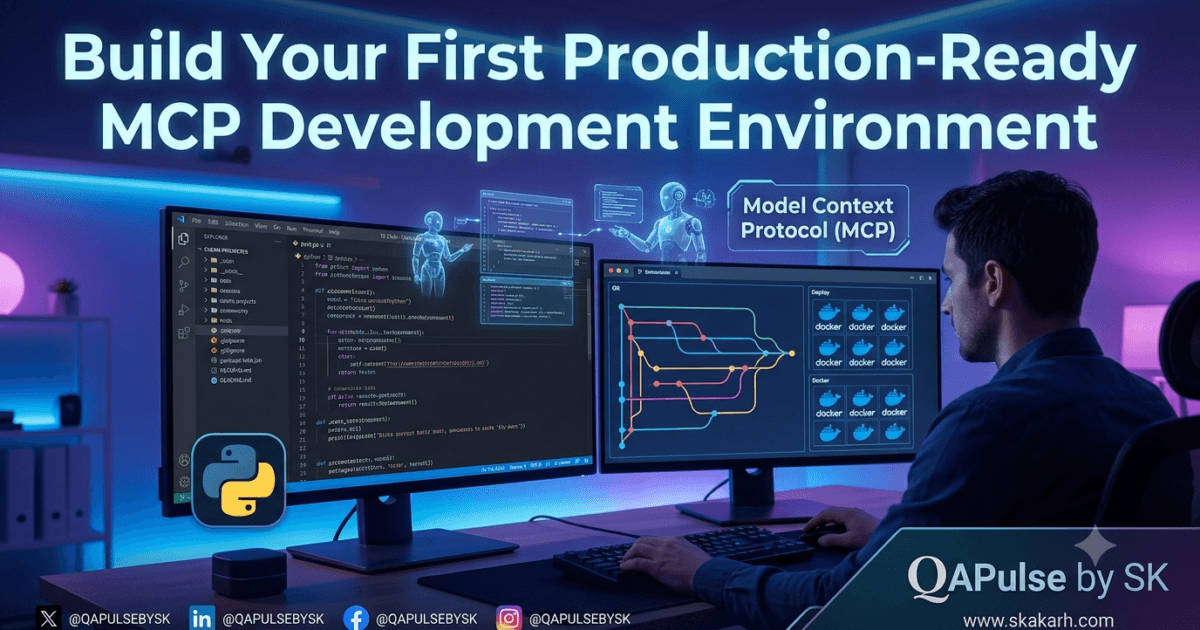
Today we are finally building our very first Production ready MCP Development Environment.
You’ve spent the first four days understanding the what, why, and how of Model Context Protocol (MCP).
You now know:
- What MCP is
- Why it matters for AI agents
- How it compares with REST APIs and plugins
- How the MCP architecture works internally
Today, everything changes.
We’re finally going to start building.
But before writing a single line of MCP code, we need something far more important:
A professional development environment.
Many tutorials jump straight into creating a “Hello World” MCP server.
It feels productive.
It isn’t.
Professional software engineers rarely start by writing business logic. They begin by building an environment that is reliable, repeatable, secure, and easy to maintain.
That same philosophy applies to MCP Development Environment.
The environment you build today will become the foundation for every MCP server, AI tool, and intelligent automation project you create in the future.
Why This Lesson Is More Important Than You Think
Imagine two developers.
The first developer opens a terminal, installs a few packages globally, creates random folders on the desktop, and starts coding immediately.
Everything works…
…until six months later.
Packages conflict.
Python versions change.
Dependencies break.
Another project requires different library versions.
Nothing behaves consistently anymore.
Now imagine another developer.
Before writing any application code, they design a clean workspace.
Every dependency is isolated.
Projects are reproducible.
Configuration is separated from source code.
Version control is ready from day one.
Six months later, every project still works exactly as expected.
Which developer would you rather be?
Professional software engineering isn’t defined by writing clever code.
It’s defined by creating systems that remain maintainable long after the excitement of the first commit has faded.
That is exactly what we’re going to build today.
What You’ll Build
By the end of this lesson, you’ll have a professional MCP Development Environment workspace that includes:
- A dedicated Python environment
- A clean project structure
- Version-controlled source code
- Recommended development tools
- A reusable template for future MCP projects
- A workspace ready for building production-quality MCP servers
Most importantly, you’ll understand why each decision matters.
This isn’t just about following commands.
It’s about learning how experienced AI engineers prepare for long-term development.
Thinking Like an MCP Engineer
One of the biggest mistakes beginners make is believing that MCP Development Environment starts with code.
Experienced engineers know something different.
Development starts with architecture.
Even something as simple as choosing where files live affects:
- debugging
- testing
- collaboration
- deployment
- automation
- CI/CD pipelines
- long-term maintenance
MCP applications are rarely standalone programs.
They often interact with:
- AI assistants
- databases
- cloud services
- APIs
- file systems
- external tools
- enterprise platforms
That complexity grows surprisingly quickly.
Building a clean foundation now prevents countless problems later.
The Modern MCP Developer Toolkit
Before installing anything, let’s understand the tools we’ll be working with.
Many beginners install software without understanding its purpose.
Professional engineers choose tools intentionally.
Here’s the toolkit we’ll use throughout this series.
| Tool | Why We Need It |
|---|---|
| Python | Build MCP servers and automation logic |
| VS Code | Primary MCP Development Environment |
| Git | Version control and collaboration |
| pip or uv | Package management |
| Virtual Environment | Dependency isolation |
| Terminal | Running and debugging applications |
| Docker (later) | Production deployment |
| MCP Inspector (later) | Debugging MCP servers |
| Claude Desktop/OpenAI Client (later) | Testing MCP integrations |
Notice something interesting.
Only one of these tools actually writes code.
Everything else exists to make development safer, faster, and more reliable.
That’s how professional engineering works.
Why Python?
The official MCP ecosystem supports multiple languages, including Python and TypeScript.
So why are we starting with Python?
Because it offers an excellent balance of:
- readability
- productivity
- ecosystem maturity
- AI tooling support
- automation capabilities
Python is already widely used in:
- AI engineering
- machine learning
- automation testing
- DevOps
- data engineering
- backend development
If you’re already a QA engineer or SDET, there’s a good chance Python is already part of your toolkit.
That makes it an excellent starting point for learning MCP.
Later in this series, you’ll see how the same concepts translate to other languages.
Installing Python the Right Way
Installing Python isn’t difficult.
Installing it correctly is another story.
Many developers unknowingly create problems during installation that don’t appear until weeks later.
Here are a few best practices:
- Install a modern, supported Python version.
- Ensure Python is added to your system PATH.
- Verify both
pythonandpipcommands work from the terminal. - Avoid maintaining multiple unnecessary Python installations unless your workflow requires them.
After installation, verify your environment:
python --version

pip --version
If both commands return valid versions, your environment is ready for the next step.
If not, solve those issues now.
Ignoring installation problems today usually creates much larger debugging sessions tomorrow.
Why Virtual Environments Matter
This is one of the most misunderstood topics for beginners.
Many developers ask:
“Why can’t I just install everything globally?”
Technically…
You can.
Professionally…
You shouldn’t.
Imagine building three MCP projects.
Project A requires one version of a dependency.
Project B requires another.
Project C depends on a newer release.
Installing everything globally quickly turns your machine into a dependency battlefield.
Virtual environments solve this elegantly.
Each project gets its own isolated Python environment.
That means:
- no package conflicts
- no accidental upgrades
- reproducible builds
- easier collaboration
- cleaner deployments
This is standard practice across professional software teams.
Creating Your First Virtual Environment
Inside your project directory, create a virtual environment:
python -m venv .venv
This creates a dedicated Python runtime for your project.
Activate it before installing packages.
Windows
.venv\Scripts\activate
macOS/Linux
source .venv/bin/activate
Once activated, your terminal prompt usually changes to indicate you’re working inside the isolated environment.
From this point onward, every package you install belongs only to this project.
That’s exactly what we want.
Why Isolation Becomes Critical for MCP Projects
As your MCP Development Environment servers grow, they’ll interact with numerous external libraries.
Examples include:
- database connectors
- AI SDKs
- cloud clients
- authentication libraries
- testing frameworks
- monitoring tools
Each evolves independently.
Without isolated environments, upgrading one library for one project can unexpectedly break another.
Dependency isolation isn’t just a convenience.
It’s a risk management strategy.
Professional engineering is largely about reducing unnecessary risk.
Virtual environments are one of the simplest and most effective ways to achieve that.
Installing the MCP SDK
With the environment ready, we’re finally prepared to install the MCP SDK.
Activate your virtual environment and install the package:
pip install mcp
Behind this single command, several important things happen.
The package manager:
- downloads the MCP SDK
- resolves required dependencies
- installs supporting libraries
- prepares your environment for MCP Development Environment
Most tutorials stop here.
We won’t.
Understanding what gets installed—and why—is just as important as running the command itself.
In the next section, we’ll explore the project structure that experienced engineers use to keep MCP applications organized, maintainable, and ready for production. We’ll also configure Visual Studio Code, organize our workspace, and prepare a reusable template that we’ll build on throughout the rest of this series.
Designing Your MCP Development Environment Project Like a Professional
If you’ve ever searched GitHub for open-source projects, you’ve probably noticed something interesting.
Professional repositories rarely consist of just one or two Python files. Instead, they follow a logical, predictable structure that makes navigation intuitive and maintenance easier.
This isn’t about aesthetics—it’s about scalability.
A well-organized project helps you:
- Find files quickly.
- Add new features without creating chaos.
- Collaborate with teammates.
- Write automated tests.
- Deploy confidently.
- Reduce technical debt as the project grows.
Even if your first MCP server only contains a few files, building good habits now will save you countless hours later.
A Recommended Project Structure
Rather than placing every file in the project root, organize your workspace with future growth in mind.
my-first-mcp/
│
├── .venv/
├── .gitignore
├── README.md
├── requirements.txt
├── .env
├── src/
│   ├── server.py
│   ├── tools/
│   ├── resources/
│   └── prompts/
│
├── tests/
│
├── docs/
│
└── examples/
Let’s understand why each folder exists.
| Folder/File | Purpose |
|---|---|
.venv/ | Isolated Python environment. |
src/ | Contains application source code. |
tools/ | Custom MCP tools exposed to AI clients. |
resources/ | Reusable data resources shared with clients. |
prompts/ | Prompt templates and reusable instructions. |
tests/ | Unit and integration tests. |
docs/ | Architecture diagrams and documentation. |
examples/ | Sample requests and demonstrations. |
.env | Environment variables such as API keys. |
README.md | Project overview and setup instructions. |
This structure is intentionally simple, but it scales well from hobby projects to enterprise applications.
Configure Visual Studio Code for Productivity
Visual Studio Code has become one of the most popular editors for Python and AI development, largely because of its flexibility and rich extension ecosystem.
Installing VS Code is only the beginning. Configuring it properly can significantly improve your development experience.
Here are a few extensions worth installing before you begin writing MCP servers:
| Extension | Why It Matters |
|---|---|
| Python | Core language support and debugging. |
| Pylance | Intelligent code completion and type checking. |
| Ruff | Fast linting and formatting. |
| GitLens | Better Git history and collaboration. |
| Docker | Helpful later when containerizing MCP servers. |
These tools won’t make you a better engineer overnight, but they will help you catch mistakes earlier and maintain cleaner code.
Remember, productivity comes from reducing friction—not from typing faster.
Version Control from Day One
One of the biggest mistakes beginners make is delaying Git until “the project becomes serious.”
Professional developers do the opposite.
Version control starts before the first feature is implemented.
Initialize your repository:
git init
Create a .gitignore file immediately.
At a minimum, ignore:
.venv/
__pycache__/
.env
*.pyc
Why ignore .env?
Because environment files often contain secrets such as:
- API keys
- Authentication tokens
- Database credentials
- Cloud service endpoints
Accidentally committing these files to GitHub has led to countless security incidents.
Treat secrets as confidential from the beginning.
Environment Variables: Keep Configuration Out of Code
Hardcoding configuration values may seem convenient when you’re experimenting, but it quickly becomes a maintenance and security problem.
Imagine this example:
API_KEY = "my-secret-api-key"
It works.
Until you need to:
- Share the project.
- Deploy to production.
- Rotate credentials.
- Support multiple environments.
Instead, store configuration outside your source code using environment variables.
For example:
OPENAI_API_KEY=your-api-key
DATABASE_URL=postgres://...
LOG_LEVEL=INFO
Your application reads these values at runtime rather than embedding them directly into the codebase.
This separation keeps your application flexible, secure, and easier to deploy across development, staging, and production environments.
Logging Is Not Optional
Many beginner tutorials rely heavily on print() statements for debugging.
While there’s nothing inherently wrong with print() during experimentation, production software requires something far more structured.
Logging provides:
- timestamps
- severity levels
- searchable output
- centralized monitoring
- historical troubleshooting
Instead of asking:
“Why did the server crash?”
You can answer:
“It failed at 2:14 PM because an authentication token expired.”
That level of visibility becomes invaluable as systems grow more complex.
We’ll explore structured logging in greater depth later in this series, but it’s worth adopting the mindset from day one.
Think About Testing Before You Write Features
One habit shared by experienced software engineers is designing with testing in mind.
Notice we created a tests/ directory before writing any application logic.
That’s intentional.
Testing shouldn’t be an afterthought.
As your MCP server evolves, you’ll want confidence that:
- new tools don’t break existing functionality
- resources return expected data
- prompts behave consistently
- integrations continue working after updates
By planning for testing early, you create software that’s easier to maintain and safer to extend.
Common Mistakes New MCP Developers Make
Every technology has its learning curve, and MCP is no exception.
Here are a few mistakes worth avoiding.
Installing Everything Globally
Global installations often lead to dependency conflicts across projects.
Always prefer isolated environments.
Ignoring Version Control
Losing work or struggling to understand what changed becomes inevitable without Git.
Commit frequently.
Write meaningful commit messages.
Hardcoding Secrets
Never embed passwords, API keys, or tokens directly in your source code.
Use environment variables instead.
Mixing Project Files
As projects grow, placing everything in the root directory creates unnecessary confusion.
Organize your code logically from the beginning.
Skipping Documentation
Future-you is another developer.
A concise README.md explaining how to install, run, and test the project saves time for everyone—including yourself.
What This Means for QA Engineers and SDETs
If you’re coming from a quality engineering background, today’s lesson should feel familiar.
Building a reliable automation framework follows many of the same principles as building an MCP server.
In both cases, success depends on:
- repeatable environments
- dependency management
- clean project organization
- version control
- automated testing
- secure configuration
These engineering fundamentals are technology-agnostic.
Whether you’re creating Playwright automation, Selenium frameworks, API tests, or AI-powered MCP servers, disciplined project organization dramatically reduces maintenance costs over time.
For QA teams exploring AI-assisted testing, investing in a professional MCP Development Environment today lays the groundwork for future automation initiatives.
Final Thoughts
Today’s lesson wasn’t about writing an MCP server.
It was about preparing to write one the right way.
Anyone can follow a tutorial and produce a “Hello World” application.
Professional engineers build systems that remain reliable months and years later.
The decisions you made today—isolated environments, structured projects, version control, secure configuration, and testing-first thinking—may seem small individually.
Together, they form the foundation of every successful software project.
As we continue through this series, you’ll discover that these practices make every new concept easier to understand and every new feature easier to implement.
In software engineering, strong foundations are rarely exciting.
But they are almost always the reason successful projects stay successful.
What’s Next?
Now that your development environment is ready, it’s time to build something tangible.
In Day 6, we’ll create our first fully functional MCP server in Python.
You’ll learn how to:
- Initialize an MCP server.
- Register your first tool.
- Understand the server lifecycle.
- Run the server locally.
- Verify communication with an MCP client.
- Build a reusable foundation for more advanced MCP applications.
This is where theory begins to transform into real, working software.
External Authority Links
- Official MCP Specification: https://modelcontextprotocol.io
- Official MCP Python SDK: https://github.com/modelcontextprotocol/python-sdk
- Official MCP TypeScript SDK: https://github.com/modelcontextprotocol/typescript-sdk
- Python: https://www.python.org
- Visual Studio Code: https://code.visualstudio.com
- Git: https://git-scm.com
Internal Links
- LlamaIndex 0.14.23 Released: What QA Engineers Need to Know About This Stability Update
- LangChain 1.4.7 Released: Important Stability Improvements Every QA Engineer Should Know
- Docker Compose 5.2.0 Released: Critical Container Improvements Every QA Engineer Should Know
FAQ Schema
What is an MCP development environment?
An MCP development environment is a dedicated workspace containing the tools, SDKs, dependencies, and project structure required to build Model Context Protocol servers and clients.
Why should I use a virtual environment for MCP?
Virtual environments isolate project dependencies, prevent package conflicts, and ensure consistent builds across development, testing, and production environments.
Which programming language is best for MCP?
Python is an excellent starting point because of its simplicity, strong AI ecosystem, and official MCP SDK support. TypeScript is also widely used, particularly for JavaScript-based applications.
Do I need Docker before learning MCP?
No. Docker is not required to start building MCP servers, but learning it later helps with packaging, deployment, and creating reproducible environments.
Which IDE should I use?
Visual Studio Code is one of the most popular choices due to its excellent Python support, debugging capabilities, and extension ecosystem.
Can QA Engineers learn MCP?
Absolutely. QA engineers, SDETs, and automation architects can use MCP to create AI-powered testing tools, intelligent automation workflows, and reusable integrations with modern AI assistants.
Continue Your MCP Zero to Hero Journey
Congratulations! You’ve completed Day 5 of the series.
Your workspace is no longer just a collection of tools—it’s a professional foundation for building AI-powered applications with the Model Context Protocol.
From here onward, every lesson will build on this environment as we move from concepts to production-ready implementations.
Stay tuned for Day 6, where we’ll write our very first MCP server from scratch.
Enjoyed this article? Explore more in-depth guides on AI engineering, automation testing, Model Context Protocol, Playwright, and intelligent software quality at www.skakarh.com. Follow QAPulse by SK for practical, production-focused tutorials designed for QA engineers, SDETs, and AI developers.