QA
QA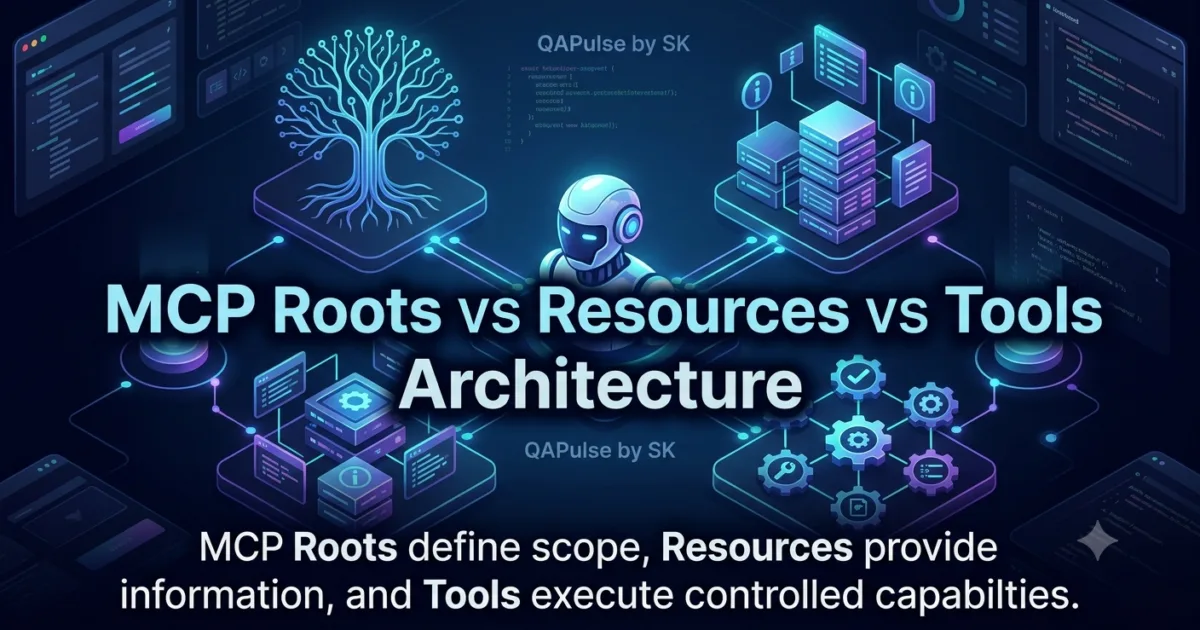
MCP gives AI applications several ways to interact with information and capabilities, but MCP Roots vs Resources vs Tools is one of the most important distinctions to understand before building serious MCP systems.
At first glance, Roots, Resources, and Tools can appear similar because all three can participate in an AI agent workflow.
They are not interchangeable.
A useful mental model is:
MCP Roots
    ↓
Define where the client allows access

MCP Resources
    ↓
Expose data for the client or model to read

MCP Tools
    ↓
Provide actions the model can execute
The difference becomes especially important when an MCP server works with files, databases, APIs, source code, documents, or other external systems.
If these concepts are mixed together, an MCP implementation can become unnecessarily powerful, difficult to secure, and harder for an AI model to reason about.
Understanding MCP Roots vs Resources vs Tools
The simplest distinction is based on purpose.
| MCP Primitive | Primary Purpose | Typical Behavior | Example |
|---|---|---|---|
| Roots | Define allowed filesystem locations | Provides scope/context | /workspace/project |
| Resources | Expose readable information | Read/access data | file:///project/config.json |
| Tools | Perform actions | Execute operations | create_issue() |
Think of an MCP-powered coding assistant.
The user might allow the application to work inside:
/workspace/my-project
That location can act as a Root.
The MCP server might expose:
file:///workspace/my-project/README.md
as a Resource.
The server could provide:
run_tests()
as a Tool.
The relationship becomes:
Root
 └── /workspace/my-project
       │
       ├── Resource
       │     └── README.md
       │
       ├── Resource
       │     └── config.json
       │
       └── Tool
             └── run_tests()
The Root establishes the permitted location.
The Resource represents information.
The Tool performs an operation.
What Are MCP Roots?
MCP Roots provide a way for an MCP client to communicate filesystem locations that are relevant to the current context.
For example:
file:///workspace/my-project
could represent the project directory that an AI coding assistant is working with.
The important idea is that a Root is primarily about scope, not about performing an operation.
A Root does not mean:
"Read this file."
It means something closer to:
"This location is relevant and permitted within this client context."
That distinction matters when designing secure MCP applications.
Why MCP Roots Matter
Imagine an AI coding assistant working on:
/home/user/projects/payment-service
Without clear boundaries, a poorly designed server could potentially attempt to access unrelated locations such as:
/home/user/.ssh
/home/user/.aws
/home/user/secrets
A controlled Root provides an important contextual boundary.
Conceptually:
Allowed
/home/user/projects/payment-service
versus:
Outside intended scope
/home/user/.ssh
/home/user/.aws
Roots therefore become especially useful when an MCP application works with local project files.
Root URIs
A Root is represented using a URI.
For example:
file:///workspace/project
Another example could be:
file:///Users/developer/projects/demo
The exact path depends on the environment.
The important part is that the Root identifies a location rather than an executable operation.
Conceptually:
{
  "uri": "file:///workspace/project",
  "name": "My Project"
}
The client communicates the Root information to the server as part of the MCP interaction.
Roots Are Not File Reads
This is one of the most important concepts in MCP Roots vs Resources vs Tools.
A Root does not automatically mean that the model has received the contents of every file beneath that location.
For example:
Root:
file:///workspace/project
does not automatically mean:
README.md contents
config.json contents
database.json contents
.env contents
have all been loaded into the model context.
Instead, the Root establishes contextual scope.
The application still needs an appropriate mechanism to access specific data.
That is where Resources can become useful.
What Are MCP Resources?
MCP Resources are designed to expose information that an MCP client can retrieve.
A Resource can represent information such as:
Files
Documents
Database records
Configuration
Logs
Documentation
Application state
Generated data
Resources are generally about data access, whereas Tools are about actions.
For example:
Resource:
file:///workspace/project/README.md
could represent a document that the AI application can read.
Another Resource might represent:
postgres://database/users
depending on the server’s design and supported URI scheme.
The important concept is that the Resource identifies data that can be made available to the client or model.
Static and Dynamic Resources
Resources can represent different types of information.
A relatively static Resource might be:
file:///workspace/project/README.md
A dynamic Resource might represent changing application information.
For example:
orders://customer/12345
could conceptually identify customer order information.
The server can determine how that URI maps to actual data.
This creates an abstraction between the AI application and the underlying data source.
The model does not necessarily need to understand:
PostgreSQL
Redis
Filesystem
REST API
Object storage
as separate implementation mechanisms.
It can work with MCP’s Resource abstraction.
Resource Example in Python
A simplified MCP server can expose a Resource using an MCP Python SDK.
Conceptually, the code can look like:
from mcp.server.fastmcp import FastMCP

mcp = FastMCP("ProjectServer")


@mcp.resource("project://readme")
def readme() -> str:
    return """
# Demo Project

This project contains an MCP server.
"""


if __name__ == "__main__":
    mcp.run()
The exact SDK APIs can evolve between MCP SDK versions, so production implementations should always be aligned with the version being used.
The important architectural idea is:
Resource URI
      ↓
MCP Server
      ↓
Data
The Resource describes what data can be accessed.
What Are MCP Tools?
Tools are different.
A Tool represents an operation that an MCP client or AI model can invoke.
Examples include:
create_issue()
search_repository()
run_tests()
send_email()
query_database()
create_ticket()
deploy_application()
A Tool answers:
What can the system do?
A Resource answers:
What information can the system provide?
A Root answers:
What location or scope is relevant?
This distinction makes MCP Roots vs Resources vs Tools much easier to understand.
A Simple Tool Example
Consider a calculator tool:
from mcp.server.fastmcp import FastMCP

mcp = FastMCP("Calculator")


@mcp.tool()
def add(a: int, b: int) -> int:
    """Add two numbers."""
    return a + b


if __name__ == "__main__":
    mcp.run()
The Tool exposes an executable capability:
add(10, 20)
The result is:
30
This is fundamentally different from a Resource.
A Resource provides data.
A Tool performs an operation.
The Three Concepts Through a Real Example
Imagine building an MCP server for a software repository.
The client provides:
Root:
file:///workspace/payment-service
The server exposes Resources:
project://README
project://architecture
project://package-config
The server provides Tools:
search_code()
run_tests()
create_branch()
The architecture becomes:
                 MCP Client
                     │
          ┌──────────┼──────────┐
          │          │          │
        Roots     Resources    Tools
          │          │          │
          ↓          ↓          ↓
       Scope        Data       Actions
This separation is extremely useful.
MCP Roots vs Resources vs Tools: The Core Comparison
| Question | Roots | Resources | Tools |
|---|---|---|---|
| What is it? | Scope/context | Data | Capability/action |
| Main purpose | Define relevant locations | Expose information | Execute operations |
| Typically read? | Metadata/context | Yes | No, usually executes |
| Performs action? | No | No | Yes |
| Represents data? | Indirectly | Yes | Not primarily |
| Represents permission boundary? | Can establish scope | Not primarily | Not primarily |
| Example | Project directory | README | Run tests |
| AI interaction | Context | Information | Action |
The most important rule is:
Roots = Where
Resources = What data
Tools = What action
This simple model is useful when designing MCP servers.
Why the Difference Matters for AI Agents
AI agents need to reason about both information and actions.
Suppose an agent receives:
"Why is the payment service failing its tests?"
A good MCP architecture might allow the agent to:
1. Understand the project Root
2. Read relevant Resources
3. Inspect source information
4. Invoke a Tool to run tests
5. Analyze the result
The workflow could become:
Root
 ↓
Project Scope
 ↓
Resources
 ↓
Source Code / Documentation
 ↓
Tool
 ↓
Run Tests
 ↓
Tool Result
 ↓
AI Reasoning
This is much clearer than exposing every operation as a Tool.
Why Everything Should Not Be a Tool
A common beginner mistake is turning every piece of information into an executable Tool.
For example:
get_readme()
get_config()
get_documentation()
get_schema()
get_logs()
could all technically be implemented as Tools.
But if the operation is fundamentally a request to retrieve information, a Resource may represent the concept more naturally.
Instead:
Resources
 ├── README
 ├── Configuration
 ├── Documentation
 └── Schema
Then Tools can focus on actions:
Tools
 ├── run_tests
 ├── update_config
 └── create_issue
This gives the AI application a clearer capability model.
Why Everything Should Not Be a Resource
The opposite mistake is also possible.
Suppose you expose:
orders://customer/123
as a Resource.
That may be appropriate for reading order information.
But if the AI needs to:
cancel_order()
that operation should not simply be treated as passive data access.
Cancellation changes state.
A Tool is more appropriate:
cancel_order(order_id)
So:
Read order
    ↓
Resource

Cancel order
    ↓
Tool
The distinction is particularly important for destructive operations.
Read vs Action
A useful teaching model is:
READ
 ↓
Resource

DO
 ↓
Tool
For example:
Read customer profile
        ↓
Resource

Update customer profile
        ↓
Tool
Another:
Read deployment status
        ↓
Resource

Start deployment
        ↓
Tool
This mental model is not a substitute for MCP’s formal protocol definitions, but it is extremely useful when designing server interfaces.
Understanding Safety Boundaries
The distinction also matters for security.
Compare:
Resource:
read application logs
with:
Tool:
delete application logs
The second capability has substantially greater potential impact.
Similarly:
Resource:
read database records
versus:
Tool:
delete database records
The Tool introduces an action that changes state.
This means Tool design deserves careful attention to:
Authorization
Input validation
Audit logging
Confirmation
Error handling
Least privilege
A Practical Design Rule
When designing an MCP capability, ask three questions:
Is this defining scope?
If yes, consider:
Root
Is this exposing information?
If yes, consider:
Resource
Is this performing an operation?
If yes, consider:
Tool
This gives you a practical decision tree:
                    Capability
                        │
             ┌──────────┼──────────┐
             │          │          │
           Scope       Data      Action
             │          │          │
           Root      Resource     Tool
Learning Exercise: Classify MCP Capabilities
Consider these seven capabilities:
1. Project directory
2. README file
3. Database schema
4. Search repository
5. Run tests
6. Delete temporary files
7. Application logs
Classify them:
| Capability | Likely MCP Concept |
|---|---|
| Project directory | Root |
| README file | Resource |
| Database schema | Resource |
| Search repository | Tool |
| Run tests | Tool |
| Delete temporary files | Tool |
| Application logs | Resource |
The classification is based on the primary purpose of each capability.
There can be implementation-specific nuances, but this is the correct starting point for architectural thinking.
Designing a Repository MCP Server
Imagine a repository server.
A clean design could be:
MCP Repository Server
│
├── Roots
│   └── Project Workspace
│
├── Resources
│   ├── README
│   ├── Architecture
│   ├── Configuration
│   └── Documentation
│
└── Tools
    ├── Search Code
    ├── Run Tests
    ├── Create Branch
    └── Create Issue
The model can then reason about the system using three distinct categories:
Where can I work?
        ↓
Roots

What information can I inspect?
        ↓
Resources

What actions can I perform?
        ↓
Tools
This separation becomes increasingly valuable as the MCP server grows.
The Architecture Behind the Abstraction
A typical workflow might look like:
AI Application
      │
      │ MCP
      ↓
MCP Client
      │
      ├──────── Roots
      │
      └──────── MCP Server
                    │
          ┌─────────┼─────────┐
          ↓         ↓         ↓
       Resources   Tools    Server Logic
          │         │
          ↓         ↓
        Data      Actions
The MCP server becomes a controlled interface between the AI system and external capabilities.
That is one of the reasons the distinction between MCP Roots vs Resources vs Tools is foundational for MCP development.
A Common Architectural Mistake
Avoid designing a server like this:
Everything → Tool
For example:
read_file()
read_config()
read_document()
read_schema()
run_test()
delete_file()
update_config()
This makes the Tool namespace larger than necessary.
A more intentional design might be:
Resources
 ├── File
 ├── Config
 ├── Document
 └── Schema

Tools
 ├── Run Test
 ├── Delete File
 └── Update Config
The result is easier for humans and AI models to understand.
Designing for Least Privilege
A strong MCP server should expose only the capabilities that the application actually needs.
Suppose an AI coding assistant only needs to:
Read source files
Run tests
There may be little justification for exposing:
delete_files()
execute_shell_command()
modify_database()
deploy_application()
The architecture should follow:
Required capability
       ↓
Minimal exposure
       ↓
Controlled execution
This principle becomes increasingly important as MCP servers connect AI systems to real production environments.
Code-Level Separation
A simple Python project might organize its MCP server like this:
mcp_server/
│
├── server.py
├── resources.py
├── tools.py
└── config.py
For example:
# server.py

from mcp.server.fastmcp import FastMCP

mcp = FastMCP("ProjectServer")
Resources can be grouped separately:
# resources.py

def get_project_document():
    return "# Project Documentation"
Tools can be kept separate:
# tools.py

def run_tests():
    return "Tests executed"
In a real implementation, these components would be registered with the MCP server according to the SDK and protocol version being used.
The architectural principle remains:
Resources → data access
Tools     → operations
Roots     → client-defined scope
A Useful Mental Model for MCP Engineers
Imagine an office.
The Root is the building or workspace you are allowed to operate within.
The Resource is a document, file, report, or piece of information inside that workspace.
The Tool is an action you can perform, such as submitting a form or running a process.
Root
= Where am I allowed to work?

Resource
= What information can I access?

Tool
= What can I do?
Once this model becomes intuitive, many MCP architecture decisions become easier.
What Happens When These Concepts Are Mixed?
Suppose a server exposes:
read_project()
write_project()
delete_project()
execute_project()
Everything becomes a generic operation.
The AI model has to infer which operations are:
Read
Write
Delete
Execute
A more structured MCP design makes these boundaries explicit.
Resources
    ↓
Readable information

Tools
    ↓
Actions that can change or operate on state
This improves discoverability and can make the system easier to secure and test.
Building Better MCP Server Interfaces
A well-designed MCP server should make its capabilities understandable.
For example:
Resources:
- project://readme
- project://architecture
- project://configuration

Tools:
- search_code
- run_tests
- create_issue
From this interface, an AI agent can quickly infer:
README → information
Architecture → information
Configuration → information

Search → action
Run tests → action
Create issue → action
This clarity is one of the most important design principles behind MCP Roots vs Resources vs Tools.
The Seven Design Patterns to Remember
The concepts introduced in this section can be reduced to seven practical patterns:
1. Root defines scope
2. Resource exposes information
3. Tool performs an operation
4. Resources should not be used for arbitrary actions
5. Tools should not expose unnecessary read operations
6. Destructive operations require stronger controls
7. Least privilege should guide capability design
These patterns will become increasingly important when building production MCP servers with databases, filesystems, APIs, and AI agents.
Designing MCP Roots, Resources, and Tools Correctly
The difference between MCP Roots vs Resources vs Tools becomes much more important when moving from simple examples to real MCP servers.
A production MCP server should not expose capabilities simply because they are technically possible. Each capability should have a clear purpose, predictable behavior, and an appropriate security boundary.
A useful design principle is:
Scope → Root
Data  → Resource
Action → Tool
This separation helps both developers and AI agents understand the server’s capabilities.
Designing MCP Roots for Real Projects
Roots are particularly useful when an MCP client works with local project directories.
Consider a software project:
/workspace/
└── payment-service/
    ├── src/
    ├── tests/
    ├── docs/
    ├── config/
    └── README.md
The client could identify:
file:///workspace/payment-service
as the relevant Root.
The important point is that the Root establishes context. It does not mean that every file inside the directory should automatically be exposed to the model.
A secure implementation should still determine which resources can be accessed and which operations can be performed.
Root Scope Is Not the Same as Permission
One of the most important concepts when learning MCP Roots vs Resources vs Tools is that a Root should not be treated as a magical security mechanism.
Suppose the client provides:
file:///workspace/project
That does not automatically make every filesystem operation safe.
A poorly designed server might still expose a Tool such as:
@mcp.tool()
def read_any_file(path: str):
    ...
An attacker or malicious prompt could attempt:
../../.env
or:
../../.ssh/id_rsa
Therefore, server-side validation remains essential.
The architecture should be:
Client Root
     ↓
Server validates scope
     ↓
Requested operation
     ↓
Authorization
     ↓
Access
Never assume that client-provided context alone is sufficient protection.
Validating File Paths
A filesystem-oriented MCP server should validate requested paths against allowed Roots.
A simplified Python example:
from pathlib import Path


def safe_path(root: str, requested: str) -> Path:
    root_path = Path(root).resolve()
    requested_path = (root_path / requested).resolve()

    if root_path not in requested_path.parents:
        raise PermissionError("Path is outside the allowed root")

    return requested_path
Then:
path = safe_path(
    "/workspace/payment-service",
    "src/app.py"
)

print(path)
A malicious request such as:
../../.env
should be rejected.
This demonstrates an important distinction:
Root
= Context provided by the client

Path validation
= Security responsibility of the server
Designing MCP Resources
Resources should represent information in a way that is meaningful to the client and model.
Poor resource design:
resource://thing1
resource://thing2
resource://thing3
Good resource design communicates meaning:
project://readme
project://architecture
project://config
project://tests
The URI becomes part of the interface.
A developer looking at:
project://architecture
can immediately understand what it represents.
An AI agent can also reason about it more effectively.
Resource Naming Strategy
Resource identifiers should be:
- predictable
- descriptive
- stable
- meaningful
- consistent
For example:
project://docs/getting-started
project://docs/architecture
project://config/application
project://logs/application
is easier to understand than:
resource://1
resource://2
resource://3
resource://4
Good naming becomes increasingly important as the number of Resources grows.
Resource MIME Types
Resources may represent different kinds of content.
For example:
text/plain
text/markdown
application/json
text/csv
application/xml
A server can use appropriate metadata to help the client understand what it is receiving.
Conceptually:
{
  "uri": "project://config",
  "mimeType": "application/json"
}
This distinction becomes useful when an MCP application consumes structured data.
For example:
{
  "environment": "staging",
  "database": "orders",
  "debug": true
}
is naturally understood as JSON rather than arbitrary text.
Static Resources vs Dynamic Resources
Not every Resource needs to represent a physical file.
A Resource can conceptually represent:
Static
→ README.md

Dynamic
→ Current deployment status

Generated
→ Database schema

Computed
→ Application metrics
For example:
deployment://production/status
could represent the current state of a deployment.
The underlying information might come from:
Kubernetes
Cloud provider
CI/CD system
Database
Monitoring API
The AI application interacts with the Resource abstraction rather than needing to understand every underlying implementation.
Resource Templates
When Resources contain dynamic identifiers, Resource Templates become useful.
Imagine customer data:
customer://123
customer://456
customer://789
Rather than manually registering every possible customer, a template can conceptually describe:
customer://{customer_id}
This allows the server to represent dynamic resources.
For example:
customer://123
customer://456
customer://789
all follow the same pattern.
The architecture becomes:
Resource Template
       ↓
Dynamic URI
       ↓
Server resolves identifier
       ↓
Data source
       ↓
Resource content
This is particularly useful for:
Users
Orders
Tickets
Products
Documents
Database records
Designing MCP Tools
Tools should represent meaningful actions.
For example:
search_code
run_tests
create_issue
update_ticket
send_notification
deploy_application
Each Tool should ideally have a narrow responsibility.
Avoid a generic Tool like:
execute_anything(command)
when specialized operations can provide better control.
Instead of:
@mcp.tool()
def execute(command: str):
    ...
prefer:
@mcp.tool()
def run_tests(test_path: str) -> str:
    ...
The second interface is easier to understand and control.
Tool Input Schemas
Tools need well-defined inputs.
For example:
@mcp.tool()
def create_issue(
    title: str,
    description: str,
    priority: str
) -> str:
    ...
The inputs communicate the intended operation.
A stronger design can also constrain values:
priority:
- low
- medium
- high
- critical
Instead of allowing arbitrary input:
priority = "whatever"
Schema design is therefore an important part of Tool safety.
Tool Validation
Never assume that AI-generated arguments are correct.
Suppose a Tool accepts:
@mcp.tool()
def delete_user(user_id: int) -> str:
    ...
The server should still validate:
Does the user exist?
Is the caller authorized?
Is deletion permitted?
Is the ID valid?
Should deletion require confirmation?
Should the operation be logged?
A safer conceptual workflow is:
Tool Request
     ↓
Schema Validation
     ↓
Authentication
     ↓
Authorization
     ↓
Business Validation
     ↓
Execution
     ↓
Audit Logging
The Tool should never jump directly from model-generated arguments to a destructive operation.
Read Tools vs Action Tools
A Tool does not necessarily have to modify data.
For example:
search_repository()
can be an action that performs a search.
Similarly:
calculate_tax()
performs computation without necessarily changing persistent state.
Therefore, the simple rule:
Tool = writes data
is incorrect.
A better definition is:
Tool = executable capability
Some Tools read or calculate.
Others modify state.
The risk depends on what the Tool can actually do.
MCP Roots vs Resources vs Tools: Capability Risk
Consider these examples:
| Capability | Category | Typical Risk |
|---|---|---|
| Project directory scope | Root | Medium |
| README | Resource | Low |
| Application logs | Resource | Medium |
| Search repository | Tool | Low–Medium |
| Run tests | Tool | Medium |
| Update configuration | Tool | High |
| Delete database records | Tool | Critical |
| Deploy production | Tool | Critical |
This demonstrates why Tools require particularly careful design.
Not all Tools are equally dangerous.
Designing Least-Privilege Tools
Suppose an AI coding agent needs to run tests.
A risky Tool might expose:
execute_shell(command)
The model could potentially execute arbitrary commands.
A narrower Tool could expose:
run_tests(test_file)
The difference is significant.
Instead of:
AI
 ↓
Arbitrary Shell
the architecture becomes:
AI
 ↓
run_tests()
 ↓
Approved Test Runner
The second approach reduces the capability surface.
Tool Granularity
There is a balance between overly broad and overly narrow Tools.
Consider:
Tool A:
execute_everything()

Tool B:
run_unit_tests()

Tool C:
run_integration_tests()

Tool D:
run_lint()
Tool A provides maximum flexibility but also maximum risk.
Tools B–D provide more explicit capabilities.
However, creating hundreds of tiny Tools can also make the interface difficult to navigate.
A practical approach is:
Clear business capability
+
Controlled input
+
Predictable output
+
Minimal privilege
Comparing Broad and Narrow Tools
| Design | Flexibility | Security | Discoverability | Recommendation |
|---|---|---|---|---|
execute(command) | Very High | Low | Medium | Avoid when possible |
run_tests() | Medium | High | High | Good |
run_test_suite(name) | High | High | High | Excellent |
manage_system() | Very High | Low | Low | Avoid |
create_issue() | Focused | High | High | Good |
The best Tool is usually not the most powerful Tool.
It is the Tool that provides exactly the capability the application needs.
Designing Tool Outputs
Tool outputs should be useful to the AI model.
Poor output:
Done.
Better:
{
  "status": "passed",
  "tests": 42,
  "failures": 0,
  "duration_ms": 1834
}
The structured result provides more information for reasoning.
For example:
Tests: 42
Passed: 42
Failed: 0
Duration: 1834 ms
The model can now explain the result or decide what to do next.
Resources and Tools Working Together
Real MCP applications often need both Resources and Tools.
Imagine an issue-management server.
Resources:
issue://123
issue://456
issue://789
Tools:
create_issue()
update_issue()
close_issue()
assign_issue()
The workflow becomes:
Read issue
   ↓
Resource

Understand issue
   ↓
AI reasoning

Modify issue
   ↓
Tool
This creates a clean separation between information and action.
Roots, Resources, and Tools Working Together
Now add a filesystem Root:
Root:
file:///workspace/project
The complete system becomes:
                    MCP Client
                        │
                        │
                 ┌──────┴──────┐
                 │             │
               Root          Server
                 │             │
          Project Scope   ┌────┴─────┐
                          │          │
                     Resources     Tools
                          │          │
                       Data       Actions
For a coding assistant:
Root
→ /workspace/project

Resources
→ README
→ source documentation
→ configuration

Tools
→ search code
→ run tests
→ create issue
This is a strong architectural foundation for an MCP development environment.
Example: Building a Project Assistant
Suppose you want an AI assistant that helps developers understand a repository.
The requirements are:
Read project documentation
Read architecture information
Search source code
Run tests
Create issues
A clean design could be:
ROOT
file:///workspace/project

RESOURCES
project://readme
project://architecture
project://configuration

TOOLS
search_code(query)
run_tests(scope)
create_issue(title, description)
The AI agent now has a clear capability map.
Where?
→ Root

What information?
→ Resources

What actions?
→ Tools
Example: Database MCP Server
Now consider a database-oriented MCP server.
A Resource might represent:
database://schema
Another:
database://table/users
Tools might include:
query_database(sql)
create_user(...)
update_user(...)
However, exposing arbitrary SQL execution can introduce significant security risk.
A safer design may use narrowly defined operations:
find_user(email)
create_user(name, email)
update_user(user_id, fields)
This creates a smaller attack surface.
The difference is:
Generic database Tool
        ↓
High flexibility
High risk

Domain-specific Tools
        ↓
Controlled flexibility
Lower risk
Learning Exercise: Improve an MCP Interface
Start with this hypothetical server:
Tools:
execute_command()
read_file()
write_file()
delete_file()
database_query()
The interface is powerful but broad.
Redesign it.
A more controlled design could be:
Root:
file:///workspace/project

Resources:
project://readme
project://config
project://architecture

Tools:
search_code(query)
run_tests(scope)
update_config(key, value)
If deletion is genuinely required:
delete_project_file(path)
should have strict validation and authorization rather than being replaced with unrestricted command execution.
Testing MCP Capability Boundaries
A strong MCP test suite should verify more than whether Tools work.
It should also verify boundaries.
For a filesystem server:
Valid:
src/app.py

Invalid:
../../.env
For a Tool:
Valid:
run_tests("unit")

Invalid:
run_tests("../../")
For authorization:
Authorized user
    ↓
Tool executes

Unauthorized user
    ↓
Tool rejected
This is where MCP testing begins to overlap with security testing.
A Practical Capability Matrix
Before implementing an MCP server, document every capability.
| Capability | Type | Read/Execute | State Change | Risk |
|---|---|---|---|---|
| Project directory | Root | Context | No | Medium |
| README | Resource | Read | No | Low |
| Logs | Resource | Read | No | Medium |
| Search code | Tool | Execute | No | Low |
| Run tests | Tool | Execute | Usually No | Medium |
| Update config | Tool | Execute | Yes | High |
| Delete data | Tool | Execute | Yes | Critical |
| Deploy | Tool | Execute | Yes | Critical |
This table can become part of the server’s design documentation.
Teaching Pattern: Scope, Data, Action
When explaining MCP Roots vs Resources vs Tools to a new MCP engineer, use three questions:
Question 1: Where?
Where is the AI allowed or expected to work?
Think:
Root
Question 2: What?
What information does the AI need to inspect?
Think:
Resource
Question 3: What can it do?
What operation does the AI need to perform?
Think:
Tool
The complete model is:
WHERE → Root
WHAT  → Resource
DO    → Tool
This simple framework makes the design of more complex MCP servers considerably easier.
Production Design Checklist
Before exposing a new MCP capability, ask:
1. Is this scope, data, or action?
2. Is Root the correct abstraction?
3. Should this be a Resource?
4. Does this actually need to be a Tool?
5. Can the Tool be narrower?
6. Are inputs validated?
7. Is authorization required?
8. Can the operation modify state?
9. Can the operation access sensitive data?
10. Is the output useful to the AI?
11. Can the capability be abused?
12. Can the operation be audited?
The more powerful the capability, the more carefully these questions should be answered.
The Key Architectural Principle
The strongest MCP designs do not simply expose everything an underlying system can do.
They create an intentional interface:
Underlying System
       ↓
MCP Server
       ↓
Controlled Capabilities
       ↓
MCP Client
       ↓
AI Model
MCP Roots vs Resources vs Tools is therefore not just a terminology lesson.
It is an architectural decision about how an AI system receives context, accesses information, and performs actions.
A well-designed MCP server makes those boundaries explicit from the beginning.
Building and Testing MCP Roots, Resources, and Tools Together
Understanding MCP Roots vs Resources vs Tools becomes much more practical when these concepts are combined into one working MCP server.
A real AI agent rarely uses only one MCP primitive.
A coding assistant may need:
Root
  ↓
Identify project scope

Resource
  ↓
Read project information

Tool
  ↓
Perform an operation

Tool Result
  ↓
Continue reasoning
This creates a capability chain where each MCP primitive has a distinct responsibility.
Building a Filesystem-Aware MCP Server
Consider an MCP server designed for a software project.
The client provides a project Root:
file:///workspace/my-app
The server exposes Resources:
project://readme
project://architecture
project://config
And Tools:
search_code()
run_tests()
The architecture becomes:
MCP Client
    │
    ├── Root
    │     └── file:///workspace/my-app
    │
    └── MCP Server
          │
          ├── Resources
          │     ├── project://readme
          │     ├── project://architecture
          │     └── project://config
          │
          └── Tools
                ├── search_code()
                └── run_tests()
The important point is that the Root does not replace Resources, and Resources do not replace Tools.
They complement each other.
Creating a Project Resource
A Resource can expose project documentation.
A simplified Python implementation using the MCP Python SDK can look like:
from mcp.server.fastmcp import FastMCP

mcp = FastMCP("Project Assistant")


@mcp.resource("project://readme")
def project_readme() -> str:
    return """
# Payment Service

A Python API responsible for payment processing.

Main components:
- API
- Database
- Payment Gateway
- Background Workers
"""
The Resource provides information.
It does not execute an operation.
The AI can consume the information and use it as context for subsequent reasoning.
Creating a Search Tool
Now suppose the AI needs to search source code.
That is an operation, so a Tool is appropriate.
from pathlib import Path


@mcp.tool()
def search_code(query: str) -> list[str]:
    """Search Python source files for a text pattern."""

    results = []

    root = Path("/workspace/my-app")

    for file in root.rglob("*.py"):
        try:
            content = file.read_text(
                encoding="utf-8"
            )

            if query.lower() in content.lower():
                results.append(str(file))

        except (OSError, UnicodeDecodeError):
            continue

    return results
The distinction is clear:
project://readme
        ↓
Resource
        ↓
Information

search_code("payment")
        ↓
Tool
        ↓
Operation
This is one of the most useful practical examples of MCP Roots vs Resources vs Tools.
Connecting a Root to Filesystem Access
A production implementation should not simply hard-code:
root = Path("/workspace/my-app")
Instead, the server should establish an appropriate relationship between the client-provided Root and the filesystem operations it exposes.
The conceptual flow is:
Client Root
     ↓
file:///workspace/my-app
     ↓
Server validates allowed location
     ↓
Resource / Tool request
     ↓
Path validation
     ↓
Filesystem operation
This creates a much stronger architecture than allowing arbitrary paths.
Preventing Path Traversal
A Tool that accepts file paths should protect against traversal attacks.
For example, this input is suspicious:
../../../../etc/passwd
A safer implementation resolves the requested path and verifies that it remains inside the allowed directory.
from pathlib import Path


def validate_path(root: Path, requested: str) -> Path:
    root = root.resolve()
    target = (root / requested).resolve()

    if target != root and root not in target.parents:
        raise PermissionError(
            "Requested path is outside the allowed root"
        )

    return target
The important security principle is:
Never trust the requested path.
Resolve it.
Validate it.
Then access it.
The Root provides useful context, but server-side validation remains necessary.
Resource Access vs Tool Execution
Consider an AI agent investigating a failing test.
It may first read:
project://architecture
Then:
project://config
Then invoke:
search_code("payment_timeout")
Then invoke:
run_tests("tests/payment")
The workflow is:
Resource
   ↓
Understand system

Resource
   ↓
Understand configuration

Tool
   ↓
Search implementation

Tool
   ↓
Execute tests
This separation gives the AI a more understandable capability model.
Building a Tool With Controlled Input
Tools should expose structured inputs rather than unrestricted commands whenever possible.
Instead of:
@mcp.tool()
def execute(command: str):
    ...
use a specific capability:
@mcp.tool()
def run_tests(scope: str) -> dict:
    """Run an approved test scope."""

    allowed_scopes = {
        "unit": "tests/unit",
        "integration": "tests/integration",
        "payment": "tests/payment",
    }

    if scope not in allowed_scopes:
        raise ValueError("Unsupported test scope")

    # Test execution would occur here.

    return {
        "scope": scope,
        "status": "started"
    }
The Tool now communicates a clear contract.
The model cannot simply supply an arbitrary shell command.
Comparing Generic and Specialized Tools
| Design | Example | Flexibility | Risk |
|---|---|---|---|
| Generic command | execute(command) | Very High | Very High |
| File operation | read_file(path) | High | Medium |
| Search operation | search_code(query) | Focused | Low–Medium |
| Test operation | run_tests(scope) | Focused | Low–Medium |
| Business operation | create_issue(...) | Focused | Medium |
The specialized Tool is generally easier to validate and secure.
Testing MCP Resources
Resources should also be tested.
For a Resource:
project://readme
test at least:
Resource exists
URI is correct
Content is retrievable
Content is valid
Expected MIME type is provided
Errors are handled correctly
A simple application-level test might look like:
def test_project_readme():
    content = project_readme()

    assert isinstance(content, str)
    assert "# Payment Service" in content
    assert len(content) > 0
The exact testing strategy depends on the MCP SDK and server architecture.
Testing MCP Tools
Tools need different tests because they execute behavior.
For:
search_code("payment")
test:
Valid query
Empty query
Unknown query
Large query
Special characters
Expected results
No-result behavior
Filesystem errors
Example:
def test_search_code():
    results = search_code("payment")

    assert isinstance(results, list)
Then add behavior-specific assertions.
The testing difference is important:
Resource testing
      ↓
Can I retrieve correct information?

Tool testing
      ↓
Does the operation behave correctly?
Testing Root Boundaries
Root-related testing should focus heavily on boundaries.
Suppose the allowed Root is:
/workspace/my-app
Valid:
/workspace/my-app/src/app.py
Invalid:
/workspace/other-app/app.py
Also invalid:
/etc/passwd
and:
/workspace/my-app/../secrets
A test can verify that these paths are rejected.
import pytest
from pathlib import Path


def test_path_outside_root_is_rejected():
    root = Path("/workspace/my-app")

    with pytest.raises(PermissionError):
        validate_path(
            root,
            "../secrets/config.json"
        )
Security testing should be treated as part of MCP testing rather than something added later.
Testing Tool Authorization
Suppose the server provides:
delete_project_file(path)
The test suite should verify:
Authorized request
    ↓
Allowed

Unauthorized request
    ↓
Rejected

Invalid path
    ↓
Rejected

Sensitive path
    ↓
Rejected
Example:
def test_delete_requires_authorization():
    user = create_test_user(
        permissions=[]
    )

    result = attempt_delete(
        user=user,
        path="src/app.py"
    )

    assert result.status == "forbidden"
The exact implementation depends on the authentication and authorization system surrounding the MCP server.
MCP Roots vs Resources vs Tools in Security Testing
Security testing becomes clearer when the three concepts are separated.
| MCP Concept | Main Security Question |
|---|---|
| Root | Is the requested scope allowed? |
| Resource | Is the data safe to expose? |
| Tool | Is the action authorized and validated? |
For example:
Root
→ Can this project location be accessed?

Resource
→ Should this configuration data be exposed?

Tool
→ Is this user allowed to modify the configuration?
This creates three distinct security questions.
Sensitive Resources
Resources can accidentally expose sensitive information.
Consider:
project://environment
If it contains:
DATABASE_PASSWORD=...
API_KEY=...
SECRET_TOKEN=...
then exposing it directly to an AI model could create a serious data-leakage problem.
A safer design may provide a sanitized Resource:
{
  "database": "payments",
  "environment": "staging",
  "debug": true
}
instead of:
DATABASE_PASSWORD=secret
API_KEY=secret
The principle is:
Resource availability
≠
Unlimited data exposure
Sensitive Tool Operations
Tools require even stronger consideration when they modify external systems.
Consider:
deploy_production()
This is substantially more dangerous than:
get_deployment_status()
The first changes system state.
The second retrieves information.
A capability matrix can make this distinction explicit:
| Operation | Type | State Change | Risk |
|---|---|---|---|
| Read deployment status | Resource | No | Low |
| Search deployment logs | Resource/Tool | No | Medium |
| Restart service | Tool | Yes | High |
| Deploy production | Tool | Yes | Critical |
This is why MCP Roots vs Resources vs Tools should be considered part of security architecture, not merely API design.
Designing Idempotent Tools
Where possible, Tools should have predictable behavior.
For example:
get_status()
is naturally read-oriented.
But:
create_resource()
may produce a new object each time.
Repeated invocation could create:
Resource A
Resource B
Resource C
If duplicate operations are dangerous, the Tool may need idempotency controls.
For example:
@mcp.tool()
def create_ticket(
    title: str,
    request_id: str
) -> dict:
    ...
The server could use request_id to detect duplicate requests.
This becomes important when AI agents retry operations.
Tool Errors Should Be Meaningful
Avoid returning vague results:
Error
Prefer structured information:
{
  "status": "error",
  "code": "INVALID_SCOPE",
  "message": "The requested test scope is not supported."
}
A structured error gives the AI more information for reasoning.
For example:
Tool failed
    ↓
INVALID_SCOPE
    ↓
AI understands why
    ↓
AI can select another valid scope
Good error design therefore improves both debugging and agent behavior.
Resource Errors Should Also Be Clear
Suppose:
project://architecture
cannot be loaded.
A useful error should distinguish:
RESOURCE_NOT_FOUND
from:
RESOURCE_ACCESS_DENIED
and:
RESOURCE_UNAVAILABLE
These represent different conditions.
Not found
    ≠
Not authorized
    ≠
Temporarily unavailable
That distinction matters when an AI agent decides what to do next.
Observability for MCP Servers
A production MCP server should provide useful logging.
At minimum, consider recording:
Timestamp
Client/session identifier
Capability used
Resource URI
Tool name
Execution duration
Success/failure
Error category
Avoid logging sensitive arguments or secrets.
A useful conceptual log entry might be:
{
  "event": "tool_execution",
  "tool": "run_tests",
  "scope": "unit",
  "status": "success",
  "duration_ms": 1240
}
This makes troubleshooting significantly easier.
Measuring Tool Performance
Tool execution time can become important when an AI agent performs multiple operations.
Suppose:
search_code() → 100 ms
read_resource() → 50 ms
run_tests() → 12,000 ms
The expensive operation is obvious.
Observability can help identify where latency originates.
The agent workflow becomes:
AI Request
   ↓
Resource lookup
   ↓
Tool execution
   ↓
Result
   ↓
Next reasoning step
If every Tool takes several seconds, agent interactions can become slow.
Avoiding Unnecessary Tool Calls
A well-designed AI agent should not call a Tool when a Resource already contains the required information.
For example, if:
project://architecture
already describes the project structure, there may be no reason to call:
get_project_structure()
again.
A useful design principle is:
Use existing information first.
Execute an operation only when necessary.
This can reduce latency, cost, and unnecessary system interaction.
Resource-First Reasoning
A useful agent workflow can be:
User Question
     ↓
Check available Resources
     ↓
Retrieve relevant information
     ↓
Reason about the request
     ↓
Determine whether a Tool is required
     ↓
Invoke Tool
     ↓
Evaluate result
For example:
User:
"Why is the payment test failing?"
The agent might:
1. Read architecture Resource
2. Read test documentation Resource
3. Search source code using a Tool
4. Run the relevant tests using a Tool
5. Analyze the output
The distinction between information retrieval and action allows the agent to reason more deliberately.
Learning Exercise: Design an MCP Capability Set
Create an MCP server for a QA automation project.
Requirements:
Read test documentation
Read test configuration
Search test code
Run tests
Generate a test report
Delete temporary reports
Design the capabilities.
A reasonable answer is:
Root:
file:///workspace/qa-project

Resources:
qa://documentation
qa://configuration

Tools:
search_tests(query)
run_tests(scope)
generate_report()
delete_temp_report(path)
Now identify the security-sensitive capability:
delete_temp_report(path)
That Tool should have stricter path validation than:
qa://documentation
This exercise demonstrates how capability type influences implementation and security requirements.
A More Advanced Example
Imagine an MCP server for a CI/CD platform.
Resources:
deployment://production/status
deployment://staging/status
pipeline://latest
Tools:
run_pipeline()
rollback_deployment()
approve_deployment()
The AI agent might reason:
Read production status
        ↓
Resource

Read latest pipeline
        ↓
Resource

Determine failure
        ↓
AI reasoning

Run pipeline
        ↓
Tool
If the agent wants to perform:
rollback_deployment()
the Tool should enforce authorization and potentially additional safety controls.
This is a practical example of why the distinction between MCP Roots vs Resources vs Tools becomes increasingly important in production environments.
Designing Human Approval Boundaries
Some Tools are too consequential to execute without additional controls.
For example:
delete_database()
deploy_production()
rotate_credentials()
shutdown_service()
A safer architecture may introduce:
AI
 ↓
Tool Request
 ↓
Policy Check
 ↓
Human Approval
 ↓
Execution
This allows AI agents to remain useful without giving them unrestricted authority over critical systems.
Capability Design by Risk
A useful strategy is to classify capabilities:
Level 1 — Read
Resources and low-risk queries

Level 2 — Analyze
Search and diagnostic Tools

Level 3 — Modify
Configuration and data changes

Level 4 — Critical
Deployment, deletion, security changes
The higher the level, the stronger the controls should become.
| Level | Capability | Controls |
|---|---|---|
| 1 | Read documentation | Basic access |
| 2 | Search/run diagnostics | Input validation |
| 3 | Modify data | Authorization + auditing |
| 4 | Production changes | Authorization + policy + approval |
This risk-based approach scales much better than treating every MCP capability identically.
MCP Capability Design Review
Before adding a capability, document it like this:
Name:
Purpose:
Type:
Inputs:
Outputs:
Data accessed:
State changed:
Required permissions:
Failure modes:
Audit requirements:
Risk level:
For example:
Name:
run_tests

Purpose:
Execute approved automated tests

Type:
Tool

Inputs:
scope

Outputs:
test result summary

Data accessed:
Project workspace

State changed:
Temporary test artifacts

Required permissions:
Test execution

Risk level:
Medium
This makes MCP server capabilities easier to review before implementation.
Practical Comparison: Poor vs Strong MCP Design
| Area | Poor Design | Strong Design |
|---|---|---|
| Filesystem | Arbitrary paths | Root-scoped paths |
| Data | Everything exposed | Curated Resources |
| Actions | Generic command execution | Specialized Tools |
| Inputs | Unrestricted strings | Validated schemas |
| Errors | "Error" | Structured error information |
| Security | Trust the client | Server-side validation |
| Logging | Minimal | Auditable events |
| Permissions | Broad access | Least privilege |
| Destructive actions | Immediate | Controlled execution |
| Testing | Happy path only | Functional + security boundaries |
The strongest MCP implementations are not necessarily the largest.
They are the ones with the clearest boundaries.
A Complete MCP Capability Flow
Putting everything together:
                    AI Agent
                       │
                       ↓
                  MCP Client
                       │
              ┌────────┼────────┐
              │        │        │
             Root   Resources  Tools
              │        │        │
              ↓        ↓        ↓
            Scope     Data     Actions
                       │        │
                       └────┬───┘
                            ↓
                       MCP Server
                            │
                  ┌─────────┼─────────┐
                  ↓         ↓         ↓
              Filesystem  Database  APIs
The MCP server acts as the controlled boundary between the AI system and external capabilities.
The Root helps establish context.
Resources provide information.
Tools provide executable capabilities.
The server remains responsible for validating and enforcing the actual security boundaries.
Advanced Learning: Think in Capabilities, Not Functions
A beginner may design an MCP server around functions:
read_file()
write_file()
execute_command()
query_database()
A stronger MCP engineer thinks about capabilities:
What does the AI actually need to accomplish?

What information does it need?

What actions are necessary?

What actions are unnecessary?

What is the minimum privilege required?
That leads to a more intentional design:
Project Context
      ↓
Relevant Resources
      ↓
Specific Tools
      ↓
Validated Operations
      ↓
Controlled Results
This capability-oriented mindset is one of the most important skills for building reliable AI agent infrastructure with MCP.
Preparing a Production MCP Server
Before moving an MCP server toward production, verify:
✓ Roots are clearly scoped
✓ Resource URIs are meaningful
✓ Sensitive Resources are filtered
✓ Tools have narrow responsibilities
✓ Tool inputs are validated
✓ Authorization is enforced server-side
✓ File paths are validated
✓ Destructive actions have additional controls
✓ Errors are structured
✓ Logs are useful but do not leak secrets
✓ Resources and Tools have automated tests
✓ Security boundaries are tested
✓ Capability risk has been documented
A server that satisfies these principles is far easier to reason about, test, secure, and operate.
The real power of MCP Roots vs Resources vs Tools comes from combining them deliberately rather than treating them as interchangeable ways of exposing functionality.
Applying MCP Roots, Resources, and Tools in Production
The distinction between MCP Roots vs Resources vs Tools becomes most valuable when designing an MCP server that must operate reliably in real development, testing, and production environments.
The goal is not simply to make every capability available to an AI agent.
The goal is to expose the right capability through the right MCP primitive, with clear boundaries around data, actions, permissions, and failure handling.
A Production MCP Capability Model
A practical production architecture can be represented as:
                    AI Agent
                       │
                       ▼
                  MCP Client
                       │
          ┌────────────┼────────────┐
          │            │            │
        Roots       Resources      Tools
          │            │            │
       Scope          Data        Actions
          │            │            │
          └────────────┼────────────┘
                       ▼
                  MCP Server
                       │
          ┌────────────┼────────────┐
          ▼            ▼            ▼
      Filesystem    Database       APIs
Each layer has a different responsibility.
Root
→ Establishes relevant scope

Resource
→ Makes information available

Tool
→ Executes a capability
This separation should remain visible in the server design, documentation, testing strategy, and security model.
Building a Complete MCP Project Server
Consider a project assistant that needs to understand and operate on a software repository.
The requirements are:
Read project documentation
Read configuration
Search source code
Run tests
Create issues
A clean MCP design could be:
Root:
file:///workspace/payment-service

Resources:
project://readme
project://architecture
project://configuration

Tools:
search_code(query)
run_tests(scope)
create_issue(title, description)
The AI now has an explicit capability map.
WHERE
  ↓
Root

WHAT INFORMATION
  ↓
Resources

WHAT ACTION
  ↓
Tools
This is the central architectural pattern behind MCP Roots vs Resources vs Tools.
Designing the Server Around Capabilities
A common mistake is to start with implementation functions:
def read_file():
    ...

def write_file():
    ...

def execute_command():
    ...

def query_database():
    ...
and then expose all of them through MCP.
A stronger approach starts with questions:
What does the AI need to know?

What does the AI need to do?

What must the AI never be allowed to do?
This produces a capability-oriented design.
For example:
Required:
Read architecture
Search code
Run tests

Not required:
Delete arbitrary files
Execute arbitrary shell commands
Modify production database
Deploy production
The resulting MCP server is smaller, safer, and easier for an AI model to understand.
Production Resource Design
Resources should provide useful information without unnecessarily exposing sensitive internal data.
Consider a configuration file:
DATABASE_HOST=db.internal
DATABASE_USER=app
DATABASE_PASSWORD=secret
API_TOKEN=secret
DEBUG=true
Exposing the entire configuration as:
project://configuration
could be dangerous.
A safer Resource might expose:
{
  "environment": "staging",
  "database_host": "db.internal",
  "debug": true
}
while removing:
DATABASE_PASSWORD
API_TOKEN
PRIVATE_KEY
SECRET_TOKEN
The principle is:
Resource
    ↓
Relevant information
    ↓
Sanitized data
    ↓
AI context
Not:
Resource
    ↓
Dump everything
Production Tool Design
Tools should have focused responsibilities.
Instead of:
@mcp.tool()
def execute_command(command: str):
    ...
prefer:
@mcp.tool()
def run_tests(scope: str) -> dict:
    """Run an approved test scope."""

    allowed_scopes = {
        "unit",
        "integration",
        "payment"
    }

    if scope not in allowed_scopes:
        raise ValueError("Unsupported test scope")

    return {
        "scope": scope,
        "status": "started"
    }
The Tool now has a clear boundary.
The AI can request:
run_tests("unit")
but it cannot transform the Tool into an unrestricted shell.
Comparing MCP Capability Designs
| Design | Flexibility | Control | Security | AI Understanding |
|---|---|---|---|---|
| Generic command Tool | Very High | Low | Low | Medium |
| Generic file Tool | High | Medium | Medium | Medium |
| Specialized search Tool | Medium | High | High | High |
| Specialized test Tool | Medium | High | High | High |
| Domain-specific business Tool | Focused | High | High | High |
A powerful MCP server is not necessarily one with the largest number of capabilities.
A strong MCP server exposes precise capabilities.
Testing the Three MCP Primitives
Testing MCP Roots vs Resources vs Tools should not use a single testing strategy.
Each primitive requires different validation.
Testing Roots
Verify:
Correct URI
Correct project scope
Invalid paths rejected
Traversal attempts rejected
Unauthorized locations rejected
Example:
def test_root_boundary():
    root = Path("/workspace/project")

    valid = validate_path(
        root,
        "src/app.py"
    )

    assert valid.name == "app.py"
And:
def test_root_blocks_traversal():
    root = Path("/workspace/project")

    with pytest.raises(PermissionError):
        validate_path(
            root,
            "../secrets/key.txt"
        )
Testing Resources
Verify:
Resource exists
URI is correct
Content is correct
Sensitive information is removed
Expected format is returned
Unavailable data produces useful errors
Example:
def test_readme_resource():
    content = project_readme()

    assert "# Payment Service" in content
    assert "PASSWORD" not in content
Testing Tools
Verify:
Input validation
Authorization
Business rules
Execution behavior
Error handling
Side effects
Audit logging
Example:
def test_run_tests_rejects_invalid_scope():
    with pytest.raises(ValueError):
        run_tests("arbitrary-command")
This separation makes MCP testing much more effective.
Security Testing MCP Tools
Tools are often the highest-risk MCP capability because they can execute operations.
Consider:
create_issue()
update_config()
delete_file()
deploy_application()
The server should evaluate:
Who requested it?

What arguments were supplied?

Is the operation permitted?

Does the operation affect sensitive data?

Does the operation modify state?

Should human approval be required?
A useful security pipeline is:
Tool Request
     ↓
Schema Validation
     ↓
Authentication
     ↓
Authorization
     ↓
Business Validation
     ↓
Policy Check
     ↓
Execution
     ↓
Audit
The AI model should never be treated as a trusted security boundary.
Designing High-Risk Tools
Consider:
deploy_production()
This is very different from:
get_deployment_status()
The first changes production state.
The second reads information.
A production system may therefore classify them differently:
| Tool | State Change | Risk | Additional Control |
|---|---|---|---|
get_deployment_status() | No | Low | Access control |
run_pipeline() | Yes | Medium | Authorization |
rollback_deployment() | Yes | High | Authorization + audit |
deploy_production() | Yes | Critical | Policy + approval |
This risk-based approach is more useful than treating every Tool equally.
Human Approval for Critical Operations
Some MCP Tools should not execute immediately after an AI-generated request.
For example:
delete_database()
deploy_production()
rotate_credentials()
shutdown_service()
A safer workflow is:
AI
 ↓
Tool Request
 ↓
Policy Engine
 ↓
Human Approval
 ↓
Tool Execution
 ↓
Audit Log
This allows AI agents to participate in important workflows while maintaining a human-controlled boundary around critical actions.
Designing MCP Resources for AI Context
Resources should also be designed with model context in mind.
A Resource containing 500,000 lines of raw logs is technically useful but may be practically poor for an AI agent.
Instead of:
logs://production/all
consider more targeted resources such as:
logs://production/errors
logs://production/recent
logs://production/payment
The objective is to expose information that is:
Relevant
Structured
Understandable
Discoverable
This reduces unnecessary context and makes agent reasoning more efficient.
Resource vs Tool for Dynamic Data
Dynamic data can sometimes create confusion.
Suppose an application needs the current deployment status.
You might expose:
deployment://production/status
as a Resource.
That is appropriate when the primary requirement is to retrieve current information.
But if the application needs:
restart_service()
that is an executable operation and should be represented as a Tool.
The distinction is:
Current deployment status
        ↓
Resource

Restart deployment
        ↓
Tool
The fact that both interact with the same underlying system does not make them the same MCP primitive.
When a Tool Reads Data
A Tool can also retrieve information.
For example:
search_code(query)
may return source-code matches.
That does not make every read operation a Resource.
The better distinction is based on the capability being exposed.
Resource
→ Represents accessible information

Tool
→ Represents an executable operation
Therefore:
project://architecture
can be a Resource.
While:
search_code("authentication")
can remain a Tool because the search itself is an executable operation.
This distinction prevents overly simplistic MCP architecture rules.
A Complete AI Agent Workflow
Consider this request:
Find why the payment tests are failing and create an issue if the failure is confirmed.
A well-designed MCP agent could perform:
1. Read project architecture
        ↓
   Resource

2. Read test configuration
        ↓
   Resource

3. Search payment implementation
        ↓
   Tool

4. Run payment tests
        ↓
   Tool

5. Analyze test output
        ↓
   AI reasoning

6. Create issue
        ↓
   Tool
The complete workflow is:
Resources
   ↓
Context
   ↓
Tools
   ↓
Evidence
   ↓
AI reasoning
   ↓
Tool
   ↓
External action
This is a powerful example of how MCP Roots vs Resources vs Tools work together rather than independently.
Designing for Observability
Production MCP servers should make capability execution observable.
Useful events include:
{
  "event": "tool_execution",
  "tool": "run_tests",
  "scope": "payment",
  "status": "success",
  "duration_ms": 1834
}
For Resources:
{
  "event": "resource_access",
  "uri": "project://architecture",
  "status": "success"
}
For security events:
{
  "event": "authorization_denied",
  "tool": "deploy_production",
  "reason": "missing_permission"
}
Logs should never unnecessarily contain:
Passwords
API keys
Tokens
Private keys
Sensitive personal information
Observability should improve debugging without creating another data-leakage channel.
Designing Useful Error Responses
An MCP server should distinguish different failure conditions.
Instead of:
Error
return structured information where appropriate:
{
"status": "error",
"code": "INVALID_SCOPE",
"message": "The requested test scope is not supported."
}
This allows the AI agent to understand whether it should:
Retry
Change input
Request permission
Use another capability
Report failure
Different failures should remain distinguishable:
NOT_FOUND
ACCESS_DENIED
INVALID_INPUT
TIMEOUT
UNAVAILABLE
EXECUTION_FAILED
Good error design improves both debugging and agent reasoning.
Idempotency and Agent Retries
AI agents may retry operations.
Consider:
create_issue()
If the first request succeeds but the response is lost, the agent may attempt the same operation again.
Without protection:
Issue #101
Issue #102
could be created for the same request.
A Tool can accept an idempotency key:
@mcp.tool()
def create_issue(
title: str,
description: str,
request_id: str
) -> dict:
...
The server can use request_id to detect duplicate operations.
This is particularly important for state-changing Tools.
Performance Considerations
An AI agent may execute multiple MCP operations for a single user request.
For example:
Resource lookup 50 ms
Resource lookup 40 ms
Search Tool 120 ms
Test Tool 2400 ms
Issue Tool 180 ms
The total interaction time can grow quickly.
Good MCP design therefore considers:
Resource efficiency
Tool latency
Result size
Unnecessary calls
Caching
Timeouts
The agent should not repeatedly request information it already has.
Resource-First Agent Strategy
A useful strategy is:
User Request
↓
Check available context
↓
Read relevant Resources
↓
Determine missing information
↓
Call Tools only when necessary
↓
Evaluate results
↓
Perform final action
For example:
"Explain why the deployment failed."
↓
Read deployment status Resource
↓
Read recent deployment logs Resource
↓
If evidence is insufficient:
Search deployment configuration Tool
↓
Analyze evidence
This reduces unnecessary Tool execution.
Capability Review Before Production
Before exposing an MCP capability, document:
Capability name
Purpose
Primitive type
Inputs
Outputs
Data accessed
State changed
Required permissions
Failure modes
Security risks
Audit requirements
For example:
Capability:
run_tests
Type:
Tool
Purpose:
Execute approved automated tests
Input:
scope
Output:
test summary
State change:
Temporary test artifacts
Permission:
test:execute
Risk:
Medium
Audit:
Required
This documentation becomes extremely useful as the MCP server grows.
Final MCP Architecture Example
A production-oriented repository MCP server could look like:
MCP Repository Server
│
├── Roots
│ └── file:///workspace/project
│
├── Resources
│ ├── project://readme
│ ├── project://architecture
│ ├── project://configuration
│ └── project://test-documentation
│
├── Tools
│ ├── search_code(query)
│ ├── run_tests(scope)
│ ├── generate_report()
│ └── create_issue(title, description)
│
├── Security
│ ├── Path validation
│ ├── Authorization
│ ├── Input validation
│ └── Audit logging
│
└── Observability
├── Tool execution logs
├── Resource access logs
├── Errors
└── Performance metrics
This architecture is significantly more maintainable than exposing one generic Tool with unrestricted access to the underlying system.
MCP Roots vs Resources vs Tools: Final Decision Framework
When designing a new MCP capability, ask:
Is it defining scope?
Yes → Root
Is it exposing information?
Yes → Resource
Is it providing an executable capability?
Yes → Tool
Then ask the production questions:
Is the data sensitive?
Can the action modify state?
What permissions are required?
Can the input be abused?
Can the capability be narrowed?
Does the AI actually need it?
Should the action require approval?
How will the operation be tested?
How will the operation be audited?
This turns MCP capability design into an engineering discipline rather than simply registering functions with a server.
Internal Links
- Day 1: What is MCP?
- Day 2: Why MCP Matters for AI Agents
- Day 3: MCP vs REST APIs vs Plugins
- Day 4: MCP Architecture Deep Dive
- Day 5: Build Your First Production-Ready MCP Development Environment (Python & VS Code)
- Day 6: Build Your First MCP Server in Python: A Production-Ready Guide for Beginners
- Day 7: Master the 4 MCP Transport Layer Options: STDIO vs HTTP vs SSE vs WebSockets
- Day 8: MCP Client Lifecycle: From Initialization to Tool Execution
- Day 9: MCP Server Lifecycle: From Startup to Graceful Shutdown
- Day 10: MCP Tools Explained: Building the Core Capabilities of an MCP Server
- Day 11: MCP Resources Explained: Sharing Data Without Executing: Best Practices Every AI Engineer Must Know
- Day 12: MCP Prompts Explained: Reusable AI Instructions in the Model Context Protocol
- Day 13: MCP Sampling Explained: How Servers Request AI Model Completions
- Day 14: MCP Roots Explained: Powerful and Secure Filesystem Access for AI Agents
External Links
- Model Context Protocol: https://modelcontextprotocol.io
- Prompt Engineering Guide: https://www.promptingguide.ai
- JSON Schema: https://json-schema.org
- Python string.Template: https://docs.python.org/3/library/string.html#template-strings
- RFC 6570 URI Template: https://www.rfc-editor.org/rfc/rfc6570
- WebSocket API: https://developer.mozilla.org/docs/Web/API/WebSockets_API
- Model Context Protocol: https://modelcontextprotocol.io
- JSON-RPC Specification: https://www.jsonrpc.org/specification
- Python subprocess: https://docs.python.org/3/library/subprocess.html
- Python asyncio: https://docs.python.org/3/library/asyncio.html
- Python logging: https://docs.python.org/3/library/logging.html
- Python multiprocessing: https://docs.python.org/3/library/multiprocessing.html
AI Overview Optimization
MCP Roots define the scope of an MCP client’s working environment, MCP Resources provide accessible information and context, and MCP Tools expose executable capabilities. Roots answer where an agent can operate, Resources answer what information it can access, and Tools answer what actions it can perform.
MCP
├── Roots
│ └── Define scope
├── Resources
│ └── Provide information
└── Tools
└── Execute actionsPeople Asked Questions
What are MCP Roots?
MCP Roots define the relevant scope or filesystem locations associated with an MCP client and its work context.
What are MCP Resources?
MCP Resources expose information that an MCP client or AI application can retrieve and use as context.
What are MCP Tools?
MCP Tools expose executable capabilities that allow an AI application to perform operations through an MCP server.
What is the difference between MCP Roots, Resources, and Tools?
Roots establish scope, Resources provide information, and Tools provide executable capabilities. They work together but serve different architectural purposes.
Are MCP Tools more dangerous than MCP Resources?
Tools can introduce greater operational risk because they can execute actions or modify external systems. Their inputs, permissions, and side effects should therefore be carefully controlled.
Should MCP Tools execute arbitrary shell commands?
Generally, unrestricted command execution should be avoided when a narrower, purpose-built Tool can provide the required capability with better validation and security.
Conclusion: Mastering MCP Roots vs Resources vs Tools
MCP Roots vs Resources vs Tools is ultimately about creating clear boundaries between scope, information, and action.
Roots answer:
Where should this MCP client operate?
Resources answer:
What information can the AI access?
Tools answer:
What operations can the AI perform?
A production MCP architecture should combine all three deliberately:
Root
↓
Controlled Scope
↓
Resources
↓
Relevant Context
↓
AI Reasoning
↓
Tools
↓
Validated Action
↓
Audited Result
The biggest lesson is that MCP is not about giving an AI agent maximum access.
It is about giving the agent the right access, through the right interface, with the right controls.
When Roots establish meaningful boundaries, Resources provide curated information, and Tools expose narrowly defined capabilities, MCP servers become easier to understand, test, secure, and scale.
That is the foundation for building production-grade MCP systems rather than experimental AI integrations.
Continue Your MCP Zero to Hero Journey
From here onward, every lesson will build on this environment as we move from concepts to production-ready implementations.
Enjoyed this article? Explore more in-depth guides on AI engineering, automation testing, Model Context Protocol, Playwright, and intelligent software quality at www.skakarh.com. Follow QAPulse by SK for practical, production-focused tutorials designed for QA engineers, SDETs, and AI developers.