QA
QA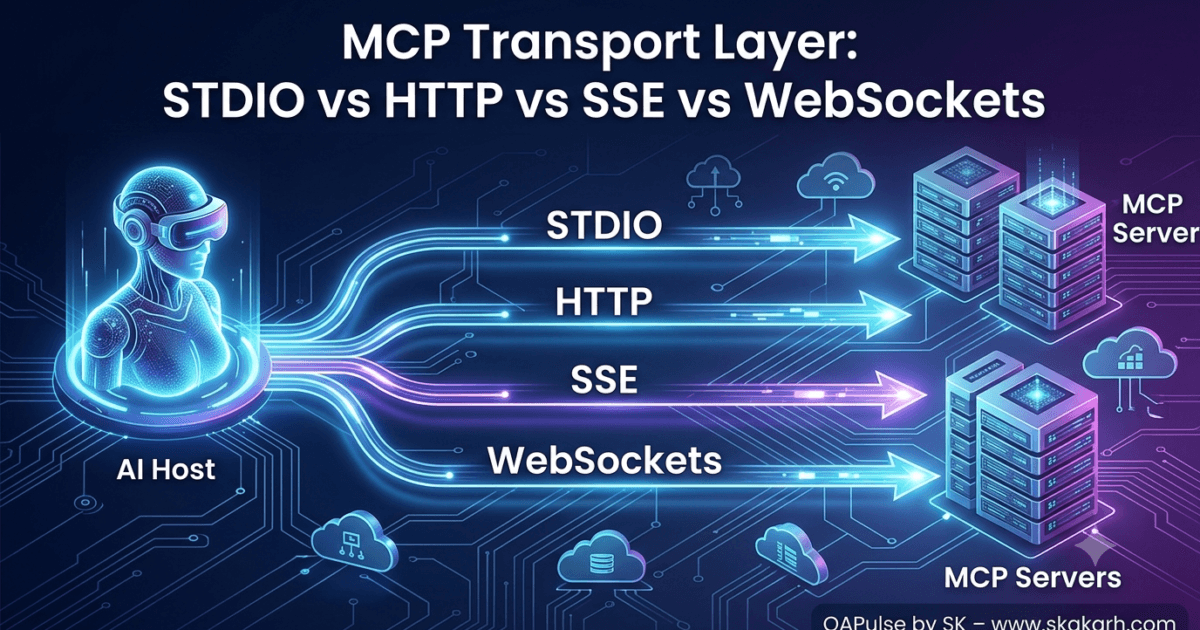
Why the MCP Transport Layer Matters
The MCP Transport Layer is one of the most important concepts in the Model Context Protocol specification. Whether you are building local AI tools, enterprise AI platforms, or cloud-native MCP servers, understanding the MCP Transport Layer determines how efficiently Hosts and Servers communicate. In this guide, you’ll learn the four major transport mechanisms STDIO, HTTP, Server-Sent Events (SSE), and WebSockets—and discover when each one should be used in production.
Now, Imagine hiring an extremely intelligent employee.
The employee knows everything.
Can use every tool.
Can solve every problem.
But…
You forgot to give them a phone.
Or email.
Or office.
Or internet.
They cannot communicate.
That’s exactly what happens without a transport layer.
The MCP Server may expose dozens of amazing tools.
The Host may contain a powerful LLM.
But unless both sides agree on how messages travel, nothing works.
The transport layer is therefore the communication bridge between:
- Host
- Client
- MCP Server
without changing the MCP protocol itself.
Think of the protocol as the language.
Think of transport as the road.
Same language.
Different roads.
Every MCP Request Follows the Same Journey
Regardless of whether you’re using Claude Desktop, VS Code, Cursor, OpenAI, Docker, or Kubernetes, every MCP request follows nearly the same lifecycle.
User

↓

LLM

↓

Host

↓

Transport Layer

↓

MCP Server

↓

Tool

↓

Result

↓

Host

↓

LLM

↓

User
The protocol remains identical.
Only the transport changes.
This design is one of MCP’s greatest engineering achievements.
What Exactly is a Transport?
A transport is simply the mechanism responsible for moving JSON-RPC messages between two systems.
Nothing more.
Nothing less.
Imagine sending a letter.
The letter itself never changes.
But you could deliver it by
- bicycle
- courier
- airplane
- ship
- drone
The contents remain identical.
Only the delivery method changes.
MCP works exactly the same way.
The JSON-RPC payload is identical whether you’re using:
- STDIO
- HTTP
- Server-Sent Events (SSE)
- WebSockets
This separation makes MCP highly flexible.
The Hidden Layer Most Developers Ignore
Many developers think their application communicates directly with an MCP Server.
It doesn’t.
There is always an intermediate transport.
Host

↓

Transport

↓

Operating System

↓

Network Stack

↓

Server

↓

Tool
Understanding this hidden layer helps explain why:
- requests sometimes hang
- tools timeout
- responses arrive slowly
- servers disconnect
- containers behave differently
- cloud deployments require different configurations
Nearly every “mysterious” MCP networking issue originates in the transport layer—not the protocol.
Why MCP Doesn’t Force One Transport
One of the smartest design choices in MCP is that the protocol does not require a specific communication channel.
Instead, the specification separates:
Protocol
from
Transport
This allows developers to use the same MCP server in completely different environments.
For example:
Local Development
Claude Desktop

↓

STDIO

↓

Filesystem Server
Remote Deployment
Claude Desktop

↓

HTTP

↓

Cloud MCP Server
Enterprise Deployment
Host

↓

HTTPS

↓

Load Balancer

↓

MCP Server Cluster
The tools remain identical.
Only the communication channel changes.
This dramatically improves portability.
The Four Major MCP Transport Layers Types
Most production systems use one of four transports.
| Transport | Local | Remote | Streaming | Enterprise |
|---|---|---|---|---|
| STDIO | ✅ | ❌ | Limited | Rare |
| HTTP | ❌ | ✅ | Good | Excellent |
| SSE | ❌ | ✅ | Excellent | Good |
| WebSockets | ✅ | ✅ | Excellent | Excellent |
Each exists because different deployment models require different communication patterns.
No single transport is “best.”
Each solves a different engineering problem.
Analogy: Four Ways to Talk to Someone
Imagine talking to your friend.
STDIO
You’re sitting in the same room.
You speak directly.
No network.
No internet.
Fast.
Simple.
HTTP
You send a letter.
Friend receives it.
Writes back.
Conversation ends.
Every new message requires another letter.
SSE
Friend starts broadcasting updates continuously.
You simply keep listening.
They keep talking.
One direction.
WebSockets
A phone call.
Both sides speak whenever they want.
Continuous conversation.
Lowest latency.
Most interactive.
These four analogies capture nearly every MCP deployment you’ll encounter.
Local vs Remote Communication
One of the biggest misconceptions among beginners is believing that every MCP server runs remotely.
Most don’t.
Especially during development.
Example:
VS Code

↓

STDIO

↓

Python MCP Server

↓

Filesystem
Everything happens on one machine.
No network.
No firewall.
No internet.
No authentication.
Now compare that with cloud deployment.
VS Code

↓

HTTPS

↓

Cloud Gateway

↓

Remote MCP Server

↓

Database

↓

Cloud APIs
Now networking becomes important.
Authentication matters.
Encryption matters.
Latency matters.
Scalability matters.
The protocol is unchanged.
Only the transport evolved.
Why Enterprises Rarely Use STDIO
STDIO is fantastic for development.
However, enterprise production systems usually need features like:
- authentication
- TLS encryption
- monitoring
- logging
- reverse proxies
- load balancing
- container orchestration
- horizontal scaling
- failover
- service discovery
STDIO cannot provide these capabilities because it assumes both processes already exist on the same machine.
This is why cloud-native MCP deployments generally rely on HTTP or WebSockets.
Transport is an Infrastructure Decision
Many beginners believe transport is an application decision.
Experienced architects know it is an infrastructure decision.
Consider these questions:
- Will the server run inside Docker?
- Will Kubernetes restart containers?
- Will requests cross regions?
- Will multiple clients connect simultaneously?
- Is streaming required?
- Is authentication mandatory?
- Will API gateways inspect traffic?
- Does the organization require observability?
None of these questions concern the MCP protocol itself.
They concern the transport layer.
Choosing the wrong transport often creates operational challenges long before application logic becomes the bottleneck.
Common Misconceptions About MCP Transport Layer
| Myth | Reality |
|---|---|
| MCP only works with STDIO | MCP supports multiple transports. |
| HTTP is always slower | Properly configured HTTP performs exceptionally well for many workloads. |
| WebSockets replace HTTP | They solve different communication patterns. |
| SSE is obsolete | SSE remains an excellent choice for one-way streaming updates. |
| Transport changes the protocol | The JSON-RPC protocol remains the same across transports. |
| Changing transport requires rewriting tools | Well-designed MCP servers can often expose the same functionality over different transports with minimal changes. |
Why Does MCP Default to STDIO?
Imagine you’re developing a local filesystem tool.
The AI assistant, the Host, and your MCP server are all running on the same laptop.
Would it make sense to:
- Open a network port?
- Configure a firewall?
- Generate SSL certificates?
- Authenticate requests?
- Send packets through the TCP/IP stack?
Not really.
The operating system already provides a faster way for two local processes to communicate.
That mechanism is Standard Input and Standard Output (STDIO).
Instead of communicating over the network, both programs exchange JSON messages through operating system-managed pipes.
This makes local communication:
- Faster
- Simpler
- More secure
- Easier to debug
- Easier to deploy
For local development, there’s very little overhead.
What is STDIO?
Every operating system automatically creates three communication channels whenever it launches a process.
| Stream | Purpose |
|---|---|
| Standard Input (stdin) | Receives incoming data |
| Standard Output (stdout) | Sends normal output |
| Standard Error (stderr) | Sends logs and error messages |
These streams exist whether you’re writing Python, JavaScript, Go, Rust, Java, or C#.
For MCP, they become a private communication channel between the Host and the server.
Visualizing the Communication
When the Host launches an MCP server, the operating system creates connected pipes between them.
              Operating System

        ┌─────────────────────────┐
        │                         │
        │      Anonymous Pipes    │
        │                         │
        └─────────────────────────┘

 Host                          MCP Server

stdin  ◄────────────────────── stdout

stdout ──────────────────────► stdin

stderr ──────────────────────► logs
Notice something interesting.
There is:
- No TCP
- No HTTP
- No WebSocket
- No Network
Only operating system pipes.
How the Host Starts an MCP Server
Unlike HTTP servers that wait for incoming requests, a STDIO-based MCP server is usually spawned by the Host itself.
The lifecycle looks like this:
User opens Claude Desktop

↓

Claude reads MCP configuration

↓

Claude launches Python process

↓

Operating System creates stdin/stdout pipes

↓

Python MCP Server starts

↓

Handshake begins

↓

Ready to receive JSON-RPC messages
The server never needs to know who launched it.
It simply begins reading from stdin.
Process Spawning Explained
One important concept many developers overlook is that the Host becomes the parent process.
Example:
Claude Desktop

    │

    ├── Filesystem MCP Server

    ├── Git MCP Server

    ├── PostgreSQL MCP Server

    └── Playwright MCP Server
Every server runs as an independent child process.
This has several advantages:
- Process isolation
- Independent crashes
- Separate memory spaces
- Easier cleanup
- Parallel execution
If one server crashes, the others continue working.
The JSON Never Changes
Suppose the Host wants to list available tools.
The JSON-RPC request looks like this:
{
  "jsonrpc": "2.0",
  "id": 1,
  "method": "tools/list"
}
Instead of wrapping this inside an HTTP request, the Host simply writes the JSON directly into the server’s stdin.
The server reads it, processes it, and writes the response to stdout:
{
  "jsonrpc": "2.0",
  "id": 1,
  "result": {
    "tools": [
      {
        "name": "read_file"
      }
    ]
  }
}
The protocol remains unchanged.
Only the transport mechanism is different.
Understanding Anonymous Pipes
Most operating systems implement STDIO communication using anonymous pipes.
Think of a pipe as a one-way tunnel.
Host stdout

        │

        ▼

========================

Operating System Pipe

========================

        │

        ▼

Server stdin
The reverse direction uses another pipe.
This creates full duplex communication.
Even though STDIO consists of separate input and output streams, together they allow two-way communication between the Host and the server.
Why STDERR Must Never Carry Protocol Messages
This is one of the most common beginner mistakes.
Many developers write debug messages like:
print("Loading configuration...")
If this output goes to stdout, the Host will interpret it as JSON.
Instead of receiving a valid protocol message, it receives plain text.
Example:
Loading configuration...
This immediately breaks communication.
The Host expects:
{
   "jsonrpc":"2.0",
   ...
}
Not:
Hello World
That is why:
- JSON-RPC responses → stdout
- Debug logs → stderr
This separation is critical.
A Typical STDIO Conversation
Let’s watch an actual conversation conceptually.
Host

↓

stdin

↓

{
 "method":"initialize"
}

↓

Server

↓

stdout

↓

{
 "capabilities": ...
}

↓

Host

↓

stdin

↓

{
 "method":"tools/list"
}

↓

Server

↓

stdout

↓

{
 "tools":[...]
}
Nothing magical happens.
The Host writes.
The Server reads.
The Server writes.
The Host reads.
Why STDIO Is Extremely Fast
Network communication involves many layers:
Application

↓

HTTP

↓

TCP

↓

IP

↓

Network Interface

↓

Operating System

↓

Remote Machine
STDIO skips nearly all of this.
Instead:
Application

↓

Operating System Pipe

↓

Application
Fewer layers mean:
- Lower latency
- Less CPU overhead
- Fewer context switches
- Simpler architecture
For local communication, it’s difficult to beat.
Security Benefits of STDIO
Since STDIO never exposes a network port:
- Nothing is listening on localhost
- No external client can connect
- Firewalls are unnecessary
- Port scanning becomes irrelevant
- TLS certificates are unnecessary
- Network attacks are significantly reduced
This makes STDIO an excellent default for local AI assistants.
Of course, it doesn’t replace broader system security, but it dramatically reduces the attack surface compared to exposing a network service.
Why STDIO Doesn’t Scale Well
If STDIO is so good, why don’t enterprises always use it?
Because it has important limitations.
STDIO assumes:
- The Host can directly launch the server
- Both processes share the same operating system
- Communication remains local
What happens if:
- The server runs in another container?
- The server lives in Kubernetes?
- The server is hosted in another country?
- Thousands of users need simultaneous access?
STDIO cannot solve these problems.
That’s where HTTP and WebSockets become essential.
Debugging STDIO
One of the biggest advantages of STDIO is that it’s easy to debug.
Developers can:
- Capture stdin
- Capture stdout
- Log stderr
- Replay JSON requests
- Compare request and response payloads
- Unit test server logic without networking
Many MCP SDKs even provide utilities to inspect incoming JSON-RPC messages during development.
This makes diagnosing protocol issues much simpler than debugging distributed network traffic.
Common Mistakes with STDIO
| Mistake | Why It Causes Problems | Best Practice |
|---|---|---|
Printing logs to stdout | Corrupts JSON-RPC stream | Send logs to stderr |
| Assuming STDIO is HTTP | Different transport model | Treat stdin/stdout as raw streams |
| Manually editing JSON in production | Can introduce malformed messages | Use the SDK’s serializers |
| Blocking the main thread | Prevents timely request handling | Design handlers to avoid unnecessary blocking |
| Ignoring process termination | Child processes may remain running | Handle shutdown signals and cleanup gracefully |
When Should You Choose STDIO?
STDIO is the right choice when:
- You’re building a local development tool.
- The Host starts the MCP server directly.
- Communication stays on a single machine.
- Low latency is important.
- Simplicity matters more than remote accessibility.
- You’re creating desktop integrations or local automation tools.
It is the default transport for good reasons—it matches the needs of most local MCP workflows.
Architecture Summary
User

↓

Host

↓

Launch Child Process

↓

Operating System Pipes

↓

STDIN

↓

MCP Server

↓

Tool Execution

↓

STDOUT

↓

Host

↓

LLM

↓

User
Notice that the transport layer remains invisible to the user, yet it is responsible for every request reaching the server successfully.
Why the MCP Transport Layer Uses Network Transports
Imagine your MCP server is deployed on a cloud virtual machine while the AI assistant runs on your laptop.
With STDIO, this setup is impossible because operating system pipes only exist between processes on the same machine.
Instead, communication must travel through a network.
Laptop

↓

Internet

↓

Cloud Gateway

↓

MCP Server
The protocol remains JSON-RPC.
Only the delivery mechanism changes.
This flexibility allows organizations to deploy the same MCP server anywhere—from a developer’s laptop to a globally distributed infrastructure.
MCP Transport Layer: HTTP Transport
Within the MCP Transport Layer, HTTP is the most familiar transport for developers.
Almost every modern web application already uses HTTP, making it a natural choice for remote MCP communication.
The communication model is straightforward.
Host

↓

HTTP Request

↓

MCP Server

↓

HTTP Response

↓

Host
Each interaction is independent.
The Host sends a request.
The server processes it.
The server returns a response.
The connection ends.
HTTP Request Lifecycle
A typical MCP request over HTTP looks like this:
Host

↓

POST /mcp

↓

JSON-RPC Request

↓

Server

↓

Execute Tool

↓

JSON-RPC Response

↓

HTTP 200 OK
Notice that HTTP simply wraps the JSON-RPC payload.
Instead of writing JSON into stdin, the Host sends the same JSON inside an HTTP request body.
Nothing changes at the protocol level.
Why Enterprises Love HTTP
HTTP integrates naturally with existing infrastructure.
Organizations already have:
- Reverse proxies
- API gateways
- Authentication systems
- Firewalls
- Load balancers
- Monitoring platforms
- Logging infrastructure
- CDN services
An MCP server using HTTP can immediately take advantage of these enterprise capabilities without requiring custom networking.
Advantages of HTTP
| Advantage | Why It Matters |
|---|---|
| Universally supported | Works across almost every programming language and platform |
| Easy deployment | Compatible with cloud platforms and containers |
| Load balancing | Requests can be distributed across multiple servers |
| Authentication | Easily integrates with OAuth, JWT, API keys, and enterprise identity providers |
| Observability | Existing HTTP monitoring tools can inspect traffic |
| Firewall friendly | Typically uses standard HTTPS ports |
HTTP is often the first choice for enterprise MCP deployments because it aligns with existing operational practices.
HTTP Limitations
HTTP is based on a request/response model.
This creates challenges when the server needs to send updates without receiving a new request.
For example:
Imagine asking an MCP server to process a large repository.
The task takes five minutes.
How does the server continuously report progress?
Traditional HTTP isn’t designed for that.
It expects one request followed by one response.
If continuous updates are important, another transport becomes more suitable.
MCP Transport Layer: Server-Sent Events (SSE)
Server-Sent Events were designed for one-way streaming communication.
Instead of repeatedly asking:
“Are you finished yet?”
The client opens a connection once.
The server continuously streams updates.
Host

↓

Open Connection

↓

Server

↓

Progress 10%

↓

Progress 40%

↓

Progress 80%

↓

Completed
The connection stays open while the server continues sending events.
Why SSE Fits AI Workloads
Many AI operations naturally produce incremental results.
Examples include:
- Token generation
- Long-running tool execution
- Progress updates
- Workflow status
- Log streaming
- Background task monitoring
Rather than waiting for everything to complete, SSE allows the Host to receive updates immediately.
This creates a far more responsive user experience.
Characteristics of SSE
| Feature | Supported |
|---|---|
| Server → Client Streaming | ✅ |
| Client → Server Streaming | ❌ |
| HTTP Based | ✅ |
| Easy Firewall Support | ✅ |
| Simple Implementation | ✅ |
Notice one important limitation.
Communication is only one direction.
The server can push information to the client.
The client cannot send new messages through the same stream.
When SSE is the Right Choice
SSE works particularly well when:
- AI responses stream gradually
- Progress updates are important
- Long-running workflows need visibility
- Clients mostly listen rather than continuously interact
Many production AI platforms rely on streaming responses because they reduce perceived latency and improve user experience.
MCP Transport Layer: WebSockets
Some applications require both sides to communicate freely at any moment.
Imagine a collaborative AI coding assistant.
The user types.
The server responds.
The user interrupts.
The server changes direction.
Both sides continuously exchange messages.
This is exactly what WebSockets provide.
WebSocket Communication
Host

⇄

Persistent Connection

⇄

MCP Server
Unlike HTTP, the connection stays open.
Unlike SSE, both sides can initiate communication whenever necessary.
This is known as full-duplex communication.
Why WebSockets Are Powerful
With WebSockets:
- The client can send messages anytime.
- The server can send updates anytime.
- No repeated connection setup.
- Very low communication latency.
- Efficient for interactive systems.
For conversational AI, collaborative editing, and real-time automation, this communication model is extremely attractive.
Typical WebSocket Lifecycle
Connection Established

↓

Initialize MCP

↓

Tool Request

↓

Tool Response

↓

Progress Update

↓

Cancellation Request

↓

Additional Tool Request

↓

Server Notification

↓

Connection Closed
Everything happens over one long-lived connection.
Comparing All Four Transport Types
| Feature | STDIO | HTTP | SSE | WebSockets |
|---|---|---|---|---|
| Local Development | ✅ | ❌ | ❌ | Possible |
| Remote Access | ❌ | ✅ | ✅ | ✅ |
| Streaming | Limited | Limited | Excellent | Excellent |
| Bidirectional Communication | ✅ (local processes) | Request/Response | ❌ | ✅ |
| Cloud Friendly | ❌ | ✅ | ✅ | ✅ |
| Enterprise Scaling | Limited | Excellent | Good | Excellent |
| Authentication Support | OS-level | Excellent | Excellent | Excellent |
| Load Balancing | ❌ | ✅ | Partial | Supported with session-aware infrastructure |
There is no universally “best” transport.
The right choice depends on your deployment model and communication requirements.
Selecting the Right Transport
Consider the following scenarios.
| Scenario | Recommended Transport |
|---|---|
| Local development | STDIO |
| Claude Desktop integration | STDIO |
| Docker container exposed through an API | HTTP |
| Enterprise MCP gateway | HTTP |
| Long-running AI workflows with progress updates | SSE |
| Real-time AI collaboration | WebSockets |
| Interactive coding assistant | WebSockets |
| Kubernetes deployment | HTTP or WebSockets, depending on interaction patterns |
Architects choose transports based on operational needs—not personal preference.
Performance Considerations of the MCP Transport Layer
A common misconception is that WebSockets are always faster than HTTP.
Reality is more nuanced.
If an application sends occasional requests, HTTP performs extremely well and benefits from mature infrastructure.
WebSockets shine when there are frequent, low-latency exchanges over a persistent connection.
SSE excels when the server primarily pushes updates.
STDIO remains the fastest option for local communication because it avoids networking altogether.
Performance depends on workload characteristics, not simply on the transport technology.
Security Best Practices for the MCP Transport Layer
Different transports introduce different operational responsibilities.
| Transport | Typical Security Focus |
|---|---|
| STDIO | Process isolation and local permissions |
| HTTP | TLS, authentication, authorization, API gateways |
| SSE | Same protections as secure HTTP deployments |
| WebSockets | Secure WebSocket (WSS), authentication, connection management |
Regardless of transport, production MCP systems should implement:
- Authentication
- Authorization
- Encryption in transit where applicable
- Logging
- Monitoring
- Rate limiting where appropriate
- Secure secret management
Transport alone does not provide application security.
Common Mistakes When Choosing a Transport
Many new MCP developers fall into predictable traps.
| Mistake | Better Approach |
|---|---|
| Using WebSockets because they seem more modern | Match the transport to the workload |
| Exposing local STDIO servers unnecessarily | Keep local tools local unless remote access is required |
| Polling repeatedly with HTTP for progress | Consider SSE for streaming updates |
| Ignoring deployment infrastructure | Design around operational requirements |
| Treating transport as an afterthought | Decide transport early during system architecture |
The best transport is the one that fits the problem—not the one with the most features.
Enterprise MCP Transport Layer Architecture
Imagine an organization building an internal AI assistant.
Employees

↓

AI Assistant

↓

HTTPS

↓

API Gateway

↓

Authentication Service

↓

Load Balancer

↓

MCP Server Cluster

↓

Enterprise Systems

• Git
• Jira
• Databases
• Kubernetes
• Internal APIs
In this architecture:
- HTTP enables integration with enterprise networking.
- Load balancers distribute requests.
- Authentication services verify identity.
- Multiple MCP servers provide scalability and resilience.
The MCP protocol remains exactly the same throughout the stack.
MCP Transport Layer Architecture Summary
Local Development

Host

↓

STDIO

↓

Local MCP Server


────────────────────────


Cloud Deployment

Host

↓

HTTPS

↓

Remote MCP Server


────────────────────────


Streaming Deployment

Host

↓

SSE

↓

Streaming MCP Server


────────────────────────


Real-Time Collaboration

Host

⇄

WebSockets

⇄

MCP Server
Each transport serves a different purpose while carrying the same JSON-RPC protocol.
That separation is one of the key reasons MCP can scale from personal desktop tools to enterprise AI platforms.
Internal Links
- Day 1: What is MCP?
- Day 2: Why MCP Matters for AI Agents
- Day 3: MCP vs REST APIs vs Plugins
- Day 4: MCP Architecture Deep Dive
- Day 5: Build Your First Production-Ready MCP Development Environment (Python & VS Code)
- Day 6: Build Your First MCP Server in Python: A Production-Ready Guide for Beginners
External References
- Model Context Protocol Specification
https://modelcontextprotocol.io - JSON-RPC 2.0 Specification
https://www.jsonrpc.org/specification - Python subprocess Documentation
https://docs.python.org/3/library/subprocess.html - Mozilla WebSocket API
https://developer.mozilla.org/docs/Web/API/WebSockets_API - MDN Server-Sent Events
https://developer.mozilla.org/docs/Web/API/Server-sent_events
AI Search Optimized Summary
What is the MCP Transport Layer?
The MCP Transport Layer is the communication mechanism responsible for carrying JSON-RPC messages between an MCP Host and an MCP Server. It is independent of the MCP protocol itself, allowing the same server implementation to communicate over STDIO, HTTP, Server-Sent Events (SSE), or WebSockets depending on the deployment environment.
Why is the MCP Transport Layer Important?
The transport layer determines how MCP messages move between applications. While the MCP protocol defines message structure, the transport layer controls communication performance, scalability, deployment flexibility, and integration with local or cloud infrastructure.
Which MCP Transport Should You Choose?
- STDIO – Best for local desktop development and direct process communication.
- HTTP – Best for cloud services, APIs, and enterprise deployments.
- SSE – Best for streaming progress updates and incremental AI responses.
- WebSockets – Best for real-time, bidirectional AI interactions and collaborative applications.
Practical Takeaways
After reading this article, readers will understand:
- Why MCP separates protocol from transport.
- How STDIO enables efficient local communication.
- When HTTP is the preferred enterprise transport.
- How SSE supports streaming AI responses.
- Why WebSockets are ideal for interactive AI systems.
- How to select the right transport for Docker, Kubernetes, and production deployments.
FAQ Schema
What is the MCP Transport Layer?
The MCP Transport Layer is the communication channel that transfers JSON-RPC messages between an MCP Host and an MCP Server. It supports multiple transport mechanisms, including STDIO, HTTP, SSE, and WebSockets.
Does MCP only support STDIO?
No. Although STDIO is commonly used for local development, MCP is transport-independent and also supports HTTP, Server-Sent Events (SSE), and WebSockets for remote and enterprise deployments.
Why does Claude Desktop use STDIO?
Claude Desktop launches MCP servers as local child processes. STDIO provides fast, secure communication between processes on the same machine without requiring network ports.
Is HTTP better than WebSockets for MCP?
Neither is universally better. HTTP is ideal for stateless request-response communication and enterprise infrastructure, while WebSockets are better suited for persistent, bidirectional, low-latency interactions.
When should I use SSE instead of HTTP?
SSE is a good choice when the server needs to continuously stream updates—such as progress notifications or incremental AI responses—without requiring repeated client polling.
Can the same MCP server support multiple transports?
Yes. A well-designed MCP server can expose the same JSON-RPC protocol through different transport implementations, allowing it to be used locally with STDIO or remotely via HTTP or WebSockets.
Conclusion
The MCP Transport Layer is the foundation of communication in every Model Context Protocol application. By understanding how the MCP Transport Layer works across STDIO, HTTP, SSE, and WebSockets, you can confidently design AI systems that are scalable, secure, and production-ready.
Continue Your MCP Zero to Hero Journey
Day 7 completes one of the most important conceptual milestones in the MCP Zero to Hero series. Readers now understand that the MCP Transport Layer is far more than a communication detail—it is a foundational architectural decision that affects performance, scalability, deployment, security, and user experience. By mastering STDIO for local development, HTTP for enterprise APIs, SSE for streaming workflows, and WebSockets for real-time collaboration, developers are equipped to design MCP systems that scale from a laptop prototype to production-grade AI platforms.
From here onward, every lesson will build on this environment as we move from concepts to production-ready implementations.
Enjoyed this article? Explore more in-depth guides on AI engineering, automation testing, Model Context Protocol, Playwright, and intelligent software quality at www.skakarh.com. Follow QAPulse by SK for practical, production-focused tutorials designed for QA engineers, SDETs, and AI developers.