QA
QA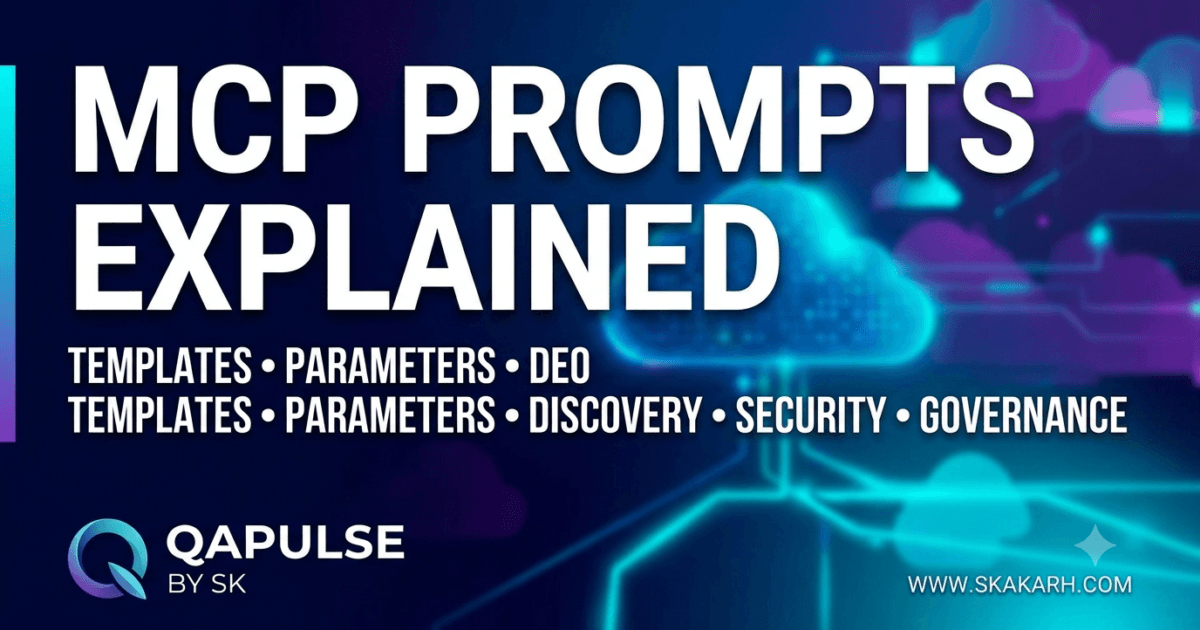
What Are MCP Prompts?
After learning about MCP Tools, which execute actions, and MCP Resources, which expose read-only information, the next core capability of the Model Context Protocol is MCP Prompts.
An MCP Prompt is a reusable prompt template that an MCP server exposes to AI applications.
Instead of hardcoding prompt text inside every client application, prompts are registered once on the server and discovered dynamically by clients.
A simplified interaction looks like this:
User

↓

LLM

↓

MCP Client

↓

prompts/get

↓

MCP Server

↓

Prompt Template

↓

Prompt Returned

↓

LLM
This allows organizations to maintain standardized prompts that can be reused across multiple AI applications.
Why MCP Prompts Exist
Imagine an organization building five different AI assistants.
Each assistant needs prompts for:
- Code review
- API documentation
- Security analysis
- Bug investigation
- SQL optimization
- Test case generation
Without MCP Prompts, every application stores its own prompt templates.
AI App 1

↓

Prompt Copy

AI App 2

↓

Prompt Copy

AI App 3

↓

Prompt Copy

AI App 4

↓

Prompt Copy

AI App 5

↓

Prompt Copy
Maintaining hundreds of duplicated prompts quickly becomes difficult.
Instead, MCP centralizes prompt management.
Prompt Registry

↓

Shared Prompt Templates

↓

All AI Applications
A single update immediately becomes available to every connected client.
MCP Prompts vs MCP Tools vs MCP Resources
Each capability serves a different purpose.
| Capability | Purpose |
|---|---|
| MCP Tools | Execute actions |
| MCP Resources | Provide information |
| MCP Prompts | Provide reusable AI instructions |
Another way to think about them is:
- Tools do work
- Resources provide knowledge
- Prompts guide reasoning
Together they form the three primary building blocks of an MCP server.
Real-World Prompt Examples
Organizations often reuse prompts for common engineering workflows.
Examples include:
- Code review
- Pull request analysis
- Unit test generation
- Security auditing
- Performance optimization
- API documentation
- Bug report analysis
- Architecture review
- SQL query explanation
- Release note generation
Instead of recreating these prompts repeatedly, the server exposes them as reusable assets.
Anatomy of an MCP Prompt
Every prompt contains descriptive metadata along with the template itself.
A typical prompt includes:
- Prompt name
- Description
- Arguments
- Prompt template
- Optional metadata
Conceptually:
Prompt

├── Name

├── Description

├── Arguments

├── Template

└── Metadata
Unlike tools, prompts do not contain execution logic.
Unlike resources, prompts are designed to guide AI behavior rather than provide factual information.
Prompt Templates
A prompt template is reusable text that contains placeholders.
Example:
Review the following code.

Language:

{language}

Code:

{sourceCode}
When the client requests the prompt, placeholders are replaced with actual values.
Example:
Language

↓

Python

Source Code

↓

main.py
The completed prompt is then supplied to the language model.
Prompt Arguments
Arguments make prompts reusable.
Instead of creating separate prompts for every programming language:
review_python

review_java

review_go

review_typescript
A single parameterized prompt is sufficient.
review_code

↓

language

↓

sourceCode
This significantly reduces duplication.
Registering Prompts
Like tools and resources, prompts are registered during server startup.
The registration process typically includes:
- Name
- Description
- Template
- Arguments
- Metadata
Server Startup

↓

Create Prompt

↓

Register Prompt

↓

Prompt Registry

↓

Ready
Only registered prompts become discoverable.
Prompt Registry
The server maintains a registry of available prompts.
Prompt Registry

├── review_code

├── explain_sql

├── generate_tests

├── summarize_logs

├── write_documentation

└── analyze_bug
The registry enables fast discovery without scanning application code.
Prompt Discovery
Clients dynamically discover available prompts.
Client

↓

prompts/list

↓

Server

↓

Prompt Registry

↓

Metadata

↓

Client Cache
Only prompt metadata is returned during discovery.
The template itself is retrieved only when required.
Retrieving a Prompt
Once the desired prompt has been selected, the client requests it.
Client

↓

prompts/get

↓

Prompt Name

↓

Server

↓

Template

↓

Return Prompt
The server substitutes supplied arguments before returning the completed prompt.
Why Prompt Discovery Matters
Suppose Version 1 exposes:
review_code

generate_tests
Later, Version 2 adds:
review_code

generate_tests

review_architecture

security_audit

performance_analysis
Existing clients automatically discover these new prompts during initialization.
No client updates are necessary.
Benefits of MCP Prompts
Using MCP Prompts provides several advantages:
- Eliminates duplicated prompt libraries.
- Centralizes prompt management.
- Enables consistent AI behavior.
- Simplifies prompt maintenance.
- Supports reusable templates.
- Allows parameterized prompt generation.
- Makes prompts discoverable.
- Improves enterprise governance.
Common Mistakes
| Mistake | Impact | Best Practice |
|---|---|---|
| Hardcoding prompts in clients | Difficult maintenance | Register prompts on the server |
| Creating dozens of nearly identical prompts | Prompt duplication | Use arguments and templates |
| Generic prompt names | Poor discoverability | Use descriptive names |
| Missing descriptions | Reduced AI understanding | Document prompt purpose clearly |
| Mixing prompts with tools | Poor architecture | Separate reusable instructions from executable actions |
MCP Prompt Architecture
Server Startup

↓

Register Prompt

↓

Prompt Registry

↓

Client Discovery

↓

prompts/list

↓

Select Prompt

↓

prompts/get

↓

Fill Arguments

↓

Completed Prompt

↓

LLM
MCP Prompts provide reusable, discoverable, and parameterized instructions that help AI models perform consistent tasks across multiple applications. By separating prompt templates from client implementations, organizations can centralize prompt management, reduce duplication, improve governance, and ensure that every AI application benefits from standardized, maintainable, and reusable prompt engineering practices within the Model Context Protocol.
MCP Prompt Registration, Discovery and Template Parameters
Registering MCP Prompts
Before an MCP Prompt can be used by an AI application, it must be registered with the MCP server during initialization.
Registration makes the prompt discoverable and stores its metadata inside the Prompt Registry.
Unlike tools, prompts do not execute code.
Unlike resources, prompts are not retrieved as knowledge documents.
Instead, prompts define reusable instructions that guide the language model.
The registration process typically includes:
- Prompt name
- Description
- Arguments
- Prompt template
- Optional metadata
The registration workflow looks like this:
Server Startup

↓

Create Prompt

↓

Register Prompt

↓

Store in Prompt Registry

↓

Server Ready
Once registration is complete, every connected MCP client can discover the prompt.
The Prompt Registry
Every MCP server maintains a Prompt Registry containing all available prompts.
Prompt Registry

├── review_code

├── generate_tests

├── explain_sql

├── analyze_logs

├── create_documentation

└── security_review
Instead of embedding prompts throughout application code, the registry becomes the single source of truth.
This makes maintenance significantly easier.
Prompt Metadata
Each registered prompt exposes metadata that helps clients and language models understand its purpose.
Typical metadata includes:
| Property | Purpose |
|---|---|
| Name | Unique prompt identifier |
| Description | Explains what the prompt does |
| Arguments | Required input values |
| Optional Arguments | Additional customization |
| Prompt Template | Instruction template |
| Metadata | Extra information for clients |
The metadata is lightweight and suitable for discovery.
Prompt Discovery
After initialization, the client asks the server which prompts are available.
Client

↓

prompts/list

↓

Server

↓

Prompt Registry

↓

Prompt Metadata

↓

Client Cache
Discovery allows AI applications to adapt automatically as new prompts become available.
No application updates are required.
Why Discovery Returns Metadata Only
Imagine an enterprise server exposing hundreds of prompts.
If every template were transferred during startup, initialization would become unnecessarily expensive.
Instead:
Discovery

↓

Metadata Only
Later:
Prompt Selected

↓

prompts/get

↓

Return Template
This lazy retrieval strategy improves scalability.
Retrieving a Prompt
Once the language model determines which prompt is appropriate, the client requests it.
Client

↓

prompts/get

↓

Prompt Name

↓

Server

↓

Locate Prompt

↓

Return Template
The response contains the prompt template together with any required argument definitions.
Understanding Prompt Arguments
Arguments make prompt templates reusable.
Without arguments, developers would need separate prompts for every variation.
Example without parameters:
review_python

review_java

review_go

review_csharp

review_javascript
Using arguments:
review_code

↓

language

↓

sourceCode
One template now supports every programming language.
Required and Optional Arguments
Prompt arguments generally fall into two categories.
Required Arguments
These must be supplied before the prompt can be generated.
Examples:
- Source code
- Programming language
- SQL query
- Bug report
Optional Arguments
These customize the generated prompt.
Examples:
- Review depth
- Coding standards
- Target audience
- Output format
Using optional arguments allows one prompt to support many workflows.
Parameter Substitution
When the client retrieves a prompt, placeholder variables are replaced with supplied values.
Template:
Review the following {language} code.

{sourceCode}
Arguments:
language

↓

Python

sourceCode

↓

calculator.py
Generated prompt:
Review the following Python code.

calculator.py
The language model receives the completed prompt rather than the template itself.
Prompt Reusability
Parameterized prompts eliminate duplication.
A documentation server may expose:
document_api

↓

service

↓

version

↓

audience
The same prompt works for:
- Authentication API
- Billing API
- Orders API
- Inventory API
Only the supplied arguments change.
Prompt Selection by the Language Model
Suppose the user asks:
Generate unit tests for this TypeScript module.
Available prompts:
review_code

generate_tests

explain_sql

security_review
The language model evaluates:
- User intent
- Prompt name
- Description
- Required arguments
- Conversation context
It selects:
generate_tests
The client then retrieves the prompt and supplies the required arguments.
Dynamic Prompt Generation
Some prompts vary depending on runtime conditions.
Examples include:
- Organization coding standards
- Project architecture
- Company documentation style
- Security policies
- Compliance requirements
Instead of storing many variations:
Prompt Request

↓

Organization Rules

↓

Generate Prompt

↓

Return Template
The server dynamically generates the most appropriate prompt.
Prompt Versioning
Enterprise prompts evolve over time.
Example:
review_code/v1

review_code/v2

review_code/v3
Versioning provides:
- Backward compatibility
- Controlled migrations
- Stable integrations
- Gradual improvements
Avoid changing prompt behavior unexpectedly for existing clients.
Prompt Organization
Large MCP servers should organize prompts logically.
Example:
Code

├── review

├── refactor

└── generate_tests

Documentation

├── summarize

├── explain

└── create_api_docs

Security

├── audit

├── analyze

└── compliance
Organized prompt collections improve discoverability.
Production Best Practices
When designing MCP Prompts, follow these recommendations:
- Use descriptive prompt names.
- Keep prompt responsibilities focused.
- Define clear required arguments.
- Use optional arguments for customization.
- Write concise but informative descriptions.
- Support parameterized templates.
- Organize prompts by category.
- Version prompts when behavior changes.
Common Design Mistakes
| Mistake | Impact | Best Practice |
|---|---|---|
| Hardcoding prompt text in clients | Difficult maintenance | Register prompts centrally |
| Creating many similar prompts | Duplication | Use parameterized templates |
| Poor argument naming | Confusing usage | Choose meaningful parameter names |
| Missing descriptions | Reduced discoverability | Document every prompt clearly |
| Breaking existing templates | Compatibility issues | Introduce versioned prompts |
MCP Prompt Discovery Workflow
Server Startup

↓

Register Prompt

↓

Prompt Registry

↓

Client Initialization

↓

prompts/list

↓

Metadata Returned

↓

LLM Selects Prompt

↓

prompts/get

↓

Supply Arguments

↓

Completed Prompt

↓

LLM
A well-designed MCP Prompt combines clear metadata, parameterized templates, reusable arguments, and centralized registration to provide consistent AI instructions across multiple applications. By separating prompt definitions from client implementations, organizations can improve maintainability, reduce duplication, simplify prompt governance, and enable scalable AI workflows that evolve without requiring client-side code changes.
MCP Prompt Templates, Dynamic Prompt Generation and Production Design
What Are Dynamic MCP Prompts?
In the previous lesson, you learned that prompt templates contain placeholders that are replaced with user-supplied values.
However, enterprise AI systems often require prompts that adapt to much more than simple parameters.
The generated prompt may depend on:
- User role
- Programming language
- Project type
- Organization policies
- Coding standards
- Security requirements
- Conversation history
- Available MCP Resources
These are called dynamic prompts because the final prompt is generated at runtime.
Prompt Request

↓

Prompt Template

↓

Runtime Context

↓

Generate Prompt

↓

Return Prompt
Instead of storing hundreds of nearly identical prompts, one intelligent template can generate many variations.
Static Prompts vs Dynamic Prompts
Understanding the difference between static and dynamic prompts helps determine which approach is appropriate.
| Static Prompt | Dynamic Prompt |
|---|---|
| Fixed content | Generated at runtime |
| Same output every request | Output depends on context |
| Minimal customization | Highly customizable |
| Best for simple workflows | Best for enterprise systems |
| Easy to maintain | Extremely flexible |
Most production MCP servers combine both approaches.
Multi-Parameter Prompt Templates
Simple templates may contain one or two variables.
Enterprise templates often require many parameters.
Example:
Review the following {language} project.

Project Type:
{projectType}

Coding Standard:
{codingStandard}

Security Level:
{securityPolicy}

Source Code:
{sourceCode}
The template remains unchanged while different argument values produce completely different prompts.
Runtime Context Injection
Many prompts require information that is not explicitly supplied by the user.
The server can inject runtime context before returning the prompt.
Possible context includes:
- Organization coding guidelines
- Current project configuration
- Framework version
- Supported libraries
- Company terminology
- Internal documentation references
Prompt Template

↓

Runtime Context

↓

Merge Information

↓

Final Prompt
This enables AI responses to align with organization-specific standards.
Combining MCP Prompts with MCP Resources
One of the most powerful capabilities of MCP is combining reusable prompts with reusable resources.
Consider a documentation assistant.
Workflow:
Prompt

+

Architecture Document

+

Coding Standards

↓

Complete AI Context
The prompt provides instructions, while resources provide factual information.
Together they produce significantly better AI responses.
Combining MCP Prompts with MCP Tools
Prompts can also instruct AI models on how to use available tools.
Example:
Prompt

↓

Review Repository

↓

Call Tool

↓

Read Results

↓

Generate Report
The prompt defines the reasoning strategy, while the tool performs the actual work.
This separation keeps prompts reusable and tools focused on execution.
Prompt Composition
Large enterprise prompts are often assembled from smaller reusable components.
Instead of maintaining one extremely long template:
Introduction

+

Instructions

+

Organization Policy

+

Output Format

↓

Complete Prompt
Each component can be maintained independently.
Prompt composition improves maintainability and reduces duplication.
Organization-Specific Prompt Customization
Different organizations follow different engineering practices.
Example:
Organization A
- Google Java Style Guide
- Conventional Commits
- Strict code reviews
Organization B
- Airbnb JavaScript Style Guide
- Internal security checklist
- Company documentation format
A single MCP Prompt can adapt automatically based on organization settings.
Organization

↓

Load Standards

↓

Generate Prompt
This allows AI assistants to produce organization-specific responses without maintaining multiple prompt libraries.
Prompt Validation
Before returning a prompt, the server should verify:
- Required arguments exist
- Argument types are correct
- Empty values are handled
- Default values are applied
- Unsupported parameters are rejected
Prompt Request

↓

Validate Arguments

↓

Generate Prompt

↓

Return Prompt
Proper validation prevents malformed prompts and improves response quality.
Handling Missing Arguments
Missing required values should never produce incomplete prompts.
Instead:
Prompt Request

↓

Missing Parameter

↓

Validation Error

↓

Client
Returning a structured error allows the client to request the missing information before retrying.
Prompt Security
Prompt templates may contain organization-specific instructions.
Examples include:
- Internal review policies
- Compliance procedures
- Security requirements
- Confidential workflows
Before returning a prompt, the server should verify access permissions.
Prompt Request

↓

Authentication

↓

Authorization

↓

Return Prompt
Not every client should have access to every prompt.
Prompt Versioning
As engineering standards evolve, prompt templates also change.
Instead of replacing existing prompts:
review_code/v1

review_code/v2

review_code/v3
Versioning provides:
- Stable integrations
- Backward compatibility
- Controlled migration
- Predictable behavior
Clients can continue using older prompt versions while gradually adopting newer ones.
Prompt Performance
Generating prompts should remain efficient.
Optimization techniques include:
- Caching common templates
- Reusing compiled templates
- Lazy loading prompt definitions
- Minimizing repeated substitutions
Prompt Request

↓

Cache

├── Hit

│      ↓

│ Return Prompt

│

└── Miss

       ↓

Generate Prompt

↓

Store Cache

↓

Return Prompt
Caching reduces latency for frequently used prompts.
Monitoring Prompt Usage
Production MCP servers should track prompt activity.
Useful metrics include:
| Metric | Purpose |
|---|---|
| Prompt requests | Usage trends |
| Most-used prompts | Optimization opportunities |
| Generation time | Performance analysis |
| Validation failures | Error detection |
| Authorization failures | Security monitoring |
| Prompt version usage | Migration planning |
Monitoring helps organizations refine prompt libraries over time.
Production Best Practices
When designing MCP Prompts, follow these recommendations:
- Keep prompts focused on one objective.
- Use meaningful argument names.
- Prefer parameterized templates over duplicated prompts.
- Validate every required argument.
- Inject runtime context when appropriate.
- Combine prompts with MCP Resources for richer context.
- Version prompts instead of introducing breaking changes.
- Monitor prompt usage and performance.
Common Design Mistakes
| Mistake | Impact | Best Practice |
|---|---|---|
| Creating many nearly identical prompts | Difficult maintenance | Use dynamic templates |
| Embedding organization policies directly into clients | Hard to update | Store policies on the server |
| Skipping argument validation | Incomplete prompts | Validate before generation |
| Ignoring prompt versioning | Client compatibility issues | Maintain versioned templates |
| Treating prompts as executable logic | Poor architecture | Keep prompts focused on AI instructions |
| Duplicating prompt components | Maintenance overhead | Compose prompts from reusable sections |
Complete MCP Prompt Workflow
Register Prompt

↓

Client Discovery

↓

LLM Selects Prompt

↓

prompts/get

↓

Validate Arguments

↓

Load Runtime Context

↓

Compose Prompt

↓

Authorization

↓

Return Final Prompt

↓

LLM
Dynamic MCP Prompts enable AI applications to generate context-aware instructions using reusable templates, runtime parameters, organization-specific policies, and integrated MCP Resources. By combining prompt composition, validation, caching, versioning, security, and monitoring, developers can build scalable prompt libraries that deliver consistent AI behavior while remaining flexible enough to support evolving enterprise requirements.
MCP Prompt Security, Lifecycle and Production Best Practices
Why Prompt Security Matters
Although MCP Prompts do not execute code like MCP Tools, they directly influence how an AI model reasons and responds. A poorly designed or exposed prompt can lead to inconsistent outputs, disclosure of internal processes, or violation of organizational policies.
Enterprise prompt libraries often include:
- Secure coding instructions
- Internal review checklists
- Compliance procedures
- Company documentation standards
- AI governance policies
- Incident response workflows
- Software release procedures
These prompts should be protected just like any other enterprise asset.
Prompt Request

↓

Authentication

↓

Authorization

↓

Prompt Registry

↓

Return Prompt
Security should always be enforced by the MCP server.
Authentication Before Prompt Retrieval
Before returning a prompt, the server verifies the identity of the requesting client.
Common authentication methods include:
- API Keys
- OAuth 2.0
- JWT Tokens
- Enterprise Single Sign-On (SSO)
- Mutual TLS
Client

↓

Authenticate

↓

Identity Verified

↓

Continue
Only authenticated clients should be allowed to access prompt libraries.
Prompt Authorization
Not every authenticated client should receive every prompt.
Different teams may require different prompt collections.
Example:
| Prompt | Authorized Team |
|---|---|
| security_review | Security Team |
| release_notes | Release Engineering |
| architecture_review | Software Architects |
| generate_tests | QA Team |
| sql_optimization | Database Team |
Authorization should be evaluated before the prompt is returned.
Authenticated Client

↓

Permission Check

├── Allowed

│      ↓

│ Return Prompt

│

└── Denied

       ↓

Permission Error
Protecting Sensitive Prompt Templates
Some prompt templates include confidential organizational knowledge.
Examples include:
- Internal coding standards
- Compliance instructions
- Security auditing procedures
- Customer support workflows
- Incident response playbooks
Instead of exposing every internal instruction, organizations should publish only prompts appropriate for the requesting client.
Internal Prompt

↓

Filter Sensitive Sections

↓

Approved Prompt

↓

Client
This minimizes the exposure of confidential information.
Prompt Validation
Every prompt request should be validated before generation.
Validation typically includes:
- Prompt exists
- Required arguments supplied
- Argument types are correct
- Unsupported parameters rejected
- Default values applied where appropriate
Prompt Request

↓

Validate

↓

Generate Prompt

↓

Return Prompt
Validation improves reliability and prevents malformed prompts.
Prompt Versioning
Prompt engineering evolves continuously.
Instead of replacing existing prompts, create versioned templates.
Example:
review_code/v1

↓

review_code/v2

↓

review_code/v3
Versioning provides several advantages:
- Stable integrations
- Controlled upgrades
- Easier rollback
- Backward compatibility
Clients can migrate gradually without breaking existing workflows.
Prompt Lifecycle
Every prompt follows a lifecycle from creation to retirement.
Design Prompt

↓

Review

↓

Register

↓

Discover

↓

Retrieve

↓

Use

↓

Update

↓

Version

↓

Retire
Managing prompts as long-lived assets improves consistency across AI applications.
Monitoring Prompt Usage
Prompt analytics help organizations understand how AI systems are being used.
Useful metrics include:
| Metric | Purpose |
|---|---|
| Prompt requests | Measure adoption |
| Most frequently used prompts | Prioritize improvements |
| Average generation time | Performance optimization |
| Validation failures | Detect incorrect usage |
| Authorization failures | Monitor security |
| Prompt version usage | Plan migrations |
Monitoring supports continuous improvement of enterprise prompt libraries.
Logging Prompt Activity
Prompt operations should generate structured audit logs.
Recommended events include:
- Prompt discovered
- Prompt retrieved
- Authentication completed
- Authorization decision
- Validation result
- Prompt version used
- Error generated
Request

↓

Validate

↓

Authorize

↓

Return Prompt

↓

Audit Log
Comprehensive logging assists troubleshooting, governance, and compliance.
Prompt Performance Optimization
Large organizations may maintain hundreds of prompt templates.
Performance can be improved through:
- Prompt caching
- Lazy loading
- Compiled templates
- Reusable template fragments
- Efficient parameter substitution
Prompt Request

↓

Cache

├── Hit

│      ↓

│ Return Prompt

│

└── Miss

       ↓

Generate Prompt

↓

Cache Prompt

↓

Return Prompt
Efficient prompt generation reduces response latency and improves scalability.
Prompt Governance
Enterprise AI requires consistent prompt management.
A governance process should define:
- Prompt ownership
- Review procedures
- Approval workflows
- Naming conventions
- Versioning policy
- Retirement process
Example governance workflow:
Author

↓

Peer Review

↓

Security Review

↓

Approval

↓

Register Prompt

↓

Production
Governance ensures prompt quality remains consistent as the library grows.
Production Deployment Checklist
Before deploying MCP Prompts, verify the following:
| Requirement | Status |
|---|---|
| Clear prompt names | ✓ |
| Descriptive metadata | ✓ |
| Parameter validation | ✓ |
| Authentication enabled | ✓ |
| Authorization enforced | ✓ |
| Prompt versioning | ✓ |
| Runtime context supported | ✓ |
| Logging enabled | ✓ |
| Monitoring configured | ✓ |
| Caching implemented | ✓ |
| Governance process defined | ✓ |
| Documentation completed | ✓ |
Common Production Mistakes
| Mistake | Impact | Best Practice |
|---|---|---|
| Hardcoding prompts in clients | Difficult maintenance | Register prompts centrally |
| Duplicating similar prompts | Increased complexity | Use parameterized templates |
| Returning prompts without authorization | Security risks | Verify permissions first |
| Changing prompts without versioning | Client incompatibility | Publish versioned templates |
| Skipping validation | Invalid prompt generation | Validate all arguments |
| No governance process | Inconsistent AI behavior | Establish prompt ownership and review |
MCP Capabilities Comparison
| Capability | Primary Purpose | Protocol Operation |
|---|---|---|
| MCP Tools | Execute actions | tools/call |
| MCP Resources | Retrieve read-only information | resources/read |
| MCP Prompts | Generate reusable AI instructions | prompts/get |
Understanding the responsibility of each capability helps developers design MCP servers that are modular, maintainable, and easy to extend.
Complete MCP Prompt Lifecycle
Design Prompt

↓

Register Prompt

↓

Prompt Registry

↓

Client Discovery

↓

Prompt Selection

↓

Authenticate

↓

Authorize

↓

Validate Arguments

↓

Generate Prompt

↓

Return Prompt

↓

Monitor Usage

↓

Version

↓

Retire
Key Takeaways
Throughout this tutorial, you learned that MCP Prompts provide reusable, discoverable, and parameterized AI instructions that standardize interactions across multiple applications. Unlike MCP Tools, prompts do not execute actions, and unlike MCP Resources, they do not expose factual data. Instead, they guide how the language model performs tasks. A production-ready prompt system includes centralized registration, descriptive metadata, reusable templates, runtime parameter substitution, validation, authentication, authorization, caching, monitoring, governance, and versioning. By treating prompts as managed protocol assets rather than hardcoded strings, organizations can build scalable, maintainable, and secure AI workflows.
What’s Next
In the next lesson, you’ll learn about MCP Sampling, a protocol capability that enables servers to request language model completions through the client. You’ll explore the sampling workflow, request and response lifecycle, security considerations, human-in-the-loop approval, and best practices for implementing controlled AI generation within the Model Context Protocol.
Internal Links
- Day 1: What is MCP?
- Day 2: Why MCP Matters for AI Agents
- Day 3: MCP vs REST APIs vs Plugins
- Day 4: MCP Architecture Deep Dive
- Day 5: Build Your First Production-Ready MCP Development Environment (Python & VS Code)
- Day 6: Build Your First MCP Server in Python: A Production-Ready Guide for Beginners
- Day 7: Master the 4 MCP Transport Layer Options: STDIO vs HTTP vs SSE vs WebSockets
- Day 8: MCP Client Lifecycle: From Initialization to Tool Execution
- Day 9: MCP Server Lifecycle: From Startup to Graceful Shutdown
- Day 10: MCP Tools Explained: Building the Core Capabilities of an MCP Server
External Links
- Model Context Protocol: https://modelcontextprotocol.io
- Prompt Engineering Guide: https://www.promptingguide.ai
- JSON Schema: https://json-schema.org
- Python string.Template: https://docs.python.org/3/library/string.html#template-strings
- RFC 6570 URI Template: https://www.rfc-editor.org/rfc/rfc6570
- WebSocket API: https://developer.mozilla.org/docs/Web/API/WebSockets_API
- Model Context Protocol: https://modelcontextprotocol.io
- JSON-RPC Specification: https://www.jsonrpc.org/specification
- Python subprocess: https://docs.python.org/3/library/subprocess.html
- Python asyncio: https://docs.python.org/3/library/asyncio.html
- Python logging: https://docs.python.org/3/library/logging.html
- Python multiprocessing: https://docs.python.org/3/library/multiprocessing.html
AI Search Optimized Snippets
What are MCP Prompts?
MCP Prompts are reusable, parameterized prompt templates exposed by an MCP server. They provide standardized AI instructions that can be discovered by clients and reused across multiple AI applications without embedding prompt text directly into client code.
How do MCP Prompts work?
MCP Prompts are registered during server initialization, discovered using prompts/list, retrieved through prompts/get, populated with runtime parameters, and then provided to the language model for execution.
Why should developers use MCP Prompts?
Using MCP Prompts centralizes prompt management, eliminates duplicated prompt libraries, enables organization-wide consistency, simplifies updates, supports parameterized templates, and improves AI governance.
What is the difference between MCP Prompts, Resources, and Tools?
| Capability | Purpose |
|---|---|
| MCP Tools | Execute actions |
| MCP Resources | Provide read-only information |
| MCP Prompts | Provide reusable AI instructions |
Production Checklist
Before deploying MCP Prompts, verify the following:
- ✅ Prompt registry configured
- ✅ Descriptive prompt names
- ✅ Prompt metadata completed
- ✅ Parameter validation implemented
- ✅ Runtime context support
- ✅ Authentication enabled
- ✅ Authorization enforced
- ✅ Prompt versioning strategy
- ✅ Prompt caching enabled
- ✅ Logging configured
- ✅ Monitoring dashboard available
- ✅ Governance process documented
Common Interview Questions
What is an MCP Prompt?
An MCP Prompt is a reusable prompt template exposed by an MCP server that provides standardized AI instructions through the Model Context Protocol.
Why are MCP Prompts parameterized?
Parameters allow one prompt template to support many different scenarios, reducing duplication while increasing flexibility and maintainability.
How are MCP Prompts discovered?
Clients retrieve prompt metadata using the prompts/list operation, allowing AI applications to dynamically discover newly registered prompts without requiring software updates.
Why is prompt governance important?
Prompt governance ensures prompt quality, consistency, version control, security, ownership, approval workflows, and long-term maintainability across enterprise AI systems.
Can MCP Prompts work with MCP Resources and MCP Tools?
Yes. Prompts guide AI reasoning, Resources provide contextual information, and Tools perform executable actions. Together they enable complete AI workflows within the Model Context Protocol.
Conclusion
MCP Prompts are a core capability of the Model Context Protocol that standardize reusable AI instructions across applications. By supporting centralized registration, dynamic discovery, parameterized templates, runtime context injection, governance, security, versioning, and monitoring, MCP Prompts enable organizations to build scalable, maintainable, and consistent AI workflows while eliminating duplicated prompt logic from client applications.
Continue Your MCP Zero to Hero Journey
From here onward, every lesson will build on this environment as we move from concepts to production-ready implementations.
Enjoyed this article? Explore more in-depth guides on AI engineering, automation testing, Model Context Protocol, Playwright, and intelligent software quality at www.skakarh.com. Follow QAPulse by SK for practical, production-focused tutorials designed for QA engineers, SDETs, and AI developers.