QA
QA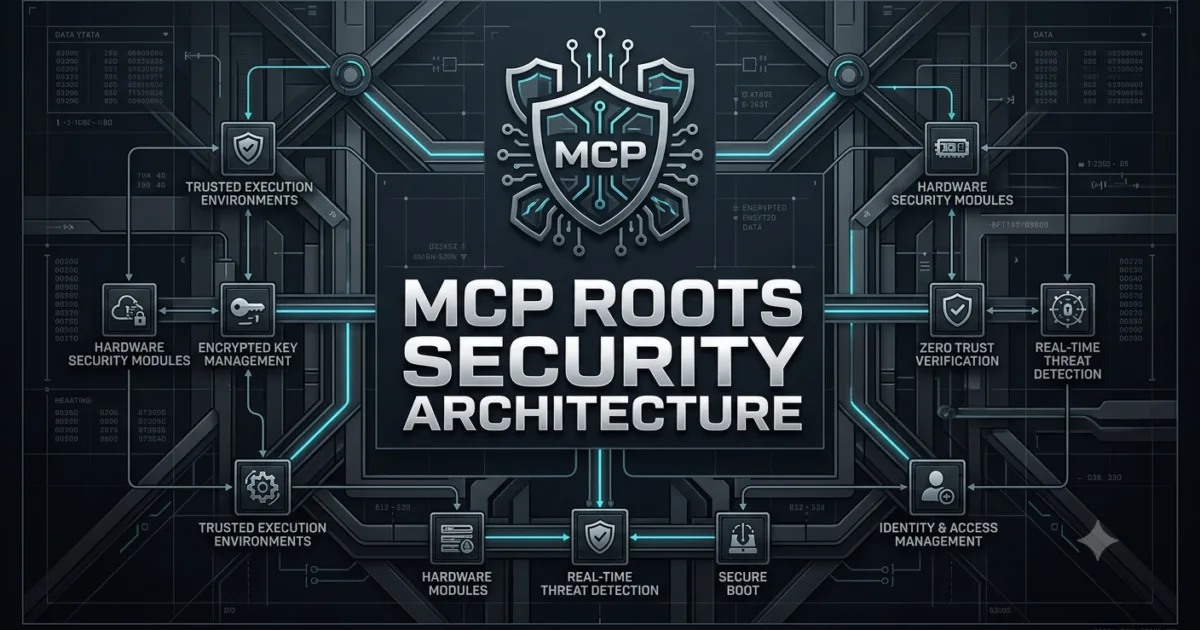
What Are MCP Roots?
MCP Roots define the filesystem locations that an MCP client makes available as working boundaries for an MCP server.
When an MCP server works with local project files, it should not automatically assume that the entire filesystem is available.
A project may contain:
project/
├── src/
├── tests/
├── docs/
├── config/
├── .env
├── secrets/
└── backups/
An AI-powered development assistant may only need access to:
project/
├── src/
├── tests/
└── docs/
The remaining directories may contain sensitive or irrelevant information.
MCP Roots provide a mechanism for defining the locations that establish the client’s intended working scope.
The basic concept is:
MCP Client

    ↓

Root

    ↓

Project Workspace

    ↓

MCP Server
This creates an important boundary between the AI application and the user’s local environment.
Why MCP Roots Matter
A filesystem can contain thousands of files that have nothing to do with the current task.
Consider a developer’s computer:
/home/developer/
├── projects/
├── downloads/
├── documents/
├── personal/
├── backups/
├── credentials/
└── temporary/
Suppose the user asks:
Review the authentication code in my project.
The MCP server does not need access to the entire home directory.
It needs the relevant project workspace:
/home/developer/projects/payment-api/
The root communicates this workspace context to the MCP server.
This improves:
- Scope management
- Project awareness
- Filesystem organization
- Security boundaries
- AI workflow design
- Resource discovery
The important architectural principle is simple:
Give an AI system the context it needs, not unrestricted access to everything available on the machine.
MCP Roots Are Not the Same as File Permissions
A common misunderstanding is that MCP Roots replace operating-system permissions.
They do not.
Operating-system permissions remain responsible for determining whether a process can actually access a file.
MCP Roots communicate the workspace locations that are relevant to the MCP interaction.
Think about the layers separately:
Operating System

↓

Filesystem Permissions

↓

MCP Client

↓

MCP Roots

↓

MCP Server

↓

Application Logic
The OS controls actual filesystem access.
The MCP client communicates the intended workspace scope.
The server uses that information when deciding what project context it should work with.
Root URI
An MCP Root identifies a filesystem location using a URI.
A simplified example is:
file:///workspace/my-project
The URI identifies the root location.
Conceptually:
Root

├── URI
│   └── file:///workspace/my-project
│
└── Name
    └── my-project
The URI provides a machine-readable reference that can be used to identify the workspace.
Root Name
A root can also have a human-readable name.
For example:
URI:
file:///workspace/payment-api

Name:
payment-api
The URI identifies the location while the name makes the workspace easier for humans and applications to understand.
A client might expose several roots:
Roots

├── payment-api
│   └── file:///workspace/payment-api
│
├── test-suite
│   └── file:///workspace/test-suite
│
└── documentation
    └── file:///workspace/documentation
This becomes useful when an MCP client is working with multiple projects.
Understanding Root Boundaries
Consider this directory structure:
/workspace/
├── ecommerce/
│   ├── frontend/
│   ├── backend/
│   └── tests/
│
├── internal-tools/
│   ├── scripts/
│   └── configs/
│
└── private/
    ├── credentials/
    └── backups/
If the active project is ecommerce, the client can establish:
Root
└── /workspace/ecommerce
The server can then understand that this is the relevant project workspace.
The conceptual boundary becomes:
/workspace/ecommerce
│
├── frontend       ← Relevant
├── backend        ← Relevant
└── tests          ← Relevant

/workspace/private
│
├── credentials    ← Outside project scope
└── backups        ← Outside project scope
This distinction is particularly important for AI coding assistants.
MCP Roots and AI Agents
AI agents frequently need access to project information.
A coding agent may need to:
- Inspect the project structure.
- Read source files.
- Locate tests.
- Understand configuration.
- Modify implementation.
- Run tests.
- Generate documentation.
Without a defined workspace concept, the agent could have difficulty understanding where the project begins and ends.
With a root:
User

↓

MCP Client

↓

Project Root

↓

MCP Server

↓

Project Files
The root establishes the workspace context around which the agent operates.
MCP Roots vs MCP Resources
These two MCP concepts serve different purposes.
| MCP Roots | MCP Resources |
|---|---|
| Define workspace locations | Provide readable information |
| Establish project boundaries | Expose application data |
| Communicate filesystem scope | Retrieve contextual content |
| Represent locations | Represent content |
| Used for workspace awareness | Used for information access |
For example:
Root

↓

/workspace/my-project
The root identifies where the project is.
A resource might expose:
resource://project/architecture
The resource provides information about the project.
They solve different problems.
MCP Roots vs MCP Tools
The difference becomes even clearer when comparing roots with tools.
| MCP Roots | MCP Tools |
|---|---|
| Define locations | Execute operations |
| Provide workspace context | Perform actions |
| Do not represent an action | Can trigger actions |
| Establish scope | Implement behavior |
| Client-controlled context | Server-provided capability |
For example, a tool could perform:
run_tests()
while a root identifies:
file:///workspace/my-project
The root establishes context.
The tool performs an operation.
MCP Roots vs MCP Prompts
Prompts and roots also have different responsibilities.
A prompt might tell the AI:
Review this project for security vulnerabilities.
The root might identify:
file:///workspace/security-service
The relationship can be represented as:
Root

↓

Where should the work happen?

Prompt

↓

What should the AI do?

Tool

↓

How should an operation be executed?

Resource

↓

What information should be retrieved?
This separation is one of the strengths of MCP architecture.
Multiple Roots
An MCP client can work with multiple project locations.
Imagine a full-stack application:
Roots

├── frontend
│   └── file:///workspace/store/frontend
│
├── backend
│   └── file:///workspace/store/backend
│
└── tests
    └── file:///workspace/store/tests
An AI assistant can understand that these locations belong to the same development workflow.
Multiple roots can be useful for:
- Monorepos
- Full-stack applications
- Microservice projects
- Shared libraries
- Test repositories
- Documentation repositories
Monorepo Example
Consider a monorepo:
company-platform/
├── apps/
│   ├── web/
│   ├── mobile/
│   └── admin/
│
├── services/
│   ├── auth/
│   ├── billing/
│   └── orders/
│
├── packages/
│   ├── ui/
│   └── shared/
│
└── tests/
A client could establish the repository as a root:
file:///workspace/company-platform
The MCP server can then work with the repository as a unified project.
Alternatively, a client may expose more specific workspace roots depending on the workflow.
Root Changes
Workspace context can change during a development session.
A developer may initially work on:
file:///workspace/project-a
and later switch to:
file:///workspace/project-b
The MCP client can communicate the updated workspace context to the server.
Conceptually:
Project A

↓

Root Changes

↓

Project B

↓

Server Updates Context
This allows long-running AI sessions to adapt to changing project environments.
Root Discovery
A client can communicate its available roots to a server.
The conceptual workflow is:
Client

↓

Initialize MCP Session

↓

Provide Root Information

↓

Server Understands Workspace

↓

Server Performs Context-Aware Work
The server should not assume that an arbitrary filesystem location is the user’s intended workspace.
Instead, it should use the context provided by the client.
Why Root Discovery Helps AI Agents
An AI agent often starts with an incomplete understanding of the environment.
For example:
User:
Fix the failing checkout tests.
The agent needs to determine:
Which project?

Which repository?

Where are the tests?

Where is the source code?

Which configuration applies?
Root information helps establish the workspace context.
The agent can then reason about the project more accurately.
Example MCP Root Data
A simplified conceptual representation might look like:
{
  "uri": "file:///workspace/payment-api",
  "name": "payment-api"
}
The URI identifies the workspace.
The name provides a readable label.
A client with multiple roots could conceptually expose:
[
  {
    "uri": "file:///workspace/frontend",
    "name": "frontend"
  },
  {
    "uri": "file:///workspace/backend",
    "name": "backend"
  },
  {
    "uri": "file:///workspace/tests",
    "name": "tests"
  }
]
The exact protocol structures and capabilities should always be implemented according to the MCP specification rather than treating these simplified examples as a complete implementation.
Building a Simple Root Model
In Python, you could represent root information with a simple data structure:
from dataclasses import dataclass


@dataclass
class MCPRoot:
    uri: str
    name: str


root = MCPRoot(
    uri="file:///workspace/payment-api",
    name="payment-api"
)

print(root.uri)
print(root.name)
Output:
file:///workspace/payment-api
payment-api
This is not a replacement for an MCP SDK implementation. It demonstrates the underlying concept of representing workspace information.
Using Roots in an MCP Server Architecture
A server can maintain workspace context independently from the operations it performs.
class ProjectContext:
    def __init__(self, roots):
        self.roots = roots

    def get_root(self, name):
        for root in self.roots:
            if root.name == name:
                return root

        return None


roots = [
    MCPRoot(
        uri="file:///workspace/frontend",
        name="frontend"
    ),
    MCPRoot(
        uri="file:///workspace/backend",
        name="backend"
    )
]

context = ProjectContext(roots)

backend = context.get_root("backend")

print(backend.uri)
The important architectural idea is separating:
Workspace Context

from

Business Operations
This makes the server easier to maintain.
Learning the Security Boundary
Consider two approaches.
Unrestricted Filesystem Assumption
AI Agent

↓

Entire Computer

↓

All Files
The server has no meaningful concept of project scope.
Root-Aware Architecture
AI Agent

↓

MCP Client

↓

Defined Root

↓

Relevant Project
The second architecture provides much stronger contextual boundaries.
However, a root should not be treated as a magical security sandbox. Actual access control must still be enforced by the operating system, client, server implementation, and application architecture.
Teaching an AI Agent to Respect Workspace Context
A root becomes especially useful when combined with explicit server behavior.
For example:
def resolve_project_file(root_path: str, relative_path: str):
    return root_path / relative_path
A production implementation should additionally validate the resolved path and prevent unintended traversal outside the permitted workspace.
Conceptually:
Requested File

↓

Resolve Path

↓

Check Root Boundary

↓

Allowed?

├── Yes
│   ↓
│ Access File
│
└── No
    ↓
    Reject
This demonstrates an important lesson:
MCP Roots establish context, while application-level validation enforces safe behavior.
Practical Example: QA Automation Project
Suppose an MCP-powered SDET assistant works with:
playwright-project/
├── tests/
├── pages/
├── fixtures/
├── utils/
├── playwright.config.ts
└── package.json
The client provides:
file:///workspace/playwright-project
The assistant can now reason about the project as a single workspace.
A user asks:
Find why the checkout test is failing.
The workflow can become:
User Request

↓

MCP Client

↓

Project Root

↓

MCP Server

↓

Locate Tests

↓

Inspect Fixtures

↓

Inspect Page Objects

↓

Analyze Configuration

↓

Identify Failure
The root does not perform the investigation.
It establishes the workspace in which the investigation takes place.
Practical Example: API Testing Project
Consider:
api-testing/
├── collections/
├── environments/
├── tests/
├── schemas/
└── reports/
The client establishes:
file:///workspace/api-testing
An AI testing assistant can then work within the project context.
The root helps distinguish the API testing project from unrelated directories on the developer’s machine.
Root-Aware Architecture
A production architecture can be visualized as:
┌─────────────────────────────┐
│          User               │
└──────────────┬──────────────┘
               │
               ▼
┌─────────────────────────────┐
│        MCP Client           │
│                             │
│  Workspace / Root Context   │
└──────────────┬──────────────┘
               │
               │ MCP
               ▼
┌─────────────────────────────┐
│        MCP Server           │
│                             │
│  Tools   Resources   Prompts│
└──────────────┬──────────────┘
               │
               ▼
┌─────────────────────────────┐
│      Project Workspace      │
│                             │
│ src / tests / docs / config │
└─────────────────────────────┘
The root provides the contextual connection between the client and the project workspace.
Root Design Best Practices
When designing applications around MCP Roots, keep the workspace scope clear and predictable.
Use:
- Meaningful root names
- Valid filesystem URIs
- Explicit workspace boundaries
- Multiple roots when genuinely required
- Server-side path validation
- Operating-system permissions
- Clear handling of root changes
Avoid:
- Assuming access to the entire filesystem
- Treating roots as replacements for OS permissions
- Hardcoding developer-specific paths
- Ignoring root changes
- Trusting arbitrary paths without validation
- Exposing unrelated project directories unnecessarily
A strong architecture combines MCP workspace context with traditional filesystem security.
The Mental Model to Remember
The easiest way to understand the major MCP capabilities is to assign each one a responsibility:
MCP Root

↓

Where is the workspace?

MCP Resource

↓

What information is available?

MCP Prompt

↓

What instructions should the AI follow?

MCP Tool

↓

What action should be executed?

MCP Sampling

↓

Which AI generation should be requested?
This separation makes complex AI applications easier to reason about.
MCP Roots are fundamentally about workspace context. They allow clients to communicate the locations that matter to the current MCP session, giving servers and AI agents a clearer understanding of the project environment. When combined with proper filesystem permissions, path validation, MCP Resources, Tools, Prompts, and Sampling, roots become an important building block for secure and context-aware AI development workflows.
Root Notifications and Dynamic Workspace Context
An MCP Root is more useful when the client can communicate changes to the server instead of treating the workspace as permanently fixed.
A developer may start an MCP session inside one project:
file:///workspace/payment-api
and later open another project:
file:///workspace/order-service
The server needs a reliable way to understand that its workspace context has changed.
The MCP protocol provides this through root-related client capabilities and notifications.
How Root Changes Work
The basic lifecycle can be understood as:
MCP Client

↓

Current Roots

↓

MCP Server

↓

Server Uses Workspace Context

       ↓

Client Changes Roots

       ↓

Roots List Changes

       ↓

Server Receives Notification

       ↓

Server Refreshes Context
This is particularly important for long-running MCP sessions.
A server should not assume that the root information it received earlier will remain unchanged forever.
Root List Changes
Imagine the client initially exposes:
{
  "roots": [
    {
      "uri": "file:///workspace/project-a",
      "name": "project-a"
    }
  ]
}
The user then switches to another project.
The new root could become:
{
  "roots": [
    {
      "uri": "file:///workspace/project-b",
      "name": "project-b"
    }
  ]
}
The important event is not simply that the path changed.
The important event is that the client’s workspace context changed.
Understanding notifications/roots/list_changed
MCP provides the notifications/roots/list_changed notification for communicating that the client’s root list has changed.
Conceptually:
Client

↓

Root List Changed

↓

notifications/roots/list_changed

↓

Server

↓

Request Updated Roots

↓

Refresh Workspace Context
The notification tells the server that it should obtain the current root information rather than continuing to rely on stale context.
The notification itself is essentially a signal:
The roots may have changed. Refresh your understanding of the workspace.
Why Notifications Matter
Without change notifications, a server could continue using outdated workspace information.
Consider:
10:00 AM

Root:
project-a
The user switches projects:
10:15 AM

Root:
project-b
If the server still assumes:
project-a
it could perform operations against the wrong project.
With root notifications:
project-a

↓

Root Change Notification

↓

Refresh

↓

project-b
The server can adapt to the new workspace.
Static vs Dynamic Roots
There are two useful ways to think about workspace context.
| Static Workspace | Dynamic Workspace |
|---|---|
| Root rarely changes | Root can change during a session |
| Simple application flow | Useful for interactive clients |
| Less context management | Requires change handling |
| Suitable for fixed workflows | Suitable for IDEs and AI assistants |
Modern AI development environments frequently need dynamic workspace awareness.
An IDE user might switch between:
Project A
↓
Project B
↓
Project C
without restarting the entire AI session.
Roots in IDE-Based AI Assistants
Consider an MCP client integrated into an IDE.
The developer opens:
~/projects/web-app
The client establishes:
file:///Users/developer/projects/web-app
The MCP server can use this workspace context while responding to requests.
Later, the developer opens:
~/projects/api-service
The client changes its roots.
IDE

↓

New Workspace

↓

Root Change Notification

↓

MCP Server

↓

Updated Context
This allows the same MCP connection architecture to support changing projects.
Root Changes and AI Reasoning
Workspace changes are especially important for AI agents.
Suppose the user says:
Fix the failing authentication test.
Initially, the active root is:
file:///workspace/frontend
The server might search for:
frontend/tests/
But if the user changes the workspace to:
file:///workspace/backend
the same request should now be interpreted in the backend project context.
User Request
    │
    ▼
Current Root
    │
    ▼
Workspace Context
    │
    ▼
Relevant Files
This makes the root part of the agent’s environmental context.
Roots and Path Resolution
One of the most important implementation concerns is safely resolving paths relative to a root.
Suppose the root is:
/workspace/payment-api
and the server receives:
tests/test_checkout.py
The intended path is:
/workspace/payment-api/tests/test_checkout.py
A simplified Python example:
from pathlib import Path


root = Path("/workspace/payment-api")
relative_path = Path("tests/test_checkout.py")

target = root / relative_path

print(target)
Output:
/workspace/payment-api/tests/test_checkout.py
However, simply joining paths is not enough for production security.
Preventing Path Traversal
Consider a malicious path:
../../secrets/passwords.txt
Naive path joining could produce a location outside the intended project.
from pathlib import Path


root = Path("/workspace/payment-api").resolve()
requested = Path("../../secrets/passwords.txt")

target = (root / requested).resolve()

if root not in target.parents:
    raise PermissionError("Path is outside the MCP root")

print(target)
The important security principle is:
Requested Path

↓

Resolve

↓

Check Root Boundary

↓

Allowed?

├── Yes → Continue
└── No  → Reject
MCP Roots should not be treated as a substitute for path validation.
Root Context and Server-Side Validation
A robust MCP application should combine root information with explicit validation.
MCP Root
    +
Path Validation
    +
OS Permissions
    +
Application Authorization
    ↓
Controlled Filesystem Access
Each layer solves a different problem.
| Layer | Responsibility |
|---|---|
| MCP Root | Communicates workspace context |
| Path Validation | Prevents unsafe path resolution |
| OS Permissions | Controls actual filesystem access |
| Application Authorization | Controls application-specific operations |
This layered model is much stronger than relying on a single boundary.
Root URI vs Filesystem Path
A URI and a filesystem path are related but are not identical concepts.
Example URI:
file:///workspace/payment-api
Filesystem path:
/workspace/payment-api
An application may need to convert between representations.
Python example:
from urllib.parse import urlparse


uri = "file:///workspace/payment-api"

parsed = urlparse(uri)

print(parsed.path)
Output:
/workspace/payment-api
Production implementations should use platform-aware filesystem handling rather than manually manipulating URI strings.
Cross-Platform Considerations
A root may represent a workspace on different operating systems.
Linux
file:///home/dev/project
macOS
file:///Users/dev/project
Windows
file:///C:/Users/dev/project
An MCP application should avoid assumptions such as:
root = "/home/developer/project"
when the application is expected to operate across platforms.
Instead, resolve filesystem locations using platform-aware libraries.
Multiple Root Changes
A client may manage several roots simultaneously.
For example:
Initial Roots

├── frontend
├── backend
└── tests
The user may later remove the test workspace:
Updated Roots

├── frontend
└── backend
The server should refresh its workspace context rather than continuing to assume that tests is still available.
Conceptually:
Roots A

↓

Change Notification

↓

Refresh

↓

Roots B

↓

Rebuild Context
Root Changes and Cached Data
Caching introduces another important concern.
Suppose the server caches:
project-a
    ↓
src/
tests/
config/
The client changes the root to:
project-b
The server should not accidentally reuse project-A-specific cached information.
A safe architecture is:
Root Identity

↓

Cache Scope

↓

Project-Specific Data
When the root changes:
Old Root

↓

Invalidate Relevant Cache

↓

New Root

↓

Build New Context
This prevents stale project information from influencing AI decisions.
Root Changes and Search Indexes
AI applications often build search indexes over project files.
For example:
Project Root
    ↓
File Discovery
    ↓
Embedding Generation
    ↓
Vector Index
    ↓
AI Retrieval
If the workspace changes, the index must also be associated with the correct root.
A dangerous architecture would be:
Project A Index

+

Project B Root

↓

Mixed Context
A safer architecture is:
Root A
  ↓
Index A

Root B
  ↓
Index B
This prevents cross-project context leakage.
Root-Aware RAG
This becomes especially important in MCP-powered RAG systems.
Imagine:
/workspace/project-a
/workspace/project-b
Each project has its own documentation.
The retrieval system should understand:
Query

↓

Current Root

↓

Root-Specific Index

↓

Relevant Documents

↓

LLM
Without root-aware retrieval, an AI agent could retrieve information from the wrong project.
Root Changes and Tool Execution
Tools should also consider workspace context.
Suppose an MCP server provides:
run_tests
The tool should know which project the request belongs to.
Conceptually:
Current Root
    ↓
Project
    ↓
run_tests()
    ↓
Project's Test Suite
Instead of:
run_tests()
    ↓
Search Entire Machine
Root-aware tool design makes automation safer and more predictable.
Root-Aware MCP Tool Example
A simplified Python implementation might look like:
from pathlib import Path


class ProjectTools:
    def __init__(self, root: Path):
        self.root = root.resolve()

    def run_test_file(self, relative_path: str):
        test_file = (self.root / relative_path).resolve()

        if self.root not in test_file.parents:
            raise PermissionError(
                "Test file is outside the configured root"
            )

        return f"Running tests from {test_file}"


tools = ProjectTools(
    Path("/workspace/playwright-project")
)

print(
    tools.run_test_file(
        "tests/checkout.spec.ts"
    )
)
The root becomes part of the tool’s execution context.
Roots and MCP Resources
Roots and resources can work together.
Suppose the root is:
file:///workspace/payment-api
The server can use that workspace context to expose relevant resources such as:
resource://project/readme
resource://project/architecture
resource://project/config
The relationship becomes:
Root

↓

Workspace Context

↓

Resources

↓

Project Information
Roots identify the workspace.
Resources provide information from that workspace.
Roots and MCP Prompts
Prompts can also become workspace-aware.
For example:
Prompt:

Review the current project for security issues.
The active root determines which project the instruction applies to.
Prompt
  +
Current Root
  ↓
Project-Specific AI Task
This is more reliable than embedding absolute filesystem paths directly inside prompts.
Roots and MCP Sampling
Sampling can use root-aware context as well.
Imagine an MCP server needs an AI-generated architecture review.
The workflow can become:
Current Root

↓

Collect Relevant Project Context

↓

Create Sampling Request

↓

MCP Client

↓

Language Model

↓

Architecture Analysis
The model receives context from the correct project instead of unrelated files.
This creates a powerful combination:
Roots
+
Resources
+
Prompts
+
Sampling
=
Context-Aware AI Workflow
A Complete Root-Aware Development Workflow
Consider an AI-powered testing assistant.
Developer

↓

MCP Client

↓

Current Project Root

↓

MCP Server

├── Discover Files
├── Read Resources
├── Use Prompts
├── Execute Testing Tools
└── Request Sampling

↓

AI Model

↓

Testing Recommendation

↓

Developer
The root provides the workspace foundation for the entire workflow.
What Should the Server Do When Roots Change?
A well-designed server should:
- Detect the root-change notification.
- Refresh the current root information.
- Rebuild relevant workspace context.
- Invalidate stale project-specific caches.
- Reconfigure root-dependent tools.
- Update search or retrieval scope.
- Avoid using data from previous projects.
A simplified lifecycle is:
Root Change

↓

Refresh Roots

↓

Update Context

↓

Invalidate Stale State

↓

Reconfigure

↓

Continue Processing
Common Root-Handling Mistakes
| Mistake | Problem | Better Approach |
|---|---|---|
| Treating roots as permanent | Stale workspace context | Handle root changes |
| Trusting arbitrary paths | Path traversal risk | Validate resolved paths |
| Mixing project caches | Cross-project contamination | Scope caches by root |
| Ignoring OS permissions | False security assumptions | Use layered security |
| Hardcoding paths | Poor portability | Resolve paths dynamically |
| Sharing RAG indexes across projects | Incorrect retrieval | Scope indexes to roots |
| Running tools outside the workspace | Unexpected operations | Validate tool paths |
Practical Learning Exercise
Create a small project structure:
mcp-root-demo/
├── frontend/
│   └── app.js
├── backend/
│   └── server.py
└── tests/
    └── test_app.py
Then model three roots:
from dataclasses import dataclass


@dataclass
class Root:
    uri: str
    name: str


roots = [
    Root(
        "file:///workspace/mcp-root-demo/frontend",
        "frontend"
    ),
    Root(
        "file:///workspace/mcp-root-demo/backend",
        "backend"
    ),
    Root(
        "file:///workspace/mcp-root-demo/tests",
        "tests"
    )
]

for root in roots:
    print(root.name, "->", root.uri)
Expected output:
frontend -> file:///workspace/mcp-root-demo/frontend
backend -> file:///workspace/mcp-root-demo/backend
tests -> file:///workspace/mcp-root-demo/tests
Now imagine the user removes the tests workspace.
Your server-side logic should conceptually move from:
frontend
backend
tests
to:
frontend
backend
without continuing to assume that the tests root exists.
The Key Architecture
The most important concept from this section is that MCP Roots are dynamic workspace context, not merely filesystem paths.
A robust MCP application treats root information as part of its runtime environment:
MCP Client
    ↓
Current Roots
    ↓
Workspace Context
    ↓
Server State
    ↓
Tools / Resources / Prompts
    ↓
AI Workflow
When roots change, the server should refresh the context and ensure that cached data, retrieval indexes, filesystem operations, and AI workflows remain associated with the correct workspace.
This is what turns MCP Roots from a simple location mechanism into an important part of context-aware AI engineering.
MCP Roots Security, Permissions and Safe Filesystem Access
MCP Roots become particularly important when an MCP server works with local files, source code, configuration, test suites, or project documentation. A root communicates the workspace context, but it should never be interpreted as unlimited permission to access everything underneath a machine’s filesystem.
A secure architecture combines MCP Roots, operating-system permissions, path validation, application authorization, and careful tool design.
User
  ↓
MCP Client
  ↓
MCP Roots
  ↓
MCP Server
  ↓
Authorization
  ↓
Path Validation
  ↓
Filesystem
Each layer has a different responsibility.
MCP Roots Are a Context Boundary
Suppose an MCP client exposes:
file:///workspace/payment-api
The server now knows that payment-api is the relevant workspace.
Inside that workspace:
payment-api/
├── src/
├── tests/
├── docs/
├── config/
└── package.json
However, the root itself does not automatically grant permission to every filesystem operation.
A useful mental model is:
MCP Root
    ↓
"This is the relevant workspace"

Filesystem Permission
    ↓
"This process can access this location"

Application Authorization
    ↓
"This operation is allowed"

Path Validation
    ↓
"This requested path stays within the intended boundary"
Secure MCP applications use all of these concepts together.
Root Security vs Operating-System Security
Operating systems already provide filesystem permissions.
For example, Linux permissions can determine whether a process can read:
/workspace/payment-api
or:
/etc/
MCP Roots operate at a different architectural level.
| MCP Roots | OS Permissions |
|---|---|
| Communicate workspace context | Control actual filesystem access |
| Part of MCP client/server interaction | Part of operating-system security |
| Help servers understand project scope | Protect files and directories |
| Do not replace OS access control | Enforce process-level permissions |
| Useful for AI context management | Fundamental security mechanism |
This distinction is critical.
If a process has operating-system permission to read a sensitive file, simply defining an MCP root somewhere else does not magically remove that permission.
Principle of Least Privilege
A secure MCP implementation should follow the principle of least privilege.
The server should receive only the access and context required for its task.
For example, an AI testing assistant might only need:
/workspace/project
├── tests/
├── src/
└── playwright.config.ts
It probably does not need:
/home/developer/
├── personal/
├── private/
├── credentials/
└── backups/
A smaller workspace scope reduces unnecessary exposure.
Large Filesystem
      ↓
Relevant Workspace
      ↓
Required Files
      ↓
AI Context
The smaller the relevant scope, the easier it becomes to control and reason about data access.
Why AI Agents Need Stronger Boundaries
Traditional applications generally execute predefined operations.
AI agents can dynamically decide:
- Which files to inspect
- Which tools to call
- Which information to retrieve
- Which commands to execute
- Which additional context to request
This introduces an additional risk.
Consider:
User
 ↓
AI Agent
 ↓
MCP Tool
 ↓
Filesystem
If the tool accepts arbitrary filesystem paths, the agent might accidentally or intentionally request files outside the intended project.
A safer design is:
User
 ↓
AI Agent
 ↓
MCP Tool
 ↓
Root Validation
 ↓
Allowed Workspace
 ↓
Filesystem
The root becomes one input to a broader authorization strategy.
Path Traversal
Path traversal is one of the most important filesystem security problems to understand.
Suppose the root is:
/workspace/app
The user requests:
src/config.py
The resolved location is:
/workspace/app/src/config.py
That is expected.
But consider:
../../secrets/database.env
A naive implementation could resolve this outside the project:
/workspace/secrets/database.env
or even farther depending on the directory structure.
A secure implementation must validate the final resolved path.
Safe Path Validation in Python
A practical pattern is:
from pathlib import Path


def safe_path(root: Path, requested: str) -> Path:
    root = root.resolve()
    target = (root / requested).resolve()

    if target != root and root not in target.parents:
        raise PermissionError(
            "Requested path is outside the MCP root"
        )

    return target
Usage:
root = Path("/workspace/payment-api")

path = safe_path(
    root,
    "tests/test_checkout.py"
)

print(path)
Expected result:
/workspace/payment-api/tests/test_checkout.py
A malicious request:
safe_path(
    root,
    "../../secrets/passwords.txt"
)
should be rejected.
The important security sequence is:
User Path
   ↓
Join With Root
   ↓
Resolve Absolute Path
   ↓
Check Boundary
   ↓
Allow or Reject
Why String Prefix Checks Are Dangerous
A common mistake is checking paths using simple strings.
For example:
if str(target).startswith(str(root)):
    allow()
This can produce incorrect results.
Consider:
/workspace/app
/workspace/application
The string:
/workspace/application/config.json
starts with:
/workspace/app
but it is not actually inside the app directory.
Filesystem-aware path comparison is safer than string-prefix comparison.
Use:
root in target.parents
instead of relying on:
target.startswith(root)
for security-sensitive path validation.
Symlink Security
Symbolic links introduce another filesystem consideration.
Imagine:
/workspace/project/
└── logs/
    └── latest -> /private/secrets/
The visible path appears to be inside the project:
/workspace/project/logs/latest
but the symlink may resolve somewhere else.
This is why resolving paths before authorization matters.
root = Path("/workspace/project").resolve()
target = (root / "logs/latest").resolve()

if root not in target.parents:
    raise PermissionError("Outside workspace")
The application should evaluate the resolved destination rather than trusting only the textual path.
Root Validation and File Operations
Every filesystem operation should respect the intended boundary.
For example:
def read_project_file(root: Path, relative_path: str):
    target = safe_path(root, relative_path)

    if not target.is_file():
        raise FileNotFoundError(
            f"File not found: {relative_path}"
        )

    return target.read_text()
The same principle can be applied to:
- Reading files
- Writing files
- Deleting files
- Listing directories
- Moving files
- Copying files
- Executing project commands
The operation changes, but the security boundary remains.
Read Access vs Write Access
Not every MCP server needs write access.
A documentation assistant may only need:
Read
  ↓
Source Files
  ↓
Generate Explanation
A coding assistant may require:
Read
  +
Write
  ↓
Modify Source
These should not be treated as equivalent permissions.
| Access | Risk | Typical Use |
|---|---|---|
| Read | Lower | Code analysis |
| Write | Higher | Code modification |
| Delete | High | Cleanup operations |
| Execute | Very high | Running commands |
| Full filesystem | Critical | Rarely justified |
A secure design grants the minimum capability required.
MCP Roots and Tool Authorization
Suppose an MCP server exposes these tools:
read_file
write_file
delete_file
run_tests
run_command
They should not all automatically receive the same permissions.
A better architecture is:
MCP Root
   ↓
Tool Request
   ↓
Authorization
   ↓
Operation-Specific Validation
   ↓
Execution
For example:
ALLOWED_OPERATIONS = {
    "read_file",
    "list_directory",
    "run_tests"
}
A write operation may require an additional approval mechanism.
Protecting Sensitive Files
Project directories often contain files that should not be sent to an AI model.
Examples include:
.env
.env.production
credentials.json
private-key.pem
id_rsa
secrets.yaml
Even when these files exist inside the MCP root, they may need additional filtering.
A server can maintain an exclusion policy:
BLOCKED_FILES = {
    ".env",
    ".env.production",
    "credentials.json",
    "private-key.pem"
}


def is_allowed_file(path: Path) -> bool:
    return path.name not in BLOCKED_FILES
Then:
Requested File
     ↓
Inside Root?
     ↓
Sensitive File?
     ↓
Allowed?
This provides an additional protection layer.
Root Security and Data Leakage
AI applications introduce another concern: data propagation.
Reading a sensitive file is only the first step.
The information may then move through:
Filesystem
   ↓
MCP Server
   ↓
Sampling Request
   ↓
AI Model
   ↓
Generated Response
   ↓
Logs
A secure architecture therefore needs to consider the entire data lifecycle.
Data Access
     ↓
Data Filtering
     ↓
AI Context
     ↓
Model Processing
     ↓
Response
     ↓
Logging
Protecting the root alone is not enough.
Root-Aware Data Filtering
A useful approach is to filter files before they enter an AI context.
def should_include(path: Path) -> bool:
    excluded = {
        ".env",
        ".git",
        "node_modules",
        "__pycache__"
    }

    return not any(
        part in excluded
        for part in path.parts
    )
A production implementation would usually need more sophisticated rules, but the concept is important.
The workflow becomes:
Root
 ↓
Discover Files
 ↓
Exclude Sensitive/Irrelevant Files
 ↓
Read Approved Files
 ↓
Build AI Context
This reduces unnecessary data exposure.
.git and Dependency Directories
Development projects often contain large or sensitive directories.
For example:
project/
├── .git/
├── node_modules/
├── .venv/
├── src/
├── tests/
└── docs/
An AI assistant usually does not need the entire contents of:
.git/
node_modules/
.venv/
Ignoring them can improve:
- Performance
- Token efficiency
- Search speed
- Privacy
- AI relevance
A root-aware file discovery process might therefore apply ignore rules.
Root Security in RAG Systems
RAG systems introduce another layer of potential leakage.
Imagine two repositories:
/workspace/client-a
/workspace/client-b
Each has its own vector index.
A dangerous retrieval architecture might search:
All Project Documents
instead of:
Current Root
     ↓
Current Project Index
     ↓
Relevant Documents
Root-aware retrieval helps maintain project boundaries.
A conceptual implementation:
indexes = {
    "client-a": "vector-index-a",
    "client-b": "vector-index-b"
}


def get_index(root_name: str):
    return indexes[root_name]
Then:
Current Root
     ↓
Root Identity
     ↓
Matching Index
     ↓
Relevant Context
This is particularly important for enterprise AI applications handling multiple customers or repositories.
Multi-Tenant Applications
Consider an AI platform serving multiple organizations:
Tenant A
 └── project-a

Tenant B
 └── project-b

Tenant C
 └── project-c
A secure architecture must prevent:
Tenant A
   ↓
Tenant B Data
Root context can contribute to tenant isolation, but it should be combined with authentication and authorization.
User Identity
     ↓
Tenant Authorization
     ↓
Root
     ↓
Project
     ↓
Data
This layered approach is much safer than using the root as the only boundary.
Root Identity and Caching
Caches should be scoped carefully.
A weak design:
cache["architecture"] = project_data
can accidentally reuse information across projects.
A better conceptual structure is:
cache[(root_uri, "architecture")] = project_data
Now the same resource name can exist independently for different roots.
Root A + architecture
        ↓
Cache A

Root B + architecture
        ↓
Cache B
This reduces cross-project contamination.
Root-Aware Logging
Logs can also contain sensitive information.
A production system should avoid logging entire file contents unnecessarily.
Instead of:
READ /workspace/project/.env
DATABASE_PASSWORD=...
prefer structured metadata:
{
  "operation": "read_file",
  "root": "payment-api",
  "path": "src/config.py",
  "status": "success"
}
Logging should provide enough information for troubleshooting without becoming another source of data leakage.
Root Security for Command Execution
Command execution deserves special attention.
Consider a tool:
run_command(command)
If the AI can provide arbitrary shell commands, the root alone does not make command execution safe.
For example:
rm -rf /
is not made safe merely because the current root is:
/workspace/project
Command execution needs its own authorization and sandboxing strategy.
A safer design might expose narrowly defined operations:
run_tests
build_project
lint_project
instead of:
run_any_shell_command
This follows the principle of least privilege.
Safe Tool Design
Compare the following architectures.
Broad Tool
run_command(command)
The AI chooses the entire command.
Narrow Tool
run_tests(
    test_path
)
The server controls the command structure.
| Broad Tool | Narrow Tool |
|---|---|
| Flexible | Controlled |
| Higher risk | Lower risk |
| AI controls more behavior | Server controls behavior |
| Harder to audit | Easier to audit |
| Requires stronger sandboxing | Easier to constrain |
For production MCP systems, narrowly scoped tools are generally easier to secure.
Root Security Architecture
A mature MCP filesystem architecture can look like:
                    User
                      │
                      ▼
                MCP Client
                      │
                      ▼
                 MCP Roots
                      │
                      ▼
             MCP Server Authorization
                      │
          ┌───────────┴───────────┐
          ▼                       ▼
   Path Validation          File Filtering
          │                       │
          └───────────┬───────────┘
                      ▼
              Filesystem Access
                      │
                      ▼
              AI Context Builder
                      │
                      ▼
                MCP Sampling
                      │
                      ▼
                  AI Model
This architecture separates workspace identification from actual access control.
Practical Security Checklist
Before allowing an MCP server to work with local files, verify:
✓ Root context is explicitly defined

✓ Paths are resolved before validation

✓ Path traversal is blocked

✓ Symlinks are considered

✓ Sensitive files are filtered

✓ OS permissions remain enabled

✓ Read/write operations are separated

✓ Dangerous tools require stronger controls

✓ RAG indexes are scoped to roots

✓ Caches are root-aware

✓ Logs avoid sensitive content

✓ Root changes invalidate stale context
Learning Exercise: Build a Secure Root Resolver
Create a small Python implementation that accepts:
Root:
workspace/project

Requests:
src/app.py
tests/test_app.py
../../secret.txt
Your resolver should produce:
src/app.py
→ ALLOWED

tests/test_app.py
→ ALLOWED

../../secret.txt
→ REJECTED
Start with:
from pathlib import Path


def resolve_safe(root: str, requested: str):
    root_path = Path(root).resolve()
    target = (root_path / requested).resolve()

    if target != root_path and root_path not in target.parents:
        raise PermissionError("Outside root")

    return target
Then extend it to reject:
.env
.git/
private-key.pem
This exercise demonstrates how workspace context can be converted into an actual security control when combined with application-level validation.
Understanding the Complete Security Model
The most important distinction is:
MCP Root
=
Workspace Context
not:
MCP Root
=
Complete Security Sandbox
A secure implementation therefore uses:
MCP Root
+
Authentication
+
Authorization
+
Path Validation
+
OS Permissions
+
Data Filtering
+
Tool Restrictions
+
Sandboxing
+
Monitoring
This layered approach is essential when MCP Roots are used by AI agents that can inspect, modify, retrieve, or execute operations against project files.
Comparing the Security Layers
| Security Layer | What It Protects |
|---|---|
| Authentication | Who is making the request |
| Authorization | What the user or agent may do |
| MCP Roots | Which workspace is relevant |
| Path validation | Whether a requested path escapes the workspace |
| OS permissions | Whether the process can access the filesystem |
| File filtering | Which files should enter AI context |
| Tool restrictions | Which operations the agent can execute |
| Sandboxing | Limits execution impact |
| Monitoring | Detects suspicious behavior |
No single layer should be expected to solve every security problem.
The strongest MCP architecture treats MCP Roots as one important component inside a broader defense-in-depth strategy.
Designing Production-Ready MCP Roots
A production implementation of MCP Roots should treat workspace information as part of the application’s runtime state rather than as a simple directory string.
The architecture should answer five important questions:
Where is the workspace?
Who can access it?
What files are allowed?
What operations are permitted?
What happens when the workspace changes?
A strong implementation combines these concerns:
MCP Client
    ↓
MCP Roots
    ↓
Workspace Validation
    ↓
Authorization
    ↓
Path Validation
    ↓
File Filtering
    ↓
Tool Execution
    ↓
AI Context
This layered architecture is particularly important when MCP is used by coding agents, QA automation agents, RAG systems, and autonomous development workflows.
Building a Root-Aware Project Context
Instead of passing a root path throughout the entire application, create a dedicated workspace context.
from dataclasses import dataclass
from pathlib import Path


@dataclass
class Workspace:
    uri: str
    name: str
    path: Path

    def __post_init__(self):
        self.path = self.path.resolve()
Create a workspace:
workspace = Workspace(
    uri="file:///workspace/payment-api",
    name="payment-api",
    path=Path("/workspace/payment-api")
)

print(workspace.name)
print(workspace.path)
Output:
payment-api
/workspace/payment-api
This creates one central representation of the current workspace.
Separating Root Context From Business Logic
A common architectural mistake is allowing every tool to independently determine its filesystem location.
For example:
def read_file(path):
    ...

def run_tests(path):
    ...

def search_code(path):
    ...
This can result in inconsistent security checks.
A better approach is to provide all tools with the same workspace context:
class ProjectTools:
    def __init__(self, workspace: Workspace):
        self.workspace = workspace

    def read_file(self, path: str):
        ...

    def run_tests(self, path: str):
        ...

    def search_code(self, query: str):
        ...
Now the architecture becomes:
MCP Root
   ↓
Workspace Context
   ↓
┌───────────────┬───────────────┬───────────────┐
│ read_file     │ run_tests     │ search_code   │
└───────────────┴───────────────┴───────────────┘
Every operation receives the same workspace context.
A Root-Aware File Service
A reusable filesystem service can centralize validation.
class SafeFileService:
    def __init__(self, workspace: Workspace):
        self.workspace = workspace

    def resolve(self, relative_path: str) -> Path:
        target = (
            self.workspace.path / relative_path
        ).resolve()

        if (
            target != self.workspace.path
            and self.workspace.path not in target.parents
        ):
            raise PermissionError(
                "Path is outside the MCP root"
            )

        return target

    def read(self, relative_path: str) -> str:
        target = self.resolve(relative_path)

        if not target.is_file():
            raise FileNotFoundError(relative_path)

        return target.read_text()
Usage:
files = SafeFileService(workspace)

content = files.read(
    "src/payment.py"
)
The important design principle is centralization.
Instead of every tool implementing its own security logic:
Tool A → own validation
Tool B → own validation
Tool C → own validation
use:
MCP Root
   ↓
Safe File Service
   ↓
All File Operations
This reduces duplicated security logic.
Root Changes in Long-Running Sessions
AI clients can remain active for extended periods.
A user might move through several projects:
Project A
   ↓
Project B
   ↓
Project C
The server therefore needs to handle root changes correctly.
A simplified manager could look like:
class WorkspaceManager:
    def __init__(self):
        self.current_roots = []

    def update_roots(self, roots):
        self.current_roots = roots

    def get_roots(self):
        return self.current_roots
When the client reports that roots have changed:
manager.update_roots(new_roots)
The application can then rebuild any state that depends on those roots.
Invalidating Workspace State
Workspace changes should trigger appropriate state updates.
For example:
Root Changes
     ↓
Update Workspace
     ↓
Invalidate File Cache
     ↓
Invalidate Search Index
     ↓
Invalidate Project Context
     ↓
Reload Relevant Resources
Not every cache needs to be destroyed, but anything associated with the previous workspace should be reviewed.
Consider a code-analysis cache:
cache = {
    "/workspace/project-a": {
        "files": 120,
        "symbols": 850
    }
}
If the root changes to project B, the application should retrieve:
cache.get("/workspace/project-b")
rather than accidentally using project A’s analysis.
Root-Scoped Caching
A robust cache key can include the root identity.
def cache_key(root_uri: str, resource: str):
    return f"{root_uri}:{resource}"
For example:
file:///workspace/project-a:architecture
and:
file:///workspace/project-b:architecture
are treated as separate entries.
This is especially important when multiple repositories are processed by the same MCP server.
Root-Aware Code Search
Code search is a common operation for AI coding assistants.
Suppose the user asks:
Find every reference to
PaymentService.
The search should operate within the current workspace.
def search_project(workspace: Workspace, query: str):
    for path in workspace.path.rglob("*.py"):
        if query in path.read_text(errors="ignore"):
            print(path)
A production implementation should add:
- Ignore rules
- Binary-file detection
- Sensitive-file filtering
- Performance controls
- File-size limits
- Error handling
The architecture remains:
Current Root
    ↓
Search Scope
    ↓
Relevant Files
    ↓
Search Results
Root-Aware File Discovery
AI agents frequently start by discovering project files.
A basic implementation:
def discover_files(workspace: Workspace):
    return [
        path
        for path in workspace.path.rglob("*")
        if path.is_file()
    ]
But unrestricted discovery can include:
.git/
node_modules/
.venv/
.env
build/
dist/
A better implementation applies exclusions.
IGNORED = {
    ".git",
    "node_modules",
    ".venv",
    "__pycache__",
    "dist",
    "build"
}


def discover_files(workspace: Workspace):
    files = []

    for path in workspace.path.rglob("*"):
        if not path.is_file():
            continue

        if any(
            part in IGNORED
            for part in path.parts
        ):
            continue

        files.append(path)

    return files
This produces a much cleaner AI context.
Root-Aware AI Context Construction
The discovered files can then be transformed into AI context.
MCP Root
   ↓
File Discovery
   ↓
Filtering
   ↓
Relevant Files
   ↓
Context Builder
   ↓
MCP Sampling
   ↓
AI Model
For example:
def build_context(files):
    context = []

    for file in files:
        context.append(
            f"FILE: {file}\n"
        )

    return "\n".join(context)
In a real application, the context builder should avoid blindly sending entire repositories to a language model.
Instead, it should select information based on the user’s task.
Root-Aware Retrieval Strategy
A more efficient AI workflow is:
User Query
   ↓
Current Root
   ↓
Project Index
   ↓
Relevant Files
   ↓
Relevant Code Sections
   ↓
AI Context
   ↓
Model
This is significantly better than:
User Query
   ↓
Entire Filesystem
   ↓
Entire Repository
   ↓
AI Model
The second approach increases:
- Token consumption
- Latency
- Privacy exposure
- Retrieval noise
- Cost
MCP Roots and RAG Isolation
Consider a company using an MCP server for multiple repositories:
Root A
/client-a/project

Root B
/client-b/project

Root C
/internal/project
Each root should map to the appropriate retrieval scope.
Root A → Index A
Root B → Index B
Root C → Index C
A request originating from Root A should not automatically retrieve documents from Root B.
This creates a powerful isolation model:
Root Identity
      ↓
Retrieval Scope
      ↓
Relevant Documents
      ↓
AI Context
Root-Aware Tool Permissions
Different tools may require different permissions.
Consider:
read_file
write_file
delete_file
run_tests
run_command
A practical permission matrix might look like:
| Operation | Root Validation | Extra Authorization |
|---|---|---|
| Read file | Required | Usually low |
| List directory | Required | Usually low |
| Search project | Required | Usually low |
| Write file | Required | Recommended |
| Delete file | Required | Strongly recommended |
| Run tests | Required | Command restrictions |
| Run shell command | Required | Strong sandboxing |
This prevents the root from becoming the only security mechanism.
Root-Aware Command Execution
A testing agent may need to execute:
pytest
npm test
npx playwright test
Instead of allowing arbitrary commands, expose specific operations.
ALLOWED_COMMANDS = {
    "run_tests": [
        "pytest"
    ],
    "playwright_tests": [
        "npx",
        "playwright",
        "test"
    ]
}
The server can then map a tool request to a predefined command.
AI Agent
   ↓
run_tests
   ↓
MCP Server
   ↓
Approved Command
   ↓
Current Root
   ↓
Execution
This is safer than allowing:
run_command("anything")
Root and Human Approval
Sensitive operations may require human approval.
For example:
Read File
   ↓
Automatic
while:
Delete Files
   ↓
User Approval
and:
Execute Infrastructure Command
   ↓
Explicit Approval
This can create a layered workflow:
MCP Root
   ↓
Tool Request
   ↓
Risk Evaluation
   ↓
Approval Required?
   ├── No → Execute
   └── Yes → User Approval → Execute
This is particularly valuable for autonomous AI agents.
Root Security and Sensitive Data
A project root may contain credentials even when the developer considers the directory itself safe.
Example:
project/
├── src/
├── tests/
├── docs/
├── .env
├── credentials/
└── secrets/
A good AI context pipeline should distinguish:
Workspace Scope
from:
AI Data Scope
The root tells the system where the project is.
Filtering determines what information should actually reach the model.
Root
 ↓
Project Files
 ↓
Security Filter
 ↓
Relevant Content
 ↓
AI Model
Root Security and Secret Detection
Sensitive data can also appear unexpectedly inside normal source files.
Examples include:
API_KEY="..."
PASSWORD="..."
AWS_SECRET_ACCESS_KEY="..."
A security-aware context builder can scan content before sending it to an AI model.
A simplified example:
import re


SECRET_PATTERNS = [
    r"api[_-]?key\s*=",
    r"password\s*=",
    r"secret[_-]?key\s*="
]


def contains_possible_secret(content: str) -> bool:
    return any(
        re.search(pattern, content, re.IGNORECASE)
        for pattern in SECRET_PATTERNS
    )
This is not a complete secret scanner, but it demonstrates the principle.
Root Security and Git Workflows
Git repositories frequently contain useful project context.
For example:
.git/
README.md
src/
tests/
package.json
However, .git can contain:
- Historical source code
- Commit metadata
- Deleted files
- Configuration
- Potentially exposed secrets
Therefore, blindly exposing .git to an AI agent is not always appropriate.
A common default is:
Include:
src/
tests/
docs/
README.md

Exclude:
.git/
node_modules/
.venv/
.env
The exact policy should depend on the application’s use case.
Root Security and Test Automation
For QA and SDET workflows, MCP Roots can provide a clear boundary around automation projects.
Example:
playwright-project/
├── tests/
├── pages/
├── fixtures/
├── utils/
├── playwright.config.ts
└── package.json
The root:
file:///workspace/playwright-project
provides the workspace context.
A testing agent can then:
Root
 ↓
Discover Tests
 ↓
Read Page Objects
 ↓
Inspect Configuration
 ↓
Run Approved Test Tool
 ↓
Analyze Results
 ↓
Generate AI Explanation
This makes MCP Roots especially useful for AI-powered testing platforms.
Root Security and CI/CD
The same principles apply to CI/CD environments.
A CI runner might contain:
/workspace/
├── repository/
├── build/
├── artifacts/
├── credentials/
└── runner-data/
The MCP server should not automatically treat all of these locations as equally relevant.
A root could identify:
file:///workspace/repository
while CI-specific credentials remain outside the intended project scope.
This reduces accidental context exposure.
Root-Aware Architecture for Autonomous Agents
A mature autonomous development agent can use MCP Roots as part of its environment model.
┌──────────────────────────────┐
│            User              │
└──────────────┬───────────────┘
               ↓
┌──────────────────────────────┐
│         MCP Client           │
│                              │
│ Current Roots                │
│ Approval Policies            │
└──────────────┬───────────────┘
               ↓
┌──────────────────────────────┐
│         MCP Server           │
│                              │
│ Tools / Resources / Prompts  │
└──────────────┬───────────────┘
               ↓
┌──────────────────────────────┐
│      Workspace Controls      │
│                              │
│ Path Validation              │
│ File Filtering               │
│ Authorization                │
└──────────────┬───────────────┘
               ↓
┌──────────────────────────────┐
│       Project Workspace      │
└──────────────┬───────────────┘
               ↓
┌──────────────────────────────┐
│        AI Context            │
│                              │
│ Retrieval + Sampling         │
└──────────────────────────────┘
This architecture demonstrates how MCP Roots can participate in a complete AI engineering workflow without becoming the sole security mechanism.
Comparing Simple and Production Root Handling
| Simple Implementation | Production Implementation |
|---|---|
| Stores a path | Maintains structured workspace context |
| Reads arbitrary files | Validates every requested path |
| One static root | Handles root changes |
| No filtering | Filters sensitive and irrelevant files |
| Shared cache | Root-scoped cache |
| Global search | Root-scoped retrieval |
| Arbitrary commands | Restricted operations |
| No approval | Risk-based approval |
| No audit trail | Structured monitoring |
| Root treated as security | Root combined with defense in depth |
The difference is not simply more code.
The production approach creates clear boundaries between workspace context, authorization, filesystem access, AI context, and tool execution.
Practical Project Exercise
Create this project:
mcp-roots-lab/
├── src/
│   └── app.py
├── tests/
│   └── test_app.py
├── docs/
│   └── architecture.md
├── .env
└── secrets/
    └── credentials.json
Define:
Root:
file:///workspace/mcp-roots-lab
Your application should allow:
src/app.py
tests/test_app.py
docs/architecture.md
and reject or filter:
.env
secrets/credentials.json
../../outside.txt
Then implement:
1. Root representation
2. Safe path resolution
3. Sensitive-file filtering
4. Root-scoped file discovery
5. Root-scoped caching
6. Root change handling
Finally, test:
Normal file
    → ALLOWED

Sensitive file
    → FILTERED

Traversal path
    → REJECTED

Root change
    → CONTEXT REFRESHED
This exercise turns the conceptual security model of MCP Roots into a practical implementation.
Production Checklist for MCP Roots
Before deploying an MCP application that interacts with project files, verify:
| Area | Check |
|---|---|
| Root context | Current roots are tracked |
| Root changes | roots/list_changed is handled |
| Path security | Paths are resolved before validation |
| Traversal | ../ escapes are rejected |
| Symlinks | Resolved destinations are checked |
| Permissions | OS permissions remain enforced |
| Sensitive data | Secrets are filtered |
| Tools | Operations are narrowly scoped |
| Commands | Arbitrary execution is restricted |
| Caching | State is scoped to root |
| RAG | Retrieval is scoped to root |
| Logging | Sensitive content is not logged |
| AI context | Only relevant data is sent to models |
| Approval | High-risk operations can require user approval |
Understanding MCP Roots as an AI Workspace Contract
The best way to think about MCP Roots is as a workspace contract between the client and server.
The client communicates:
"This is the workspace relevant to this session."
The server then uses that context to organize its operations:
Root
 ↓
Workspace
 ↓
Files
 ↓
Resources
 ↓
Tools
 ↓
AI Context
But the server should still enforce its own security rules.
A mature MCP application therefore follows:
MCP Roots
      +
Authorization
      +
Filesystem Validation
      +
Data Filtering
      +
Tool Restrictions
      +
AI Governance
      ↓
Secure AI Workspace
Internal Links
- Day 1: What is MCP?
- Day 2: Why MCP Matters for AI Agents
- Day 3: MCP vs REST APIs vs Plugins
- Day 4: MCP Architecture Deep Dive
- Day 5: Build Your First Production-Ready MCP Development Environment (Python & VS Code)
- Day 6: Build Your First MCP Server in Python: A Production-Ready Guide for Beginners
- Day 7: Master the 4 MCP Transport Layer Options: STDIO vs HTTP vs SSE vs WebSockets
- Day 8: MCP Client Lifecycle: From Initialization to Tool Execution
- Day 9: MCP Server Lifecycle: From Startup to Graceful Shutdown
- Day 10: MCP Tools Explained: Building the Core Capabilities of an MCP Server
- Day 11: MCP Resources Explained: Sharing Data Without Executing: Best Practices Every AI Engineer Must Know
- Day 12: MCP Prompts Explained: Reusable AI Instructions in the Model Context Protocol
- Day 13: MCP Sampling Explained: How Servers Request AI Model Completions
External Links
- Model Context Protocol: https://modelcontextprotocol.io
- Prompt Engineering Guide: https://www.promptingguide.ai
- JSON Schema: https://json-schema.org
- Python string.Template: https://docs.python.org/3/library/string.html#template-strings
- RFC 6570 URI Template: https://www.rfc-editor.org/rfc/rfc6570
- WebSocket API: https://developer.mozilla.org/docs/Web/API/WebSockets_API
- Model Context Protocol: https://modelcontextprotocol.io
- JSON-RPC Specification: https://www.jsonrpc.org/specification
- Python subprocess: https://docs.python.org/3/library/subprocess.html
- Python asyncio: https://docs.python.org/3/library/asyncio.html
- Python logging: https://docs.python.org/3/library/logging.html
- Python multiprocessing: https://docs.python.org/3/library/multiprocessing.html
People Asked Questions
What are MCP Roots?
MCP Roots provide workspace context that allows an MCP client to communicate relevant project locations to an MCP server.
Are MCP Roots a security sandbox?
No. MCP Roots communicate workspace context but should be combined with authorization, filesystem permissions, path validation, filtering, and other security controls.
How do MCP Roots protect filesystem access?
MCP Roots help establish the intended workspace boundary. Applications should additionally resolve and validate requested paths to prevent traversal outside that boundary.
Can MCP Roots change during an MCP session?
Yes. MCP clients can communicate that their root list has changed, allowing servers to refresh workspace-dependent context.
Why are MCP Roots important for AI agents?
AI agents frequently inspect files, search code, retrieve documents, and execute development tools. MCP Roots help establish which workspace those operations should apply to.
Can MCP Roots improve RAG security?
Yes. Root-aware retrieval can restrict searches and vector indexes to the active workspace, reducing the risk of cross-project context leakage.
Should MCP servers allow arbitrary shell commands?
Generally, arbitrary command execution creates significant risk. Narrowly scoped tools, authorization, sandboxing, and controlled command execution provide stronger security.
Day 14 Conclusion
MCP Roots provide an essential foundation for workspace-aware AI applications by giving MCP clients a structured way to communicate relevant project locations to servers. Across this tutorial, you learned how roots establish workspace context, how root changes can update long-running MCP sessions, how multiple roots support complex repositories, and why roots must be combined with path validation, operating-system permissions, authorization, file filtering, and tool restrictions. You also explored practical implementations for safe path resolution, root-scoped caching, code search, RAG isolation, sensitive-data filtering, QA automation, and controlled command execution. The most important lesson is that an MCP Root is not a complete security sandbox; it is a workspace boundary that becomes powerful when combined with defense-in-depth security controls. This approach allows AI agents to understand and operate within the correct project while reducing unnecessary filesystem exposure and preventing cross-project context leakage.
What You Should Be Able to Build Now
After completing Day 14, you should be able to design a root-aware MCP application that:
Defines workspace roots
        ↓
Detects root changes
        ↓
Validates filesystem paths
        ↓
Filters sensitive files
        ↓
Scopes tools and retrieval
        ↓
Maintains root-aware state
        ↓
Builds controlled AI context
You should also understand when MCP Roots should be used alongside MCP Tools, MCP Resources, MCP Prompts, and MCP Sampling rather than treating them as isolated MCP features.
Continue Your MCP Zero to Hero Journey
From here onward, every lesson will build on this environment as we move from concepts to production-ready implementations.
Enjoyed this article? Explore more in-depth guides on AI engineering, automation testing, Model Context Protocol, Playwright, and intelligent software quality at www.skakarh.com. Follow QAPulse by SK for practical, production-focused tutorials designed for QA engineers, SDETs, and AI developers.