QA
QA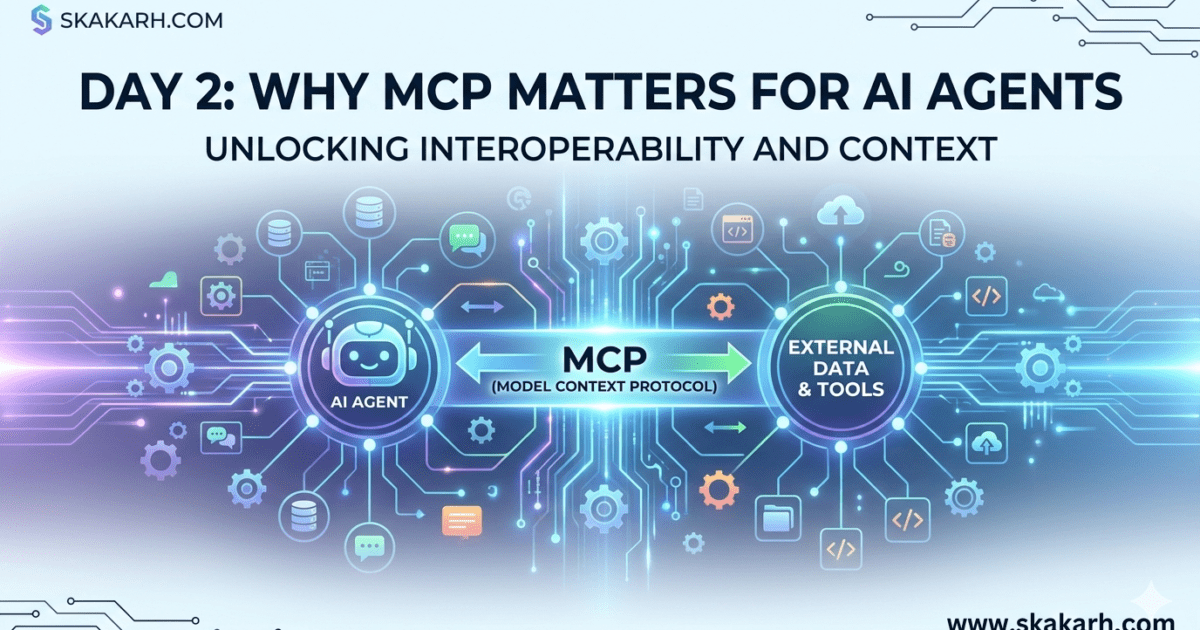
AI Agents are really in use now a days. Lets today discuss some real Use Cases That Change How Systems Work?
Yesterday, we introduced Model Context Protocol (MCP).
Today, we answer the question that actually matters:
“Why should I care?”
Because if MCP doesn’t solve real problems… it’s just another buzzword.
Let’s make it real.
The Truth About AI Agents Today
Everyone is building AI agents.
But most of them are:
- Scripted
- Fragile
- Hardcoded
- Context-blind
They look intelligent…
But under the hood?
👉 They are just decision trees with an LLM attached.
The Core Problem
AI agents struggle with:
- Understanding what tools exist
- Deciding which tool to use
- Sharing context across actions
- Maintaining memory across steps
👉 In simple words:
AI can think… but it can’t operate systems cleanly
That’s the gap MCP fills.
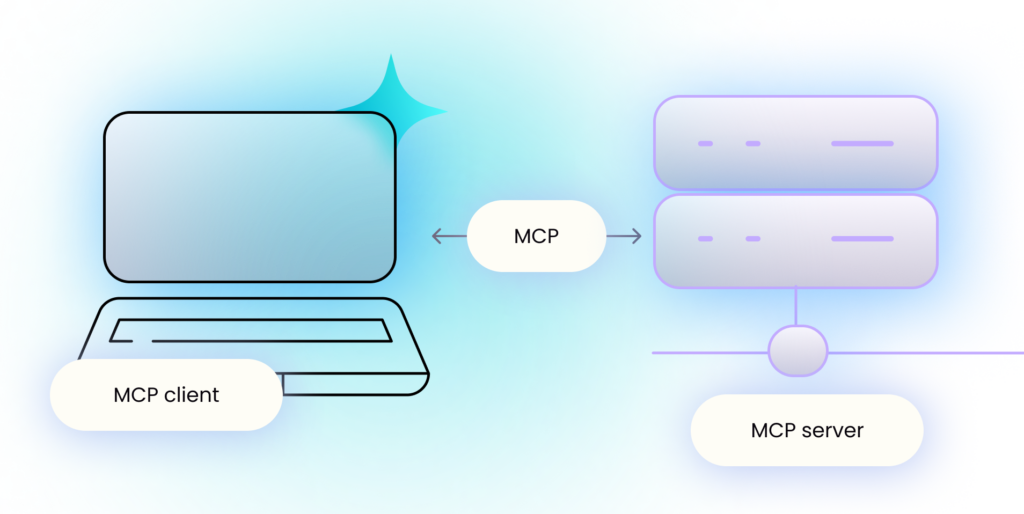
To understand MCP, you need to understand three core roles:
- Model (or Application): The program that needs access to data. This could be an LLM chatbot, an IDE (like Cursor or VS Code), or a command-line tool. (This is the MCP Client).
- Host: The application that actually runs the agent/model and manages the user session (e.g., a browser, an app like Claude Desktop). It initiates connections.
- Server: A lightweight program that sits in front of a specific data source (e.g., a “GitHub MCP Server,” a “Google Drive MCP Server”). It exposes specific resources (like files) and tools (like functions)
Use Case #1: QA Automation Agent (Your Domain)
Let’s start where it matters most for you.
❌ Without MCP
You build a test automation flow like:
- Run tests
- If failed → create bug
- If critical → send alert
Everything is hardcoded.
👉 Zero flexibility
👉 Zero intelligence
👉 High maintenance
🟩 With MCP
Now expose:
- Tool: run_tests
- Tool: create_bug
- Tool: send_notification
- Context: test results, logs, history
The AI agent can now:
👉 Decide when to run tests
👉 Analyze failure patterns
👉 Create meaningful bug reports
👉 Notify only when needed
💡 This is no longer automation.
👉 This is autonomous QA
Use Case #2: Developer AI Assistant
❌ Without MCP
Your AI assistant can:
- Suggest code
- Explain functions
That’s it.
🟩 With MCP
Now connect it to:
- Codebase
- Git history
- CI/CD system
- Issue tracker
Now it can:
👉 Detect failing builds
👉 Analyze commits
👉 Suggest fixes
👉 Trigger pipelines
💡 It becomes a real engineering assistant, not a chatbot.
Use Case #3: Data Pipeline Agent
❌ Without MCP
You manually:
- Fetch data
- Clean data
- Load into DB
- Monitor failures
🟩 With MCP
Expose:
- Data sources
- Transformation tools
- Storage systems
- Monitoring logs
Now the agent can:
👉 Detect anomalies
👉 Retry failed jobs
👉 Optimize pipelines
👉 Alert only when needed
💡 You move from pipelines → self-healing systems
Use Case #4: DevOps Automation
❌ Without MCP
DevOps scripts:
- Deploy app
- Check logs
- Rollback on failure
All predefined.
🟩 With MCP
Expose:
- Deployment tools
- Monitoring systems
- Logs + metrics
- Incident data
Now the agent can:
👉 Detect performance issues
👉 Decide rollback vs fix
👉 Trigger scaling
👉 Communicate status
💡 This becomes adaptive infrastructure
What’s Common in All These AI Agents?
Every example had:
👉 Multiple tools
👉 Shared context
👉 Decision making
And that’s exactly what MCP standardizes.
The Real Value of MCP
MCP enables:
- Tool discovery
- Context sharing
- Intelligent orchestration
- System-level thinking
👉 Not just “call function”
👉 But “understand system”
The Shift You Must Understand
Before:
We wrote logic → systems executed it
Now:
We expose capabilities → AI decides logic
That’s uncomfortable for many engineers.
But that’s the future.
Important Reality Check
MCP does NOT magically make AI smart.
If your:
- Tools are bad
- Context is poor
- System design is weak
👉 MCP won’t save you
💡 It amplifies good architecture — not replaces it
Key Insight (Day 2)
AI Agents don’t fail because models are weak.
They fail because system interaction is broken.
MCP fixes that interaction layer.
Final Thought
Most people are focused on:
- Better prompts
- Better models
But the real leverage is here:
👉 How AI interacts with your systems
That’s where MCP wins.
More Relevant Articles
- 7 Powerful AI Agent Workflows Every Modern SDET Should Learn
- Day 4: MCP Architecture Deep Dive
- Day 3: MCP vs REST APIs vs Plugins
- How Postman’s AI Evolution Is Turning API Collections into Autonomous Testing Systems
External References
- Model Context Protocol Specification
https://modelcontextprotocol.io - JSON-RPC 2.0 Specification
https://www.jsonrpc.org/specification - Python subprocess Documentation
https://docs.python.org/3/library/subprocess.html - Mozilla WebSocket API
https://developer.mozilla.org/docs/Web/API/WebSockets_API - MDN Server-Sent Events
https://developer.mozilla.org/docs/Web/API/Server-sent_events