QA
QA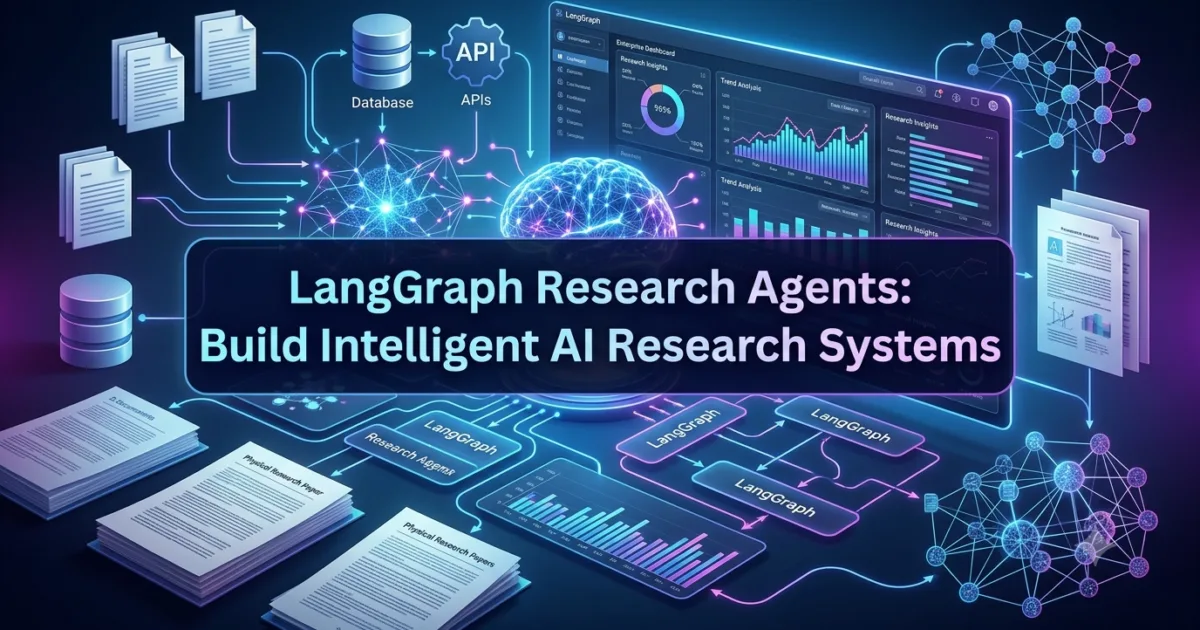
Introduction
Large Language Models have transformed the way we build AI applications. They can generate code, summarize documents, answer questions, and assist with complex decision-making. However, one significant limitation remains—they only know what they were trained on.
If a user asks about the latest technology trends, recently published research papers, updated regulations, or company-specific knowledge, a standalone language model may generate incomplete or outdated responses. In some cases, it may even produce information that sounds convincing but is factually incorrect.
This challenge has led to the development of Research Agents, one of the most practical and widely adopted applications of LangGraph.
A LangGraph Research Agent is an intelligent AI agent designed to retrieve relevant information from multiple sources, evaluate its usefulness, analyze the collected data, and produce well-informed responses. Instead of relying solely on the knowledge stored within a language model, research agents actively gather external information before generating answers.
This ability makes them invaluable for enterprise AI systems, academic research platforms, financial analysis, legal assistants, software development tools, healthcare applications, and countless other real-world use cases where accuracy and up-to-date information are essential.
Unlike a traditional chatbot, a research agent does much more than answer questions.
It can:
- Understand complex user requests.
- Break large research problems into smaller tasks.
- Search multiple information sources.
- Compare evidence from different documents.
- Identify conflicting information.
- Summarize findings.
- Produce structured reports.
- Recommend next actions.
Because these capabilities require multiple steps, LangGraph provides the perfect framework for building research workflows using graph-based execution and shared state management.
In this lesson, you’ll learn how LangGraph Research Agents work, why they are different from ordinary AI assistants, how they retrieve and analyze information, and why they have become a foundational component of modern enterprise AI applications.
What Is a LangGraph Research Agent?
A LangGraph Research Agent is a specialized AI workflow that retrieves information from one or more data sources, analyzes the collected evidence, and generates accurate, context-aware responses.
Instead of immediately asking an LLM to answer a question, the workflow first gathers relevant information before reasoning over it.
A simplified research workflow looks like this:
                 User Question
                      │
                      ▼
              Research Agent
                      │
      ┌───────────────┼────────────────┐
      ▼               ▼                ▼
 Web Search      Knowledge Base     Documents
      │               │                │
      └───────────────┼────────────────┘
                      ▼
             Information Analysis
                      │
                      ▼
              Response Generation
                      │
                      ▼
                 Final Answer
Rather than depending entirely on pre-trained knowledge, the research agent continuously enriches its understanding by collecting external information.
This approach produces responses that are significantly more reliable and relevant.
Why Traditional AI Assistants Are Not Enough
A standard Large Language Model generates responses using patterns learned during training.
Although this works well for many general-purpose tasks, several challenges arise when users require current or domain-specific information.
Imagine asking an AI assistant questions such as:
- What are the latest Python features?
- Which cybersecurity vulnerabilities were discovered this month?
- Summarize today’s AI research papers.
- Compare the newest cloud computing services.
- Analyze recently published financial regulations.
Without access to external information, the model may:
- Miss recent developments.
- Produce outdated information.
- Hallucinate facts.
- Omit important evidence.
- Generate overly confident but incorrect answers.
These limitations make standalone language models unsuitable for many enterprise applications.
Research agents solve this problem by retrieving information before generating responses.
Instead of guessing, they investigate.
How Research Agents Work
Although implementations vary depending on the application, most LangGraph research agents follow a similar workflow.
User Request

      │

Understand Question

      │

Retrieve Information

      │

Evaluate Sources

      │

Analyze Findings

      │

Generate Response

      │

Return Answer
Each stage contributes additional context before the final response is produced.
Because the workflow is modular, developers can improve individual components without redesigning the entire application.
Core Responsibilities of a Research Agent
Research agents perform far more than simple information retrieval.
Their responsibilities typically include several specialized tasks.
Understanding User Intent
Before retrieving information, the agent determines what the user actually wants.
For example:
User request:
Compare LangGraph and LangChain for enterprise AI applications.
The agent identifies several research objectives.
- Understand LangGraph.
- Understand LangChain.
- Compare architectures.
- Compare production use cases.
- Summarize differences.
Breaking complex questions into smaller objectives improves research quality.
Retrieving Relevant Information
Once the objective is clear, the agent searches one or more knowledge sources.
Examples include:
- Internal documentation
- Enterprise databases
- Technical manuals
- Research papers
- APIs
- Knowledge graphs
- Search engines
- Vector databases
Rather than retrieving everything, the agent focuses on the most relevant information.
Evaluating Information Quality
Not every source is equally reliable.
A good research agent evaluates information before using it.
Common evaluation criteria include:
- Relevance
- Accuracy
- Authority
- Completeness
- Freshness
- Consistency
Low-quality information may be discarded before analysis begins.
Synthesizing Findings
Enterprise research often involves multiple independent sources.
Instead of presenting every document individually, the research agent combines findings into one coherent response.
For example:
Research Paper A

        │

Research Paper B

        │

Company Documentation

        │

Industry Report

        │

──────────────

        ▼

Combined Summary
The resulting answer is usually much more useful than simply listing retrieved documents.
LangGraph Makes Research Workflows Modular
One of LangGraph’s greatest strengths is modular workflow design.
Instead of placing retrieval, analysis, validation, and response generation inside one enormous prompt, developers separate responsibilities into specialized nodes.
A simplified architecture might look like this:
User Query
      │
      ▼
Intent Analysis
      │
      ▼
Information Retrieval
      │
      ▼
Source Evaluation
      │
      ▼
Evidence Analysis
      │
      ▼
Response Generation
Each node performs one clearly defined task.
This modular design improves:
- Maintainability
- Debugging
- Scalability
- Reusability
- Performance
It also makes enterprise workflows easier to extend over time.
Benefits of LangGraph Research Agents
Organizations increasingly adopt research agents because they provide several important advantages.
More Accurate Responses
Research agents retrieve relevant information before generating answers.
This significantly reduces hallucinations.
Current Information
Unlike standalone language models, research agents can work with newly available information.
This makes them valuable for dynamic domains.
Better Decision-Making
By collecting evidence from multiple sources, research agents help users make more informed decisions.
Modular Architecture
Every stage of the workflow can be improved independently.
Developers can replace retrieval systems, ranking algorithms, or language models without redesigning the entire workflow.
Enterprise Scalability
Research agents integrate naturally with:
- Internal knowledge bases
- APIs
- Search systems
- Document repositories
- Enterprise databases
This makes them suitable for production environments.
Real-World Applications of Research Agents
Research agents are transforming numerous industries.
Software Engineering
Research agents help developers by:
- Retrieving framework documentation.
- Searching API references.
- Comparing libraries.
- Recommending implementation strategies.
- Summarizing technical documentation.
Financial Services
Research agents assist with:
- Market analysis.
- Regulatory updates.
- Risk assessment.
- Investment research.
- Compliance reporting.
Healthcare
Research agents support professionals by retrieving:
- Clinical guidelines.
- Medical literature.
- Treatment recommendations.
- Drug information.
- Research publications.
Healthcare professionals remain responsible for diagnosis and treatment decisions.
Legal Technology
Law firms use research agents to:
- Search legal databases.
- Retrieve case law.
- Analyze regulations.
- Compare legal precedents.
- Summarize legal documents.
Understanding the Architecture of LangGraph Research Agents
Building an effective research agent requires much more than connecting a Large Language Model to a search engine. Enterprise research involves collecting information from multiple sources, evaluating its quality, identifying relationships, removing irrelevant content, and generating reliable conclusions based on evidence.
This entire process requires a structured workflow.
Instead of relying on one prompt to perform every task, LangGraph Research Agents divide the research process into specialized stages that work together through a shared workflow state.
A typical research architecture looks like this:
                    User Question
                          │
                          ▼
                  Intent Analysis
                          │
                          ▼
                Information Retrieval
                          │
          ┌───────────────┼───────────────┐
          ▼               ▼               ▼
      Web Search      Knowledge Base    Documents
          │               │               │
          └───────────────┼───────────────┘
                          ▼
                 Source Evaluation
                          │
                          ▼
                 Evidence Analysis
                          │
                          ▼
                Response Generation
                          │
                          ▼
                    Final Answer
Each stage performs one clearly defined responsibility, making the workflow modular, scalable, and easier to maintain.
Core Components of a Research Workflow
A production-ready research agent consists of several interconnected components.
User Query
Every research workflow begins with a user request.
Examples include:
- Compare LangGraph and LangChain.
- Summarize the latest AI research papers.
- Explain Retrieval-Augmented Generation.
- Analyze recent cybersecurity threats.
- Find the best practices for deploying FastAPI.
The quality of the final response depends on how well the system understands the user’s intent.
Intent Analysis
The first responsibility of the research agent is understanding the request.
Rather than immediately searching for information, the agent identifies:
- Primary objective
- Important keywords
- Required level of detail
- Expected output format
- Information sources
For example:
User Question

Compare LangGraph and LangChain.

↓

Intent

Comparison

↓

Topics

Architecture

Features

Use Cases

Performance
Breaking the problem into smaller objectives improves retrieval quality.
Information Retrieval
Once the objective is clear, the workflow begins collecting relevant information.
Depending on the application, the retrieval stage may access multiple knowledge sources simultaneously.
Examples include:
- Enterprise documentation
- Company knowledge bases
- Vector databases
- PDF documents
- APIs
- Research repositories
- Internal reports
- Technical manuals
- Search engines
A retrieval workflow may look like this:
Information Retrieval

        │

────────┼────────

│       │       │

▼       ▼       ▼

Web   Internal  PDFs

Search Docs

        │

────────┼────────

        ▼

Collected Results
Collecting information from multiple sources increases coverage while reducing the risk of incomplete responses.
Source Evaluation
Not every retrieved document should influence the final answer.
Research agents evaluate information before using it.
Typical evaluation criteria include:
- Relevance
- Authority
- Accuracy
- Freshness
- Consistency
- Completeness
Suppose the workflow retrieves five documents.
Document A

Relevant

✓

Document B

Outdated

✗

Document C

Highly Relevant

✓

Document D

Duplicate

✗

Document E

Official Documentation

✓
Only high-quality information proceeds to the next stage.
This significantly improves response reliability.
Evidence Analysis
After selecting reliable information, the research agent analyzes relationships between different sources.
Instead of simply copying retrieved documents, the workflow identifies:
- Similar findings
- Contradictory evidence
- Supporting facts
- Missing information
- Common themes
For example:
Source A

↓

States Feature X

Source B

↓

Confirms Feature X

Source C

↓

Provides Example

──────────────

Combined Evidence
Evidence synthesis enables the agent to generate responses based on multiple independent sources rather than relying on one document.
Response Generation
After analysis, the workflow generates the final response.
Unlike traditional AI assistants, the response is now grounded in retrieved evidence.
The generated answer may include:
- Explanations
- Comparisons
- Summaries
- Recommendations
- Citations
- Actionable insights
Because the response is supported by external information, it is generally more accurate and trustworthy.
Shared Workflow State in Research Agents
One of LangGraph’s most powerful features is its shared graph state.
Every stage of the workflow contributes additional information to the same state.
Initial state:
User Question

Compare LangGraph and LangChain.

Intent

Pending

Sources

None

Analysis

Pending

Answer

Pending
After intent analysis:
Intent

Comparison

Topics

Architecture

Features

Use Cases
After retrieval:
Sources

Official Documentation

Research Articles

Technical Blogs

Enterprise Reports
After evidence analysis:
Evidence

Compared

Validated

Ranked
Final state:
Intent

Completed

Retrieval

Completed

Analysis

Completed

Answer

Generated
Each node contributes new information while preserving previous work.
This incremental approach is one of the reasons LangGraph workflows remain organized even as complexity increases.
Sequential vs Parallel Research
Research tasks are not always executed sequentially.
LangGraph supports both sequential and parallel retrieval.
Sequential Research
Information is gathered one source at a time.
Intent

↓

Search

↓

Analyze

↓

Respond
Sequential execution works well when each step depends on the previous one.
Parallel Research
Independent sources can be searched simultaneously.
          Intent
             │
      ┌──────┼──────┐
      ▼      ▼      ▼
 Web Search  PDFs  Database
      │      │      │
      └──────┼──────┘
             ▼
      Evidence Analysis
Parallel execution reduces response time while increasing coverage.
Enterprise research systems frequently adopt this approach.
Multi-Agent Research Collaboration
Research workflows often involve multiple specialized agents rather than one large research assistant.
Examples include:
| Agent | Responsibility |
|---|---|
| Intent Agent | Understand user requirements |
| Retrieval Agent | Collect information |
| Ranking Agent | Prioritize relevant sources |
| Analysis Agent | Evaluate evidence |
| Summary Agent | Produce concise explanations |
| Review Agent | Verify factual consistency |
A collaborative workflow may look like this:
User Question

      │

Intent Agent

      │

Retrieval Agent

      │

Ranking Agent

      │

Analysis Agent

      │

Summary Agent

      │

Review Agent

      │

Final Answer
This modular architecture produces higher-quality responses while making individual agents easier to improve.
Benefits of Modular Research Architectures
Organizations increasingly adopt modular research workflows because they provide several long-term advantages.
Easier Maintenance
Each stage can evolve independently without affecting the rest of the workflow.
Better Accuracy
Retrieved information is validated before influencing the final response.
Improved Scalability
New retrieval sources can be added without redesigning the workflow.
Higher Reusability
Individual agents such as retrieval or summarization can participate in multiple enterprise applications.
Better Debugging
Developers can easily determine whether problems originated during retrieval, analysis, or response generation.
Preparing for Implementation
Understanding the architecture behind LangGraph Research Agents is essential before writing code. A well-designed workflow separates intent analysis, information retrieval, source evaluation, evidence synthesis, and response generation into independent graph nodes that collaborate through shared state. This modular design produces research systems that are easier to extend, debug, optimize, and deploy in production.
Implementing LangGraph Research Agents Using Python
Now that you understand how research agents are structured, it’s time to explore how they are implemented using LangGraph.
One of the biggest advantages of LangGraph is its graph-based execution model. Every stage of the research process becomes an independent node responsible for a single task. Instead of creating one enormous prompt that retrieves information, evaluates sources, analyzes evidence, and generates a response, developers build multiple specialized nodes that collaborate through a shared workflow state.
This modular architecture produces research systems that are easier to understand, maintain, and extend.
A typical implementation workflow looks like this:
User Query
      │
      ▼
Initialize Workflow State
      │
      ▼
Intent Analysis
      │
      ▼
Information Retrieval
      │
      ▼
Source Evaluation
      │
      ▼
Evidence Analysis
      │
      ▼
Response Generation
      │
      ▼
Final Answer
Each node contributes additional information before passing control to the next stage.
Step 1: Define the Shared Workflow State
Every LangGraph application begins with a workflow state.
The state stores information collected throughout the research process.
A research workflow may include fields such as:
- User query
- Research objective
- Search keywords
- Retrieved documents
- Ranked sources
- Evidence summary
- Final answer
- Confidence score
A simplified workflow state may look like this:
Research State

Query:
Compare LangGraph and LangChain

Intent:
Pending

Sources:
None

Evidence:
Pending

Answer:
Pending
As each node completes its responsibility, it updates the state before passing execution to the next node.
Rather than repeatedly asking the language model for context, every node works with the latest version of the workflow.
Step 2: Build an Intent Analysis Node
Before searching for information, the research agent must understand the user’s objective.
This node identifies:
- Primary topic
- Research scope
- Important entities
- Required depth
- Expected output
For example:
User Query

Compare LangGraph and LangChain for enterprise AI.

↓

Intent Analysis

↓

Topics

Architecture

Scalability

Production Use Cases

Performance
Breaking a broad question into focused research objectives significantly improves retrieval quality.
Step 3: Retrieve Information
Once the intent is understood, the retrieval node begins collecting information.
Depending on the application, the workflow may retrieve data from:
- Enterprise knowledge bases
- Internal documentation
- Technical manuals
- APIs
- PDF files
- Research papers
- Vector databases
- Web search
- Cloud storage
A retrieval workflow may look like this:
Retrieve Information

        │

────────┼────────

│       │       │

▼       ▼       ▼

API   Vector   Documents

Search Database

        │

────────┼────────

        ▼

Retrieved Content
The goal is not to retrieve as much information as possible.
Instead, the objective is to collect the most relevant information for answering the user’s question.
Step 4: Rank Retrieved Information
Enterprise research often retrieves dozens or even hundreds of documents.
Not every result deserves equal attention.
The ranking stage evaluates documents based on several criteria.
Examples include:
- Relevance
- Similarity
- Authority
- Freshness
- Confidence
- Completeness
A ranking workflow may look like this:
Retrieved Documents

        │

Ranking Engine

        │

High Priority

Medium Priority

Low Priority
Only high-quality information proceeds to evidence analysis.
This significantly improves the quality of generated responses.
Step 5: Analyze the Evidence
Once reliable information has been selected, the analysis node examines relationships between different sources.
The objective is not simply to summarize documents.
Instead, the workflow identifies:
- Common findings
- Supporting evidence
- Contradictions
- Missing information
- Important conclusions
For example:
Official Documentation

        │

Research Paper

        │

Technical Blog

        │

Industry Report

──────────────

Evidence Summary
By combining multiple sources, the research agent generates more balanced and reliable conclusions.
Step 6: Generate the Final Response
After evidence has been analyzed, the final node creates the response.
Unlike a standard chatbot, this response is grounded in retrieved information rather than relying solely on model memory.
The generated output may include:
- Detailed explanations
- Comparisons
- Recommendations
- Action plans
- Technical summaries
- Executive reports
Because every earlier stage contributed validated information, the final answer is generally more accurate and trustworthy.
Example: Researching an AI Framework
Suppose a user submits the following request.
Compare LangGraph and CrewAI for enterprise AI development.
The workflow begins with intent analysis.
User Question

      │

Intent Analysis
The system identifies the comparison criteria.
- Architecture
- Collaboration
- Workflow management
- Production readiness
- Scalability
The retrieval node then gathers information from multiple sources.
Intent Complete

        │

────────┼────────

│       │       │

▼       ▼       ▼

Docs   Blogs  Research

        │

Collected Sources
After ranking and evidence analysis, the workflow produces a structured comparison.
Evidence

↓

Comparison

↓

Recommendations

↓

Final Report
Instead of generating an opinion, the response is based on collected evidence.
Handling Multiple Retrieval Sources
Enterprise AI systems rarely depend on a single information source.
Instead, research agents often combine multiple repositories.
For example:
              Retrieval
                  │
      ┌───────────┼───────────┐
      ▼           ▼           ▼
 Vector DB     API Data     PDFs
      ▼           ▼           ▼
      └───────────┼───────────┘
                  ▼
           Evidence Analysis
This architecture increases coverage while reducing the risk of incomplete responses.
Handling Retrieval Failures
Production AI systems should anticipate retrieval failures.
Examples include:
- Missing documents
- API timeouts
- Network failures
- Empty search results
- Permission errors
- Corrupted files
A research workflow should recover gracefully.
For example:
Primary Search Failed

        │

Retry Search

        │

Still Failed

        │

Fallback Knowledge Base
Rather than terminating immediately, the workflow attempts alternative retrieval strategies.
This improves system reliability.
Best Practices for Building Research Agents
Successful LangGraph research workflows follow several architectural principles.
Separate Retrieval from Analysis
Information retrieval and reasoning should remain independent.
This makes workflows easier to optimize.
Use Multiple Knowledge Sources
Combining different sources generally produces more reliable responses than relying on a single repository.
Validate Retrieved Information
Not every document should influence the final answer.
Evaluate quality before analysis.
Keep Workflow State Lightweight
Only store information required by downstream nodes.
A compact state improves performance and maintainability.
Make Nodes Reusable
Well-designed nodes can participate in multiple workflows.
Examples include:
- Retrieval Node
- Ranking Node
- Summarization Node
- Citation Generator
- Review Node
Reusable components reduce development effort and encourage consistency across applications.
Designing Enterprise-Ready Research Workflows
Research agents have become one of the most valuable applications of modern AI because they combine retrieval, reasoning, and structured decision-making into a single workflow. By separating intent analysis, information retrieval, source evaluation, evidence synthesis, and response generation into independent LangGraph nodes, developers can build AI systems that are more reliable, scalable, and easier to maintain than traditional chatbot architectures.
Production Use Cases of LangGraph Research Agents
Research agents have rapidly become one of the most valuable applications of modern AI. Organizations generate enormous amounts of information every day, but finding relevant knowledge quickly remains a significant challenge. Employees spend countless hours searching documentation, comparing reports, reviewing technical manuals, and analyzing research papers before making important decisions.
A LangGraph Research Agent transforms this process by automating information retrieval, evaluating the credibility of multiple sources, synthesizing evidence, and producing reliable, context-aware responses.
Instead of replacing human expertise, research agents act as intelligent assistants that collect, organize, and summarize information, allowing professionals to focus on decision-making rather than manual research.
Let’s explore how research agents are being used across different industries.
Enterprise Knowledge Management
Large organizations maintain thousands of internal documents.
These may include:
- Standard Operating Procedures (SOPs)
- Technical documentation
- Employee handbooks
- HR policies
- Product documentation
- API specifications
- Compliance guidelines
- Internal knowledge bases
Finding the correct document manually can take considerable time.
A LangGraph Research Agent can automate this process.
A typical workflow may look like this:
              Employee Question
                      │
                      ▼
              Intent Analysis
                      │
                      ▼
         Enterprise Knowledge Search
                      │
      ┌───────────────┼───────────────┐
      ▼               ▼               ▼
  Internal Docs     SOP Library     Wiki
      │               │               │
      └───────────────┼───────────────┘
                      ▼
             Evidence Analysis
                      │
                      ▼
               Accurate Response
Instead of searching dozens of documents manually, employees receive concise answers supported by organizational knowledge.
Software Engineering Assistants
Software developers frequently search for:
- Framework documentation
- API references
- Code examples
- Security recommendations
- Deployment guides
- Design patterns
- Library comparisons
A research agent can retrieve information from multiple sources before generating recommendations.
For example:
Developer Question

        │

Documentation

GitHub

API References

Technical Blogs

        │

Evidence Analysis

        │

Recommended Solution
This significantly improves developer productivity.
Financial Research
Financial institutions process enormous volumes of market information.
Research agents help analysts by retrieving:
- Market reports
- Regulatory updates
- Company filings
- Economic indicators
- Investment research
- Industry news
Instead of manually collecting information, analysts receive summarized insights supported by multiple trusted sources.
Healthcare Research
Healthcare professionals often need access to:
- Clinical guidelines
- Medical journals
- Treatment protocols
- Drug information
- Research publications
- Healthcare regulations
Research agents help retrieve and summarize relevant medical information.
Healthcare professionals remain responsible for diagnosis and treatment decisions.
Legal Research
Legal professionals spend significant time searching:
- Court decisions
- Government regulations
- Legal precedents
- Contracts
- Compliance documents
- Policy updates
A LangGraph Research Agent can retrieve relevant legal information while reducing manual research effort.
Advanced Research Workflows
As enterprise applications become more sophisticated, research workflows often involve multiple specialized agents collaborating together.
Instead of one large research agent, organizations build dedicated teams of AI agents.
For example:
| Agent | Responsibility |
|---|---|
| Intent Agent | Understand user requirements |
| Retrieval Agent | Collect information |
| Ranking Agent | Prioritize retrieved documents |
| Analysis Agent | Compare evidence |
| Summarization Agent | Generate concise findings |
| Review Agent | Validate factual consistency |
A collaborative workflow may look like this:
User Question

      │

Intent Agent

      │

Retrieval Agent

      │

Ranking Agent

      │

Analysis Agent

      │

Summary Agent

      │

Review Agent

      │

Final Answer
Because every agent specializes in one responsibility, the overall workflow becomes more scalable and easier to maintain.
Common Mistakes When Building Research Agents
Although research workflows appear straightforward, beginners often introduce architectural issues that reduce accuracy and reliability.
Understanding these common mistakes helps developers design better AI systems.
Depending on a Single Information Source
Many developers retrieve information from only one source.
For example:
User Question

↓

Single Search

↓

Answer
This approach increases the risk of incomplete or biased responses.
A better workflow combines multiple knowledge sources.
User Question

↓

API

PDF

Knowledge Base

Research Papers

↓

Evidence Analysis

↓

Answer
Multiple sources generally produce more reliable conclusions.
Skipping Source Validation
Another common mistake is assuming every retrieved document is accurate.
Enterprise research agents should evaluate:
- Source authority
- Relevance
- Publication date
- Completeness
- Consistency
Validating information before analysis significantly reduces incorrect responses.
Mixing Retrieval with Reasoning
Some developers combine information retrieval and response generation inside one prompt.
Although this works for small experiments, it becomes difficult to maintain as applications grow.
Separating retrieval from reasoning creates modular workflows that are easier to improve over time.
Storing Excessive Workflow State
Only information required by downstream nodes should be stored.
Large workflow states consume additional memory and make debugging more difficult.
A lightweight state keeps research workflows efficient.
Best Practices for Enterprise Research Systems
Organizations building production AI applications typically follow several architectural principles.
Retrieve Before Generating
Always collect relevant information before asking an LLM to generate a response.
Evidence-based reasoning produces more trustworthy results.
Use Specialized Workflow Nodes
Separate the workflow into independent responsibilities.
Examples include:
- Intent Analysis
- Retrieval
- Ranking
- Evidence Analysis
- Summarization
- Review
This modular architecture improves maintainability.
Support Multiple Retrieval Strategies
Enterprise applications often combine:
- Keyword search
- Semantic search
- Vector similarity
- API retrieval
- Document databases
Supporting multiple retrieval mechanisms increases flexibility.
Rank Information Before Analysis
Not every retrieved document deserves equal attention.
Ranking allows the workflow to focus on the highest-quality information first.
Monitor Research Performance
Production systems should track:
- Retrieval accuracy
- Search latency
- Source quality
- Ranking effectiveness
- User feedback
- Workflow execution history
These metrics help continuously improve research quality.
LangGraph Research Agents vs Traditional Search
Traditional search engines return a list of matching documents.
The user is responsible for reading every result and determining which information is useful.
A simplified workflow looks like this:
User Question

↓

Search Results

↓

User Reads

↓

User Analyzes

↓

Answer
A LangGraph Research Agent goes much further.
User Question

↓

Retrieve Information

↓

Validate Sources

↓

Analyze Evidence

↓

Generate Summary

↓

Final Answer
Instead of presenting raw search results, the system performs reasoning before responding.
This greatly reduces the amount of manual effort required by users.
The Future of AI Research Systems
As enterprise AI continues to evolve, research agents will become increasingly sophisticated. Future systems will not simply retrieve documents—they will evaluate evidence, identify contradictions, track source credibility, collaborate with other specialized agents, and continuously refine their understanding as new information becomes available.
Combined with technologies such as Retrieval-Augmented Generation (RAG), vector databases, long-term memory, multi-agent collaboration, and intelligent workflow orchestration, LangGraph Research Agents provide a strong foundation for building next-generation AI knowledge systems.
Whether supporting software engineers, financial analysts, healthcare professionals, legal experts, researchers, or enterprise employees, research agents enable organizations to transform vast collections of information into actionable knowledge while maintaining transparency, scalability, and reliability.
Key Takeaways
LangGraph Research Agents enable AI applications to retrieve, evaluate, analyze, and synthesize information before generating responses. Unlike traditional language models that rely solely on pre-trained knowledge, research agents gather evidence from multiple sources, validate its quality, and use graph-based workflows to produce accurate, context-aware answers.
By separating intent analysis, information retrieval, source evaluation, evidence synthesis, and response generation into independent LangGraph nodes, developers can build modular research systems that are easier to maintain, debug, and scale. This architecture is widely adopted across enterprise knowledge management, software engineering, finance, healthcare, legal technology, and research automation, where reliable information is essential for informed decision-making.
Internal Links:
- Learn MCP – Zero to Hero
- Learn AI Agents for QA – Zero to Hero
- Playwright Automation – Zero to Hero
- LangGraph: Complete Zero to Hero
- Learn Python – Zero to Hero
- OpenAI Codex: Complete Zero to Hero
- Cursor AI: Complete Zero to Hero
- Claude Code Tutorial: Complete Zero to Hero
- Free QA Resources Built From Real Experience
- QA Glossary: Test Automation Terms Every Engineer Should Know
External Resources:
- LangGraph Official Documentation
- LangChain Documentation
- Python Official Documentation
- OpenAI Platform Documentation
- Anthropic Documentation
- Google AI Documentation
- LangGraph GitHub Repository
Frequently Asked Questions (FAQ)
1. What are LangGraph Research Agents?
LangGraph Research Agents are AI workflows that retrieve information from multiple knowledge sources, evaluate the quality of the retrieved data, analyze evidence, and generate accurate, context-aware responses using graph-based execution.
2. How are Research Agents different from traditional chatbots?
Traditional chatbots primarily rely on the knowledge stored within a language model. Research Agents retrieve external information before generating responses, making them more accurate, reliable, and suitable for enterprise applications.
3. What information sources can LangGraph Research Agents use?
Research Agents can retrieve information from enterprise knowledge bases, vector databases, APIs, PDF documents, technical documentation, research papers, internal systems, search engines, and cloud storage.
4. Why should I use LangGraph for building Research Agents?
LangGraph provides graph-based workflows, shared state management, modular nodes, conditional routing, persistence, and multi-agent collaboration, making it ideal for scalable research applications.
5. Can Research Agents use multiple information sources simultaneously?
Yes. LangGraph supports parallel retrieval, allowing Research Agents to collect information from multiple sources simultaneously before analyzing and synthesizing the results.
6. What industries use LangGraph Research Agents?
Research Agents are widely used in software engineering, finance, healthcare, legal technology, cybersecurity, enterprise knowledge management, education, scientific research, and customer support.
7. Can LangGraph Research Agents reduce AI hallucinations?
Yes. By retrieving and validating information before generating responses, Research Agents significantly reduce hallucinations and improve factual accuracy compared to standalone language models.
8. Are LangGraph Research Agents suitable for production systems?
Absolutely. Their modular architecture, shared workflow state, scalable retrieval pipelines, and support for multiple knowledge sources make them well-suited for enterprise-grade AI applications.
Featured Snippet
What Are LangGraph Research Agents?
LangGraph Research Agents are AI workflows that retrieve information from multiple sources, evaluate the credibility of retrieved content, analyze evidence, and generate context-aware responses. By combining graph-based execution with shared state management, they enable developers to build scalable, accurate, and production-ready research systems for enterprise AI applications.
AI Overview Answer
LangGraph Research Agents help developers build intelligent AI systems capable of retrieving, validating, analyzing, and synthesizing information before generating responses. Unlike traditional chatbots that rely only on pre-trained knowledge, Research Agents use multiple data sources, shared workflow state, and modular graph nodes to produce reliable, evidence-based answers for software engineering, finance, healthcare, legal, and enterprise knowledge management applications.
Enjoyed this article? Explore more in-depth guides on AI engineering, automation testing, Model Context Protocol, Playwright, and intelligent software quality at www.skakarh.com. Follow QAPulse by SK for practical, production-focused tutorials designed for QA engineers, SDETs, and AI developers.