QA
QA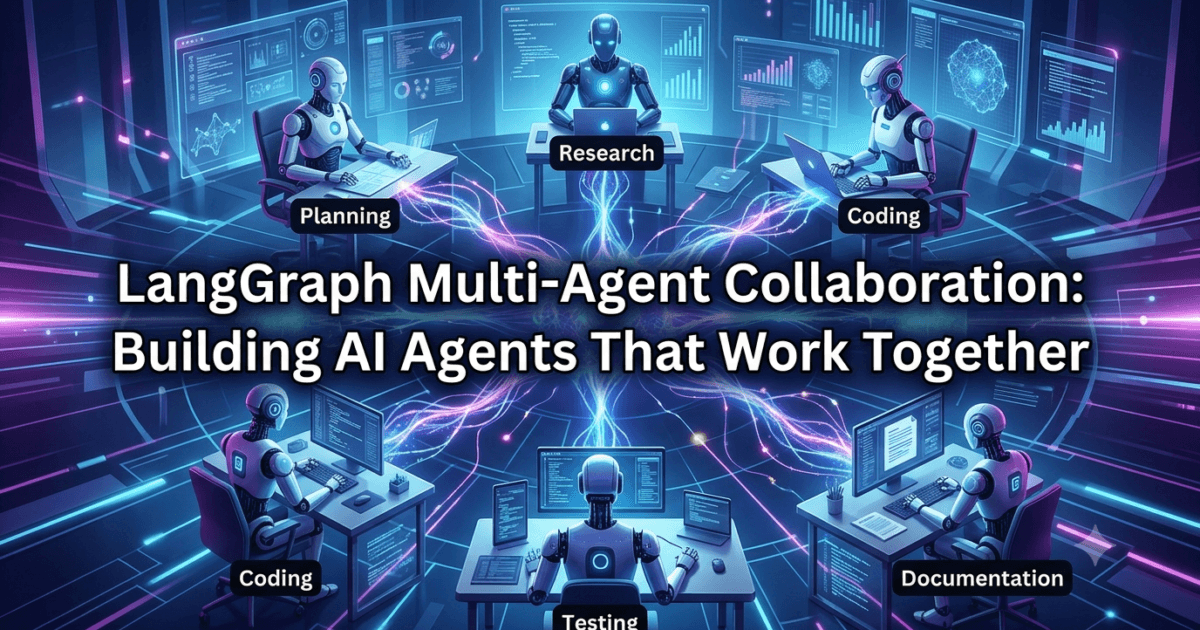
Introduction
In the previous lesson, you learned how the LangGraph Supervisor Pattern enables a supervisor agent to orchestrate multiple worker agents and dynamically control workflow execution. While the supervisor plays a critical role in managing complex AI systems, there are many real-world scenarios where agents need to collaborate directly rather than simply waiting for instructions.
Consider a software development project.
A frontend developer doesn’t wait for the project manager to explain every implementation detail. Instead, they communicate directly with backend developers, QA engineers, UX designers, and DevOps engineers to exchange information, resolve dependencies, and complete the project efficiently.
Modern AI systems work in a similar way.
Rather than operating as isolated components, multiple AI agents can share information, exchange intermediate results, build upon each other’s work, and solve problems collaboratively. This collaborative approach allows AI applications to tackle significantly more complex tasks than any individual agent could accomplish alone.
This is where LangGraph Multi-Agent Collaboration becomes one of the most powerful architectural capabilities available to AI engineers.
Instead of creating one massive prompt that attempts to solve every problem, developers can design specialized agents that communicate through a shared workflow state while contributing their unique expertise toward a common objective.
Whether you’re building autonomous coding assistants, enterprise knowledge systems, research platforms, financial analysis tools, customer support applications, or AI-powered automation workflows, understanding how agents collaborate is essential for creating scalable, production-ready AI systems.
In this lesson, you’ll learn what LangGraph Multi-Agent Collaboration is, how collaborative agents communicate, why collaboration produces better AI systems, and where this architecture is being adopted across modern enterprises.
What Is LangGraph Multi-Agent Collaboration?
LangGraph Multi-Agent Collaboration is an architectural approach where multiple specialized AI agents work together to solve a shared objective by exchanging information through a common workflow state.
Instead of assigning every responsibility to a single Large Language Model, different agents contribute their expertise during various stages of execution.
For example, an AI software engineering workflow may include:
- Planner Agent
- Requirements Analyst Agent
- Research Agent
- Backend Development Agent
- Frontend Development Agent
- Testing Agent
- Documentation Agent
- Code Review Agent
Each agent performs its assigned responsibility before sharing its output with the rest of the workflow.
A simplified collaboration model looks like this:
                    User Request
                          │
                          ▼
                   Planner Agent
                          │
          ┌───────────────┼───────────────┐
          ▼               ▼               ▼
  Research Agent    Backend Agent   Frontend Agent
          │               │               │
          └───────────────┼───────────────┘
                          ▼
                  Testing Agent
                          │
                          ▼
                Documentation Agent
                          │
                          ▼
                  Review Agent
                          │
                          ▼
                    Final Response
Unlike independent API calls, every agent contributes to a shared workflow where information continuously evolves as tasks are completed.
Why Collaboration Matters in AI Systems
Early AI applications typically relied on a single language model to answer questions or generate content.
Although this approach works well for simple tasks, it becomes increasingly difficult as applications grow in complexity.
Suppose you’re building an AI assistant capable of generating an entire software project.
The system must:
- Understand business requirements
- Design application architecture
- Research relevant frameworks
- Generate production-ready code
- Create database schemas
- Write unit tests
- Produce API documentation
- Review implementation quality
Attempting to perform every responsibility within one prompt introduces several challenges.
The prompt becomes excessively large.
The model constantly switches between different roles.
Maintaining the application becomes increasingly difficult.
Adding new capabilities requires modifying an already complex prompt.
Most importantly, debugging incorrect outputs becomes challenging because every responsibility is handled by the same agent.
Collaboration solves these problems by dividing responsibilities among specialized agents.
Each agent concentrates on one domain while contributing to a larger workflow.
This mirrors the way successful engineering teams operate in real organizations.
Characteristics of Collaborative AI Agents
Collaborative agents differ from traditional AI assistants because they operate as members of a coordinated team rather than isolated workers.
Several characteristics define successful collaboration.
Specialized Responsibilities
Every agent has a clearly defined purpose.
For example:
| Agent | Responsibility |
|---|---|
| Planner Agent | Analyze user requirements |
| Research Agent | Retrieve technical knowledge |
| Backend Agent | Generate server-side implementation |
| Frontend Agent | Build user interface |
| Testing Agent | Validate application quality |
| Documentation Agent | Produce technical documentation |
Because responsibilities remain focused, prompts become easier to optimize and maintain.
Shared Workflow State
Rather than passing lengthy prompts between agents, LangGraph stores workflow information in a shared state.
For example:
Workflow State

Task:
Build an E-Commerce API

Planning:
Completed

Research:
Completed

Backend:
In Progress

Frontend:
Pending

Testing:
Pending
Every participating agent reads the latest state before execution and updates it after completing its task.
This ensures every agent works with consistent information.
Incremental Problem Solving
Collaboration is not about every agent solving the entire problem.
Instead, each participant completes one portion of the workflow.
For example:
User Request

↓

Planner Agent

↓

Research Agent

↓

Backend Agent

↓

Testing Agent

↓

Documentation Agent

↓

Final Response
Each step builds upon previous work, allowing the overall solution to improve progressively.
How Agents Communicate in LangGraph
One common misconception is that AI agents directly exchange messages with one another.
In LangGraph, collaboration usually happens through the shared graph state.
The process works like this:
- An agent reads the current workflow state.
- It performs its assigned responsibility.
- It updates the state with new information.
- Control passes to another agent.
- The next agent continues using the updated state.
This architecture reduces unnecessary communication while ensuring every participant has access to the latest workflow information.
A simplified communication flow looks like this:
Shared Workflow State

        ▲
        │
Research Agent

        │
        ▼
Updated State

        ▲
        │
Backend Agent

        │
        ▼
Updated State

        ▲
        │
Testing Agent
Instead of exchanging dozens of individual messages, agents collaborate by continuously improving the same workflow state.
Direct Collaboration vs Independent Execution
Not every multi-agent application is collaborative.
Consider two different approaches.
Independent Execution
Multiple agents execute unrelated tasks.
User Request

      │

 ┌────┼────┐

 ▼    ▼    ▼

Agent A Agent B Agent C
Each agent produces its own result independently.
There is little or no interaction between them.
Collaborative Execution
Every agent contributes toward the same objective.
User Request

      │

Planner

      │

Research

      │

Backend

      │

Testing

      │

Review

      │

Final Result
Each agent depends on information produced by previous participants.
This collaborative model enables AI systems to solve significantly more sophisticated problems.
Benefits of LangGraph Multi-Agent Collaboration
Organizations increasingly adopt collaborative architectures because they offer several important advantages.
Better Separation of Concerns
Each agent focuses on one well-defined responsibility.
This improves prompt quality and reduces unnecessary complexity.
Easier Maintenance
Updating one specialized agent has minimal impact on the rest of the workflow.
For example, improving the Testing Agent does not require modifying the Backend Agent.
Improved Reusability
Once developed, worker agents can participate in multiple workflows.
A Documentation Agent may support:
- API generators
- Code assistants
- DevOps platforms
- Internal developer tools
This modular design reduces duplication.
Higher Quality Outputs
Because agents specialize in specific domains, they often produce more accurate results than one general-purpose prompt attempting to perform every task.
Enterprise Scalability
Collaborative architectures allow organizations to introduce new agents without redesigning the entire application.
For example, adding a Security Review Agent or Compliance Agent requires minimal changes to existing workflows.
Real-World Applications of Multi-Agent Collaboration
Collaborative AI systems are already transforming numerous industries.
Software Engineering
Agents collaborate to:
- Gather requirements
- Generate architectures
- Develop applications
- Execute tests
- Review code
- Produce documentation
Financial Services
Multiple agents coordinate to:
- Analyze financial data
- Detect fraudulent activity
- Calculate investment risk
- Generate compliance reports
Healthcare
Specialized agents may assist with:
- Medical literature retrieval
- Clinical documentation
- Risk assessment
- Administrative reporting
Healthcare professionals remain responsible for diagnosis and treatment decisions.
Enterprise Knowledge Management
Organizations use collaborative agents to:
- Search internal knowledge bases
- Validate company policies
- Summarize technical documentation
- Generate accurate responses for employees
These collaborative workflows significantly improve efficiency while maintaining consistency across departments.
Understanding the Architecture of LangGraph Multi-Agent Collaboration
Building a collaborative AI system involves much more than connecting multiple agents inside a graph. A well-designed collaboration architecture ensures that every agent contributes at the right time, receives the information it needs, and produces outputs that improve the overall workflow.
Without a structured architecture, multiple agents can easily duplicate work, overwrite each other’s outputs, or make conflicting decisions.
LangGraph solves this challenge by allowing agents to collaborate through a shared workflow state while maintaining clear execution paths.
A typical collaboration architecture looks like this:
                    User Request
                          │
                          ▼
                   Planner Agent
                          │
          ┌───────────────┼───────────────┐
          ▼               ▼               ▼
  Research Agent    Backend Agent   Frontend Agent
          │               │               │
          └───────────────┼───────────────┘
                          ▼
                   Testing Agent
                          │
                          ▼
                Documentation Agent
                          │
                          ▼
                    Review Agent
                          │
                          ▼
                    Final Response
Every agent focuses on a specialized responsibility while contributing to a common workflow.
Rather than behaving like isolated AI assistants, they function as members of a coordinated team.
Core Components of a Collaborative Workflow
A successful multi-agent collaboration architecture typically consists of several fundamental components.
User Request
Every workflow begins with a clearly defined objective.
Examples include:
- Build an Inventory Management API
- Generate a Financial Risk Report
- Summarize Research Papers
- Review Source Code
- Create Deployment Documentation
The user’s request becomes the foundation of the shared workflow state.
Every participating agent uses this information throughout execution.
Specialized Agents
Instead of assigning multiple responsibilities to one LLM, each agent focuses on one domain.
A software engineering workflow might include:
| Agent | Responsibility |
|---|---|
| Planner Agent | Analyze requirements |
| Research Agent | Retrieve documentation |
| Backend Agent | Generate APIs |
| Frontend Agent | Build UI |
| Testing Agent | Validate implementation |
| Documentation Agent | Generate project documentation |
| Review Agent | Verify overall quality |
This separation improves modularity while making prompts significantly easier to maintain.
Shared Workflow State
The shared state is the communication layer of LangGraph.
Instead of exchanging lengthy prompts, every agent reads from and writes to the same workflow state.
For example:
Project:
Inventory Management System

Planning:
Completed

Research:
Completed

Backend:
Completed

Frontend:
In Progress

Testing:
Pending

Documentation:
Pending
Because every agent references the same state, they always operate using the latest project information.
This minimizes inconsistencies while reducing prompt size.
Graph Routing
After completing a task, an agent updates the workflow state before control passes to the next node.
Unlike traditional software where functions directly invoke one another, LangGraph uses graph edges to define execution flow.
This approach keeps workflows flexible and easy to modify.
How Information Flows Between Agents
One of the biggest misconceptions about multi-agent systems is that agents continuously send messages to one another.
In practice, collaboration is much simpler.
Every agent follows the same lifecycle.
Read Current State

        │

Perform Assigned Task

        │

Update Shared State

        │

Pass Control

        │

Next Agent Continues
Instead of creating complex communication protocols, every participant works on the latest version of the workflow.
This architecture improves consistency while simplifying implementation.
Example: Collaborative Software Development
Suppose a user submits the following request.
Build a Blog Management System using FastAPI.
The workflow begins with the Planner Agent.
User Request

      │

Planner Agent
The planner identifies:
- Required APIs
- Database entities
- Authentication strategy
- Project architecture
The updated workflow state is then passed to the Research Agent.
Planning Complete

      │

Research Agent
The Research Agent gathers:
- FastAPI documentation
- SQLAlchemy references
- JWT authentication examples
- Best practices
Once research finishes, both Backend and Frontend agents can begin their work.
                Research
                    │
         ┌──────────┴──────────┐
         ▼                     ▼
 Backend Agent          Frontend Agent
Because these tasks are largely independent, they may execute simultaneously.
After implementation, the Testing Agent validates the application.
Backend Complete

Frontend Complete

        │

Testing Agent
Finally, documentation and code review complete the workflow before producing the final response.
This collaborative process closely resembles how modern software teams operate.
Sequential Collaboration vs Parallel Collaboration
Not every collaborative workflow executes in the same way.
LangGraph supports multiple collaboration strategies depending on the problem being solved.
Sequential Collaboration
Each agent waits until the previous one finishes.
Planner

↓

Research

↓

Backend

↓

Testing

↓

Documentation
This approach is ideal when each task depends heavily on previous work.
Examples include:
- Report generation
- Legal document creation
- Medical summaries
- Policy validation
Parallel Collaboration
Independent agents execute simultaneously.
              Planner
                 │
      ┌──────────┴──────────┐
      ▼                     ▼
 Research Agent      Backend Agent
      ▼                     ▼
 Documentation      Frontend Agent
      └──────────┬──────────┘
                 ▼
            Final Review
Parallel execution significantly reduces workflow duration.
It is commonly used for:
- Large-scale research
- Code generation
- Data analysis
- Multi-source retrieval
Choosing the appropriate collaboration model depends on the dependencies between tasks.
Collaboration Through Shared State
The shared workflow state evolves continuously throughout execution.
Initial state:
Planning:
Pending

Research:
Pending

Backend:
Pending

Testing:
Pending
After planning:
Planning:
Completed

Research:
Pending

Backend:
Pending
After research:
Planning:
Completed

Research:
Completed

Backend:
Pending
After implementation:
Planning:
Completed

Research:
Completed

Backend:
Completed

Frontend:
Completed
Final state:
Planning:
Completed

Research:
Completed

Backend:
Completed

Frontend:
Completed

Testing:
Passed

Documentation:
Completed

Workflow:
Finished
Every update represents the collective progress of the entire AI team.
This is one of LangGraph’s greatest strengths.
Collaboration Without a Supervisor
Although many workflows use a Supervisor Agent, not every collaborative system requires one.
Some workflows operate successfully using predefined routing.
For example:
Planner

      │

Research

      │

Backend

      │

Testing

      │

Review
This architecture works well when execution paths are predictable.
However, as workflows become more dynamic, introducing a supervisor often provides greater flexibility.
The choice depends on application complexity.
Advantages of Collaborative Architectures
Organizations increasingly prefer collaborative AI systems because they offer several long-term benefits.
Modular Development
Each agent can be developed independently.
Different teams may own different agents without affecting the rest of the workflow.
Easier Maintenance
Updating one specialized agent rarely impacts others.
This significantly reduces maintenance effort.
Improved Debugging
When an incorrect output occurs, developers can quickly identify the responsible agent.
This improves troubleshooting and reduces production issues.
Better Scalability
Adding new capabilities becomes much simpler.
For example, introducing a Security Audit Agent only requires connecting one additional node.
Existing agents remain unchanged.
Reusable Components
Well-designed agents can participate in multiple workflows.
Examples include:
- Documentation Agent
- SQL Generator
- Translation Agent
- Code Reviewer
- Compliance Validator
Reusable components reduce development time while promoting consistency.
Designing Effective Collaborative Workflows
Building an effective multi-agent system requires more than creating several AI agents.
Successful workflows follow several design principles:
- Assign one clear responsibility to each agent.
- Keep prompts concise and focused.
- Share information through graph state instead of long prompts.
- Minimize unnecessary dependencies.
- Reuse agents whenever possible.
- Allow parallel execution for independent tasks.
- Design workflows that can evolve as business requirements change.
Following these principles leads to AI systems that are easier to maintain, extend, and scale.
Implementing LangGraph Multi-Agent Collaboration Using Python
Now that you understand how collaborative AI architectures are designed, it’s time to see how LangGraph Multi-Agent Collaboration is implemented in practice.
One of the biggest advantages of LangGraph is that it treats every AI agent as a graph node. Each node has a clearly defined responsibility, while the graph itself manages how information flows between those nodes.
Instead of writing one enormous prompt capable of solving every problem, developers create multiple specialized agents that collaborate through a shared workflow state.
A typical implementation follows this lifecycle:
User Request
      │
      ▼
Initialize Graph State
      │
      ▼
Planner Agent
      │
      ▼
Research Agent
      │
      ▼
Parallel Worker Agents
      │
      ▼
Testing & Review
      │
      ▼
Final Response
Although the implementation involves several nodes, the overall workflow remains organized because every agent performs only one responsibility.
Step 1: Define the Shared Workflow State
Every collaborative workflow begins with a shared state.
The state acts as a central source of truth that stores information required by all participating agents.
A software engineering workflow might include fields such as:
- User request
- Project requirements
- Research findings
- Backend implementation
- Frontend implementation
- Test results
- Documentation
- Review comments
- Final response
A simplified state might look like this:
Workflow State

Project:
Task Management API

Planning:
Pending

Research:
Pending

Backend:
Pending

Frontend:
Pending

Testing:
Pending

Documentation:
Pending
As each agent completes its work, it updates only the fields relevant to its responsibility.
This prevents unnecessary duplication while ensuring every participant works with the latest information.
Step 2: Create Specialized AI Agents
The effectiveness of a collaborative workflow depends largely on how responsibilities are divided.
Instead of creating generic agents capable of handling multiple unrelated tasks, each agent should focus on one well-defined objective.
For example:
| Agent | Responsibility |
|---|---|
| Planner Agent | Analyze user requirements |
| Research Agent | Retrieve technical knowledge |
| Backend Agent | Generate APIs and business logic |
| Frontend Agent | Build user interface |
| Testing Agent | Create and execute test cases |
| Documentation Agent | Generate technical documentation |
| Review Agent | Validate overall project quality |
Each agent receives the current workflow state, performs its assigned task, updates the state, and returns control to the graph.
Because every agent specializes in a single domain, prompts remain concise and easier to optimize.
Step 3: Connect Agents Through Graph Edges
Once the agents have been created, they must be connected using graph edges.
These edges determine how execution moves between nodes.
A simple collaborative workflow might follow this structure:
Planner
   │
   ▼
Research
   │
   ▼
Backend
   │
   ▼
Testing
   │
   ▼
Documentation
   │
   ▼
Review
This sequential approach is suitable when every task depends on the previous one.
However, many enterprise workflows contain independent tasks that can execute simultaneously.
LangGraph allows developers to model these situations naturally.
Step 4: Enable Parallel Collaboration
One of the most valuable features of LangGraph is parallel execution.
If two tasks do not depend on one another, they can run concurrently.
For example, after research is complete:
            Research
                │
      ┌─────────┴─────────┐
      ▼                   ▼
Backend Agent      Frontend Agent
      │                   │
      └─────────┬─────────┘
                ▼
         Testing Agent
Instead of waiting for backend development to finish before starting frontend development, both agents can work simultaneously.
This significantly reduces execution time.
Parallel collaboration is especially useful for:
- Large software projects
- Multi-source research
- Document analysis
- Data processing
- Report generation
Whenever tasks are independent, parallel execution should be considered.
Step 5: Synchronize Parallel Results
Parallel execution introduces a new challenge.
The workflow cannot continue until every required task has finished.
LangGraph solves this by synchronizing graph execution.
For example:
Backend Complete

        │

Frontend Complete

        │

Database Complete

        │

──────────────

        ▼

Testing Agent
The Testing Agent begins only after every prerequisite task has completed successfully.
This synchronization ensures that downstream agents always receive complete information.
Example: Building an E-Commerce Platform
Let’s examine a practical collaborative workflow.
Suppose a user submits the following request.
Build an E-Commerce Platform using FastAPI.
The Planner Agent begins by identifying:
- User management
- Product catalog
- Shopping cart
- Order processing
- Authentication
- Payment integration
Once planning finishes, the workflow moves to the Research Agent.
The Research Agent retrieves:
- FastAPI documentation
- SQLAlchemy references
- JWT authentication
- Stripe payment APIs
- Security best practices
After research completes, multiple development teams begin working simultaneously.
                Research
                    │
      ┌─────────────┼─────────────┐
      ▼             ▼             ▼
 Backend      Frontend      Database
      │             │             │
      └─────────────┼─────────────┘
                    ▼
               Integration
Each development agent contributes independently while updating the shared workflow state.
Once implementation is complete, testing begins.
Integration Complete

        │

Testing Agent

        │

Review Agent

        │

Documentation Agent

        │

Final Response
This workflow closely resembles how real software engineering teams collaborate on enterprise projects.
Managing Dependencies Between Agents
Not every task can execute immediately.
Some agents depend on outputs generated by others.
For example:
Requirements

      │

Planning

      │

Research

      │

Backend
The Backend Agent cannot begin until planning and research have completed.
Similarly:
Backend

      │

Testing

      │

Deployment
Testing requires a completed implementation before execution can begin.
Understanding these dependencies is critical when designing collaborative workflows.
Handling Collaboration Failures
Enterprise AI systems must be capable of handling unexpected failures.
Common examples include:
- Failed API requests
- Missing documentation
- Invalid generated code
- Database connection issues
- External service outages
A collaborative workflow should recover gracefully whenever possible.
For example:
Research Failed

      │

Retry Research

      │

Still Failed

      │

Fallback Knowledge Source
Similarly:
Backend Tests Failed

        │

Backend Agent

        │

Rebuild Implementation

        │

Retest
Rather than terminating immediately, the workflow attempts to recover before proceeding.
This approach improves reliability and user experience.
Best Practices for Collaborative AI Agents
When implementing collaborative systems, several design principles consistently produce better results.
Keep Agents Independent
Each agent should perform one clearly defined task.
Avoid combining multiple unrelated responsibilities into a single node.
Minimize Shared State
Only store information required by downstream agents.
Excessive state increases memory usage and makes workflows more difficult to understand.
Design Reusable Agents
Specialized agents should be reusable across multiple projects.
Examples include:
- Documentation Agent
- SQL Generator
- Code Reviewer
- Translation Agent
- Report Generator
Reusable components reduce development effort while promoting consistency.
Enable Parallel Execution When Possible
Independent tasks should execute concurrently whenever dependencies allow.
This improves overall workflow performance.
Validate Outputs Before Continuing
Downstream agents should receive validated information whenever possible.
For example, testing should verify generated code before documentation is created.
This reduces error propagation throughout the workflow.
Preparing for Production Collaboration
Building collaborative AI systems involves much more than connecting several agents together.
Successful implementations require careful planning, clear responsibilities, efficient state management, and thoughtful handling of dependencies between agents.
By combining specialized AI agents with LangGraph’s graph-based execution model, developers can build modular systems that closely resemble real-world engineering teams. These workflows are easier to maintain, simpler to extend, and capable of solving problems that would be extremely difficult for a single AI agent.
Production Use Cases of LangGraph Multi-Agent Collaboration
As AI applications evolve from simple prototypes into enterprise-grade platforms, collaboration between multiple AI agents becomes increasingly important. Modern business workflows rarely involve a single task. Instead, they consist of multiple interconnected activities that require planning, research, execution, validation, reporting, and continuous improvement.
This is exactly where LangGraph Multi-Agent Collaboration provides significant value.
Rather than building one monolithic AI agent responsible for every decision, organizations create teams of specialized agents that collaborate to accomplish complex objectives. Each agent contributes its expertise while sharing information through a common workflow state.
Let’s explore how collaborative AI systems are being adopted across different industries.
Enterprise Software Development
Software engineering is one of the most common applications of collaborative AI.
Building an enterprise application involves multiple independent responsibilities.
For example:
- Business requirement analysis
- System architecture design
- Database modeling
- Backend development
- Frontend development
- API testing
- Security review
- Documentation generation
- Deployment preparation
A collaborative workflow may look like this:
                 User Request
                      │
                      ▼
               Planner Agent
                      │
       ┌──────────────┼──────────────┐
       ▼              ▼              ▼
 Backend Agent   Frontend Agent  Database Agent
       │              │              │
       └──────────────┼──────────────┘
                      ▼
               Testing Agent
                      │
                      ▼
            Documentation Agent
                      │
                      ▼
                Deployment Agent
Instead of forcing one AI model to perform every responsibility, specialized agents collaborate just like a real software engineering team.
Enterprise Knowledge Management
Organizations often maintain thousands of technical documents, policies, user manuals, and internal procedures.
When an employee asks a question, several AI agents may collaborate to:
- Retrieve relevant documents
- Validate policy information
- Summarize technical content
- Verify compliance rules
- Generate a human-friendly response
Because every agent performs a specialized task, responses are generally more accurate and easier to verify.
Financial Analysis
Financial institutions process enormous volumes of structured and unstructured information every day.
Collaborative AI systems can divide responsibilities among multiple agents.
Examples include:
- Transaction analysis
- Fraud detection
- Investment research
- Risk assessment
- Compliance verification
- Executive reporting
Each agent contributes domain-specific expertise while sharing information through the workflow state.
Healthcare Assistance
Healthcare organizations increasingly use AI to support administrative and analytical tasks.
Collaborative agents may assist with:
- Medical literature retrieval
- Clinical documentation
- Insurance validation
- Patient record summarization
- Risk analysis
Healthcare professionals remain responsible for diagnosis, treatment decisions, and patient care.
Collaboration Patterns in LangGraph
LangGraph provides flexibility for designing different types of collaborative workflows.
Choosing the appropriate pattern depends on business requirements.
Sequential Collaboration
Each agent waits until the previous task has completed.
Planning

↓

Research

↓

Implementation

↓

Testing

↓

Documentation
Best suited for:
- Report generation
- Content creation
- Regulatory workflows
- Legal document preparation
Parallel Collaboration
Independent tasks execute simultaneously.
              Planner
                 │
     ┌───────────┼───────────┐
     ▼           ▼           ▼
 Backend    Frontend    Database
     │           │           │
     └───────────┼───────────┘
                 ▼
           Integration
Best suited for:
- Software engineering
- Multi-source research
- Data processing
- Analytics
Hybrid Collaboration
Many enterprise applications combine sequential and parallel execution.
For example:
Requirements

      │

Planning

      │

Research

      │

──────────────

│             │

▼             ▼

Backend    Frontend

│             │

──────────────

      │

Testing

      │

Review

      │

Documentation
Hybrid workflows provide both flexibility and efficiency.
Common Mistakes When Designing Collaborative Workflows
Although collaborative architectures offer many advantages, beginners often make several design mistakes.
Understanding these mistakes helps build more reliable AI systems.
Creating Generic Agents
One common mistake is assigning multiple unrelated responsibilities to the same agent.
For example:
Research

Coding

Testing

Documentation
This reduces specialization and makes prompts unnecessarily large.
Instead, divide responsibilities into separate agents.
Research Agent

↓

Coding Agent

↓

Testing Agent

↓

Documentation Agent
Smaller agents are easier to maintain and produce more consistent results.
Excessive State Sharing
Another common mistake is storing every intermediate result inside the shared workflow state.
Only information required by downstream agents should be stored.
A lightweight state improves:
- Performance
- Memory usage
- Debugging
- Maintainability
Ignoring Dependencies
Parallel execution is powerful, but only when tasks are truly independent.
For example:
Incorrect approach:
Testing

↓

Backend Development
Correct approach:
Backend Development

↓

Testing
Understanding dependencies prevents execution failures.
Overcomplicating Communication
Some developers attempt to make every agent communicate directly with every other agent.
This quickly becomes difficult to maintain.
Instead, allow agents to collaborate through the shared workflow state whenever possible.
This keeps workflows significantly simpler.
Best Practices for Enterprise Collaboration
Organizations building production AI systems typically follow several architectural principles.
Assign One Responsibility Per Agent
Each agent should solve one clearly defined problem.
Examples include:
- SQL Generator
- API Generator
- Test Generator
- Documentation Writer
- Security Auditor
Focused responsibilities improve both accuracy and maintainability.
Design Reusable Components
Well-designed agents should participate in multiple workflows.
For example, a Documentation Agent may support:
- API generators
- Internal developer portals
- DevOps workflows
- Software engineering assistants
Reusable agents reduce duplication while improving consistency across projects.
Validate Outputs Before Sharing
Every agent should produce validated outputs before updating the workflow state.
For example:
Generate Code

      │

Validate Code

      │

Update State
This reduces error propagation throughout the collaboration pipeline.
Monitor Workflow Progress
Enterprise applications should monitor:
- Execution history
- Agent performance
- State updates
- Processing time
- Failures
- Retry attempts
These metrics provide valuable insights into workflow performance and simplify production debugging.
Keep Collaboration Transparent
Every routing decision should be observable.
Developers should always know:
- Which agent executed
- What information changed
- Why the workflow moved to the next agent
Transparent execution makes AI systems significantly easier to maintain.
LangGraph Collaboration vs Traditional Automation
Traditional automation workflows typically execute predefined rules.
For example:
Step 1

  ↓

Step 2

  ↓

Step 3

  ↓

Finish
Every request follows the same path regardless of context.
LangGraph collaboration behaves differently.
User Request

    │

Planner

    │

Research

    │

────────────

│          │

▼          ▼

Backend  Frontend

│          │

────────────

    │

Testing

    │

Review

    │

Finish
The workflow evolves as information becomes available, allowing specialized agents to contribute where they add the most value.
This flexibility is one of the primary reasons enterprise AI platforms increasingly adopt graph-based architectures.
The Future of Collaborative AI
The future of AI is unlikely to be driven by a single intelligent model attempting to solve every possible problem.
Instead, modern AI platforms are moving toward collaborative ecosystems where specialized agents work together, exchange information, and continuously improve shared workflows.
This evolution closely mirrors how successful organizations operate.
Large engineering projects involve architects, developers, testers, technical writers, security specialists, and project managers working together.
Similarly, future AI systems will consist of specialized agents collaborating to solve increasingly complex business challenges.
LangGraph provides the infrastructure needed to build these collaborative ecosystems while keeping workflows modular, observable, and scalable.
As organizations continue investing in autonomous AI platforms, collaborative agent architectures will become a fundamental design pattern for enterprise AI engineering.
Key Takeaways
LangGraph Multi-Agent Collaboration enables multiple specialized AI agents to work together toward a shared objective while exchanging information through a common workflow state. Instead of relying on one monolithic prompt, responsibilities are distributed among focused agents that contribute their expertise throughout the execution process.
By combining shared state management, graph-based execution, sequential and parallel collaboration, and modular agent design, developers can build AI systems that are easier to maintain, debug, and scale. This collaborative approach closely reflects how real engineering teams operate, making it an ideal architecture for enterprise applications such as software development, research automation, customer support, financial analysis, and knowledge management.
Internal Links:
- Learn MCP – Zero to Hero
- Learn AI Agents for QA – Zero to Hero
- Playwright Automation – Zero to Hero
- LangGraph: Complete Zero to Hero
- Learn Python – Zero to Hero
- OpenAI Codex: Complete Zero to Hero
- Cursor AI: Complete Zero to Hero
- Claude Code Tutorial: Complete Zero to Hero
- Free QA Resources Built From Real Experience
- QA Glossary: Test Automation Terms Every Engineer Should Know
External Resources:
- LangGraph Official Documentation
- LangChain Documentation
- Python Official Documentation
- OpenAI Platform Documentation
- Anthropic Documentation
- Google AI Documentation
- LangGraph GitHub Repository
People Asked Questions (PAQ)
1. What is LangGraph Multi-Agent Collaboration?
LangGraph Multi-Agent Collaboration is an architecture where multiple specialized AI agents work together through a shared workflow state to solve complex tasks. Each agent performs a dedicated responsibility while contributing to a common objective.
2. How is Multi-Agent Collaboration different from the Supervisor Pattern?
In the Supervisor Pattern, a central supervisor decides which agent executes next. In Multi-Agent Collaboration, agents cooperate by contributing specialized outputs to a shared workflow, and collaboration may occur sequentially, in parallel, or through a supervisor depending on the workflow design.
3. Why should I use multiple AI agents instead of one?
Multiple specialized agents improve modularity, scalability, maintainability, debugging, and overall output quality. Each agent focuses on one responsibility, reducing prompt complexity and improving reasoning.
4. How do LangGraph agents communicate?
LangGraph agents primarily communicate through a shared graph state. Each agent reads the current state, performs its task, updates the workflow, and allows the next agent to continue with the latest information.
5. Can LangGraph execute multiple agents simultaneously?
Yes. LangGraph supports parallel execution, allowing independent agents to work concurrently, reducing overall execution time for complex workflows.
6. What industries use LangGraph Multi-Agent Collaboration?
Industries including software development, finance, healthcare, cybersecurity, customer support, legal technology, enterprise knowledge management, and research automation increasingly adopt collaborative AI architectures.
7. Is LangGraph Multi-Agent Collaboration suitable for production systems?
Absolutely. LangGraph is designed for production AI applications, supporting modular workflows, shared state management, intelligent routing, persistence, and scalable multi-agent architectures.
8. What are the advantages of collaborative AI systems?
Collaborative AI systems provide improved scalability, reusable components, better debugging, easier maintenance, higher-quality outputs, modular development, and enterprise-ready architecture.
Featured Snippet
What is LangGraph Multi-Agent Collaboration?
LangGraph Multi-Agent Collaboration is an AI architecture where multiple specialized agents work together using a shared workflow state to accomplish a common objective. Instead of relying on a single AI model, each agent focuses on a specific responsibility such as planning, research, coding, testing, or documentation, enabling scalable, modular, and production-ready AI applications.
AI Overview Answer
LangGraph Multi-Agent Collaboration enables developers to build intelligent AI systems by allowing specialized agents to communicate through a shared graph state. These agents collaborate sequentially or in parallel, exchange intermediate results, and solve complex business workflows more efficiently than a single AI model. This architecture improves scalability, maintainability, reusability, and reliability, making it ideal for enterprise AI applications.
Enjoyed this article? Explore more in-depth guides on AI engineering, automation testing, Model Context Protocol, Playwright, and intelligent software quality at www.skakarh.com. Follow QAPulse by SK for practical, production-focused tutorials designed for QA engineers, SDETs, and AI developers.