QA
QA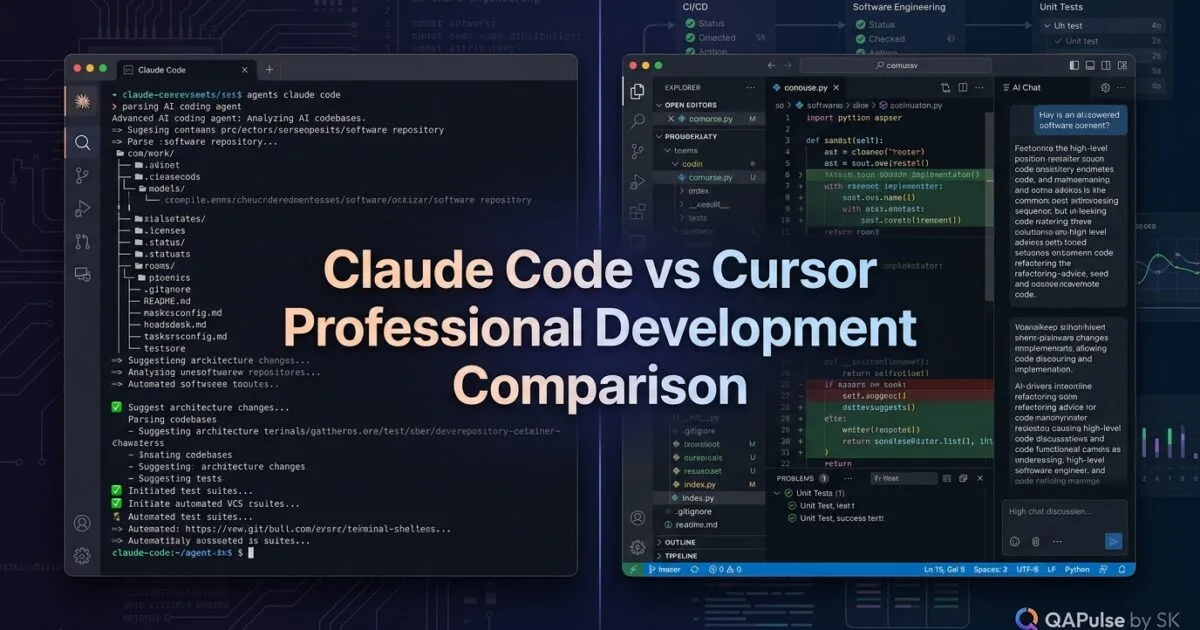
Claude Code vs Cursor is not really a question of which AI coding tool is “smarter.” For professional software development, the more useful question is: which tool fits the way you actually build, review, test, refactor, and ship software?
Cursor has evolved beyond simple autocomplete into an agentic development environment with codebase search, multi-file editing, terminal execution, rules, background agents, and multiple AI models. Claude Code has also evolved beyond a simple terminal chatbot into an agentic coding system capable of exploring repositories, editing files, executing commands, running tests, and integrating into automation workflows. (Cursor Documentation)
That makes the old comparison—“Cursor is an IDE and Claude Code is a terminal tool”—too simplistic for professional engineering teams.
The better distinction is control versus delegation.
With Cursor, the developer can remain deeply inside the editor, inspect diffs, steer the agent, and move quickly between code and AI assistance. With Claude Code, the workflow naturally encourages giving the agent an outcome, allowing it to investigate the repository, make changes, execute commands, and verify the result. This distinction is also reflected in current industry comparisons of the two tools. (Zapier)
Strategic idea: Don’t ask which AI tool writes better code. Ask which tool gives your engineering workflow the better balance of speed, control, verification, and maintainability.
Claude Code vs Cursor: The Real Decision for Professional Developers
Before comparing features, imagine a normal engineering ticket:
Add refresh-token rotation to the authentication service.

Requirements:
- Rotate refresh tokens after use
- Detect token reuse
- Revoke the token family on reuse
- Add unit tests
- Add API integration tests
- Update API documentation
- Preserve existing OAuth behavior
- Run the complete authentication test suite
A junior engineer might approach this file by file.
A traditional AI coding assistant might help write individual functions.
A professional agentic workflow should understand the engineering outcome.
That means finding:
auth/
├── controllers/
├── services/
├── repositories/
├── middleware/
├── models/
└── tests/

api/
├── routes/
└── schemas/

docs/
└── authentication.md
Then determining which components need to change, implementing the changes, running tests, identifying failures, correcting them, and presenting the resulting diff for human review.
This is where Claude Code vs Cursor becomes an architectural workflow decision rather than an editor preference.
Cursor’s Agent can search the codebase, edit multiple files, execute terminal commands, apply changes, and let developers review diffs before accepting them. (Cursor Documentation)
Claude Code similarly works through the repository from the command line and can execute commands, use tools, continue sessions, and operate non-interactively through its CLI. (Claude Platform Docs)
The key difference
Think of the two workflows like this:
| Engineering need | Cursor | Claude Code |
|---|---|---|
| Inline coding | Excellent | Less central |
| Visual code editing | Excellent | Good, depending on interface |
| IDE-first workflow | Excellent | Good |
| Repository-wide tasks | Strong | Strong |
| Terminal-driven automation | Strong | Excellent |
| Autonomous task delegation | Strong | Excellent |
| Visual diff review | Excellent | Available through workflow/tools |
| Multiple model choices | Strong | Primarily Anthropic ecosystem |
| CI/CD scripting | Strong | Excellent |
| Interactive pair programming | Excellent | Good |
| Large refactoring | Strong | Strong |
| Developer control | Very strong | Strong, but delegation-oriented |
| Outcome-driven automation | Strong | Excellent |
The important point is that both tools can now perform agentic work. Cursor itself documents Agent as capable of autonomous exploration, multi-file edits, command execution, and error fixing, while Claude Code provides interactive and non-interactive CLI workflows designed for coding and automation. (Cursor Documentation)


Cursor is More Than Autocomplete
One mistake in Claude Code vs Cursor comparisons is treating Cursor as an advanced autocomplete tool.
That description is outdated.
Cursor’s current Agent workflow can search the codebase, read files, modify files, execute terminal commands, interact with MCP servers, and continue working through multi-step tasks. Its documentation also provides separate Agent, Ask, Manual, and Custom modes for different levels of autonomy. (Cursor Documentation)
For example:
You:
"Find why checkout retries are causing duplicate orders.
Trace the request flow, identify the race condition,
add a regression test, fix the issue, and run the
checkout test suite."
A modern Cursor Agent can investigate the repository rather than simply generate a code fragment.
The developer can then inspect the resulting changes:
Agent
  ↓
Search repository
  ↓
Understand checkout flow
  ↓
Find race condition
  ↓
Modify service
  ↓
Add regression test
  ↓
Run tests
  ↓
Review diff
  ↓
Accept / reject / iterate
That last step matters enormously in professional software development.
AI-generated code should not bypass engineering review.
Cursor explicitly provides reviewable diffs and checkpoints so developers can inspect changes and restore previous states when necessary. (Cursor Documentation)
This makes Cursor particularly attractive when your preferred workflow is:
AI proposes → developer reviews → AI adjusts → developer approves.
Claude Code Changes the Unit of Work
Claude Code encourages a slightly different mental model.
Instead of thinking:
"Help me write this function."
you can think:
"Understand this problem and implement the complete solution."
For example:
claude "Investigate the flaky payment integration tests.
Identify the root cause, implement the smallest safe fix,
add a regression test, and run the relevant test suite."
Claude Code can operate interactively through:
claude
or use non-interactive execution:
claude -p "Review the latest changes for security issues"
Its CLI also supports continuing or resuming sessions and structured output for automation. (Claude Platform Docs)
That becomes particularly interesting for SDETs and platform engineers.
Imagine a CI workflow:
claude -p \
"Review the changed authentication files.
Identify security regressions.
Run relevant tests.
Return findings as JSON."
Now the AI coding agent is not merely helping you write code.
It becomes part of the engineering system.
That distinction is one reason Claude Code can be attractive for backend engineering, repository maintenance, test automation, DevOps, and repetitive engineering operations.
Claude Code vs Cursor for Test Automation
For QA engineers and SDETs, the comparison becomes even more interesting.
Suppose your Playwright project contains:
tests/
├── login.spec.ts
├── checkout.spec.ts
├── payments.spec.ts
└── users.spec.ts

pages/
├── LoginPage.ts
├── CheckoutPage.ts
└── PaymentPage.ts

api/
├── auth.ts
└── payments.ts
You discover that the application’s authentication flow changed.
The task isn’t simply:
"Fix login.spec.ts"
The real task is:
Update the authentication workflow across the
Playwright framework, API helpers, page objects,
fixtures, affected tests, and documentation.
Run the impacted tests and identify regressions.
This is where agentic development becomes strategically valuable.
Cursor workflow
You might start directly inside the repository:
Analyze the authentication flow.

Find all Playwright tests, page objects,
fixtures, API helpers, and configuration that
depend on the old authentication behavior.

Create a plan before modifying anything.
Then use Agent mode to implement and review the resulting changes.
Claude Code workflow
You could instead start from the repository root:
claude
Then:
Analyze our Playwright authentication architecture.

Identify every dependency on the old login flow.
Create an implementation plan.

Do not modify files yet.
After reviewing the plan:
Implement the approved changes.

Add regression coverage.
Run the affected Playwright tests.
If tests fail, investigate the root cause rather
than weakening assertions.
That final sentence is important.
A weak AI workflow says:
“Make the tests pass.”
A professional SDET workflow says:
“Make the product behavior correct and use tests to prove it.”
That difference separates AI-assisted engineering from AI-generated code.
Don’t Measure AI Coding Tools by Lines of Code
This is one of the biggest strategic mistakes teams make.
Suppose:
Developer A + Cursor
→ 800 lines generated

Developer B + Claude Code
→ 500 lines generated
It would be meaningless to conclude that Developer A is more productive.
The real metrics should be closer to:
Time to working solution
+
Test pass rate
+
Review effort
+
Defect escape rate
+
Rework
+
Maintainability
+
Developer intervention
A better engineering productivity equation is:
AI Productivity =
Useful Output
÷
Human Rework + Verification Cost
If an agent generates 2,000 lines but the developer spends three hours cleaning them up, the productivity gain may be negative.
If another agent changes 400 lines correctly, adds tests, runs them, and produces a clean pull request, that may be significantly more valuable.
Research comparing AI coding agents also suggests that performance varies by task type rather than one tool consistently winning every category. One 2026 empirical study of 7,156 pull requests found meaningful differences across task categories and reported that no single agent performed best across all categories. (arXiv)
That is exactly why Claude Code vs Cursor should be evaluated against your team’s actual workload.
Where Cursor Has a Strong Professional Advantage
Cursor is particularly compelling when developers want AI embedded directly into their normal editing workflow.
Consider a frontend engineer working on a React application:
Component
   ↓
CSS
   ↓
API response
   ↓
State management
   ↓
Browser
   ↓
Visual result
The engineer may want to:
Select component
↓
Ask AI to refactor
↓
See proposed diff
↓
Run application
↓
Inspect result
↓
Adjust implementation
That tight feedback loop is where an IDE-centric tool shines.
Cursor also supports multiple AI models and currently positions itself as a coding agent capable of working across the terminal, desktop, Slack, GitHub, and other surfaces. (Cursor)
Its Background Agents can additionally run asynchronously in isolated environments, allowing work to continue remotely while developers review or follow up later. (Cursor Documentation)
For a developer who spends most of the day inside an IDE, that experience can be extremely productive.
Where Claude Code Has a Strong Professional Advantage
Claude Code becomes particularly interesting when the task starts looking like an engineering operation rather than an editing operation.
For example:
1. Inspect repository
2. Read architecture
3. Find affected services
4. Analyze logs
5. Modify implementation
6. Update tests
7. Run tests
8. Investigate failures
9. Fix regressions
10. Review git diff
11. Summarize changes
That is naturally expressed as an agent task.
Claude Code’s CLI also makes it convenient to incorporate the agent into scripts, terminal workflows, and CI-oriented automation. Its --print, structured output, permission controls, model selection, and other CLI options are explicitly documented for programmatic and controlled workflows. (Claude Platform Docs)
For example:
claude -p \
"Analyze the changed files and identify missing tests" \
--output-format json
The output can then become part of a larger automation pipeline.
This changes the role of the AI from:
Developer's coding assistant
to:
Engineering workflow participant
That is a major distinction for mature engineering organizations.
Claude Code vs Cursor Is Not Necessarily an Either-Or Decision
The most useful conclusion at this stage is surprisingly simple:
You don’t necessarily need to choose only one.
A professional developer could use:
Cursor
│
├── Daily coding
├── Inline edits
├── Visual debugging
├── Code navigation
└── Interactive development

Claude Code
│
├── Large refactors
├── Repository analysis
├── Automation
├── Test execution
├── CI workflows
└── Delegated engineering tasks
This hybrid workflow is already a common recommendation in current comparisons: Cursor tends to fit interactive, editor-centric development, while Claude Code is particularly attractive for delegated, multi-step repository work. (Levelop)
And there is an important modern twist: the boundary is becoming less rigid.
Cursor now has a CLI that can operate interactively or in automation, while Claude Code can be used through development environments beyond a bare terminal. (Cursor Documentation)
So don’t choose based on:
IDE vs Terminal
Choose based on:
How much control do I want?
How much delegation do I want?
How complex are my repositories?
How much automation do I need?
How important is visual editing?
How often does AI need to run tests?
How much human review can my team afford?
A Practical Decision Matrix for Professional Software Development
| Your primary workflow | Better starting choice |
|---|---|
| Daily IDE-based development | Cursor |
| Inline code changes | Cursor |
| Visual UI development | Cursor |
| Interactive pair programming | Cursor |
| Multi-file feature development | Both |
| Large repository refactoring | Claude Code |
| Terminal-heavy engineering | Claude Code |
| CI/CD automation | Claude Code |
| Test automation maintenance | Claude Code or both |
| Autonomous repository tasks | Claude Code |
| Developer-controlled changes | Cursor |
| Remote/background agent workflows | Cursor |
| Scriptable AI engineering workflows | Claude Code |
| Maximum flexibility through multiple models | Cursor |
| Hybrid professional workflow | Both |
The table should not be interpreted as a universal winner.
It is a workflow map.
If your company builds React applications all day and developers live inside an IDE, Cursor may produce more practical value.
If your team maintains large backend repositories, automation frameworks, infrastructure, CI pipelines, and repetitive engineering operations, Claude Code may fit the workflow more naturally.
If you do both, using both may be the rational choice.
The Professional Engineering Rule: Never Delegate Verification
Here’s the rule I would use regardless of whether your team chooses Cursor, Claude Code, or both:
AI writes
   ↓
AI tests
   ↓
AI explains
   ↓
Human reviews
   ↓
CI verifies
   ↓
Human approves
   ↓
Production
Not:
AI writes
   ↓
Looks good
   ↓
Production
That distinction matters because AI agents can accelerate both good engineering and bad engineering.
A fast agent can create:
faster features
faster tests
faster refactors
faster documentation
But it can also create:
faster technical debt
faster security mistakes
faster flaky tests
faster architectural inconsistency
Security research and current professional guidance around AI coding tools increasingly emphasize this risk: neither Cursor nor Claude Code should be treated as a replacement for post-generation security and deployment controls. (wiz.io)
For SDETs, the safest strategy is therefore not to ask:
“Which tool can code without me?”
Ask:
“Which tool lets me delegate safely while keeping engineering verification intact?”


The Question You Should Actually Ask Your Team
Instead of asking:
"Should we standardize on Claude Code or Cursor?"
run this experiment:
Take 10 real engineering tasks.

3 feature tasks
2 bug fixes
2 refactors
1 test automation task
1 documentation task
1 CI/CD task
Run the same tasks through both workflows.
Measure:
| Metric | What to measure |
|---|---|
| Completion time | Minutes/hours to acceptable solution |
| First-pass success | Did it work without major rework? |
| Test quality | Were meaningful tests added? |
| Defects | Bugs introduced by the agent |
| Review time | Human effort required |
| Rework | Number of follow-up corrections |
| Context handling | Did the agent understand the architecture? |
| Developer experience | How disruptive was the workflow? |
| Automation | Can the workflow run outside the IDE? |
| Maintainability | Would you keep the generated code? |
Then calculate:
Engineering Value
=
Time Saved
-
Review Cost
-
Rework Cost
-
Defect Cost
That number is far more useful than an online leaderboard.
My strategic starting recommendation
For a professional software developer who wants one primary tool and spends most of the day inside an IDE, Cursor is the safer starting point because it combines editor-native development with increasingly capable agent workflows.
For an engineer who thinks in repository-level tasks, terminal automation, CI/CD, test infrastructure, and delegated implementation, Claude Code deserves serious consideration as the primary agent.
For experienced teams, the strongest architecture may be:
Cursor
= interactive development surface

Claude Code
= delegated engineering agent

Git
= source-of-truth boundary

Tests + CI
= verification boundary

Human engineer
= architectural authority
That is a much stronger model than trying to crown one tool the universal winner.
The goal of professional AI-assisted development is not to maximize how much code AI produces.
It is to maximize how much reliable software your engineering team can ship without sacrificing quality, security, maintainability, or architectural control.
Claude Code vs Cursor: How to Choose for Professional Software Development
If you’re deciding between Claude Code vs Cursor, the best answer depends less on which product has the most impressive AI model and more on how your engineering team works.
Professional software development is not simply about generating code faster. It involves understanding an unfamiliar repository, changing multiple components safely, writing and maintaining tests, reviewing diffs, debugging failures, handling dependencies, protecting secrets, and making changes that remain maintainable six months later.
That is why the real question is:
Should your AI development workflow be primarily editor-driven, agent-driven, or a combination of both?
Cursor is particularly strong when developers want an AI-native coding environment tightly integrated with the editor. Claude Code is particularly strong when developers want to delegate repository-level engineering tasks through an agentic, terminal-oriented workflow.
Neither approach automatically produces better software. The engineering workflow surrounding the tool matters more.
Claude Code vs Cursor for Large-Scale Development
Consider a realistic task:
Implement refresh-token rotation.

Requirements:
- Rotate refresh tokens after successful use
- Detect token reuse
- Revoke compromised token families
- Preserve existing OAuth behavior
- Add unit tests
- Add integration tests
- Update API documentation
- Run authentication test suites
A traditional coding assistant might help you implement each function individually.
An agentic coding workflow should instead understand the complete engineering objective:
Requirement
    ↓
Repository exploration
    ↓
Architecture understanding
    ↓
Implementation plan
    ↓
Multi-file changes
    ↓
Tests
    ↓
Test execution
    ↓
Failure investigation
    ↓
Code review
    ↓
CI validation
This is where Claude Code vs Cursor becomes an important architectural decision.
Cursor’s Agent can explore a codebase, edit multiple files, execute terminal commands, and iterate based on errors.
Claude Code similarly works across repositories, can execute commands and tools, and supports interactive as well as non-interactive workflows.
The difference is therefore increasingly about workflow ergonomics and delegation style, not simply capability.
Cursor Works Exceptionally Well When the IDE Is Your Command Center
For many professional developers, the editor remains the center of gravity.
You are constantly moving between:
Code
 ↓
Tests
 ↓
Terminal
 ↓
Git diff
 ↓
Browser
 ↓
Logs
 ↓
Code
Cursor puts AI directly into that loop.
For example:
Analyze the checkout service.

Find why duplicate orders can be created during
payment retries.

Create a plan first. Do not modify files yet.
After reviewing the plan:
Implement the fix.

Requirements:
- preserve existing API behavior
- add a regression test
- don't weaken existing assertions
- run the affected test suite
- show me the complete diff
The important part isn’t simply that AI writes the code.
It is that the developer can remain close to the implementation.
That creates a workflow like:
Developer
   ↓
AI investigates
   ↓
AI proposes changes
   ↓
Developer inspects
   ↓
AI modifies
   ↓
Tests execute
   ↓
Developer approves
This is highly effective for developers who want continuous control over the implementation.

Claude Code Is Particularly Strong When the Task Is the Outcome
Claude Code encourages a slightly different way of thinking.
Instead of:
Help me modify this function.
you can give it an engineering objective:
Investigate the flaky payment integration tests.

Identify the root cause.

Implement the smallest safe fix.

Add regression coverage.

Run the relevant test suite.

If tests fail, investigate the root cause instead
of weakening the assertions.
That is a fundamentally different unit of work.
You are delegating an engineering investigation, not merely requesting code completion.
A terminal workflow might look like:
claude
Then:
Analyze this repository and identify every component
affected by the authentication change.

Do not modify anything yet.

Return:
1. affected files
2. dependency relationships
3. risks
4. proposed implementation
5. tests that should be added
Once the plan has been reviewed:
Implement the approved plan.

Run the affected tests.

Review the resulting git diff.

Summarize:
- files changed
- behavior changed
- tests added
- remaining risks
Claude Code also provides non-interactive CLI workflows that make it useful for automation-oriented scenarios.
For example:
claude -p "Review the changed authentication code for security regressions"
This becomes particularly interesting when the agent needs to participate in engineering automation.
The SDET Perspective Changes the Comparison
For software testers and SDETs, the question becomes even more practical.
Imagine a Playwright repository:
tests/
├── login.spec.ts
├── checkout.spec.ts
├── payments.spec.ts
└── users.spec.ts

pages/
├── LoginPage.ts
├── CheckoutPage.ts
└── PaymentPage.ts

api/
├── auth.ts
└── payments.ts

fixtures/
└── test-fixtures.ts
The authentication API changes.
A weak AI instruction would be:
Fix the login tests.
A stronger SDET instruction is:
Analyze the authentication architecture.

Find all dependencies on the previous authentication flow,
including page objects, fixtures, API helpers, test data,
and affected tests.

Create a change plan first.

After approval:
- update the framework
- add regression coverage
- run affected tests
- investigate failures
- don't weaken assertions
Now the AI has to reason about the test system, not merely modify one test file.
This is one area where agentic coding can have enormous value for QA engineering.
The same approach works for:
API test frameworks
Performance test scripts
CI pipelines
Test fixtures
Mock services
Contract tests
Visual regression suites
Mobile automation
Test data generation
The strategic question becomes:
Can the AI understand the relationships between your tests, application architecture, infrastructure, and CI system?
That is much more important than how quickly it generates a test.
Don’t Measure Claude Code vs Cursor by Lines of Code
One of the worst ways to compare AI coding tools is:
Tool A generated 2,000 lines.
Tool B generated 1,200 lines.

Therefore Tool A is better.
That measurement is almost meaningless.
Professional engineering productivity should look more like:
Useful software delivered
-------------------------
Human rework
+ verification effort
+ defects
+ maintenance cost
A better conceptual metric is:
AI Engineering Value
=
Useful Output
-
Rework
-
Verification Cost
-
Defect Cost
Imagine two developers.
Developer A
AI generated:
2,000 lines

Tests:
Partially working

Review:
2 hours

Rework:
3 hours

Production defects:
2
Developer B
AI generated:
700 lines

Tests:
Complete

Review:
30 minutes

Rework:
20 minutes

Production defects:
0
Developer B may have achieved dramatically greater engineering productivity.
This is why professional teams should measure:
| Metric | What it tells you |
|---|---|
| Task completion time | Development speed |
| First-pass success | Agent reliability |
| Test quality | Verification quality |
| Rework | AI output quality |
| Review time | Human verification burden |
| Defects | Production risk |
| Maintainability | Long-term value |
| Developer satisfaction | Workflow efficiency |
The objective isn’t more AI-generated code.
The objective is more reliable software per unit of engineering effort.
Claude Code vs Cursor for Refactoring
Large refactoring is where agentic workflows become particularly interesting.
Suppose your project contains:
src/
├── controllers/
├── services/
├── repositories/
├── models/
└── utils/
You want to replace an old authentication abstraction.
Instead of manually finding every dependency, you can ask an agent to map the dependency graph:
Find every production and test dependency
on LegacyAuthService.

Do not change anything.

Return:
- direct dependencies
- indirect dependencies
- test dependencies
- configuration dependencies
- documentation references
- migration risks
Then:
Create a migration plan that preserves
backward compatibility.

Identify files that can be migrated independently
and files that require coordinated changes.
This is where the distinction between coding assistant and engineering agent becomes important.
The tool isn’t valuable simply because it can modify 20 files.
It is valuable if it can help you understand why those 20 files need modification.
Cursor vs Claude Code: Control and Delegation
A useful mental model is:
Cursor
    ↓
Interactive development
    ↓
Developer stays close to changes
versus:
Claude Code
    ↓
Delegated engineering task
    ↓
Agent investigates and executes
This doesn’t mean Cursor cannot be autonomous or Claude Code cannot be interactive.
Both have become much more capable.
The distinction is about the default developer experience.
| Workflow characteristic | Cursor | Claude Code |
|---|---|---|
| IDE-centric development | Excellent | Good |
| Interactive editing | Excellent | Good |
| Visual diff workflow | Excellent | Good |
| Repository exploration | Strong | Strong |
| Multi-file changes | Strong | Strong |
| Terminal-heavy work | Strong | Excellent |
| Autonomous tasks | Strong | Excellent |
| CI-oriented workflows | Strong | Excellent |
| Developer-in-the-loop control | Excellent | Excellent |
| Outcome-based delegation | Strong | Excellent |
The boundary is increasingly blurred, which means choosing purely because one is an IDE and the other is a CLI is no longer a sufficient comparison.
A Hybrid Workflow Can Be More Powerful
Professional teams don’t necessarily need to select one tool.
A practical architecture can be:
                 Git Repository
                       │
          ┌────────────┴────────────┐
          │                         │
       Cursor                  Claude Code
          │                         │
 Interactive coding          Delegated tasks
 Visual development           Repository work
 Debugging                    Refactoring
 Code review                  Automation
          │                         │
          └────────────┬────────────┘
                       ↓
                    Git diff
                       ↓
                     Tests
                       ↓
                      CI
                       ↓
                 Human approval
For example:
Use Cursor for
Frontend development
Interactive refactoring
Visual debugging
Inline code changes
Component development
Day-to-day coding
Use Claude Code for
Repository analysis
Large refactoring
Test-suite maintenance
CI/CD automation
Dependency upgrades
Documentation updates
Batch engineering tasks
This hybrid strategy can be particularly useful for experienced engineers who don’t want to force every task into the same interface.
The Most Important Skill Is Task Decomposition
There is another lesson hidden inside the Claude Code vs Cursor debate.
AI tools become much more useful when engineers stop giving vague instructions.
Compare:
Fix the authentication system.
with:
Investigate authentication failures.

Phase 1:
Map the authentication request flow.

Phase 2:
Identify the root cause.

Phase 3:
Create an implementation plan.

Phase 4:
Implement only the approved changes.

Phase 5:
Add regression tests.

Phase 6:
Run the affected tests.

Phase 7:
Review the diff for unintended changes.

Do not weaken tests to make them pass.
The second prompt creates boundaries.
It also creates checkpoints.
That matters because professional AI development is still software engineering.
You need:
Requirements
+
Architecture
+
Implementation
+
Testing
+
Review
+
CI
+
Security
AI doesn’t eliminate those stages.
It changes who performs portions of the work and how quickly they can be performed.


How to Decide Between Them Using Real Engineering Tasks
Don’t make the decision from marketing pages.
Run a controlled experiment.
Take ten real tasks:
3 feature implementations
2 production bugs
2 refactoring tasks
1 test automation task
1 CI/CD task
1 documentation task
Run representative tasks using both workflows.
Record:
Task duration
Agent interventions
Test failures
Rework
Review effort
Defects
Developer satisfaction
Then calculate:
Total Engineering Cost

=
AI Usage Cost
+
Developer Time
+
Review Time
+
Rework
+
Defect Remediation
This produces a much more meaningful evaluation than asking:
“Which AI is smarter?”
You may discover that Cursor wins your frontend workflow while Claude Code wins your backend automation workflow.
Or you may discover that one tool performs better for your particular repository architecture.
That is a much more defensible engineering decision.
What Professional Developers Should Avoid
Regardless of whether you choose Cursor or Claude Code, avoid this workflow:
Prompt
 ↓
AI writes code
 ↓
Looks reasonable
 ↓
Merge
Use:
Prompt
 ↓
Repository analysis
 ↓
Plan
 ↓
Implementation
 ↓
Tests
 ↓
Diff review
 ↓
Security review
 ↓
CI
 ↓
Merge
And for high-risk changes:
AI implementation
      ↓
Unit tests
      ↓
Integration tests
      ↓
Static analysis
      ↓
Security scanning
      ↓
Human review
      ↓
CI
      ↓
Deployment
      ↓
Monitoring
This is especially important when AI agents have access to terminals, repositories, credentials, MCP servers, or external systems.
The more autonomy you grant an AI system, the more important your engineering boundaries become.
My Practical Recommendation
If your primary development environment is an IDE and you want AI tightly integrated into everyday coding, Cursor is an excellent starting point.
If your workflow is heavily repository-oriented, terminal-driven, automation-heavy, or focused on delegating complete engineering tasks, Claude Code is particularly compelling.
For senior developers, SDETs, platform engineers, and AI-focused engineering teams, I would not automatically choose one.
I would design the workflow around the task:
Interactive coding
        ↓
      Cursor

Repository-level delegation
        ↓
    Claude Code

Automated verification
        ↓
      CI + Tests

Architectural decisions
        ↓
      Human
The important shift is this:
Don’t build your engineering process around an AI tool. Build an AI-assisted engineering process and choose the tool that fits each job.
Claude Code vs Cursor: Feature Comparison
A Practical Decision Framework
If your task is:
    autocomplete-heavy → Cursor
    visual editing → Cursor
    large refactoring → Claude Code
    repository-wide investigation → Claude Code
    terminal automation → Claude Code
    interactive UI development → Cursor
    CI/CD automation → Claude Code
    complex multi-step agent work → Claude Code
rapid editor-based development → Cursor| Capability | Claude Code | Cursor |
|---|---|---|
| Primary workflow | Agent-driven development | IDE-driven development |
| Code editing | Agentic file changes | Inline + agent editing |
| Autocomplete | Not its primary strength | Major strength |
| Multi-file work | Excellent | Excellent |
| Large refactoring | Strong use case | Strong use case |
| Terminal workflows | Excellent | Available |
| Visual IDE workflow | Less central | Core experience |
| Model choice | Claude ecosystem | Multi-model approach |
| MCP | Strong integration | Supported |
| Automation | Excellent | Strong |
| CI/CD workflows | Excellent fit | Less central |
| Best use case | Delegating complex work | Interactive development |
Internal Links
- Learn MCP – Zero to Hero
- Learn AI Agents for QA – Zero to Hero
- Playwright Automation – Zero to Hero
- TencentDB Agent Memory: Complete Zero to Hero
- LangGraph: Complete Zero to Hero
- Learn Python – Zero to Hero
- OpenAI Codex: Complete Zero to Hero
- Cursor AI: Complete Zero to Hero
- Claude Code Tutorial: Complete Zero to Hero
- AutoGen: Complete Zero to Hero Guide
- Free QA Resources Built From Real Experience
- QA Glossary: Test Automation Terms Every Engineer Should Know
External Links
AI Overview Optimization
Claude Code vs Cursor is not simply a competition between two AI coding assistants. Cursor is particularly strong when developers want AI deeply integrated into an interactive editor workflow, while Claude Code is particularly strong when developers want to delegate complex, multi-step engineering tasks to an agent. For professional development, the better choice depends on task type, autonomy, codebase complexity, and workflow. Many developers can benefit from using both.
People Asked Questions
Is Claude Code better than Cursor?
Neither tool is universally better. Claude Code is particularly strong for agentic, multi-step engineering tasks, repository-wide changes, terminal workflows, and automation. Cursor is particularly strong for interactive IDE-based development, inline editing, autocomplete, and rapid code iteration.
Should I use Claude Code or Cursor for professional software development?
Choose based on your workflow. Cursor is a strong choice for developers who spend most of their time inside an AI-powered IDE. Claude Code is a strong choice when you want an AI agent to investigate a codebase, execute commands, modify multiple files, run tests, and complete larger engineering tasks.
Can Claude Code replace Cursor?
Not completely. Claude Code and Cursor overlap significantly, but they encourage different development workflows. Claude Code emphasizes agent-driven terminal and repository work, while Cursor provides a more integrated editor experience. For many professional developers, they can be complementary rather than direct replacements.
Can I use Claude Code and Cursor together?
Yes. A practical workflow is to use Cursor for interactive coding, navigation, autocomplete, and quick edits, while using Claude Code for larger investigations, refactoring, test execution, automation, and multi-step repository tasks.
Is Cursor better for everyday coding?
For developers who prefer an IDE-first workflow, Cursor can be more convenient for everyday coding because AI assistance is integrated directly into the editor. Its usefulness is especially apparent when you frequently need autocomplete, inline edits, code explanations, and rapid iteration.
Is Claude Code better for large codebases?
Claude Code can be particularly useful for large codebases when the task requires repository-wide investigation, multi-file changes, terminal commands, testing, or complex reasoning. However, results still depend heavily on repository structure, instructions, tests, context, and the complexity of the task.
Which is better for agentic software development?
Claude Code is a particularly strong choice for agentic software development because its workflow is designed around delegating multi-step tasks to an AI coding agent. Cursor also supports agentic workflows, so the distinction is increasingly about how you prefer to interact with the agent rather than a simple capability gap.
Which is better for software engineers: Claude Code or Cursor?
There is no universal winner. A software engineer doing rapid IDE-based development may prefer Cursor, while an engineer handling complex repository operations, automation, refactoring, or terminal-driven workflows may prefer Claude Code.
Which is better for SDETs: Claude Code or Cursor?
For SDETs, Claude Code can be especially useful for repository-wide test automation tasks, such as creating Playwright or Cypress tests, debugging failures, modifying test infrastructure, running commands, and updating multiple files. Cursor can be excellent for interactively writing and maintaining individual test cases inside the IDE.
Which is better for test automation?
It depends on the automation workflow. If the task involves generating, modifying, executing, debugging, and iterating across an entire automation repository, Claude Code can be a strong fit. If you primarily want AI assistance while manually developing tests inside an IDE, Cursor can be more convenient.
Can Claude Code and Cursor use the same project?
Yes. Both can work with the same software repository. A useful professional workflow is to maintain a strong repository-level instruction system, tests, coding standards, and documentation so that whichever AI tool you use operates against the same engineering rules.
Should professional developers use both Claude Code and Cursor?
For some teams and developers, yes. The question should not be “Which tool wins?” but:
“Which tool is better for the task I am doing right now?”
Use the IDE when you need interactive development; use the coding agent when you need delegation and autonomous multi-step execution.
Conclusion
The Claude Code vs Cursor decision is ultimately not about declaring a universal winner.
Cursor is exceptionally compelling for developers who want an AI-native development environment where coding, navigation, editing, terminal work, and review happen in one interactive workflow.
Claude Code is exceptionally compelling when the developer wants to delegate broader engineering objectives—especially repository analysis, multi-file implementation, testing, automation, and terminal-driven workflows.
For professional software development, however, the most important factor is neither interface nor model.
It is engineering discipline.
The winning workflow is the one that lets your team move faster while maintaining:
Code quality
+
Test coverage
+
Security
+
Reviewability
+
Maintainability
+
Architectural control
The best AI coding agent isn’t the one that removes the developer from the process.
It is the one that removes unnecessary engineering effort while keeping the developer responsible for engineering decisions.
Final Key Takeaways
- Claude Code vs Cursor is a workflow decision, not simply an AI model comparison.
- Choose Cursor when interactive, IDE-centered development is your dominant workflow.
- Choose Claude Code when repository-level delegation, terminal workflows, and automation are central to your work.
- For SDETs, both can be valuable for test automation, regression maintenance, debugging, and framework refactoring.
- Measure AI productivity using completion time, rework, review effort, test quality, and defects, not lines of generated code.
- Give agents clear objectives, constraints, and verification requirements.
- Never treat AI-generated code as automatically production-ready.
- Keep Git, automated tests, CI, security controls, and human review as engineering boundaries.
- Experienced teams can use Cursor and Claude Code together, assigning each tool the work it handles best.
- The ultimate goal isn’t to generate more code. It is to ship reliable software faster with less unnecessary engineering effort.
Continue Learning
Explore more expert articles on Mobile Testing, Backend & API, AI & Agentic, AI Tools, n8n, LangChain, CrewAI, MCP Servers, AI Agents, LlamaIndex, Docker, FastAPI, Playwright, Cypress, Test Automation, DevOps, and Software Engineering at www.skakarh.com.
QAPulse by SK delivers expert release analysis, AI engineering insights, enterprise automation strategies, migration guidance, DevOps best practices, and practical testing knowledge to help software professionals build scalable, intelligent, and production-ready software systems.