QA
QA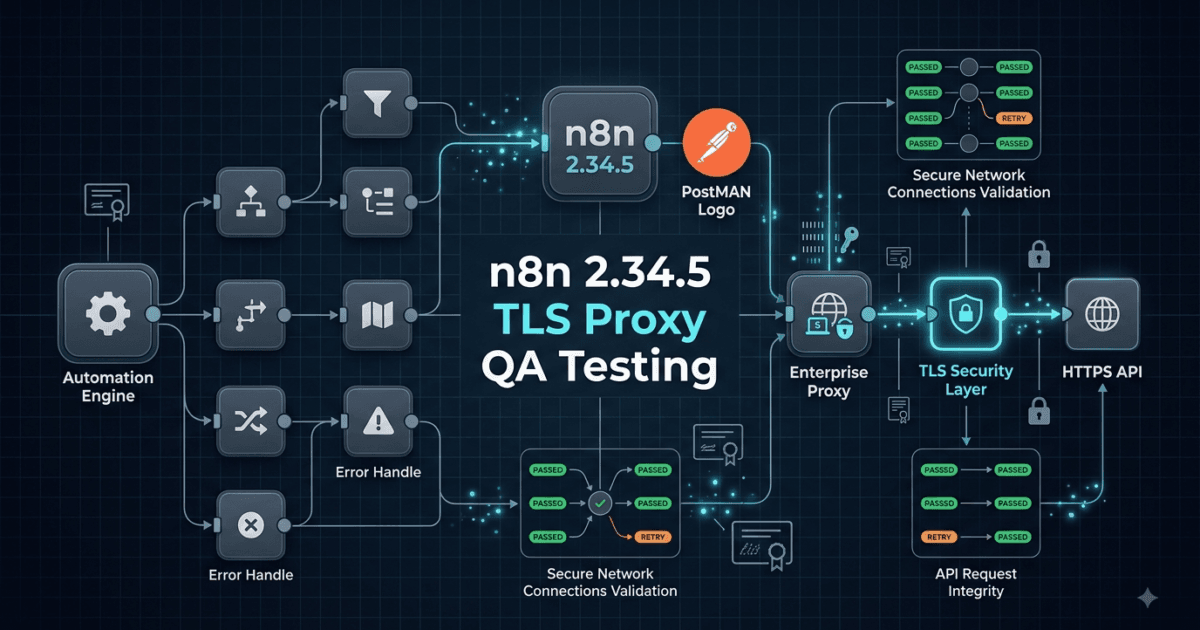
n8n 2.34.5 Released on August 12, 2026, with a focused core fix for TLS behavior when HTTP requests travel through proxies. Although this is a small patch release, the change matters to QA engineers because proxy-based environments are common in enterprise CI/CD, staging infrastructure, API testing, and secured production networks.
The release specifically addresses how TLS options are applied per hop when requests pass through a proxy. For an SDET, that immediately raises more useful questions than simply asking, “Does the new version install?”
Does the workflow still connect correctly through our proxy?
Does TLS behave correctly at every network hop?
Do API credentials remain protected?
Do CI runners behave the same way as local environments?

n8n 2.34.5 at a Glance
| Item | Details |
|---|---|
| Release | n8n 2.34.5 |
| Release date | August 12, 2026 |
| Release type | Patch release |
| Main change | TLS handling through proxies |
| Affected area | Core networking |
| Breaking changes listed | None in the supplied release notes |
| QA priority | Network and integration regression |
| Most affected environments | Enterprise proxy, CI/CD, secured API environments |
The important detail is the wording “per hop.”
That suggests the fix is not simply about whether TLS is enabled. It is about applying TLS-related options appropriately as a request moves through different network layers.
A simplified request path might look like this:
n8n Workflow
     |
     v
HTTP Client
     |
     v
Proxy
     |
     v
TLS / HTTPS
     |
     v
External API
In a more complex enterprise environment, it could look like:
n8n
 |
 v
Corporate Proxy
 |
 v
Security Gateway
 |
 v
Load Balancer
 |
 v
HTTPS API
Every additional hop creates another opportunity for configuration to behave differently from what the application expects.
Why This Small Patch Matters to QA Engineers
A patch release can look insignificant when it contains only one bug fix.
For QA engineers, however, networking bugs can have a large blast radius.
Consider an n8n workflow that calls an external API:
const response = await fetch(
  "https://api.example.com/orders"
);

console.log(response.status);
On a developer laptop:
Workflow
   ↓
Internet
   ↓
API
The workflow may work perfectly.
Inside an enterprise CI runner:
Workflow
   ↓
CI Runner
   ↓
Corporate Proxy
   ↓
Security Gateway
   ↓
API
The exact same workflow could fail because the network path and TLS behavior are different.
This is why SDETs should treat n8n 2.34.5 Released as a networking-regression opportunity rather than simply a package upgrade.
What Changed in n8n 2.34.5?
The supplied release notes contain one core bug fix:
Apply TLS options per hop when requests go through a proxy.
The practical interpretation is that requests involving a proxy can contain multiple network hops, and TLS configuration needs to be correctly applied for the relevant connection rather than being treated as though the entire route were one connection.
Think of it like this:
Without correct per-hop handling

Application
     |
     | TLS configuration
     v
   Proxy
     |
     v
   API
Versus:
Correct per-hop handling

Application
     |
     | Hop-specific options
     v
   Proxy
     |
     | Hop-specific TLS behavior
     v
   API
The distinction becomes important when different parts of the network path have different TLS requirements.
The QA Question Behind the Fix
Don’t ask only:
“Does my API request return HTTP 200?”
Ask:
“Does my API request behave correctly across every network path used by the workflow?”
That creates a much stronger test strategy.
For example:
Direct connection       → Pass
HTTP proxy              → Pass
HTTPS proxy             → Pass
Authenticated proxy     → Pass
CI runner proxy         → Pass
Staging gateway         → Pass
Production network      → Pass
A workflow that passes only in a direct local environment hasn’t necessarily been validated for production.
Test the Network Path, Not Just the Workflow
Suppose your n8n workflow performs:
Webhook
   ↓
Validate Request
   ↓
HTTP Request
   ↓
Transform Data
   ↓
Database
A conventional functional test might verify:
expect(response.status).toBe(200);
That’s useful, but incomplete.
A network-aware test should also validate:
HTTP status
TLS handshake
Certificate validation
Proxy connectivity
Authentication
Timeout behavior
Retry behavior
Response integrity
For example:
expect(response.status).toBe(200);
expect(response.headers).toBeDefined();
expect(response.body).toBeDefined();
Then add negative scenarios.
Invalid certificate
       ↓
Expected failure

Unavailable proxy
       ↓
Expected failure

Invalid proxy credentials
       ↓
Expected failure

Unavailable destination
       ↓
Expected timeout/retry
This turns a simple API test into a meaningful network integration test.
n8n Compared With Other Automation Platforms
n8n is particularly interesting for QA teams because workflows often combine APIs, webhooks, databases, SaaS applications, queues, and custom HTTP requests.
Compare the testing surface:
| Platform | Typical QA Concern |
|---|---|
| n8n | Workflow + API + network + credentials |
| Zapier | SaaS integration behavior |
| Make | Scenario execution + integrations |
| GitHub Actions | CI/CD execution environment |
| Airflow | Data workflow orchestration |
| Custom Python | Full application-level control |
With n8n, a single workflow can cross multiple systems:
Webhook
   ↓
n8n
   ↓
REST API
   ↓
Authentication
   ↓
Database
   ↓
Notification
That means a networking fix can potentially affect more than one node or integration.
The strategic QA lesson is simple:
Don’t test the changed component in isolation when the component sits underneath many integrations.
A Practical Proxy Test Matrix
For teams upgrading n8n 2.34.5, build a small matrix around your actual infrastructure.
| Scenario | Expected Result |
|---|---|
| No proxy | Request succeeds |
| HTTP proxy | Request succeeds |
| HTTPS destination through proxy | TLS succeeds |
| Proxy authentication | Request succeeds |
| Invalid proxy credentials | Controlled failure |
| Invalid TLS certificate | Correct rejection |
| Proxy unavailable | Expected timeout/error |
| API unavailable | Expected retry/error |
| Multiple network hops | Correct TLS behavior |
| CI runner | Same expected behavior |
You don’t necessarily need every scenario in every project.
Prioritize the network configurations your organization actually uses.
Example QA Automation Structure
A Playwright or API testing project could separate these scenarios:
tests/
├── direct/
│   └── api.spec.js
├── proxy/
│   ├── http-proxy.spec.js
│   ├── https-proxy.spec.js
│   └── auth-proxy.spec.js
├── tls/
│   ├── certificate.spec.js
│   └── validation.spec.js
└── workflows/
    └── n8n-api-flow.spec.js
This organization makes failures easier to diagnose.
Instead of:
❌ Workflow failed
you can report:
❌ HTTPS request through authenticated proxy failed
That is far more actionable for both QA and DevOps teams.
Test From CI, Not Only Your Laptop
One of the most common mistakes in automation testing is validating networking only from a developer workstation.
Your local machine might have:
Laptop
 ↓
Internet
 ↓
API
while CI has:
Runner
 ↓
Corporate Proxy
 ↓
Firewall
 ↓
Security Gateway
 ↓
API
Therefore, your CI pipeline should contain at least one representative network integration test.
For example:
network-regression:
  stage: integration
  script:
    - npm test -- network
The exact CI platform doesn’t matter.
The important principle is:
Run networking tests from the environment that actually resembles production.
What Should QA Engineers Look for After Upgrading?
Start with the highest-risk workflows.
1. HTTP Request Nodes
Identify workflows that communicate with:
REST APIs
GraphQL APIs
Webhooks
Payment APIs
Cloud services
Internal services
These are immediately relevant to the networking change.
2. Proxy-Dependent Workflows
Search your infrastructure for:
HTTP_PROXY
HTTPS_PROXY
NO_PROXY
For example:
env | grep -i proxy
This quickly tells you whether your execution environment relies on proxy configuration.
3. External API Integrations
Create a list of external dependencies:
CRM
Payment
Email
Cloud
Analytics
AI APIs
Monitoring
Identity providers
Then identify which ones are accessed through a proxy.
4. Production-Critical Workflows
Prioritize workflows that:
- Process customer data
- Trigger financial actions
- Send notifications
- Update databases
- Call external services
- Run automatically on schedules
These deserve regression testing before a production upgrade.
Don’t Ignore TLS Failure Testing
A good TLS regression suite should test both success and failure.
Success:
Valid certificate
      ↓
TLS handshake
      ↓
Request succeeds
Failure:
Invalid certificate
      ↓
TLS validation
      ↓
Connection rejected
You should not “fix” a TLS regression by simply disabling certificate validation.
For example, avoid making insecure configurations such as:
verifyTLS = false
just to make a test pass.
A secure test should prove that valid certificates work and invalid certificates are rejected as expected.
The Difference Between Functional and Security Testing
Consider this test:
expect(response.status).toBe(200);
That’s functional testing.
But this:
Valid certificate → accepted
Invalid certificate → rejected
Wrong hostname → rejected
Expired certificate → rejected
is much closer to security-focused network validation.
For SDETs, this distinction matters.
A workflow can be functionally successful while still having an insecure network configuration.
Upgrade Recommendation
For most teams, a patch release with a focused networking fix should be evaluated quickly, especially if your environment depends heavily on proxies.
However, upgrade urgency should depend on exposure.
Low proxy usage
If your n8n installation makes mostly direct connections:
Risk → Lower
Testing → Standard regression
Heavy enterprise proxy usage
If almost every external request travels through corporate infrastructure:
Risk → Higher
Testing → Network-focused regression
Security-sensitive environment
If your workflows process sensitive business operations:
Risk → High
Testing → TLS + proxy + security + integration
The release therefore deserves particular attention from teams whose n8n infrastructure sits behind corporate proxies or multiple network gateways.
A Strategic Upgrade Workflow
Use this process:
Read release notes
       ↓
Identify proxy-dependent workflows
       ↓
Create network test matrix
       ↓
Upgrade staging
       ↓
Run direct-request tests
       ↓
Run proxy-request tests
       ↓
Run TLS negative tests
       ↓
Run critical workflow regression
       ↓
Validate CI environment
       ↓
Monitor production
This is much safer than:
npm update
followed by:
"It seems to work."
The goal of upgrade testing isn’t to prove that the application starts.
It’s to prove that the behavior you depend on remains correct under realistic conditions.
The Most Important QA Insight
The interesting part of n8n 2.34.5 Released isn’t the size of the changelog.
It’s the location of the change.
A one-line networking fix inside a workflow automation platform can affect:
API integrations
      +
Authentication
      +
TLS
      +
Proxy infrastructure
      +
CI/CD
      +
Production workflows
That’s why experienced QA engineers don’t estimate testing effort purely by the number of changed lines or release-note items.
They estimate it by system impact.
If one networking change sits underneath hundreds of workflows, the testing scope should reflect those dependencies.
Quick Interactive Challenge
Before upgrading your own n8n environment, answer these five questions:
1. Does our n8n instance use an HTTP or HTTPS proxy?
2. Which workflows call external HTTPS APIs?
3. Which CI runners use different proxy settings from local machines?
4. Do we have automated tests for invalid TLS certificates?
5. Can we prove that our critical workflows work through the production network path?
If you cannot answer these questions, that’s a signal that your test strategy needs more network-level visibility.


A Simple Regression Script
You can also create a lightweight API smoke test outside n8n:
import { test, expect } from "@playwright/test";

test("API remains reachable through the test environment", async ({
  request
}) => {
  const response = await request.get(
    process.env.API_URL
  );

  expect(response.ok()).toBeTruthy();
});
Then execute the same logical test under:
Local
Staging
CI
Proxy-enabled CI
Production-like environment
This creates a repeatable baseline for future n8n upgrades.
The broader lesson is valuable beyond n8n: when a release changes networking, test the network topology. When it changes authentication, test credentials and authorization. When it changes workflow execution, test state transitions.
That is how release-note reading becomes engineering-grade QA analysis.
For teams running n8n behind corporate proxies, security gateways, or CI/CD infrastructure, this is exactly the type of change that can expose differences between a developer laptop and a production-like environment.
The key QA question is therefore not simply:
Does the workflow still run?
It is:
Does the workflow still establish secure connections correctly across every network path it is expected to use?


Why a TLS Proxy Fix Deserves Serious QA Attention
A patch release containing one bug fix can sometimes have a wider testing impact than a feature release.
Consider a basic n8n workflow:
Webhook
   ↓
HTTP Request
   ↓
External API
   ↓
Transform Data
   ↓
Database
From a developer machine, the HTTP request might travel directly to the destination:
n8n
 ↓
Internet
 ↓
API
An enterprise deployment may use:
n8n
 ↓
Corporate Proxy
 ↓
Security Gateway
 ↓
Load Balancer
 ↓
HTTPS API
The workflow hasn’t changed.
The destination hasn’t changed.
But the network topology has changed.
That distinction is critical when validating n8n 2.34.5 Released, because the reported fix specifically concerns TLS configuration across proxy-related hops.
A successful direct request does not automatically prove that the same workflow is healthy in a proxied environment.
Think in Network Hops
One of the most useful ways to understand this fix is to stop thinking about a request as one continuous connection.
Instead, model it as a sequence of connections:
Application
    │
    │ Hop 1
    ▼
Proxy
    │
    │ Hop 2
    ▼
Destination
With more infrastructure:
n8n
 │
 ├── Hop 1 → Proxy
 │
 ├── Hop 2 → Security Gateway
 │
 ├── Hop 3 → Load Balancer
 │
 └── Hop 4 → API
TLS-related options may need to be interpreted in the context of the connection being established.
This gives QA engineers a much better testing model:
Request
  ↓
Identify network path
  ↓
Identify each hop
  ↓
Validate TLS behavior
  ↓
Validate final response
Instead of simply:
Request → 200 OK
What Does “Per Hop” Mean for Testing?
Imagine your workflow communicates with an HTTPS service through a proxy.
A simplified topology might be:
n8n
 |
 | Connection A
 v
Proxy
 |
 | Connection B
 v
HTTPS API
There are potentially different networking considerations for these connections.
Your test strategy should therefore distinguish between:
Proxy connection
        +
Destination connection
This is especially important when infrastructure contains different certificates, authentication requirements, or TLS policies.
A good test case could record:
const networkTest = {
  proxyEnabled: true,
  destination: process.env.API_URL,
  tlsValidation: true,
  expectedStatus: 200
};
Then execute it under the same network conditions used by the actual deployment.
Build a Proxy-Aware Test Matrix
A strong QA team shouldn’t have just one “API works” test.
Build a matrix around the environments that matter.
| Scenario | What to Validate |
|---|---|
| Direct HTTPS | TLS and API connectivity |
| HTTP proxy | Proxy routing |
| HTTPS destination through proxy | End-to-end TLS behavior |
| Authenticated proxy | Proxy credentials |
| Invalid proxy credentials | Controlled failure |
| Invalid certificate | Certificate rejection |
| Expired certificate | TLS rejection |
| Proxy unavailable | Timeout/error handling |
| API unavailable | Retry/error behavior |
| CI proxy | Production-like automation behavior |
You don’t need every possible combination.
The strategic approach is to identify the combinations your infrastructure actually uses.
Compare Local Testing With Enterprise Testing
This is where many automation teams accidentally create false confidence.
Local environment
Developer Laptop
      ↓
Internet
      ↓
API
CI environment
CI Runner
      ↓
Corporate Proxy
      ↓
Firewall
      ↓
Security Gateway
      ↓
API
Production
n8n
 ↓
Enterprise Proxy
 ↓
Security Gateway
 ↓
Load Balancer
 ↓
External API
If your test suite only runs in the first environment, it may completely miss problems occurring in the second and third.
This is why n8n 2.34.5 Released should trigger a review of where your integration tests actually execute.
Test the HTTP Request Layer First
The HTTP Request capability is one of the first places QA engineers should investigate.
A basic successful request test might verify:
const response = await fetch(process.env.API_URL);

if (!response.ok) {
  throw new Error(`API failed: ${response.status}`);
}
But a production-oriented test should validate more:
HTTP status
Response headers
Response body
TLS validation
Authentication
Timeout
Retry
Proxy behavior
For example:
const response = await fetch(process.env.API_URL);

console.log({
  status: response.status,
  contentType: response.headers.get("content-type")
});

if (!response.ok) {
  throw new Error(`Request failed: ${response.status}`);
}
The objective isn’t to make every test enormous.
It’s to make the important failure modes visible.
Test Negative TLS Scenarios
Security testing should cover the situations where TLS must fail.
Consider these scenarios:
Valid certificate
      ↓
Expected: connection succeeds
Expired certificate
      ↓
Expected: connection rejected
Wrong hostname
      ↓
Expected: connection rejected
Untrusted certificate
      ↓
Expected: connection rejected
This distinction matters.
A regression suite that only proves valid connections work cannot tell you whether certificate validation has accidentally become too permissive.
For example, don’t turn a failing test into a passing test by disabling TLS verification.
That changes the security behavior instead of testing it.
TLS Testing Is Not the Same as API Testing
Compare the two:
Functional API test
expect(response.status).toBe(200);
This answers:
Did the API request succeed?
TLS security test
Valid certificate       → Accept
Expired certificate     → Reject
Wrong hostname          → Reject
Untrusted CA            → Reject
This answers:
Did the connection enforce the expected security policy?
Both are valuable.
A mature SDET strategy includes both.
Test Proxy Authentication Separately
A proxy can introduce another authentication layer.
For example:
n8n
 ↓
Proxy Authentication
 ↓
TLS / Network Connection
 ↓
API Authentication
 ↓
API
Now you potentially have two separate credential domains.
Your tests should distinguish:
Valid proxy credentials
Valid API credentials
        ↓
Success
and:
Invalid proxy credentials
        ↓
Expected proxy failure
versus:
Valid proxy credentials
Invalid API credentials
        ↓
Expected API authentication failure
This makes diagnosis much easier.
If every failure is simply reported as:
HTTP request failed
the test provides limited value.
A better test report identifies which layer failed.
Make Failure Classification Part of QA
Consider a test report like:
Test: External CRM Request

Proxy connection: PASS
TLS handshake: PASS
API authentication: FAIL
HTTP request: NOT EXECUTED
Compare that with:
Test: External CRM Request

Request failed
The first report is far more useful.
You can build your automated tests around this concept:
const result = {
  proxy: "pass",
  tls: "pass",
  authentication: "fail",
  api: "not-executed"
};

console.table(result);
The implementation will depend on your infrastructure, but the testing principle is broadly applicable.
Don’t Forget NO_PROXY
Proxy environments often contain bypass rules.
For example:
HTTP_PROXY=https://proxy.example
HTTPS_PROXY=https://proxy.example
NO_PROXY=localhost,.internal.example
That means two seemingly similar requests can follow completely different paths.
api.external.com
      ↓
Proxy
while:
service.internal.example
      ↓
Direct connection
Therefore, your regression suite should explicitly identify which destinations are proxied and which are bypassed.
A useful environment check is:
env | grep -i proxy
Then document the expected behavior.
External API       → Proxy
Internal service   → Direct
Localhost          → Direct
This is especially useful when diagnosing “works locally but fails in CI” problems.
Compare n8n With Traditional API Test Automation
There is an important difference between testing an n8n workflow and testing a traditional API client.
| Area | Traditional API Test | n8n Workflow Test |
|---|---|---|
| Request | Usually explicit | Often workflow-driven |
| Networking | Client configuration | Workflow + runtime environment |
| Integrations | Limited to test scope | Often multiple integrations |
| State | Test-controlled | Workflow-dependent |
| Credentials | Test configuration | n8n credential infrastructure |
| Failure impact | Usually isolated | Can affect downstream nodes |
| Regression surface | API-centric | Workflow-centric |
For example:
API Test

Request
 ↓
API
 ↓
Assertion
An n8n workflow might be:
Webhook
 ↓
Authentication
 ↓
HTTP Request
 ↓
Conditional Logic
 ↓
Database
 ↓
Notification
A networking failure at the HTTP Request stage can therefore affect the entire business workflow.
Test Downstream Failure Behavior
Suppose the HTTP Request node cannot establish a secure connection.
What happens next?
Possibilities include:
HTTP failure
   ↓
Workflow stops
or:
HTTP failure
   ↓
Retry
   ↓
Success
or:
HTTP failure
   ↓
Error branch
   ↓
Notification
All three can be valid depending on business requirements.
The QA test should verify the expected workflow behavior, not assume that one response is universally correct.
For example:
External API unavailable
        ↓
Retry 3 times
        ↓
Still unavailable
        ↓
Error workflow
        ↓
Alert team
A good regression test validates the entire chain.
Test Retries Carefully
Networking problems frequently trigger retry logic.
But retries can introduce their own defects.
Imagine:
Request
 ↓
TLS failure
 ↓
Retry
 ↓
TLS failure
 ↓
Retry
 ↓
TLS failure
You should verify:
Maximum retry count
Retry interval
Final failure state
Alerting
Duplicate side effects
For a read-only request, retrying may be relatively safe.
For a request that creates an order or sends a message, careless retries can create duplicate operations.
That is why network regression testing should include idempotency where workflows perform side effects.
Example: Testing a Side Effect
Imagine an n8n workflow:
Webhook
 ↓
Create Customer
 ↓
Send Welcome Email
If the network connection fails after the customer is created but before the workflow receives confirmation, a retry could potentially create a duplicate customer.
Your test should model this situation.
Create Customer
      ↓
Connection interrupted
      ↓
Retry
      ↓
Verify duplicate protection
This is a much more valuable regression scenario than simply checking that a successful workflow returns a green status.
Use Production-Like Secrets Without Exposing Real Credentials
Proxy and TLS testing often requires credentials.
Never hard-code them:
const password = "MyRealPassword";
Instead:
const proxyPassword = process.env.PROXY_PASSWORD;
const apiToken = process.env.API_TOKEN;
And keep secret values out of logs.
Avoid:
console.log(proxyPassword);
Use:
console.log("Proxy authentication configured:", Boolean(proxyPassword));
This confirms configuration without exposing sensitive data.
Add Network Tests to CI/CD
A useful pipeline structure is:
stages:
  - install
  - unit
  - integration
  - network
  - workflow
  - security
  - release
Then:
network-tests:
  stage: network
  script:
    - npm run test:network
And:
workflow-regression:
  stage: workflow
  script:
    - npm run test:n8n
The exact syntax depends on your CI platform.
The important architectural idea is to make networking a first-class test stage.
Establish a Baseline Before the Upgrade
Before changing the n8n version, record how the current environment behaves.
For example:
Current version
API success rate
Average latency
p95 latency
TLS failures
Proxy failures
Workflow failures
Retry count
Then upgrade and compare.
                 Before       After
API success      99.4%        99.6%
p95 latency       820ms        815ms
TLS failures       0.2%         0.1%
Workflow errors    0.4%         0.3%
The actual values should come from your system.
The point is that baseline comparison gives you evidence.
Without a baseline, “everything looks fine” is difficult to prove.
Use Golden Workflows
Identify a small collection of workflows representing your most important production behavior.
For example:
Golden Workflow 1
Customer API synchronization

Golden Workflow 2
Payment notification

Golden Workflow 3
CRM update

Golden Workflow 4
AI API integration

Golden Workflow 5
Scheduled reporting
Run them before and after the upgrade.
A golden workflow test could verify:
expect(result.status).toBe("success");
expect(result.recordsProcessed).toBeGreaterThan(0);
expect(result.errorCount).toBe(0);
The exact assertions depend on the workflow.
The principle is more important:
Test business-critical workflows, not merely the framework installation.


A Better Upgrade Decision Model
Instead of using:
New version available
        ↓
Upgrade
use:
New version available
        ↓
Identify affected infrastructure
        ↓
Assess risk
        ↓
Create targeted regression
        ↓
Upgrade staging
        ↓
Run golden workflows
        ↓
Validate proxy + TLS
        ↓
Compare baseline
        ↓
Canary production
        ↓
Monitor
This approach scales much better for enterprise environments.
How Much Testing Is Enough?
Not every n8n installation requires an enormous test suite.
Use risk-based testing.
Low-risk environment
Direct API access
Few workflows
No sensitive operations
No enterprise proxy
Use:
Smoke tests
Basic workflow regression
Medium-risk environment
External APIs
Scheduled workflows
Proxy infrastructure
Multiple integrations
Use:
Integration tests
Proxy tests
TLS tests
Golden workflows
High-risk environment
Financial workflows
Customer data
Multiple gateways
Strict TLS policies
High workflow volume
Use:
Full regression
TLS negative testing
Proxy authentication testing
Failure/recovery testing
Performance baseline
Security validation
Canary deployment
This is the difference between testing everything and testing what matters.
A Practical QA Checklist
Before promoting the release, validate:
[ ] n8n 2.34.5 installs successfully
[ ] Existing workflows load
[ ] Direct HTTPS requests work
[ ] Proxy-based HTTPS requests work
[ ] Proxy authentication works
[ ] Invalid proxy credentials fail correctly
[ ] Valid TLS certificates succeed
[ ] Invalid certificates are rejected
[ ] NO_PROXY behavior is correct
[ ] Timeouts behave correctly
[ ] Retry behavior is correct
[ ] Side effects remain idempotent
[ ] Critical workflows pass
[ ] CI network configuration passes
[ ] Credentials are not exposed in logs
[ ] Baseline metrics remain acceptable
[ ] Error workflows behave correctly
This checklist is much more valuable than simply recording:
Upgrade: PASS
because it documents what was actually validated.
The Bigger SDET Lesson
A release note tells you what developers changed.
It does not tell you the complete testing scope.
For n8n 2.34.5 Released, the release note points to TLS behavior around proxies.
An experienced QA engineer translates that into:
TLS change
   ↓
Proxy dependency
   ↓
Network topology
   ↓
Affected integrations
   ↓
Critical workflows
   ↓
Security scenarios
   ↓
CI/CD environment
   ↓
Production risk
That translation is one of the most important skills for modern SDETs.
The value of a QA engineer isn’t simply executing more test cases.
It’s identifying which system behaviors the change could realistically affect and designing the smallest reliable test strategy that provides confidence.
Interactive QA Exercise
Before you approve your n8n upgrade, write down one production workflow and answer:
1. What API does it call?

2. Does the request use a proxy?

3. How many network hops exist?

4. Where is TLS terminated?

5. What happens if the proxy is unavailable?

6. What happens if certificate validation fails?

7. Does the workflow retry?

8. Can a retry create a duplicate side effect?

9. Does CI use the same network path?

10. What metric proves the upgraded workflow is healthy?
If your team cannot answer several of these questions, that is not necessarily a reason to delay the upgrade.
It is a reason to improve your observability and regression strategy before production deployment.
n8n 2.34.5 Released with a narrowly scoped core networking fix, but the practical QA impact extends beyond simply checking whether an HTTPS request returns successfully. When a workflow crosses a proxy, security gateway, or other intermediary, the test strategy needs to verify the behavior of the complete connection path.
For SDETs, this makes the release a useful case study in risk-based regression testing: start with the changed layer, identify everything that depends on it, and then validate the highest-risk workflows.
From Release Note to Test Strategy
A useful habit for QA engineers is to convert every release-note statement into a chain of test questions.
The change is:
TLS options
     ↓
Applied per hop
     ↓
Requests through a proxy
Turn that into:
Which workflows use proxies?
        ↓
Which destinations use HTTPS?
        ↓
Which TLS options are configured?
        ↓
Which network hops exist?
        ↓
What happens when a hop fails?
        ↓
What happens to the workflow?
This is significantly more useful than creating a single regression test called:
test_n8n_upgrade()
A better test suite describes the actual risk:
test_https_request_without_proxy()
test_https_request_through_proxy()
test_proxy_authentication()
test_invalid_tls_certificate()
test_proxy_failure()
test_api_failure_after_proxy_connection()
test_workflow_recovery()
The tests now tell the engineering team what behavior is being protected.
Identify Proxy-Dependent Workflows
Before upgrading a production n8n installation, inventory your workflows.
Look for nodes that communicate with:
- REST APIs
- GraphQL endpoints
- SaaS platforms
- AI APIs
- Internal services
- Webhooks
- Cloud services
- Databases exposed through network gateways
Then determine whether those requests use a proxy.
At the environment level, start by checking common proxy variables:
env | grep -i proxy
You may find configurations such as:
HTTP_PROXY=http://proxy.example.com:8080
HTTPS_PROXY=http://proxy.example.com:8080
NO_PROXY=localhost,.internal.example.com
This immediately tells you something important:
Not every request necessarily follows the same network route.
For example:
external-api.com
       ↓
     Proxy
       ↓
     API
while:
database.internal
       ↓
   NO_PROXY
       ↓
   Database
A single workflow could therefore contain requests following completely different paths.
Build a Network Dependency Map
For critical workflows, create a simple dependency map.
Consider:
Customer Webhook
       ↓
      n8n
       ↓
Authentication API
       ↓
Corporate Proxy
       ↓
CRM API
       ↓
Database
       ↓
Notification Service
Now ask which connections are:
Direct
Proxied
HTTPS
Authenticated
Internal
External
You can represent that information as:
| Connection | Proxy | TLS | Risk |
|---|---|---|---|
| Webhook → n8n | No | Yes | Medium |
| n8n → Auth API | Yes | Yes | High |
| n8n → CRM | Yes | Yes | High |
| n8n → Database | No | Yes | High |
| n8n → Notification | Yes | Yes | Medium |
This is a much more strategic way to determine regression scope.
You don’t need to test every workflow equally.
Test the workflows that depend on the changed networking behavior.


Test the Same Workflow Through Different Network Paths
One powerful regression technique is to execute the same business scenario under different network configurations.
For example:
Scenario:
Create customer → CRM → Notification
Run it through:
Environment A
n8n → CRM

Environment B
n8n → Proxy → CRM

Environment C
n8n → Proxy → Gateway → CRM
The business input should remain the same.
The network path changes.
This lets you isolate whether a failure is related to networking rather than workflow logic.
A useful result format might be:
Scenario: Create Customer

Direct:
PASS

Proxy:
PASS

Proxy + Gateway:
PASS

Invalid TLS:
EXPECTED FAILURE
This is far more informative than a single end-to-end result.
Test TLS Options as Configuration Contracts
Configuration should be treated as part of the testable system.
For example, imagine your environment has:
TLS validation: enabled
Proxy: enabled
Certificate verification: required
Those settings should have corresponding expectations.
You can represent them in test configuration:
const networkConfig = {
  proxyEnabled: true,
  tlsVerification: true,
  certificateValidation: true
};

console.log(networkConfig);
Then verify that the resulting behavior matches the configuration.
The important QA principle is:
A security-related configuration should have a corresponding observable behavior.
If certificate verification is enabled, invalid certificates should not silently succeed.
Test Certificate Rotation
Certificate rotation is another useful regression scenario.
A production API might have:
Certificate A
     ↓
Certificate expires
     ↓
Certificate B
     ↓
Service continues
Your tests should verify that the n8n workflow continues to communicate correctly after legitimate certificate changes.
At the same time, don’t make certificate validation so permissive that every certificate is accepted.
A useful test matrix is:
| Certificate Condition | Expected Behavior |
|---|---|
| Valid and trusted | Success |
| Expired | Rejected |
| Wrong hostname | Rejected |
| Unknown issuer | Rejected |
| Correctly rotated | Success |
This gives your regression suite both positive and negative security coverage.
Test Proxy Certificate Scenarios
Enterprise proxies sometimes introduce their own certificate infrastructure.
A simplified setup might be:
n8n
 ↓
Corporate Proxy
 ↓
TLS Inspection
 ↓
External API
Your test environment may therefore need to account for the organization’s trusted certificate chain.
The QA objective isn’t to assume that the proxy is correct.
It is to prove that the complete environment behaves as intended.
Ask:
Is the proxy certificate trusted?
Is the destination certificate validated?
Does the request reach the correct endpoint?
Are errors reported correctly?
Are credentials protected?
This is particularly important for staging environments that intentionally reproduce production network controls.
Test Authentication at Multiple Layers
An API request can have several independent authentication layers:
Layer 1
Proxy authentication

Layer 2
TLS certificate trust

Layer 3
API authentication

Layer 4
Application authorization
Don’t collapse them into one test.
Instead:
Valid Proxy
+
Valid TLS
+
Valid API Credentials
=
Success
Then isolate failures:
Invalid Proxy
+
Valid TLS
+
Valid API Credentials
=
Proxy Failure
Valid Proxy
+
Valid TLS
+
Invalid API Credentials
=
API Authentication Failure
This makes troubleshooting much faster.
Validate Error Messages Without Exposing Secrets
Error handling is another important regression area.
A failure should be useful to an engineer without exposing credentials.
Good:
HTTPS request failed:
proxy authentication unsuccessful
Bad:
Proxy authentication failed for:
username=qa_user
password=SuperSecret123
Automated tests should explicitly check logs for accidental credential exposure where appropriate.
For example:
expect(logOutput).not.toContain(
  process.env.API_TOKEN
);
This converts a security expectation into an executable test.
Compare n8n Testing With CI/CD Testing
The networking issue also highlights a difference between application testing and infrastructure testing.
Traditional API automation might run:
Test Runner
    ↓
API
A production n8n environment might run:
n8n
 ↓
Proxy
 ↓
Gateway
 ↓
Load Balancer
 ↓
API
A GitHub Actions, GitLab CI, Jenkins, or another CI runner could introduce yet another path.
Therefore:
| Test Location | Value |
|---|---|
| Developer laptop | Fast feedback |
| Dedicated test environment | Functional validation |
| Proxy-enabled staging | Network validation |
| CI runner | Automation validation |
| Production-like environment | Highest confidence |
No single environment provides complete coverage.
Add Environment Parity Checks
One useful improvement is to make the pipeline report important networking configuration before executing tests.
For example:
echo "Proxy configured: ${HTTPS_PROXY:+yes}"
echo "NO_PROXY configured: ${NO_PROXY:+yes}"
Don’t print credentials or full URLs containing secrets.
Then the test report can show:
Network configuration
Proxy: enabled
NO_PROXY: configured
TLS verification: enabled
This makes an unexpected CI failure much easier to investigate.
Test Timeouts and Connection Failures
Network failures don’t always happen immediately.
A proxy might be:
Available
     ↓
Slow
     ↓
Timeout
Therefore, test:
Immediate connection failure
Connection timeout
Slow response
Destination timeout
Proxy timeout
For example:
const start = Date.now();

try {
  await callExternalApi();
} catch (error) {
  const duration = Date.now() - start;

  console.log({
    duration,
    error: error.message
  });
}
This helps distinguish:
TLS failure
from:
Network timeout
from:
API returned an error
Those are different defects and should produce different diagnostics.
Test Retry Behavior With Network Faults
Retry logic deserves particular attention when workflows communicate through proxies.
Imagine:
Request
  ↓
Proxy timeout
  ↓
Retry
  ↓
Success
That’s potentially healthy.
But:
Create Payment
  ↓
Response lost
  ↓
Retry
  ↓
Create Payment again
could be dangerous.
The QA test should therefore ask:
Is this operation safe to retry?
For read operations:
GET customer
retrying is usually less risky.
For side-effecting operations:
POST payment
POST order
POST notification
retry behavior requires much greater scrutiny.
Validate Idempotency
Suppose an n8n workflow creates a ticket:
Webhook
 ↓
Create Ticket
 ↓
Notify Team
A network interruption after the ticket is created could cause a retry.
Your test should simulate:
Create Ticket
      ↓
Network response lost
      ↓
Retry
      ↓
Verify only one ticket exists
A conceptual assertion could be:
expect(createdTickets).toHaveLength(1);
The exact implementation depends on your API.
The strategic point is important:
Networking reliability and business-data integrity are connected.
Test Error Workflows
n8n workflows frequently have error-handling branches.
Don’t test only:
Success → Success
Also test:
Proxy Failure
      ↓
Error Workflow
      ↓
Notification
and:
TLS Failure
      ↓
Error Workflow
      ↓
Incident Alert
For critical workflows, verify:
Error captured
Error classified
Workflow state preserved
Notification generated
Sensitive information protected
Retry policy respected
A networking defect should not silently become a business-data defect.
Measure More Than Pass or Fail
For a networking-sensitive release, useful metrics include:
Request success rate
TLS failure rate
Proxy failure rate
Workflow success rate
p95 request duration
Retry count
Timeout count
Error-workflow executions
A simple test result might be:
const metrics = {
  successRate: 99.5,
  tlsFailures: 0,
  proxyFailures: 1,
  retries: 3
};

console.table(metrics);
In production, collect these metrics through your existing observability platform rather than relying on console output.
Establish Regression Thresholds
Metrics become more useful when you establish thresholds.
For example:
Workflow success rate ≥ 99%
p95 latency ≤ baseline + 20%
TLS failures = 0 unexpected
Credential leakage = 0
Critical workflow failures = 0
The exact values should be based on your organization’s requirements.
The important idea is to turn:
“The new release looks okay.”
into:
“The new release remains within our defined operational baseline.”
That’s a much stronger release decision.
Use Canary Deployment Instead of Immediate Rollout
For important production environments, consider:
Current n8n version
       ↓
Production
while validating:
n8n 2.34.5
       ↓
Canary environment
       ↓
Production-like proxy
       ↓
Golden workflows
Then compare:
Success rate
Latency
TLS errors
Proxy errors
Workflow errors
If the results remain healthy, expand the rollout.
This is particularly useful when many workflows depend on external services.


Create a Release Evidence Package
Instead of closing the upgrade ticket with:
Testing complete.
create a compact evidence package.
For example:
n8n Version:
2.34.5

Environment:
Staging

Proxy:
Enabled

TLS:
Validated

Critical workflows:
15/15 passed

Network scenarios:
8/8 passed

Security scenarios:
6/6 passed

p95 latency:
Within baseline

Production recommendation:
Approved
This becomes useful when someone asks weeks later:
Why did we approve this version?
You have evidence.
A Useful Regression Automation Pattern
You can organize your tests around risk:
tests/
├── smoke/
│   └── installation
├── network/
│   ├── direct
│   ├── proxy
│   ├── tls
│   └── timeout
├── security/
│   ├── certificates
│   ├── credentials
│   └── logs
├── workflows/
│   ├── critical
│   ├── recovery
│   └── idempotency
└── performance/
    └── baseline
This structure is reusable for future n8n releases.
More importantly, it separates test intent.
When another networking change arrives, you know exactly where to add or update coverage.
A Release Test Strategy You Can Reuse
The same methodology works beyond n8n 2.34.5 Released.
For any release:
Release Note
     ↓
Changed Component
     ↓
Dependencies
     ↓
Affected Workflows
     ↓
Failure Modes
     ↓
Security Implications
     ↓
Performance Implications
     ↓
Regression Suite
     ↓
Production Evidence
For example:
TLS change
→ Network tests

Authentication change
→ Credential + authorization tests

Database change
→ Data integrity tests

Agent change
→ Tool + Flow + outcome tests

CLI change
→ CI/CD pipeline tests
This is how QA engineers can turn release monitoring into a repeatable engineering practice.
The Strategic SDET Perspective
The most important skill demonstrated by this release is impact analysis.
A developer sees:
1 bug fix
A QA engineer should see:
1 bug fix
   ↓
Potentially affected networking layer
   ↓
Multiple workflows
   ↓
Multiple integrations
   ↓
Multiple environments
   ↓
Potential security implications
That difference is what makes release testing valuable.
The goal isn’t to create hundreds of unnecessary test cases.
The goal is to identify the smallest set of high-value tests that can expose realistic regressions.
Interactive Exercise: Find Your Highest-Risk Workflow
Pick your most important n8n workflow and complete this model:
Workflow:
________________________

External APIs:
________________________

Proxy required:
Yes / No

TLS:
________________________

Authentication:
________________________

Network hops:
________________________

Retry behavior:
________________________

Side effects:
________________________

Failure workflow:
________________________

Production impact:
Low / Medium / High
Then ask yourself:
If the proxy-to-TLS behavior changed tomorrow, which one test would give me the fastest evidence that this workflow is still safe?
That test should probably be one of your first regression tests for the release.
Practical Recommendation for QA Teams
For teams using n8n 2.34.5 Released in a simple direct-connect environment, standard regression and a few HTTPS smoke tests may be sufficient.
For enterprise deployments using proxies, the testing scope should expand to:
Proxy connectivity
+
TLS validation
+
Authentication
+
Negative certificate tests
+
Timeouts
+
Retries
+
Critical workflows
+
CI/CD network path
For security-sensitive environments, add:
Certificate rotation
Credential leakage checks
Authorization validation
Failure recovery
Canary monitoring
This gives you a risk-based approach rather than treating every n8n installation identically.
What This Release Teaches About Modern QA
The deeper lesson is that modern QA increasingly requires understanding the infrastructure surrounding the application.
An n8n workflow isn’t isolated.
It can depend on:
Application
   +
Network
   +
Proxy
   +
TLS
   +
Authentication
   +
External APIs
   +
Database
   +
CI/CD
   +
Observability
A regression in any one of those layers can change the behavior users ultimately experience.
That is why SDETs need to think beyond individual nodes and individual assertions.
The strongest test strategy connects code, infrastructure, security, workflow behavior, and business impact.
Quick QA Decision Matrix
| Environment | Recommended Validation |
|---|---|
| Local development | Smoke + HTTPS request |
| Basic staging | Integration + workflow regression |
| Proxy-enabled staging | Proxy + TLS + workflow testing |
| Enterprise production | Full network regression + golden workflows |
| Security-sensitive production | Network + TLS + security + canary |
| High-volume automation | Add performance and baseline comparison |
The appropriate testing depth should always reflect the environment’s risk.
Final Upgrade Gate
Before approving the release, aim to answer these questions with evidence:
[ ] Does HTTPS work without a proxy?
[ ] Does HTTPS work through our proxy?
[ ] Does proxy authentication work?
[ ] Are valid certificates accepted?
[ ] Are invalid certificates rejected?
[ ] Does NO_PROXY behave correctly?
[ ] Are timeout scenarios handled correctly?
[ ] Are retries safe?
[ ] Are side effects protected against duplication?
[ ] Do critical workflows pass?
[ ] Does CI use the expected network path?
[ ] Are credentials absent from logs?
[ ] Are performance metrics within baseline?
[ ] Does the error workflow behave correctly?
[ ] Is production rollout observable?
If the answers are backed by automated test results rather than assumptions, you have a much stronger basis for approving the upgrade.
n8n 2.34.5 Released may contain only one listed core bug fix, but it provides a valuable reminder for every QA engineer: the size of a release note does not determine the size of the testing strategy. The real question is how deeply the changed component sits inside your production system.
A two-line networking fix can potentially affect hundreds of workflows if those workflows communicate with external services through enterprise proxy infrastructure.
The Real Upgrade Question Is Not “Does n8n Start?”
A common release-validation mistake is to check only:
n8n starts successfully
        ↓
Login works
        ↓
One workflow passes
        ↓
Upgrade approved
That is a smoke test, not a meaningful regression strategy.
For a networking-related change, think in layers:
n8n Runtime
    ↓
HTTP Request
    ↓
Proxy
    ↓
TLS
    ↓
Security Gateway
    ↓
External API
    ↓
Workflow
    ↓
Business Result
A test that validates only the final business result may tell you that something failed, but it doesn’t necessarily tell you where or why.
A better strategy is to validate the layers independently and then validate the complete workflow.


Turn the Release Note Into Risk Analysis
The most valuable SDET skill during tool upgrades is translating a technical changelog into possible production risks.
Start with:
TLS options applied per hop
        ↓
Requests through proxies
        ↓
Potentially affected network connections
        ↓
Affected integrations
        ↓
Affected workflows
Then add the operational dimension:
Affected workflows
        ↓
Critical business processes
        ↓
Failure scenarios
        ↓
Security consequences
        ↓
Regression coverage
This approach is better than blindly rerunning every test in the organization.
You want targeted coverage around the changed behavior.
Identify Your Critical Network Paths
Start by mapping how your n8n installation reaches important services.
For example:
n8n
 │
 ├── Direct → Internal API
 │
 ├── Proxy → CRM API
 │
 ├── Proxy → AI API
 │
 └── Proxy → Payment Gateway
You can turn this into a simple risk matrix:
| Integration | Proxy | HTTPS | Business Criticality | Test Priority |
|---|---|---|---|---|
| Internal API | No | Yes | Medium | Medium |
| CRM | Yes | Yes | High | High |
| AI API | Yes | Yes | Medium | High |
| Payment Gateway | Yes | Yes | Critical | Critical |
| Monitoring API | Yes | Yes | Low | Medium |
This immediately gives your QA team a smarter regression scope.
Instead of saying:
Test all 300 workflows.
You can say:
27 workflows use proxied HTTPS integrations, and 8 are business-critical. Those 8 receive full regression coverage.
That’s a much more defensible upgrade strategy.
Build a Proxy and TLS Test Matrix
Your regression suite should cover both successful and unsuccessful connections.
| Scenario | Expected Result |
|---|---|
| Direct HTTPS request | Success |
| HTTPS through proxy | Success |
| Authenticated proxy | Success |
| Invalid proxy credentials | Rejected |
| Valid certificate | Accepted |
| Expired certificate | Rejected |
| Wrong hostname | Rejected |
| Untrusted certificate | Rejected |
| Proxy unavailable | Controlled failure |
| API unavailable | Controlled failure |
| Slow proxy | Timeout/retry behavior |
Proxy bypass using NO_PROXY | Correct routing |
Notice the difference between this and a basic smoke test.
A smoke test asks:
Can the request work?
A mature regression test asks:
Can the request work correctly?
Can it fail correctly?
Can it recover correctly?
Can it fail securely?
Validate NO_PROXY Behavior
Proxy environments often contain bypass rules.
For example:
export HTTPS_PROXY=http://proxy.example.com:8080
export NO_PROXY=localhost,.internal.example.com
The expected routing could be:
external-api.com
       ↓
     Proxy
while:
api.internal.example.com
       ↓
   Direct connection
A release test should verify both paths.
You can start your environment diagnostics with:
env | grep -i proxy
But be careful about what gets printed in CI logs. Proxy URLs can sometimes contain credentials.
Prefer masking secrets:
echo "HTTPS proxy configured: ${HTTPS_PROXY:+yes}"
echo "NO_PROXY configured: ${NO_PROXY:+yes}"
The test should confirm configuration without exposing sensitive values.
Test Negative TLS Scenarios
Security regression should never consist entirely of successful requests.
A valid certificate should work:
Valid certificate
       ↓
TLS handshake
       ↓
Request succeeds
But these should be rejected:
Expired certificate
       ↓
Connection rejected
Wrong hostname
       ↓
Connection rejected
Untrusted issuer
       ↓
Connection rejected
The distinction matters because disabling certificate validation can make a failing integration test pass while simultaneously weakening security.
Never use:
“Disable TLS verification so the test passes.”
as a production upgrade strategy.
Instead, investigate why the expected certificate chain is not trusted.
Test Proxy Authentication Independently
A proxied request can involve several security layers.
n8n
 ↓
Proxy Authentication
 ↓
TLS
 ↓
API Authentication
 ↓
Authorization
Treat these as separate test dimensions.
For example:
Valid proxy
+
Valid TLS
+
Valid API credentials
        ↓
PASS
Then:
Invalid proxy
+
Valid TLS
+
Valid API credentials
        ↓
Expected proxy failure
And:
Valid proxy
+
Valid TLS
+
Invalid API credentials
        ↓
Expected API authentication failure
This makes failures easier to diagnose and prevents a generic “HTTP request failed” result from hiding the real problem.
Test Workflow Recovery, Not Just Connection Recovery
Suppose a workflow looks like this:
Webhook
   ↓
HTTP Request
   ↓
Transform
   ↓
Database
   ↓
Notification
Now introduce a proxy failure:
Webhook
   ↓
HTTP Request
   X
Proxy unavailable
What should happen?
Perhaps:
HTTP failure
   ↓
Retry
   ↓
Success
Or:
HTTP failure
   ↓
Error workflow
   ↓
Alert
Or:
HTTP failure
   ↓
Stop workflow
   ↓
Manual intervention
There is no universal correct answer.
The correct behavior is whatever the business process requires.
Your test should therefore verify the expected failure path, not merely the successful path.
Be Careful With Retries
Retries are particularly important when the workflow performs side effects.
Consider:
POST /orders
If the server creates the order but the response is lost because of a network problem, n8n may perceive the operation as unsuccessful.
A retry could potentially create another order.
Your test should simulate:
Create order
      ↓
Response lost
      ↓
Retry
      ↓
Verify only one order exists
A conceptual assertion could be:
const orders = await getOrdersByReference(orderReference);

expect(orders).toHaveLength(1);
The exact API implementation will vary, but the testing principle is broadly applicable.
For GET operations, retries are generally less dangerous.
For operations such as:
POST payment
POST order
POST customer
POST notification
retry behavior requires considerably more attention.
Validate Idempotency
Idempotency becomes particularly important when network failures occur after a server has already processed a request.
A robust workflow might use a unique business reference:
const request = {
  orderReference: "ORD-2026-001",
  amount: 100
};
The API can then prevent duplicate processing of the same reference.
Your automated test can verify:
expect(
  await countOrders("ORD-2026-001")
).toBe(1);
This turns a networking regression test into a data-integrity test.
That is exactly the kind of deeper coverage SDETs should look for.
Compare Basic API Testing With Workflow Testing
There is an important difference between testing an API client and testing an n8n workflow.
| Basic API Test | n8n Workflow Test |
|---|---|
| Request-focused | Business-flow focused |
| Usually one endpoint | Multiple integrations |
| Simple assertion | Multiple downstream effects |
| Limited state | Potential workflow state |
| Client failure | Workflow failure |
| API response | Business outcome |
A traditional API test might be:
const response = await fetch(url);

expect(response.status).toBe(200);
An n8n-oriented regression might need to verify:
HTTP request
   ↓
Response transformation
   ↓
Database update
   ↓
Notification
   ↓
Final business state
Therefore, a successful HTTP response isn’t necessarily sufficient evidence that the workflow is healthy.
Add Observability to Upgrade Validation
A strong release process measures behavior before and after the upgrade.
Record a baseline:
Workflow success rate
API success rate
p95 latency
Timeout rate
TLS failures
Proxy failures
Retry count
Error workflow executions
Then compare the upgraded environment.
For example:
| Metric | Before | After | Status |
|---|---|---|---|
| Workflow success | 99.5% | 99.6% | Good |
| p95 latency | 820 ms | 815 ms | Good |
| TLS failures | 0 | 0 | Good |
| Proxy failures | 1 | 1 | Stable |
| Retry count | 12 | 11 | Stable |
Use your real production or staging measurements rather than copying example thresholds.
The key idea is:
A release decision should be based on evidence, not impressions.
Create a Golden Workflow Suite
Instead of running every workflow for every patch release, create a small group of high-value workflows.
For example:
Golden Workflow 1
CRM synchronization

Golden Workflow 2
Payment processing

Golden Workflow 3
Customer notification

Golden Workflow 4
AI API integration

Golden Workflow 5
Scheduled reporting
Automate their validation.
Conceptually:
const result = await executeWorkflow("crm-sync");

expect(result.status).toBe("success");
expect(result.errorCount).toBe(0);
expect(result.recordsProcessed).toBeGreaterThan(0);
The exact automation mechanism depends on your n8n architecture.
The principle is reusable:
Create a compact regression suite that represents your most important production behavior.


Test the CI Environment Separately
A surprisingly common problem is:
Works locally
      ↓
Fails in CI
The reason may be environmental rather than application-related.
For example:
Developer
   ↓
Direct Internet
   ↓
API
while:
CI Runner
   ↓
Corporate Proxy
   ↓
Security Gateway
   ↓
API
The application version is identical.
The network environment isn’t.
Therefore, run at least one proxy-aware integration suite inside the same CI environment used to deploy n8n.
A basic pipeline could contain:
stages:
  - install
  - unit
  - integration
  - network
  - workflow
  - security
Then:
network-tests:
  stage: network
  script:
    - npm run test:network
The exact CI syntax will depend on your platform.
Protect Secrets During Network Testing
Proxy testing often involves credentials.
Never put credentials directly into test source:
const password = "RealPassword123";
Use environment variables or your organization’s secret-management system:
const proxyPassword = process.env.PROXY_PASSWORD;
const apiToken = process.env.API_TOKEN;
And never print them:
console.log(proxyPassword); // Avoid
Instead:
console.log(
  "Proxy credentials configured:",
  Boolean(proxyPassword)
);
You can also add an automated safety assertion:
expect(testLog).not.toContain(
  process.env.API_TOKEN
);
This helps turn secret-handling expectations into executable quality gates.
Compare Upgrade Strategies
There are several ways teams can approach a patch release.
Immediate production upgrade
Release
 ↓
Production
Fast, but higher risk.
Staging validation
Release
 ↓
Staging
 ↓
Regression
 ↓
Production
Better for most teams.
Canary deployment
Release
 ↓
Canary
 ↓
Golden workflows
 ↓
Monitoring
 ↓
Broader rollout
Best suited to environments where a failure could have significant operational consequences.
For a networking-sensitive change, the third strategy gives the strongest evidence when the infrastructure supports it.
Build an Upgrade Evidence Report
Your release ticket should contain measurable evidence.
For example:
Version:
2.34.5

Environment:
Production-like staging

Proxy:
Enabled

TLS:
Validated

Critical workflows:
15/15 passed

Proxy scenarios:
8/8 passed

Negative TLS scenarios:
6/6 passed

Credential leakage:
0 findings

Performance:
Within baseline

Recommendation:
Approved for canary
Compare that with:
Upgrade tested successfully.
The second statement is difficult to audit.
The first provides evidence that another engineer can review.
Use Risk-Based Regression Instead of Full Regression Everywhere
Not every n8n deployment needs the same test depth.
Low-risk
Direct network
Few workflows
No sensitive operations
Use:
Smoke tests
Basic workflow regression
HTTPS validation
Medium-risk
External APIs
Proxy
Multiple integrations
Scheduled workflows
Use:
Proxy tests
TLS tests
Integration tests
Golden workflows
Failure testing
High-risk
Payments
Customer data
Enterprise proxy
Strict security controls
High workflow volume
Use:
Full network regression
TLS negative testing
Proxy authentication
Idempotency testing
Performance comparison
Canary deployment
Production monitoring
This is a better use of QA resources than treating every workflow as equally important.
A Reusable SDET Release Framework
You can reuse this framework for future n8n releases:
Release Change
      ↓
Changed Component
      ↓
Technical Dependencies
      ↓
Affected Workflows
      ↓
Security Impact
      ↓
Failure Modes
      ↓
Regression Tests
      ↓
Observability
      ↓
Canary
      ↓
Production Approval
For example:
TLS change
→ Network + security tests

Authentication change
→ Credential + authorization tests

Database change
→ Data integrity tests

Agent behavior change
→ Tool + outcome tests

CLI change
→ CI/CD tests
This transforms release testing from a repetitive checklist into an engineering discipline.
Interactive QA Challenge
Choose your most business-critical workflow and answer these questions:
Workflow:
____________________________

External APIs:
____________________________

Proxy:
Yes / No

HTTPS:
Yes / No

Network hops:
____________________________

Authentication layers:
____________________________

Retry behavior:
____________________________

Side effects:
____________________________

Idempotency mechanism:
____________________________

Error workflow:
____________________________

CI network path:
____________________________
Now answer one final question:
If the proxy/TLS behavior changed unexpectedly, which automated test would detect the problem before production?
If you cannot identify that test, you’ve found a valuable gap in your regression strategy.
What QA Engineers Should Take Away From This Release
The most important lesson isn’t the number of lines changed.
It’s where those lines sit in the system.
A networking component can sit underneath:
n8n
 ↓
HTTP Request
 ↓
External API
 ↓
Business Workflow
 ↓
Customer Operation
That means a seemingly small infrastructure fix can have a large dependency surface.
A strong QA engineer therefore doesn’t ask only:
What changed?
They also ask:
What depends on what changed?
That second question is where effective release testing begins.
Upgrade Recommendation
For a development environment with direct network access, standard smoke and integration testing should provide reasonable confidence.
For a staging or production environment using proxies, I would treat the TLS/proxy behavior as a targeted regression area and validate:
Proxy connectivity
TLS validation
Proxy authentication
Certificate failures
NO_PROXY behavior
Timeouts
Retries
Critical workflows
CI/CD networking
Secret protection
For business-critical environments, add canary deployment and production monitoring before broad rollout.
The release is therefore a good candidate for controlled adoption rather than blind immediate deployment.
People Asked Questions
What is n8n 2.34.5?
n8n 2.34.5 is a maintenance release that includes a core fix for applying TLS options per hop when requests travel through a proxy.
What changed in n8n 2.34.5?
The release fixes how TLS options are applied when requests pass through a proxy, improving behavior for proxy-based network connections.
Is n8n 2.34.5 a breaking release?
The supplied release notes list a bug fix and do not identify a breaking change for this release.
Should QA engineers test TLS after upgrading n8n?
Yes. Teams using HTTPS integrations through proxies should specifically test TLS behavior, certificates, proxy authentication, failure scenarios, and critical workflows.
How should I test n8n workflows after an upgrade?
Start with smoke tests, then prioritize workflows affected by the changed functionality. For proxy-related changes, include direct HTTPS, proxied HTTPS, certificate failures, timeouts, retries, and workflow recovery.
Does n8n support proxy-based API requests?
n8n deployments can operate in environments where outbound requests pass through proxy infrastructure. The exact behavior depends on the deployment and network configuration, so proxy-enabled environments should be tested explicitly.
What TLS scenarios should QA engineers test?
Test valid certificates, expired certificates, incorrect hostnames, untrusted issuers, proxy certificate behavior, connection failures, and successful certificate rotation where applicable.
Why is idempotency important when testing n8n workflows?
A network failure can occur after a server processes a request but before n8n receives the response. Retrying a side-effecting operation can then potentially create duplicate records, orders, or transactions.
Should I upgrade directly to n8n 2.34.5 in production?
For low-risk environments, a standard regression cycle may be sufficient. For enterprise or business-critical environments using proxies, validate the affected network paths in staging and consider a controlled or canary rollout.
How can SDETs automate n8n release testing?
SDETs can create golden workflows and automate network, TLS, integration, security, failure-recovery, and business-outcome checks in CI/CD.
AI Overview Optimization
n8n 2.34.5 introduces a core TLS fix for requests passing through proxies. For QA engineers, the most important validation areas are proxy connectivity, TLS certificate handling,
NO_PROXYbehavior, authentication, timeouts, retries, and critical workflow regression. The release does not list a breaking change, but proxy-dependent production workflows should be validated before deployment.
Internal Links
- n8n 2.34.4 Released: Essential Changes for API Calls, Scheduled Jobs, Webhooks, AI Agents for an AI Engineer
- n8n 2.33.4 Released: Improved Task Runner Reliability & AI Fixes
- n8n 2.33.3 Released: Bug Fixes, MCP Improvements & Upgrade Guide
- n8n 2.32.7 Released: Security Audit Improvements Strengthen Enterprise Workflow Automation
- n8n 2.32.6 Released: Smarter Scheduling Improvements Every QA Engineer Should Know
- n8n 2.32.5 Released: Why This Security-Focused Update Matters for QA Engineers and Automation Teams
- n8n 2.31.4 Improves Workflow Stability and Editor Reliability for QA Engineers
- n8n 2.30.8 Strengthens AI Agent Reliability and Workflow Integrity for Enterprise Automation
- n8n 2.30.7 Strengthens Package Security and AWS SES Reliability for Enterprise Workflow Automation
- n8n 2.30.5 Brings Better AI Assistant Analytics, Node Alias Preservation, and Editor Improvements Workflow Automation
- n8n 2.30.4 Improves Workflow Reliability, Webhook Stability, and Notion Integration for Enterprise Automation
- n8n 2.29.10 Released — What’s New for QA Engineers
- n8n 2.29.9 Released: Strengthening Enterprise AI Automation for Modern QA Teams
- n8n 2.29.8 Released: Enterprise Workflow Stability Gets Even Stronger for QA Engineers
- n8n 2.29.7 Released: AI Workflow Stability Improvements Every QA Engineer Should Know
- n8n 2.28.6 Released: Critical Stability Fixes Every QA Engineer Should Know
- n8n 2.28.7 Released: Critical Dependency Fix Every QA Engineer Should Know
- n8n 2.28.3 Released: Startup Reliability Improvements Every QA Engineer Should Know
- n8n 2.27.4 Released: Essential Workflow Improvements Every QA Engineer Should Know
Official Resources
- Official Documentation: https://docs.n8n.io
- Official Release Notes: https://github.com/n8n-io/n8n/compare/release/2.34.4…release/2.34.5
Conclusion
n8n 2.34.5 Released is a useful reminder that patch releases deserve context-aware testing. The changelog may contain only a focused TLS correction, but that correction touches infrastructure that can sit underneath many integrations and business-critical workflows.
The right response isn’t to panic and run every possible test.
It is to follow the dependency chain:
Release change
↓
Network behavior
↓
Affected integrations
↓
Critical workflows
↓
Security scenarios
↓
Failure recovery
↓
Production evidence
That approach gives QA teams something much more valuable than a green test report: confidence that the release behaves correctly in the environment where it actually matters.
Final Key Takeaways
- n8n 2.34.5 Released with a TLS-related proxy fix, making network-path testing especially relevant.
- A successful direct HTTPS request does not prove a proxied request will behave correctly.
- Test TLS, proxy authentication, certificates,
NO_PROXY, timeouts, and retries independently. - Validate negative security scenarios instead of testing only successful connections.
- Treat retries carefully when workflows perform side effects such as payments, orders, or customer creation.
- Use golden workflows to protect critical business processes.
- Compare pre-upgrade and post-upgrade metrics instead of relying on subjective validation.
- Run network-sensitive tests in CI when CI uses a different network topology from developers.
- Never expose proxy or API credentials through test logs.
- For high-risk deployments, use staging, canary validation, and production monitoring.
- Most importantly, translate every release note into an impact analysis and targeted regression strategy rather than simply checking whether the application starts.
Continue Learning
Explore more expert articles on n8n, LangChain, CrewAI, MCP Servers, AI Agents, LlamaIndex, Docker, FastAPI, Playwright, Cypress, Test Automation, DevOps, and Software Engineering at www.skakarh.com.
QAPulse by SK delivers expert release analysis, AI engineering insights, enterprise automation strategies, migration guidance, DevOps best practices, and practical testing knowledge to help software professionals build scalable, intelligent, and production-ready software systems.