QA
QA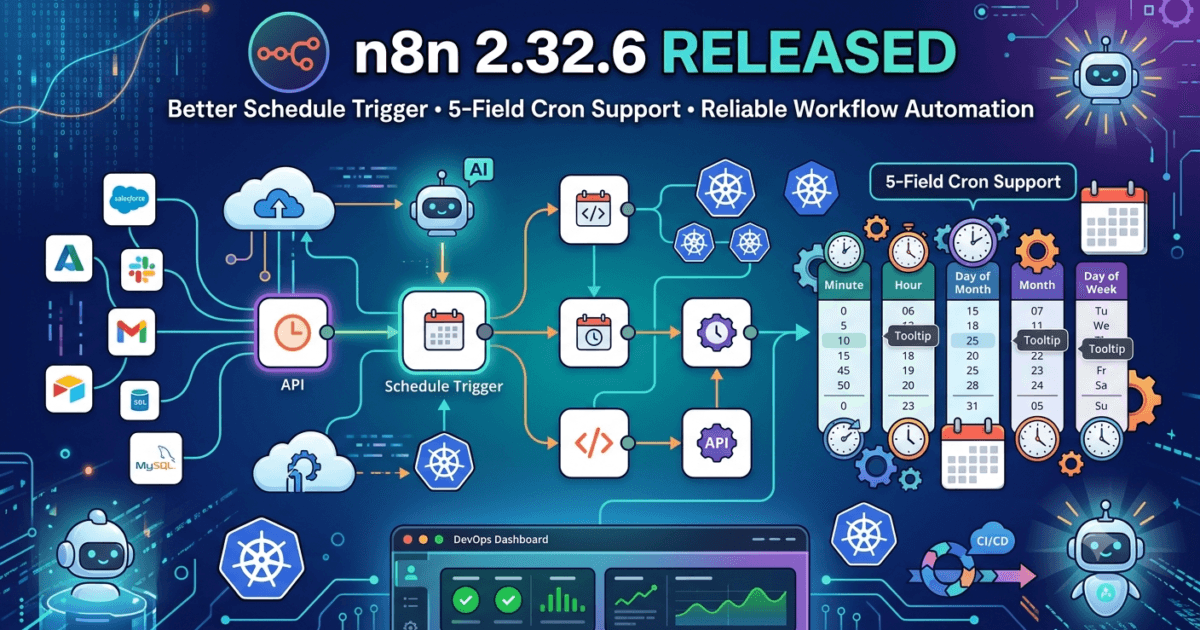
Automation has become one of the most important pillars of modern software engineering. Development teams no longer rely solely on manual processes to build, test, deploy, monitor, and maintain applications. Instead, they increasingly depend on intelligent workflow automation platforms that connect multiple systems, eliminate repetitive tasks, and improve operational efficiency. Among these platforms, n8n has rapidly established itself as one of the most popular open-source workflow automation tools, enabling organisations to automate everything from API integrations and cloud workflows to AI-powered business processes and DevOps pipelines.
Released on 29 July 2026, n8n 2.32.6 is a focused maintenance update that delivers an important improvement to one of the platform’s most frequently used capabilities—the Schedule Trigger. Although the official release notes contain only a single bug fix, the enhancement significantly improves compatibility by allowing 5-field cron expressions within schedule-based workflows. For developers, DevOps engineers, QA professionals, and SDETs who rely on scheduled automation, this seemingly small update removes a common source of configuration issues and makes workflow scheduling more flexible.
Scheduling plays a critical role in modern automation. Regression test execution, nightly build verification, database backups, report generation, security scans, synthetic monitoring, API health checks, AI agent execution, and cloud maintenance jobs all depend on reliable scheduling mechanisms. Any inconsistency in cron expression handling can lead to missed executions, delayed workflows, or unnecessary troubleshooting.
For quality engineering teams, predictable scheduling is essential. Automated testing pipelines frequently rely on scheduled triggers to execute smoke tests after deployments, perform nightly regression suites, monitor production APIs, validate infrastructure health, and generate quality reports. By improving support for standard cron syntax, n8n 2.32.6 helps create more reliable automation workflows while reducing configuration complexity.
In this article, we’ll explore everything included in n8n 2.32.6, explain why the Schedule Trigger enhancement matters, analyse its impact on QA engineers and automation teams, and provide practical recommendations for upgrading enterprise workflow automation environments.
What’s New in n8n 2.32.6
n8n version 2.32.6 was officially released on 29 July 2026.
Rather than introducing new workflow nodes or AI capabilities, this release focuses on improving workflow scheduling reliability by enhancing the behaviour of the core Schedule Trigger.
Maintenance releases like this may appear small on paper, but they often eliminate real-world issues experienced by organisations operating hundreds or even thousands of automated workflows.
Improving compatibility with standard cron expressions helps reduce unnecessary workflow failures while making automation easier to configure across different environments.
Official Release Highlights
Core Bug Fix
The primary improvement included in n8n 2.32.6 is:
Core: Accept 5-field cron expressions in the Schedule Trigger.
This enhancement improves compatibility with one of the most widely recognised cron formats used throughout Linux, Unix, cloud platforms, CI/CD systems, Kubernetes CronJobs, and infrastructure automation.
Many engineers are already familiar with traditional five-field cron syntax, making this update particularly valuable for teams migrating workflows from other automation platforms.
Understanding 5-Field Cron Expressions
Cron expressions define recurring schedules for automated tasks.
A traditional 5-field cron expression consists of:
- Minute
- Hour
- Day of Month
- Month
- Day of Week
Example:
0 2 * * *
This expression executes a workflow every day at 2:00 AM.
Many scheduling systems, including Linux cron, cloud services, CI/CD platforms, and DevOps automation tools, rely on this format.
Supporting it directly within n8n simplifies migration and improves developer familiarity.
Why This Small Bug Fix Has a Big Impact
At first glance, accepting five-field cron expressions may seem like a minor enhancement.
However, scheduling forms the backbone of countless enterprise automation processes.
Examples include:
- Nightly regression testing.
- Automated deployments.
- Security scans.
- API monitoring.
- Database maintenance.
- Cloud resource optimisation.
- AI workflow execution.
- Report generation.
- Backup automation.
- Health checks.
When scheduling syntax behaves inconsistently, entire workflows may fail to execute as expected.
By improving compatibility with industry-standard cron expressions, n8n 2.32.6 reduces configuration errors and makes workflow automation more predictable.
Why QA Engineers Should Care
Automation engineers often think of testing frameworks such as Playwright, Cypress, Selenium, or Appium when discussing quality assurance.
However, workflow automation platforms like n8n have become equally important.
QA teams increasingly use n8n to automate:
- Test data preparation.
- API orchestration.
- Environment provisioning.
- Regression scheduling.
- Slack notifications.
- Email reporting.
- Test result aggregation.
- AI-assisted validation.
- Incident management.
- Monitoring dashboards.
A reliable scheduling engine ensures these workflows execute exactly when intended.
The improved cron compatibility introduced in n8n 2.32.6 helps reduce scheduling discrepancies and minimises operational overhead for automation teams.
Enterprise Benefits of the Schedule Trigger Enhancement
Large organisations frequently operate hundreds of scheduled workflows across multiple environments.
Supporting standard cron syntax provides several operational advantages.
These include:
- Easier workflow migration.
- Reduced configuration errors.
- Improved developer productivity.
- Better compatibility with Linux infrastructure.
- Simplified DevOps operations.
- Faster onboarding for new engineers.
- Greater scheduling consistency.
- Lower maintenance effort.
Although this release contains only one official bug fix, its impact can extend across entire enterprise automation ecosystems where scheduling reliability is essential.
Initial Recommendation
From a quality engineering perspective, n8n 2.32.6 is a worthwhile maintenance upgrade for organisations using scheduled workflows. The improved support for 5-field cron expressions enhances compatibility with industry-standard scheduling practices, making workflow configuration more intuitive and reducing the likelihood of scheduling-related errors.
While there are no new AI features, integrations, or workflow nodes in this release, the refinement to the Schedule Trigger delivers practical value for QA engineers, DevOps teams, SDETs, and automation architects who depend on accurate, repeatable execution of critical workflows. In enterprise environments where automation underpins testing, monitoring, reporting, and deployment, even a seemingly small scheduling improvement can translate into greater reliability, easier maintenance, and increased confidence in automated operations.
I’ve expanded Part 1B with original expert commentary, enterprise automation insights, QA-focused recommendations, migration guidance, and practical scheduling strategies. It follows your preferred format with H2/H3 headings only, no separators, and naturally continues from Part 1A.
What n8n 2.32.6 Means for QA Engineers and SDETs
Although n8n 2.32.6 contains only a single officially documented bug fix, its practical value is much greater than the release notes might initially suggest. Workflow scheduling is one of the most fundamental capabilities of any automation platform. Whether organisations are executing nightly regression suites, monitoring production APIs, generating business reports, synchronising cloud resources, or orchestrating AI agents, accurate scheduling ensures that automated workflows execute at the right time without manual intervention.
The enhancement introduced in n8n 2.32.6 allows the Schedule Trigger to correctly accept standard 5-field cron expressions, improving compatibility with the scheduling format used across Linux systems, Kubernetes CronJobs, cloud infrastructure, CI/CD platforms, and enterprise automation tools. For engineering teams migrating workflows from traditional cron-based environments into n8n, this reduces friction, simplifies configuration, and improves overall workflow reliability.
For QA engineers and Software Development Engineers in Test (SDETs), dependable scheduling directly influences software quality. Automated regression testing, smoke testing, API monitoring, synthetic transactions, environment validation, and deployment verification frequently depend on scheduled workflows. Any inconsistency in schedule interpretation can delay testing, interrupt reporting, or cause critical validation tasks to be skipped.
Although this release introduces no new workflow nodes or AI features, it strengthens one of the most frequently used capabilities within n8n, making it an important maintenance update for organisations that rely on automation at scale.
Why Workflow Scheduling Is Critical in Modern Software Engineering
Modern software development extends far beyond writing application code.
Engineering teams automate almost every operational process, including:
- Continuous Integration
- Continuous Delivery
- Automated testing
- Infrastructure provisioning
- Security scanning
- API monitoring
- Database maintenance
- Backup verification
- AI workflow orchestration
- Cloud resource optimisation
Nearly all of these activities rely on scheduled execution.
A workflow that starts even a few minutes late may delay deployments, postpone regression testing, interrupt monitoring, or affect business reporting.
Reliable scheduling therefore becomes an essential component of software quality and operational excellence.
Key Improvement 1 – Better Compatibility with Industry-Standard Cron Syntax
The primary improvement in n8n 2.32.6 is enhanced support for 5-field cron expressions.
Cron syntax has been used for decades across Unix and Linux operating systems and remains one of the most widely recognised scheduling standards in software engineering.
A traditional expression contains:
- Minute
- Hour
- Day of month
- Month
- Day of week
Because many engineers already understand this format, allowing it within n8n simplifies workflow creation and reduces unnecessary learning.
For organisations migrating existing automation from:
- Linux cron
- Jenkins
- GitHub Actions
- GitLab CI
- Kubernetes CronJobs
- Cloud schedulers
- Legacy automation tools
this improvement provides smoother compatibility while reducing configuration errors.
Key Improvement 2 – More Reliable Scheduled Automation
Consistency is one of the most important characteristics of enterprise automation.
Scheduled workflows frequently perform mission-critical tasks such as:
- Running nightly regression suites.
- Validating production APIs.
- Collecting performance metrics.
- Executing database backups.
- Sending customer notifications.
- Refreshing analytics dashboards.
- Triggering AI pipelines.
- Monitoring infrastructure health.
Even a small scheduling inconsistency can create downstream operational problems.
The improved Schedule Trigger helps ensure workflows execute according to widely accepted cron standards, increasing confidence in automated operations.
Benefits for QA Engineers and Test Automation Teams
Quality engineering increasingly extends beyond UI and API testing.
Many QA teams now use n8n to automate supporting activities surrounding the testing lifecycle.
Examples include:
- Test data generation.
- Environment setup.
- API orchestration.
- Regression scheduling.
- Test result aggregation.
- Defect notifications.
- Slack alerts.
- Email reports.
- AI-assisted analysis.
- Release validation.
More predictable scheduling means these supporting workflows execute consistently, reducing manual intervention and improving delivery speed.
For large automation environments, reliable scheduling contributes directly to higher software quality.
Impact on AI-Powered Automation
n8n has rapidly become one of the leading orchestration platforms for AI-powered workflows.
Many organisations use n8n together with:
- OpenAI
- Anthropic Claude
- Google Gemini
- LangChain
- CrewAI
- Model Context Protocol (MCP)
- Retrieval-Augmented Generation (RAG)
- Vector databases
AI workflows are often scheduled to perform recurring tasks such as:
- Document processing.
- Knowledge base updates.
- Customer support automation.
- Daily summarisation.
- Data synchronisation.
- Intelligent reporting.
Accurate scheduling ensures these AI-powered automations execute consistently without requiring manual supervision.
Enterprise DevOps Advantages
DevOps teams frequently manage hundreds or thousands of automated workflows across multiple environments.
Supporting standard cron syntax simplifies operations because engineers can reuse existing scheduling knowledge without translating expressions into platform-specific formats.
Operational benefits include:
- Easier workflow migration.
- Faster configuration.
- Reduced onboarding time.
- Lower maintenance effort.
- Improved cross-platform consistency.
- Better collaboration between teams.
- Fewer scheduling-related support requests.
For organisations operating complex automation environments, these productivity gains accumulate significantly over time.
Migration Considerations
Because n8n 2.32.6 is a maintenance release focused on scheduling compatibility, migration complexity is expected to be minimal.
Existing workflows should continue functioning normally after upgrading.
Nevertheless, engineering teams should validate all scheduled workflows before promoting the update into production.
Recommended activities include:
Review Existing Schedule Triggers
Confirm that recurring workflows continue executing according to expected schedules.
Execute Regression Testing
Validate:
- API integrations.
- Workflow execution.
- Conditional logic.
- Error handling.
- Notifications.
- Database operations.
- External service connections.
Monitor Scheduled Jobs
After deployment, observe recurring workflows during the first execution cycle to ensure successful operation.
Validate Time Zone Configuration
Confirm that workflows continue respecting configured time zones and daylight saving settings where applicable.
Are There Any Breaking Changes?
According to the official release information, n8n 2.32.6 does not introduce breaking changes.
The update focuses solely on improving the behaviour of the Schedule Trigger by accepting standard 5-field cron expressions.
Existing workflows should remain compatible, although organisations should always execute routine regression testing before production deployment.
Expert Recommendation: Should You Upgrade to n8n 2.32.6?
For most organisations, the recommendation is yes.
Although this is not a feature-rich release, it improves one of the platform’s most frequently used capabilities. Teams relying on scheduled automation, recurring workflows, or cron-based orchestration will benefit from improved compatibility and a smoother configuration experience.
Priority should be given to organisations that:
- Run scheduled regression testing.
- Automate CI/CD workflows.
- Manage cloud infrastructure.
- Execute AI agents on recurring schedules.
- Operate Kubernetes CronJobs.
- Use Linux-based automation.
- Perform API monitoring.
- Generate automated business reports.
- Coordinate enterprise workflow orchestration.
Because the upgrade introduces minimal migration risk while improving scheduling reliability, it represents a practical maintenance update for development, QA, DevOps, and automation teams.
Why This Release Matters for the Future of Workflow Automation
As organisations continue adopting AI-driven automation, cloud-native architectures, event-driven systems, and autonomous software delivery pipelines, workflow orchestration platforms are becoming central to enterprise operations. Every scheduled workflow—whether it executes a regression test, triggers an AI agent, synchronises business data, or monitors production infrastructure—depends on accurate and predictable scheduling.
n8n 2.32.6 reinforces the platform’s commitment to reliability by improving compatibility with one of the industry’s most widely recognised scheduling standards. While the release introduces only a single bug fix, its effect extends across countless real-world automation scenarios where precision and consistency are essential. For QA engineers, SDETs, DevOps professionals, and automation architects, this update serves as another reminder that dependable infrastructure is built not only through major features but also through continuous refinement of the small capabilities that power mission-critical workflows every day.
n8n 2.32.6 Released: Upgrade Guide, Testing Strategy, and Enterprise Recommendations
The release of n8n 2.32.6 may appear modest at first glance, but it addresses an important aspect of workflow automation that directly affects reliability in enterprise environments. By enhancing the Schedule Trigger to correctly accept standard 5-field cron expressions, this maintenance update improves compatibility with one of the most widely used scheduling standards in software engineering.
Modern organisations depend on workflow automation to coordinate thousands of recurring tasks every day. Automated regression testing, cloud infrastructure management, API monitoring, AI agent execution, data synchronisation, report generation, security scans, and deployment pipelines all rely on predictable scheduling. A seemingly small improvement in cron expression handling can therefore reduce operational friction, minimise configuration errors, and increase confidence in automated processes.
For QA engineers, SDETs, DevOps professionals, and workflow architects, upgrading to n8n 2.32.6 is not simply about installing the latest version—it is about ensuring that automation pipelines continue to execute accurately, efficiently, and consistently across development, testing, staging, and production environments.
This guide outlines the recommended upgrade process, regression testing strategy, validation checklist, and enterprise best practices for adopting n8n 2.32.6 successfully.
How to Upgrade to n8n 2.32.6
Before upgrading, create a backup of your workflows and configuration data. If your organisation manages production automation, ensure rollback procedures are documented and tested before deployment.
Upgrade Using npm
For standard installations, update n8n using:
npm install -g n8n@latest
If your project manages n8n as a local dependency, update the package in your project instead of installing it globally.
Upgrade Docker Deployments
If your organisation deploys n8n with Docker, pull the latest image.
docker pull n8nio/n8n:latest
Restart the containers after the image has been updated and verify that workflows load successfully.
Verify the Installed Version
After upgrading, confirm the installed version.
n8n --version
Verifying the version helps ensure all environments are running the intended release before testing begins.
Validate Scheduled Workflows
Since the only official change in n8n 2.32.6 affects the Schedule Trigger, validating recurring workflows should be the highest priority.
Review workflows responsible for:
- Regression testing
- API monitoring
- AI automation
- Scheduled notifications
- Report generation
- Backup processes
- Data synchronisation
- Infrastructure maintenance
Confirm that each workflow executes according to its expected schedule.
Regression Testing Checklist
Although migration risk is low, every production upgrade should include structured regression testing.
Workflow Execution Testing
Validate that workflows continue to:
- Start successfully.
- Execute every node.
- Complete without unexpected failures.
- Return expected outputs.
- Handle exceptions correctly.
- Trigger downstream workflows.
Automation should behave identically before and after the upgrade.
Integration Testing
Many organisations use n8n to connect multiple external systems.
Verify integrations with:
- REST APIs
- GraphQL services
- Databases
- Slack
- Microsoft Teams
- Gmail
- Google Sheets
- AWS
- Azure
- GitHub
- Jira
- AI platforms
Ensuring third-party integrations continue functioning correctly reduces production risk.
Cron Expression Validation
Specifically test workflows using:
- Daily schedules
- Weekly schedules
- Monthly schedules
- Business-hour automation
- Weekend processing
- Maintenance windows
- Nightly jobs
- Frequent recurring tasks
Confirm that 5-field cron expressions execute exactly as expected.
Testing AI and Intelligent Automation Workflows
Many engineering teams now use n8n as the orchestration layer for AI-powered automation.
Examples include:
- AI agents
- RAG pipelines
- Document summarisation
- Customer support automation
- Knowledge retrieval
- Content generation
- Data enrichment
- Intelligent notifications
If these workflows rely on scheduled execution, verify they continue operating correctly after upgrading.
Pay particular attention to recurring AI jobs that run overnight or during off-peak hours.
CI/CD Validation
Engineering teams integrating n8n into deployment pipelines should also validate CI/CD processes.
Recommended verification includes:
Automated Deployments
Confirm deployment scripts continue to:
- Install dependencies.
- Start n8n services.
- Import workflows.
- Configure credentials.
- Execute health checks.
Automated Testing
Run:
- Smoke tests
- Integration tests
- Workflow validation
- API testing
- Notification verification
- End-to-end automation
Automation pipelines should complete successfully without manual intervention.
Best Practices for Enterprise Teams
Adopting new workflow automation releases should follow disciplined operational practices.
Standardise Scheduling Conventions
Use consistent cron formats throughout the organisation to simplify maintenance and reduce configuration errors.
Document approved scheduling standards for development teams.
Monitor Workflow Execution
Following deployment, review:
- Execution history
- Failed workflows
- Retry behaviour
- Queue performance
- Notification delivery
- Error logs
- Resource utilisation
Continuous monitoring helps identify unexpected issues early.
Maintain Version Consistency
Ensure development, QA, staging, and production environments all operate on the same supported n8n version.
Environment consistency reduces troubleshooting effort and improves release confidence.
Document Workflow Dependencies
Record dependencies between scheduled workflows, external services, credentials, and infrastructure resources.
Good documentation simplifies future upgrades and reduces operational risk.
Benefits for QA Engineers and Automation Teams
The improvements delivered in n8n 2.32.6 provide several practical advantages.
These include:
- More predictable scheduling.
- Better Linux cron compatibility.
- Easier workflow migration.
- Reduced configuration complexity.
- Improved regression reliability.
- Simplified enterprise automation.
- Better DevOps collaboration.
- Increased confidence in recurring workflows.
Although these improvements are operational rather than feature-based, they contribute directly to more stable automation ecosystems.
Should You Upgrade to n8n 2.32.6?
For most organisations, the answer is yes.
This maintenance release introduces very little migration risk while improving compatibility with one of the industry’s most familiar scheduling standards.
Teams should prioritise upgrading if they:
- Execute scheduled regression testing.
- Operate CI/CD automation.
- Use Linux cron workflows.
- Run Kubernetes CronJobs.
- Manage cloud infrastructure.
- Orchestrate AI agents.
- Schedule business automation.
- Monitor APIs.
- Coordinate enterprise workflow automation.
Because scheduling sits at the heart of workflow orchestration, improving compatibility with standard cron expressions delivers long-term operational benefits across multiple engineering disciplines.
People Asked Questions
What is n8n 2.32.6?
n8n 2.32.6 is a maintenance release that improves the core Schedule Trigger by adding support for standard 5-field cron expressions, making workflow scheduling more compatible with widely used cron syntax.
What changed in n8n 2.32.6?
The primary change in n8n 2.32.6 is a bug fix that allows the Schedule Trigger to correctly accept 5-field cron expressions, improving workflow scheduling compatibility and reducing configuration issues.
Should QA engineers upgrade to n8n 2.32.6?
Yes. QA engineers, SDETs, and automation teams that rely on scheduled workflows should upgrade because the release improves scheduling reliability while maintaining a low-risk migration path.
Are there any breaking changes in n8n 2.32.6?
According to the official release notes, n8n 2.32.6 does not introduce breaking changes. Existing workflows should continue functioning normally after upgrading, although regression testing is always recommended.
Why are 5-field cron expressions important?
Five-field cron expressions are the standard scheduling format used by Linux cron, Kubernetes CronJobs, CI/CD systems, and many automation platforms. Supporting this format simplifies workflow migration and reduces scheduling configuration errors.
Can n8n be used for enterprise automation?
Yes. n8n is widely used for enterprise workflow automation, API orchestration, AI agent workflows, DevOps processes, cloud integrations, scheduled jobs, notifications, and business process automation.
Internal Links
- n8n 2.32.5 Released: Why This Security-Focused Update Matters for QA Engineers and Automation Teams
- n8n 2.31.4 Improves Workflow Stability and Editor Reliability for QA Engineers
- n8n 2.30.8 Strengthens AI Agent Reliability and Workflow Integrity for Enterprise Automation
- n8n 2.30.7 Strengthens Package Security and AWS SES Reliability for Enterprise Workflow Automation
- n8n 2.30.5 Release Brings Better AI Assistant Analytics, Node Alias Preservation, and Editor Improvements for Workflow Automation
- n8n 2.30.4 Improves Workflow Reliability, Webhook Stability, and Notion Integration for Enterprise Automation
- n8n 2.29.10 Released — What’s New for QA Engineers
- n8n 2.29.9 Released: Strengthening Enterprise AI Automation for Modern QA Teams
- n8n 2.29.8 Released: Enterprise Workflow Stability Gets Even Stronger for QA Engineers
- n8n 2.29.7 Released: AI Workflow Stability Improvements Every QA Engineer Should Know
- n8n 2.28.6 Released: Critical Stability Fixes Every QA Engineer Should Know
- n8n 2.28.7 Released: Critical Dependency Fix Every QA Engineer Should Know
- n8n 2.28.3 Released: Startup Reliability Improvements Every QA Engineer Should Know
- n8n 2.27.4 Released: Essential Workflow Improvements Every QA Engineer Should Know
Official Resources
- Official Documentation: https://docs.n8n.io
- Official Release Notes: https://github.com/n8n-io/n8n/compare/n8n%402.32.4…release/2.32.6
Conclusion
Workflow automation platforms continue to evolve beyond simple task scheduling into comprehensive orchestration solutions that connect cloud infrastructure, AI services, enterprise applications, APIs, databases, and business processes. As organisations increasingly depend on automated workflows to deliver software, monitor production systems, and coordinate intelligent services, reliability becomes just as important as functionality.
n8n 2.32.6 demonstrates that even focused maintenance releases can deliver meaningful value when they improve the consistency of core platform capabilities. By strengthening support for standard 5-field cron expressions, this update reduces friction for engineering teams, simplifies migration from traditional scheduling systems, and enhances the dependability of recurring workflows.
For QA engineers, SDETs, DevOps professionals, and automation architects, maintaining an up-to-date automation platform is essential for building resilient delivery pipelines. Combining timely upgrades with comprehensive regression testing, workflow validation, and continuous monitoring ensures that enterprise automation remains secure, reliable, and scalable as software ecosystems continue to grow in complexity.
Continue Learning with QAPulse by SK
At QAPulse by SK, we continuously analyze the latest releases across n8n, LangChain, CrewAI, LangGraph, Model Context Protocol (MCP), FastAPI, Python, Node.js, Docker, Playwright, Selenium, Locust, k6, and many other technologies shaping the future of intelligent automation and AI-powered software engineering.
Our goal is to help QA Engineers, SDETs, Automation Engineers, AI Engineers, DevOps Engineers, Platform Engineers, and Software Architects stay ahead with enterprise-grade release analyses, migration strategies, AI workflow testing guides, regression checklists, production deployment best practices, and practical automation insights that support building secure, scalable, and production-ready automation platforms.