QA
QA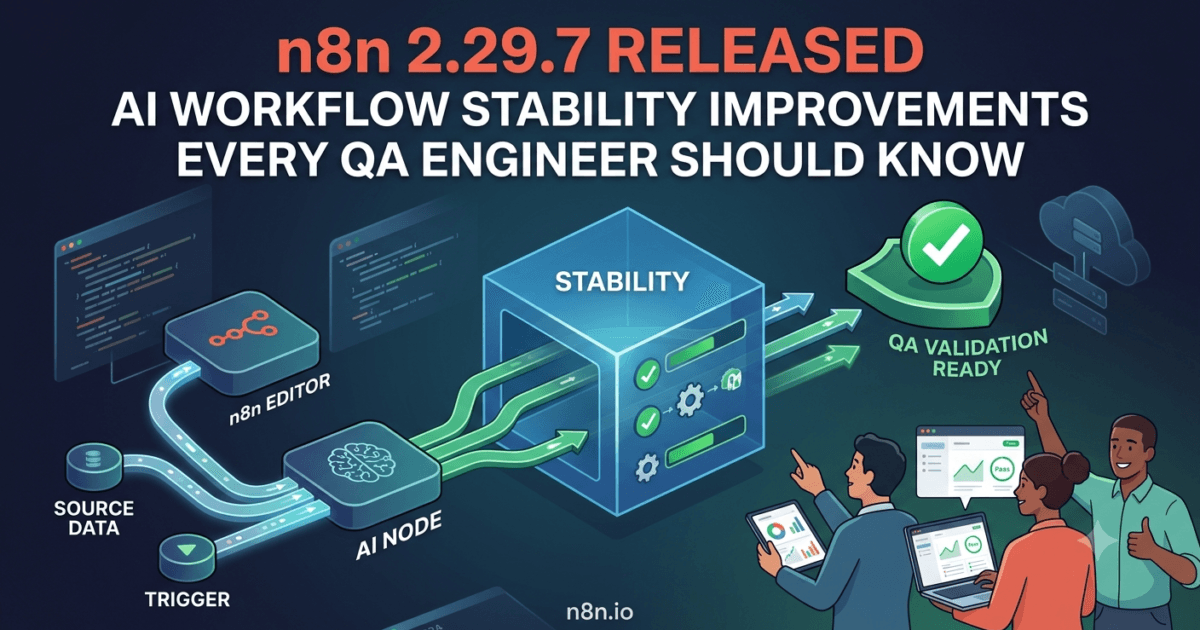
n8n 2.29.7 Released: Strengthening AI Automation and Enterprise Workflow Reliability
As automation platforms become increasingly AI-driven, even small defects can have a significant impact on production workflows. A failed AI tool invocation, incorrect node behavior, or a broken enterprise integration can interrupt entire automation pipelines and reduce confidence in business-critical processes.
Released on July 7, 2026, n8n 2.29.7 focuses on improving platform stability by addressing issues in three important areas:
- AI-powered Code node execution
- Workflow editor compatibility
- Salesforce enterprise integration
Although this is a maintenance release rather than a feature release, the fixes target components that many organizations depend on daily. Whether you’re orchestrating AI agents, integrating SaaS platforms, or building low-code automation pipelines, these improvements help reduce unexpected failures and make workflows more dependable.
For QA engineers, SDETs, DevOps professionals, and AI automation teams, n8n 2.29.7 is another example of why maintenance releases deserve attention—they eliminate operational friction before it reaches production.
What’s New in n8n 2.29.7?
According to the official release notes, n8n 2.29.7 introduces three important bug fixes:
Bug Fixes
- Core: Prevent Code node failures when workflows contain AI Tool nodes.
- Editor: Generate actions correctly for nodes using a flat Action field across multiple versions.
- Salesforce Node: Fix document uploads and improve JWT authentication error reporting.
These updates improve workflow execution reliability, editor compatibility, and enterprise integration stability without introducing breaking changes.
Release Highlights
| Component | Improvement | Why It Matters |
|---|---|---|
| Code Node | Prevent failures with AI Tool workflows | Improves AI automation reliability |
| Workflow Editor | Better action generation across node versions | Ensures consistent workflow compatibility |
| Salesforce Node | Fixed document uploads | Improves enterprise document automation |
| JWT Authentication | Better error reporting | Faster troubleshooting during integrations |
| Breaking Changes | None reported | Safe maintenance upgrade for production users |
The Biggest Fix: AI Code Node Stability
The standout improvement in n8n 2.29.7 is the fix preventing Code node failures when workflows include AI Tool nodes.
As n8n continues expanding its AI capabilities, developers increasingly combine traditional workflow logic with AI-powered decision making. A single automation may include:
- AI Tool nodes
- Code nodes
- HTTP requests
- Database operations
- MCP integrations
- External APIs
- Agent orchestration
When these components interact, compatibility issues can interrupt entire workflows.
This release eliminates a failure scenario where Code nodes could break when an AI Tool was present within the workflow.
For organizations building intelligent automation, this results in:
- More reliable AI workflow execution.
- Reduced production failures.
- Greater confidence during workflow scaling.
- Improved stability for complex automation pipelines.
Better Workflow Editor Compatibility
Another valuable improvement addresses how the editor generates actions for nodes that use a flat Action field across different versions.
Organizations often maintain workflows created over several months or years. During that time, node implementations evolve while workflows continue running in production.
Ensuring that actions are generated consistently across versions helps:
- Preserve backward compatibility.
- Reduce migration issues.
- Simplify workflow maintenance.
- Improve editor reliability.
For QA engineers responsible for regression testing upgraded workflows, these improvements reduce the risk of version-specific configuration problems appearing after updates.
Improved Salesforce Integration Reliability
Enterprise organizations frequently rely on Salesforce integrations for customer management, document processing, approvals, and business automation.
Version 2.29.7 improves this experience by fixing document upload issues while providing clearer JWT authentication error reporting.
These enhancements are particularly valuable because authentication problems are often difficult to diagnose.
Instead of generic failures, developers receive more meaningful error information, reducing debugging time and accelerating issue resolution.
For enterprise automation teams, improved diagnostics translate directly into faster deployments and lower operational overhead.
Why QA Engineers Should Care
Modern QA teams increasingly validate workflows that combine:
- AI agents
- Business automation
- SaaS integrations
- Enterprise APIs
- Low-code workflow platforms
- Custom JavaScript logic
Failures within one component can easily cascade across an entire automation pipeline.
The fixes introduced in n8n 2.29.7 reduce that risk by improving the interaction between AI Tool nodes, Code nodes, workflow configuration, and Salesforce integrations.
This results in:
- More stable regression testing.
- Fewer workflow execution failures.
- Better enterprise integration reliability.
- Easier troubleshooting during CI/CD validation.
For SDETs responsible for maintaining automation infrastructure, these improvements contribute to more predictable production deployments while reducing maintenance effort.
What n8n 2.29.7 Means for QA Engineers
While n8n 2.29.7 doesn’t introduce new workflow nodes or AI capabilities, it strengthens three areas that directly impact production automation: AI workflow execution, workflow compatibility, and enterprise integrations.
The most important fix prevents Code node failures when workflows contain AI Tool nodes. As organizations increasingly combine JavaScript logic with AI-powered automation, maintaining compatibility between traditional workflow components and AI features becomes essential.
For QA engineers, this means fewer unexpected workflow failures during regression testing and more predictable execution of AI-enabled automation pipelines.
Enterprise Impact
Modern enterprises use n8n to automate everything from customer onboarding to AI-assisted decision making. These workflows often combine multiple technologies within a single pipeline.
Typical enterprise automations include:
- AI agent orchestration
- CRM integrations
- Document processing
- API orchestration
- Database synchronization
- Customer support automation
- Test environment provisioning
- DevOps workflows
A failure in a single node can interrupt an entire business process.
The fixes included in n8n 2.29.7 improve the reliability of these complex workflows by ensuring better interaction between AI Tool nodes, Code nodes, and enterprise integrations like Salesforce.
For organizations running hundreds of production workflows, even small stability improvements can significantly reduce operational incidents.
AI Workflow Reliability Continues to Improve
Recent n8n releases have steadily expanded support for AI agents, LLM integrations, MCP tools, and intelligent workflow automation.
Version 2.29.7 continues that trend—not by adding new AI features, but by making existing AI workflows more dependable.
The Code node fix is particularly important because developers frequently use custom JavaScript alongside AI Tool nodes to:
- Transform AI responses
- Validate structured outputs
- Process business logic
- Call external APIs
- Chain multiple AI operations
Ensuring these components work together without failures improves the overall reliability of AI-powered automation systems.
For SDETs validating autonomous workflows, this translates into more stable regression testing and fewer infrastructure-related issues.
Salesforce Improvements Benefit Enterprise Teams
The Salesforce improvements included in this release deserve attention from enterprise QA teams.
The update resolves document upload issues while improving JWT authentication error reporting.
Better diagnostics provide several advantages:
- Faster root cause analysis.
- Clearer authentication troubleshooting.
- Reduced debugging time.
- Improved production support.
- More efficient regression validation.
Instead of generic authentication failures, teams receive more actionable information, making enterprise integration testing more efficient.
Should You Upgrade?
Yes.
Although n8n 2.29.7 is a maintenance release, it addresses components frequently used in production automation.
Reasons to upgrade include:
- Improved AI Code node stability.
- Better workflow compatibility across node versions.
- Fixed Salesforce document uploads.
- Clearer JWT authentication errors.
- No reported breaking changes.
- Safe maintenance update for production environments.
Organizations using AI workflows or Salesforce integrations should prioritize this update during their next maintenance window.
Regression Testing Checklist
Before deploying n8n 2.29.7, QA teams should validate:
- AI Tool workflows.
- Code node execution.
- Multi-node automation pipelines.
- Salesforce document uploads.
- JWT authentication flows.
- Existing production workflows.
- Community node compatibility.
- Docker deployments.
- CI/CD automation pipelines.
- Workflow editor configuration.
These regression checks help verify that the updated components behave consistently across development, staging, and production environments.
How to Upgrade
Upgrade n8n
Using npm:
npm install -g n8n@latest
For Docker deployments:
docker pull n8nio/n8n:latest
docker compose up -d
After upgrading, execute representative AI workflows, validate Salesforce integrations, and confirm that Code nodes continue to execute correctly alongside AI Tool nodes before promoting the release to production.
Internal Links
- n8n 2.28.6 Released: Critical Stability Fixes Every QA Engineer Should Know
- n8n 2.28.7 Released: Critical Dependency Fix Every QA Engineer Should Know
- n8n 2.28.3 Released: Startup Reliability Improvements Every QA Engineer Should Know
- n8n 2.27.4 Released: Essential Workflow Improvements Every QA Engineer Should Know
Official Resources
- Official Release Notes: https://github.com/n8n-io/n8n/releases/tag/n8n%402.28.7
- Official Documentation: https://docs.n8n.io
Final Verdict
n8n 2.29.7 demonstrates that maintenance releases can deliver meaningful operational value without introducing new features. By fixing AI Code node failures, improving workflow editor compatibility, and strengthening Salesforce integrations, this update enhances the reliability of automation pipelines that many organizations depend on every day.
For QA engineers and SDETs, these improvements reduce workflow instability, simplify regression testing, and improve confidence when validating AI-enabled and enterprise automation scenarios.
Recommendation: Upgrade to n8n 2.29.7 during your next maintenance cycle. It is a low-risk, production-ready release that strengthens workflow reliability while requiring no migration effort.
Frequently Asked Questions
Does n8n 2.29.7 introduce breaking changes?
No. The official release notes report only bug fixes, and no breaking changes have been announced.
What is the most significant improvement in n8n 2.29.7?
The biggest enhancement prevents Code node failures when workflows include AI Tool nodes, improving the reliability of AI-powered automation.
Should Salesforce users upgrade?
Yes. The release fixes document upload issues and improves JWT authentication error reporting, making Salesforce integrations more stable and easier to troubleshoot.
Is this release recommended for production?
Absolutely. With no breaking changes and improvements focused on stability, n8n 2.29.7 is a recommended maintenance upgrade for production environments.
n8n 2.29.7 Released: Key Takeaways
n8n 2.29.7 Released focuses on improving the reliability of AI-powered workflows and enterprise integrations. The fixes for Code node execution, workflow editor compatibility, and Salesforce document handling reduce operational risk while making automation pipelines more stable and predictable. For QA engineers, DevOps teams, and organizations running production automation, this is a worthwhile maintenance upgrade that strengthens platform reliability without requiring workflow changes.
Continue Learning
Explore more expert articles on n8n, MCP, AI Agents, CrewAI, LangChain, LlamaIndex, FastAPI, Docker, Playwright, Test Automation, and Software Engineering at www.skakarh.com.
QAPulse by SK delivers expert release analysis, AI engineering insights, migration guidance, enterprise testing strategies, and practical automation knowledge to help software professionals stay ahead of the rapidly evolving software engineering ecosystem.