QA
QA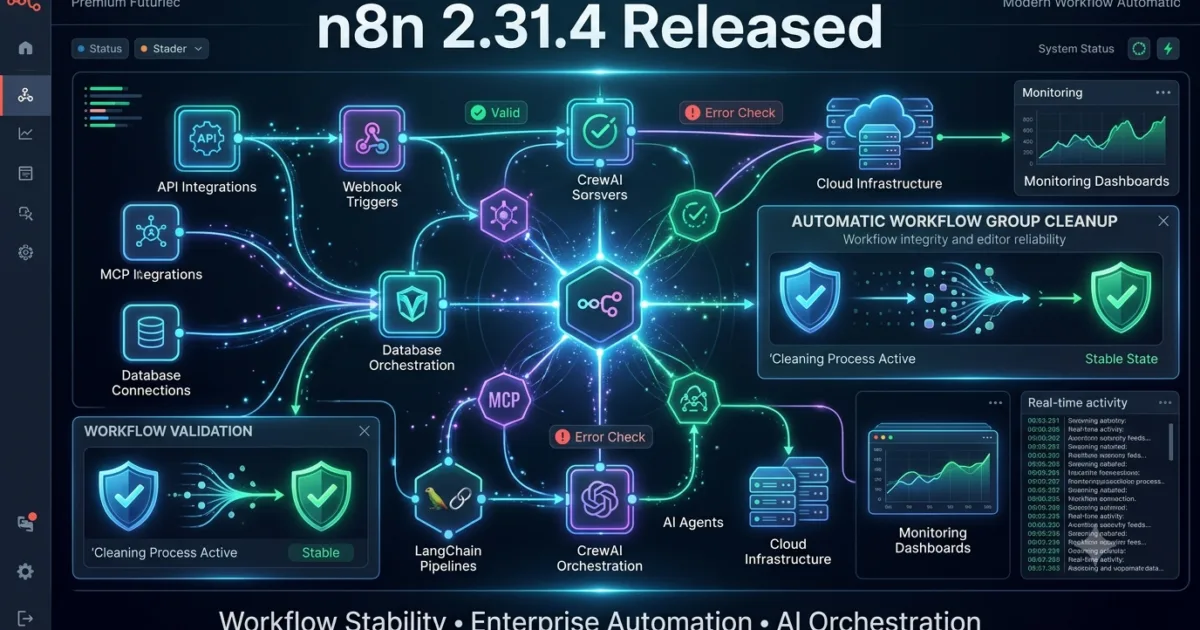
n8n 2.31.4, released on July 20, 2026, is a focused maintenance release that enhances the stability and usability of the n8n workflow editor. While this version introduces a single bug fix, the improvement addresses a common workflow design issue that can directly affect teams building complex automation pipelines. For organizations relying on AI workflow automation, low-code orchestration, business process automation, and Agentic AI integrations, maintaining editor consistency is just as important as adding new features.
The primary fix in this release automatically ungroups invalid workflow groups during workflow save operations. Although this may appear to be a minor change, it significantly improves workflow integrity by preventing invalid grouping structures from causing editor inconsistencies, configuration errors, or unexpected behavior during future workflow modifications.
For QA Engineers, SDETs, Automation Engineers, DevOps Engineers, Platform Engineers, and AI Engineers, workflow stability directly impacts testing reliability. Invalid workflow structures can introduce unnecessary debugging effort, increase maintenance costs, and reduce confidence in production automation pipelines. By automatically correcting invalid groups during save operations, n8n helps developers maintain cleaner workflow definitions and reduces opportunities for configuration-related defects.
As enterprises continue adopting AI Agents, Model Context Protocol (MCP) servers, LangChain, CrewAI, LangGraph, and LLM-powered automation, stable workflow management becomes increasingly important. n8n 2.31.4 reinforces the platform’s commitment to providing a dependable foundation for enterprise workflow orchestration without introducing breaking changes.
Official Release Highlights
According to the official n8n 2.31.4 release notes, this version focuses on improving workflow editor reliability.
Bug Fixes
- Editor: Automatically ungroup invalid workflow groups during workflow save operations.
Although the changelog is intentionally concise, this improvement helps prevent corrupted workflow structures from persisting across future edits and deployments.
n8n 2.31.4 Release Overview
| Category | Details |
|---|---|
| Version | n8n 2.31.4 |
| Release Date | July 20, 2026 |
| Release Type | Maintenance Release |
| Primary Focus | Workflow Editor Stability |
| Major Improvement | Automatic Invalid Group Recovery |
| Breaking Changes | None Reported |
| Upgrade Recommendation | Recommended |
Why This Release Matters
As automation platforms become larger and more collaborative, workflows often contain hundreds of interconnected nodes, reusable subflows, AI integrations, HTTP requests, database operations, conditional branches, and orchestration logic. Managing these visually organized workflows requires reliable grouping capabilities.
Workflow groups improve readability by allowing developers to organize related nodes into logical sections. However, editing, copying, importing, merging, or modifying complex workflows may occasionally create invalid group relationships that can affect the editor experience.
Before this update, invalid grouping structures could remain embedded inside workflow definitions, potentially causing layout inconsistencies or requiring manual cleanup.
n8n 2.31.4 automatically detects and removes invalid groups whenever a workflow is saved, ensuring that workflow definitions remain clean, consistent, and easier to maintain.
For enterprise teams maintaining hundreds of production workflows, this small improvement can significantly reduce editor-related maintenance over time.
Automatic Group Validation Improves Workflow Integrity
The headline improvement in n8n 2.31.4 focuses on workflow validation during save operations.
Rather than allowing invalid workflow groups to remain inside workflow metadata, the editor now automatically removes unsupported or inconsistent grouping structures before saving.
This provides several practical benefits:
- Cleaner workflow definitions
- Reduced editor inconsistencies
- Improved workflow portability
- Better collaboration between developers
- Easier long-term maintenance
- More reliable workflow version control
- Reduced risk of corrupted workflow layouts
Although invisible during normal operation, these improvements contribute to a much more stable development experience.
Better Collaboration for Enterprise Automation Teams
Modern n8n deployments are rarely maintained by a single developer. Enterprise automation projects often involve multiple engineers working simultaneously on shared workflows through Git repositories, CI/CD pipelines, and collaborative development environments.
Automatically correcting invalid workflow groups helps ensure that shared workflow files remain consistent regardless of who edits them or how they are imported into different environments.
This benefits organizations by:
- Reducing merge conflicts
- Simplifying workflow reviews
- Improving deployment consistency
- Supporting collaborative automation development
- Minimizing editor-related support issues
As workflow complexity continues growing, automated validation becomes increasingly valuable.
What This Means for QA Engineers
For QA Engineers, SDETs, Automation Engineers, and AI Test Engineers, editor reliability directly influences testing productivity.
Although this release does not introduce new workflow capabilities, it reduces the likelihood of failures caused by malformed workflow structures.
QA teams should validate:
- Workflow creation
- Group creation
- Nested group behavior
- Workflow save operations
- Workflow export/import
- Git version control compatibility
- Workflow duplication
- Team collaboration scenarios
- AI workflow editing
- MCP integrations
- LangChain integrations
- CrewAI workflows
- Production deployment pipelines
Organizations maintaining automated regression suites for workflow automation should include editor validation within their test coverage to ensure workflow integrity remains intact after future platform upgrades.
Key Improvement 1 – Automatic Workflow Cleanup
The most important improvement in n8n 2.31.4 is automatic cleanup of invalid workflow groups.
Benefits include:
- Cleaner workflow metadata
- Reduced manual maintenance
- Improved editor reliability
- Better workflow consistency
- Fewer layout-related defects
This creates a smoother experience for developers maintaining complex automation systems.
Key Improvement 2 – Stronger Enterprise Workflow Stability
Enterprise automation platforms depend heavily on workflow consistency.
Automatically correcting invalid groups before saving helps organizations maintain production-ready workflow definitions that remain reliable throughout long-term development and deployment cycles.
This contributes to:
- Better governance
- Higher reliability
- Easier workflow maintenance
- Improved CI/CD compatibility
- Reduced operational risk
Are There Any Breaking Changes?
According to the official n8n 2.31.4 release notes, no breaking changes have been introduced.
Existing workflows should continue operating normally after upgrading.
Nevertheless, organizations should validate:
- Workflow editor
- Workflow groups
- Nested workflows
- AI Agent integrations
- HTTP Request nodes
- Database nodes
- Credentials
- MCP servers
- LangChain nodes
- AI Assistant integrations
- Production workflows
Executing complete regression testing before production deployment remains the recommended best practice.
How to Upgrade
Upgrade n8n Using npm
npm install n8n@latest
Update Global Installation
npm install -g n8n@latest
Docker Upgrade
docker pull n8nio/n8n:latest
docker compose up -d
Verify Installed Version
n8n --version
Following the upgrade, validate workflow editing, group creation, workflow imports, AI integrations, execution history, credentials, and production automation pipelines before rolling the release into enterprise environments.
Upgrade Recommendation
n8n 2.31.4 is a recommended maintenance update for organizations already using the 2.x release series.
Although this release introduces only a single editor improvement, automatic validation of workflow groups contributes directly to long-term workflow stability and maintainability. Organizations building enterprise automation platforms, AI-powered workflows, Agentic AI systems, and large orchestration pipelines will benefit from cleaner workflow definitions and a more reliable editing experience.
Teams that should prioritize this upgrade include:
- QA Engineers
- SDETs
- Automation Engineers
- Platform Engineers
- DevOps Engineers
- AI Engineers
- Workflow Architects
- Business Automation Teams
- Enterprise Integration Teams
- Low-Code Development Teams
As enterprise workflow automation continues to scale, maintaining clean, validated workflow structures becomes increasingly important. n8n 2.31.4 provides another incremental improvement that enhances the overall reliability, consistency, and developer experience of one of the industry’s leading workflow automation platforms.
Enterprise Migration Strategy for n8n 2.31.4
Although n8n 2.31.4 is classified as a maintenance release with a single editor-focused bug fix, enterprise teams should not underestimate its value. Workflow automation platforms often become the backbone of business-critical operations, connecting APIs, databases, AI models, cloud services, ERP systems, CRMs, messaging platforms, and internal applications. Even a seemingly minor editor enhancement can improve long-term workflow reliability and reduce maintenance overhead across hundreds or even thousands of automation pipelines.
The key improvement in this release—automatically ungrouping invalid workflow groups during save operations—helps maintain workflow integrity by ensuring malformed or inconsistent group structures are corrected before they are persisted. This reduces the likelihood of editor inconsistencies, corrupted workflow metadata, and future maintenance issues.
Organizations running AI-powered automation, Agentic AI workflows, Model Context Protocol (MCP) integrations, LangChain pipelines, CrewAI orchestration, and enterprise workflow automation should include this release in their regular maintenance cycle.
Before deploying n8n 2.31.4 into production, engineering teams should execute a staged rollout strategy that validates workflow editing, execution behavior, integrations, and collaboration features.
A recommended migration strategy includes:
- Back up production workflows and credentials.
- Upgrade n8n in a staging environment.
- Validate workflow save operations.
- Test workflow groups and nested groups.
- Execute regression tests for critical automation pipelines.
- Verify AI Agent integrations.
- Validate webhook functionality.
- Benchmark workflow execution performance.
- Deploy using phased production rollouts.
- Monitor logs, executions, and workflow editor behavior after deployment.
This structured approach minimizes deployment risk while ensuring enterprise automation platforms continue operating reliably after the upgrade.
What This Means for QA Engineers
For QA Engineers, SDETs, Automation Engineers, and AI Test Engineers, n8n 2.31.4 reinforces an important principle of workflow automation testing: configuration integrity is just as important as execution correctness.
A workflow that executes correctly today may become difficult to maintain tomorrow if its underlying metadata gradually accumulates inconsistencies. By automatically correcting invalid workflow groups during save operations, n8n reduces the possibility of structural issues affecting future workflow maintenance.
QA teams should expand their validation strategy beyond execution testing to include editor consistency and workflow lifecycle testing.
Recommended validation areas include:
- Workflow creation
- Workflow editing
- Group creation
- Nested workflow groups
- Workflow save behavior
- Workflow import/export
- Workflow duplication
- Git synchronization
- AI workflow editing
- HTTP Request nodes
- Database nodes
- Credentials
- AI Agent nodes
- MCP integrations
- LangChain nodes
- CrewAI integrations
- Error recovery
- Execution history
- Version compatibility
Organizations maintaining shared workflow repositories should also verify that collaborative editing continues functioning correctly across multiple developers and deployment environments.
Workflow Regression Testing Checklist
Every n8n upgrade should include comprehensive regression testing before production deployment.
| Test Area | Validation |
|---|---|
| Workflow Editor | Verify editing experience |
| Workflow Groups | Validate grouping behavior |
| Nested Groups | Test complex layouts |
| Workflow Save | Confirm automatic cleanup |
| Workflow Import | Verify imported workflows |
| Workflow Export | Validate exported JSON |
| AI Agent Nodes | Test execution |
| MCP Nodes | Verify integrations |
| LangChain Nodes | Validate orchestration |
| CrewAI Workflows | Test interoperability |
| HTTP Request Nodes | Confirm API communication |
| Database Nodes | Validate queries |
| Credentials | Verify authentication |
| Webhooks | Test inbound requests |
| Error Handling | Validate failures |
| Retry Logic | Confirm recovery |
| Execution Logs | Review accuracy |
| Version Control | Verify Git compatibility |
| Performance | Benchmark workflow execution |
| Production Deployment | Validate CI/CD pipelines |
Completing this checklist provides greater confidence that workflow behavior remains stable after upgrading to n8n 2.31.4.
Best Practices for Workflow Organization
The automatic cleanup introduced in n8n 2.31.4 is an excellent opportunity for teams to review broader workflow organization standards.
Keep Workflow Groups Logical
Group related nodes together based on business functionality rather than visual convenience. Clear organization improves readability and long-term maintenance.
Remove Obsolete Nodes
Periodically review workflows to remove unused nodes, disconnected branches, and deprecated logic that can increase complexity.
Use Meaningful Group Names
Clearly named workflow groups make large automation pipelines easier to understand for new developers and reviewers.
Validate Before Deployment
Always save and validate workflows after structural modifications to ensure editor metadata remains consistent.
Maintain Version Control
Store workflow definitions inside Git repositories and review structural changes during pull requests to improve collaboration and auditability.
Production Deployment Best Practices
Organizations deploying n8n at enterprise scale should continue following proven DevOps practices.
Deploy Through Staging
Never upgrade production environments directly. Validate editor behavior and workflow execution in staging first.
Test High-Complexity Workflows
Focus regression testing on workflows containing large numbers of grouped nodes, AI integrations, conditional branches, and reusable subflows.
Monitor Workflow Health
After deployment, monitor execution history, error rates, workflow save operations, webhook activity, and editor stability.
Validate Team Collaboration
Ensure multiple developers can edit, review, export, and import workflows without introducing structural inconsistencies.
Prepare Rollback Procedures
Maintain versioned workflow backups and deployment rollback plans to quickly recover if unexpected issues appear.
n8n 2.31.3 vs n8n 2.31.4 Comparison
| Feature | n8n 2.31.3 | n8n 2.31.4 |
|---|---|---|
| Workflow Editor | Stable | Improved |
| Invalid Group Handling | Manual | Automatic |
| Workflow Save Validation | Limited | Enhanced |
| Workflow Integrity | Good | Better |
| Collaboration Support | Strong | Stronger |
| Breaking Changes | None | None |
| Upgrade Complexity | Low | Low |
| Production Recommendation | Recommended | Highly Recommended |
The comparison demonstrates that n8n 2.31.4 focuses on improving workflow quality and long-term maintainability rather than introducing new end-user functionality.
Are There Any Breaking Changes?
According to the official n8n 2.31.4 release notes, no breaking changes have been reported.
Existing workflows should continue operating without modification.
Nevertheless, organizations should validate:
- Workflow editor
- Workflow groups
- Nested groups
- AI Agents
- AI Assistant
- MCP integrations
- LangChain nodes
- CrewAI workflows
- Credentials
- Webhooks
- Production automations
- CI/CD deployment pipelines
Completing a full regression cycle remains the recommended best practice before production rollout.
Internal Links
- n8n 2.30.8 Strengthens AI Agent Reliability and Workflow Integrity for Enterprise Automation
- n8n 2.30.7 Strengthens Package Security and AWS SES Reliability for Enterprise Workflow Automation
- n8n 2.30.5 Release Brings Better AI Assistant Analytics, Node Alias Preservation, and Editor Improvements for Workflow Automation
- n8n 2.30.4 Improves Workflow Reliability, Webhook Stability, and Notion Integration for Enterprise Automation
- n8n 2.29.10 Released — What’s New for QA Engineers
- n8n 2.29.9 Released: Strengthening Enterprise AI Automation for Modern QA Teams
- n8n 2.29.8 Released: Enterprise Workflow Stability Gets Even Stronger for QA Engineers
- n8n 2.29.7 Released: AI Workflow Stability Improvements Every QA Engineer Should Know
- n8n 2.28.6 Released: Critical Stability Fixes Every QA Engineer Should Know
- n8n 2.28.7 Released: Critical Dependency Fix Every QA Engineer Should Know
- n8n 2.28.3 Released: Startup Reliability Improvements Every QA Engineer Should Know
- n8n 2.27.4 Released: Essential Workflow Improvements Every QA Engineer Should Know
Official Resources
- Official Documentation: https://docs.n8n.io
- Official Release Notes: https://github.com/n8n-io/n8n/releases#release-n8n@2.31.4
Featured Snippet Optimized Answer
What is n8n 2.31.4?
n8n 2.31.4 is a maintenance release that improves workflow editor stability by automatically removing invalid workflow groups during save operations. This enhancement helps maintain cleaner workflow definitions, improves collaboration, reduces editor inconsistencies, and strengthens long-term maintainability for enterprise workflow automation platforms.
People Also Ask (PAA)
What is new in n8n 2.31.4?
n8n 2.31.4 introduces an editor improvement that automatically removes invalid workflow groups when saving workflows, improving workflow integrity and editor reliability.
Should I upgrade to n8n 2.31.4?
Yes. Organizations using n8n in production should upgrade after completing standard regression testing. The release improves workflow consistency without introducing breaking changes.
Does n8n 2.31.4 contain breaking changes?
No. According to the official release notes, n8n 2.31.4 introduces no breaking changes, making it a low-risk maintenance upgrade.
Why is workflow validation important?
Workflow validation helps maintain clean automation pipelines, prevents corrupted workflow metadata, improves collaboration, and reduces future maintenance costs.
How should QA Engineers validate n8n 2.31.4?
QA teams should verify workflow editing, save operations, workflow groups, AI integrations, webhooks, credentials, imports, exports, execution history, and regression testing before production deployment.
Frequently Asked Questions
What is the biggest improvement in n8n 2.31.4?
The most significant improvement is the automatic removal of invalid workflow groups during save operations, helping maintain cleaner workflow definitions and improving editor reliability.
Does n8n 2.31.4 introduce breaking changes?
No. The official release notes report no breaking changes, making this a safe maintenance upgrade for most organizations.
Should QA Engineers upgrade immediately?
Yes. After validating workflows in a staging environment, QA teams should adopt this release to benefit from improved workflow integrity and reduced editor-related maintenance.
Does this release improve AI workflow stability?
Indirectly, yes. Cleaner workflow structures improve maintainability for AI-powered automations, Agentic AI pipelines, LangChain integrations, CrewAI workflows, and MCP-based orchestrations.
Is n8n 2.31.4 suitable for enterprise production?
Absolutely. Organizations running production workflow automation platforms should include this maintenance release in their regular upgrade cycle after completing regression testing.
Continue Learning with QAPulse by SK
At QAPulse by SK, we continuously analyze the latest releases across n8n, LangChain, CrewAI, LangGraph, Model Context Protocol (MCP), FastAPI, Python, Node.js, Docker, Playwright, Selenium, Locust, k6, and many other technologies shaping the future of intelligent automation and AI-powered software engineering.
Our goal is to help QA Engineers, SDETs, Automation Engineers, AI Engineers, DevOps Engineers, Platform Engineers, and Software Architects stay ahead with enterprise-grade release analyses, migration strategies, AI workflow testing guides, regression checklists, production deployment best practices, and practical automation insights that support building secure, scalable, and production-ready automation platforms.