QA
QA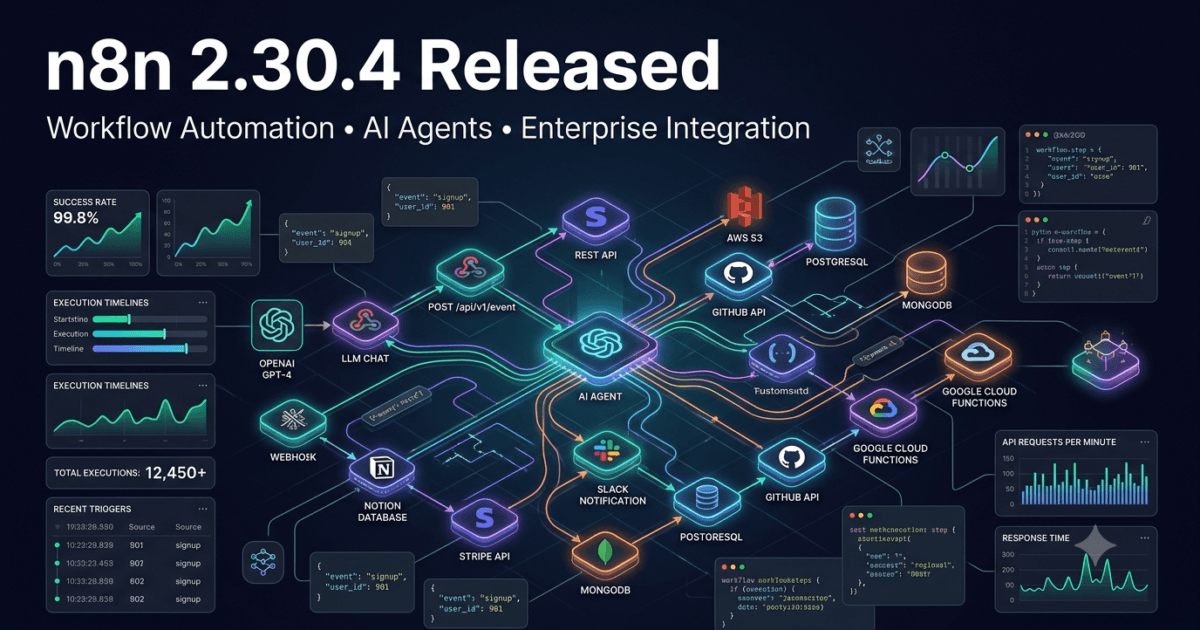
The n8n team continues to strengthen one of the fastest-growing workflow automation platforms with the release of n8n 2.30.4, published on July 13, 2026. While this is primarily a maintenance release, it addresses several issues that directly impact workflow reliability, execution management, webhook stability, and third-party integrations. These fixes may appear small individually, but together they improve the robustness of automation workflows running in production environments.
Organizations increasingly rely on n8n to orchestrate AI agents, automate business processes, integrate SaaS platforms, trigger event-driven workflows, synchronize databases, and build enterprise-grade automation pipelines. In these environments, even a minor regression affecting workflow execution, webhook behavior, or node compatibility can interrupt critical business operations. As a result, maintenance releases like n8n 2.30.4 are just as valuable as major feature releases because they improve platform reliability without introducing disruptive API changes.
For QA Engineers, SDETs, Automation Engineers, DevOps Engineers, Platform Engineers, AI Workflow Developers, and Solution Architects, this release offers important stability improvements that help maintain predictable workflow execution across enterprise deployments. The update focuses on three primary areas: execution visibility, webhook error handling, and backward compatibility for the Notion node.
If your organization builds AI-powered workflows, low-code automation, enterprise integrations, or event-driven microservices using n8n, upgrading to version 2.30.4 is recommended after completing standard regression testing.
Official Release Highlights
According to the official release notes, n8n 2.30.4 introduces three targeted bug fixes that improve workflow execution consistency and integration reliability.
Bug Fixes
- Core: Decouple execution visibility from the sharing license feature
- Core: Settle webhook execution promises correctly during early execution failures
- Notion Node: Restore ASCII simplified property keys for older node versions
Although no new workflow nodes or AI capabilities have been added, these fixes improve the operational stability of automation environments running at scale.
n8n 2.30.4 at a Glance
| Category | Details |
|---|---|
| Release Version | n8n 2.30.4 |
| Release Date | July 13, 2026 |
| Release Type | Maintenance Release |
| Breaking Changes | None Reported |
| AI Features | No New Features |
| Workflow Stability | Improved |
| Webhook Reliability | Enhanced |
| Enterprise Readiness | Excellent |
| Upgrade Recommendation | Recommended |
Why This Release Matters
Modern organizations use n8n far beyond simple automation tasks.
Typical enterprise deployments automate:
- AI agent orchestration
- Customer onboarding
- CRM synchronization
- API orchestration
- Incident response
- DevOps notifications
- Slack and Microsoft Teams integrations
- Cloud infrastructure automation
- Database synchronization
- Document processing
- Internal approval workflows
- LLM-powered business processes
When hundreds or even thousands of workflows execute every hour, platform stability becomes more important than introducing new features.
Version 2.30.4 demonstrates n8n’s ongoing commitment to strengthening the platform’s core execution engine while preserving compatibility with existing automation workflows.
Deep Dive into the Key Improvements
Improved Execution Visibility Management
One of the most important changes in this release separates workflow execution visibility from the sharing license feature.
Previously, execution visibility could become unnecessarily coupled with licensing functionality, potentially creating administrative complexity in enterprise environments.
By decoupling these components, n8n provides:
- Cleaner permission management
- Better separation of responsibilities
- More predictable execution monitoring
- Improved administrative flexibility
- Easier governance for enterprise automation
For organizations operating shared automation platforms across multiple teams, this refinement improves operational management without requiring workflow modifications.
More Reliable Webhook Error Handling
Webhooks are one of the most heavily used components in modern workflow automation.
They power integrations including:
- GitHub events
- Stripe payments
- Shopify orders
- Jira automation
- Customer support systems
- CI/CD triggers
- Monitoring alerts
- AI agent requests
- REST APIs
- Event-driven architectures
The new fix ensures webhook execution promises are correctly settled even when failures occur during the earliest stages of execution.
Previously, early execution errors could leave webhook processes in an incomplete or inconsistent state under certain conditions.
This improvement delivers several benefits:
- Better workflow reliability
- Cleaner error handling
- Reduced execution inconsistencies
- More predictable API behavior
- Improved debugging experience
For QA Engineers validating webhook-driven automation, this translates into more deterministic execution and easier failure analysis.
Better Backward Compatibility for the Notion Node
The Notion integration receives an important compatibility improvement.
Version 2.30.4 restores ASCII simplified property keys for earlier node versions, ensuring that workflows created using older Notion configurations continue functioning correctly.
Backward compatibility is especially valuable for enterprise environments where hundreds of workflows may depend on historical node behavior.
This fix helps reduce migration effort while protecting existing automation investments.
Organizations using Notion for:
- Documentation
- Knowledge management
- Project management
- Team collaboration
- AI-powered content workflows
can upgrade with greater confidence that existing workflows will remain compatible.
Why QA Engineers Should Care
Although n8n 2.30.4 does not introduce new workflow capabilities, its improvements directly affect the reliability of production automation systems.
QA teams are increasingly responsible for validating:
- Workflow correctness
- API integrations
- Event-driven processing
- AI agent orchestration
- Enterprise automation
- Webhook execution
- Error recovery
- Third-party integrations
- Regression testing
- Platform upgrades
The fixes included in this release improve the predictability of these validation activities while reducing the likelihood of operational inconsistencies.
Maintenance releases like this often prevent future production incidents, making them highly valuable despite their relatively small changelog.
Comparison with Previous Version
| Capability | Previous Version | n8n 2.30.4 |
|---|---|---|
| Workflow Execution | Stable | More Reliable |
| Execution Visibility | License Coupled | Decoupled |
| Webhook Handling | Standard | Improved Error Recovery |
| Notion Compatibility | Minor Regression | Restored |
| AI Workflow Support | Available | Unchanged |
| Breaking Changes | None | None |
Sample Upgrade Commands
Docker
docker pull n8nio/n8n:latest
docker compose up -d
npm
npm install n8n@latest
Existing Docker Compose
docker compose pull
docker compose up -d
Always execute a complete workflow regression suite after upgrading to verify webhook execution, API integrations, credential handling, scheduled workflows, AI agent nodes, and third-party connectors.
Upgrade Recommendation
Based on the official release notes, n8n 2.30.4 is a recommended maintenance upgrade for all organizations currently running the 2.30.x release series.
The release contains no reported breaking changes, introduces meaningful stability improvements, and strengthens several core workflow components that enterprise automation platforms depend upon daily.
Before deploying into production, QA teams should validate:
- Existing workflows
- AI Agent workflows
- Scheduled executions
- Webhook endpoints
- API integrations
- Notion workflows
- Error handling
- Retry mechanisms
- Credential management
- Production monitoring
Completing these validation steps ensures a smooth upgrade while allowing organizations to benefit from the improved workflow reliability delivered in n8n 2.30.4.
Enterprise Upgrade Strategy for n8n 2.30.4
Although n8n 2.30.4 is a maintenance release, production environments should never treat maintenance updates as “install and forget.” Enterprise workflow platforms often power mission-critical business operations such as payment processing, customer onboarding, IT service management, AI agent orchestration, CRM synchronization, Slack notifications, and cloud infrastructure automation. Even a seemingly small change in workflow execution or webhook handling deserves proper validation before deployment.
The safest rollout strategy is to promote the release through your existing Dev, QA, Staging, and Production environments while monitoring execution metrics at every stage. This minimizes operational risk and provides confidence that workflows continue to behave exactly as expected.
A recommended enterprise rollout process includes:
- Upgrade a development environment to n8n 2.30.4.
- Execute smoke tests covering critical workflows.
- Run a complete regression suite for business-critical automations.
- Validate webhook-based integrations and asynchronous workflows.
- Test AI Agent workflows and external API integrations.
- Verify credential handling and environment variables.
- Monitor execution logs for unexpected warnings or failures.
- Deploy to staging for user acceptance testing.
- Roll out gradually to production.
- Continue monitoring workflow health, execution time, and error rates for the first 24–48 hours.
This structured deployment approach significantly reduces upgrade risk while ensuring business continuity.
QA Regression Testing Checklist
Before approving n8n 2.30.4 for production, QA teams should validate all major workflow categories.
| Test Area | Validation Required |
|---|---|
| Workflow Execution | Execute all business-critical workflows successfully |
| Webhook Triggers | Verify POST, GET, PUT, PATCH, and DELETE webhook events |
| Error Handling | Confirm graceful recovery from failed executions |
| Scheduled Jobs | Validate Cron workflows execute correctly |
| AI Agent Workflows | Verify prompts, tool calls, and memory behavior |
| API Integrations | Test REST, GraphQL, OAuth, and authenticated APIs |
| Database Nodes | Validate CRUD operations and transactions |
| Notion Node | Confirm backward compatibility with existing workflows |
| Credentials | Verify secrets and environment variables load correctly |
| Workflow Sharing | Validate execution visibility and permissions |
| Notifications | Test Slack, Teams, Discord, Email, and Telegram nodes |
| Logging | Review execution logs for new warnings or failures |
Completing this checklist helps ensure production workflows remain stable after the upgrade.
Real-World Impact for Enterprise Automation
The improvements in n8n 2.30.4 may not introduce new AI features, but they strengthen the operational reliability of enterprise automation platforms.
Organizations using n8n commonly automate:
- Customer onboarding pipelines
- HR approval workflows
- AI-powered document processing
- CRM synchronization
- ERP integrations
- Incident management
- Infrastructure provisioning
- Monitoring alerts
- Marketing automation
- Internal approval systems
- AI agent orchestration
- Knowledge management workflows
Stable execution behavior is essential because failures in these workflows can affect customer experience, employee productivity, compliance processes, and business operations.
The webhook improvements included in this release are particularly valuable for organizations building event-driven architectures where external systems continuously trigger automated workflows.
Best Practices After Upgrading
To maximize the benefits of n8n 2.30.4, consider adopting the following operational practices:
Monitor Workflow Health
Use dashboards to monitor:
- Workflow success rate
- Failed executions
- Retry counts
- Execution duration
- Queue length
- Webhook response time
Early detection helps prevent small issues from becoming production incidents.
Maintain Version-Controlled Workflows
Store workflow JSON definitions in Git repositories.
Benefits include:
- Rollback capability
- Code review
- Audit history
- Team collaboration
- Change tracking
Version-controlled workflows simplify future upgrades and improve governance.
Expand Automated Regression Coverage
Every production workflow should have automated validation covering:
- Expected outputs
- API responses
- Business rules
- Error conditions
- Authentication
- Retry logic
- Timeout handling
Regression automation reduces upgrade risk and accelerates release validation.
Review Third-Party Integrations
After upgrading, validate integrations including:
- Notion
- Slack
- Microsoft Teams
- Salesforce
- HubSpot
- GitHub
- Jira
- AWS
- Azure
- Google Workspace
Third-party APIs evolve frequently, making integration testing an essential part of every maintenance release.
Should You Upgrade?
Yes.
Although n8n 2.30.4 is not a feature-heavy release, it delivers valuable stability improvements that benefit production automation environments.
The enhancements to workflow execution visibility, webhook error handling, and Notion compatibility improve the overall reliability of enterprise automation without introducing breaking changes.
Organizations already running n8n 2.30.x should include this update in their regular maintenance cycle after completing standard regression testing.
For teams building AI workflows, enterprise integrations, event-driven automation, and low-code business processes, this is a safe and worthwhile upgrade.
Final Thoughts
Modern automation platforms succeed not only through new features but also through continuous improvements in stability, reliability, and operational resilience. n8n 2.30.4 is a strong example of this philosophy. By refining core execution behavior, improving webhook reliability, and restoring compatibility for existing Notion workflows, the release helps enterprise teams maintain dependable automation at scale.
For QA Engineers, SDETs, Automation Engineers, DevOps professionals, and Platform Architects, this update reinforces the importance of maintenance releases in keeping production environments healthy. While the changelog is concise, the fixes directly address areas that influence workflow consistency, debugging, and long-term maintainability.
If your organization depends on n8n for business-critical processes or AI-powered automation, upgrading to n8n 2.30.4 after a structured validation cycle is a practical step toward improving platform reliability and reducing operational risk.
Internal Links
- n8n 2.29.10 Released — What’s New for QA Engineers
- n8n 2.29.9 Released: Strengthening Enterprise AI Automation for Modern QA Teams
- n8n 2.29.8 Released: Enterprise Workflow Stability Gets Even Stronger for QA Engineers
- n8n 2.29.7 Released: AI Workflow Stability Improvements Every QA Engineer Should Know
- n8n 2.28.6 Released: Critical Stability Fixes Every QA Engineer Should Know
- n8n 2.28.7 Released: Critical Dependency Fix Every QA Engineer Should Know
- n8n 2.28.3 Released: Startup Reliability Improvements Every QA Engineer Should Know
- n8n 2.27.4 Released: Essential Workflow Improvements Every QA Engineer Should Know
Official Resources
- Official Documentation: https://docs.n8n.io
- Official Release Notes: https://github.com/n8n-io/n8n/releases#release-n8n@2.30.4
People Asked Questions
Is n8n 2.30.4 a major feature release?
No. It is a maintenance release focused on improving workflow stability, webhook execution handling, execution visibility, and Notion node compatibility.
Are there any breaking changes?
No breaking changes have been reported in the official release notes.
Should enterprise teams upgrade immediately?
Yes, after completing standard regression testing. The release is low risk and provides meaningful stability improvements.
Does this release improve AI workflows?
Indirectly. While no new AI features are introduced, improved webhook reliability and execution handling make AI-driven workflows more dependable.
Which users benefit the most?
QA Engineers, SDETs, Automation Engineers, DevOps Engineers, AI Workflow Developers, Platform Engineers, and organizations running production n8n automation pipelines.
Continue Learning with QAPulse by SK
Automation is evolving beyond simple workflow orchestration into intelligent, AI-assisted systems that combine low-code automation, LLMs, AI agents, Model Context Protocol (MCP), API integrations, and cloud-native architectures. At QAPulse by SK, we help software professionals stay ahead with in-depth release analyses, practical automation tutorials, framework comparisons, and enterprise best practices covering n8n, Playwright, Selenium, Cypress, FastAPI, Docker, Node.js, LangChain, CrewAI, Locust, k6, and modern AI engineering.
Whether you’re building scalable automation platforms, testing AI workflows, or modernizing enterprise QA pipelines, QAPulse by SK delivers actionable insights to help you build more reliable, maintainable, and future-ready software systems.