 QA
QA
Learning the basics of Claude Code is only the first step. Experienced developers become significantly more productive by adopting workflows, prompting techniques, and engineering habits that consistently produce better results. These Claude Code tips and tricks focus on practical methods used during real software development rather than isolated demonstrations.
Whether you are building enterprise applications, maintaining legacy systems, or creating automated tests, these techniques can help you get higher-quality results while reducing unnecessary iterations.
Why Productivity Depends on Workflow
Many developers believe AI productivity comes from writing longer prompts.
In reality, productivity comes from giving Claude Code the right context, defining clear objectives, and validating every implementation.
Developers who follow structured workflows generally receive more accurate, maintainable, and project-specific recommendations.
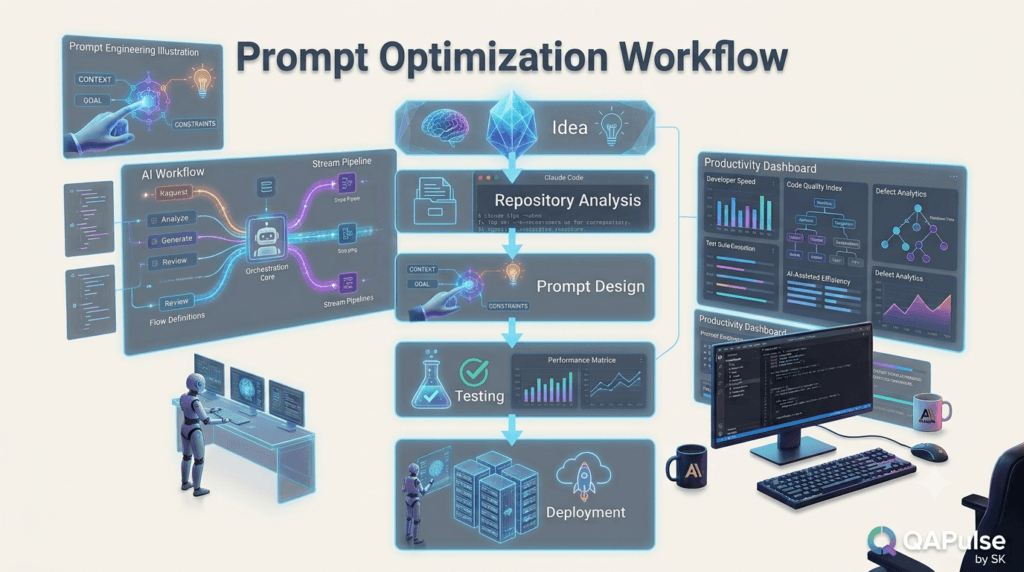
Tip 1: Start with Repository Analysis
Before requesting code generation, ask Claude Code to understand the project.
Example prompt:
Analyze this repository and explain its architecture, folder structure, coding conventions, testing framework, major dependencies, execution flow, and potential technical debt.
Benefits include:
- Better project understanding
- Architecture-aware recommendations
- Consistent implementation
- Reduced unnecessary refactoring
- Faster onboarding
Skipping this step often results in solutions that conflict with the existing codebase.
Tip 2: Define One Engineering Objective
Avoid combining unrelated requests into a single prompt.
Instead of asking Claude Code to:
- Design architecture
- Implement features
- Generate tests
- Write documentation
- Perform code review
Handle each task separately.
Example:
Implement the password reset feature using the existing authentication architecture. Preserve coding conventions and generate only the implementation.
After implementation, request testing and documentation independently.
Smaller objectives produce more focused and reliable responses.
Tip 3: Provide Technical Context
Claude Code performs best when it understands the environment.
Useful context includes:
- Programming language
- Framework
- Repository structure
- Coding standards
- Testing framework
- Performance requirements
- Security requirements
- Business constraints
Example prompt:
The project uses TypeScript, Playwright, Express.js, PostgreSQL, and follows a layered architecture. Implement the feature according to existing conventions and avoid introducing additional dependencies.
Providing this information reduces ambiguity and helps maintain consistency across the repository.
Tip 4: Assign a Professional Role
Claude Code responds more effectively when given a clear engineering perspective.
Examples include:
Act as a senior backend engineer reviewing this authentication service.
Act as a Playwright automation architect designing a scalable end-to-end testing strategy.
Act as a software architect evaluating long-term maintainability.
Role-based prompts encourage responses tailored to specific engineering responsibilities.
Tip 5: Build Reusable Prompt Templates
Instead of creating new prompts every day, develop templates for recurring tasks.
Suggested categories:
Development
- Feature implementation
- Bug fixing
- Refactoring
- Code modernization
Testing
- Unit testing
- API testing
- Playwright testing
- Regression testing
Documentation
- README updates
- API documentation
- Architecture explanations
- Release notes
Reviews
- Code review
- Security review
- Performance review
- Technical debt analysis
Maintaining reusable templates improves consistency across projects and reduces the time spent writing prompts.
Expert Tip
The most effective Claude Code tips and tricks are based on engineering discipline rather than AI shortcuts. Start every task by understanding the repository, define one clear objective, provide complete technical context, assign an appropriate engineering role, and reuse proven prompt templates. These habits consistently produce higher-quality results while making AI-assisted software development more predictable and maintainable.
Advanced Claude Code Tips and Tricks for Professional Software Engineering
Once you understand the fundamentals, the next step is learning how experienced developers consistently get better results. These advanced Claude Code tips and tricks focus on reducing iterations, improving response quality, and integrating Claude Code into everyday engineering workflows.
Rather than relying on AI for everything, use it strategically throughout the software development lifecycle.
Tip 6: Let Claude Code Ask Questions First
Many developers immediately request an implementation.
A better approach is to allow Claude Code to identify missing information before writing code.
Example prompt:
Before implementing this feature, ask me every technical question you need answered regarding architecture, business rules, validation, edge cases, security, performance, and testing. Do not write code until all requirements are clear.
Benefits:
- Fewer assumptions
- Better architecture
- Reduced rewrites
- More accurate implementation
Professional software engineering starts with understanding requirements.
Tip 7: Request a Solution Before Code
Don’t begin with implementation.
Start with design.
Example prompt:
Analyze this requirement and propose three implementation approaches. Compare complexity, scalability, maintainability, testing effort, performance, and long-term support. Recommend the best option before generating any code.
Advantages:
- Better architectural decisions
- Easier stakeholder discussions
- Lower technical debt
- More maintainable software
Planning almost always saves development time.
Tip 8: Ask for Trade-Off Analysis
Good engineering involves choosing between alternatives.
Example prompt:
Compare this implementation with two alternative designs. Explain the advantages, disadvantages, performance implications, security considerations, testing complexity, and long-term maintenance costs of each approach.
Instead of accepting the first solution, evaluate multiple possibilities.
Tip 9: Use Claude Code as a Code Reviewer
Claude Code can identify issues before opening a pull request.
Example prompt:
Review these code changes as a senior software engineer. Identify maintainability issues, duplicated logic, naming inconsistencies, performance concerns, security risks, missing validations, weak test coverage, and documentation gaps.
Reviewing code early helps reduce pull request revisions.
Tip 10: Ask for Incremental Changes
Avoid requesting complete modules in one step.
Instead:
Implement only the authentication service. Do not generate controllers, routes, tests, documentation, or configuration until requested.
Incremental development provides:
- Better reviewability
- Easier debugging
- Faster validation
- Lower implementation risk
Large prompts often produce inconsistent outputs.
Tip 11: Preserve Existing Architecture
Repositories usually have established design patterns.
Example prompt:
Implement this feature without changing the existing architecture, folder structure, dependency injection, naming conventions, or testing framework. Reuse current services whenever possible.
Consistency improves long-term maintainability.
Tip 12: Ask Claude Code to Explain Its Decisions
Understanding the reasoning behind recommendations is valuable.
Example prompt:
After completing the implementation, explain every architectural decision, design pattern, optimization, and trade-off. Describe why each choice was made.
This helps developers:
- Learn faster
- Improve architecture knowledge
- Validate recommendations
- Make informed engineering decisions
Tip 13: Optimize Existing Code Instead of Rewriting
Large rewrites introduce unnecessary risk.
Example prompt:
Improve the readability, performance, and maintainability of this module while preserving all existing business functionality and public interfaces.
Incremental improvements are usually safer than complete replacements.
Tip 14: Generate Comprehensive Test Strategies
Don’t ask only for test cases.
Request an overall testing plan.
Example prompt:
Design a complete testing strategy covering unit tests, integration tests, API validation, Playwright end-to-end tests, accessibility testing, performance testing, regression testing, and edge cases.
A structured testing strategy provides stronger quality assurance than isolated test generation.
Tip 15: Request Production Readiness Reviews
Before deployment, perform a final engineering assessment.
Example prompt:
Review this feature for production readiness. Evaluate functionality, security, scalability, logging, monitoring, configuration, automated testing, documentation, deployment risks, and rollback considerations.
This creates an additional quality checkpoint before release.
Productivity Workflow
Many experienced developers follow a structured process.
Requirements

↓

Architecture Discussion

↓

Repository Analysis

↓

Implementation

↓

Testing

↓

Documentation

↓

Code Review

↓

Production Validation
This workflow minimizes defects and improves consistency.
Common Productivity Mistakes
Jumping Straight to Code
Understand the problem before requesting an implementation.
Combining Too Many Tasks
Keep prompts focused on one engineering objective.
Ignoring Existing Standards
Respect repository conventions, architecture, and testing practices.
Skipping Validation
Always review AI-generated code through testing and peer review before deployment.
Expert Tips
Think Like an Engineering Lead
The most valuable Claude Code tips and tricks involve using Claude Code as an engineering partner rather than a code generator. Discuss architecture, compare solutions, evaluate trade-offs, review implementations, and validate production readiness before writing large amounts of code.
Build Repeatable Workflows
Instead of memorizing prompts, create reusable workflows that your entire team can follow. Standardized prompting, incremental implementation, comprehensive testing, and consistent code reviews will deliver greater long-term productivity than relying on isolated AI interactions.
Claude Code Tips and Tricks for Faster, Cleaner, and More Reliable Development
Professional developers don’t simply ask Claude Code to generate code. They use it to improve decision-making, reduce technical debt, strengthen testing, and accelerate the entire software development lifecycle. These advanced Claude Code tips and tricks will help you consistently produce production-ready software while maintaining high engineering standards.
Tip 16: Ask Claude Code to Identify Hidden Risks
Before implementing a feature, identify potential problems.
Example prompt:
Review this feature request and identify possible architectural risks, security concerns, scalability issues, backward compatibility problems, testing challenges, and deployment risks before suggesting an implementation.
Benefits include:
- Fewer production surprises
- Better architectural planning
- More reliable software
- Stronger risk management
Tip 17: Generate an Implementation Roadmap
Large features should be divided into manageable phases.
Example prompt:
Break this feature into small implementation phases. For each phase, explain the objectives, affected components, testing strategy, estimated complexity, dependencies, and potential risks.
Advantages:
- Easier code reviews
- Smaller pull requests
- Better sprint planning
- Reduced deployment risk
Incremental delivery improves software quality.
Tip 18: Detect Technical Debt Early
Technical debt is easier to fix before it spreads.
Example prompt:
Analyze this repository and identify duplicated logic, tightly coupled modules, outdated patterns, unnecessary complexity, poor naming, weak documentation, and insufficient test coverage. Prioritize improvements based on engineering impact.
Regular reviews keep repositories maintainable.
Tip 19: Improve Pull Request Quality
Prepare your code before requesting human reviews.
Example prompt:
Review this pull request for readability, maintainability, coding standards, security, performance, documentation, and test coverage. Recommend improvements before submission.
Higher-quality pull requests typically receive faster approvals.
Tip 20: Generate Better Commit Messages
Clear commit messages improve repository history.
Example prompt:
Generate a conventional commit message that accurately summarizes these code changes. Also provide a detailed description suitable for the pull request.
Well-written commits simplify future maintenance.
Tip 21: Document Architectural Decisions
Important engineering decisions should not remain undocumented.
Example prompt:
Summarize the architectural decisions made during this implementation. Explain why each decision was chosen, alternative approaches considered, and the long-term maintenance implications.
Architecture documentation benefits both current and future team members.
Tip 22: Prepare Knowledge Transfer Documentation
Projects inevitably change ownership.
Example prompt:
Create technical knowledge transfer documentation explaining this feature, repository location, dependencies, configuration, testing strategy, troubleshooting steps, and future maintenance considerations.
Comprehensive documentation reduces onboarding time.
Tip 23: Review Dependency Usage
Dependencies should be introduced carefully.
Example prompt:
Review the project's dependencies. Identify unused packages, outdated libraries, duplicate functionality, unnecessary complexity, and opportunities to simplify dependency management.
Simpler dependency trees improve security and maintainability.
Tip 24: Improve Logging and Observability
Applications become easier to support with proper observability.
Example prompt:
Review this service and recommend improvements for structured logging, error reporting, monitoring, metrics, tracing, and diagnostic information while avoiding excessive log noise.
Better observability accelerates production debugging.
Tip 25: Perform a Final Engineering Audit
Before deployment, perform one comprehensive review.
Example prompt:
Conduct a complete engineering audit of this feature. Evaluate architecture, maintainability, security, performance, accessibility, documentation, automated testing, deployment readiness, rollback strategy, and long-term scalability.
A final audit increases confidence before releasing software.
Create Your Own Prompt Library
Instead of repeatedly writing new prompts, organize reusable templates.
| Category | Recommended Templates |
|---|---|
| Planning | Architecture review, implementation roadmap |
| Development | Feature implementation, refactoring |
| Testing | Unit, API, Playwright, regression |
| Reviews | Code review, security review, performance review |
| Documentation | README, API documentation, release notes |
| Operations | Deployment review, production audit |
Maintaining a structured prompt library improves consistency across projects.
Daily Workflow
Many experienced engineers integrate Claude Code into every stage of development.
Understand Requirements

↓

Repository Analysis

↓

Architecture Planning

↓

Implementation

↓

Automated Testing

↓

Documentation

↓

Code Review

↓

Deployment Audit

↓

Production
Following a repeatable workflow reduces defects and improves collaboration.
Mistakes That Reduce AI Productivity
Accepting the First Response
Evaluate alternatives before selecting an implementation.
Skipping Architecture Discussions
Design decisions should come before coding.
Ignoring Documentation
Every significant implementation should include updated documentation.
Using Generic Prompts
Repository-specific prompts consistently produce better results.
Expert Tips
Build an Engineering Knowledge Base
The most effective Claude Code tips and tricks eventually become an internal engineering knowledge base. Store successful prompts, architectural discussions, testing strategies, review checklists, and documentation templates in a shared repository so the entire team benefits from proven workflows.
Continuously Improve Your Prompting
Prompt engineering is an iterative skill. Review the quality of Claude Code’s responses, identify where additional context would improve outcomes, and refine your templates over time. Small improvements in prompting can produce significant gains in code quality, testing coverage, documentation, and overall developer productivity.
Claude Code Tips and Tricks Summary: Professional Habits That Deliver Better Results
Learning individual prompts can improve productivity, but long-term success comes from building repeatable engineering habits. The most valuable Claude Code tips and tricks are those that become part of your daily development workflow rather than techniques used only occasionally.
Whether you are an independent developer, QA engineer, SDET, or part of an enterprise engineering team, these recommendations will help you use Claude Code more effectively while maintaining high software quality.
The Complete Claude Code Workflow
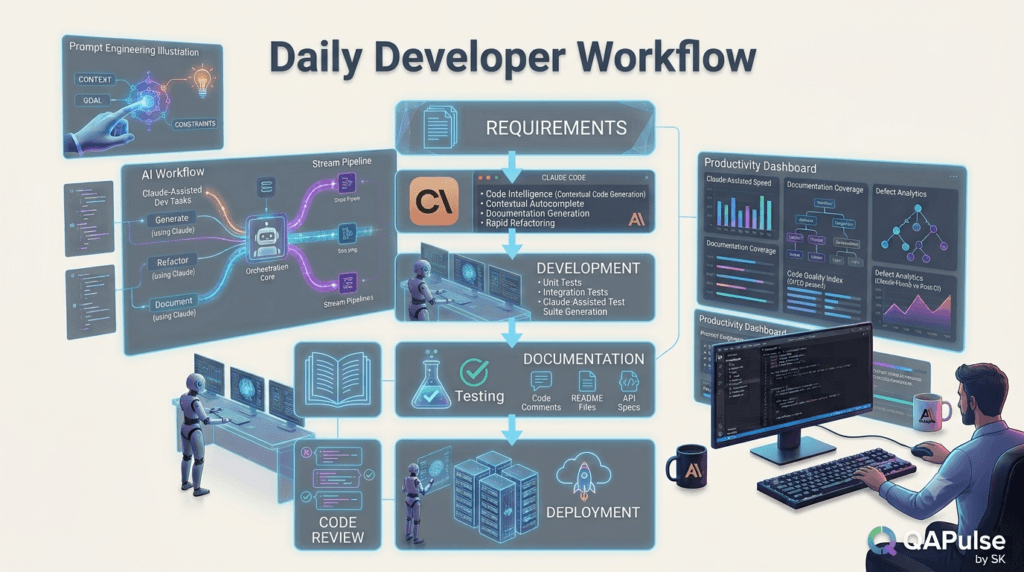
Instead of viewing Claude Code as a code generator, integrate it into the entire software development lifecycle.
Understand Business Requirements

↓

Analyze Repository

↓

Review Existing Architecture

↓

Design Solution

↓

Compare Alternatives

↓

Implement Feature

↓

Generate Automated Tests

↓

Review Code

↓

Update Documentation

↓

Prepare Pull Request

↓

CI/CD Validation

↓

Production Deployment

↓

Post-Release Review
This workflow reduces rework and encourages better engineering decisions.
The 10 Habits of High-Performing Developers
Developers who consistently achieve the best results with Claude Code tend to follow these habits.
1. Understand Before Building
Study the repository before implementing new functionality.
2. Solve One Problem at a Time
Avoid combining unrelated engineering tasks into a single request.
3. Provide Complete Context
Include architecture, frameworks, coding standards, and business requirements.
4. Evaluate Multiple Solutions
Compare different implementation approaches before selecting one.
5. Preserve Existing Design
Extend the current architecture instead of introducing unnecessary patterns.
6. Generate Tests Alongside Code
Treat testing as part of implementation rather than an afterthought.
7. Keep Documentation Updated
Documentation should evolve with every feature.
8. Review AI-Generated Code
Validate maintainability, performance, security, and correctness before merging.
9. Build Reusable Prompt Templates
Successful prompts become long-term productivity assets.
10. Continuously Improve
Review previous interactions and refine your prompting strategy over time.
These habits create more predictable and maintainable software development.
Daily Engineering Checklist
Before completing any implementation, verify the following:
| Checklist Item | Status |
|---|---|
| Business requirements understood | ✓ |
| Repository analyzed | ✓ |
| Existing architecture reviewed | ✓ |
| Implementation validated | ✓ |
| Unit tests completed | ✓ |
| Integration tests completed | ✓ |
| Playwright tests completed | ✓ |
| Documentation updated | ✓ |
| Code reviewed | ✓ |
| Deployment risks assessed | ✓ |
This checklist helps prevent common engineering mistakes.
Team Adoption Strategy
Engineering teams gain more value when Claude Code usage is standardized.
Recommended process:
Create Prompt Standards

↓

Share Prompt Library

↓

Define Review Guidelines

↓

Standardize Testing

↓

Maintain Documentation

↓

Measure Results

↓

Continuously Improve
Consistency across the team improves collaboration and onboarding.
Measure Success Correctly
Do not judge productivity by the amount of code generated.
Instead, monitor engineering outcomes.
| Metric | Why It Matters |
|---|---|
| Development time | Measures efficiency |
| Pull request quality | Reflects implementation quality |
| Production defects | Indicates software reliability |
| Test coverage | Measures validation completeness |
| Documentation quality | Supports maintainability |
| Deployment success | Evaluates release stability |
| Onboarding speed | Demonstrates knowledge sharing |
These metrics provide a better indication of long-term engineering success.
Common Misconceptions
Claude Code Should Replace Engineering Decisions
AI accelerates development but does not replace architectural thinking, business understanding, or technical judgment.
Longer Prompts Always Produce Better Results
Well-structured prompts with clear objectives generally outperform unnecessarily long instructions.
Code Generation Is the Primary Use Case
Repository analysis, debugging, testing, documentation, architecture reviews, and technical planning often provide greater long-term value.
AI Removes the Need for Testing
Every AI-generated implementation should be validated through automated tests and human review.
Future-Proof Your Workflow
AI-assisted development will continue to evolve, but the following engineering principles remain valuable regardless of the tool you use:
- Write maintainable code.
- Follow established architecture.
- Prioritize automated testing.
- Document technical decisions.
- Review code thoroughly.
- Continuously improve development workflows.
- Share knowledge across the team.
These principles create sustainable software engineering practices.
Key Takeaways
Remember these essential Claude Code tips and tricks:
- Begin with repository understanding rather than immediate implementation.
- Break large tasks into smaller engineering objectives.
- Ask Claude Code to compare alternative solutions.
- Validate every recommendation before production use.
- Generate comprehensive tests alongside new features.
- Keep documentation synchronized with code changes.
- Build reusable prompt libraries for recurring tasks.
- Standardize AI-assisted workflows across your team.
- Measure success through software quality, not code volume.
- Continuously refine your prompting strategy based on real project experience.
Developers who consistently follow these practices achieve better results than those who rely solely on AI-generated code.
Conclusion
The most effective Claude Code tips and tricks are rooted in disciplined software engineering rather than shortcuts. Claude Code delivers its greatest value when it helps developers understand repositories, evaluate architectural decisions, implement features incrementally, generate reliable tests, improve documentation, and strengthen code reviews.
As AI becomes an integral part of software development, the engineers who combine thoughtful prompting with rigorous testing, collaborative reviews, and continuous learning will consistently build higher-quality software. By treating Claude Code as a knowledgeable engineering partner instead of an automatic code generator, developers and teams can improve productivity while preserving maintainability, scalability, and long-term project success.
Internal Links:
- Learn MCP – Zero to Hero
- Learn AI Agents for QA – Zero to Hero
- Playwright Automation – Zero to Hero
- Learn Python – Zero to Hero
- Claude Code Tutorial: Complete Zero to Hero
- Free QA Resources Built From Real Experience
- QA Glossary: Test Automation Terms Every Engineer Should Know
External Resources:
- Anthropic Claude documentation
- Anthropic API documentation
- Model Context Protocol documentation
- Playwright documentation
- GitHub documentation
- TypeScript documentation
- Prompt Engineering Overview
- Git Documentation
- Visual Studio Code
- Cursor Documentation
People Also Ask
What are the best Claude Code Tips and Tricks?
The best Claude Code Tips and Tricks include analyzing the repository before coding, defining one engineering objective per prompt, providing complete technical context, requesting architectural comparisons, generating automated tests, reviewing AI-generated code, and maintaining reusable prompt templates.
How can I improve Claude Code responses?
Improve Claude Code responses by supplying repository context, coding standards, framework details, testing requirements, performance constraints, and clear implementation goals instead of using generic prompts.
Should developers use long prompts?
Not necessarily. Well-structured prompts with one clear objective generally produce more accurate and maintainable results than overly long prompts containing multiple unrelated tasks.
Can Claude Code improve developer productivity?
Yes. Claude Code accelerates repository understanding, feature implementation, debugging, documentation, testing, and code reviews, allowing developers to spend more time solving engineering problems rather than repetitive tasks.
Do experienced developers use prompt templates?
Yes. Many experienced developers maintain reusable prompt libraries for recurring activities such as feature implementation, debugging, code reviews, documentation, security reviews, and automated testing.
Featured Snippet
Best Claude Code Tips and Tricks
To use Claude Code more effectively:
- Analyze the repository first.
- Define one engineering task at a time.
- Provide complete technical context.
- Compare multiple implementation approaches.
- Generate automated tests.
- Review AI-generated code carefully.
- Keep documentation updated.
- Build reusable prompt templates.
- Validate changes before deployment.
- Continuously improve your prompting workflow.
AI Overview Answer
Claude Code Tips and Tricks help developers use AI more effectively by combining structured prompting, repository analysis, architecture planning, incremental implementation, automated testing, documentation, and code reviews. These techniques improve software quality, reduce development time, and support maintainable engineering workflows.
Enjoyed this article? Explore more in-depth guides on AI engineering, automation testing, Model Context Protocol, Playwright, and intelligent software quality at www.skakarh.com. Follow QAPulse by SK for practical, production-focused tutorials designed for QA engineers, SDETs, and AI developers.


