 QA
QA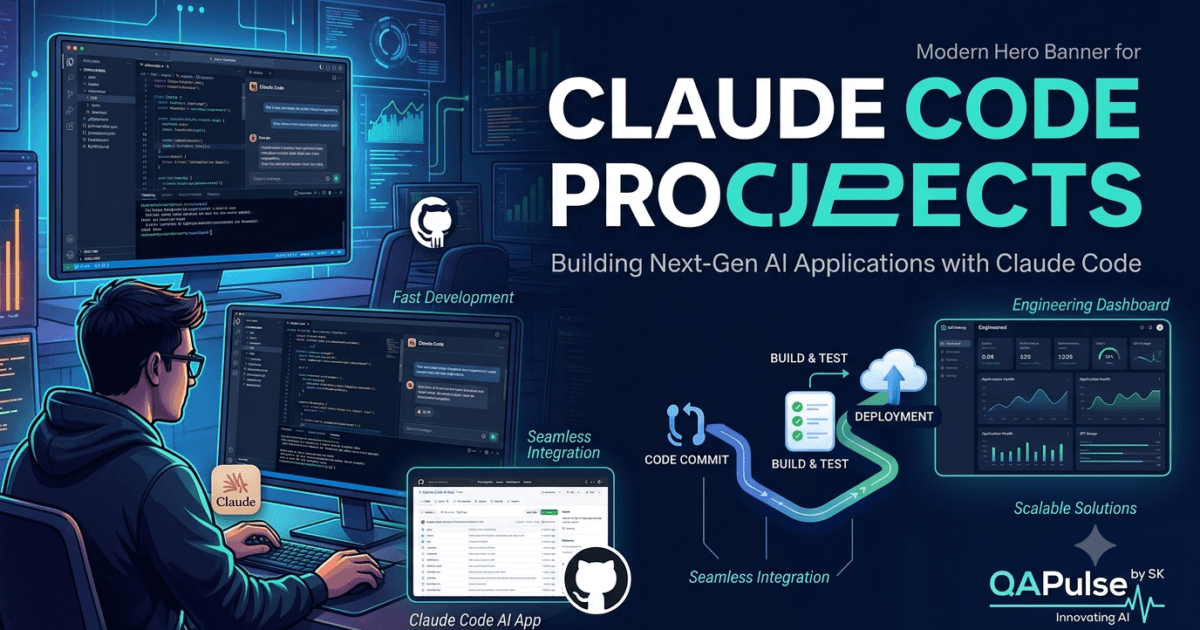
Learning commands and prompts is only the beginning. The fastest way to master Claude Code Projects is by building practical applications that solve real software engineering problems. Working on complete projects teaches architecture, testing, debugging, documentation, deployment, and long-term maintenance—skills that isolated coding exercises rarely provide.
Whether you are a software developer, QA engineer, SDET, or DevOps professional, building projects helps you understand how Claude Code fits into a professional development workflow. Instead of asking AI to generate random code snippets, you learn how to collaborate with Claude Code throughout an entire project lifecycle.
Why Build Claude Code Projects?
Practical experience develops skills that tutorials cannot.
By working on complete Claude Code Projects, you learn how to:
- Analyze unfamiliar repositories.
- Design maintainable software.
- Follow existing architecture.
- Automate repetitive engineering tasks.
- Generate high-quality tests.
- Review and improve code.
- Produce technical documentation.
- Collaborate with engineering teams.
Each completed project strengthens your understanding of AI-assisted software engineering.
Project 1: Repository Documentation Generator
Every engineering team struggles with outdated documentation.
Objective
Build a project that automatically analyzes a repository and generates developer-friendly documentation.
Core Features
- Repository structure analysis
- Folder and module explanation
- Dependency mapping
- Architecture overview
- Technology stack summary
- README generation
- Contribution guidelines
- Setup instructions
Skills You Develop
- Repository analysis
- Technical documentation
- Architecture understanding
- Developer onboarding
This project is valuable for organizations maintaining large or legacy codebases.
Project 2: API Test Automation Assistant
API testing is a repetitive but essential engineering activity.
Objective
Create a project that reviews API specifications and generates comprehensive automated test scenarios.
Core Features
- Endpoint discovery
- Request validation
- Response verification
- Authentication testing
- Negative testing
- Edge case generation
- Regression test creation
Skills You Develop
- API testing
- Automation strategy
- Test case design
- Quality engineering
QA teams can use this project to accelerate API validation without compromising test quality.
Project 3: Pull Request Review Assistant
Code reviews become more challenging as repositories grow.
Objective
Develop a project that evaluates pull requests before human review.
Core Features
- Coding standards validation
- Maintainability review
- Architecture consistency
- Security checks
- Performance observations
- Documentation verification
- Test coverage analysis
Skills You Develop
- Code review
- Software quality
- Engineering standards
- Technical leadership
This project complements—not replaces—peer review by highlighting potential improvements early.
Project 4: Legacy Code Refactoring Assistant
Legacy applications often contain duplicated logic, outdated patterns, and technical debt.
Objective
Create a project that identifies maintainability issues and recommends incremental refactoring strategies.
Core Features
- Code smell detection
- Duplicate logic identification
- Complexity analysis
- Dependency review
- Refactoring recommendations
- Regression testing suggestions
Skills You Develop
- Software modernization
- Technical debt analysis
- Architecture improvement
- Maintainability planning
Incremental modernization reduces risk compared with large-scale rewrites.
Project 5: Engineering Knowledge Base
Engineering knowledge is often scattered across documentation, tickets, and source code.
Objective
Build a searchable internal knowledge system powered by Claude Code.
Core Features
- Repository indexing
- Architecture summaries
- API documentation
- Troubleshooting guides
- Coding standards
- Deployment procedures
- Frequently asked engineering questions
Skills You Develop
- Knowledge management
- Documentation architecture
- Developer productivity
- Team collaboration
An internal knowledge base shortens onboarding time and improves information sharing.
Common Mistakes
Developers frequently make these mistakes when creating Claude Code Projects:
- Starting implementation without understanding the repository.
- Building overly complex projects too early.
- Ignoring automated testing.
- Skipping documentation.
- Failing to reuse existing project components.
- Treating AI-generated output as production-ready without review.
Avoiding these mistakes leads to more reliable and maintainable projects.
Expert Tip
The best Claude Code Projects solve genuine engineering problems rather than showcasing AI capabilities alone. Prioritize projects that improve developer productivity, strengthen software quality, automate repetitive workflows, or simplify collaboration. As your experience grows, expand each project with testing, documentation, CI/CD integration, monitoring, and security reviews so it reflects the standards used by professional software engineering teams.
Build Advanced Claude Code Projects for Real Engineering Teams
Small demonstrations help you learn features, but production-ready Claude Code Projects teach you how AI fits into professional software engineering. The projects in this guide focus on solving practical development challenges faced by software teams while following architecture, testing, documentation, and deployment best practices.
Project 6: Automated Code Review Assistant
Manual code reviews consume significant engineering time.
Objective
Develop a project that reviews pull requests before human reviewers.
Core Features
- Coding standards verification
- Architecture consistency checks
- Duplicate code detection
- Security observations
- Performance recommendations
- Documentation verification
- Test coverage analysis
- Pull request summary generation
Project Workflow
Pull Request

↓

Repository Analysis

↓

Coding Standards Review

↓

Architecture Review

↓

Security Review

↓

Testing Review

↓

Documentation Check

↓

Review Report
Skills You Develop
- Code quality analysis
- Software architecture
- Engineering reviews
- Team collaboration
This is one of the most valuable Claude Code Projects for organizations using Git-based workflows.
Project 7: Bug Investigation Assistant
Finding the root cause of production issues is often more difficult than fixing them.
Objective
Build a project that investigates production defects using repository context, logs, and deployment history.
Core Features
- Error log analysis
- Stack trace interpretation
- Root cause identification
- Affected module discovery
- Fix recommendations
- Regression test generation
- Incident documentation
Skills You Develop
- Debugging
- Root-cause analysis
- Incident management
- Software reliability
Instead of applying temporary fixes, this project encourages systematic problem solving.
Project 8: CI/CD Pipeline Auditor
Deployment pipelines become increasingly complex as projects grow.
Objective
Create a project that evaluates CI/CD pipelines and recommends improvements.
Core Features
- Workflow validation
- Build optimization
- Dependency caching
- Parallel execution analysis
- Security verification
- Deployment safeguards
- Rollback recommendations
Skills You Develop
- DevOps
- CI/CD engineering
- Release management
- Pipeline optimization
Engineering teams can use this project to improve deployment speed and reliability.
Project 9: API Documentation Generator
Maintaining accurate API documentation is a recurring challenge.
Objective
Develop a project that generates developer documentation directly from the codebase.
Core Features
- Endpoint discovery
- Request and response documentation
- Authentication details
- Error code explanations
- Example requests
- Example responses
- OpenAPI compatibility
Skills You Develop
- API design
- Technical writing
- Documentation automation
- Developer experience
Keeping documentation synchronized with implementation reduces onboarding time and integration errors.
Project 10: Test Automation Generator
Modern applications require extensive automated testing.
Objective
Build a project that generates complete automation suites for new features.
Core Features
- Unit test generation
- Integration testing
- API testing
- Playwright end-to-end testing
- Accessibility validation
- Regression testing
- Test data generation
Skills You Develop
- Test automation
- QA engineering
- Playwright
- Software quality
These Claude Code Projects demonstrate how AI can strengthen quality engineering rather than simply generating application code.
Project 11: Security Review Assistant
Security reviews should be integrated into every development cycle.
Objective
Create a project that evaluates repositories for common security risks.
Core Features
- Authentication review
- Authorization validation
- Input validation checks
- Dependency analysis
- Sensitive data detection
- Configuration review
- Security recommendations
Skills You Develop
- Secure coding
- Risk assessment
- Application security
- Engineering governance
This project supports secure software development throughout the engineering lifecycle.
Project 12: Technical Debt Analyzer
Technical debt grows gradually and often goes unnoticed.
Objective
Develop a project that identifies maintainability issues and recommends incremental improvements.
Core Features
- Duplicate code detection
- Complexity analysis
- Dependency review
- Large class identification
- Architecture observations
- Refactoring priorities
- Technical debt reporting
Skills You Develop
- Software maintenance
- Architecture evaluation
- Code quality
- Refactoring strategy
Incremental improvements make large repositories easier to maintain over time.
Enterprise Engineering Workflow
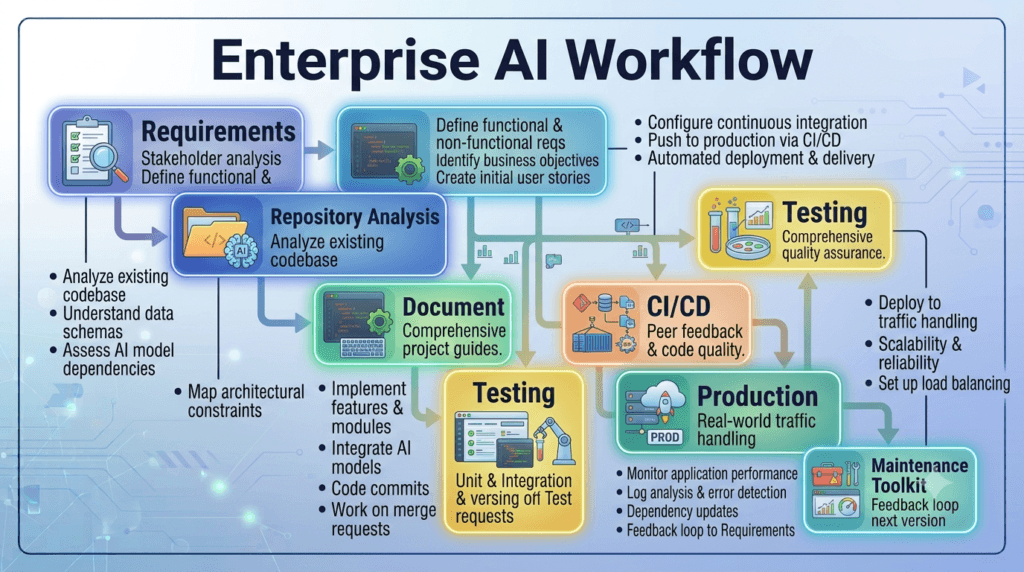
Repository Analysis

↓

Project Planning

↓

Implementation

↓

Testing

↓

Security Review

↓

Documentation

↓

CI/CD

↓

Deployment

↓

Monitoring

↓

Continuous Improvement
Professional Claude Code Projects should support every stage of this workflow.
Common Mistakes
Building Projects Without a Goal
Every project should solve a real engineering problem rather than demonstrate isolated AI capabilities.
Ignoring Existing Architecture
New functionality should integrate with current coding standards, folder structures, and design patterns.
Forgetting Testing
Every project should include automated validation from the beginning.
Neglecting Documentation
Project documentation should evolve alongside implementation to keep engineering teams aligned.
Expert Tips
Start with High-Impact Projects
Focus your Claude Code Projects on repetitive engineering activities that consume significant developer time, such as documentation generation, code reviews, testing, dependency analysis, and CI/CD validation. Automating these workflows provides immediate value while improving software quality.
Expand Projects Incrementally
Avoid building large platforms in a single iteration. Begin with a focused objective, validate the solution, then add new capabilities such as security analysis, performance reviews, monitoring, deployment automation, and team collaboration. Incremental growth produces more maintainable and reliable engineering solutions.
Enterprise Claude Code Projects for AI-Assisted Software Engineering
As engineering organizations grow, the scope of Claude Code Projects expands beyond individual developer productivity. Teams begin building internal platforms that automate engineering workflows, improve software quality, and standardize development practices across multiple repositories.
The following projects demonstrate how Claude Code can be integrated into enterprise software engineering.
Project 13: Engineering Documentation Platform
Documentation often becomes outdated because it depends on manual updates.
Objective
Build a centralized documentation platform that continuously analyzes repositories and generates up-to-date engineering documentation.
Core Features
- Repository scanning
- Architecture visualization
- API documentation
- Dependency mapping
- Configuration guides
- Deployment documentation
- Troubleshooting articles
- Version history
Skills You Develop
- Documentation automation
- Repository analysis
- Knowledge management
- Developer experience
This is one of the most practical Claude Code Projects for large engineering organizations.
Project 14: Sprint Planning Assistant
Engineering managers spend significant time preparing sprint plans.
Objective
Create a project that analyzes backlog items and produces implementation recommendations.
Core Features
- Story analysis
- Effort estimation
- Technical dependency mapping
- Risk identification
- Sprint planning suggestions
- Team workload distribution
- Technical task generation
Skills You Develop
- Agile planning
- Project management
- Technical estimation
- Engineering leadership
This project supports better planning without replacing engineering judgment.
Project 15: Repository Health Dashboard
Large organizations often manage dozens or even hundreds of repositories.
Objective
Develop a dashboard that measures repository quality and engineering health.
Core Features
- Code quality metrics
- Test coverage trends
- Documentation completeness
- Technical debt reporting
- Dependency health
- Pull request statistics
- Build success rate
- Security observations
Skills You Develop
- Engineering analytics
- Repository governance
- Software quality
- Technical reporting
Organizations can use this dashboard to prioritize improvements across multiple teams.
Project 16: Automated Release Manager
Preparing software releases involves numerous repetitive activities.
Objective
Build a release management assistant that coordinates engineering tasks before deployment.
Core Features
- Release checklist generation
- Version summary
- Change log creation
- Migration documentation
- Deployment validation
- Rollback preparation
- Stakeholder communication draft
- Release report generation
Skills You Develop
- Release engineering
- Software delivery
- Technical communication
- DevOps collaboration
Well-structured Claude Code Projects simplify release management and reduce deployment risk.
Project 17: Engineering Knowledge Assistant
Engineering knowledge should be searchable and reusable.
Objective
Create an intelligent assistant that answers project-specific technical questions.
Core Features
- Repository search
- Architecture explanations
- API guidance
- Coding standards
- Deployment procedures
- Troubleshooting recommendations
- Development workflow documentation
- Frequently asked questions
Skills You Develop
- Knowledge retrieval
- AI-assisted documentation
- Team collaboration
- Developer onboarding
This project reduces onboarding time for new engineers.
Project 18: Legacy Modernization Planner
Many organizations continue to maintain large legacy systems.
Objective
Develop a project that evaluates modernization opportunities before implementation.
Core Features
- Architecture assessment
- Technical debt analysis
- Dependency review
- Migration roadmap
- Refactoring priorities
- Compatibility evaluation
- Risk analysis
- Testing recommendations
Skills You Develop
- Software modernization
- Enterprise architecture
- Migration planning
- Risk management
Incremental modernization is safer than replacing entire systems.
Project 19: Engineering Compliance Auditor
Many industries require software to comply with internal and external standards.
Objective
Build a project that evaluates repositories against engineering policies.
Core Features
- Coding standards verification
- Documentation review
- Test coverage validation
- Security policy assessment
- Dependency compliance
- Licensing review
- Configuration validation
- Compliance reporting
Skills You Develop
- Engineering governance
- Quality assurance
- Compliance auditing
- Software process improvement
Compliance automation improves consistency across development teams.
Project 20: AI Engineering Operations Center
Bring multiple engineering capabilities into a unified platform.
Objective
Develop an operations dashboard that combines development, testing, documentation, security, and deployment insights.
Core Features
- Repository monitoring
- Pull request analysis
- CI/CD pipeline status
- Automated testing reports
- Security review summaries
- Documentation health
- Performance observations
- Engineering metrics dashboard
Skills You Develop
- Engineering operations
- Platform engineering
- Technical leadership
- AI workflow orchestration
This represents one of the most advanced Claude Code Projects for enterprise software teams.
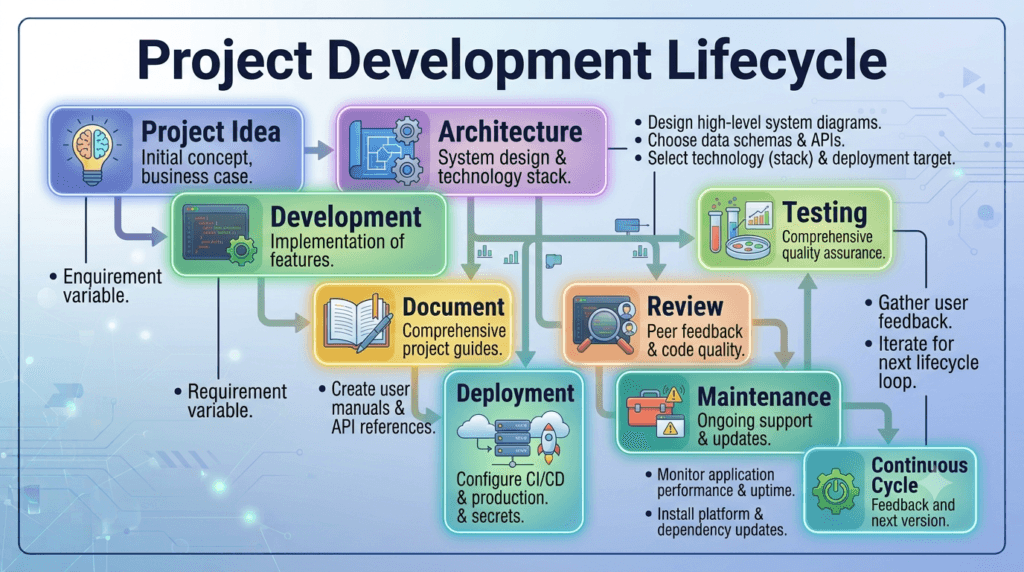
Enterprise Project Lifecycle
Business Requirements

↓

Repository Analysis

↓

Architecture Design

↓

Project Development

↓

Automated Testing

↓

Security Validation

↓

Documentation

↓

Code Review

↓

CI/CD

↓

Production Release

↓

Monitoring

↓

Continuous Improvement
Successful enterprise projects follow a repeatable lifecycle that emphasizes quality at every stage.
Common Mistakes
Solving Problems That Do Not Exist
Choose project ideas based on genuine engineering challenges rather than implementing AI for its own sake.
Building Monolithic Platforms First
Start with a focused solution, validate its usefulness, and expand it incrementally as requirements evolve.
Ignoring Feedback from Developers
Collect input from engineers who will use the project daily. Their experience helps shape features that provide lasting value.
Failing to Measure Success
Define measurable outcomes such as reduced review time, improved documentation quality, faster onboarding, or increased test coverage before expanding the project.
Expert Tips
Treat Every Project as a Product
The most successful Claude Code Projects continue evolving after the first release. Monitor adoption, gather developer feedback, prioritize enhancements, and maintain documentation so the project remains useful as engineering practices and technologies change.
Focus on Engineering Impact
When choosing your next project, prioritize initiatives that eliminate repetitive work, strengthen software quality, improve collaboration, or reduce operational risk. Projects with measurable engineering impact deliver greater long-term value than demonstrations built solely to showcase AI capabilities.
Claude Code Projects: From Learning Exercises to Production-Ready Solutions
Building successful Claude Code Projects is about much more than generating code with AI. The most valuable projects solve real engineering challenges, integrate with existing development workflows, and continue delivering value long after the initial implementation.
Whether you are building an internal developer tool, a testing platform, a documentation assistant, or an AI-powered engineering dashboard, success depends on applying sound software engineering principles rather than relying solely on AI-generated output.
The Claude Code Project Maturity Model
Most engineering teams progress through several stages as they adopt AI-assisted development.
Learning Projects

↓

Personal Productivity Tools

↓

Team Automation Projects

↓

Engineering Platforms

↓

Enterprise AI Solutions

↓

Continuous Improvement
Each stage introduces new requirements for scalability, collaboration, testing, security, and maintainability.
Characteristics of Successful Claude Code Projects
Professional engineering projects share several common qualities regardless of their size.
Solve a Specific Problem
Every project should have a clearly defined objective.
Examples include:
- Reducing pull request review time
- Improving test coverage
- Automating documentation
- Accelerating developer onboarding
- Simplifying release preparation
- Strengthening repository governance
Projects with measurable goals are easier to evaluate and improve.
Fit into Existing Engineering Workflows
Successful Claude Code Projects complement the tools and processes already used by engineering teams.
Examples include integrating with:
- Git repositories
- CI/CD pipelines
- Issue tracking systems
- Documentation platforms
- Testing frameworks
- Monitoring solutions
Integration encourages adoption and reduces disruption.
Prioritize Maintainability
AI can generate features quickly, but maintainable software requires thoughtful engineering.
Focus on:
- Modular architecture
- Clear documentation
- Reusable components
- Automated testing
- Consistent coding standards
- Incremental enhancements
Maintainability determines whether a project remains useful over time.
Scaling Projects Across Teams
As adoption grows, standardization becomes increasingly important.
Recommended approach:
Prototype

↓

Validate

↓

Document

↓

Automate Testing

↓

Team Adoption

↓

Organization Standard

↓

Continuous Optimization
This gradual rollout minimizes risk while encouraging collaboration across engineering teams.
Measuring Project Success
The impact of Claude Code Projects should be measured using engineering outcomes rather than the amount of AI-generated code.
Useful metrics include:
| Metric | Why It Matters |
|---|---|
| Time saved | Measures productivity improvements |
| Automated test coverage | Indicates software quality |
| Documentation completeness | Improves knowledge sharing |
| Pull request review time | Speeds up collaboration |
| Build success rate | Reflects deployment stability |
| Production defects | Demonstrates release quality |
| Developer onboarding time | Shows project usability |
| Team adoption | Indicates long-term value |
Tracking these metrics helps prioritize future enhancements.
Common Challenges
Trying to Automate Everything
Not every engineering task benefits from automation. Focus first on repetitive, time-consuming activities with clear business value.
Ignoring User Feedback
Developers are the primary users of internal engineering tools. Regular feedback helps identify usability improvements and missing features.
Expanding Too Quickly
Large feature sets increase maintenance costs. Release improvements incrementally and validate each addition before expanding further.
Treating AI Output as Final
Every implementation should be reviewed, tested, and validated before deployment. Human oversight remains essential for architecture, security, and business logic.
Long-Term Strategy
Organizations that gain the greatest value from Claude Code Projects typically:
- Build reusable engineering tools.
- Standardize prompt libraries.
- Integrate AI into existing workflows.
- Automate repetitive development tasks.
- Maintain comprehensive documentation.
- Continuously improve testing practices.
- Measure engineering outcomes.
- Encourage knowledge sharing across teams.
These practices transform isolated AI experiments into sustainable engineering capabilities.
Key Takeaways
Professional Claude Code Projects are built around engineering discipline rather than AI alone.
Remember these principles:
- Begin with a clearly defined engineering problem.
- Understand the repository before implementation.
- Follow existing architectural patterns.
- Deliver features incrementally.
- Generate automated tests alongside development.
- Keep documentation synchronized with code.
- Review AI-generated output before deployment.
- Measure project success using engineering metrics.
- Continuously refine project capabilities based on feedback.
- Share successful patterns across engineering teams.
Following these practices leads to projects that remain valuable as technologies, teams, and business requirements evolve.
Conclusion
The journey from simple prototypes to enterprise-grade Claude Code Projects requires more than effective prompting—it requires a commitment to software engineering excellence. Projects that emphasize maintainability, testing, documentation, collaboration, and continuous improvement consistently provide greater long-term value than those focused solely on rapid code generation.
As you continue building with Claude Code, think beyond individual features and consider how each project can improve the way your team designs, develops, tests, deploys, and maintains software. By creating reusable tools, integrating AI into established engineering workflows, and measuring success through meaningful engineering metrics, you can build projects that not only increase productivity but also strengthen software quality, reduce operational complexity, and support scalable, AI-assisted software development for years to come.
Internal Links:
- Learn MCP – Zero to Hero
- Learn AI Agents for QA – Zero to Hero
- Playwright Automation – Zero to Hero
- Learn Python – Zero to Hero
- Claude Code Tutorial: Complete Zero to Hero
- Free QA Resources Built From Real Experience
- QA Glossary: Test Automation Terms Every Engineer Should Know
External Resources:
- Anthropic Claude documentation
- Anthropic API documentation
- Model Context Protocol documentation
- Playwright documentation
- GitHub documentation
- TypeScript documentation
- Prompt Engineering Overview
- Git Documentation
- Visual Studio Code
- Cursor Documentation
People Also Ask
What are Claude Code Projects?
Claude Code Projects are practical software engineering applications built with Claude Code to automate development, testing, documentation, debugging, CI/CD, and other engineering workflows.
Which Claude Code Projects are best for beginners?
Documentation generators, API testing assistants, code review tools, and repository analysis projects are excellent starting points because they provide practical experience without requiring large-scale system design.
Can Claude Code Projects be used in enterprise software development?
Yes. Organizations use Claude Code Projects for engineering automation, security reviews, release management, technical documentation, quality assurance, and internal developer platforms.
Should Claude Code Projects include automated testing?
Absolutely. Every project should include unit tests, integration tests, API tests, and end-to-end testing where appropriate to ensure reliability and maintainability.
Where can I publish Claude Code Projects?
You can publish Claude Code Projects on GitHub, include them in your developer portfolio, demonstrate them on your personal website, and showcase them during technical interviews.
Featured Snippet
Best Claude Code Projects
Some of the most valuable Claude Code Projects include:
- Repository Documentation Generator
- API Test Automation Assistant
- Pull Request Review Assistant
- Bug Investigation Tool
- CI/CD Pipeline Auditor
- Security Review Assistant
- Technical Debt Analyzer
- Engineering Knowledge Base
- Release Management Assistant
- Engineering Operations Dashboard
These projects help developers gain practical AI-assisted software engineering experience.
AI Overview Answer
Claude Code Projects are hands-on software engineering applications that demonstrate how Claude Code can automate development, testing, documentation, debugging, security reviews, CI/CD optimization, and engineering workflows. Building real projects helps developers gain practical experience while creating portfolio-ready solutions for modern software teams.
Enjoyed this article? Explore more in-depth guides on AI engineering, automation testing, Model Context Protocol, Playwright, and intelligent software quality at www.skakarh.com. Follow QAPulse by SK for practical, production-focused tutorials designed for QA engineers, SDETs, and AI developers.


