QA
QA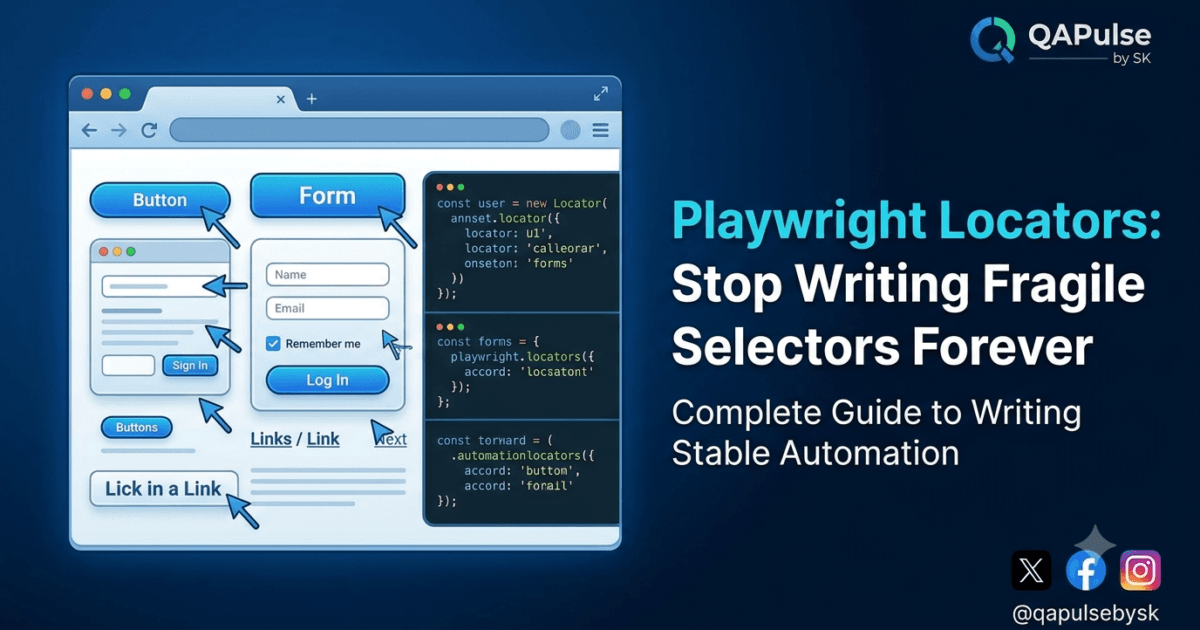
Playwright Locators Are the Foundation of Reliable Automation
Playwright Locators are the single most important feature you will learn after understanding how Playwright works behind the scenes. Every click, every form submission, every validation, and almost every automated interaction depends on locating the correct element on the page.
Unfortunately, this is also where most automation projects begin to fail.
Teams often blame their automation framework when hundreds of tests suddenly break after a small UI update. In reality, the framework is rarely the problem. The real issue is usually poor locator strategy.
If your automation relies on brittle XPath expressions, deeply nested CSS selectors, or dynamically generated IDs, failures are inevitable. Even a small frontend refactor can invalidate dozens of tests overnight.
This lesson is not about memorizing locator APIs.
It is about understanding why Playwright Locators exist, how they are different from traditional selectors, and why choosing the right locator strategy is one of the most valuable skills an automation engineer can develop.
By the end of this article, you’ll understand why enterprise teams invest significant time designing locator standards before writing large automation suites.
Why Most Automation Frameworks Become Fragile
Every automation engineer has experienced this scenario.
The application works perfectly.
The automation worked yesterday.
A developer updates the UI.
Suddenly:
- Login tests fail.
- Checkout tests fail.
- Profile tests fail.
- Regression execution reports hundreds of failures.
Nothing is wrong with the business functionality.
The selectors simply no longer point to the correct elements.
This problem has existed since the earliest browser automation tools.
Traditional automation often encouraged engineers to write selectors like:
- Long XPath expressions
- Complex CSS chains
- Auto-generated IDs
- Index-based selectors
These approaches work temporarily but become expensive to maintain as applications evolve.
A reliable automation framework is built on stable element identification, not on luck.
A Locator is More Than a Selector
Many beginners assume that a locator is simply another name for a selector.
That assumption is incomplete.
A selector answers one question:
“Where is this element?”
A Playwright Locator answers a much more important question:
“How can I reliably interact with this element throughout the entire lifetime of the test?”
This distinction explains why Playwright introduced the Locator API instead of encouraging engineers to work directly with raw selectors.
A locator represents an intelligent object that understands how to find, wait for, and interact with an element in a reliable way.
Rather than locating an element once and hoping nothing changes, Playwright continually evaluates the locator until the action can be performed safely.
Why Modern Web Applications Changed Everything
Web applications are no longer static documents.
Modern frameworks such as React, Angular, Vue, and Svelte constantly update the Document Object Model (DOM).
Elements appear.
Elements disappear.
Components rerender.
IDs change.
Entire sections of the page may be rebuilt after a single API response.
For humans, these updates are invisible.
For automation, they introduce synchronization and stability challenges.
This is one reason Playwright Locators were designed around modern frontend behavior rather than static HTML pages.
Instead of assuming the page is immediately ready, Playwright works with the browser’s dynamic nature.
Stop Thinking Like the Browser
One of the biggest mindset shifts in Playwright is this:
Don’t ask,
“How do I find this HTML element?”
Instead ask,
“How would a real user identify this element?”
A user doesn’t think:
“Click the button inside the third div of the second container.”
A user thinks:
“Click the Sign In button.”
Or:
“Enter my email.”
Playwright encourages this same philosophy.
Its preferred locator strategies are based on:
- Roles
- Labels
- Placeholder text
- Visible text
- Accessible names
These closely match how users—and assistive technologies—interact with applications.
As a result, automation becomes more readable, more resilient, and more closely aligned with accessibility best practices.
Why Accessibility Matters to Automation Engineers
Many engineers think accessibility is only relevant to compliance teams.
In reality, accessibility plays a major role in writing stable Playwright Locators.
Accessible applications expose meaningful information about elements, such as:
- Button roles
- Form labels
- Input names
- Navigation landmarks
Playwright can use this information to locate elements in ways that remain stable even if the page layout changes.
An accessible application is often easier to automate because its elements have clear semantic meaning.
This is another reason enterprise organizations increasingly treat accessibility and automation as complementary disciplines rather than separate concerns.
The Cost of Poor Locator Strategy
Imagine a project containing 2,000 automated tests.
Each test contains five brittle selectors.
A frontend redesign changes the DOM structure.
Suddenly, thousands of locator updates are required.
Engineers spend days fixing automation instead of validating new features.
Now imagine the same project using semantic Playwright Locators.
Because locators rely on roles, labels, and meaningful names instead of fragile DOM paths, many tests continue working even after significant UI refactoring.
The difference is not just technical.
It directly affects development velocity, maintenance costs, and confidence in automated regression testing.
Playwright Locators Encourage Better Test Design
A good automation framework is designed for readability as much as reliability.
Consider two hypothetical approaches.
The first relies on long, difficult-to-read selectors.
The second uses descriptive locators that clearly communicate user intent.
Which one would a new engineer understand more quickly?
Which one would be easier to review during a pull request?
Which one would be simpler to maintain a year later?
Good locator strategy improves collaboration as much as technical stability.
Automation is a team activity, not an individual exercise.
Common Misconceptions About Playwright Locators
Several myths continue to circulate among beginners.
Myth 1: XPath Is Always the Best Option
XPath is powerful, but power does not always equal maintainability.
Playwright provides higher-level locator strategies that are often simpler and more resilient.
Myth 2: IDs Never Change
Many modern applications generate IDs dynamically.
Treat every ID as stable only if your development team guarantees it.
Myth 3: The Shortest Selector Is the Best Selector
Short selectors are not automatically reliable.
Clarity and stability matter more than brevity.
Myth 4: If the Test Passes, the Locator Is Good
A locator that passes today may become tomorrow’s maintenance burden.
Evaluate locators based on long-term reliability rather than immediate success.
Principles of an Enterprise Locator Strategy
Experienced automation teams rarely allow engineers to choose locator strategies randomly.
Instead, they define standards.
Typical principles include:
- Prefer user-facing attributes over implementation details.
- Choose semantic locators whenever possible.
- Avoid deeply nested DOM paths.
- Minimize dependence on dynamically generated attributes.
- Write locators that remain readable during code reviews.
- Design for maintainability before optimization.
Following consistent standards reduces technical debt and improves long-term framework quality.
Thinking Beyond Individual Tests
A locator is never used in isolation.
It becomes part of a larger automation ecosystem that includes:
- Page Object Models
- Component Objects
- Fixtures
- Reporting
- CI/CD pipelines
- Parallel execution
Poor locator choices ripple throughout the framework.
Strong locator choices improve every layer built on top of them.
This is why experienced SDETs often spend more time discussing locator strategy than writing automation code.
Playwright Locators: Master the Core Locator APIs
Playwright Locators: From Theory to Practice
Playwright Locators become truly powerful when you start using them in real automation code. In Part 1A, we discussed why locator strategy is the foundation of a stable automation framework. Now it’s time to explore the APIs that make Playwright different from traditional browser automation tools.
Many automation engineers coming from Selenium immediately look for CSS selectors or XPath expressions. While Playwright supports both, they are no longer the recommended starting point.
Instead, Playwright encourages you to identify elements the same way users do—by their role, label, text, placeholder, or other meaningful attributes. This approach makes tests easier to read, less fragile, and more closely aligned with accessibility standards.
Before learning each locator, remember one important principle:
A Playwright Locator is a live query, not a one-time element lookup.
Unlike older automation tools that locate an element once and store a reference, Playwright reevaluates the locator whenever an action is performed. This design allows your tests to cope with dynamic web applications where elements frequently rerender.
Understanding the Locator Object
When you write:
const loginButton = page.getByRole('button', {
    name: 'Login'
});
Playwright does not immediately search the page.
Instead, it creates a Locator object.
Think of it as an instruction that says:
“Whenever I need this element, locate the button whose accessible name is ‘Login’.”
Only when you perform an action—such as click(), fill(), or expect()—does Playwright resolve the locator and interact with the element.
This is one of the reasons Playwright Locators remain reliable even when pages update dynamically.
Why Playwright Uses Auto-Reevaluation
Imagine a React application.
You click a button.
The component rerenders.
The original DOM node disappears.
A new DOM node replaces it.
Older automation tools often hold a stale reference to the original element, leading to errors such as “stale element reference.”
Playwright takes a different approach.
Because the locator is resolved at action time, Playwright automatically finds the current version of the element before interacting with it.
This simple architectural decision removes an entire class of automation failures.
The Recommended Locator Priority
Playwright’s documentation recommends choosing locators in the following order:
getByRole()getByLabel()getByPlaceholder()getByText()getByAltText()getByTitle()getByTestId()- CSS selectors
- XPath (only when necessary)
This priority isn’t arbitrary.
It reflects how real users and assistive technologies interact with applications.
The closer your locators are to user behavior, the more resilient your tests become.
getByRole(): The Preferred Locator
If you remember only one locator from this lesson, let it be getByRole().
await page.getByRole('button', {
    name: 'Sign In'
}).click();
Why is it preferred?
Because it identifies elements based on their semantic purpose rather than their HTML structure.
Examples include:
- Buttons
- Links
- Checkboxes
- Radio buttons
- Textboxes
- Menus
- Headings
- Dialogs
If the UI layout changes but the button is still presented to users as Sign In, this locator is likely to continue working.
That stability is invaluable in long-lived automation projects.
Understanding Roles
Every interactive element has an accessibility role.
For example:
| HTML Element | Accessibility Role |
|---|---|
<button> | button |
<a> | link |
<input type="text"> | textbox |
<input type="checkbox"> | checkbox |
<h1> | heading |
Playwright uses these roles to identify elements in a way that mirrors how assistive technologies interpret the page.
This encourages better accessibility while producing more maintainable automation.
Filtering by Name
Many pages contain multiple buttons.
Consider this example:
- Save
- Cancel
- Delete
- Submit
Simply searching for a button isn’t enough.
Instead, combine the role with an accessible name.
await page.getByRole('button', {
    name: 'Delete'
}).click();
This clearly communicates both the type of element and the intended action.
Future readers of your test can understand the code immediately without examining the HTML.
getByLabel(): Ideal for Forms
Forms are central to almost every web application.
Playwright provides a dedicated locator for labeled form fields.
await page.getByLabel('Email').fill(
    'john@example.com'
);

await page.getByLabel('Password').fill(
    'Secret123'
);
Instead of locating an input by CSS or XPath, Playwright uses the label associated with the field.
This approach closely matches how users perceive the interface.
If developers reorganize the page but preserve the labels, your tests usually continue working.
Why Labels Improve Maintainability
Imagine reviewing this code:
page.locator(
'#login > div:nth-child(2) input'
);
Now compare it with:
page.getByLabel('Email');
Which one immediately communicates intent?
Readable automation is maintainable automation.
One of the goals of Playwright Locators is to make tests function as executable documentation.
getByPlaceholder()
Some forms rely heavily on placeholder text instead of labels.
Playwright supports this pattern as well.
await page
.getByPlaceholder('Enter your email')
.fill('john@example.com');
This locator should generally be considered after getByLabel().
Labels remain the preferred choice because they improve accessibility, while placeholders are often temporary hints rather than permanent identifiers.
Best Practices So Far
As you begin using Playwright Locators, keep these principles in mind:
- Prefer semantic locators over structural selectors.
- Choose locators that describe user intent.
- Avoid depending on page layout.
- Write automation that remains readable during code reviews.
- Think about long-term maintenance, not just immediate success.
These habits will pay dividends as your automation suite grows.
Using getByText()
One of the easiest ways to locate an element is by its visible text.
await page.getByText('Welcome Back').click();
This is particularly useful when interacting with:
- Navigation menus
- Links
- Buttons
- Status messages
- Headings
- Confirmation messages
Because users identify many elements by what they can read, getByText() often produces tests that are highly readable.
For example:
await page.getByText('Checkout').click();

await page.getByText('Continue Shopping').click();

await page.getByText('Logout').click();
Even someone unfamiliar with Playwright can immediately understand the purpose of these tests.
When Should You Avoid getByText()?
Although convenient, visible text isn’t always stable.
Consider these situations:
- Applications translated into multiple languages
- Marketing teams changing button labels
- Dynamic counters
- Personalized greetings
For example:
Welcome John

Welcome Sarah

Welcome Michael
A locator based solely on visible text may become unreliable.
Whenever text is likely to change, consider using a more stable locator such as a role combined with an accessible name or a dedicated test ID.
Using getByAltText()
Images often contain meaningful alternative text.
Playwright allows you to locate them directly.
await page.getByAltText(
    'Company Logo'
).click();
This locator is particularly useful for:
- Logos
- Product images
- Icons
- Image-based navigation
- Accessibility validation
Because alternative text is intended to describe the image rather than its appearance, it often remains stable even when the UI changes.
Using getByTitle()
Some applications use the HTML title attribute to provide additional information.
For example:
<button title="Delete Record">
Playwright can locate this element easily.
await page.getByTitle(
    'Delete Record'
).click();
Although useful, title attributes are less common than labels or roles.
Treat this locator as a secondary option rather than your default strategy.
Using getByTestId()
Many enterprise teams intentionally add attributes specifically for automation.
Example:
<button data-testid="save-button">
Playwright provides a dedicated API.
await page.getByTestId(
    'save-button'
).click();
Unlike visible text, CSS classes, or DOM structure, a well-designed test ID is created for one purpose:
Reliable automation.
Large organizations frequently define standards for naming test IDs because they dramatically reduce maintenance costs.
Examples include:
login-button

checkout-submit

search-input

user-menu

payment-confirm
Notice that these names describe business intent rather than implementation details.
Why Test IDs Are Popular in Enterprise Projects
A frontend redesign may completely change:
- HTML structure
- CSS classes
- Component libraries
- Layout
- Styling
But a carefully managed test ID can remain exactly the same.
This allows automation to continue working even after major UI changes.
For this reason, many organizations include automation engineers during frontend development to define meaningful test IDs before implementation begins.
Automation becomes part of the design process rather than an afterthought.
CSS Selectors
Playwright fully supports CSS selectors.
await page.locator(
    '.login-button'
).click();
or
await page.locator(
    '#email'
).fill('john@example.com');
CSS selectors remain useful in situations where semantic locators are unavailable.
However, avoid overly complex selectors.
Good example:
#email
Poor example:
body > div:nth-child(3) > main > section >
div:nth-child(4) > form >
div:nth-child(2) > input
Long selectors tightly couple automation to the page structure.
Even minor layout changes may cause failures.
Should You Use XPath?
Every automation engineer eventually asks:
Should I use XPath?
The answer is:
Sometimes—but only when it genuinely provides the simplest and most reliable solution.
Playwright supports XPath.
await page.locator(
    '//button[text()="Login"]'
).click();
However, XPath should not be your default choice.
Many beginners overuse XPath because it appears powerful.
Experienced engineers usually prefer semantic locators first.
XPath becomes valuable when:
- Working with legacy applications
- Navigating complex XML-like structures
- Selecting elements without suitable attributes
- Supporting applications where semantic locators are impossible
Power should never be confused with maintainability.
Chaining Locators
Large applications often contain repeated components.
Imagine a table containing multiple “Edit” buttons.
Instead of searching the entire page, narrow the search.
await page
    .getByRole('table')
    .getByRole('row')
    .nth(2)
    .getByRole('button', {
        name: 'Edit'
    })
    .click();
This technique is known as locator chaining.
Each locator narrows the search scope.
Benefits include:
- Improved readability
- Better performance
- Reduced ambiguity
- Lower risk of interacting with the wrong element
Filtering Locators
Playwright also allows filtering.
Example:
await page
.getByRole('listitem')
.filter({
    hasText: 'Playwright'
})
.click();
Filtering becomes extremely useful when multiple elements share the same role.
Instead of creating complicated selectors, describe the characteristics of the desired element.
This produces code that reads almost like natural language.
Strict Mode
One feature that surprises many beginners is Strict Mode.
Suppose your locator matches two buttons.
page.getByRole('button');
Which one should Playwright click?
Rather than guessing, Playwright throws an error.
This behavior prevents accidental interactions with unintended elements.
It encourages engineers to write precise, unambiguous locators.
Although this may seem inconvenient initially, it significantly improves automation quality over time.
Locator Hierarchy for Production Projects
When designing an enterprise automation framework, consider the following priority:
| Priority | Locator Strategy |
|---|---|
| 1 | getByRole() |
| 2 | getByLabel() |
| 3 | getByPlaceholder() |
| 4 | getByText() |
| 5 | getByAltText() |
| 6 | getByTitle() |
| 7 | getByTestId() |
| 8 | CSS Selector |
| 9 | XPath |
This hierarchy won’t apply to every project, but it provides an excellent starting point for writing stable automation.
Enterprise Recommendations
Professional automation teams usually establish locator guidelines before writing large test suites.
Typical recommendations include:
- Prefer user-facing locators.
- Review locator quality during code reviews.
- Avoid deeply nested CSS selectors.
- Use test IDs when semantic locators aren’t practical.
- Keep locator strategies consistent across the project.
- Treat locator design as part of framework architecture.
A well-designed locator strategy can save hundreds of maintenance hours over the lifetime of an automation project.
Playwright Locators: Thinking Like an Automation Engineer
Playwright Locators are far more than convenient APIs for finding elements. They represent one of the most significant architectural improvements in modern browser automation.
After learning the available locator APIs in Parts 1B and 1C, the final step is understanding why Playwright Locators are so reliable, what happens internally when they execute, and how enterprise automation teams design locator strategies that remain stable as applications evolve.
By the end of this lesson, you should no longer think of locators as pieces of syntax. Instead, you’ll see them as part of an intelligent synchronization engine that allows Playwright to automate today’s highly dynamic web applications.
What Happens Internally When You Use a Locator?
Consider the following statement.
await page
    .getByRole('button', {
        name: 'Login'
    })
    .click();
From a developer’s perspective, this appears to be a single action.
Internally, however, Playwright performs multiple operations before the click occurs.
A simplified execution flow looks like this:
Create Locator

↓

Resolve Matching Elements

↓

Verify Strict Mode

↓

Wait Until Element Exists

↓

Wait Until Element Is Visible

↓

Wait Until Element Is Stable

↓

Wait Until Element Can Receive Events

↓

Perform Click

↓

Verify Action Completed
This entire sequence happens automatically.
That intelligence is one of the defining characteristics of Playwright Locators.
Why Locators Feel More Reliable
Many engineers coming from older automation frameworks notice something immediately:
“I hardly need explicit waits anymore.”
The reason isn’t luck.
It’s architecture.
A Playwright Locator doesn’t simply search for an element once.
It continually evaluates the page until the requested action becomes safe to perform.
For example, if a button is still loading after an API request, Playwright doesn’t immediately fail.
Instead, it keeps checking until one of two things happens:
- The button becomes ready.
- The timeout expires.
This behaviour dramatically reduces flaky tests.
Auto-Waiting Is Built Into Every Locator
One of the biggest misconceptions among beginners is that auto-waiting is a separate Playwright feature.
It isn’t.
Auto-waiting is deeply integrated into Playwright Locators.
When you execute:
await page
.getByRole('button', {
    name: 'Checkout'
})
.click();
Playwright automatically checks whether the button:
- Exists in the DOM.
- Is visible.
- Is enabled.
- Is not covered by another element.
- Is stable and no longer moving.
- Can receive user input.
Only after these conditions are satisfied does the click occur.
This behaviour closely mirrors how a real user interacts with a webpage.
Dynamic Web Applications
Modern applications built with React, Angular, Vue, or Svelte constantly update the DOM.
Consider a shopping cart.
You click Add to Cart.
Immediately afterwards:
- The button rerenders.
- The cart counter changes.
- The product list updates.
- A notification appears.
From the browser’s perspective, several DOM nodes may have been destroyed and recreated.
Traditional automation tools often struggled with these changes because they stored references to elements that no longer existed.
Playwright Locators avoid this problem by locating the element again whenever an action is performed.
This makes them particularly well suited for component-based frontend frameworks.
Understanding Strict Mode
Earlier, we introduced Strict Mode.
Now let’s understand why it exists.
Suppose this page contains two buttons.
Save

Save
Now consider this locator:
page.getByRole('button');
Which button should Playwright click?
The first one?
The second one?
Guessing would make automation unpredictable.
Instead, Playwright throws an error indicating that the locator matches multiple elements.
Although this may initially seem restrictive, Strict Mode encourages engineers to write precise, deterministic automation.
Reliable automation begins with unambiguous locators.
Locators and Assertions Work Together
Another strength of Playwright Locators is their integration with assertions.
For example:
await expect(
    page.getByRole('heading', {
        name: 'Dashboard'
    })
).toBeVisible();
Notice that we don’t manually check whether the heading exists before asserting it.
The locator and assertion collaborate.
Playwright repeatedly evaluates the locator until the expectation succeeds or the timeout expires.
This creates expressive tests with very little code.
Locators Inside Page Object Models
As automation projects grow, locators should rarely remain scattered throughout test files.
Instead, they belong inside Page Object Models.
For example:
class LoginPage {

    readonly loginButton;

    constructor(page) {

        this.loginButton =
            page.getByRole('button', {
                name: 'Login'
            });

    }

}
Notice that we store the locator itself rather than immediately performing actions.
Later, methods inside the page object can reuse the same locator consistently.
This approach improves maintainability and keeps locator definitions centralized.
Common Mistakes Beginners Make
Learning Playwright Locators also means learning what to avoid.
Using XPath for everything
XPath is powerful, but it should not be the default solution.
Prefer semantic locators whenever possible.
Relying on CSS classes
Frontend frameworks frequently rename or regenerate CSS classes.
Classes are often intended for styling rather than automation.
Depending on element position
Locators such as:
nth-child(7)
work only while the page structure remains unchanged.
A new row or component can immediately invalidate the selector.
Ignoring accessibility
Applications with meaningful roles and labels are significantly easier to automate.
Encourage development teams to improve accessibility whenever possible.
Automation and accessibility benefit each other.
Creating unreadable selectors
If another engineer cannot immediately understand your locator, it probably needs improvement.
Readable code reduces maintenance costs.
Production Checklist for Playwright Locators
Before approving a locator during code review, ask yourself:
- Does it describe user intent?
- Is it independent of page layout?
- Will it survive UI refactoring?
- Does it rely on stable attributes?
- Is it easy for another engineer to understand?
- Can it be reused inside a Page Object Model?
- Does it follow the team’s locator standards?
If the answer to most of these questions is yes, the locator is likely suitable for production use.
Interview Questions You Should Be Able to Answer
After completing this lesson, you should confidently answer questions such as:
What is the difference between a Locator and a CSS selector?
A Locator is a high-level Playwright object that automatically resolves elements, performs auto-waiting, supports strict mode, and integrates with assertions. A CSS selector is simply one strategy for identifying an element.
Why are Playwright Locators less flaky than traditional selectors?
Because they automatically reevaluate elements, synchronize interactions, and verify actionability before performing browser actions.
When should you use getByTestId()?
When semantic locators are unavailable or when your team intentionally exposes stable automation attributes for testing.
Why does Playwright recommend getByRole()?
Because it reflects how users and assistive technologies identify elements, producing more maintainable and accessible automation.
Enterprise Recommendations
Large organizations usually define locator standards before automation development begins.
Typical enterprise practices include:
- Establish a preferred locator hierarchy.
- Use accessibility-first locator strategies.
- Introduce
data-testidattributes where appropriate. - Review locator quality during pull requests.
- Centralize locators within Page Object Models.
- Avoid fragile DOM-dependent selectors.
- Treat locator strategy as part of framework architecture rather than an implementation detail.
These practices reduce maintenance effort and improve long-term reliability.
Key Takeaways
By completing this lesson, you’ve built a strong understanding of Playwright Locators from both a conceptual and practical perspective.
You now understand:
- Why Playwright Locators were introduced.
- The complete locator hierarchy.
- Semantic locator strategies.
- CSS and XPath trade-offs.
- Locator chaining and filtering.
- Auto-waiting.
- Strict Mode.
- Dynamic DOM handling.
- Page Object Model integration.
- Enterprise locator standards.
Mastering Playwright Locators is one of the biggest steps toward building a production-ready automation framework. Nearly every future topic in this series—including Page Object Models, fixtures, component testing, authentication, API testing, and visual testing—builds upon the locator strategies you’ve learned here.
In the next lesson, we’ll explore another core Playwright capability that further reduces flaky tests and simplifies browser automation, continuing our journey toward enterprise-grade automation engineering.
Internal Links
- Day 4: How Playwright Works Behind the Scenes: Complete Architecture Guide for Beginners
- Day 6: Build Your First MCP Server in Python: A Production-Ready Guide for Beginners
- Day 3: Your First Playwright Test: Understanding Every Line Before You Write Code
External Links
- Playwright Locators: https://playwright.dev/docs/locators
- Locator Assertions: https://playwright.dev/docs/test-assertions
- Accessibility Testing: https://playwright.dev/docs/accessibility-testing
Best Practices Checklist
✅ Prefer accessibility-first locators.
✅ Use getByRole() whenever possible.
✅ Write readable automation.
✅ Avoid deeply nested CSS selectors.
✅ Avoid fragile XPath expressions.
✅ Keep locators inside Page Object Models.
✅ Use data-testid for complex enterprise applications.
✅ Let Playwright handle auto-waiting.
✅ Review locator quality during pull requests.
Common Mistakes
❌ Using XPath for every element.
❌ Depending on generated CSS classes.
❌ Selecting elements by position.
❌ Ignoring accessibility attributes.
❌ Creating duplicate locator strategies across the framework.
❌ Using hard waits before locator actions.
Frequently Asked Questions
What are Playwright Locators?
Playwright Locators are intelligent APIs that identify and interact with web elements. They automatically handle waiting, retries, strict mode, and dynamic DOM updates, making automation more reliable than traditional selectors.
Which Playwright Locator should I use first?
getByRole() is generally the recommended first choice because it mirrors how users and assistive technologies interact with applications. It produces readable and maintainable automation.
Should I use CSS selectors or XPath in Playwright?
Use semantic Playwright Locators whenever possible. CSS selectors and XPath should be reserved for situations where accessibility-based or user-facing locators are not practical.
Why are Playwright Locators less flaky?
Playwright Locators continuously resolve elements, perform automatic waiting, verify actionability, and integrate with assertions, reducing failures caused by timing issues or dynamic DOM updates.
Can Playwright Locators be used inside Page Object Models?
Yes. Enterprise automation frameworks typically define Playwright Locators inside Page Object Models to improve maintainability, readability, and code reuse.
Call to Action
Congratulations! You have now mastered Playwright Locators, one of the most important concepts in modern browser automation.
From understanding why locators exist to learning semantic locator strategies, enterprise standards, auto-waiting, strict mode, and production best practices, you’ve built the foundation for writing automation that is reliable, maintainable, and scalable.
This lesson is part of the Playwright Automation Zero to Hero series by QAPulse by SK. In the next lesson, we’ll build on these locator concepts to explore Playwright Auto-Waiting and Actionability Checks, where you’ll learn why Playwright eliminates most explicit waits and how its intelligent synchronization engine works behind the scenes.
For more expert content on QA, SDET, AI, automation testing, and software engineering, visit www.skakarh.com.