QA
QA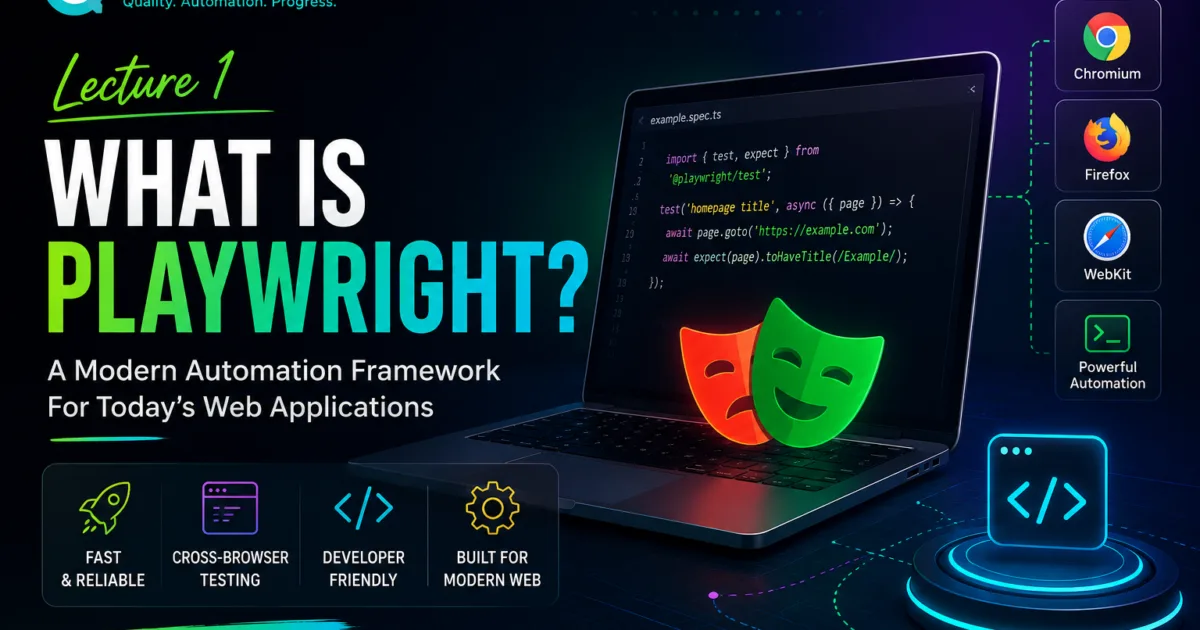
What is Playwright?
If you have spent any time in the software testing community recently, you’ve probably noticed something interesting.
Five years ago, most automation discussions looked like this:
- Selenium tutorials
- Selenium interview questions
- Selenium framework design
- Selenium Grid setup
Today the conversation has changed.
More and more engineers are talking about:
- Playwright
- What is Playwright?
- Playwright Frameworks
- Playwright API Testing
- Playwright CI/CD
- Playwright Observability
The reason is simple.
Playwright has become one of the fastest-growing automation frameworks in the world.
Many organizations are actively adopting it for modern web testing because it solves several problems that older tools struggled with.
But before learning advanced concepts, we need to answer the most important question.
What is Playwright?
QA Pulse by SK — Playwright Boilerplate
A production-grade, community-ready Playwright test automation framework Fork it. Clone it. Ship quality code faster.
Playwright Boilerplate both Typescript and Javascript supported.
Quick Answer: What is Playwright?
Playwright is an open-source automation framework developed by Microsoft for testing modern web applications.
It allows testers and developers to automate:
- Web browsers
- User interactions
- UI testing
- API testing
- End-to-end testing
Using a single framework.
What is Playwright at a Glance
| Feature | Description |
|---|---|
| Creator | Microsoft |
| Open Source | Yes |
| Language Support | JavaScript, TypeScript, Python, Java, C# |
| Browser Support | Chromium, Firefox, WebKit |
| API Testing | Yes |
| Parallel Execution | Yes |
| Auto Waiting | Yes |
| Cross Browser Testing | Yes |
| Mobile Emulation | Yes |
Why was Playwright Created and What is Playwright?
To understand Playwright, we first need to understand the problem it was trying to solve.
Traditional automation frameworks often struggled with:
- Flaky tests
- Synchronization issues
- Complex browser handling
- Slow debugging
- Modern web applications
Engineers frequently spent more time fixing tests than writing them.
A typical Selenium script looked like this:
driver.findElement(By.id("login")).click();

Thread.sleep(5000);

driver.findElement(By.id("username")).sendKeys("admin");
Notice the problem?
Thread.sleep(5000);
Many teams relied heavily on waits to handle timing issues.
This made automation slower and less reliable.
Microsoft designed Playwright with a different approach.
The Main Goal of Playwright
Playwright was built to provide:
- Reliable automation
- Faster execution
- Better developer experience
- Modern browser support
- Reduced flakiness
The framework automatically waits for elements to become ready.
This significantly reduces synchronization problems.
Why Everyone Is Talking About Playwright
Playwright has become popular because it solves several common automation challenges.
1. Auto-Waiting
One of Playwright’s biggest advantages is automatic waiting.
Instead of writing:
await page.waitForTimeout(5000);
Playwright automatically waits for elements to become:
- Visible
- Enabled
- Clickable
- Stable
This reduces flaky tests.
Example
await page.locator('#login').click();
Playwright automatically handles waiting.
No extra sleep statements are required.
2. Multiple Browser Support
Modern applications must work across different browsers.
Playwright supports:
| Browser | Supported |
|---|---|
| Chrome | Yes |
| Chromium | Yes |
| Edge | Yes |
| Firefox | Yes |
| Safari (WebKit) | Yes |
This allows teams to validate applications across multiple environments.
3. Modern Architecture
Many automation tools were designed before today’s complex web applications existed.
Playwright was designed specifically for:
- Single Page Applications
- React
- Angular
- Vue
- Dynamic web applications
This gives it an advantage when testing modern websites.
4. Fast Execution
Execution speed matters.
Slow test suites delay feedback.
Playwright supports:
- Parallel execution
- Efficient browser communication
- Faster test startup
This helps teams receive results sooner.
Playwright vs Selenium
One of the most common questions beginners ask is:
Is Playwright replacing Selenium?
The answer is more nuanced.
Selenium remains widely used.
However, Playwright is growing rapidly.
Comparison Table
| Feature | Playwright | Selenium |
|---|---|---|
| Auto Waiting | Built-In | Limited |
| Setup Complexity | Easier | Moderate |
| Parallel Execution | Strong | Strong |
| Modern Architecture | Excellent | Good |
| Browser Communication | Modern | WebDriver |
| Debugging Tools | Excellent | Good |
| Trace Viewer | Yes | No |
| Screenshots | Yes | Yes |
| API Testing | Yes | No |
Playwright Architecture
At a high level, Playwright communicates directly with browsers.
Playwright
    ↓
Browser Engine
    ↓
Web Application
This architecture provides:
- Faster communication
- Better stability
- Improved debugging
Supported Programming Languages
Playwright supports multiple programming languages.
JavaScript
const { test, expect } = require('@playwright/test');TypeScript
import { test, expect } from '@playwright/test';Python
from playwright.sync_api import sync_playwrightJava
import com.microsoft.playwright.*;C#
using Microsoft.Playwright;
This flexibility allows teams to choose the language that best fits their ecosystem.
What Can Playwright Automate?
Playwright is not limited to simple UI testing.
UI Testing
Examples:
- Login
- Registration
- Checkout
- Search
Cross-Browser Testing
Examples:
- Chrome validation
- Firefox validation
- Safari validation
API Testing
Examples:
- GET requests
- POST requests
- Authentication
Mobile Testing
Examples:
- Mobile responsive validation
- Device emulation
End-to-End Testing
Examples:
Login
↓
Add Product
↓
Checkout
↓
Payment
↓
Confirmation
Example Playwright Test
Let’s look at a simple test.
import { test, expect } from '@playwright/test';

test('homepage title', async ({ page }) => {

  await page.goto('https://example.com');

  await expect(page).toHaveTitle(/Example/);

});
What happens here?
| Step | Action |
|---|---|
| 1 | Open browser |
| 2 | Navigate to website |
| 3 | Verify title |
| 4 | Report result |
This demonstrates how readable Playwright tests can be.
Why Companies Are Moving to Playwright
Many organizations are adopting Playwright because it offers:
- Faster execution
- Better reliability
- Modern architecture
- Strong developer experience
- Built-in debugging tools
Common Benefits
| Benefit | Business Value |
|---|---|
| Reduced flakiness | Higher confidence |
| Faster pipelines | Faster releases |
| Better debugging | Lower investigation time |
| Easier maintenance | Lower costs |
| Modern support | Future-proofing |
Real-World Use Cases
Playwright is being used for:
E-Commerce
- Cart validation
- Payment workflows
- Checkout testing
Banking
- Authentication testing
- Transaction validation
SaaS Platforms
- Dashboard testing
- User management
Healthcare
- Patient portal testing
- Form validation
Common Beginner Mistakes
Many newcomers make similar mistakes.
Mistake #1
Using unnecessary waits.
Bad:
await page.waitForTimeout(5000);
Good:
await page.locator('#login').click();Mistake #2
Trying to learn everything at once.
Focus first on:
- Locators
- Assertions
- Navigation
Mistake #3
Ignoring debugging tools.
Playwright includes:
- Trace Viewer
- Screenshots
- Videos
Use them.
Learning Path for This Series
Over the next lectures, we will cover:
| Lecture | Topic |
|---|---|
| 2 | Installation |
| 3 | Project Structure |
| 4 | First Test |
| 5 | Locators |
| 6 | Assertions |
| 7 | Login Project |
By the end of the series, you’ll be capable of building production-ready Playwright frameworks. I hope in this lecture you have clear What is Playwright and How it works?
Frequently Asked Questions
What is Playwright?
Playwright is Microsoft’s open-source automation framework for testing modern web applications.
Is Playwright Better Than Selenium?
It depends on your project, but Playwright provides several modern features such as auto-waiting, trace viewer support, and improved browser communication.
Which Language Is Best for Playwright?
JavaScript and TypeScript are the most commonly used, but Python, Java, and C# are also fully supported.
Can Playwright Test APIs?
Yes.
Playwright includes built-in API testing capabilities.
Is Playwright Free?
Yes.
Playwright is open source and free to use.
Key Takeaways
- Playwright is an open-source framework developed by Microsoft.
- It supports modern web automation.
- It offers built-in auto-waiting.
- It supports multiple browsers.
- It supports multiple programming languages.
- It provides excellent debugging tools.
- It is one of the fastest-growing automation frameworks in the industry.
Most importantly:
Playwright is not popular because it is new. It is popular because it solves real automation problems that teams face every day.
Internal Links
- Day 1: What is Playwright and Why Everyone is Talking About It
- Day 2: How to Install Playwright: Complete Beginner Setup Guide for 2026
- Day 3: Your First Playwright Test: Understanding Every Line Before You Write Code
- Day 4: How Playwright Works Behind the Scenes: Complete Architecture Guide for Beginners
- Day 5: Playwright Locators: Stop Writing Fragile Selectors Forever
- Playwright: Zero to Hero Series