QA
QA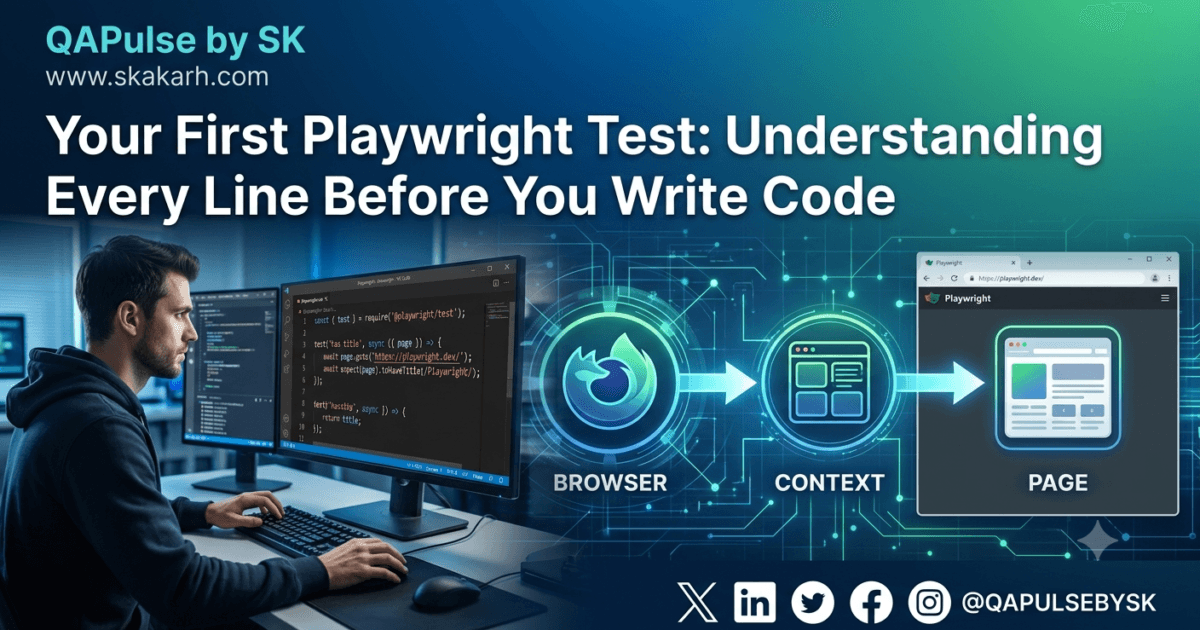
Your First Playwright Test Is More Important Than You Think
Your First Playwright Test is the single most important milestone in your Playwright automation journey. Long before you build a production-ready automation framework, integrate CI/CD pipelines, perform visual testing, or automate APIs, you need to understand what your first Playwright test is actually doing behind the scenes.
Most tutorials begin with a few lines of code:
test('homepage', async ({ page }) => {
    await page.goto('https://playwright.dev');
    await expect(page).toHaveTitle(/Playwright/);
});
The tutorial runs successfully.
The browser opens.
The page loads.
A green checkmark appears.
Then the lesson ends.
Unfortunately, that approach creates automation engineers who know how to copy code but not how Playwright actually works.
The moment something breaks, confusion begins.
- What exactly is
test()? - Why is
asyncrequired? - Where did the
pageobject come from? - Why doesn’t Playwright require Selenium WebDriver?
- What does
expect()really do? - Why does Playwright wait automatically without using
Thread.sleep()or hard waits?
These questions are rarely answered in beginner guides, yet they determine whether you become someone who copies examples or someone who designs enterprise automation frameworks.
This article is intentionally different.
Instead of writing code immediately, we’ll build the engineering mindset required to understand every line of your first Playwright test before we implement it in Part 1B.
Why Understanding Your First Playwright Test Matters
Learning Playwright is similar to learning a spoken language.
Anyone can memorize a few phrases.
Very few understand the grammar behind them.
Automation is exactly the same.
If you only memorize syntax, you’ll eventually reach a point where every new problem requires searching Stack Overflow or documentation.
Engineers who understand the architecture can solve unfamiliar problems because they understand the underlying system.
Your first Playwright test introduces almost every major concept you’ll use throughout your career:
- Test Runner
- Fixtures
- Browser automation
- Browser Contexts
- Pages
- Assertions
- Automatic waiting
- Test isolation
- Parallel execution
- Resource cleanup
Although the code is only a few lines long, the execution process is surprisingly sophisticated.
Understanding this process early will make every future lesson easier.
Stop Thinking About Clicking Buttons
Many beginners believe browser automation is about reproducing user actions.
Open Chrome.
Click Login.
Enter credentials.
Click Submit.
Verify text.
While those actions are visible, they are not the real purpose of automation.
Automation exists to validate business behaviour.
Imagine you’re testing an online banking application.
You’re not interested in proving that a button can be clicked.
You’re interested in questions like:
- Was the payment completed successfully?
- Was the correct API request sent?
- Did the balance update?
- Was an audit log created?
- Did the confirmation email trigger?
- Was the database updated correctly?
The click is merely a trigger.
The business logic is what matters.
Professional automation engineers always focus on validating software behaviour rather than simulating human interaction.
The Difference Between Scripts and Automation Engineering
Many beginners write scripts.
Experienced SDETs build automation systems.
The difference is significant.
A script performs actions.
An automation framework validates quality.
A script may pass today and fail tomorrow because the UI changed slightly.
A well-designed automation framework remains reliable because it is built on maintainable engineering principles.
Understanding your first Playwright test from an architectural perspective helps establish those principles from the beginning.
The Mental Model Every Playwright Engineer Should Have
Before learning Playwright APIs, build a mental model of what actually happens when you execute:
npx playwright test
Many people imagine that Playwright simply launches a browser and executes commands.
The reality is more structured.
You
 │
 ▼
Playwright Test Runner
 │
 ▼
Loads Configuration
 │
 ▼
Discovers Test Files
 │
 ▼
Creates Worker Process
 │
 ▼
Launches Browser
 │
 ▼
Creates Browser Context
 │
 ▼
Creates Page
 │
 ▼
Executes Test
 │
 ▼
Runs Assertions
 │
 ▼
Generates Report
 │
 ▼
Closes Resources
Every feature you’ll learn throughout this series fits somewhere inside this execution lifecycle.
Understanding this flow transforms Playwright from a collection of APIs into a complete testing platform.
Every Playwright Test Has a Purpose
One misconception among beginners is that automation exists to prove software works.
It doesn’t.
Automation exists to detect when software stops working.
That difference changes how you design tests.
Instead of asking:
Can I click this button?
Professional engineers ask:
- What business requirement am I validating?
- What could fail?
- What evidence proves success?
- What evidence proves failure?
- Can this test detect future regressions?
The purpose of automation is confidence.
The more confidence your tests provide, the more valuable your automation becomes.
Understanding the Journey of Your First Playwright Test
Think of your first Playwright test as a conversation.
You describe the behaviour you expect.
Playwright translates your instructions into browser actions.
The browser responds.
Playwright compares the actual behaviour with your expected behaviour.
If both match, the test passes.
If they don’t, Playwright produces detailed diagnostic information to help identify the problem.
This conversation happens continuously inside enterprise CI/CD pipelines.
Large organizations execute thousands of these conversations every day.
Your first Playwright test is simply the smallest version of that process.
Why Playwright Feels Different from Older Automation Tools
If you’ve previously worked with Selenium, you may notice that Playwright feels simpler.
There is less waiting.
Less configuration.
Fewer timing problems.
Fewer flaky tests.
This isn’t accidental.
Playwright was designed around modern browser automation principles.
Instead of expecting engineers to solve synchronization manually, Playwright automatically understands many browser events and waits intelligently before interacting with elements.
We’ll study the auto-waiting engine in detail later in this series, but understanding that this philosophy exists helps explain why Playwright code is often cleaner than traditional automation code.
The Three Questions Every Automation Engineer Should Ask
Before writing any Playwright test, pause and answer three questions.
1. What behaviour am I validating?
Not “what am I clicking?”
What business functionality am I verifying?
2. How will I know the application behaved correctly?
Every automation test should have measurable evidence.
Assertions provide that evidence.
3. Will this test still be understandable six months from now?
Automation is software engineering.
Readable tests save hundreds of hours of maintenance.
Common Beginner Mistakes
One reason automation projects become difficult to maintain is that beginners develop poor habits early.
Avoid these mistakes from your very first Playwright test.
Writing tests without understanding the business requirement
Automation should validate requirements, not random UI interactions.
Treating Playwright as a scripting language
Playwright is a testing platform, not merely a browser automation library.
Focusing only on passing tests
A passing test doesn’t prove software is bug-free.
It only proves one expected behaviour matched one observed behaviour.
Memorizing syntax instead of concepts
APIs change.
Engineering principles remain valuable throughout your career.
Thinking automation starts with coding
Successful automation begins with understanding the system you’re testing.
Code is simply the final expression of that understanding.
Best Practices Before Writing Your First Playwright Test
Adopting professional habits early will make every future lesson easier.
- Understand the business requirement before writing code.
- Prefer readability over clever one-line solutions.
- Design tests that another engineer can understand immediately.
- Keep tests independent and deterministic.
- Think about maintainability from the beginning.
- Focus on behaviour, not implementation details.
- Learn architecture before APIs.
- Treat automation as software engineering.
These principles will remain relevant throughout the entire Playwright Zero to Hero series.
Your First Playwright Test: From Code to Understanding
Your First Playwright Test is no longer just a few lines of code copied from the documentation. After building the architectural foundation in Part 1A, it’s time to examine what actually happens when Playwright executes your test.
Most tutorials explain what each line does.
This article explains why each line exists, how Playwright processes it internally, and what happens behind the scenes before your browser ever opens.
By the end of this lesson, you won’t simply know how to write your first Playwright test—you’ll understand the execution engine that powers every Playwright automation framework, from a single login test to enterprise suites containing tens of thousands of automated tests.
The Complete Playwright Test
Let’s begin with one of the simplest Playwright tests you’ll ever write.
import { test, expect } from '@playwright/test';

test('Playwright homepage has the correct title', async ({ page }) => {

    await page.goto('https://playwright.dev');

    await expect(page).toHaveTitle(/Playwright/);

});
Most people look at this and see five lines of code.
Experienced automation engineers see an entire execution pipeline.
Before the first line of this test runs, Playwright has already loaded configuration files, discovered test files, created worker processes, initialized fixtures, prepared browser resources, and configured reporting.
The code you write is only the visible tip of a much larger system.
What Happens Before Your Test Starts?
Many beginners assume the browser launches immediately after executing:
npx playwright test
That isn’t what happens.
Internally, Playwright performs several preparation steps before your code is executed.
A simplified workflow looks like this:
Command

↓

Playwright CLI

↓

Load playwright.config.ts

↓

Discover test files

↓

Create worker process

↓

Initialize Test Runner

↓

Launch browser

↓

Create Browser Context

↓

Create Page fixture

↓

Execute your test
Understanding this pipeline explains why Playwright feels fast, reliable and consistent compared to many older automation frameworks.
Your test is actually the final stage of a carefully managed execution lifecycle.
Understanding the Import Statement
The first line looks simple.
import { test, expect } from '@playwright/test';
Most beginners think this line simply imports two functions.
Technically that’s true.
Architecturally, much more is happening.
This import connects your file with the Playwright Test Runner.
It provides access to:
- Test lifecycle management
- Fixtures
- Assertions
- Reporting
- Parallel execution
- Retries
- Hooks
- Configuration
- Automatic waiting
Without this import, your file is nothing more than a normal TypeScript program.
With this import, it becomes a Playwright test that can participate in a complete automation framework.
What is test() Really?
This is one of the most misunderstood concepts in Playwright.
test('Playwright homepage has the correct title', async ({ page }) => {

});
Many beginners think test() immediately executes the code inside it.
It doesn’t.
Instead, test() registers a test with the Playwright Test Runner.
Think of it like registering a participant for a marathon.
Registration doesn’t start the race.
It simply tells the organizer that a runner exists.
Similarly, test() tells Playwright:
“Here is one test case. Execute it when the Test Runner is ready.”
This distinction becomes extremely important when your project grows to hundreds or thousands of automated tests.
The Test Runner decides:
- Which tests execute.
- Which worker executes them.
- Which browser is used.
- Whether retries are required.
- Whether the test should be skipped.
- Whether it runs in parallel.
- How reports are generated.
Your automation code describes behaviour.
The Test Runner controls execution.
Why Does Every Test Have a Name?
Notice this section:
'Playwright homepage has the correct title'
This isn’t just documentation.
The title becomes part of Playwright’s execution metadata.
It appears in:
- HTML reports
- Trace Viewer
- Terminal output
- CI/CD pipelines
- GitHub Actions logs
- Azure DevOps reports
A poor title like:
Test 1
provides almost no diagnostic value.
A descriptive title immediately tells engineers what business behaviour failed.
Professional automation frameworks treat test names as documentation.
If another engineer cannot understand the purpose of the test from its title alone, the title needs improvement.
Understanding async
One word often copied without understanding is:
async
Modern browsers perform many operations asynchronously.
Opening a webpage.
Loading JavaScript.
Downloading images.
Executing API requests.
Rendering HTML.
Waiting for animations.
All of these activities take time.
If JavaScript continued executing immediately without waiting, automation would constantly interact with pages that weren’t ready.
The async keyword tells JavaScript that this function contains asynchronous operations and may pause while waiting for those operations to complete.
Without async, Playwright wouldn’t allow the use of await, and your automation would quickly become unreliable.
In other words, async prepares the function to work safely with operations that don’t finish instantly.
Understanding await
If async prepares the function, await controls the timing.
Consider this statement:
await page.goto('https://playwright.dev');
Without await, JavaScript would immediately continue to the next line.
Imagine telling someone:
“Drive to London.”
Before they even start the engine, you ask:
“Did you arrive?”
The second question makes no sense because the journey hasn’t finished.
await prevents this problem.
It tells JavaScript:
“Pause this function until Playwright confirms this operation has completed.”
Every important browser interaction uses await because browsers operate asynchronously.
This single keyword is one of the biggest reasons Playwright automation remains reliable.
Where Does the page Object Come From?
One of the most common beginner questions is:
“I never created
page, so where did it come from?”
This is where Playwright Fixtures enter the picture.
The Test Runner automatically creates several resources before your test starts.
One of those resources is the Page fixture.
Internally, the process looks like this:
Browser

↓

Browser Context

↓

New Page

↓

Inject page fixture

↓

Execute your test
Instead of writing dozens of setup lines yourself, Playwright injects a ready-to-use browser page directly into your test function.
Later in this series we’ll explore fixtures in depth, but for now it’s important to understand that page is not magic—it is a managed resource created by the Test Runner for every test.
Internal Links
- Day 1: What is Playwright and Why Everyone is Talking About It
- Day 2: How to Install Playwright: Complete Beginner Setup Guide for 2026
- Day 3: Your First Playwright Test: Understanding Every Line Before You Write Code
- Day 4: How Playwright Works Behind the Scenes: Complete Architecture Guide for Beginners
- Day 5: Playwright Locators: Stop Writing Fragile Selectors Forever
- Playwright: Zero to Hero Series
External Authority Links
- Playwright Documentation
https://playwright.dev/docs/intro - Playwright Assertions
https://playwright.dev/docs/test-assertions - Playwright Test Runner
https://playwright.dev/docs/test-intro
How Does Your First Playwright Test Work?
The high-level execution flow is:
- Execute
npx playwright test - Load Playwright configuration
- Discover test files
- Launch the browser
- Create a browser context
- Create a page fixture
- Execute the test
- Run assertions
- Generate reports
- Close browser resources
Frequently Asked Questions
What is Your First Playwright Test?
Your First Playwright Test is the first automated browser test you write using Playwright. It introduces the Playwright Test Runner, browser automation, fixtures, assertions, and asynchronous programming concepts.
Why does Playwright use async and await?
Browser operations such as navigation, clicking, and waiting for elements take time. async and await ensure Playwright waits for these operations to complete before moving to the next step, making tests reliable and less flaky.
Where does the page object come from in Playwright?
The page object is automatically created by the Playwright Test Runner as a built-in fixture. It represents a browser tab and allows your test to interact with web pages.
What does test() do in Playwright?
The test() function registers a test case with the Playwright Test Runner. The runner manages execution, parallelism, retries, reporting, and lifecycle events.
Is Your First Playwright Test enough to learn Playwright?
No. Your First Playwright Test introduces the core execution model, but mastering Playwright also requires learning locators, fixtures, Page Object Models, API testing, authentication, visual testing, reporting, Docker, and CI/CD integration.
Continue Learning
Explore more practical guides on AI Testing, Agentic AI, MCP, Playwright, Selenium, LangChain, CrewAI, LlamaIndex, FastAPI, and Test Automation at www.skakarh.com.
At QAPulse by SK, every release article goes beyond release notes to explain the real-world impact, testing strategy, migration considerations, and engineering insights that help QA professionals build more reliable software.