QA
QA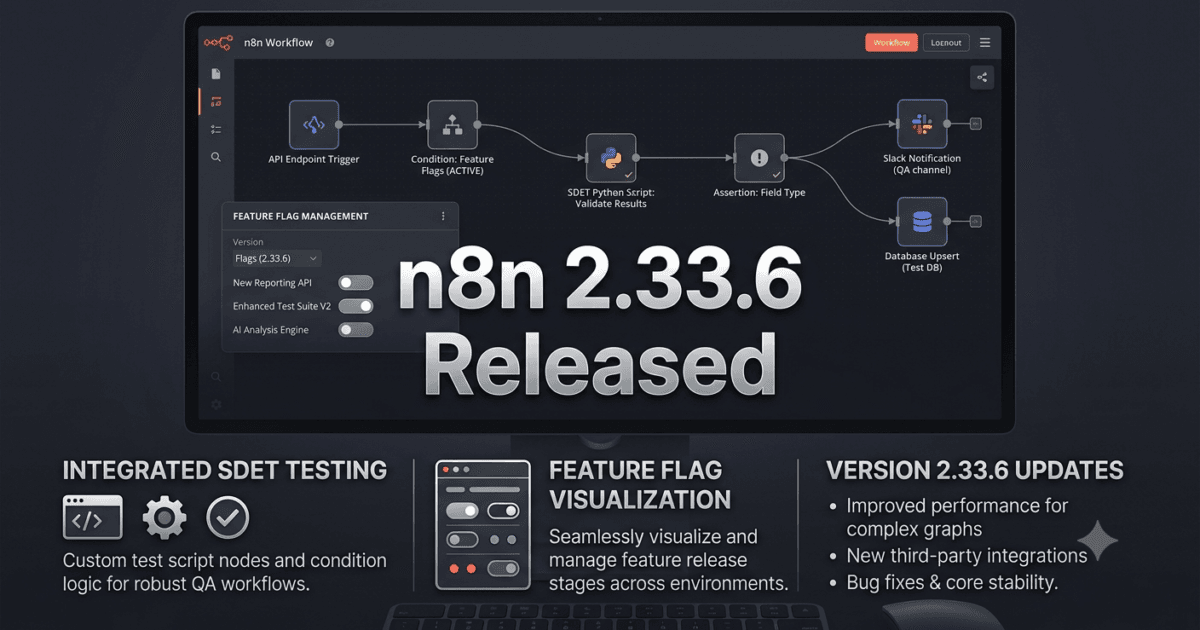
n8n 2.33.6 was released on August 7, 2026, as a focused bug-fix release. Unlike feature-heavy releases, this update contains a single backend improvement related to how n8n reports its version when retrieving PostHog feature flags.
At first glance, a one-line backend fix may not look important to QA Engineers. But in an automation platform such as n8n, version-aware backend behavior can affect feature management, telemetry, rollout logic, debugging, and the consistency of environments.
For QA Engineers and SDETs, this release is a good example of why small maintenance releases still deserve structured validation.
What’s New in n8n 2.33.6
The official release contains one documented bug fix:
Send n8n version on backend PostHog flag retrieval (#35720)
The change ensures that the n8n version is sent when the backend retrieves PostHog feature flags.
To understand why this matters, we first need to understand what feature flags do.
What Are Feature Flags?
A feature flag allows software teams to control whether a feature is enabled without necessarily deploying a completely new version of the application.
Conceptually, the application can make a decision like:
Application
     │
     ▼
Feature Flag Service
     │
     ├── Feature ON  → Enable functionality
     │
     └── Feature OFF → Keep functionality disabled
Feature flags are commonly used for:
- Gradual feature rollouts
- A/B testing
- Experimental functionality
- Internal-only features
- Emergency feature disabling
- Platform-specific behavior
- Version-specific feature management
For a platform such as n8n, feature flags can become an important part of safely introducing functionality across a large user base.
Why Sending the n8n Version Matters
The important part of this release is not simply that n8n sends a version number.
The important question is:
Why would a feature flag system need to know which n8n version is making the request?
Consider two installations:
| Environment | n8n Version | Feature Flag |
|---|---|---|
| Development | 2.33.6 | Enabled |
| Production | 2.33.4 | Disabled |
A feature flag service can potentially make more informed decisions when it knows which application version is requesting the configuration.
Version information can help with:
- Controlled rollouts
- Version-specific feature availability
- Debugging
- Experiment analysis
- Compatibility decisions
- Release monitoring
For QA teams, this creates another dimension to validate.
Understanding PostHog in This Context
PostHog is an analytics and product experimentation platform that can provide feature flag functionality.
The n8n release note specifically refers to backend PostHog flag retrieval.
This means the change is not primarily about an n8n workflow node or a new automation capability. It concerns communication between the n8n backend and the feature flag mechanism.
That distinction is important for QA Engineers.
A tester who only checks whether existing workflows execute successfully may completely miss the behavior being changed.
The testing scope should instead include both:
Functional behavior
and
Configuration and platform behavior
What This Means for QA Engineers
For QA Engineers, n8n 2.33.6 is primarily a regression and infrastructure-validation release rather than a feature-testing release.
The key areas to validate are:
- Existing workflows continue to execute.
- Feature-flag evaluation remains stable.
- Backend startup works correctly.
- Version information is correctly associated with flag retrieval.
- Flag-controlled functionality behaves consistently.
- Self-hosted deployments remain operational.
- CI/CD deployments continue working.
- No unexpected feature exposure occurs.
The last point is particularly important.
A feature flag bug can potentially result in a feature being enabled or disabled unexpectedly. That makes feature-flag behavior a quality concern even when the release contains no user-facing feature.
Comparison: Feature Release vs Bug-Fix Release
Understanding the difference helps QA teams determine how much testing is appropriate.
| Area | Feature Release | n8n 2.33.6 Bug-Fix Release |
|---|---|---|
| New functionality | Usually significant | None documented |
| Regression risk | High | Moderate |
| UI testing | Often required | Limited |
| Workflow testing | Required | Required |
| Infrastructure testing | Important | Very important |
| Feature flag testing | Depends on changes | High priority |
| Upgrade validation | Extensive | Targeted |
| Production rollout | Usually phased | Can be faster after validation |
A smaller release does not mean testing can be skipped.
Instead, the testing strategy should become more targeted.
A Practical QA Test Strategy for n8n 2.33.6
A useful validation strategy can be divided into four levels.
Level 1: Installation Validation
First confirm that n8n 2.33.6 installs and starts successfully.
For a Node.js-based n8n installation, the upgrade process should use n8n’s documented installation and upgrade process rather than treating n8n as a Python package.
For example, if n8n is installed globally through npm:
npm install -g n8n@2.33.6
Then verify the installed version:
n8n --version
Expected result:
2.33.6
This is a simple but important smoke test.
Level 2: Workflow Regression Testing
After upgrading, execute representative workflows.
A basic regression suite could contain:
API Workflow
     ↓
Authentication
     ↓
HTTP Request
     ↓
Data Transformation
     ↓
Database
     ↓
Notification
QA teams should include workflows covering:
- HTTP requests
- Webhooks
- Credentials
- Database integrations
- Scheduled workflows
- Error handling
- Expressions
- Code nodes
- External APIs
- AI integrations
- Sub-workflows
The goal is to verify that the maintenance update does not introduce unexpected regressions.
Level 3: Feature Flag Validation
Because the release specifically changes backend PostHog flag retrieval, feature-flag behavior deserves targeted testing.
QA Engineers should validate scenarios such as:
| Scenario | Expected Result |
|---|---|
| Current n8n version requests flags | Version is correctly associated |
| Feature enabled | Expected functionality is available |
| Feature disabled | Functionality remains unavailable |
| Unknown/unsupported flag | Application handles it safely |
| Backend restart | Flag retrieval remains stable |
| Network interruption | Application fails gracefully |
| Version change | Flag evaluation remains predictable |
This type of testing is more relevant to this release than simply running hundreds of unrelated UI tests.
Level 4: Deployment Validation
Teams running n8n in containers or CI/CD environments should also validate their deployment pipeline.
For example:
Build
  ↓
Deploy n8n 2.33.6
  ↓
Health Check
  ↓
Version Check
  ↓
Smoke Tests
  ↓
Workflow Regression
  ↓
Feature Flag Validation
  ↓
Production
This approach allows teams to detect deployment problems before the updated version reaches all production users.
What QA Engineers Should Pay Attention To
The most important lesson from n8n 2.33.6 is that backend configuration behavior can be just as important as visible application functionality.
A workflow can successfully execute while the underlying feature-management system behaves incorrectly.
For example, imagine a new capability should only be enabled for versions greater than or equal to a particular release.
If version information is missing during flag evaluation, the feature-management system may not have enough information to make the intended decision.
That creates a potential quality problem even though the workflow itself appears healthy.
Potential Regression Areas
The following areas deserve additional attention after upgrading:
Feature Availability
Verify that features controlled through flags appear exactly where expected.
Version Detection
Confirm that the application reports the expected n8n version.
Backend Communication
Verify that backend services can communicate with the feature-flag infrastructure.
Startup Behavior
Confirm that temporary feature-flag service failures do not prevent n8n from starting unexpectedly.
Existing Workflows
Run critical business workflows to ensure the update does not affect existing automation.
Self-Hosted Deployments
Teams running n8n themselves should validate their deployment-specific configuration, networking, environment variables, and monitoring.
Should You Upgrade to n8n 2.33.6?
For teams already running the n8n 2.33.x series, n8n 2.33.6 is a reasonable maintenance upgrade.
The release contains only one documented bug fix, and there are no documented breaking changes in the supplied release notes.
However, QA teams should not interpret “bug fix” as “zero testing required.”
The recommended approach is:
Development → Smoke Testing → Regression → Feature Flag Validation → Staging → Production
For production-critical n8n environments, a controlled rollout is preferable to an immediate unrestricted deployment.
Expert QA Recommendation
From a QA and SDET perspective, n8n 2.33.6 is primarily an infrastructure and regression-validation release.
The PostHog version-reporting fix may appear small, but it touches an important area of modern application architecture: version-aware feature management.
QA teams should focus less on testing new workflow functionality and more on verifying:
- Version detection
- Feature-flag behavior
- Backend communication
- Existing workflow stability
- Deployment reliability
- Production observability
This is also a useful reminder for QA Engineers working with modern automation platforms: not every important quality change appears as a new button, node, or feature in the UI.
Some of the most important changes happen behind the scenes.
Part 1B continues the same article, so I’ll keep it focused on deeper technical understanding, QA validation, code snippets, and practical comparisons. The overall conclusion will remain for Part 1D.
Understanding the n8n 2.33.6 Change from a QA Perspective
The most important thing to understand about n8n 2.33.6 is that this is not a release where QA Engineers need to search for a new workflow node or a major UI feature.
The documented change is behind the scenes:
Send n8n version on backend PostHog flag retrieval.
That makes this release particularly interesting from a testing perspective because it demonstrates an important principle of modern QA:
A small backend change can require a surprisingly thoughtful validation strategy.
The application may look exactly the same to an end user, while the information exchanged between the backend and feature-management infrastructure has changed.
For an SDET, this means the test strategy should cover more than UI behavior.
How the Feature Flag Flow Works
At a high level, the relevant flow can be understood like this:
n8n Backend
    |
    | Request feature flags
    | + n8n version
    v
PostHog Feature Flag Service
    |
    | Evaluate configuration
    v
Feature Flag Response
    |
    v
n8n Backend
    |
    v
Feature Availability
Before this change, the backend’s request may not have included the n8n version.
With the change, the backend can provide version information as part of the flag-retrieval process.
From a QA perspective, the important question becomes:
Does adding version information change feature-flag evaluation in the expected way without affecting unrelated functionality?
That is the behavior worth testing.
Why Version-Aware Testing Matters
Imagine a hypothetical feature that should only be available to n8n versions 2.33.6 and newer.
A feature-flag service could conceptually evaluate something like:
IF n8n_version >= 2.33.6
    enable_feature = true
ELSE
    enable_feature = false
The exact implementation may differ, but this illustrates why application version information can matter.
Without reliable version information, a feature-management system may not be able to distinguish between:
n8n 2.33.4
n8n 2.33.5
n8n 2.33.6
For QA Engineers, version-specific behavior becomes an additional test dimension.
A Simple Version Validation Test
An SDET can begin with a basic installation and version check:
npm install -g n8n@2.33.6
n8n --version
Expected output:
2.33.6
This test is intentionally simple.
It establishes the baseline that the deployed application actually corresponds to the version being tested.
In a CI/CD pipeline, the same concept can be automated:
EXPECTED_VERSION="2.33.6"
ACTUAL_VERSION=$(n8n --version)

if [ "$ACTUAL_VERSION" != "$EXPECTED_VERSION" ]; then
  echo "Unexpected n8n version: $ACTUAL_VERSION"
  exit 1
fi
This prevents a common deployment-testing problem where the environment claims to have been upgraded but is actually running an older image or installation.
API and Backend Validation
QA Engineers should also think beyond the CLI.
If the n8n installation is running as a service, container, or Kubernetes workload, the test should verify the deployed application’s version independently from the deployment configuration.
For example:
Deployment Configuration
        |
        v
Container/Image Version
        |
        v
Running n8n Instance
        |
        v
Reported Application Version
All four should agree.
A useful deployment test matrix is:
| Validation | Expected |
|---|---|
| Package version | 2.33.6 |
| Container/image version | Expected release |
| Running application | 2.33.6 |
| Deployment metadata | Matches release |
| Smoke tests | Pass |
| Critical workflows | Pass |
This is especially important in environments where several n8n instances may run simultaneously.
Testing Feature Flag Behavior
Feature-flag testing should be treated as a separate testing layer.
A basic conceptual test can be represented as:
def test_feature_flag_for_current_version():
    version = get_n8n_version()

    flags = get_feature_flags(version)

    assert flags is not None
A more meaningful test validates expected behavior:
def test_feature_is_enabled_for_supported_version():
    version = "2.33.6"

    flags = get_feature_flags(version)

    assert flags["target_feature"] is True
And an older version could be tested separately:
def test_feature_is_disabled_for_older_version():
    version = "2.33.4"

    flags = get_feature_flags(version)

    assert flags["target_feature"] is False
These examples are illustrative rather than an assertion about n8n’s exact internal PostHog API. The key testing principle is to validate version-dependent behavior at the boundary where configuration is evaluated.
Negative Testing Is Especially Important
QA Engineers should not test only the happy path.
Feature-management systems need negative testing as well.
Consider these scenarios:
| Scenario | Expected Behavior |
|---|---|
| Valid current version | Flags retrieved correctly |
| Older version | Appropriate configuration returned |
| Invalid version | Safe handling |
| Missing version | No unsafe feature activation |
| PostHog unavailable | Graceful degradation |
| Network timeout | Application remains stable |
| Malformed response | Error handled safely |
| Unexpected flag | Unknown configuration does not break application |
Negative testing is particularly valuable because configuration failures can sometimes expose functionality that should remain disabled.
What Happens If the Feature Flag Service Is Unavailable?
This is an important resilience scenario.
Suppose the n8n backend attempts to retrieve feature flags but the external service is temporarily unavailable.
A robust system should not unexpectedly become unusable.
The QA test should investigate:
n8n Backend
    |
    X
Feature Flag Service Unavailable
    |
    v
Fallback / Safe Behavior
    |
    v
n8n Continues Operating
The exact fallback behavior depends on the application’s implementation and configuration.
QA should therefore verify the documented behavior rather than assuming that every feature flag must default to either enabled or disabled.
Testing Network Failures
A practical resilience test can simulate:
- DNS failure
- Connection timeout
- HTTP 5xx response
- Slow response
- Connection reset
- Invalid response payload
The objective is not necessarily to make PostHog unavailable in production.
The objective is to prove that n8n behaves predictably when an external dependency is unavailable.
This is where traditional QA disciplines such as reliability testing and fault injection remain highly relevant to modern AI and automation platforms.
Smoke Test Suite for n8n 2.33.6
A small release should not require an enormous regression suite before every deployment.
A focused smoke suite can provide rapid confidence.
1. Start n8n
2. Verify version
3. Open application
4. Authenticate
5. Create test workflow
6. Execute workflow
7. Validate execution result
8. Verify feature-flag behavior
9. Check logs
10. Verify graceful shutdown
This can typically run before the larger regression suite.
Comparing Smoke, Regression, and Feature-Flag Testing
| Test Type | Main Purpose | n8n 2.33.6 Priority |
|---|---|---|
| Smoke Testing | Verify basic application health | High |
| Regression Testing | Ensure existing functionality still works | High |
| Feature-Flag Testing | Validate changed backend behavior | Very High |
| UI Testing | Verify visible interface | Medium |
| Performance Testing | Detect performance regressions | Medium |
| Security Testing | Detect security issues | Medium |
| Exploratory Testing | Discover unexpected behavior | Medium |
The key is prioritization.
Because the release specifically changes backend feature-flag retrieval, feature-flag validation should receive more attention than extensive UI exploration.
Workflow Regression Testing
Even when a release contains a backend-only change, existing workflows should still be tested.
A practical regression dataset can contain representative workflows:
API → Transform → Database

Webhook → Validation → Notification

Schedule → HTTP Request → Data Processing

AI Trigger → Agent → External API

Form → Logic → Database → Email
The exact workflows should reflect the organization’s production usage.
For an enterprise n8n installation, QA teams should identify the most business-critical workflows and create a critical workflow regression pack.
Critical Workflow Regression Example
A test could be structured like this:
def test_customer_sync_workflow():
    execution = run_workflow("customer-sync")

    assert execution.status == "success"
    assert execution.failed_nodes == []
Another workflow could validate the resulting data:
def test_invoice_processing_workflow():
    execution = run_workflow("invoice-processing")

    assert execution.status == "success"
    assert execution.output["invoice_status"] == "processed"
The important idea is to validate business outcomes rather than simply checking that a workflow started.
Logs Should Be Part of the Test Evidence
Backend changes are often easier to validate through logs and observability data than through UI testing.
QA Engineers should inspect:
- Startup logs
- Feature-flag retrieval errors
- Network errors
- Workflow execution failures
- Authentication failures
- Unexpected exceptions
- Version-related information
A successful test should ideally produce evidence that can be attached to a CI/CD report.
For example:
Test: n8n 2.33.6 smoke suite
Version: 2.33.6
Environment: Staging
Workflows: 25
Passed: 25
Failed: 0
Feature Flag Tests: 12
Passed: 12
Deployment Status: PASS
This transforms testing from a subjective “it seems fine” process into measurable release evidence.
Testing n8n 2.33.6 in Docker
Many teams run n8n in containers, making Docker-based upgrade validation particularly relevant.
A simplified test environment could look like:
services:
  n8n:
    image: n8nio/n8n:2.33.6
    ports:
      - "5678:5678"
After deployment, QA should verify that the expected image is running and that the application responds correctly.
A basic container-level check might be:
docker compose ps
docker logs n8n
The test should then continue into application-level validation.
Container health alone does not prove that n8n workflows or backend integrations are functioning correctly.
Container-Level vs Application-Level Testing
This distinction is important for SDETs.
| Container-Level Test | Application-Level Test |
|---|---|
| Container starts | n8n starts correctly |
| Port is available | Login works |
| Process is running | Workflow executes |
| Image is correct | Feature flags behave correctly |
| Health check passes | Business workflow succeeds |
A green Docker health check is therefore not equivalent to a green application test.
Both layers should be validated.
Recommended Upgrade Pipeline
For teams using CI/CD, a practical n8n 2.33.6 pipeline could look like:
Pull n8n 2.33.6
       ↓
Build / Deploy
       ↓
Version Validation
       ↓
Health Check
       ↓
Smoke Tests
       ↓
Feature Flag Tests
       ↓
Critical Workflow Regression
       ↓
Log & Metric Validation
       ↓
Staging Approval
       ↓
Production Rollout
This approach gives QA Engineers a repeatable process that can be reused for future n8n maintenance releases.
What Should Be Automated?
Not every test needs to be automated, but the repetitive validation should be.
Good candidates include:
- Version verification
- Installation checks
- Health checks
- Critical workflows
- Feature-flag scenarios
- API validation
- Deployment verification
- Regression tests
- Log scanning
- CI/CD quality gates
Exploratory testing, usability evaluation, and investigation of unexpected behavior can remain manual.
A Practical QA Quality Gate
A release pipeline could enforce a simple quality gate:
quality_gate = {
    "version_check": True,
    "smoke_tests": True,
    "feature_flags": True,
    "critical_workflows": True,
    "deployment_health": True
}

assert all(quality_gate.values())
If one critical category fails, production deployment should stop until the failure is understood.
This is much more useful than relying solely on a generic test-count metric.
n8n 2.33.6 Upgrade Risk Assessment
From the supplied release information, n8n 2.33.6 contains a single documented bug fix and does not introduce a new workflow node or major user-facing capability.
That suggests a targeted testing approach is appropriate.
| Risk Area | Assessment |
|---|---|
| New workflow functionality | Low |
| UI regression | Low |
| Existing workflows | Medium |
| Backend behavior | Medium |
| Feature flags | High |
| Deployment | Medium |
| External dependency behavior | Medium |
| Breaking changes | No documented breaking change |
The highest testing priority should therefore be around the changed backend behavior and its interaction with feature-flag infrastructure.
The Bigger Lesson for QA Engineers
n8n 2.33.6 is a useful example of how modern QA has evolved.
Testing is no longer limited to:
Click → Check → Pass/Fail
Modern QA increasingly requires understanding:
Application
    ↓
Backend
    ↓
External Services
    ↓
Configuration
    ↓
Feature Flags
    ↓
Observability
    ↓
Deployment Infrastructure
When QA Engineers understand this complete system, they can design smaller but more intelligent test suites.
That is particularly valuable for SDETs, because the goal is not simply to execute more tests.
The goal is to identify the tests that provide the highest confidence for the actual change being introduced.
Advanced QA Validation for n8n 2.33.6
Part 1C takes the testing strategy further by looking at resilience, CI/CD quality gates, observability, security, and production rollout. The goal is to turn the n8n 2.33.6 upgrade into a repeatable SDET workflow rather than a one-time manual check.
Testing Feature Flag Failure Scenarios
The most interesting testing area in this release is the interaction between n8n and PostHog feature-flag retrieval.
A QA Engineer should not only verify that the expected request works. The test strategy should also determine what happens when the dependency behaves unexpectedly.
Consider this model:
n8n Backend
    |
    +---- Request version-aware flags
    |
    v
PostHog
    |
    +---- 200 OK
    +---- 500 Error
    +---- Timeout
    +---- Invalid Response
    +---- Network Failure
Each condition can produce a different application behavior.
A resilience test might look conceptually like:
def test_feature_flag_service_failure():
    mock_posthog_failure()

    response = start_n8n()

    assert response.status == "healthy"
The exact expected behavior should be based on n8n’s implementation and deployment configuration, but the testing principle is important:
An external configuration dependency should not unexpectedly destroy application availability.
Testing Timeouts
A timeout is different from an immediate HTTP failure.
For example:
Request
   |
   |------------------------X
   |                       Timeout
   |
n8n
A QA Engineer should determine:
- How long does n8n wait?
- Does the request retry?
- Is there a fallback?
- Does startup continue?
- Is the error logged?
- Does the workflow engine remain available?
A performance-oriented test can measure the behavior:
import time

start = time.time()

response = retrieve_feature_flags(timeout=5)

elapsed = time.time() - start

assert elapsed <= 6
The threshold should be based on the organization’s actual SLO rather than an arbitrary value.
Testing Malformed Feature Flag Responses
External services can return unexpected data.
For example:
{
  "flags": null
}
or:
{
  "unexpected": "payload"
}
QA should verify that malformed responses are handled safely.
A conceptual test:
def test_invalid_feature_flag_payload():
    mock_posthog_response({
        "unexpected": "payload"
    })

    application = start_n8n()

    assert application.is_healthy()
The purpose is to verify graceful failure rather than allowing malformed configuration to crash the application.
Version Boundary Testing
Because the release specifically involves sending the n8n version, version-boundary testing is valuable.
Instead of testing only 2.33.6, create a matrix around the version boundary.
| Version | Test Purpose |
|---|---|
| 2.33.4 | Older supported release |
| 2.33.5 | Immediately previous release |
| 2.33.6 | Target release |
| Future/dev version | Compatibility investigation |
This approach helps detect assumptions that only work for the current version.
A version parser should also be tested independently:
from packaging.version import Version

def is_supported(version):
    return Version(version) >= Version("2.33.6")

assert is_supported("2.33.6") is True
assert is_supported("2.33.5") is False
The example demonstrates the principle of testing version comparisons explicitly rather than relying on string comparisons.
Why String Comparison Can Be Dangerous
A common automation mistake is comparing versions as strings.
For example:
"2.33.10" > "2.33.6"
String comparison does not represent semantic version ordering reliably.
Use a semantic version parser instead:
from packaging.version import Version

assert Version("2.33.10") > Version("2.33.6")
This is a small example, but it represents an important lesson for SDETs building release-validation frameworks.
Version information should be treated as structured data, not ordinary text.
Testing Environment Consistency
An n8n deployment can contain multiple layers:
Git Repository
      ↓
CI Pipeline
      ↓
Docker Image
      ↓
Container
      ↓
n8n Application
      ↓
Workflow
A deployment can fail even when one layer looks correct.
For example:
Docker Image: 2.33.6
Container:    2.33.6
Application:  2.33.5
This mismatch should immediately trigger investigation.
A deployment validation script could verify the expected version:
EXPECTED="2.33.6"
ACTUAL=$(n8n --version)

test "$ACTUAL" = "$EXPECTED"
This simple quality gate prevents a surprising number of deployment mistakes.
Testing Critical Workflows
Not every workflow needs to be executed after every maintenance release.
A better strategy is to create a critical workflow suite.
For example:
| Workflow Category | Priority |
|---|---|
| Customer-facing automation | Critical |
| Revenue-related automation | Critical |
| Authentication workflows | Critical |
| Database synchronization | High |
| External API integrations | High |
| Internal notifications | Medium |
| Experimental workflows | Low |
This allows teams to balance test coverage against execution time.
Critical Path Testing
Suppose an organization uses n8n for customer onboarding:
Webhook
   ↓
Validate Customer
   ↓
CRM API
   ↓
Database
   ↓
Email
The regression test should validate the entire business outcome.
def test_customer_onboarding():
    result = execute_workflow(
        "customer-onboarding",
        payload={
            "customer_id": "TEST-001"
        }
    )

    assert result.success is True
    assert result.crm_updated is True
    assert result.database_updated is True
    assert result.email_sent is True
This is more valuable than merely asserting that the workflow received a 200 OK.
API Testing vs Workflow Testing
These two approaches should complement each other.
| API Testing | Workflow Testing |
|---|---|
| Tests individual endpoints | Tests complete automation |
| Fast | More comprehensive |
| Good for contracts | Good for business flows |
| Easier to isolate failures | Better end-to-end coverage |
| Useful for CI | Useful for release validation |
An SDET team should ideally use both.
Observability Validation
QA Engineers should not treat observability as a DevOps-only responsibility.
A reliable n8n deployment should expose enough information to investigate failures.
During validation, check:
- Application logs
- Workflow execution logs
- Error messages
- Deployment health
- CPU usage
- Memory consumption
- Network errors
- External dependency failures
For example:
Release: n8n 2.33.6
Environment: Staging

Version Check       PASS
Health Check        PASS
Workflow Tests      PASS
Feature Flag Tests  PASS
Error Logs          0 unexpected
Deployment          PASS
This becomes valuable release evidence.
Security Testing
Although the supplied release does not document a security fix, security validation should still be part of an enterprise n8n upgrade.
QA teams should verify:
- Authentication
- Authorization
- Credential access
- Webhook security
- Secret handling
- API authentication
- User permissions
- External integration permissions
A simple negative authorization test could look like:
def test_user_cannot_access_restricted_workflow():
    response = api.get(
        "/restricted-workflow",
        user="standard-user"
    )

    assert response.status_code in [401, 403]
The exact endpoint and authorization model depend on the deployment.
Regression Testing After Dependency Changes
n8n installations frequently depend on external services.
A critical workflow may look like:
n8n
 ↓
REST API
 ↓
Database
 ↓
Cloud Service
 ↓
Notification Platform
A maintenance upgrade should therefore validate integration boundaries.
Recommended integration checks include:
- Authentication still works.
- API requests succeed.
- Database connections remain valid.
- Credentials are available.
- Webhooks work.
- Scheduled executions work.
- Error handling remains functional.
Upgrade Testing in Staging
Production should not be the first environment where n8n 2.33.6 is tested.
A recommended rollout is:
Development
     ↓
QA
     ↓
Staging
     ↓
Limited Production
     ↓
Full Production
At each stage, capture test evidence before proceeding.
Blue-Green Upgrade Approach
Organizations with critical n8n workloads can use a blue-green deployment strategy.
             Load / Users
                  |
          +-------+-------+
          |               |
       Blue              Green
     n8n old           n8n 2.33.6
          |               |
       Stable          Validation
The new environment can be validated independently before traffic is moved.
This significantly reduces the risk associated with production upgrades.
Canary Testing
A smaller organization may not need blue-green infrastructure.
A canary approach can be simpler:
95% Traffic → Existing Version
5% Traffic  → n8n 2.33.6
The QA and DevOps teams monitor:
- Workflow failures
- Latency
- Errors
- Feature-flag behavior
- Resource utilization
If the new version performs as expected, the rollout can gradually expand.
Rollback Testing
A release strategy is incomplete without rollback validation.
QA teams should know:
Can we return to the previous version safely?
A rollback test might verify:
n8n 2.33.6
     ↓
Detected Problem
     ↓
Rollback
     ↓
Previous Version
     ↓
Critical Workflows
     ↓
PASS
Rollback itself should be tested before production deployment for business-critical environments.
Upgrade vs Rollback Comparison
| Strategy | Advantage | Risk |
|---|---|---|
| Immediate Upgrade | Fast | Higher production exposure |
| Staged Upgrade | Controlled | Takes longer |
| Canary | Low exposure | More infrastructure complexity |
| Blue-Green | Strong isolation | Higher infrastructure cost |
| Rollback Plan | Limits incident impact | Requires preparation |
For most teams, a staged upgrade with a verified rollback plan provides a practical balance.
Building a Reusable n8n Release Test Suite
Instead of creating new tests for every release, QA teams should build a reusable suite.
n8n-release-tests/
│
├── installation/
├── version/
├── feature-flags/
├── workflows/
├── integrations/
├── security/
├── performance/
├── resilience/
├── deployment/
└── rollback/
Then a new release becomes a configuration change rather than a completely new testing project.
For example:
TARGET_VERSION = "2.33.6"

def test_version():
    assert get_n8n_version() == TARGET_VERSION

def test_health():
    assert n8n_is_healthy()

def test_critical_workflows():
    assert run_critical_workflows()

def test_feature_flags():
    assert validate_feature_flags()
This approach is especially valuable for SDETs managing frequent platform releases.
Quality Gate Example
A release can be approved only when all critical checks pass:
quality_gate = {
    "installation": True,
    "version": True,
    "health": True,
    "feature_flags": True,
    "critical_workflows": True,
    "integrations": True,
    "security": True,
    "rollback": True,
}

release_ready = all(quality_gate.values())

assert release_ready
The exact quality gate should be adapted to organizational risk.
What Makes This Strategy Better?
A traditional upgrade test might look like:
Install
↓
Open n8n
↓
Run workflow
↓
Done
A mature SDET strategy looks more like:
Version Validation
        ↓
Deployment Validation
        ↓
Health Check
        ↓
Feature Flag Validation
        ↓
Negative Testing
        ↓
Critical Workflow Regression
        ↓
Integration Testing
        ↓
Security Validation
        ↓
Observability Validation
        ↓
Rollback Verification
The second approach provides much stronger confidence without requiring every possible test in the system.
Practical QA Checklist for n8n 2.33.6
Before production approval, QA Engineers can use this checklist:
| Area | Validation |
|---|---|
| Installation | n8n 2.33.6 installs successfully |
| Version | Running version matches expected version |
| Startup | Backend starts without unexpected errors |
| Feature Flags | PostHog-related behavior is stable |
| Workflows | Critical workflows pass |
| Integrations | External services remain functional |
| Security | Access controls remain correct |
| Resilience | Dependency failures are handled safely |
| Observability | Logs and metrics remain available |
| Deployment | CI/CD deployment succeeds |
| Rollback | Previous version can be restored |
| Production | Controlled rollout completed |
This provides a practical release gate for the update.
n8n 2.33.6: Production Upgrade Playbook for QA Engineers
Part 1D brings the testing strategy together into a practical production upgrade playbook. The goal is to move from individual test cases to a repeatable release process that QA Engineers and SDETs can use for n8n maintenance releases.
From Testing to Release Confidence
A successful upgrade is not simply:
Install → Start → Done
A production-ready upgrade should establish confidence across multiple layers:
Release
  ↓
Installation
  ↓
Version Verification
  ↓
Health Check
  ↓
Feature Flag Validation
  ↓
Critical Workflow Regression
  ↓
Integration Testing
  ↓
Security Validation
  ↓
Observability
  ↓
Rollback Readiness
  ↓
Production
This layered approach prevents teams from relying on a single green test result.
Recommended n8n 2.33.6 Test Pyramid
The testing pyramid for this release should prioritize fast checks first and deeper validation afterward.
| Testing Layer | Example | Execution |
|---|---|---|
| Smoke | Application starts | Every deployment |
| Version | Running version is 2.33.6 | Every deployment |
| Feature Flag | Version-aware flag retrieval | Every release |
| API | Backend integrations | Every release |
| Workflow | Critical automations | Every release |
| Security | Authentication/authorization | Scheduled + release |
| Performance | Latency/resource usage | Scheduled + release |
| Resilience | External dependency failures | Release/staging |
| End-to-End | Business workflows | Release |
| Rollback | Previous version recovery | Before critical production rollout |
This is more efficient than executing a huge regression suite indiscriminately.
Creating a Release Candidate Test
Before production, create a release candidate environment running exactly the target version.
For example:
docker pull n8nio/n8n:2.33.6
Then start the candidate environment using the organization’s existing configuration.
The first automated assertion should confirm the actual version.
EXPECTED_VERSION="2.33.6"

ACTUAL_VERSION=$(n8n --version)

if [ "$ACTUAL_VERSION" != "$EXPECTED_VERSION" ]; then
    echo "Version mismatch"
    exit 1
fi

echo "Version validation passed"
This simple gate prevents testing the wrong artifact.
Testing the Actual Deployment Artifact
One common mistake is testing a local package while production uses Docker.
For example:
Local QA
   ↓
npm package 2.33.6
while production uses:
Production
   ↓
Docker image
   ↓
n8nio/n8n:2.33.6
These environments should be as similar as practical.
A stronger strategy is:
Same Image
     ↓
Development
     ↓
QA
     ↓
Staging
     ↓
Production
The artifact should move through the pipeline rather than being rebuilt differently at each stage.
Automating the Release Smoke Test
A lightweight Python-based smoke test can combine the most important checks:
def test_n8n_release():
    assert get_version() == "2.33.6"
    assert application_is_healthy()
    assert authentication_works()
    assert critical_workflow_succeeds()
This test is intentionally small.
The purpose of a smoke suite is to quickly determine whether deeper testing should proceed.
Feature Flag Regression Suite
Because the documented change specifically concerns PostHog flag retrieval, this should be a dedicated test category.
A conceptual suite could contain:
def test_current_version_is_sent():
    request = capture_feature_flag_request()

    assert request.version == "2.33.6"


def test_feature_flag_response_is_processed():
    response = get_feature_flags()

    assert response is not None


def test_invalid_flag_response_is_handled():
    mock_invalid_response()

    assert application_is_healthy()
These tests should be adapted to the actual observability and testing interfaces available in the deployment.
The important concept is to verify the behavior at the integration boundary.
Contract Testing for External Dependencies
When an application communicates with an external service, contract testing can provide another layer of confidence.
Conceptually:
n8n Backend
    |
    | Expected Request Contract
    v
PostHog
    |
    | Expected Response Contract
    v
n8n Backend
QA Engineers can validate that required request fields are present and that the application handles expected response structures.
A conceptual assertion might be:
request = capture_request()

assert "version" in request
assert request["version"] == "2.33.6"
Again, the actual implementation depends on the test environment and available instrumentation.
Regression Dataset for n8n
A mature n8n QA program should maintain a reusable regression dataset.
For example:
regression-suite/
│
├── webhook/
│   ├── customer-registration
│   └── payment-notification
│
├── api/
│   ├── rest-integration
│   └── authentication
│
├── database/
│   ├── postgres
│   └── mysql
│
├── ai/
│   ├── ai-agent
│   └── llm-workflow
│
└── scheduled/
    ├── daily-report
    └── data-sync
Every important business capability should have at least one representative workflow.
Measuring Regression Risk
Not every workflow carries the same business risk.
A useful prioritization model is:
Risk Score =
Business Impact × Failure Probability × Detection Difficulty
For example:
| Workflow | Business Impact | Priority |
|---|---|---|
| Payment processing | Very High | Critical |
| Customer onboarding | High | Critical |
| Daily reporting | Medium | High |
| Internal notification | Low | Medium |
| Experimental workflow | Low | Low |
This lets QA teams spend more time testing what actually matters.
Performance Validation
A maintenance release should not introduce unexpected performance degradation.
Track metrics such as:
- Workflow execution time
- API response time
- CPU usage
- Memory usage
- Startup time
- Database response time
- External dependency latency
A basic performance assertion could be:
execution_time = run_workflow("critical-workflow")

assert execution_time < MAX_ALLOWED_TIME
The threshold should come from historical production measurements or documented SLOs.
Comparing Upgrade Strategies
Different organizations require different rollout strategies.
| Strategy | Best For | Risk |
|---|---|---|
| Immediate | Low-risk environments | Higher exposure |
| Staged | Most production teams | Moderate |
| Canary | High-traffic environments | Low |
| Blue-Green | Mission-critical systems | Very low |
| Maintenance Window | Controlled environments | Depends on downtime |
For most teams, staged deployment with automated smoke tests and a verified rollback procedure is a strong balance.
Production Monitoring After Upgrade
Testing should not stop when deployment succeeds.
The first period after deployment should be treated as a monitoring window.
Production Deployment
        ↓
Smoke Test
        ↓
Monitor
        ↓
Critical Workflow Executions
        ↓
Error Rate
        ↓
Latency
        ↓
Feature Flag Behavior
        ↓
Release Decision
Monitor especially for:
- Increased workflow failures
- Unexpected backend errors
- Feature availability changes
- External dependency failures
- Resource consumption changes
- Authentication problems
Release Observability Dashboard
A useful release dashboard might contain:
n8n Version: 2.33.6

Workflow Success Rate     99.8%
Workflow Failure Rate      0.2%
API Error Rate             0.1%
Average Latency            Stable
CPU Usage                  Stable
Memory Usage               Stable
Feature Flag Errors        0
Critical Workflows         PASS
The exact metrics will vary by environment, but the principle remains the same:
QA should have measurable evidence that the upgrade is healthy.
Rollback Plan
Every production upgrade should have a rollback strategy before deployment begins.
A simple decision flow:
Deploy 2.33.6
     ↓
Smoke Tests
     ↓
PASS ─────────────→ Continue Monitoring
     |
     FAIL
     ↓
Investigate
     ↓
Recoverable?
   /       \
 Yes        No
  |          |
Fix       Rollback
  |          |
Retest    Previous Version
A rollback plan should answer:
- What version will we restore?
- Where is the previous artifact?
- How are database changes handled?
- How are credentials preserved?
- How are workflows validated after rollback?
- Who approves rollback?
- How quickly can it be completed?
Why Rollback Testing Matters
A rollback plan that has never been tested is only a theoretical plan.
QA Engineers should validate that the previous version can actually start and execute critical workflows.
For example:
def test_rollback():
    deploy_version("previous")

    assert get_version() == PREVIOUS_VERSION
    assert application_is_healthy()
    assert critical_workflows_succeed()
This provides substantially more confidence than simply keeping an old Docker tag available.
Release Approval Matrix
Before production deployment, teams can use a simple approval matrix.
| Validation | Result | Production Ready |
|---|---|---|
| Installation | PASS | Yes |
| Version | PASS | Yes |
| Smoke Tests | PASS | Yes |
| Feature Flags | PASS | Yes |
| Critical Workflows | PASS | Yes |
| Integrations | PASS | Yes |
| Security | PASS | Yes |
| Performance | PASS | Yes |
| Monitoring | PASS | Yes |
| Rollback | PASS | Yes |
A critical failure should block production until it is understood.
A Reusable SDET Automation Framework
The biggest long-term improvement is to avoid rebuilding this test strategy for every n8n release.
Create a reusable framework:
n8n-release-validation/
│
├── config/
├── smoke/
├── version/
├── feature_flags/
├── workflows/
├── integrations/
├── security/
├── performance/
├── resilience/
├── deployment/
├── rollback/
└── reports/
Then the next release might require only:
TARGET_VERSION = "2.33.7"
instead of creating an entirely new test project.
This turns release testing into an engineering capability rather than a manual release task.
What n8n 2.33.6 Teaches QA Engineers
There is a bigger lesson behind this small release.
Modern QA Engineers need to understand the entire software ecosystem around the application.
A change involving feature-flag retrieval can touch:
Application
    ↓
Backend
    ↓
Network
    ↓
External Platform
    ↓
Configuration
    ↓
Deployment
    ↓
Observability
    ↓
Business Workflows
Testing only the user interface would miss most of these risks.
This is why modern SDET roles increasingly require knowledge of APIs, containers, CI/CD, cloud infrastructure, observability, security, and distributed systems.
Internal Links
- n8n 2.33.4 Released: Improved Task Runner Reliability & AI Fixes
- n8n 2.33.3 Released: Bug Fixes, MCP Improvements & Upgrade Guide
- n8n 2.32.7 Released: Security Audit Improvements Strengthen Enterprise Workflow Automation
- n8n 2.32.6 Released: Smarter Scheduling Improvements Every QA Engineer Should Know
- n8n 2.32.5 Released: Why This Security-Focused Update Matters for QA Engineers and Automation Teams
- n8n 2.31.4 Improves Workflow Stability and Editor Reliability for QA Engineers
- n8n 2.30.8 Strengthens AI Agent Reliability and Workflow Integrity for Enterprise Automation
- n8n 2.30.7 Strengthens Package Security and AWS SES Reliability for Enterprise Workflow Automation
- n8n 2.30.5 Release Brings Better AI Assistant Analytics, Node Alias Preservation, and Editor Improvements for Workflow Automation
- n8n 2.30.4 Improves Workflow Reliability, Webhook Stability, and Notion Integration for Enterprise Automation
- n8n 2.29.10 Released — What’s New for QA Engineers
- n8n 2.29.9 Released: Strengthening Enterprise AI Automation for Modern QA Teams
- n8n 2.29.8 Released: Enterprise Workflow Stability Gets Even Stronger for QA Engineers
- n8n 2.29.7 Released: AI Workflow Stability Improvements Every QA Engineer Should Know
- n8n 2.28.6 Released: Critical Stability Fixes Every QA Engineer Should Know
- n8n 2.28.7 Released: Critical Dependency Fix Every QA Engineer Should Know
- n8n 2.28.5 Released: Critical Stability Improvements Every QA Engineer Should Know
- n8n 2.28.3 Released: Startup Reliability Improvements Every QA Engineer Should Know
- n8n 2.27.5 Released: Why This Stability Update Matters for QA Engineers
- n8n 2.27.4 Released: Essential Workflow Improvements Every QA Engineer Should Know
Official Resources
- Official Documentation: https://docs.n8n.io
- Official Release Notes: https://github.com/n8n-io/n8n/compare/release/2.33.3…release/2.33.6
People Asked Questions
What is new in n8n 2.33.6?
n8n 2.33.6 is a focused maintenance release. Its documented change improves backend PostHog feature-flag retrieval by sending the n8n version during the request.
Should QA Engineers test n8n 2.33.6?
Yes. Although the release is small, QA teams should validate version detection, feature-flag behavior, critical workflows, integrations, deployment health, and regression scenarios.
Does n8n 2.33.6 introduce breaking changes?
The supplied release information does not document any breaking changes.
What should be tested after upgrading n8n?
Start with version verification and smoke testing, then validate feature flags, critical workflows, integrations, logs, deployment behavior, and rollback readiness.
Is n8n 2.33.6 a major feature release?
No. It is better treated as a focused maintenance/bug-fix release rather than a major feature release.
How should SDETs test n8n releases?
SDETs should combine automated smoke tests, API and integration testing, critical workflow regression, feature-flag validation, resilience testing, CI/CD checks, and production monitoring.
Final QA Recommendation for n8n 2.33.6
Based on the supplied release notes, n8n 2.33.6 is a focused maintenance release rather than a major feature release.
The documented change is small but technically meaningful: the backend now sends the n8n version during PostHog feature-flag retrieval.
For QA Engineers, the recommended validation priority is:
- Verify the deployed n8n version.
- Confirm application startup and health.
- Validate feature-flag behavior.
- Test failure and timeout scenarios around the external dependency.
- Execute critical workflow regression tests.
- Validate integrations and authentication.
- Review logs and observability data.
- Verify deployment consistency.
- Monitor production after rollout.
- Keep a tested rollback path available.
There are no breaking changes documented in the supplied release information, so teams already running the 2.33.x line can approach the upgrade as a targeted maintenance update.
The most important takeaway is that small releases still deserve intelligent testing. QA Engineers should not measure the testing effort by the number of changed lines or release-note entries. They should measure it by the potential impact of the changed behavior.
For n8n 2.33.6, that means focusing on version-aware feature management, backend resilience, workflow regression, deployment confidence, and production observability.
That is the difference between simply upgrading an automation platform and engineering confidence around the upgrade.
Continue Learning
Explore more expert articles on n8n, LangChain, CrewAI, MCP Servers, AI Agents, LlamaIndex, Docker, FastAPI, Playwright, Cypress, Test Automation, DevOps, and Software Engineering at www.skakarh.com.
QAPulse by SK delivers expert release analysis, AI engineering insights, enterprise automation strategies, migration guidance, DevOps best practices, and practical testing knowledge to help software professionals build scalable, intelligent, and production-ready software systems.