QA
QA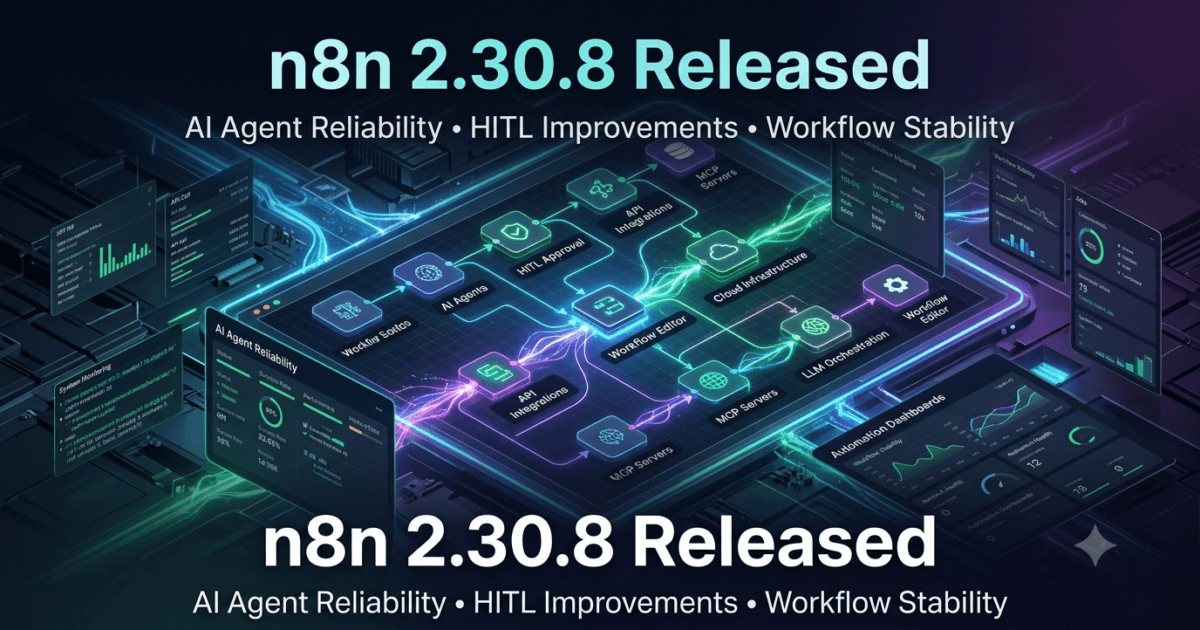
n8n 2.30.8, released on July 20, 2026, is a focused maintenance release that improves the reliability of AI Agent workflows and enhances the stability of the visual workflow editor. While this update introduces only two officially documented bug fixes, both address important scenarios that directly impact organizations building AI-powered automation, Agentic AI workflows, Human-in-the-Loop (HITL) systems, and enterprise integration pipelines.
As businesses increasingly rely on LLMs, AI Agents, Model Context Protocol (MCP), and intelligent workflow orchestration, even small fixes can significantly improve workflow reliability, debugging efficiency, and production stability. The two primary fixes in this release ensure that AI Agents correctly recognize connected tools within Human-in-the-Loop configurations and that invalid workflow groups are automatically corrected before workflows are saved.
For QA Engineers, SDETs, Automation Engineers, DevOps Teams, AI Engineers, Backend Developers, and Workflow Architects, these improvements reduce execution failures, minimize workflow corruption, and strengthen enterprise-grade automation environments.
Although n8n 2.30.8 is categorized as a bug-fix release, it enhances critical platform behavior that directly affects intelligent automation projects built around AI agents, external tools, approval workflows, and complex workflow designs.
Official Release Highlights
According to the official n8n 2.30.8 release notes, this version includes two important bug fixes.
Bug Fixes
- Core: Fixed an issue where AI Agents could not detect tools connected through Human-in-the-Loop (HITL) tools.
- Editor: Automatically ungroup invalid workflow groups during workflow save operations.
No breaking changes, new APIs, or database migrations were introduced in this release.
n8n 2.30.8 Release Overview
| Category | Details |
|---|---|
| Version | n8n 2.30.8 |
| Release Date | July 20, 2026 |
| Release Type | Bug Fix Release |
| AI Improvements | Yes |
| Workflow Editor Improvements | Yes |
| Breaking Changes | None Reported |
| Database Migration | None |
| Upgrade Recommendation | Recommended |
Why This Release Matters
Modern automation platforms are rapidly evolving from simple task orchestration tools into intelligent AI workflow platforms capable of autonomous decision-making, multi-agent collaboration, Human-in-the-Loop approvals, external API integration, and enterprise business process automation.
In these environments, AI Agents rarely operate in isolation. Instead, they rely on multiple connected tools to retrieve data, call APIs, query databases, generate reports, execute business rules, and interact with users through approval checkpoints.
A defect preventing AI Agents from discovering connected HITL tools can interrupt entire automation pipelines, resulting in incomplete workflows, failed business processes, or incorrect AI decisions.
Similarly, invalid workflow groups within the visual editor may create confusion for developers, complicate maintenance, and increase the likelihood of workflow corruption during collaborative development.
Although these issues may appear minor in the changelog, they have meaningful implications for organizations running large-scale production workflows.
AI Agents Can Now Properly Detect HITL Tools
The most significant improvement in n8n 2.30.8 resolves an issue where AI Agents failed to recognize tools connected through Human-in-the-Loop (HITL) configurations.
Human-in-the-Loop workflows combine AI-driven automation with human oversight, enabling organizations to maintain control over sensitive decisions while still benefiting from autonomous execution.
Typical HITL use cases include:
- Document approval workflows
- Customer support escalations
- Financial transaction validation
- Compliance verification
- Medical review systems
- Legal document approval
- Content moderation
- AI-assisted code review
- Security incident response
- Enterprise governance workflows
With this fix, AI Agents correctly identify and interact with connected tools, ensuring that approval stages, external integrations, and human intervention continue functioning as expected.
For enterprise automation teams, this translates into more reliable AI-assisted workflows with fewer unexpected execution failures.
Improved Workflow Editor Stability
The second enhancement improves the workflow editor by automatically ungrouping invalid workflow groups when saving workflows.
Visual workflow builders are one of n8n’s greatest strengths, allowing developers and automation engineers to organize large automation projects using logical groupings.
However, invalid or corrupted groups can make workflows difficult to edit, increase maintenance complexity, or create inconsistencies between visual layouts and execution logic.
By automatically correcting invalid group structures before saving, n8n 2.30.8 helps developers maintain cleaner workflow definitions while reducing manual troubleshooting.
This enhancement is especially valuable for organizations managing:
- Enterprise workflow repositories
- Collaborative automation projects
- AI workflow templates
- Large integration pipelines
- Multi-developer automation environments
Cleaner workflow structures ultimately improve long-term maintainability and reduce technical debt.
What This Means for QA Engineers
For QA Engineers and SDETs, n8n 2.30.8 primarily strengthens regression testing around AI-enabled workflows and workflow editing behavior.
Testing priorities after upgrading should include:
- AI Agent tool discovery
- Human-in-the-Loop workflows
- Approval pipelines
- External API integrations
- Workflow execution consistency
- Editor save operations
- Workflow grouping behavior
- Workflow export/import validation
- Version control compatibility
- Production workflow execution
Organizations using AI-powered automation should pay particular attention to workflows that combine LLMs, external tools, approval steps, and user interaction.
Regression testing these scenarios helps ensure AI agents continue behaving predictably after upgrading.
Comparison with n8n 2.30.7
| Capability | n8n 2.30.7 | n8n 2.30.8 |
|---|---|---|
| AI Agent Tool Discovery | Limited in HITL scenarios | Fixed |
| Workflow Editor Stability | Good | Improved |
| Workflow Group Validation | Manual | Automatic |
| Human-in-the-Loop Support | Minor issue | Improved |
| Enterprise Workflow Reliability | High | Higher |
| Breaking Changes | None | None |
How to Upgrade
Docker
docker pull n8nio/n8n:latest
npm Installation
npm install n8n@latest
Update Global Installation
npm update -g n8n
Verify Installed Version
n8n --version
After upgrading, execute regression testing for AI workflows, webhook executions, credential management, Human-in-the-Loop flows, external integrations, workflow editor functionality, execution history, and production automation pipelines.
Upgrade Recommendation
n8n 2.30.8 is a recommended upgrade for all organizations currently running the 2.30.x release series.
Although the release introduces only two bug fixes, both target areas that are increasingly important as enterprises adopt AI Agents, LLM-powered workflows, Agentic AI, and Human-in-the-Loop automation.
Because no breaking changes have been reported, upgrade risk remains minimal after completing standard regression testing.
Teams that should prioritize this update include:
- QA Engineers
- SDETs
- AI Engineers
- Workflow Developers
- Automation Engineers
- DevOps Teams
- Platform Engineers
- Enterprise Architects
- Backend Developers
- Low-Code Automation Teams
Organizations building production-grade AI workflows will particularly benefit from the improved reliability of AI Agent tool discovery and cleaner workflow editor behavior.
Enterprise Migration Strategy for n8n 2.30.8
Although n8n 2.30.8 is categorized as a maintenance release, enterprise engineering teams should not underestimate its value. Organizations building intelligent automation platforms increasingly rely on AI Agents, Human-in-the-Loop (HITL) workflows, LLM orchestration, and complex workflow automation involving dozens—or even hundreds—of interconnected nodes. Small issues in AI tool discovery or workflow structure can propagate into larger operational problems, making even seemingly minor bug fixes highly impactful.
A structured migration strategy ensures that your automation platform remains reliable while minimizing deployment risks.
Before upgrading production environments, engineering teams should first deploy n8n 2.30.8 into a dedicated development or staging environment. Execute all business-critical workflows, compare execution history against the previous version, validate integrations, and review application logs for unexpected warnings or behavioral changes.
A recommended migration workflow includes:
- Create a complete backup of workflows, credentials, execution history, and the n8n database.
- Upgrade a staging instance before touching production.
- Run automated regression suites covering critical business workflows.
- Validate AI Agent executions using real-world prompts.
- Test Human-in-the-Loop approval pipelines.
- Verify external API integrations and webhook processing.
- Monitor execution logs and resource utilization.
- Upgrade production during a scheduled maintenance window.
- Closely monitor workflow success rates for the first 24–48 hours.
- Keep rollback procedures ready in case unexpected issues arise.
This staged deployment model significantly reduces operational risk while ensuring uninterrupted business automation.
What This Means for QA Engineers
For QA Engineers, SDETs, and Automation Engineers, n8n 2.30.8 deserves attention because both fixes improve workflow correctness rather than introducing new functionality.
The AI Agent fix resolves an issue where connected tools were not properly recognized through Human-in-the-Loop (HITL) nodes. While this may appear to affect only advanced AI implementations, many enterprise automation projects increasingly rely on approval workflows, human validation steps, and intelligent decision-making before executing business actions.
Similarly, automatic correction of invalid workflow groups improves editor stability, reducing the chance of workflow corruption during collaborative development.
QA teams should therefore focus on validating:
- AI Agent decision making
- Tool invocation accuracy
- HITL approval execution
- Workflow editing behavior
- Workflow save operations
- Workflow exports and imports
- Version compatibility
- Node grouping consistency
- Error handling
- Long-running workflow stability
These tests ensure that production workflows continue operating exactly as expected after the upgrade.
QA Regression Testing Checklist
A comprehensive regression strategy helps identify hidden issues before production deployment.
| Testing Area | Validation |
|---|---|
| AI Agent Workflows | Verify connected tools are detected correctly |
| HITL Nodes | Confirm approval flows execute successfully |
| AI Tool Execution | Validate prompt-to-tool interactions |
| Workflow Editor | Test save, edit, duplicate, and delete operations |
| Workflow Groups | Verify automatic cleanup of invalid groups |
| API Integrations | Validate REST, GraphQL, and webhook endpoints |
| Scheduled Jobs | Execute Cron-based workflows |
| Database Operations | Verify inserts, updates, reads, and deletes |
| Credentials | Confirm secure credential resolution |
| Execution History | Compare execution logs before and after upgrade |
| Error Handling | Validate retry mechanisms and failure notifications |
| User Permissions | Test shared workflows and role-based access |
| Performance | Measure execution latency and workflow throughput |
| Docker Deployments | Validate containerized environments |
| CI/CD Pipelines | Execute deployment and smoke testing |
Completing this checklist greatly reduces deployment risks for production automation environments.
AI Workflow Validation Best Practices
Organizations using AI-powered workflows should perform additional validation beyond standard regression testing.
Recommended validation scenarios include:
AI Agent Tool Discovery
Confirm that AI Agents successfully recognize every connected tool, including tools routed through Human-in-the-Loop nodes.
Human Approval Processes
Verify approval requests reach the intended users and resume correctly once approved.
Prompt Execution
Validate that prompts continue generating expected workflow outputs without missing context or tool references.
Multi-Agent Workflows
Test workflows involving multiple collaborating AI agents to ensure orchestration logic remains intact.
MCP and External Tools
If using Model Context Protocol (MCP) servers or external AI services, verify connectivity and tool execution after upgrading.
Performance Validation
Although n8n 2.30.8 is primarily a bug-fix release, performance testing should remain part of every enterprise upgrade process.
Measure and compare:
- Workflow execution time
- AI response latency
- API response time
- Database query performance
- Queue processing speed
- Memory utilization
- CPU consumption
- Concurrent workflow execution
- Webhook throughput
- Long-running workflow stability
Maintaining historical benchmarks helps detect subtle regressions that functional testing alone may not reveal.
Production Deployment Best Practices
Before promoting n8n 2.30.8 into production, engineering teams should follow these deployment recommendations:
Deploy During Low-Traffic Windows
Schedule upgrades during periods of minimal workflow activity to reduce business impact.
Enable Monitoring
Use observability tools such as Grafana, Prometheus, Datadog, or OpenTelemetry to monitor execution metrics immediately after deployment.
Keep Database Backups
Always create a database backup before upgrading to allow rapid rollback if necessary.
Validate Critical Workflows First
Execute high-priority workflows immediately after deployment to confirm core business processes remain operational.
Monitor AI Workflows Closely
Pay particular attention to AI Agents, HITL pipelines, webhook triggers, and external API integrations during the first several hours after deployment.
Are There Any Breaking Changes?
Based on the official release notes for n8n 2.30.8, no breaking changes have been reported.
Specifically:
- No database schema changes
- No workflow migration requirements
- No credential format changes
- No API removals
- No deprecated nodes
- No authentication changes
- No configuration changes
As a result, organizations already running n8n 2.30.x should experience a straightforward upgrade after completing normal regression testing.
Should You Upgrade?
Upgrade Immediately If You:
- Build AI Agent workflows
- Use Human-in-the-Loop nodes
- Operate enterprise automation pipelines
- Manage collaborative workflow development
- Deploy production AI automation
- Require stable workflow editing
Upgrade After Testing If You:
- Run large enterprise environments
- Maintain regulated production systems
- Operate mission-critical workflows
- Manage multiple development teams
Overall Recommendation
Yes. We recommend upgrading to n8n 2.30.8, particularly if your organization is investing in Agentic AI, LLM-powered automation, or Human-in-the-Loop workflows. While the release is relatively small, it addresses two important areas that directly improve workflow reliability and developer experience without introducing breaking changes.
Internal Links
- n8n 2.30.7 Strengthens Package Security and AWS SES Reliability for Enterprise Workflow Automation
- n8n 2.30.5 Release Brings Better AI Assistant Analytics, Node Alias Preservation, and Editor Improvements for Workflow Automation
- n8n 2.30.4 Improves Workflow Reliability, Webhook Stability, and Notion Integration for Enterprise Automation
- n8n 2.29.10 Released — What’s New for QA Engineers
- n8n 2.29.9 Released: Strengthening Enterprise AI Automation for Modern QA Teams
- n8n 2.29.8 Released: Enterprise Workflow Stability Gets Even Stronger for QA Engineers
- n8n 2.29.7 Released: AI Workflow Stability Improvements Every QA Engineer Should Know
- n8n 2.28.6 Released: Critical Stability Fixes Every QA Engineer Should Know
- n8n 2.28.7 Released: Critical Dependency Fix Every QA Engineer Should Know
- n8n 2.28.5 Released: Critical Stability Improvements Every QA Engineer Should Know
- n8n 2.28.3 Released: Startup Reliability Improvements Every QA Engineer Should Know
- n8n 2.27.5 Released: Why This Stability Update Matters for QA Engineers
- n8n 2.27.4 Released: Essential Workflow Improvements Every QA Engineer Should Know
Official Resources
- Official Documentation: https://docs.n8n.io
- Official Release Notes: https://github.com/n8n-io/n8n/releases#release-n8n@2.30.8
Frequently Asked Questions
Is n8n 2.30.8 a major release?
No. It is a maintenance release focused on improving workflow reliability and fixing targeted bugs.
Does this release introduce breaking changes?
No. According to the official release notes, n8n 2.30.8 does not introduce any breaking changes or database migrations.
Why is the AI Agent fix important?
AI Agents depend on connected tools to perform actions such as API calls, document processing, database queries, and decision-making. This fix ensures that tools connected through Human-in-the-Loop (HITL) nodes are correctly discovered and available during execution.
Should QA Engineers prioritize this update?
Yes. Teams testing AI-powered automation, approval workflows, and enterprise integrations should validate this release because it directly improves workflow correctness and reduces execution inconsistencies.
Is this version suitable for production?
Yes. After completing standard regression testing, n8n 2.30.8 is recommended for production deployments, especially for organizations using AI-driven automation and collaborative workflow development.
Continue Learning with QAPulse by SK
At QAPulse by SK, we continuously analyze the latest releases across n8n, CrewAI, LangChain, FastAPI, Python, Node.js, Docker, Selenium, Playwright, MCP Servers, and other technologies shaping the future of intelligent software engineering.
Our mission is to help QA Engineers, SDETs, Automation Engineers, AI Engineers, and DevOps professionals stay ahead through detailed release analyses, migration guides, regression testing strategies, enterprise automation best practices, and practical insights that support reliable, scalable, and production-ready software systems.