QA
QA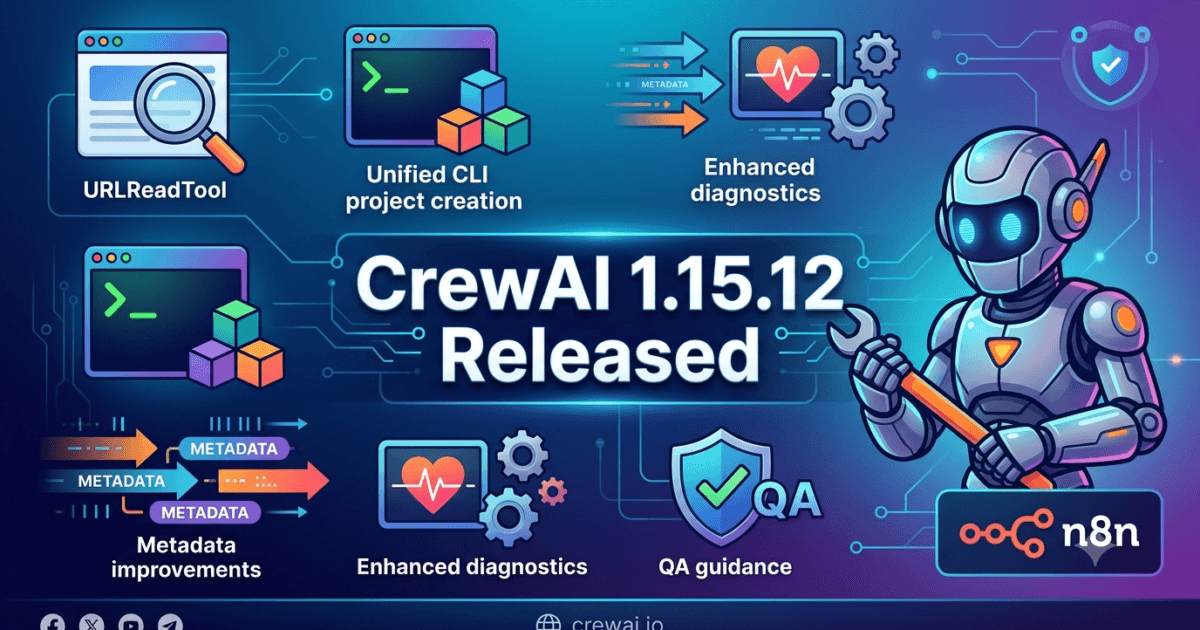
The CrewAI team has released CrewAI 1.15.12, a maintenance update that improves developer productivity, expands AI agent capabilities, and refines the platform’s command-line experience. While this release does not introduce breaking changes, it adds useful functionality such as the new URLReadTool, enhanced platform metadata support, unified project scaffolding, and clearer runtime error messaging.
For QA Engineers, SDETs, AI Engineers, and Automation Engineers building AI agent applications, these enhancements simplify development workflows, improve debugging, and make CrewAI projects easier to create, manage, and maintain.
What’s New in CrewAI 1.15.12
According to the official release notes, CrewAI 1.15.12 introduces several new features alongside bug fixes and documentation improvements.
The release includes:
- New URLReadTool for reading arbitrary web pages.
- Platform action tools now include application metadata.
- Unified project scaffolding using the new
crewai createcommand. - Updated Flow canary release process.
- Improved conversational route and handler collision error messages.
- Documentation updates for the unified project creation workflow.
Although this is a relatively small release, these improvements strengthen the overall developer experience while making AI workflow development more consistent.
Why This Release Matters for QA Engineers
Modern AI agent applications depend on reliable tooling, predictable project structures, and meaningful error reporting. Maintenance releases like CrewAI 1.15.12 help improve the day-to-day development experience without requiring major migration efforts.
For QA Engineers, the release provides:
- Better project consistency.
- Improved debugging.
- More powerful built-in tools.
- Simplified project creation.
- Better maintainability of AI applications.
Organizations building production AI agents can benefit from these incremental but practical improvements.
Key Improvement 1 — New URLReadTool
The headline feature in CrewAI 1.15.12 is the introduction of URLReadTool.
This new tool enables CrewAI agents to retrieve and read content from arbitrary URLs, making it easier to build AI workflows that analyze online documentation, knowledge bases, technical articles, or publicly available resources.
Potential enterprise use cases include:
- Documentation analysis
- Knowledge retrieval
- Research assistants
- AI-powered summarization
- Automated content validation
- Information gathering workflows
For QA teams testing Retrieval-Augmented Generation (RAG) systems or web-enabled AI agents, URLReadTool expands the platform’s built-in capabilities without requiring custom integrations.
Key Improvement 2 — Unified Project Creation
Another significant improvement is the introduction of unified project scaffolding through the crewai create command.
Previously, project creation workflows could vary depending on templates or tooling. The new unified CLI simplifies onboarding and provides a more consistent development experience across projects.
Benefits include:
- Faster project initialization.
- Standardized project structures.
- Easier onboarding for new developers.
- Improved maintainability.
- More consistent team workflows.
For organizations managing multiple CrewAI projects, standardized scaffolding reduces setup inconsistencies and simplifies long-term maintenance.
Enhanced Platform Metadata
Platform action tools now include application metadata, improving the context available during workflow execution.
This enhancement supports better observability, debugging, and enterprise management by providing richer information about application interactions.
For engineering teams, this can help:
- Improve workflow visibility.
- Simplify troubleshooting.
- Enhance operational reporting.
- Support enterprise governance.
- Improve platform diagnostics.
Although subtle, richer metadata becomes increasingly valuable as AI systems grow in complexity.
Better Error Messages
CrewAI 1.15.12 also improves error reporting for conversational route and handler name collisions.
Clearer error messages reduce the time required to diagnose configuration issues and improve the overall developer experience.
Benefits include:
- Faster debugging.
- Easier configuration validation.
- Reduced development time.
- Improved workflow reliability.
- Better maintainability.
High-quality diagnostics are especially valuable in large AI projects involving multiple agents and workflows.
Are There Any Breaking Changes?
According to the official release notes, CrewAI 1.15.12 does not introduce any breaking changes.
The release focuses on new tooling, CLI improvements, documentation updates, and usability enhancements while maintaining compatibility with existing CrewAI 1.15.x projects.
Even so, organizations should validate:
- Existing AI agents
- Multi-agent workflows
- Custom tools
- CLI automation
- Project generation
- CI/CD pipelines
- Enterprise integrations
A staged rollout remains the recommended deployment approach.
Should QA Teams Upgrade Immediately?
For organizations already using the CrewAI 1.15.x release series, CrewAI 1.15.12 is a recommended maintenance update.
The addition of URLReadTool, standardized project scaffolding, richer platform metadata, and improved diagnostics provides immediate value without introducing migration complexity.
Recommended For
- QA Engineers
- SDETs
- AI Engineers
- Automation Engineers
- Platform Engineers
- DevOps Engineers
- Multi-Agent Developers
- Enterprise AI Teams
Upgrade Recommendations
Before deploying CrewAI 1.15.12 into production:
- Upgrade development environments first.
- Validate existing AI agents.
- Test URLReadTool functionality.
- Verify custom tools.
- Validate project generation using
crewai create. - Execute regression testing.
- Monitor production logs after deployment.
These validation steps help ensure existing AI workflows continue operating as expected.
Key Takeaways
CrewAI 1.15.12 is a practical maintenance release that enhances developer productivity and expands the CrewAI ecosystem with useful tooling and workflow improvements. The introduction of URLReadTool, unified project creation, richer application metadata, and clearer diagnostics makes the platform easier to use while improving consistency across AI development projects.
For QA Engineers, SDETs, AI Engineers, and Automation Engineers, CrewAI 1.15.12 delivers meaningful improvements in tooling, debugging, maintainability, and workflow development. Teams already using the CrewAI 1.15.x release series should evaluate this update, validate their existing AI agents and automation pipelines, and adopt CrewAI 1.15.12 as part of their regular maintenance strategy to keep their AI platforms modern, reliable, and easier to manage.
Deep Dive into CrewAI 1.15.12 for QA Engineers and AI Automation Teams
CrewAI 1.15.12 builds on the previous maintenance releases by focusing on developer experience, AI tooling, workflow consistency, and platform usability. While it is not a feature-heavy release, it introduces several improvements that help engineering teams develop, test, and maintain AI agent applications more efficiently.
For QA Engineers, SDETs, AI Engineers, and Platform Engineers, these enhancements reduce development friction, improve workflow standardization, and make AI projects easier to validate throughout the software development lifecycle.
Why Small Releases Matter for AI Platforms
AI platforms evolve rapidly, and even minor releases can have a significant impact on development workflows. Improvements to tooling, project generation, diagnostics, and metadata often save engineering teams countless hours over the lifetime of a project.
Maintenance releases like CrewAI 1.15.12 help organizations:
- Improve developer productivity
- Standardize project structures
- Reduce debugging effort
- Enhance workflow maintainability
- Increase operational consistency
Although these improvements may not immediately affect end users, they strengthen the foundation for building reliable AI applications.
URLReadTool Expands AI Agent Capabilities
The introduction of URLReadTool is the most significant feature in CrewAI 1.15.12.
Many AI agents require access to external information before they can generate accurate responses or perform intelligent actions. URLReadTool enables agents to retrieve and process content directly from publicly accessible web pages without requiring custom implementations.
Potential enterprise use cases include:
- Documentation analysis
- Technical knowledge retrieval
- Competitive research
- AI-powered summarization
- Web content validation
- Dynamic knowledge acquisition
For QA teams testing Retrieval-Augmented Generation (RAG) systems, intelligent assistants, or autonomous research agents, URLReadTool provides an additional capability that can simplify workflow design and testing.
Standardized Project Creation with crewai create
Another major enhancement is the unification of project scaffolding under the crewai create command.
Standardized project generation provides several operational advantages.
Benefits include:
- Consistent folder structures
- Simplified onboarding
- Easier project maintenance
- Faster environment setup
- Improved collaboration across development teams
Organizations managing multiple AI projects can reduce inconsistencies by adopting a common project initialization process.
For QA Engineers, standardized project layouts also make it easier to build reusable testing strategies and automation frameworks.
Richer Platform Metadata
CrewAI 1.15.12 now includes application metadata within platform action tools.
Metadata plays an important role in enterprise environments where multiple applications, services, and AI agents interact.
Additional metadata can improve:
- Workflow observability
- Operational monitoring
- Execution tracing
- Enterprise reporting
- Platform governance
As organizations scale AI deployments, richer execution context becomes increasingly valuable for both development and production support.
Improved Error Reporting
Configuration issues are among the most common causes of failed AI workflow deployments.
This release improves error messages related to conversational route and handler name collisions, making configuration problems easier to identify and resolve.
For engineering teams, clearer diagnostics provide:
- Faster troubleshooting
- Reduced debugging time
- Easier workflow validation
- Better developer experience
- More reliable deployments
Well-designed error messages reduce maintenance costs throughout the lifecycle of AI applications.
Documentation Improvements
Although documentation updates are sometimes overlooked, they are an essential part of platform maturity.
CrewAI 1.15.12 updates AGENTS.md to reflect the unified project creation workflow.
Accurate documentation helps organizations:
- Reduce onboarding time
- Improve developer productivity
- Standardize implementation practices
- Minimize configuration mistakes
- Accelerate project delivery
Well-maintained documentation is especially valuable for growing engineering teams.
Recommended Validation After Upgrading
Even though CrewAI 1.15.12 does not introduce breaking changes, every production upgrade should follow a structured validation process.
Recommended validation activities include:
- Validate existing AI agents.
- Test URLReadTool functionality.
- Verify custom tool integrations.
- Create new projects using
crewai create. - Execute regression testing.
- Validate workflow execution.
- Review application metadata.
- Verify CI/CD pipelines.
- Monitor runtime logs after deployment.
Completing these activities helps ensure existing workflows continue operating correctly after the upgrade.
Validation Checklist
| Validation Area | Purpose |
|---|---|
| AI Agent Execution | Confirm existing agents continue operating correctly |
| URLReadTool | Verify content retrieval from supported URLs |
| Project Generation | Validate the new crewai create workflow |
| Tool Integrations | Ensure external tools remain compatible |
| Application Metadata | Verify metadata is captured correctly |
| Workflow Execution | Confirm orchestration behaves as expected |
| Error Reporting | Validate improved configuration diagnostics |
| Regression Testing | Detect unintended behavioral changes |
| CI/CD Pipeline | Verify deployment automation |
| Production Monitoring | Review runtime behavior after deployment |
Following this checklist helps reduce deployment risk while maintaining stable AI development environments.
Best Practices for Enterprise Teams
Organizations deploying CrewAI across multiple projects should adopt a structured maintenance strategy.
Recommended best practices include:
- Upgrade development environments first.
- Standardize new projects using
crewai create. - Validate AI workflows before production deployment.
- Test URLReadTool using representative data sources.
- Monitor platform behavior after upgrading.
- Review official release notes regularly.
- Maintain version consistency across all environments.
Following these practices helps improve project consistency while reducing operational overhead.
Expert Recommendation
From a QA and AI engineering perspective, CrewAI 1.15.12 is a recommended maintenance update for organizations already using the CrewAI 1.15.x release series. The addition of URLReadTool, unified project scaffolding, richer application metadata, and clearer diagnostic messages provides practical improvements that enhance developer productivity without introducing migration complexity.
Organizations should validate their AI agents, test the new URLReadTool where applicable, verify project generation workflows, and execute comprehensive regression testing before production deployment. Incorporating CrewAI 1.15.12 into a regular maintenance cycle helps maintain a consistent, observable, and scalable AI development platform.
Real-World Impact of CrewAI 1.15.12 on QA and AI Engineering Teams
As AI agent development continues to evolve, engineering teams are placing greater emphasis on developer productivity, standardized project structures, and reliable tooling. While large feature releases often receive the most attention, maintenance updates like CrewAI 1.15.12 play an equally important role by improving the day-to-day experience of building, testing, and maintaining AI-powered applications.
The enhancements introduced in this release strengthen the development ecosystem by making project creation more consistent, expanding built-in tool capabilities, improving diagnostics, and providing richer operational context for enterprise deployments.
Faster AI Development with Standardized Project Scaffolding
One of the most practical improvements in CrewAI 1.15.12 is the introduction of a unified project creation workflow through the crewai create command.
Standardized scaffolding offers several long-term advantages for engineering teams:
- Consistent project architecture
- Simplified onboarding for new developers
- Easier maintenance of multiple projects
- Reduced configuration differences
- Faster project initialization
For QA Engineers, consistent project layouts make it easier to create reusable automation frameworks, regression suites, and validation processes across multiple AI applications.
Expanding AI Agent Capabilities with URLReadTool
The new URLReadTool significantly expands the types of workflows that can be built using CrewAI.
AI agents can now retrieve information directly from publicly accessible web pages, enabling more dynamic and context-aware automation scenarios without requiring custom integrations.
Potential enterprise applications include:
- Technical documentation assistants
- AI-powered research workflows
- Knowledge base retrieval
- Automated content analysis
- Intelligent customer support
- Documentation verification
For organizations implementing Retrieval-Augmented Generation (RAG) architectures, URLReadTool provides another valuable source of external knowledge for AI agents.
Improved Developer Experience
Developer productivity is a critical factor in the successful adoption of AI platforms.
CrewAI 1.15.12 improves the overall development experience by refining error messages for conversational route and handler name collisions. More descriptive diagnostics reduce troubleshooting time and make workflow configuration easier to understand.
Benefits include:
- Faster issue resolution
- Improved debugging efficiency
- Reduced development delays
- Easier configuration validation
- Better workflow maintainability
Clear diagnostics become increasingly valuable as AI projects grow in complexity.
Better Context Through Application Metadata
The addition of application metadata to platform action tools improves the visibility of workflow execution.
Metadata provides useful contextual information that helps engineering teams understand how AI agents interact with different services and components during execution.
This enhancement supports:
- Better execution tracing
- Improved operational monitoring
- Richer analytics
- Enterprise governance
- Easier troubleshooting
Organizations operating multiple AI systems benefit from improved visibility across their automation environments.
Documentation Improvements Support Long-Term Success
Accurate documentation is an essential part of maintaining complex AI applications.
By updating AGENTS.md to reflect the unified project creation workflow, CrewAI helps ensure developers follow consistent implementation practices across teams.
Good documentation provides several advantages:
- Faster onboarding
- Reduced implementation errors
- Improved collaboration
- Easier project maintenance
- More consistent development standards
Although documentation updates may appear minor, they contribute significantly to long-term platform adoption.
Benefits Across Engineering Roles
The improvements introduced in CrewAI 1.15.12 provide value for multiple technical teams.
QA Engineers benefit from standardized project structures, making automated testing strategies easier to maintain.
SDETs gain improved diagnostics and more consistent workflows for enterprise automation projects.
AI Engineers can build more capable agents using URLReadTool while benefiting from improved development workflows.
DevOps Engineers receive more predictable project structures that simplify deployment automation.
Platform Engineers gain better operational visibility through enhanced application metadata.
Recommended Validation Before Production Deployment
Although CrewAI 1.15.12 does not include reported breaking changes, organizations should still validate their environments before deploying the update.
Recommended validation activities include:
- Validate existing AI agents.
- Test URLReadTool with representative web content.
- Generate new projects using
crewai create. - Verify application metadata collection.
- Execute regression testing.
- Validate workflow execution.
- Review production monitoring.
- Test CI/CD deployment pipelines.
Following a structured validation process minimizes deployment risk while maintaining workflow reliability.
Common Upgrade Mistakes
Even maintenance releases require careful planning.
Common mistakes include:
- Upgrading production before testing.
- Ignoring validation of new tools.
- Skipping regression testing.
- Overlooking project generation workflows.
- Failing to verify custom integrations.
- Neglecting post-deployment monitoring.
Avoiding these issues helps organizations deploy updates with greater confidence.
Best Practices for QA Teams
To maximize the benefits of CrewAI 1.15.12, organizations should adopt a disciplined maintenance strategy.
Recommended best practices include:
- Standardize all new projects using
crewai create. - Keep CrewAI versions consistent across environments.
- Validate URLReadTool before production use.
- Monitor workflow execution after upgrading.
- Review official release notes before each deployment.
- Test enterprise integrations regularly.
- Maintain comprehensive regression test suites.
These practices help create reliable, maintainable, and scalable AI development environments.
Internal Links
- CrewAI 1.15.11 Released: Telemetry, Security & IBM Db2 Updates
- CrewAI 1.15.10 Released: Skill Usage Tracking Brings Better Observability for AI Teams
- CrewAI 1.15.9 Released: Better Failure Visibility and Smarter AI Agent Workflows for QA Engineers
- CrewAI 1.15.8 Released: Smarter AI Agent Workflows and Reliability Improvements Every QA Engineer Should Know
- CrewAI 1.15.5 Strengthens Enterprise AI Security with Authenticated Skill Registry Downloads
- CrewAI 1.15.4 Elevates Skills Repository to Production Ready for Enterprise AI Agent Development
- CrewAI 1.15.2 Released: AI Flow & Agent Updates for QA Engineers
- CrewAI 1.15.1 Released: What QA Engineers Need to Know About the Latest AI Agent Update
- CrewAI 1.15.0 Released: Agentic AI Workflow Improvements Every QA Engineer Should Know
- CrewAI 1.14.7 Released: Powerful Agentic AI Improvements QA Engineers Must Know
- CrewAI 1.14.6 Released: Powerful Agent Reliability Improvements QA Engineers Should Know
Official Resources
- Official Release Notes: https://docs.crewai.com/v1.15.12/en/changelog
- Official Documentation: https://docs.crewai.com
Frequently Asked Questions
What is CrewAI 1.15.12?
CrewAI 1.15.12 is a maintenance release published on August 05, 2026. It introduces URLReadTool, standardizes project creation with the crewai create command, improves platform metadata, enhances error reporting, and updates documentation.
What are the major features in CrewAI 1.15.12?
The release includes:
- URLReadTool for reading arbitrary web pages
- Unified project scaffolding with
crewai create - Application metadata support for platform action tools
- Improved conversational route and handler error messages
- Documentation updates for the unified CLI workflow
- Flow canary release improvements
Does CrewAI 1.15.12 introduce breaking changes?
No. According to the official release notes, CrewAI 1.15.12 introduces no breaking changes. Existing CrewAI 1.15.x projects should remain compatible after proper validation.
What is URLReadTool in CrewAI?
URLReadTool is a built-in tool that enables CrewAI agents to retrieve and process content from publicly accessible URLs. It is useful for AI research assistants, documentation analysis, Retrieval-Augmented Generation (RAG), and knowledge retrieval workflows.
Why is the new crewai create command important?
The unified crewai create command standardizes project scaffolding, providing consistent project structures, simpler onboarding, easier maintenance, and improved collaboration across engineering teams.
Why should QA Engineers upgrade to CrewAI 1.15.12?
QA Engineers benefit from standardized project layouts, improved diagnostics, enhanced AI tooling, richer application metadata, and a more consistent development experience for testing AI agent applications.
Which teams benefit the most from this release?
This update is recommended for:
- QA Engineers
- SDETs
- AI Engineers
- Automation Engineers
- Platform Engineers
- DevOps Engineers
- Multi-Agent Developers
- Enterprise AI Teams
What should organizations validate after upgrading?
Organizations should verify:
- Existing AI agents
- URLReadTool functionality
- Project generation using
crewai create - Workflow execution
- Application metadata
- Custom tool integrations
- CI/CD pipelines
- Production monitoring
Key Takeaways
- Released on August 05, 2026
- Introduces the new URLReadTool
- Standardizes project creation with
crewai create - Adds application metadata to platform action tools
- Improves configuration error reporting
- Updates documentation for the unified CLI
- No reported breaking changes
- Recommended maintenance update for CrewAI 1.15.x users
Final Verdict
CrewAI 1.15.12 is a well-rounded maintenance release that focuses on improving developer productivity, expanding AI tooling, and standardizing project creation. The introduction of URLReadTool, unified project scaffolding, richer application metadata, and clearer diagnostics provides meaningful value without introducing migration challenges.
For QA Engineers, SDETs, AI Engineers, Automation Engineers, and DevOps teams, CrewAI 1.15.12 delivers practical improvements that simplify development, strengthen workflow consistency, and improve operational visibility. Organizations already using the CrewAI 1.15.x release series should evaluate this update, validate their AI workflows and development processes, and incorporate CrewAI 1.15.12 into their regular maintenance cycle to maintain a modern, efficient, and production-ready AI platform.
Continue Learning
Explore more expert articles on n8n, LangChain, CrewAI, MCP Servers, AI Agents, LlamaIndex, Docker, FastAPI, Playwright, Cypress, Test Automation, DevOps, and Software Engineering at www.skakarh.com.
QAPulse by SK delivers expert release analysis, AI engineering insights, enterprise automation strategies, migration guidance, DevOps best practices, and practical testing knowledge to help software professionals build scalable, intelligent, and production-ready software systems.