 QA
QA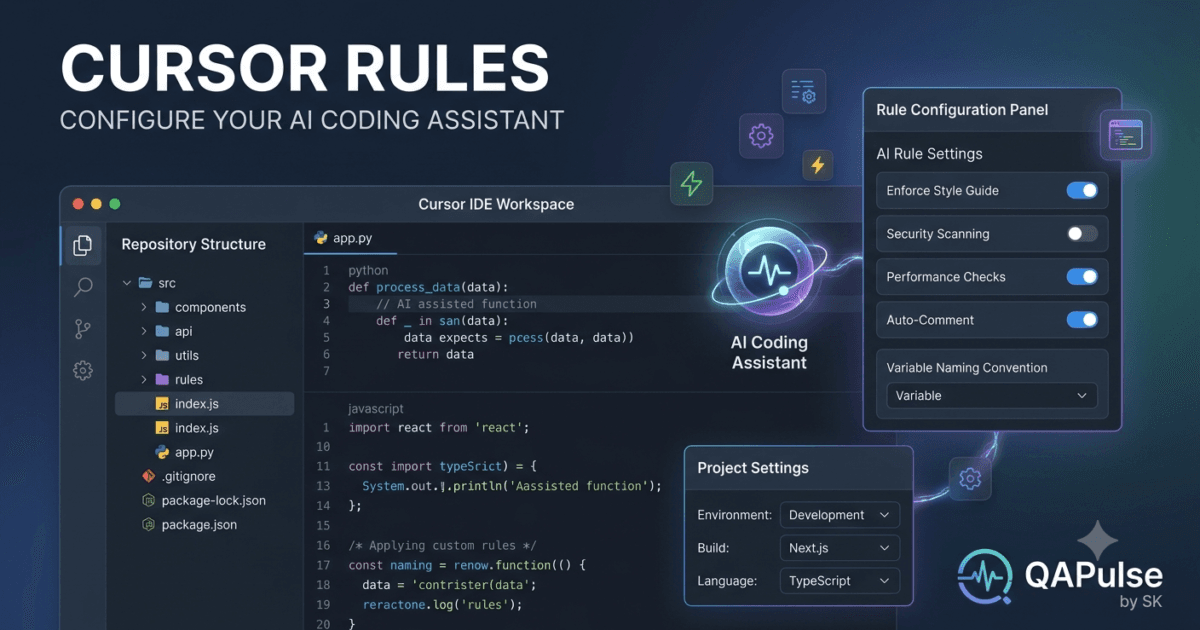
Why Cursor Rules Are Essential
As AI-powered development becomes part of every software engineering workflow, maintaining consistency across projects has become increasingly important. Different developers often follow different coding styles, naming conventions, testing practices, and architectural patterns. Without clear guidance, an AI coding assistant may generate code that is technically correct but inconsistent with the rest of the project.
This is where Cursor Rules become valuable. They allow developers to define persistent instructions that guide how Cursor generates code, writes tests, creates documentation, performs refactoring, and follows project standards.
Instead of repeating the same instructions in every conversation, Cursor Rules provide a centralized way to establish coding standards that apply throughout the development process. This leads to cleaner code, fewer review comments, and a more predictable AI-assisted development experience.
What Are Cursor Rules?
Cursor Rules are reusable project-level or workspace-level instructions that define how the Cursor AI assistant should behave while working with your codebase.
These rules act as a permanent guide for the AI, helping it understand:
- Coding standards
- Naming conventions
- Preferred frameworks
- Architecture patterns
- Documentation requirements
- Testing strategies
- Error handling practices
- Code formatting preferences
By following these predefined rules, Cursor generates responses that better align with your team’s development standards.
Why Developers Use Cursor Rules
Without predefined instructions, AI generates responses based primarily on the prompt and repository context.
With Cursor Rules, developers can ensure that AI consistently follows established engineering practices across every task.
Common objectives include:
- Maintaining consistent code quality
- Reducing repetitive prompt writing
- Standardizing project architecture
- Improving automated test generation
- Enforcing documentation standards
- Following security guidelines
- Applying formatting conventions
- Supporting team collaboration
These benefits become increasingly important as projects grow in size and complexity.
How Cursor Rules Work
Whenever a developer interacts with Cursor, the AI considers multiple sources of information before generating a response.
A simplified workflow looks like this:
Developer Request

↓

Cursor Rules

↓

Repository Context

↓

Project Standards

↓

AI Processing

↓

Generated Code

↓

Developer Review
Instead of relying only on the current prompt, Cursor combines persistent project rules with repository context to produce more consistent results.
Types of Cursor Rules
Developers can create rules for many aspects of software development.
Examples include:
Coding Standards
Define how code should be written.
Examples:
- Use descriptive variable names.
- Prefer composition over inheritance.
- Keep functions small.
- Avoid duplicated logic.
- Follow SOLID principles.
Project Architecture
Guide how new features should be implemented.
Examples:
- Use layered architecture.
- Separate business logic from presentation.
- Keep controllers lightweight.
- Use dependency injection.
- Follow repository patterns.
Testing Requirements
Establish testing expectations.
Examples:
- Generate unit tests for every feature.
- Maintain high test coverage.
- Use Playwright for end-to-end testing.
- Write meaningful assertions.
- Cover edge cases.
Documentation Rules
Ensure documentation remains consistent.
Examples:
- Update README files.
- Document public APIs.
- Explain complex business logic.
- Include usage examples.
- Add meaningful code comments where necessary.
Benefits of Cursor Rules
Implementing Cursor Rules offers several advantages for development teams.
These include:
- More consistent AI-generated code
- Faster onboarding for new developers
- Reduced prompt repetition
- Improved maintainability
- Better collaboration
- Higher code quality
- Standardized development practices
- Reduced code review effort
For enterprise projects, these benefits can significantly improve long-term productivity.
Who Should Use Cursor Rules?
Although any developer can benefit from Cursor Rules, they are especially valuable for:
- Software Engineers
- QA Automation Engineers
- SDETs
- DevOps Engineers
- Technical Leads
- Engineering Managers
- AI Engineers
- Development Teams
- Open Source Maintainers
Whether working individually or within a large engineering organization, Cursor Rules help ensure that AI-generated code aligns with project expectations.
Real-World Use Cases
Organizations use Cursor Rules in many practical scenarios.
Examples include:
- Enforcing company coding standards
- Maintaining consistent API design
- Standardizing frontend development
- Automating test generation
- Improving documentation quality
- Supporting secure coding practices
- Managing large monorepositories
- Accelerating code reviews
As AI becomes more deeply integrated into software engineering, Cursor Rules provide the governance needed to keep development consistent, maintainable, and aligned with organizational standards.
Cursor Rules: Creating, Configuring, and Managing AI Project Instructions
Understanding How Cursor Rules Are Configured
After learning what Cursor Rules are and why they are important, the next step is understanding how to create and manage them effectively.
Many developers initially rely on long prompts to explain coding standards every time they interact with Cursor. While this approach works, it quickly becomes repetitive and inefficient. Cursor Rules eliminate this problem by allowing you to define persistent project instructions that are automatically applied during development.
Instead of repeatedly explaining your preferred coding style, architecture, or testing strategy, you configure the rules once and let Cursor follow them throughout the project.
Where Cursor Rules Are Applied
Cursor Rules can influence nearly every AI-assisted development task.
They commonly apply to:
- Code generation
- Refactoring
- Bug fixing
- Documentation
- Test generation
- Code review
- Architecture recommendations
- File creation
This consistent guidance helps AI produce responses that match the project’s engineering standards.
Creating Your First Cursor Rules
A good set of Cursor Rules should focus on development standards rather than implementation details.
Typical rule categories include:
Coding Standards
Define how source code should be written.
Example rules:
- Use meaningful variable names.
- Keep functions focused on one responsibility.
- Avoid duplicate code.
- Prefer reusable components.
- Follow the project’s formatting standards.
These rules help maintain a consistent codebase across the entire team.
Project Structure
AI should understand how new files fit into the existing application.
Examples:
- Place API routes inside the API folder.
- Keep business logic separate from controllers.
- Store reusable utilities in a shared module.
- Separate configuration from application code.
- Follow the existing folder hierarchy.
Maintaining project structure improves readability and long-term maintainability.
Organizing Rules by Category
Large projects often contain multiple types of rules.
A common organization looks like this:
Project Rules

├── Coding Standards

├── Architecture

├── Testing

├── Documentation

├── Security

├── Performance

└── Naming Conventions
Grouping rules logically makes them easier to maintain as the project grows.
Writing Effective Cursor Rules
Good rules are:
- Clear
- Specific
- Consistent
- Actionable
Avoid vague instructions such as:
Write better code.
Instead, provide explicit guidance.
Examples:
- Generate TypeScript instead of JavaScript.
- Always include error handling.
- Create unit tests for new services.
- Follow repository naming conventions.
- Update documentation when APIs change.
Specific instructions consistently produce higher-quality AI responses.
Project-Specific Rules
Every software project has unique requirements.
Examples include:
Backend Applications
Rules may include:
- Validate all API inputs.
- Return standardized response objects.
- Log application errors.
- Separate business logic from controllers.
- Follow RESTful design principles.
Frontend Applications
Common rules include:
- Build reusable components.
- Minimize unnecessary re-renders.
- Use responsive layouts.
- Follow accessibility guidelines.
- Keep components focused on a single responsibility.
Test Automation Projects
Automation teams often configure rules such as:
- Use the Page Object Model.
- Generate reusable helper methods.
- Avoid fixed delays.
- Prefer explicit waits.
- Keep test data independent.
- Follow consistent assertion patterns.
These project-specific standards improve consistency across automation frameworks.
Rule Processing Workflow
When a developer submits a request, Cursor combines multiple sources of information before generating a response.
Developer Prompt

↓

Cursor Rules

↓

Repository Analysis

↓

Project Context

↓

AI Processing

↓

Generated Solution
This layered approach enables Cursor to produce code that aligns with both the prompt and the project’s established conventions.
Updating Existing Rules
Projects evolve over time.
As new technologies, frameworks, or coding standards are adopted, Cursor Rules should be reviewed and updated accordingly.
Examples include:
- Introducing a new testing framework.
- Migrating to TypeScript.
- Adopting a different architecture.
- Updating naming conventions.
- Adding new security requirements.
Keeping rules current ensures that AI continues to generate relevant and maintainable code.
Common Configuration Mistakes
Developers often make similar mistakes when creating Cursor Rules.
Writing Too Many Rules
An excessive number of rules can create unnecessary complexity.
Focus on standards that genuinely improve development quality.
Creating Conflicting Instructions
Avoid contradictory guidance such as:
- Use functional programming exclusively.
- Prefer object-oriented design for every feature.
Conflicting rules make it difficult for AI to determine the appropriate implementation.
Ignoring Existing Project Standards
Cursor Rules should reinforce the project’s established practices rather than introducing entirely new conventions without team agreement.
Forgetting to Review Rules
As projects evolve, outdated rules can produce inconsistent code.
Regularly review and refine the rule set to reflect the current development approach.
Best Practices for Managing Cursor Rules
To maximize the value of Cursor Rules, development teams should:
- Keep rules concise and specific.
- Organize them into logical categories.
- Review them during architecture updates.
- Align them with coding standards.
- Document significant rule changes.
- Ensure every team member understands the established conventions.
Well-maintained Cursor Rules create a consistent AI-assisted development environment, reduce repetitive prompting, and help teams produce cleaner, more maintainable software across every stage of the software development lifecycle.
Cursor Rules: Real-World Examples, Professional Templates, and Practical Implementation
Applying Cursor Rules in Real Software Projects
Understanding how Cursor Rules work is only the beginning. The real value comes from applying them consistently across actual software development projects. Well-designed rules help Cursor generate code that matches your architecture, coding standards, testing strategy, and documentation requirements without requiring repetitive prompts.
Whether you are developing enterprise applications, automation frameworks, APIs, or AI-powered products, Cursor Rules provide a foundation for maintaining consistency across your entire development workflow.
Building a Rule Strategy
Before writing any rules, define the engineering standards your project follows.
Ask questions such as:
- Which programming language is used?
- Which framework is preferred?
- What architecture does the project follow?
- Which testing framework is required?
- How should documentation be maintained?
- What naming conventions are enforced?
Once these standards are documented, convert them into reusable Cursor Rules.
Example: Python Automation Framework
A QA automation project usually requires AI to generate maintainable and reusable test code.
Example standards:
- Use Python.
- Follow the Page Object Model.
- Store locators separately.
- Use Pytest fixtures.
- Keep assertions meaningful.
- Avoid hardcoded waits.
- Generate reusable helper methods.
- Follow PEP 8 guidelines.
With these Cursor Rules, every generated automation script follows the same engineering principles.
Example: TypeScript Backend API
Backend projects often require different standards.
Example rules:
- Use TypeScript.
- Validate request payloads.
- Follow REST API conventions.
- Separate controllers and services.
- Use dependency injection.
- Return standardized error responses.
- Write unit tests for every service.
These rules ensure consistent API development regardless of which developer or AI session generates the code.
Example: React Frontend Project
Frontend teams frequently define rules focused on maintainability and user experience.
Typical standards include:
- Build reusable components.
- Keep components small and focused.
- Use functional components.
- Prefer hooks over class components.
- Follow accessibility guidelines.
- Avoid duplicated UI logic.
- Write component tests.
Applying these rules helps Cursor generate frontend code that aligns with the project’s architecture.
Rule Hierarchy
Most professional projects organize Cursor Rules into multiple layers.
Organization Standards

↓

Project Rules

↓

Framework Rules

↓

Feature Rules

↓

Developer Prompt

↓

Generated Solution
This hierarchy allows broad organizational standards to remain consistent while giving individual projects the flexibility to define additional requirements.
Creating Reusable Rule Templates
Instead of writing completely new rules for every project, many development teams create reusable templates.
Common template categories include:
Coding Standards
- Use meaningful names.
- Keep functions focused.
- Avoid duplicated code.
- Follow formatting standards.
- Write readable implementations.
Testing Standards
- Generate unit tests.
- Cover edge cases.
- Use descriptive test names.
- Avoid unnecessary mocks.
- Keep tests independent.
Documentation Standards
- Update README files.
- Document APIs.
- Explain complex logic.
- Include usage examples.
- Maintain configuration guides.
These templates can be adapted to different technologies while preserving consistent development practices.
Combining Rules with Repository Context
Cursor performs best when Cursor Rules are combined with repository awareness.
A typical development process looks like this:
Project Repository

↓

Cursor Rules

↓

Developer Request

↓

Repository Analysis

↓

Context Understanding

↓

AI Code Generation
By combining persistent rules with the current codebase, Cursor can generate implementations that fit naturally into existing projects.
Practical Development Workflow
A structured workflow helps developers achieve consistent AI-generated results.
Review Requirements

↓

Understand Existing Code

↓

Apply Cursor Rules

↓

Generate Code

↓

Review Implementation

↓

Run Tests

↓

Commit Changes
Each stage reinforces engineering discipline while allowing Cursor to accelerate development.
Adapting Rules for Different Teams
Different engineering teams often require different rule sets.
Backend Teams
Focus on:
- API consistency
- Error handling
- Database access
- Security
- Performance
Frontend Teams
Focus on:
- Component design
- Accessibility
- Responsive layouts
- State management
- User experience
QA Automation Teams
Focus on:
- Reliable locators
- Stable assertions
- Reusable utilities
- Test isolation
- Reporting standards
Creating role-specific Cursor Rules helps each team receive AI assistance tailored to its responsibilities.
Common Implementation Mistakes
Teams introducing Cursor Rules frequently encounter similar problems.
Copying Generic Rules
Rules should reflect your project’s actual standards rather than generic recommendations.
Ignoring Team Feedback
Review rules regularly with the development team to ensure they continue to support current engineering practices.
Applying the Same Rules Everywhere
Different repositories may require different rule sets.
Avoid forcing frontend, backend, and automation projects to follow identical standards.
Never Updating Rules
As frameworks, libraries, and architectures evolve, update Cursor Rules to reflect current best practices.
Practical Recommendations
Developers achieve the greatest benefit from Cursor Rules when they:
- Define standards before development begins.
- Create reusable rule templates.
- Align rules with the existing architecture.
- Combine rules with repository context.
- Review AI-generated code carefully.
- Keep rules concise and maintainable.
- Update rules whenever project standards change.
Following these practices allows Cursor to generate code that is more consistent, easier to review, and better aligned with the engineering principles of modern software development.
Cursor Rules: Best Practices, Common Mistakes, and Enterprise Governance
Why Governance Matters for Cursor Rules
As organizations increasingly adopt AI-assisted software development, maintaining consistency across multiple developers, repositories, and engineering teams becomes more challenging. While Cursor Rules help standardize AI-generated code, their effectiveness depends on how well they are designed, maintained, and governed.
A small project may only require a handful of rules, but enterprise applications often involve hundreds of developers working across multiple services. Without proper governance, rules become inconsistent, outdated, or contradictory, reducing the quality of AI-generated code.
Well-managed Cursor Rules create a shared engineering standard that helps both developers and AI produce maintainable, secure, and high-quality software.
Best Practices for Creating Cursor Rules
Keep Rules Clear and Specific
The most effective Cursor Rules are concise and easy to understand.
Instead of writing broad instructions such as:
Write high-quality code.
Define measurable expectations.
Examples include:
- Use TypeScript for all new source files.
- Write unit tests for every service.
- Validate API input before processing requests.
- Follow the repository naming convention.
- Use dependency injection for business services.
Specific instructions reduce ambiguity and improve AI-generated results.
Focus on Engineering Standards
Rules should describe long-term development standards rather than feature-specific requirements.
Examples include:
- Coding conventions
- Project architecture
- Documentation requirements
- Testing strategy
- Error handling
- Security practices
- Logging standards
Stable engineering standards remain useful across the lifetime of the project.
Keep Rules Maintainable
Avoid creating unnecessarily large rule sets.
A smaller collection of well-written rules is usually more effective than dozens of overlapping instructions.
Review each rule periodically to ensure it still provides value.
Organizing Cursor Rules
Professional development teams usually organize Cursor Rules into logical sections.
Example structure:
Cursor Rules

├── Coding Standards

├── Architecture

├── Security

├── Performance

├── Documentation

├── Testing

├── Logging

└── Naming Conventions
This organization makes rules easier to review, update, and maintain as projects evolve.
Managing Rules Across Multiple Projects
Organizations often maintain several repositories with different technologies.
Examples include:
- Backend APIs
- Frontend applications
- Mobile apps
- Automation frameworks
- AI services
- Infrastructure projects
Although some standards remain consistent across the organization, each repository may require project-specific Cursor Rules.
A practical approach is:
Organization Rules

↓

Repository Rules

↓

Technology Rules

↓

Feature Rules

↓

Developer Request

↓

Cursor Response
This layered structure balances consistency with project flexibility.
Reviewing Cursor Rules
Cursor Rules should evolve alongside the software.
Schedule regular reviews when:
- New frameworks are introduced.
- Coding standards change.
- Security policies are updated.
- Architecture evolves.
- Testing strategies improve.
- Development workflows are refined.
Treat Cursor Rules as living documentation rather than static configuration.
Common Mistakes
Creating Conflicting Rules
Avoid instructions that compete with one another.
For example:
- Always use functional programming.
- Always use object-oriented programming.
Conflicting guidance makes it difficult for AI to determine the correct implementation.
Writing Feature-Specific Rules
Rules should remain broadly applicable.
Instead of creating instructions for a single feature, define reusable engineering principles that benefit the entire project.
Ignoring Security
Security should be part of every rule strategy.
Examples include:
- Validate user input.
- Never expose secrets.
- Sanitize external data.
- Apply least-privilege access.
- Handle sensitive information securely.
Embedding security into Cursor Rules encourages AI to generate safer implementations.
Never Removing Obsolete Rules
Projects change over time.
Outdated instructions can cause AI to generate deprecated patterns or inconsistent code.
Remove rules that no longer reflect the current architecture or technology stack.
Enterprise Governance
Large engineering organizations typically manage Cursor Rules using the same discipline applied to source code.
Recommended practices include:
- Store rules in version control.
- Review rule changes through pull requests.
- Assign ownership to senior engineers.
- Document the purpose of each rule.
- Track revisions over time.
- Communicate updates to all development teams.
Applying governance ensures that every developer benefits from the same AI guidance.
Measuring the Effectiveness of Cursor Rules
The success of Cursor Rules should be evaluated using engineering metrics rather than subjective opinions.
Useful indicators include:
| Metric | Purpose |
|---|---|
| Code Review Comments | Measure consistency and code quality |
| Development Speed | Evaluate productivity improvements |
| Test Coverage | Verify testing standards are followed |
| Bug Rate | Assess implementation reliability |
| Documentation Quality | Measure completeness and accuracy |
| AI Prompt Repetition | Determine whether rules reduce repeated instructions |
| Developer Satisfaction | Understand team adoption and usability |
Monitoring these metrics helps teams refine their rules over time.
Building a Long-Term Strategy
Cursor Rules should support continuous improvement rather than one-time configuration.
A sustainable strategy includes:
- Defining organization-wide standards.
- Creating project-specific extensions.
- Reviewing rules regularly.
- Aligning rules with architecture decisions.
- Encouraging team feedback.
- Updating documentation whenever rules change.
This iterative approach keeps AI assistance aligned with evolving engineering practices.
Key Takeaways
Cursor Rules provide a powerful mechanism for standardizing AI-assisted software development. By defining clear engineering standards, organizing rules into logical categories, reviewing them regularly, and applying proper governance, development teams can ensure that AI-generated code remains consistent, maintainable, and aligned with project objectives.
Organizations that treat Cursor Rules as part of their engineering process—not merely as AI configuration—are better positioned to scale AI adoption while preserving code quality, security, and collaboration across the software development lifecycle.
Internal Links:
- Learn MCP – Zero to Hero
- Learn AI Agents for QA – Zero to Hero
- Playwright Automation – Zero to Hero
- Learn Python – Zero to Hero
- OpenAI Codex: Complete Zero to Hero
- Cursor AI: Complete Zero to Hero
- Claude Code Tutorial: Complete Zero to Hero
- Free QA Resources Built From Real Experience
- QA Glossary: Test Automation Terms Every Engineer Should Know
External Resources:
- Model Context Protocol documentation
- Playwright documentation
- GitHub documentation
- TypeScript documentation
- Prompt Engineering Overview
- Git Documentation
- Visual Studio Code
- Cursor AI
- Cursor Documentation
People Also Ask
What are Cursor Rules?
Cursor Rules are persistent project instructions that guide Cursor AI in generating code according to your coding standards, architecture, testing strategy, documentation requirements, and development workflow.
Where are Cursor Rules used?
Cursor Rules are applied during AI-assisted coding, code reviews, refactoring, documentation generation, testing, debugging, and feature development to ensure consistent outputs across a project.
Can Cursor Rules improve code quality?
Yes. Well-designed Cursor Rules help maintain consistent coding standards, reduce repetitive prompting, improve maintainability, and produce AI-generated code that aligns with your team’s engineering practices.
Should every project have different Cursor Rules?
Yes. While organizations often share common engineering standards, each repository may require project-specific Cursor Rules based on its architecture, technology stack, and development requirements.
Are Cursor Rules useful for teams?
Absolutely. Cursor Rules help teams standardize AI behavior, simplify onboarding, reduce code review effort, and improve collaboration across multiple developers.
Featured Snippet
What Are Cursor Rules?
Cursor Rules are reusable AI instructions that define how Cursor should generate, review, refactor, and document code within a project. They allow developers to establish coding standards, testing requirements, architectural guidelines, and documentation practices that are automatically considered during AI-assisted software development.
AI Overview Answer
Cursor Rules provide a structured way to customize Cursor AI for your projects. Instead of repeating coding preferences in every prompt, developers create persistent rules that define architecture, coding standards, testing expectations, documentation practices, and security requirements. This results in more consistent AI-generated code, improved collaboration, and higher software quality.
Enjoyed this article? Explore more in-depth guides on AI engineering, automation testing, Model Context Protocol, Playwright, and intelligent software quality at www.skakarh.com. Follow QAPulse by SK for practical, production-focused tutorials designed for QA engineers, SDETs, and AI developers.


