QA
QA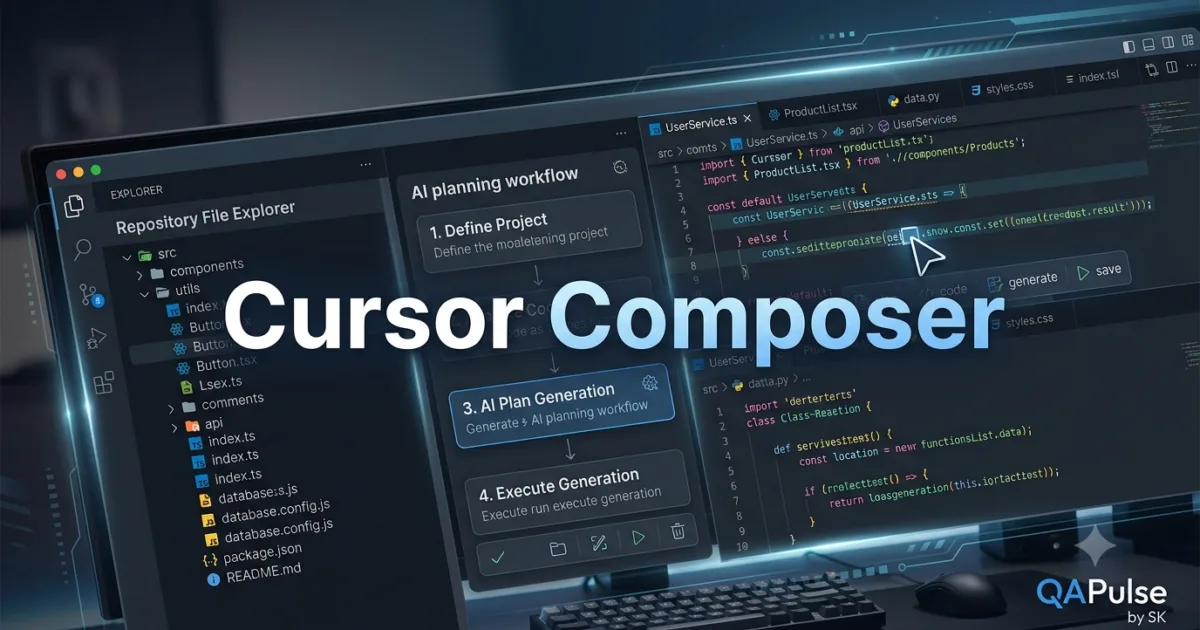
Why Cursor Composer Is a Game Changer
Modern software projects rarely involve editing a single file. Building a new feature often requires changes across multiple components, including backend services, frontend interfaces, API routes, database models, configuration files, automated tests, and documentation.
Traditionally, developers manually modified each file, ensuring consistency throughout the project. While AI-assisted coding simplified individual code generation, developers still had to coordinate changes across the entire codebase.
Cursor Composer addresses this challenge by enabling AI to understand a larger development objective and generate coordinated modifications across multiple files. Instead of producing isolated snippets, it assists developers in implementing complete features while preserving project structure and coding standards.
As software systems continue to grow in complexity, mastering Cursor Composer has become an essential skill for developers who want to maximize productivity without sacrificing maintainability.
What Is Cursor Composer?
Cursor Composer is an advanced feature within Cursor IDE that enables developers to generate, modify, and organize code across multiple files through a single AI-driven workflow.
Unlike a standard chat interface that focuses on answering questions or generating snippets, Cursor Composer is designed for broader development tasks. It can analyze the project structure, determine which files require updates, and propose coordinated changes that work together as a complete implementation.
Rather than editing one file at a time, developers can describe an entire feature, and Cursor Composer helps create a cohesive solution spanning the relevant parts of the repository.
Why Developers Use Cursor Composer
Professional software development frequently involves interconnected systems.
For example, adding a new feature may require changes to:
- Database models
- API endpoints
- Business logic
- Frontend components
- Validation rules
- Unit tests
- Integration tests
- Documentation
Managing these updates manually is time-consuming and increases the likelihood of inconsistencies.
Cursor Composer streamlines this process by understanding relationships between project files and generating coordinated modifications.
Key benefits include:
- Multi-file code generation
- Consistent architecture
- Reduced repetitive work
- Better project organization
- Faster feature implementation
- Improved development efficiency
- Repository-aware assistance
- Easier large-scale refactoring
How Cursor Composer Works
Every Composer session follows a structured workflow that combines developer intent with repository analysis.
Development Request

↓

Cursor Composer

↓

Repository Analysis

↓

Identify Affected Files

↓

AI Planning

↓

Generate Multi-File Changes

↓

Developer Review

↓

Project Update
Instead of focusing only on the currently open file, Cursor Composer evaluates the broader project context before suggesting modifications.
Core Components of Cursor Composer
Several components work together to support multi-file development.
Repository Awareness
One of the defining characteristics of Cursor Composer is its ability to understand the entire project rather than individual source files.
It can analyze:
- Folder structure
- Application architecture
- Existing services
- Configuration files
- Coding patterns
- Dependencies
- Documentation
This understanding allows generated changes to integrate naturally with the existing codebase.
Change Planning
Before generating code, Cursor Composer identifies which files should be updated to complete the requested feature.
Examples include:
- Creating new source files
- Updating existing services
- Modifying configuration
- Adding test cases
- Updating documentation
Planning before implementation reduces inconsistencies across the project.
Multi-File Generation
Instead of producing isolated code snippets, Cursor Composer generates coordinated updates that span multiple files while maintaining relationships between them.
This significantly reduces manual synchronization work for developers.
Common Development Scenarios
Developers use Cursor Composer for many engineering tasks.
Typical examples include:
- Creating complete application features
- Implementing REST APIs
- Building authentication systems
- Developing CRUD modules
- Refactoring large codebases
- Adding automated testing
- Updating project architecture
- Migrating frameworks
- Modernizing legacy applications
Because these activities involve multiple files, Cursor Composer provides greater value than traditional single-file AI assistance.
Who Should Use Cursor Composer?
The Cursor Composer feature benefits developers working on projects of all sizes.
Typical users include:
- Backend Developers
- Frontend Developers
- Full-Stack Engineers
- QA Automation Engineers
- DevOps Engineers
- AI Engineers
- Technical Leads
- Software Architects
- Engineering Teams
- Computer Science Students
Whether building a startup application or maintaining an enterprise platform, Cursor Composer simplifies complex implementation tasks by coordinating changes across the repository.
Real-World Value
Organizations increasingly rely on Cursor Composer to accelerate feature development while maintaining engineering consistency.
Its ability to understand repository context, plan coordinated updates, and generate multi-file implementations makes it particularly valuable for modern software teams working with large and interconnected codebases.
By reducing repetitive manual work and supporting structured development workflows, Cursor Composer enables developers to spend more time solving business problems and less time managing file-by-file implementation details.
Cursor Composer: Creating Multi-File Features, Planning Changes, and Managing Large Codebases
Getting Started with Cursor Composer
After understanding what Cursor Composer is, the next step is learning how to use it effectively in real software projects. Unlike traditional AI code assistants that focus on a single source file, Cursor Composer is designed to coordinate changes across an entire repository.
The quality of the generated implementation depends on how clearly the development task is defined and how well the existing project structure is understood.
Professional developers use Cursor Composer to accelerate development while ensuring that new features remain consistent with the architecture of the application.
Preparing Your Project
Before starting a Composer session, spend a few minutes understanding the repository.
Review:
- Project structure
- Existing modules
- Application architecture
- Coding conventions
- Folder organization
- Documentation
- Current implementation
Providing AI with a well-organized repository significantly improves the quality of generated code.
Starting a Composer Session
A typical Cursor Composer session begins with a clearly defined development objective.
Examples include:
- Create a user authentication module.
- Build a product management feature.
- Add email notifications.
- Implement role-based authorization.
- Create a payment service.
- Generate API endpoints for inventory management.
Rather than asking for isolated code snippets, describe the complete feature you want to build.
Composer then determines which files should be created or modified.
Planning Before Generation
One of the biggest strengths of Cursor Composer is its planning capability.
Before generating code, it evaluates the repository and identifies the components affected by the requested feature.
For example, implementing a user registration system may require updates to:
- Database models
- API routes
- Controllers
- Services
- Validation logic
- Authentication middleware
- Unit tests
- Documentation
Planning these changes before implementation helps maintain consistency throughout the project.
Multi-File Development Workflow
Professional teams usually follow a structured workflow when using Cursor Composer.
Understand Requirement

↓

Analyze Repository

↓

Launch Cursor Composer

↓

Plan Required Files

↓

Generate Changes

↓

Review Implementation

↓

Run Tests

↓

Commit Updates
Following the same process for every feature reduces development errors and simplifies code reviews.
Organizing Large Features
Large development tasks should still be divided into logical stages.
Consider an e-commerce checkout system.
Instead of requesting the entire feature at once, organize it into:
Database Layer
- Order model
- Payment model
- Transaction tables
Backend Layer
- API endpoints
- Business logic
- Validation
- Error handling
Frontend Layer
- Checkout page
- Payment form
- Confirmation screen
Testing Layer
- Unit tests
- Integration tests
- End-to-end tests
Cursor Composer performs best when feature boundaries are clearly defined.
Maintaining Project Consistency
One advantage of Cursor Composer is its ability to keep related files synchronized.
Generated implementations typically follow:
- Existing naming conventions
- Folder structure
- Dependency patterns
- Project architecture
- Coding standards
Developers should still verify that generated changes match the team’s engineering guidelines before merging them.
Working with Existing Applications
Most developers use Cursor Composer within mature repositories rather than starting from scratch.
Before requesting new functionality:
- Explore existing modules.
- Identify reusable components.
- Review service interfaces.
- Understand dependency relationships.
- Read project documentation.
Building on existing implementations produces cleaner and more maintainable solutions.
Reviewing Generated Changes
Every multi-file implementation should be reviewed carefully.
Verify:
- Business logic
- File organization
- Imports
- Error handling
- Security
- Performance
- Naming conventions
- Test coverage
AI accelerates implementation, but developers remain responsible for software quality.
Common Workflow Mistakes
Several common mistakes reduce the effectiveness of Cursor Composer.
Requesting Overly Broad Features
Large requests such as:
Build a complete ERP system.
provide insufficient direction.
Instead, focus on one feature or module at a time.
Ignoring Existing Architecture
Generated code should extend the current architecture instead of introducing unnecessary structural changes.
Review how each generated file integrates with the rest of the project.
Skipping Repository Analysis
Understanding the repository before requesting code helps Composer generate more relevant and maintainable implementations.
Merging Without Validation
Never merge AI-generated changes without:
- Running automated tests
- Performing code review
- Checking coding standards
- Validating business requirements
These steps remain essential regardless of how the code was produced.
Practical Recommendations
Developers who consistently obtain the best results with Cursor Composer approach it as a collaborative planning and implementation tool rather than a one-click code generator. They begin with a well-defined feature, analyze the existing repository, allow Composer to plan coordinated file changes, review every generated modification, execute automated tests, and refine the implementation before merging it into the main branch. This disciplined workflow enables Cursor Composer to accelerate development while preserving architecture, maintainability, and code quality across large software projects.
Cursor Composer: Real-World Feature Development, Enterprise Workflows, and Practical Examples
Using Cursor Composer in Daily Software Development
Understanding how to launch Cursor Composer is only the beginning. The real advantage appears when it becomes part of your everyday engineering workflow. Modern applications consist of dozens or even hundreds of interconnected files, making it impractical to implement complex features one file at a time.
Professional developers use Cursor Composer to coordinate changes across multiple layers of an application while maintaining consistency with existing architecture, coding standards, and repository structure.
Instead of manually updating every affected file, developers define the desired outcome and use Composer to generate a cohesive implementation that can then be reviewed, refined, and tested.
Developing a Complete Feature
Imagine you need to introduce a customer feedback feature into an existing web application.
Rather than creating each file manually, Cursor Composer can help coordinate the implementation across multiple project areas.
Typical changes may include:
- Database schema
- Migration files
- API routes
- Service layer
- Validation logic
- Frontend components
- Automated tests
- Documentation
Generating these changes together reduces the risk of missing dependencies or introducing inconsistencies.
A Practical Development Workflow
A common workflow with Cursor Composer looks like this:
Receive Feature Request

↓

Review Existing Architecture

↓

Open Cursor Composer

↓

Describe the Feature

↓

Generate Multi-File Changes

↓

Review Implementation

↓

Run Automated Tests

↓

Commit the Feature
Following this structured process helps developers deliver new functionality more efficiently while maintaining code quality.
Refactoring Large Applications
One of the strongest use cases for Cursor Composer is large-scale refactoring.
Instead of editing dozens of files individually, developers can modernize an application by coordinating updates across the repository.
Examples include:
- Renaming shared services
- Reorganizing project structure
- Updating framework versions
- Replacing deprecated APIs
- Standardizing coding patterns
- Improving error handling
- Migrating configuration files
Coordinated updates reduce manual effort and improve consistency throughout the project.
Building APIs with Cursor Composer
API development often requires modifications in several locations.
For a typical REST API, Composer may generate updates for:
Data Layer
- Database models
- Migrations
- Seed data
Business Layer
- Services
- Validation
- Business rules
API Layer
- Routes
- Controllers
- Request handlers
- Response formatting
Testing Layer
- Unit tests
- Integration tests
- API tests
Generating these components together ensures they remain aligned with one another.
Supporting Test Automation
Testing is an essential part of enterprise software development.
Developers frequently use Cursor Composer to create:
- Unit tests
- Integration tests
- End-to-end test scaffolding
- Mock services
- Test utilities
- Sample datasets
By generating implementation and testing assets together, teams can improve delivery speed without neglecting software quality.
Modernizing Legacy Systems
Many organizations maintain applications that have evolved over several years.
Cursor Composer is particularly useful during modernization projects because it can coordinate changes across multiple modules while preserving the overall structure of the application.
Typical modernization activities include:
- Framework upgrades
- Dependency updates
- Folder restructuring
- API standardization
- Improved logging
- Better configuration management
- Documentation updates
Incremental modernization helps reduce technical debt while minimizing disruption to production systems.
Improving Team Collaboration
Development teams often use Cursor Composer during collaborative projects involving multiple contributors.
Examples include:
- Shared feature implementation
- Cross-functional development
- Pull request preparation
- Architecture improvements
- Technical documentation
- Sprint deliverables
Because Composer considers repository context, generated changes are generally easier for teammates to understand and review.
Common Workflow Mistakes
Despite its capabilities, developers should avoid several common mistakes when using Cursor Composer.
Implementing Multiple Unrelated Features
A single Composer session should focus on one logical feature or improvement.
Mixing unrelated tasks often produces confusing implementations and complicates code reviews.
Skipping Manual Review
Every generated file should be reviewed for:
- Business logic
- Architecture
- Security
- Performance
- Naming conventions
- Maintainability
AI-generated code should always pass the same quality standards as manually written code.
Ignoring Existing Patterns
Applications often have established architectural conventions.
Generated code should reinforce those patterns instead of introducing unnecessary variations.
Forgetting Documentation
Whenever Composer introduces new modules or modifies application behavior, update:
- README files
- API documentation
- Deployment instructions
- Configuration guides
- Developer documentation
Keeping documentation synchronized ensures long-term maintainability.
Practical Recommendations
Developers who achieve the greatest success with Cursor Composer use it as a feature orchestration tool rather than a simple code generator. They begin by understanding the repository, define one well-scoped feature, allow Composer to coordinate changes across the affected files, carefully review every modification, execute comprehensive automated tests, and refine the implementation before merging it into the project. This disciplined workflow enables Cursor Composer to accelerate feature delivery while preserving architecture, consistency, and maintainability across modern software applications.
Cursor Composer: Best Practices, Common Mistakes, Performance Optimization, and Enterprise Adoption
Building Reliable Multi-File Development Workflows
As software projects become larger and more interconnected, developers need tools that can coordinate changes across entire repositories instead of generating isolated code snippets. Cursor Composer addresses this challenge by planning and implementing multi-file modifications while considering repository structure and project context.
However, successfully using Cursor Composer requires more than simply describing a feature. High-performing engineering teams follow structured development practices that ensure AI-generated implementations remain secure, maintainable, and aligned with existing architecture.
When combined with disciplined software engineering, Cursor Composer becomes a powerful productivity tool for both individual developers and enterprise teams.
Best Practices for Using Cursor Composer
Define Clear Feature Boundaries
The first step toward successful AI-assisted development is defining a well-scoped feature.
Good examples include:
- Implement user registration.
- Add product search.
- Create notification service.
- Build payment integration.
- Generate reporting dashboard.
Clearly defined objectives help Cursor Composer identify the correct files and produce consistent implementations.
Understand the Existing Architecture
Before requesting changes, spend time reviewing the project.
Understand:
- Folder structure
- Design patterns
- Business logic
- Shared components
- Existing services
- Dependency relationships
When developers understand the repository, they can better evaluate and refine Composer’s suggestions.
Generate Features Incrementally
Although Cursor Composer supports multi-file generation, very large requests should still be divided into logical stages.
For example:
Database Design

↓

Business Logic

↓

API Layer

↓

Frontend Components

↓

Automated Tests

↓

Documentation
Breaking work into manageable milestones improves review quality and reduces implementation risk.
Review Every Generated File
One of the biggest misconceptions about AI-assisted development is that generated code should be accepted without verification.
Every file created or modified by Cursor Composer should be reviewed for:
- Functional correctness
- Business requirements
- Coding standards
- Architecture compliance
- Security
- Performance
- Error handling
- Readability
Human oversight remains an essential responsibility throughout the development lifecycle.
Optimizing Performance
Well-structured repositories allow Cursor Composer to generate higher-quality implementations.
Developers can improve performance by:
- Keeping projects organized.
- Removing obsolete code.
- Maintaining consistent naming conventions.
- Writing meaningful documentation.
- Eliminating duplicate functionality.
- Keeping dependencies updated.
A clean codebase enables AI to better understand project relationships.
Security Considerations
Security should always remain a priority during AI-assisted development.
When working with Cursor Composer:
- Never expose API keys or credentials.
- Avoid sharing confidential business information.
- Review authentication logic carefully.
- Validate authorization rules.
- Sanitize user input.
- Confirm secure error handling.
- Follow organizational security policies.
AI-generated code should undergo the same security review process as manually written implementations.
Supporting Team Collaboration
Cursor Composer fits naturally into collaborative engineering environments.
Typical team activities include:
- Feature implementation
- Sprint development
- Pull request preparation
- Large-scale refactoring
- Framework migration
- Repository cleanup
- Documentation improvements
Shared coding standards and development guidelines help teams obtain more consistent AI-generated results.
Common Mistakes
Treating Composer as an Automatic Code Generator
Cursor Composer should be viewed as an engineering assistant rather than a replacement for software design.
Developers remain responsible for validating architecture, business logic, and implementation quality.
Generating Extremely Large Features
Massive feature requests increase review complexity.
Smaller, well-defined milestones produce more reliable and maintainable implementations.
Ignoring Existing Coding Standards
Generated code should follow:
- Repository conventions
- Naming standards
- Architecture guidelines
- Testing strategy
- Documentation practices
Consistency is essential for long-term maintainability.
Skipping Automated Testing
Every generated feature should be validated using:
- Unit tests
- Integration tests
- End-to-end tests
- Static analysis
- Code review
Testing confirms that generated changes function correctly within the broader application.
Enterprise Adoption
Many software organizations are adopting Cursor Composer to improve engineering productivity while maintaining governance.
Common enterprise applications include:
- Multi-module feature development
- Enterprise application modernization
- API platform expansion
- Internal developer tooling
- Repository standardization
- Framework migration
- Automated testing initiatives
By combining AI assistance with established engineering processes, organizations can accelerate development without compromising software quality.
Measuring Success
Engineering teams often evaluate the effectiveness of Cursor Composer using measurable metrics.
| Metric | Why It Matters |
|---|---|
| Feature Delivery Time | Measures implementation efficiency |
| Code Review Effort | Evaluates maintainability and consistency |
| Test Coverage | Confirms software quality |
| Defect Rate | Tracks implementation reliability |
| Development Velocity | Measures engineering productivity |
| Documentation Quality | Ensures knowledge remains current |
| Refactoring Efficiency | Evaluates modernization efforts |
Monitoring these metrics helps organizations refine AI-assisted development practices over time.
Long-Term Development Strategy
The greatest value of Cursor Composer comes from integrating it into disciplined engineering workflows instead of relying on it for isolated code generation.
Successful teams consistently:
- Define clear feature requirements.
- Understand repository architecture.
- Generate implementations incrementally.
- Review every AI-generated modification.
- Execute comprehensive automated tests.
- Maintain coding standards.
- Keep documentation synchronized with implementation.
- Continuously improve development processes based on feedback and project outcomes.
These practices enable Cursor Composer to become a dependable partner for delivering scalable, maintainable, and production-ready software across projects of every size.
Key Takeaways
Cursor Composer extends AI-assisted development beyond individual files by coordinating feature implementation across entire repositories. Developers who define clear objectives, understand project architecture, validate generated code, enforce testing, and maintain consistent engineering standards gain the greatest productivity benefits. When used responsibly, Cursor Composer helps teams accelerate software delivery while preserving code quality, security, and long-term maintainability.
Internal Links:
- Learn MCP – Zero to Hero
- Learn AI Agents for QA – Zero to Hero
- Playwright Automation – Zero to Hero
- Learn Python – Zero to Hero
- OpenAI Codex: Complete Zero to Hero
- Cursor AI: Complete Zero to Hero
- Claude Code Tutorial: Complete Zero to Hero
- Free QA Resources Built From Real Experience
- QA Glossary: Test Automation Terms Every Engineer Should Know
External Resources:
- Model Context Protocol documentation
- Playwright documentation
- GitHub documentation
- TypeScript documentation
- Prompt Engineering Overview
- Git Documentation
- Visual Studio Code
- Cursor AI
- Cursor Documentation
People Also Ask
What is Cursor Composer?
Cursor Composer is an AI-powered feature inside Cursor IDE that helps developers plan and generate coordinated code changes across multiple files using repository-aware context.
How is Cursor Composer different from Cursor Chat?
Cursor Chat focuses on conversational assistance and code explanations, while Cursor Composer is designed to plan and implement larger development tasks that span multiple files and project components.
Can Cursor Composer modify existing projects?
Yes. Cursor Composer analyzes existing repositories and generates coordinated updates that follow the project’s architecture, coding standards, and folder structure.
Is Cursor Composer suitable for enterprise software?
Yes. Enterprise development teams use Cursor Composer for feature implementation, large-scale refactoring, framework migration, testing support, and repository modernization.
Should developers review Cursor Composer output?
Absolutely. Every AI-generated modification should be reviewed, tested, and validated before merging into production repositories.
Featured Snippet
What Is Cursor Composer?
Cursor Composer is a repository-aware AI feature in Cursor IDE that enables developers to create and manage coordinated code changes across multiple files. It assists with feature implementation, refactoring, testing, and documentation while maintaining consistency with the existing project architecture.
AI Overview Answer
Cursor Composer simplifies complex software development by allowing developers to describe a complete feature instead of editing files individually. It analyzes the repository, identifies affected components, generates coordinated code changes, and helps engineering teams build scalable software more efficiently while maintaining coding standards and project consistency.
Enjoyed this article? Explore more in-depth guides on AI engineering, automation testing, Model Context Protocol, Playwright, and intelligent software quality at www.skakarh.com. Follow QAPulse by SK for practical, production-focused tutorials designed for QA engineers, SDETs, and AI developers.