QA
QA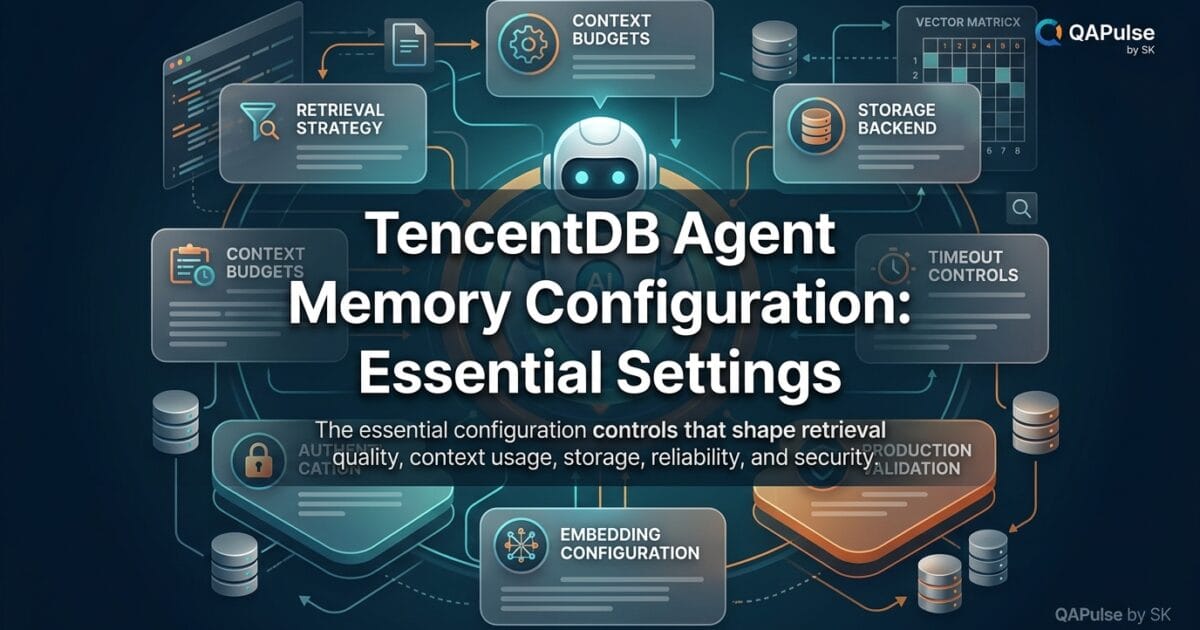
TencentDB Agent Memory Configuration becomes important as soon as a basic environment needs to behave predictably across development, testing, and deployment. Installing the project is only the starting point; the configuration determines which model the system talks to, where the Gateway listens, how data is stored, and which deployment mode is active.
For an AI Agent, configuration is effectively the control layer between your application and its memory infrastructure.
A useful mental model is:
                    TencentDB Agent Memory Configuration
                                      │
          ┌───────────────────────────┼───────────────────────────┐
          ▼                           ▼                           ▼
     Runtime Settings           Model Settings             Deployment
          │                           │                           │
     Node.js / Port             API / Model / URL          Standalone /
          │                           │                       Service
          └───────────────────────────┼───────────────────────────┘
                                      ▼
                                   Gateway
                                      │
                         ┌────────────┴────────────┐
                         ▼                         ▼
                      Storage                 Retrieval
                         │                         │
                         └────────────┬────────────┘
                                      ▼
                                  AI Agent
The official project separates configuration concerns across environment variables, deployment modes, Gateway settings, and backend services. The exact variables can change as the project evolves, so production configuration should always be checked against the version being deployed.
Why Configuration Matters More Than Installation
Imagine two developers install the same memory system.
Developer A uses:
Port: 8420
Mode: standalone
Model: Model A
Storage: local
Developer B uses:
Port: 9000
Mode: service
Model: Model B
Storage: cloud
Both may have installed the same repository, but they do not have the same runtime behavior.
That is why an environment should be thought of as:
Application Code
      +
Configuration
      +
Infrastructure
      =
Runtime Behavior
This distinction becomes especially important when an Agent appears to “forget” information.
The problem might not be the memory algorithm at all.
It could be:
- the wrong deployment mode
- incorrect Gateway address
- missing LLM credentials
- incorrect model configuration
- unexpected storage location
- incorrect environment variables
- configuration loaded from the wrong file
A good engineer therefore investigates configuration before changing application logic.
The Core Configuration Categories
A practical way to understand the available settings is to group them by responsibility.
| Configuration area | Controls | Why it matters |
|---|---|---|
| LLM settings | API, model, endpoint | Controls model interaction |
| Gateway settings | Host and port | Controls service access |
| Deployment mode | Standalone/service behavior | Determines architecture |
| Storage settings | Data location/backend | Determines persistence |
| Runtime settings | Node.js/application process | Controls execution |
| Security settings | Credentials/secrets | Protects integrations |
| Service settings | External infrastructure | Enables distributed deployment |
The official deployment documentation currently identifies settings such as TDAI_LLM_API_KEY, TDAI_LLM_BASE_URL, TDAI_LLM_MODEL, TDAI_LLM_MAX_TOKENS, TDAI_DEPLOY_MODE, TDAI_GATEWAY_PORT, TDAI_GATEWAY_HOST, and TDAI_DATA_DIR.
LLM Configuration: The Model Is Part of the Memory Pipeline
One of the most important groups of settings controls the LLM.
A typical environment can contain:
export TDAI_LLM_API_KEY="your-api-key"
export TDAI_LLM_BASE_URL="https://api.example.com/v1"
export TDAI_LLM_MODEL="your-model"
export TDAI_LLM_MAX_TOKENS="4096"
The exact provider and values depend on the environment you are using.
Conceptually:
Agent
  │
  ▼
Memory System
  │
  ▼
LLM Configuration
  │
  ├── API endpoint
  ├── authentication
  ├── model
  └── token limit
Do not hard-code credentials into source code:
// Bad
const apiKey = "sk-secret-value";
Prefer environment configuration:
const apiKey = process.env.TDAI_LLM_API_KEY;

if (!apiKey) {
  throw new Error("LLM API key is not configured");
}
This is not merely a security preference.
It also makes the same application deployable across:
Development
     ↓
Testing
     ↓
Staging
     ↓
Production
without modifying source code.
API Endpoint and Model Selection Are Different Settings
A common configuration mistake is treating the API endpoint and model name as the same concept.
They are not.
TDAI_LLM_BASE_URL
        │
        ▼
Which API service?

TDAI_LLM_MODEL
        │
        ▼
Which model does that service provide?
For example:
export TDAI_LLM_BASE_URL="https://api.example.com/v1"
export TDAI_LLM_MODEL="example-chat-model"
The endpoint identifies the service.
The model identifies the model requested from that service.
This distinction becomes useful when troubleshooting.
If the endpoint is unreachable:
Network / URL problem
If the endpoint responds but the model is unavailable:
Model/provider configuration problem
If authentication fails:
Credential problem
Those are three different failure classes.
Gateway Configuration
The Gateway is the boundary through which applications communicate with the memory service.
A simplified architecture is:
AI Agent
   │
   │ HTTP
   ▼
Gateway
   │
   ├── Memory operations
   ├── Storage
   └── Retrieval
The current deployment documentation exposes Gateway-related settings including:
TDAI_GATEWAY_HOST
TDAI_GATEWAY_PORT
The documented standalone default is associated with port 8420.
A local configuration might therefore look conceptually like:
export TDAI_GATEWAY_HOST="127.0.0.1"
export TDAI_GATEWAY_PORT="8420"
You can validate the resulting endpoint with:
curl http://127.0.0.1:8420/health
But remember the distinction:
Gateway reachable
       ≠
Memory correctly configured
       ≠
Memory persistence verified
Each is a separate test condition.

Standalone Versus Service Configuration
One of the most important architectural decisions is the deployment mode.
The project documentation distinguishes standalone deployment from service-oriented deployment. Standalone is designed for simpler local usage, while service deployment supports distributed infrastructure and components such as Tencent Cloud Vector Database, COS, and Redis.
Think about the difference like this:
Standalone

Agent
  │
  ▼
Gateway
  │
  ▼
Local memory infrastructure
versus:
Service

Agent
  │
  ▼
Gateway
  │
  ├── Memory Core
  ├── Vector Database
  ├── COS
  └── Redis
This is more than a configuration toggle.
It changes the infrastructure assumptions around your Agent.
| Characteristic | Standalone | Service |
|---|---|---|
| Primary purpose | Local/simple usage | Distributed usage |
| Infrastructure | Smaller | Larger |
| Local development | Excellent | More complex |
| Team deployment | Limited | Better suited |
| External services | Minimal | Multiple |
| Operational complexity | Lower | Higher |
| Scaling | Limited | Greater potential |
The strategic mistake is choosing the more complicated architecture simply because it looks more “production ready.”
Start with the smallest architecture that satisfies your requirement.
Data Directory Configuration
Storage configuration deserves special attention because persistent memory is only useful if you know where that persistence actually lives.
The current deployment documentation identifies TDAI_DATA_DIR as a configuration option and describes a default local data directory for standalone operation.
You can explicitly configure it:
export TDAI_DATA_DIR="$HOME/.memory-tencentdb/memory-tdai"
Then inspect the directory:
ls -la "$TDAI_DATA_DIR"
This creates an important operational boundary:
Application
     │
     ▼
Memory Service
     │
     ▼
Data Directory
     │
     ▼
Persistent State
If the application works but the data directory is ephemeral, a restart or container replacement can produce unexpected behavior.
This is particularly important with Docker.
A container filesystem and a persistent host volume are not automatically equivalent.
Environment Variables Versus Configuration Files
There are several ways teams manage configuration.
Environment variables
export TDAI_LLM_MODEL="model-name"
Advantages:
- Good for secrets
- Easy in CI/CD
- Easy to override
- Keeps configuration outside source code
.env files
TDAI_LLM_MODEL=model-name
TDAI_GATEWAY_PORT=8420
Advantages:
- Convenient for local development
- Easy to reproduce
- Simple for multiple developers
But never commit secrets accidentally.
.env
.env.local
.env.production
Hard-coded configuration
const port = 8420;
This is acceptable for immutable application defaults in some circumstances, but it is poor for deployment-specific configuration.
A useful rule is:
Application behavior
        ↓
Source code

Environment-specific values
        ↓
Environment/configuration

Secrets
        ↓
Secret manager/environment
Configuration Precedence Matters
Suppose your source contains:
const port = process.env.TDAI_GATEWAY_PORT || "8420";
The behavior becomes:
Environment variable exists?
        │
     Yes ──────► use environment value
        │
       No
        │
        ▼
   use default
That is useful because it allows:
TDAI_GATEWAY_PORT=9000
without modifying the application.
But configuration precedence should be documented.
Otherwise a developer may change a .env file and wonder why the application still uses another value.
For debugging, print safe, resolved configuration:
console.log({
  host: process.env.TDAI_GATEWAY_HOST,
  port: process.env.TDAI_GATEWAY_PORT,
  model: process.env.TDAI_LLM_MODEL,
  baseURL: process.env.TDAI_LLM_BASE_URL,
});
Never include:
console.log(process.env.TDAI_LLM_API_KEY);
Build a Configuration Validation Layer
A strong implementation should fail early when required settings are missing.
For example:
const required = [
  "TDAI_LLM_API_KEY",
  "TDAI_LLM_BASE_URL",
  "TDAI_LLM_MODEL",
];

for (const name of required) {
  if (!process.env[name]) {
    throw new Error(`Missing required configuration: ${name}`);
  }
}
Now instead of discovering a missing credential after an Agent request, the application reports the problem during startup.
This is a major difference between:
Configuration failure
       ↓
Immediate error
and:
Configuration failure
       ↓
Application starts
       ↓
Agent request
       ↓
Memory operation
       ↓
LLM call
       ↓
Cryptic failure
The first model is much easier to operate.
Configuration Validation as an SDET Problem
This is where configuration becomes particularly interesting for test engineers.
Treat configuration as test data.
For example:
describe("memory configuration", () => {
  it("requires an LLM API key", () => {
    expect(process.env.TDAI_LLM_API_KEY).toBeTruthy();
  });

  it("defines an LLM model", () => {
    expect(process.env.TDAI_LLM_MODEL).toBeTruthy();
  });
});
Then add negative tests:
describe("invalid configuration", () => {
  it("rejects missing model configuration", () => {
    const model = undefined;

    expect(() => {
      if (!model) {
        throw new Error("Model is required");
      }
    }).toThrow("Model is required");
  });
});
This changes the mindset from:
“I configured it.”
to:
“I have evidence that the configuration is valid.”
That distinction is central to reliable AI infrastructure.
Configuration Drift: The Silent Problem
Imagine your team starts with:
Model: A
Port: 8420
Mode: standalone
Two months later:
Model: B
Port: 8421
Mode: service
Nobody updated the documentation.
Now one developer believes the environment is configured one way while the actual system behaves another way.
That is configuration drift.
A lightweight environment report can reduce this problem:
echo "=== Memory Environment ==="
echo "Mode:  ${TDAI_DEPLOY_MODE:-standalone}"
echo "Host:  ${TDAI_GATEWAY_HOST:-127.0.0.1}"
echo "Port:  ${TDAI_GATEWAY_PORT:-8420}"
echo "Model: ${TDAI_LLM_MODEL:-not-set}"
echo "Data:  ${TDAI_DATA_DIR:-default}"
This provides a quick snapshot without exposing secrets.
For teams, put the expected values in documentation or automated configuration checks.
Configuration Comparison: AI Memory vs Traditional Applications
Configuration in Agent-memory infrastructure differs from ordinary web application configuration because the behavior depends on multiple AI and persistence layers.
| Traditional API | Agent Memory System |
|---|---|
| Database URL | Memory backend configuration |
| API credentials | LLM + infrastructure credentials |
| HTTP port | Gateway port |
| Database schema | Memory representation |
| Query parameters | Retrieval configuration |
| Request/response testing | Semantic memory validation |
| Data persistence | Cross-session memory persistence |
| Application logs | Agent + memory observability |
The biggest difference is that correctness is not always binary.
A traditional query can return:
200 OK
while an Agent-memory operation can return a technically valid result that is semantically irrelevant.
That means configuration validation eventually needs functional and semantic tests.
Test Configuration With a Matrix
Create a configuration test matrix before deploying.
| Test | Configuration | Expected result |
|---|---|---|
| Valid LLM configuration | Complete | Startup succeeds |
| Missing API key | Invalid | Fail fast |
| Invalid endpoint | Invalid | Controlled connection failure |
| Unknown model | Invalid | Provider/model error |
| Valid Gateway port | Valid | Gateway starts |
| Port already occupied | Conflict | Clear startup error |
| Valid data directory | Valid | Persistence available |
| Invalid data directory | Invalid | Controlled storage error |
| Standalone mode | Valid | Local service starts |
| Service mode | Valid | Distributed dependencies initialize |
This is much more useful than checking only whether the application launches.
Protect Configuration From Accidental Exposure
Security mistakes often happen during troubleshooting.
Avoid:
echo $TDAI_LLM_API_KEY
Avoid:
console.log(process.env);
Avoid committing:
.env
Instead:
if [[ -n "${TDAI_LLM_API_KEY:-}" ]]; then
  echo "API credential configured"
else
  echo "API credential missing"
fi
For CI/CD, the same principle applies:
Git repository
     │
     ├── application code
     └── configuration template

CI/CD secret store
     │
     └── real credentials

Deployment
     │
     └── environment variables
This architecture makes the configuration portable without making secrets public.


A Practical Configuration Template
A local template can make the expected settings obvious:
# Deployment
TDAI_DEPLOY_MODE=standalone

# Gateway
TDAI_GATEWAY_HOST=127.0.0.1
TDAI_GATEWAY_PORT=8420

# Storage
TDAI_DATA_DIR=~/.memory-tencentdb/memory-tdai

# LLM
TDAI_LLM_BASE_URL=https://api.example.com/v1
TDAI_LLM_MODEL=your-model
TDAI_LLM_MAX_TOKENS=4096

# Secret - populate outside source control
TDAI_LLM_API_KEY=
Then load the real secret through your environment or secret-management mechanism.
The important idea is not to blindly copy these values into production. The current official documentation should be checked for the exact supported variables and defaults for the release you deploy.
Make Configuration Observable
A useful configuration system should answer three questions:
What was configured?
        ↓
What was actually loaded?
        ↓
What behavior resulted?
For example:
Expected port: 8420
Loaded port:   8420
Gateway:       reachable
Then:
Expected mode: standalone
Loaded mode:   standalone
Storage:       accessible
Then:
Expected model: configured-model
Loaded model:   configured-model
LLM:             reachable
This creates a chain of evidence.
It is much stronger than a simple:
"Configuration looks fine."
A Configuration Checklist for Real Projects
Before calling an environment ready, verify:
[ ] Runtime version verified
[ ] Dependencies installed
[ ] Deployment mode selected
[ ] LLM endpoint configured
[ ] LLM model configured
[ ] Credentials available securely
[ ] Gateway host configured
[ ] Gateway port configured
[ ] Data directory understood
[ ] Storage accessible
[ ] Gateway health verified
[ ] Invalid configuration tested
[ ] Configuration snapshot documented
[ ] No secrets committed
This checklist can also become a CI/CD quality gate.
./scripts/validate-memory-config.sh
The goal is to make configuration repeatable and observable, not dependent on tribal knowledge.
What Good Configuration Looks Like
A mature setup has these characteristics:
Predictable
     ↓
Documented
     ↓
Validated
     ↓
Secure
     ↓
Reproducible
     ↓
Observable
A weak configuration often looks like:
Developer changes .env
        ↓
Application behaves differently
        ↓
Nobody knows why
        ↓
Agent memory appears inconsistent
        ↓
Debugging begins
The difference is not necessarily the software.
It is the engineering discipline around configuration.
Strategic Takeaway
The purpose of TencentDB Agent Memory Configuration is not simply to provide a list of environment variables.
Each setting should have a clearly understood responsibility:
LLM settings
    → control model interaction

Gateway settings
    → control service access

Deployment settings
    → control architecture

Storage settings
    → control persistence

Security settings
    → protect credentials

Validation
    → prove the configuration works
Once you think about configuration this way, debugging becomes significantly easier.
Instead of changing five variables at once, change one configuration boundary, run a validation check, observe the result, and record the evidence.
That is how an AI-memory environment moves from “it runs” to “we know why it works.”
Configuration Files: When Environment Variables Are Not Enough
TencentDB Agent Memory Configuration becomes much easier to manage when you stop treating every setting as an isolated environment variable. For a real project, configuration should describe the entire runtime behavior in one understandable structure.
The current TencentDB Agent Memory deployment documentation supports YAML configuration in addition to environment variables. It also documents a configuration search order: an explicitly supplied $TDAI_GATEWAY_CONFIG, then ./tdai-gateway.yaml, and finally a file under the configured data directory. (GitHub)
A simplified configuration can look like this:
server:
  port: 8420
  host: "127.0.0.1"

data:
  baseDir: "~/.memory-tencentdb/memory-tdai"

llm:
  baseUrl: "https://api.example.com/v1"
  apiKey: "${TDAI_LLM_API_KEY}"
  model: "your-model"
  maxTokens: 4096
  timeoutMs: 120000
This approach makes the relationship between settings much easier to understand.
Instead of having:
PORT
HOST
MODEL
BASE_URL
DATA_DIR
TIMEOUT
...
scattered throughout deployment scripts, you can see the architecture in one place:
Configuration
├── server
│   ├── host
│   └── port
├── data
│   └── baseDir
└── llm
    ├── baseUrl
    ├── apiKey
    ├── model
    ├── maxTokens
    └── timeoutMs
That is particularly valuable when several engineers need to review the same environment.
Understanding the Memory-Specific Settings
The most interesting part of TencentDB Agent Memory Configuration is not the Gateway itself. It is the memory behavior that sits behind the Gateway.
The documented YAML example exposes settings for capture, recall, embeddings, BM25 search, storage backend, and memory-processing pipelines. (GitHub)
For example:
memory:
  capture:
    enabled: true
    excludeAgents: []

  recall:
    maxResults: 5
    scoreThreshold: 0.3
    strategy: "hybrid"

  embedding:
    enabled: true
    provider: "openai"
    model: "text-embedding-3-small"
    dimensions: 1536

  bm25:
    enabled: true
    language: "zh"
These settings are fundamentally different from simply configuring an HTTP server.
They determine what gets captured, how memory is searched, and how relevant information is selected.
Think of the flow as:
Conversation
     │
     ▼
Capture
     │
     ▼
Memory Processing
     │
     ├── Embedding
     ├── Keyword/BM25
     └── Layered processing
     │
     ▼
Storage
     │
     ▼
Recall
     │
     ▼
Relevant context
     │
     ▼
Agent


Capture Configuration: Decide What Becomes Memory
The capture layer determines whether conversations are processed into memory.
A simple configuration is:
memory:
  capture:
    enabled: true
    excludeAgents: []
The important question is not simply:
“Is capture enabled?”
The better engineering question is:
“Which Agent activity should become persistent memory?”
Suppose an Agent performs:
Task A → useful project decision
Task B → temporary debugging
Task C → sensitive credential discussion
Task D → reusable workflow
Blindly capturing everything may create noisy or inappropriate memory.
A better strategy is to define capture boundaries.
For example:
memory:
  capture:
    enabled: true
    excludeAgents:
      - temporary-test-agent
The exact configuration should follow the supported version of the project, but the architectural principle is important: memory capture should be intentional rather than indiscriminate.
This is one area where Agent memory differs from ordinary application logging.
| Logging | Memory capture |
|---|---|
| Records events | Extracts reusable context |
| Usually chronological | Often semantic |
| More data can be useful | More data can create noise |
| Mainly for observability | Used to influence future Agent behavior |
| Rarely changes model output | Can directly affect future responses |
Recall Configuration: The Most Important Retrieval Controls
A memory system can store thousands of facts and still be practically useless if it retrieves the wrong ones.
That is why recall configuration deserves careful testing.
The documented configuration exposes:
memory:
  recall:
    maxResults: 5
    scoreThreshold: 0.3
    strategy: "hybrid"
The three settings represent different ideas.
maxResults
This controls how many candidate memories can be returned.
Conceptually:
100 stored memories
       ↓
retrieval
       ↓
top 5 candidates
       ↓
Agent context
Increasing the value is not automatically better.
For example:
maxResults = 3
may provide focused context.
Whereas:
maxResults = 50
could introduce irrelevant information and increase context consumption.
scoreThreshold
This establishes a relevance boundary.
Conceptually:
Candidate A → 0.92 → keep
Candidate B → 0.71 → keep
Candidate C → 0.38 → maybe keep
Candidate D → 0.12 → reject
If the threshold is too low:
Recall ↑
Noise ↑
If the threshold is too high:
Noise ↓
Relevant-memory misses ↑
That is a classic precision-versus-recall trade-off.
strategy
The documented example uses:
strategy: "hybrid"
The configuration documentation identifies hybrid, embedding, and keyword as available strategies in that configuration. (GitHub)
This gives you an important comparison:
| Strategy | Strength | Weakness |
|---|---|---|
| Keyword | Exact terms | Misses semantic similarity |
| Embedding | Semantic similarity | May miss exact identifiers |
| Hybrid | Combines signals | More complexity |
For technical Agent workloads, hybrid retrieval can be particularly useful because a user might ask about either a concept or an exact identifier.
For example:
"How did we configure authentication?"
is semantic.
But:
"Find TDAI_GATEWAY_PORT"
is much closer to exact keyword retrieval.
A hybrid approach can address both types of queries.
Embedding Configuration
Embeddings transform text into numerical representations that can be compared for semantic similarity.
A configuration example from the project documentation is:
memory:
  embedding:
    enabled: true
    provider: "openai"
    baseUrl: "${TDAI_LLM_BASE_URL}"
    apiKey: "${TDAI_LLM_API_KEY}"
    model: "text-embedding-3-small"
    dimensions: 1536
The important architectural distinction is:
LLM
│
├── Generates / processes language
│
└── Embedding model
       │
       └── Converts text into vectors
Do not assume that your chat model and embedding model must be identical.
They serve different purposes.
Chat model
→ response generation

Embedding model
→ semantic representation
This separation becomes especially useful when optimizing cost and retrieval quality.
Why Embedding Dimensions Matter
Suppose a model produces vectors with:
1536 dimensions
Each stored memory becomes a point in that vector space.
Conceptually:
Memory A → [0.12, -0.41, 0.88, ...]
Memory B → [0.15, -0.38, 0.84, ...]
Query    → [0.13, -0.40, 0.86, ...]
The retrieval system can then estimate which memories are semantically close.
But dimensions should not be changed arbitrarily.
If your embedding model produces one dimensionality and your vector store expects another, the system can fail or behave incorrectly.
The safe rule is:
Embedding model
      ↓
Supported dimensions
      ↓
Storage schema
Keep these three compatible.
BM25 and Keyword Retrieval
Semantic retrieval is powerful, but exact terms still matter.
Imagine a memory containing:
TDAI_GATEWAY_PORT=8420
and the user searches:
TDAI_GATEWAY_PORT
A keyword-oriented system has a natural advantage because the exact identifier is highly informative.
The documented configuration includes BM25 support:
bm25:
  enabled: true
  language: "zh"
The project’s documented recall strategy can combine keyword and embedding approaches through hybrid retrieval. (GitHub)
This leads to a practical principle:
Semantic search answers “what is similar?” while keyword search can answer “where is this exact thing?”
For code-heavy Agent workflows, you often need both.
Pipeline Configuration
Memory does not necessarily need to process everything immediately.
The documented configuration exposes pipeline controls such as:
pipeline:
  everyNConversations: 5
  enableWarmup: true
  l1IdleTimeoutMs: 30000
  l2IntervalMs: 300000
  l3IntervalMs: 600000
These values influence when different memory-processing activities occur. (GitHub)
The architectural idea is:
Raw conversation
      │
      ▼
L0
      │
      ▼
L1
      │
      ▼
L2
      │
      ▼
L3
The exact layer semantics should be understood from the version you are running rather than assumed from the variable names.
This matters because a system can appear to have “lost” information when the information has actually been captured but has not yet progressed through the expected processing stage.
Configuration Is a Pipeline, Not a Collection of Knobs
This is an important mindset shift.
Do not think:
maxResults
timeout
embedding
port
model
as unrelated switches.
Think:
LLM
 ↓
Capture
 ↓
Processing
 ↓
Embedding / Keyword
 ↓
Storage
 ↓
Recall
 ↓
Agent context
Each setting influences a specific point in that pipeline.
When debugging, identify the stage first.
For example:
Memory never created?
→ investigate capture

Memory exists but cannot be found?
→ investigate recall

Semantic searches fail?
→ investigate embeddings

Exact identifiers fail?
→ investigate keyword retrieval

Memory disappears after restart?
→ investigate storage
This approach prevents random configuration changes.
Storage Backend Configuration
The project documentation identifies:
storeBackend: "sqlite"
for standalone configuration, with sqlite and tcvdb identified for standalone and service scenarios respectively. (GitHub)
That creates an architectural distinction:
Standalone
     │
     ▼
SQLite + local filesystem
versus a service-oriented configuration:
Agent
  │
  ▼
Memory Gateway
  │
  ▼
External infrastructure
  ├── vector database
  ├── Redis/state
  └── object storage
The project’s current documentation describes standalone mode as suitable for local development and simpler deployments, while service mode is designed around external infrastructure. (GitHub)
Do not select a backend simply because it sounds more advanced.
Choose based on:
- data volume
- number of Agents
- availability requirements
- deployment topology
- operational complexity
- backup strategy
- scaling requirements
Configuration Comparison With Other Memory Systems
Different memory implementations expose configuration at different abstraction levels.
| Area | TencentDB Agent Memory | Simple vector memory | Traditional database |
|---|---|---|---|
| Capture | Explicit memory pipeline | Often application-controlled | Application-controlled |
| Recall | Strategy + thresholds | Similarity search | Query-driven |
| Embeddings | Configurable | Usually required | Usually absent |
| Keyword retrieval | Supported in hybrid design | Varies | Native indexes |
| Layered processing | Supported | Often application-specific | Usually absent |
| Agent-oriented memory | Core purpose | Common use case | Not primary purpose |
The advantage of a richer configuration model is control.
The disadvantage is that more control creates more ways to configure a system incorrectly.
That is why every important setting should have a validation test.

Test Configuration Instead of Trusting It
A configuration file can be syntactically correct and still be operationally wrong.
For example:
memory:
  recall:
    maxResults: 5
    scoreThreshold: 0.9
The YAML is valid.
The service may start.
But the threshold might be too aggressive for your workload.
You need behavioral evidence.
Create a small test corpus:
Memory 1:
"The mobile application uses OAuth2."

Memory 2:
"The payment service uses Stripe."

Memory 3:
"The deployment pipeline runs Playwright tests."
Then test:
Query:
"What authentication mechanism does the mobile app use?"
Expected:
Memory 1
Now test:
Query:
"Which service handles payments?"
Expected:
Memory 2
This turns configuration tuning into an empirical engineering process.
Test Recall Precision and Noise
A useful experiment is to deliberately change maxResults.
Test A
maxResults: 3
Measure:
Relevant memories returned
Irrelevant memories returned
Missing relevant memories
Test B
maxResults: 10
Run the same queries.
Now compare:
| Metric | 3 results | 10 results |
|---|---|---|
| Relevant results | Measure | Measure |
| Irrelevant results | Measure | Measure |
| Context size | Measure | Measure |
| Response quality | Measure | Measure |
This is much stronger evidence than saying:
“Ten results feels better.”
You are building a measurable retrieval experiment.
Configuration and E-E-A-T in Technical Content
Strong technical content should demonstrate its claims.
For TencentDB Agent Memory Configuration, that means distinguishing between:
Officially documented
        ↓
Observed during testing
        ↓
Recommended engineering practice
For example, the official documentation identifies specific variables and configuration structures. (GitHub)
A recommendation such as:
“Test different recall thresholds against your own memory corpus”
is engineering guidance rather than a claim that the project universally recommends a particular threshold.
That distinction improves technical accuracy and prevents documentation from turning into unsupported advice.
Create a Safe Local Configuration
For development, you can maintain:
server:
  host: "127.0.0.1"
  port: 8420

data:
  baseDir: "~/.memory-tencentdb/memory-tdai"

llm:
  baseUrl: "${TDAI_LLM_BASE_URL}"
  apiKey: "${TDAI_LLM_API_KEY}"
  model: "${TDAI_LLM_MODEL}"
  maxTokens: 4096
  timeoutMs: 120000

memory:
  capture:
    enabled: true

  recall:
    maxResults: 5
    scoreThreshold: 0.3
    strategy: "hybrid"

  embedding:
    enabled: true

  storeBackend: "sqlite"
Keep secrets outside the committed YAML.
For example:
export TDAI_LLM_API_KEY="real-secret"
Then:
apiKey: "${TDAI_LLM_API_KEY}"
This gives you a clean separation:
Git
 ↓
Configuration structure

Environment / secret manager
 ↓
Sensitive values
Debugging Configuration Systematically
When an Agent produces poor memory results, use this sequence:
1. Is the Gateway running?
        ↓
2. Is the LLM reachable?
        ↓
3. Is capture enabled?
        ↓
4. Was the memory actually written?
        ↓
5. Is the embedding pipeline working?
        ↓
6. Is keyword retrieval working?
        ↓
7. Is recall returning candidates?
        ↓
8. Is the threshold filtering them?
        ↓
9. Is the Agent receiving the retrieved context?
This is a far better debugging strategy than immediately changing the model.
For example, if the memory exists but recall returns nothing, replacing the LLM might not solve the actual problem.
A Practical Configuration Debug Script
You can create a simple shell check:
#!/usr/bin/env bash

set -e

echo "Checking TencentDB Agent Memory Configuration..."

required=(
  TDAI_LLM_API_KEY
  TDAI_LLM_BASE_URL
  TDAI_LLM_MODEL
)

for variable in "${required[@]}"; do
  if [[ -z "${!variable:-}" ]]; then
    echo "ERROR: $variable is missing"
    exit 1
  fi
done

echo "LLM configuration: OK"
echo "Gateway: ${TDAI_GATEWAY_HOST:-127.0.0.1}:${TDAI_GATEWAY_PORT:-8420}"
echo "Model: ${TDAI_LLM_MODEL}"
echo "Configuration validation passed."
Notice what the script deliberately does not print:
TDAI_LLM_API_KEY
That small decision prevents troubleshooting output from becoming a credential leak.
The Configuration Mindset That Scales
For a local experiment, you might survive with:
.env
For a serious team environment, move toward:
Configuration template
        +
Environment-specific values
        +
Secret management
        +
Automated validation
        +
Runtime observability
The goal is not to create a giant configuration file.
The goal is to make every important runtime assumption explicit.
That is what makes TencentDB Agent Memory Configuration maintainable.
A well-designed environment should let another engineer answer:
Which model?
Which endpoint?
Which Gateway?
Which storage?
Which retrieval strategy?
Which embedding provider?
Which thresholds?
Which deployment mode?
Which secrets source?
without asking the original developer.
That is the real test of configuration quality.
Choosing Configuration Values That Produce Reliable Agent Memory
Once the configuration structure is understood, the harder engineering problem begins: choosing values that produce reliable memory behavior.
TencentDB Agent Memory Configuration should not be tuned by copying numbers from a sample file and assuming they are optimal for every Agent. A configuration that works for a small development Agent can behave very differently when conversations become longer, memory volume increases, or retrieval queries become more ambiguous.
The right approach is to connect every setting to an observable behavior:
Configuration
     ↓
Runtime behavior
     ↓
Retrieval result
     ↓
Agent response
     ↓
Measurement
     ↓
Configuration adjustment
That creates a feedback loop rather than a collection of arbitrary settings.
Separate Development Configuration From Production Configuration
One of the easiest mistakes is using the same configuration everywhere.
A local environment might prioritize simplicity:
server:
  host: "127.0.0.1"
  port: 8420

memory:
  capture:
    enabled: true

  recall:
    maxResults: 5
    strategy: "hybrid"

  storeBackend: "sqlite"
A production environment has different concerns:
Development
├── Fast setup
├── Local storage
├── Easy debugging
└── Low operational overhead

Production
├── Reliability
├── Persistent infrastructure
├── Security
├── Monitoring
├── Backups
└── Controlled secrets
This distinction is important because configuration is part of your system architecture.
A developer should be able to delete a local data directory and rebuild the environment without creating an operational incident. A production engineer cannot treat persistent memory that way.
Use Environment Variables for Values That Change
A useful configuration pattern is to keep the structure in YAML while injecting environment-specific values.
server:
  host: "${TDAI_GATEWAY_HOST}"
  port: "${TDAI_GATEWAY_PORT}"

llm:
  baseUrl: "${TDAI_LLM_BASE_URL}"
  apiKey: "${TDAI_LLM_API_KEY}"
  model: "${TDAI_LLM_MODEL}"
Then configure the environment separately:
export TDAI_GATEWAY_HOST="127.0.0.1"
export TDAI_GATEWAY_PORT="8420"

export TDAI_LLM_BASE_URL="https://api.example.com/v1"
export TDAI_LLM_API_KEY="your-secret"
export TDAI_LLM_MODEL="your-model"
This gives you a reusable configuration template.
For example:
config.yaml
      │
      ├── Development environment
      │
      ├── Testing environment
      │
      └── Production environment
The structure stays consistent while values change.
Never Turn Secrets Into Configuration Documentation
A common mistake in AI projects is committing something like:
llm:
  apiKey: "sk-real-secret-value"
That creates an unnecessary security risk.
Instead:
llm:
  apiKey: "${TDAI_LLM_API_KEY}"
and:
export TDAI_LLM_API_KEY="..."
For a production system, the secret can come from an appropriate secret-management mechanism rather than directly from a developer’s shell.
The principle is simple:
Configuration describes how the system works; secret management determines who can access sensitive values.


Tune Recall With Evidence Instead of Guesswork
Recall settings have a direct effect on how much information reaches the Agent.
Consider:
memory:
  recall:
    maxResults: 5
    scoreThreshold: 0.3
    strategy: "hybrid"
Changing one value can alter the Agent’s context substantially.
For example:
maxResults = 3
means the system can provide a smaller candidate set.
While:
maxResults = 20
can expose considerably more candidates.
More candidates do not necessarily mean better answers.
Imagine the Agent has these memories:
1. User prefers Playwright.
2. User uses Python for automation.
3. User's project uses GitHub Actions.
4. User previously investigated Cypress.
5. User's application uses PostgreSQL.
6. User prefers concise reports.
7. User tested a mobile application last year.
8. User uses Docker locally.
The query is:
"What automation framework should I use for this project?"
Returning all eight memories may introduce unnecessary context.
A smaller relevant set may be more useful:
1. User prefers Playwright.
2. User uses Python for automation.
3. User uses GitHub Actions.
This is why retrieval quality should be measured rather than assumed.
Build a Retrieval Evaluation Set
Create a small dataset before changing your values.
[
  {
    "query": "Which automation framework does the user prefer?",
    "expected": ["User prefers Playwright."]
  },
  {
    "query": "Which CI system does the project use?",
    "expected": ["User uses GitHub Actions."]
  },
  {
    "query": "Which database does the application use?",
    "expected": ["User's application uses PostgreSQL."]
  }
]
Now run these queries repeatedly.
Record:
Query
Retrieved memories
Relevant memories
Irrelevant memories
Missing memories
You can calculate a simple retrieval precision:
precision =
relevant retrieved memories
---------------------------
all retrieved memories
Suppose the system returns:
5 memories
3 relevant
2 irrelevant
Then:
precision = 3 / 5 = 0.60
Now change the recall configuration and repeat the experiment.
That gives you evidence for configuration changes.
Precision Versus Recall
Memory retrieval has a familiar information-retrieval trade-off.
High precision
The Agent receives mostly relevant memories.
Query
 ↓
10 candidates
 ↓
3 highly relevant memories
 ↓
Agent
Advantages:
- Less noise
- Smaller context
- Easier reasoning
Risk:
- A useful memory may be filtered out
High recall
The system retrieves more potentially useful memories.
Query
 ↓
10 candidates
 ↓
8 potentially useful memories
 ↓
Agent
Advantages:
- Lower chance of missing useful information
- Better for broad exploratory queries
Risks:
- More irrelevant context
- Larger prompts
- Potentially confusing information
The objective is not to maximize either one blindly.
The objective is to find a useful balance for your Agent’s workload.
Compare Keyword, Embedding, and Hybrid Retrieval
The retrieval strategy should also match the type of information stored in memory.
Consider this memory:
TDAI_GATEWAY_PORT=8420
A user asks:
"What is TDAI_GATEWAY_PORT?"
Exact keyword matching is naturally useful.
Now consider:
"The user prefers browser-based end-to-end testing."
The user asks:
"What testing approach does the user normally prefer?"
This is semantic rather than exact.
The query does not contain the phrase “browser-based end-to-end testing.”
That is where embeddings can provide value.
| Retrieval approach | Best for | Example |
|---|---|---|
| Keyword | Exact identifiers | TDAI_GATEWAY_PORT |
| Embedding | Semantic meaning | “preferred testing approach” |
| Hybrid | Mixed workloads | Technical + conversational memory |
A hybrid strategy attempts to benefit from both signals.
That makes it particularly interesting for AI Agent workloads containing both natural-language memories and technical artifacts.
Embedding Configuration Should Be Treated as a Compatibility Contract
If an embedding model produces vectors with a particular dimensionality, the storage and retrieval pipeline must support that representation.
Conceptually:
Embedding model
       ↓
Vector dimensions
       ↓
Vector storage
       ↓
Similarity calculation
Do not treat the dimensions field as a cosmetic number.
For example:
embedding:
  enabled: true
  model: "text-embedding-3-small"
  dimensions: 1536
The dimensionality needs to correspond to the embedding model and the supported storage configuration.
A mismatch can produce errors or incompatible vector data.
Before changing an embedding model, verify:
1. Model output dimensions
2. Storage compatibility
3. Existing vector data
4. Migration requirements
5. Retrieval behavior
This becomes particularly important after an application has already accumulated a large memory corpus.
What Happens When You Change the Embedding Model?
Imagine your existing memory corpus contains vectors produced by:
Embedding Model A
You switch to:
Embedding Model B
You now have a compatibility question.
Conceptually:
Old memories
   ↓
Model A vectors

New queries
   ↓
Model B vectors
Comparing vectors produced from incompatible embedding spaces is not something you should assume will work correctly.
A safer migration strategy is:
Existing memories
       ↓
Re-embed
       ↓
New embedding model
       ↓
Re-index
       ↓
Validate retrieval
       ↓
Switch production traffic
This is a good example of why configuration changes can become data-management changes.
Capture Policies Need the Same Level of Discipline
Retrieval receives much of the attention, but poor capture creates poor memory before retrieval even begins.
Suppose an Agent captures:
"Okay"

"Thanks"

"Let's continue"

"Try again"

"Use Playwright"

"Production uses Kubernetes"
All six pieces of text are technically conversation content.
But their memory value is very different.
The last two are much more likely to be reusable facts.
This leads to an important design principle:
Persistent memory should optimize for future usefulness, not simply historical completeness.
That is one of the biggest differences between conversation history and Agent memory.
Conversation history
→ What happened?

Agent memory
→ What should matter later?

Test Memory Capture With Realistic Conversations
Instead of testing capture with:
"Hello"
"How are you?"
"Test memory"
use realistic Agent workflows.
For example:
Developer:
Our checkout service uses Stripe.

Agent:
Understood.

Developer:
The integration tests run against a staging environment.

Agent:
Got it.

Developer:
Never use production credentials during local testing.
Now ask the Agent later:
"What payment provider does the checkout service use?"
and:
"What environment should integration tests use?"
The purpose is not merely to check whether the Agent remembers the conversation.
You are checking whether the system transforms conversational information into useful future context.
Configuration and Context Window Management
Memory retrieval is also connected to context management.
Suppose the Agent has a context budget of:
100 units
and the retrieved memories consume:
70 units
That leaves less room for:
System instructions
User request
Tool results
Reasoning context
Current conversation
So increasing maxResults indefinitely can have unintended consequences.
Conceptually:
Agent context
├── System instructions
├── Current request
├── Tool output
└── Retrieved memory
       ↑
       │
   must remain useful
The goal should therefore be:
Maximum useful context
rather than:
Maximum memory context
This is an important distinction when tuning TencentDB Agent Memory Configuration for real applications.
A Practical Configuration Experiment
Use three configurations.
Baseline
memory:
  recall:
    maxResults: 5
    scoreThreshold: 0.3
    strategy: "hybrid"
Conservative retrieval
memory:
  recall:
    maxResults: 3
    scoreThreshold: 0.5
    strategy: "hybrid"
Broad retrieval
memory:
  recall:
    maxResults: 10
    scoreThreshold: 0.2
    strategy: "hybrid"
Run the same evaluation dataset against each.
Record:
| Configuration | Relevant results | Noise | Context size | Answer quality |
|---|---|---|---|---|
| Baseline | Measure | Measure | Measure | Measure |
| Conservative | Measure | Measure | Measure | Measure |
| Broad | Measure | Measure | Measure | Measure |
Do not choose the winner because the configuration looks sophisticated.
Choose it because the observed workload benefits from it.
Configuration Validation Should Be Automated
Manual configuration checks are useful during development, but automation prevents obvious mistakes from reaching deployment.
For example:
import os

required = [
    "TDAI_LLM_API_KEY",
    "TDAI_LLM_BASE_URL",
    "TDAI_LLM_MODEL",
]

missing = [name for name in required if not os.getenv(name)]

if missing:
    raise RuntimeError(
        f"Missing required configuration: {', '.join(missing)}"
    )

print("Required configuration is available.")
You can extend the validation to check values:
import os

port = int(os.getenv("TDAI_GATEWAY_PORT", "8420"))

if not 1 <= port <= 65535:
    raise ValueError("Invalid Gateway port")

max_results = int(os.getenv("TDAI_MEMORY_MAX_RESULTS", "5"))

if max_results < 1:
    raise ValueError("maxResults must be greater than zero")

print("Configuration validation passed.")
This is particularly useful in CI/CD.
Git push
   ↓
CI
   ↓
Configuration validation
   ↓
Integration tests
   ↓
Deployment
The configuration becomes part of the tested software system rather than an undocumented deployment detail.
Configuration Drift Is a Real Problem
Imagine three environments:
Developer laptop
    maxResults = 5

QA
    maxResults = 10

Production
    maxResults = 20
Nobody remembers why.
A retrieval bug appears in production.
The team reproduces it locally.
It does not happen.
Why?
The environments are not actually equivalent.
A configuration inventory helps:
environment:
  name: production

memory:
  recall:
    maxResults: 10
    scoreThreshold: 0.3
    strategy: hybrid
The exact values should be selected through testing, but the important point is that they should be intentional and traceable.
Configuration Changes Should Have a Reason
A useful engineering habit is to document the reason behind unusual values.
Instead of:
maxResults: 12
maintain an engineering note such as:
maxResults = 12

Reason:
The retrieval evaluation dataset showed that 5 candidates
missed relevant project memories in 14% of tested queries.
12 improved recall without materially increasing irrelevant context.
Now a future engineer can understand why the value exists.
That is far more maintainable than:
maxResults: 12 # don't change
A Simple Configuration Review Checklist
Before deploying an Agent-memory environment, review:
[ ] LLM endpoint verified
[ ] API credentials supplied securely
[ ] Model explicitly configured
[ ] Gateway host and port validated
[ ] Storage backend selected intentionally
[ ] Capture behavior tested
[ ] Recall strategy tested
[ ] maxResults evaluated
[ ] scoreThreshold evaluated
[ ] Embedding model verified
[ ] Embedding dimensions compatible
[ ] Keyword retrieval tested
[ ] Hybrid retrieval tested where appropriate
[ ] Memory persistence tested
[ ] Restart behavior tested
[ ] Secrets excluded from source control
[ ] Configuration differences documented
[ ] Retrieval evaluation dataset created
This checklist turns configuration from a one-time setup task into a repeatable engineering process.
The Strategic Rule: Configure for the Workload, Not the Example
A sample configuration is useful for getting started.
It is not proof that the same values are optimal for your application.
Your Agent may deal with:
Technical documentation
Customer preferences
Code repositories
Operational events
Project decisions
Long-running conversations
Each workload can have different retrieval characteristics.
A coding Agent may need strong exact-term retrieval.
A personal productivity Agent may depend more heavily on semantic similarity.
A support Agent may need strict memory boundaries to avoid carrying irrelevant information between users or sessions.
Therefore:
Sample configuration
       ↓
Baseline
       ↓
Workload-specific tests
       ↓
Measured tuning
       ↓
Validated configuration
That is the difference between configuring a memory system and simply starting a memory server.
Advanced Configuration: Context Budgets, Security, Storage, and Production Validation
A production-ready TencentDB Agent Memory Configuration is not complete when the service starts successfully. The real test is whether memory remains useful, secure, predictable, and observable as conversations become longer and the number of stored memories grows.
The current project configuration exposes several controls that are especially important for production tuning, including recall result limits, per-memory and total recall character budgets, retrieval timeouts, storage backends, capture exclusions, embedding behavior, and Gateway security settings. (GitHub)
Control How Much Memory Enters the Context
One of the most useful recent configuration capabilities is limiting the amount of recalled memory injected into the Agent context.
The project supports:
memory:
  recall:
    maxResults: 5
    maxCharsPerMemory: 2000
    maxTotalRecallChars: 8000
maxCharsPerMemory limits the size of an individual recalled L1 memory, while maxTotalRecallChars limits the combined recalled-memory budget for the turn. The documented default for both is currently 0, meaning no limit unless configured. (GitHub)
This is strategically important because memory quality is not only about which memories are retrieved.
It is also about how much retrieved information reaches the model.
Consider:
Memory A → 900 characters
Memory B → 1,700 characters
Memory C → 4,000 characters
Memory D → 2,500 characters
Memory E → 3,200 characters
Without a total budget, five apparently useful memories could consume a substantial portion of the Agent’s available context.
With:
maxTotalRecallChars: 8000
the retrieval layer has a defined boundary.
Think of it as:
Retrieved memories
       ↓
Relevance ranking
       ↓
Per-memory limit
       ↓
Total context budget
       ↓
Agent
This is different from simply reducing maxResults.
maxResults controls how many memory items can be returned.
maxCharsPerMemory controls how large one item can become.
maxTotalRecallChars controls the combined memory budget.
| Setting | Controls | Why it matters |
|---|---|---|
maxResults | Number of memories | Controls retrieval breadth |
maxCharsPerMemory | Size of one memory | Prevents oversized individual memories |
maxTotalRecallChars | Combined memory size | Protects the overall context budget |
This three-level approach gives you significantly more control than simply saying “return five memories.”


Why Context Budgeting Matters
Imagine an Agent receives this request:
"Summarize the deployment problem and suggest the safest fix."
The system retrieves:
Memory 1 → deployment architecture
Memory 2 → previous deployment failure
Memory 3 → user's preferred CI workflow
Memory 4 → unrelated database discussion
Memory 5 → old testing configuration
Returning everything may appear helpful.
It may actually make the model’s task harder.
A better pipeline is:
Query
 ↓
Retrieve
 ↓
Rank
 ↓
Trim oversized memories
 ↓
Apply total budget
 ↓
Inject relevant context
This is a useful production principle:
Memory should compete for context space based on usefulness, not simply because it exists.
Retrieval Timeout Is a User-Experience Setting
The project currently exposes recall timeout controls, including a general recall timeout and separate embedding timeouts for recall and capture paths. The documented behavior is designed so a recall timeout can skip memory injection rather than blocking the conversation indefinitely. (GitHub)
For example:
memory:
  recall:
    timeoutMs: 5000
The important engineering question is:
What should happen when memory retrieval is slow?
A poor design is:
User request
   ↓
Memory retrieval
   ↓
wait...
   ↓
wait...
   ↓
wait...
   ↓
Agent response
A resilient design is closer to:
User request
      │
      ├── Memory retrieval
      │       │
      │       ├── success → inject memory
      │       │
      │       └── timeout → continue without memory
      │
      └── Agent response
Memory should improve an Agent, not make the Agent unusable whenever the memory subsystem has a temporary problem.
Recall and Capture Have Different Latency Requirements
This is an important distinction in the current configuration model.
Recall occurs on the user-facing path.
Capture can often happen asynchronously.
Therefore:
Recall
→ latency-sensitive

Capture
→ background-work-friendly
The project exposes separate embedding timeout controls for these paths. The changelog notes that recall timeout can cause hybrid retrieval to fall back to keyword search, while capture timeout can cause L1 deduplication to fall back to FTS. (GitHub)
Conceptually:
embedding:
  recallTimeoutMs: 3000
  captureTimeoutMs: 15000
The values above are examples of a strategy, not universal production recommendations.
The reasoning is more important:
Interactive request
→ fail fast

Background processing
→ allow more time
This separation is often overlooked when configuring AI infrastructure.
Hybrid Retrieval Should Have a Fallback Strategy
The current configuration supports:
recall:
  strategy: "hybrid"
with keyword, embedding, and hybrid strategies available. The project describes hybrid retrieval as RRF-based fusion and recommends it in its configuration documentation. (GitHub)
A useful conceptual model is:
                  Query
                    │
          ┌─────────┴─────────┐
          ▼                   ▼
      Keyword             Embedding
       search               search
          │                   │
          └─────────┬─────────┘
                    ▼
                 Fusion
                    │
                    ▼
              Ranked memories
This is particularly useful when your memory contains both:
Exact identifiers
API names
Configuration variables
Error messages
and:
Preferences
Project decisions
Past experiences
Conceptual knowledge
Keyword search handles the first group naturally.
Semantic retrieval helps with the second.
Hybrid retrieval gives you a mechanism for combining both.
Configure BM25 for the Actual Language of Your Data
The BM25 configuration includes a language setting:
bm25:
  enabled: true
  language: "en"
The current schema supports zh and en, with zh using a Chinese tokenizer and en using English tokenization. (GitHub)
This is not merely a cosmetic setting.
Tokenization affects how text is converted into searchable terms.
For example:
English:
"Playwright test automation"

Chinese:
"自动化测试框架"
The tokenizer needs to understand the language characteristics of the stored material.
For multilingual applications, test your actual corpus instead of assuming that the default tokenizer will produce optimal retrieval.
Storage Backend Changes the Deployment Model
The project currently documents:
storeBackend: "sqlite"
for local/standalone usage and:
storeBackend: "tcvdb"
for a Tencent Cloud Vector Database-backed service deployment. (GitHub)
The architectural difference can be visualized as:
Local
Agent
  ↓
TencentDB Agent Memory
  ↓
SQLite + sqlite-vec
versus:
Agent
  ↓
Memory Gateway
  ↓
Tencent Cloud Vector Database
Neither is automatically “better.”
They solve different operational problems.
| Requirement | SQLite | TCVDB |
|---|---|---|
| Local experimentation | Excellent fit | Usually unnecessary |
| Simple setup | Strong | More infrastructure |
| Centralized service | Limited | Better fit |
| Shared infrastructure | Limited | Better fit |
| Production scaling | Depends on architecture | Designed for service-oriented use |
| Operational complexity | Lower | Higher |
This is why choosing a backend should be an architectural decision rather than a popularity contest.
Configure TCVDB Carefully
When using the tcvdb backend, the documented configuration includes connection information such as:
memory:
  storeBackend: "tcvdb"

  tcvdb:
    url: "http://your-vdb-host:8100"
    username: "root"
    apiKey: "${TDAI_VDB_API_KEY}"
    database: "openclaw_memory"
    embeddingModel: "bge-large-zh"
    timeout: 10000
The project schema identifies the URL and API key as required for the TCVDB connection and supports additional options such as database, alias, embedding model, timeout, and CA certificate path. (GitHub)
Do not put credentials directly into a repository.
Use:
apiKey: "${TDAI_VDB_API_KEY}"
and provide the value through a secure environment or secret-management mechanism.
Server Security Should Be Part of Configuration
A local Gateway bound to:
server:
  host: "127.0.0.1"
has a very different security posture from:
server:
  host: "0.0.0.0"
The latter makes the service reachable beyond the local loopback interface.
The current project also supports optional Gateway Bearer authentication and CORS-origin configuration. The v0.3.6 changelog notes that server.apiKey and TDAI_GATEWAY_API_KEY can protect non-health routes, while server.corsOrigins can restrict allowed origins. (GitHub)
A production-oriented configuration can therefore look conceptually like:
server:
  host: "0.0.0.0"
  port: 8420
  apiKey: "${TDAI_GATEWAY_API_KEY}"
  corsOrigins:
    - "https://app.example.com"
The exact deployment should follow your infrastructure and the supported version of the project.
The important lesson is:
Network exposure
+
Authentication
+
CORS policy
=
Gateway security boundary
Do Not Treat CORS as Authentication
This distinction deserves emphasis.
CORS controls which browser origins are allowed to make cross-origin requests.
Authentication answers:
Who is allowed to access the service?
These are not interchangeable.
A configuration such as:
corsOrigins:
  - "https://app.example.com"
does not by itself authenticate callers.
Likewise:
apiKey: "${TDAI_GATEWAY_API_KEY}"
does not replace a carefully designed browser-origin policy.
A secure deployment considers both independently.
Test Failure Scenarios, Not Only Successful Requests
A strong configuration test suite should deliberately create failures.
For example:
Test 1
LLM unavailable

Expected:
Agent handles the failure predictably
Test 2
Embedding service times out

Expected:
Recall does not hang indefinitely
Test 3
Memory backend unavailable

Expected:
Failure is visible in logs/metrics
Test 4
Invalid API key

Expected:
Unauthorized request is rejected
Test 5
Unexpected CORS origin

Expected:
Browser request is not permitted
This is where configuration testing starts looking like software testing.
You are validating system behavior under controlled conditions.
Add Configuration Tests to CI
For a project using automated testing, configuration validation can become a pipeline stage.
Commit
  ↓
Static checks
  ↓
Configuration validation
  ↓
Unit tests
  ↓
Memory integration tests
  ↓
Retrieval evaluation
  ↓
Deployment
A simple test can verify that required environment variables exist:
import os

required = [
    "TDAI_LLM_API_KEY",
    "TDAI_LLM_BASE_URL",
    "TDAI_LLM_MODEL",
]

for key in required:
    assert os.getenv(key), f"Missing configuration: {key}"

print("Configuration contract passed.")
Do not print secret values during CI.
Validate Persistence Across Restarts
One of the most important memory tests is surprisingly simple:
1. Store a memory.
2. Stop the service.
3. Start the service.
4. Ask for the memory.
For example:
Before restart:
"The project uses Playwright for E2E testing."

Restart service.

After restart:
"What E2E framework does the project use?"
Expected:
Playwright
If the memory disappears, investigate:
Storage backend
Data directory
Mount configuration
Database connection
Persistence volume
rather than immediately blaming the retrieval algorithm.
Test the Difference Between Storage Failure and Recall Failure
These two problems can look identical to a user.
User sees:
"The Agent forgot my preference."
But there are at least two possibilities.
Scenario A: Storage failure
Conversation
 ↓
Capture
 ↓
Memory NOT persisted
 ↓
Recall has nothing to find
Scenario B: Retrieval failure
Conversation
 ↓
Capture
 ↓
Memory persisted
 ↓
Recall fails to select it
The troubleshooting strategy is therefore:
Was it stored?
   │
   ├── No → investigate capture/storage
   │
   └── Yes
        ↓
     Was it retrieved?
        │
        ├── No → investigate retrieval
        │
        └── Yes
             ↓
          Was it injected?
This simple diagnostic tree can save considerable debugging time.

Use Metrics to Understand Configuration Behavior
The current project supports optional structured metrics reporting. Its configuration schema exposes a report.enabled setting, and the documentation describes metrics output through structured METRIC JSON in Gateway logs. (GitHub)
This is valuable because configuration tuning without observability is mostly guesswork.
Useful measurements include:
Recall latency
Capture latency
Recall timeout rate
Number of retrieved memories
Memory injection size
Embedding failures
Storage failures
Keyword fallback frequency
Then configuration becomes measurable:
Change setting
    ↓
Run workload
    ↓
Collect metrics
    ↓
Compare results
    ↓
Keep or revert
That is a much stronger engineering loop than changing five values simultaneously.
Avoid Changing Too Many Settings at Once
Suppose you modify:
maxResults
scoreThreshold
embedding model
BM25 language
timeout
storage backend
and retrieval improves.
What caused the improvement?
You do not know.
Instead:
Baseline
 ↓
Change one variable
 ↓
Run evaluation
 ↓
Record result
 ↓
Keep/revert
 ↓
Change next variable
This resembles controlled experimentation.
For example:
Experiment 01
maxResults: 5 → 8

Result:
Recall +7%
Noise +2%
Latency +1%
Now you have evidence.
Create a Configuration Contract
For a team project, document the important settings in one place.
environment:
  name: production

memory:
  storage:
    backend: tcvdb

  retrieval:
    strategy: hybrid
    maxResults: 8
    scoreThreshold: 0.3

  context:
    maxCharsPerMemory: 2000
    maxTotalRecallChars: 8000

  reliability:
    recallTimeoutMs: 3000
Then explain the reasoning separately:
maxResults = 8
Reason:
Evaluation showed improved recall for project-specific queries.

maxTotalRecallChars = 8000
Reason:
Prevents long memories from consuming excessive context.

recallTimeoutMs = 3000
Reason:
Keeps interactive requests responsive.
The numbers are not universal recommendations. They are examples of how a team should document why a configuration exists.
Configuration Review Before Production
Use this final review:
[ ] Environment-specific configuration exists
[ ] Secrets are externalized
[ ] Storage backend is intentional
[ ] Capture behavior has been tested
[ ] Recall strategy has been evaluated
[ ] maxResults has been measured
[ ] scoreThreshold has been measured
[ ] Memory context limits have been considered
[ ] Embedding dimensions match the model
[ ] BM25 language matches the corpus
[ ] Recall timeout has been tested
[ ] Capture timeout has been tested
[ ] Persistence survives restart
[ ] Authentication is configured where required
[ ] CORS policy is intentional
[ ] Failure scenarios are tested
[ ] Metrics/logging are available
[ ] Configuration changes are documented
Internal Blog Links
- What Is TencentDB Agent Memory? A Practical Guide to AI Agent Memory
- TencentDB Agent Memory Architecture: How Persistent AI Memory Actually Works
- TencentDB Agent Memory Storage: How Short Term and Long Term Memories Are Stored
- TencentDB Memory Retrieval Design: How AI Agents Find the Right Context
- Building TencentDB Agent Memory Layers: L0 to L3 Explained
- TencentDB Agent Memory SDK: Build Persistent Memory Into Your AI Agent
- TencentDB Agent Memory Setup: Configure Your First Working Environment
- Graph Engineering: The Powerful Layer After Loop Engineering
- Graph Testing: The Critical QA Layer After Loop-Based Test Automation
- Agentic Test Creation vs AI Test Generation: What’s the Real Difference?
- AI Test Automation With Humans in the Loop: Governance, Metrics, and the Practical Guide
Internal Series Links
- Learn MCP – Zero to Hero
- Learn AI Agents for QA – Zero to Hero
- Playwright Automation – Zero to Hero
- TencentDB Agent Memory: Complete Zero to Hero
- LangGraph: Complete Zero to Hero
- Learn Python – Zero to Hero
- OpenAI Codex: Complete Zero to Hero
- Cursor AI: Complete Zero to Hero
- Claude Code Tutorial: Complete Zero to Hero
- AutoGen: Complete Zero to Hero Guide
- Free QA Resources Built From Real Experience
- QA Glossary: Test Automation Terms Every Engineer Should Know
External Links
- Official TencentDB Agent Memory repository: TencentDB Agent Memory GitHub repository
- Official Installation Guide: TencentDB Agent Memory installation guide
- Official Deployment Documentation: TencentDB Agent Memory deployment documentation
- Official Development Requirements: TencentDB Agent Memory contributing guide
- TencentDB Agent Memory GitHub: TencentDB Agent Memory GitHub repository
- Tencent Cloud Vector Database: Tencent Cloud Vector Database documentation
- Tencent Cloud Documentation: Tencent Cloud documentation
People Asked Questions
What is TencentDB Agent Memory Configuration?
TencentDB Agent Memory Configuration refers to the settings that control how an Agent’s memories are captured, stored, retrieved, limited, secured, and validated during operation.
Which TencentDB Agent Memory settings are most important?
The most important settings depend on the workload, but retrieval limits, relevance thresholds, context budgets, timeouts, storage backend, embedding configuration, and Gateway security are among the key areas to evaluate.
How do I limit the amount of memory returned to an AI Agent?
Use retrieval controls such as the maximum number of results and context-size limits. Per-memory and total recall character budgets can help prevent excessive memory from entering the Agent’s context.
What is the difference between maxResults and maxTotalRecallChars?
maxResults limits how many memory records can be retrieved, while maxTotalRecallChars limits the combined amount of recalled memory that can be passed toward the Agent context.
Should I use keyword, embedding, or hybrid retrieval?
Keyword retrieval works well for exact terms and identifiers, embedding retrieval is useful for semantic similarity, and hybrid retrieval combines both signals. The best choice should be validated against your actual memory corpus.
Should I use SQLite or TCVDB?
SQLite is a practical choice for local or simpler deployments, while TCVDB is more appropriate when the memory service needs a dedicated vector-database-backed architecture. The choice should reflect deployment and operational requirements.
How should TencentDB Agent Memory Configuration handle timeouts?
Interactive recall should generally have a bounded timeout so memory retrieval cannot indefinitely block an Agent response. Capture operations can often tolerate a different timeout because they may occur outside the critical user-response path.
How can I test whether Agent memory is actually persistent?
Store a known memory, restart the memory service, and then issue a query designed to retrieve that memory. If it cannot be found, investigate persistence, storage, capture, and retrieval separately.
Is CORS enough to secure the memory Gateway?
No. CORS controls browser-origin access, while authentication controls who can access protected endpoints. A production deployment should treat them as separate security controls.
How do I optimize TencentDB Agent Memory Configuration for production?
Start with a baseline, change one configuration variable at a time, measure retrieval quality and latency, test failure scenarios, and document the reason behind each production value.
AI Overview Optimization
What settings should I configure for TencentDB Agent Memory?
The most important TencentDB Agent Memory settings control retrieval breadth, relevance, context size, timeouts, storage, embeddings, and Gateway security. Start with retrieval limits and context budgets, then configure storage and reliability controls according to your deployment model.
AEO Optimization
What does maxTotalRecallChars control?
Answer: maxTotalRecallChars limits the combined amount of recalled memory that can be passed toward the Agent context.
Suppose:
Memory A → 1,500 chars
Memory B → 2,000 chars
Memory C → 3,000 chars
Memory D → 2,500 chars

Total = 9,000 chars

Budget = 8,000 chars
Conclusion
The strongest TencentDB Agent Memory Configuration is not the one containing the most settings. It is the one where every important setting has a clear purpose, measurable effect, and appropriate operational boundary.
A useful configuration separates four concerns:
Memory quality
      ↓
Capture + retrieval

Context efficiency
      ↓
Result + character budgets

Reliability
      ↓
Timeouts + fallback behavior

Security
      ↓
Secrets + authentication + network policy
The project itself continues to evolve, so configuration should always be checked against the version you deploy rather than copied blindly from an older tutorial. The current repository documents zero-configuration defaults while exposing progressively deeper tuning levels for retrieval, pipelines, embeddings, storage, and operational controls. (GitHub)
Final Key Takeaways
- TencentDB Agent Memory Configuration should be tuned against real Agent workloads, not copied blindly from examples.
maxResults,maxCharsPerMemory, andmaxTotalRecallCharssolve different context-management problems.- Hybrid retrieval combines keyword and embedding signals and is useful for mixed technical and conversational memory.
- Recall latency and capture latency should be treated differently because they affect different execution paths.
- Embedding model, dimensions, and storage must remain compatible.
- SQLite is useful for simpler standalone environments, while TCVDB supports a more service-oriented architecture. (GitHub)
- Authentication and CORS solve different security problems.
- Persistence must be tested across service restarts.
- Configuration changes should be measured one variable at a time.
- Production configuration becomes much safer when it is validated automatically and supported by metrics.
- The best configuration is not the most complicated one; it is the one that makes Agent memory reliable, relevant, bounded, observable, and secure.
Continue Learning
Explore more expert articles on Mobile Testing, Backend & API, AI & Agentic, AI Tools, n8n, LangChain, CrewAI, MCP Servers, AI Agents, LlamaIndex, Docker, FastAPI, Playwright, Cypress, Test Automation, DevOps, and Software Engineering at www.skakarh.com.
QAPulse by SK delivers expert release analysis, AI engineering insights, enterprise automation strategies, migration guidance, DevOps best practices, and practical testing knowledge to help software professionals build scalable, intelligent, and production-ready software systems.