QA
QA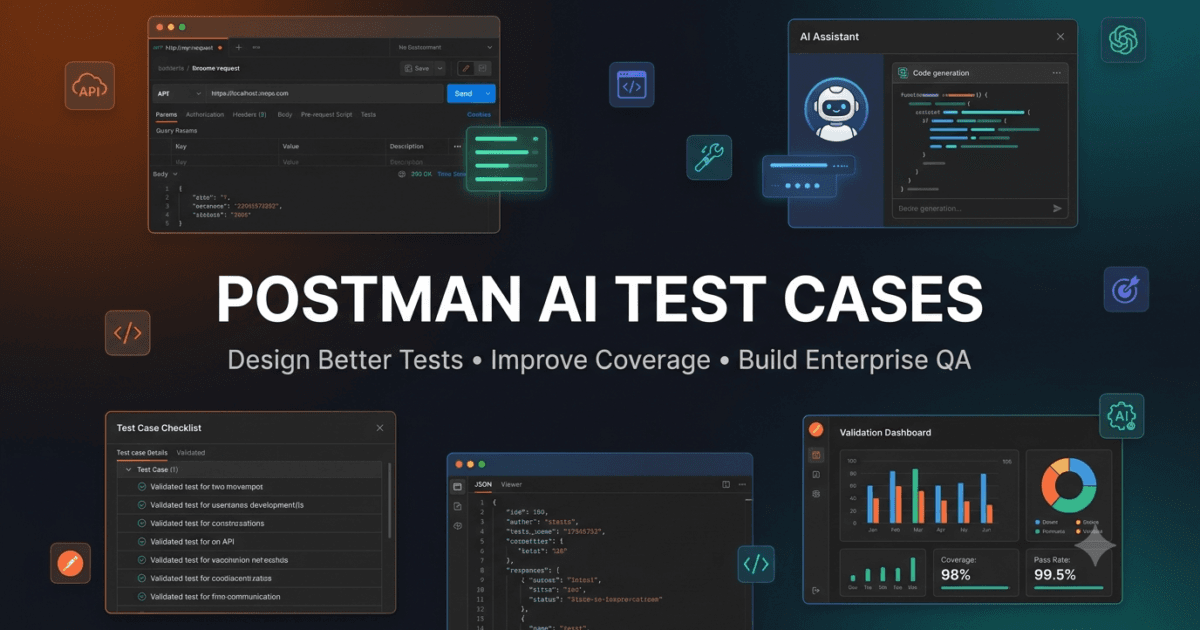
Writing high-quality test cases is one of the most important responsibilities of a QA engineer, SDET, software tester, or API developer. Well-designed test cases uncover defects early, improve software reliability, reduce production incidents, and provide confidence that an API behaves as expected. Postman AI Test Cases introduces a faster and more intelligent approach to test case creation by combining engineering expertise with artificial intelligence.
Traditionally, creating API test cases requires reading lengthy documentation, understanding business requirements, analyzing request and response structures, identifying edge cases, and manually documenting every testing scenario. While this process is still valuable, it can be time-consuming, especially for large enterprise applications containing hundreds of endpoints.
With Postman AI Test Cases, engineers can accelerate the planning phase by asking AI to generate structured testing ideas, recommend missing scenarios, explain business rules, and identify validations that might otherwise be overlooked. AI becomes a collaborative assistant that helps teams produce more comprehensive test suites without replacing engineering judgment.
Throughout this lesson, you’ll learn how to design professional API test cases, use AI to improve coverage, organize test scenarios effectively, and validate AI-generated recommendations before incorporating them into real-world testing projects.
Why High-Quality API Test Cases Matter
Every API endpoint performs a specific business function.
A customer registration endpoint creates new user accounts.
A payment endpoint processes financial transactions.
A product search endpoint retrieves catalog information.
A shipment endpoint calculates delivery options.
If these APIs fail, users immediately experience problems.
Poorly designed test cases often validate only successful responses, leaving important business scenarios untested. As a result, defects may remain hidden until production.
Professional API testing requires engineers to think beyond the happy path.
A complete testing strategy should verify:
- Functional behavior
- Business rules
- Error handling
- Security controls
- Data validation
- Performance expectations
- Response consistency
- Edge cases
Well-structured Postman AI Test Cases help ensure these areas receive adequate attention before software is released.
Understanding the Anatomy of a Professional Test Case
A professional API test case contains much more than a request and an expected status code.
Each test case should clearly describe what is being tested, why it matters, and how success will be measured.
A standard API test case usually contains:
- Test Case ID
- Test Title
- Business Objective
- API Endpoint
- HTTP Method
- Preconditions
- Test Data
- Execution Steps
- Expected Result
- Expected Status Code
- Priority
- Severity
- Automation Candidate
- Notes
Test Case
     │
     ▼
Business Objective
     │
     ▼
Request Details
     │
     ▼
Execution Steps
     │
     ▼
Expected Result
     │
     ▼
Validation Rules
     │
     ▼
Pass / Fail
Recommended Diagram 1
Title
Professional API Test Case Structure
Image ALT Text
Postman AI Test Cases structure showing business objective, request details, execution steps, expected results, validation rules, and final outcome.
A standardized structure makes test cases easier to understand, review, automate, and maintain.
How Postman AI Helps Create Better Test Cases
AI does not replace the responsibility of writing test cases.
Instead, Postman AI Test Cases assists engineers by:
- Explaining unfamiliar endpoints.
- Identifying business workflows.
- Suggesting positive scenarios.
- Recommending negative scenarios.
- Discovering edge cases.
- Highlighting missing validations.
- Improving readability.
- Reducing repetitive documentation.
Instead of beginning with a blank page, engineers start with AI-generated ideas and refine them according to project requirements.
From Generic Requests to Engineering Prompts
Many beginners ask AI simple questions such as:
Generate API test cases.
Although AI can produce an answer, the quality is often inconsistent because the request lacks context.
A structured engineering prompt produces significantly better results.
Act as a Senior QA Engineer.

Review this customer registration endpoint.

Generate API test cases including:

• Functional scenarios

• Negative scenarios

• Boundary value tests

• Security checks

• Business rule validation

Present the output as a structured table with priority and expected results.
This prompt clearly defines the objective, expected output, and engineering perspective, resulting in more practical recommendations.
Understanding Different Types of API Test Cases
Professional API testing includes multiple categories of test cases.
Each category verifies different aspects of API quality.
Functional Test Cases
These verify that the endpoint performs its intended business function.
Examples include:
- Create a new customer.
- Retrieve existing user details.
- Update customer information.
- Delete a resource successfully.
Functional tests represent the foundation of API quality assurance.
Negative Test Cases
Negative testing evaluates how the API responds to invalid input.
Examples include:
- Missing required fields.
- Invalid email format.
- Unsupported HTTP methods.
- Invalid authentication token.
- Expired session token.
- Incorrect content type.
These scenarios frequently reveal production defects.
Boundary Value Test Cases
Boundary testing verifies values at the limits of accepted input.
Examples:
- Minimum character length.
- Maximum character length.
- Minimum numeric value.
- Maximum numeric value.
- Earliest allowed date.
- Latest allowed date.
Boundary conditions often expose validation errors that functional tests miss.
Security Test Cases
Security-focused test cases verify that sensitive resources remain protected.
Examples include:
- Unauthorized access attempts.
- Role-based access validation.
- Token expiration.
- SQL injection attempts.
- Cross-site scripting payloads where applicable.
- Rate limiting verification.
Security testing should be integrated into every API testing strategy rather than treated as a separate activity.
Where AI Adds the Greatest Value
One of the biggest strengths of Postman AI Test Cases is idea generation.
AI can quickly recommend additional scenarios based on:
- Business logic
- Input validation
- Historical API patterns
- Common software defects
- Security considerations
- Error handling strategies
However, every suggestion should be verified against:
- Business requirements
- API documentation
- Product owner expectations
- Acceptance criteria
AI generates possibilities.
Engineers determine correctness.
Example Workflow
Imagine your team receives a new customer registration API.
Instead of manually documenting every scenario from scratch, begin by asking Postman AI:
Act as a QA Engineer.

Review this endpoint.

Generate a categorized list of API test cases.

Include functional, negative, boundary, business, and security scenarios.

Rank each test case by business priority.
The resulting list becomes a starting point for discussion rather than a final deliverable.
Review every recommendation, remove duplicates, refine unclear scenarios, and add project-specific business rules before implementation.
Best Practices for Writing Better API Test Cases
Whether AI is used or not, every professional API test case should follow these principles:
- Test one objective at a time.
- Write clear and descriptive titles.
- Reference business requirements.
- Include realistic test data.
- Define expected outcomes precisely.
- Avoid duplicate scenarios.
- Prioritize high-risk business workflows.
- Keep documentation easy to maintain.
- Review test cases regularly as APIs evolve.
These practices improve communication across developers, testers, and stakeholders.
Hands-on Lab
Choose one endpoint from your Postman collection.
Without using AI, create five manual test cases covering:
- Functional behavior
- Invalid input
- Missing required fields
- Boundary values
- Authentication
After completing your manual work, ask Postman AI to generate test cases for the same endpoint.
Compare:
- Coverage
- Readability
- Business relevance
- Missing scenarios
Record the differences and identify which AI suggestions improve your original testing strategy.
Assignment
Select two API endpoints from different business domains.
For each endpoint:
- Write ten manual API test cases.
- Ask Postman AI to generate additional test cases.
- Categorize every scenario as:
- Functional
- Negative
- Boundary
- Security
- Business validation
- Remove duplicate scenarios.
- Rank the remaining test cases based on business priority.
Prepare a final comparison report describing how Postman AI Test Cases improved your planning process, where AI added meaningful value, and which recommendations required manual correction. This exercise will establish a strong foundation for the advanced test case design, optimization techniques, and AI-assisted organization strategies.
Designing High-Quality API Test Cases with Postman AI Test Cases
Creating a large number of test cases does not automatically lead to better software quality. Professional QA engineers focus on designing test cases that maximize business coverage, identify critical defects, and remain easy to understand and maintain. Postman AI Test Cases helps engineers create smarter test scenarios by suggesting additional perspectives, highlighting missing validations, and encouraging structured thinking throughout the testing process.
A common mistake among beginners is writing test cases that simply verify whether an API returns a successful response. While checking successful execution is important, professional API testing also evaluates how the application behaves under unexpected conditions, invalid input, security threats, and business rule violations.
The goal is not to create more test cases—it is to create better test cases.
Understanding Business Requirements Before Writing Test Cases
Every API exists to solve a business problem.
Before creating any test case, engineers should understand:
- What business process does this endpoint support?
- Who uses this endpoint?
- What data is considered critical?
- What happens if the API fails?
- What regulations or security requirements apply?
- Which scenarios occur most frequently?
Without understanding business requirements, even technically correct test cases may fail to detect important production issues.
Before asking AI to generate recommendations, provide enough business context.
Example prompt:
Act as a Senior QA Engineer.

This endpoint creates customer accounts for an online banking application.

Generate API test cases that prioritize business-critical scenarios and regulatory compliance.
The additional context allows AI to produce recommendations that better reflect real-world usage.
Organizing Test Cases into Logical Categories
A well-organized test suite is easier to review, maintain, and automate.
Instead of storing every scenario in one long list, categorize test cases by objective.
API Test Cases
        │
        ├── Functional
        ├── Negative
        ├── Boundary
        ├── Business Rules
        ├── Authentication
        ├── Authorization
        ├── Performance
        ├── Security
        ├── Regression
        └── Exploratory
Recommended Diagram 2
Title
Organizing Professional API Test Cases
Image ALT Text
Postman AI Test Cases organization showing functional, negative, boundary, authentication, security, regression, and exploratory testing categories.
Categorization helps engineering teams quickly locate relevant scenarios during development and regression testing.
Creating Business-Focused Test Cases
Business validation is often overlooked during API testing.
For example, consider an airline booking API.
Instead of only verifying successful booking creation, ask questions such as:
- Can a passenger book the same seat twice?
- Can booking occur after flight departure?
- Is the ticket price calculated correctly?
- Are discount rules applied accurately?
- Can cancelled flights still be booked?
These scenarios validate business behavior rather than technical implementation.
Prompt example:
Review this booking API.

Generate business-focused API test cases.

Explain why each scenario is important.
AI-generated explanations often help engineers understand the reasoning behind each recommendation.
Designing Positive Test Cases
Positive scenarios confirm expected system behavior.
Examples include:
- Valid authentication credentials
- Valid request payload
- Existing resource identifier
- Supported HTTP method
- Correct content type
- Successful resource update
Prompt example:
Generate positive API test cases.

Include expected status codes and business outcomes.
Positive testing establishes confidence that the API supports intended workflows.
Designing Negative Test Cases
Negative scenarios help identify weaknesses before customers encounter them.
Examples include:
- Missing mandatory fields
- Invalid JSON structure
- Incorrect HTTP method
- Duplicate resource creation
- Invalid authentication token
- Unsupported media type
- Invalid date format
- Invalid identifier
Prompt example:
Generate comprehensive negative API test cases.

Rank them according to production risk.
These scenarios frequently expose defects that remain hidden during functional testing.
Designing Boundary Value Test Cases
Boundary value analysis remains one of the most effective testing techniques.
Suppose an API accepts passwords between 8 and 32 characters.
Important test values include:
- 7 characters
- 8 characters
- 9 characters
- 31 characters
- 32 characters
- 33 characters
Prompt example:
Review this request schema.

Recommend boundary value API test cases for every input field.
Testing values around boundaries often reveals validation defects that standard testing misses.
Designing Security Test Cases
Every API should undergo security validation.
Examples include:
- Invalid authentication
- Expired access tokens
- Missing authorization header
- Privilege escalation attempts
- SQL injection payloads
- Cross-site scripting input where applicable
- Rate limiting validation
- Sensitive data exposure
Prompt example:
Act as an API Security Engineer.

Generate security-focused API test cases.

Prioritize critical vulnerabilities.
AI suggestions should always be validated against organizational security policies.
Designing Regression Test Cases
Regression testing protects previously working functionality after code changes.
Typical regression scenarios include:
- Authentication
- Resource creation
- Resource retrieval
- Resource updates
- Resource deletion
- Error handling
- Permission validation
Prompt example:
Recommend regression API test cases that should execute before every production deployment.

Explain your prioritization.
Regression planning helps teams maintain software quality throughout continuous delivery.
Prioritizing Test Cases
Not every scenario deserves equal attention.
Professional engineers prioritize according to:
- Business impact
- Customer visibility
- Historical defect frequency
- Financial risk
- Security importance
- Automation feasibility
A payment endpoint generally receives higher priority than a reporting endpoint because business impact is significantly greater.
Prompt example:
Review these API test cases.

Rank them from Critical to Low priority.

Explain your ranking.
AI can support prioritization, but engineering teams should make final decisions.
Reviewing AI-Generated Test Cases
One of the most important responsibilities of a QA engineer is validating AI recommendations.
Review every AI-generated scenario by asking:
- Does it align with business requirements?
- Is it technically feasible?
- Does it duplicate another test?
- Is the expected result clearly defined?
- Is the scenario realistic?
- Does it improve coverage?
Only validated scenarios should become part of the official test suite.
Common Mistakes When Creating API Test Cases
Avoid these common mistakes when using Postman AI Test Cases:
- Writing vague test titles.
- Ignoring business workflows.
- Testing only successful requests.
- Forgetting security scenarios.
- Overlooking boundary conditions.
- Creating duplicate test cases.
- Failing to prioritize business risk.
- Accepting AI recommendations without verification.
- Ignoring maintainability.
Recognizing these issues early leads to stronger API testing practices.
Hands-on Lab
Select an endpoint from your Postman collection.
Create separate groups of test cases for:
- Functional validation
- Negative testing
- Boundary testing
- Security validation
- Business rule verification
- Regression testing
Then ask Postman AI to review your work and recommend additional scenarios.
Compare:
- Missing validations
- Duplicate scenarios
- Improved prioritization
- New testing ideas
Document which AI suggestions genuinely strengthen your testing strategy.
Assignment
Choose three API endpoints representing different business functions.
For each endpoint:
- Create categorized API test cases.
- Assign business priority.
- Identify automation candidates.
- Review recommendations from Postman AI.
- Refine the final test suite based on business requirements.
Prepare a comparison report describing how Postman AI Test Cases improved organization, coverage, prioritization, and overall testing quality. This exercise prepares you for the next lesson, where you’ll learn how to convert well-designed API test cases into reusable, maintainable, and AI-assisted automated testing workflows.
AI-Assisted Test Case Optimization with Postman AI Test Cases
Writing good API test cases is an important skill, but maintaining them as applications evolve is an even greater challenge. APIs change frequently as new features are introduced, business rules evolve, and security requirements become stricter. Without continuous review, test suites become outdated, duplicate scenarios appear, and important validations are gradually lost. Postman AI Test Cases helps engineers optimize existing test cases by identifying weaknesses, recommending improvements, and maintaining high-quality API testing documentation.
Optimization is not about increasing the number of test cases. It is about ensuring that every test case provides value, covers meaningful business scenarios, and contributes to software quality.
Professional QA engineers continuously ask:
- Are these test cases still relevant?
- Are important scenarios missing?
- Are duplicate tests increasing maintenance effort?
- Do these test cases reflect current business rules?
- Can automation improve efficiency?
These questions form the foundation of continuous test improvement.
Understanding Test Case Quality
A high-quality API test case should be:
- Easy to understand
- Easy to execute
- Easy to automate
- Easy to maintain
- Focused on one objective
- Based on business requirements
- Free from ambiguity
- Reusable whenever possible
If a test case is confusing, contains multiple objectives, or requires excessive maintenance, it should be improved.
Business Requirement
         │
         ▼
Test Case Design
         │
         ▼
Execution
         │
         ▼
Review
         │
         ▼
Optimization
         │
         ▼
Automation
         │
         ▼
Continuous Improvement
Recommended Diagram 3
Title
API Test Case Improvement Cycle
Image ALT Text
Postman AI Test Cases improvement cycle showing design, execution, review, optimization, automation, and continuous improvement.
Reviewing Existing Test Cases with AI
Instead of manually reviewing dozens of test cases, engineers can ask Postman AI to identify opportunities for improvement.
Example prompt:
Act as a Senior QA Engineer.

Review these API test cases.

Identify:

• Duplicate scenarios

• Missing validations

• Weak expected results

• Ambiguous wording

• Missing business rules

Provide improvement recommendations.
AI provides a structured review that helps engineers identify quality issues more efficiently.
Every recommendation should still be validated against project requirements.
Eliminating Duplicate Test Cases
As projects grow, duplicate test cases become increasingly common.
Typical examples include:
- Multiple tests validating identical status codes.
- Similar authentication scenarios.
- Repeated negative validations.
- Duplicate response body verification.
- Multiple tests covering the same business rule.
Duplicate scenarios increase maintenance effort without improving coverage.
Prompt example:
Review these API test cases.

Identify duplicate scenarios.

Suggest opportunities to merge similar tests while preserving business coverage.
Reducing duplication keeps API testing efficient and maintainable.
Improving Test Case Readability
Poorly written test cases create confusion for both manual testers and automation engineers.
Instead of writing:
Verify API.
Write:
Verify that the customer registration API successfully creates a new account when all mandatory fields contain valid values.
Clear titles communicate intent immediately.
Prompt example:
Review these API test case titles.

Rewrite them using professional QA terminology without changing their meaning.
Readable documentation improves collaboration across development teams.
Identifying Missing Test Scenarios
One of the greatest strengths of Postman AI Test Cases is discovering testing opportunities that engineers may overlook.
AI frequently recommends:
- Additional boundary values
- Missing business rules
- Rare edge cases
- Error handling scenarios
- Validation improvements
- Authentication checks
- Authorization testing
- Data consistency verification
Prompt example:
Review this endpoint.

Identify important API test scenarios that are currently missing.

Explain why each recommendation is valuable.
These insights help improve overall test coverage.
Improving Expected Results
Weak expected results reduce the value of API test cases.
Instead of writing:
Expected Result
“The API should work.”
A stronger expected result would be:
- HTTP 201 Created is returned.
- Customer record is successfully stored.
- Response contains customer identifier.
- Sensitive information is excluded.
- Audit logs are created.
- Database transaction completes successfully.
Prompt example:
Review these expected results.

Rewrite them using measurable validation criteria.
Precise expected outcomes make execution and automation more reliable.
Optimizing Test Data
Poor test data frequently causes unstable API testing.
Good test data should include:
- Valid records
- Invalid records
- Duplicate values
- Boundary values
- Empty fields
- Large payloads
- Special characters
- Unicode values
- Future dates
- Historical dates
Prompt example:
Review this endpoint.

Recommend realistic API test data for functional, negative, and boundary testing.
Well-designed data increases confidence in test execution.
Prioritizing Automation Candidates
Not every test case should be automated.
Automation is most valuable for:
- Frequently executed scenarios
- Stable functionality
- Critical business workflows
- Regression testing
- Data validation
- Authentication verification
Manual testing remains valuable for exploratory testing, usability evaluation, and rapidly changing features.
Prompt example:
Review these API test cases.

Recommend which scenarios should be automated first.

Rank recommendations by return on investment.
AI supports automation planning by highlighting repetitive, high-value scenarios.
Measuring Test Case Effectiveness
After executing API tests, engineers should evaluate whether their test cases continue to provide value.
Useful metrics include:
- Requirement coverage
- Defect detection rate
- Automation percentage
- Maintenance effort
- Test execution time
- Duplicate scenario count
- Production defect leakage
Monitoring these indicators helps teams continuously improve testing quality.
Creating Reusable Test Case Templates
Many API endpoints share common testing patterns.
Reusable templates improve consistency across projects.
A reusable template might include:
- Test objective
- Preconditions
- Request details
- Execution steps
- Expected response
- Validation checklist
- Business rules
- Automation status
Prompt example:
Create a reusable API test case template suitable for enterprise REST APIs.

Include all important validation sections.
Standardized templates reduce documentation effort while improving quality.
Common Optimization Mistakes
Avoid these common mistakes when working with Postman AI Test Cases:
- Keeping outdated test cases.
- Ignoring duplicate scenarios.
- Writing unclear expected results.
- Using unrealistic test data.
- Automating unstable workflows.
- Skipping business validation.
- Accepting AI suggestions without verification.
- Failing to update documentation after API changes.
- Measuring success by test quantity instead of quality.
Professional QA engineers continuously refine their test suites instead of treating documentation as a one-time activity.
Hands-on Lab
Choose an existing Postman collection containing multiple endpoints.
Review your current API test cases and ask Postman AI to:
- Identify duplicate scenarios.
- Improve test titles.
- Recommend stronger expected results.
- Suggest additional edge cases.
- Identify missing validation categories.
- Recommend automation candidates.
Compare the optimized version with the original documentation and record the improvements.
Assignment
Select five API endpoints from your project.
For each endpoint:
- Review existing API test cases.
- Remove duplicate scenarios.
- Improve readability.
- Strengthen expected results.
- Add missing validation categories.
- Optimize test data.
- Identify automation opportunities.
Create a summary report documenting the improvements introduced through Postman AI Test Cases, including updated coverage, reduced duplication, clearer documentation, and higher automation readiness. These optimized test cases will become the foundation for advanced AI-assisted automation strategies.
Building Enterprise-Ready API Test Libraries with Postman AI Test Cases
Creating individual API test cases is valuable, but enterprise software projects require something much larger—a reusable, organized, and scalable test library. Instead of treating every project as a fresh start, professional QA teams build centralized repositories of reusable test cases that can be adapted across multiple APIs, products, and business domains. Postman AI Test Cases helps accelerate this process by generating consistent documentation, identifying reusable patterns, and assisting engineers in maintaining standardized testing assets.
A well-organized test library reduces duplication, improves collaboration, shortens onboarding time for new team members, and increases consistency across automation projects.
The objective is not simply to collect test cases. The objective is to build an engineering knowledge base that continues to grow with every API your team develops.
What Is an Enterprise API Test Library?
An API test library is a structured collection of reusable testing assets that engineers can reference whenever a new endpoint is introduced.
Rather than creating every test case from scratch, engineers select existing templates, adapt them to the new API, and focus on project-specific business rules.
A typical enterprise library includes:
- Authentication test cases
- Authorization scenarios
- CRUD operation templates
- Validation checklists
- Error handling scenarios
- Security testing templates
- Performance validation guides
- Business rule verification
- Automation-ready test cases
- Regression suites
Enterprise API Test Library
            │
            ├── Authentication
            ├── Authorization
            ├── CRUD Operations
            ├── Validation Rules
            ├── Business Rules
            ├── Security Tests
            ├── Performance Tests
            ├── Regression Tests
            ├── Automation Templates
            └── Reusable Test Data
Recommended Diagram 4
Title
Enterprise API Test Library Structure
Image ALT Text
Postman AI Test Cases enterprise library showing reusable authentication, validation, security, regression, and automation testing assets.
Organizing test assets into logical categories makes future API testing significantly more efficient.
Using Postman AI to Build Reusable Templates
Instead of manually designing templates for every project, engineers can use AI to create standardized structures.
Example prompt:
Act as a Senior QA Architect.

Create a reusable API test case template suitable for enterprise REST APIs.

Include:

• Test objective

• Preconditions

• Test data

• Execution steps

• Expected results

• Validation checklist

• Automation suitability

• Business priority
Review the generated template and customize it according to your organization’s testing standards.
Creating Standard Validation Checklists
Many API validations are common across different projects.
Examples include:
Request Validation
- Required headers
- Authentication
- Authorization
- Content-Type
- Request body format
Response Validation
- Status code
- Response headers
- Response body
- Schema validation
- Response time
Business Validation
- Business rules
- Data consistency
- Duplicate prevention
- Workflow validation
Security Validation
- Token validation
- Permission checks
- Sensitive data protection
- Rate limiting
- Error message security
Instead of rewriting these checks repeatedly, create reusable validation checklists that can be referenced across multiple endpoints.
Standardizing Test Naming Conventions
Consistent naming improves readability and simplifies automation.
Avoid names such as:
- Test API
- Login Test
- User Validation
Instead use descriptive titles like:
- Verify successful customer registration using valid request payload
- Verify authentication fails with expired access token
- Verify duplicate customer email returns HTTP 409 Conflict
- Verify unauthorized user cannot access administrator endpoint
Prompt example:
Review these API test case names.

Rewrite them using consistent enterprise naming conventions.
Clear naming reduces confusion during manual execution and automated reporting.
Building Reusable Test Data Libraries
Reusable test data improves both manual and automated testing.
Examples include:
- Valid customer records
- Invalid email addresses
- Boundary length strings
- Expired authentication tokens
- Invalid API keys
- Sample product catalogs
- Mock payment information
- Invalid date formats
Prompt example:
Generate reusable API test data for customer registration endpoints.

Include valid, invalid, boundary, duplicate, and security-focused data.
Reusable datasets reduce repetitive preparation and improve consistency.
Using AI to Review Enterprise Standards
Organizations often maintain internal testing guidelines.
Postman AI can compare test cases against these standards.
Example prompt:
Review these API test cases against our enterprise testing standards.

Identify:

• Missing validation categories

• Naming inconsistencies

• Documentation gaps

• Automation readiness

Provide improvement recommendations.
AI becomes a quality reviewer rather than simply a content generator.
Building Regression Test Libraries
Regression suites should focus on protecting business-critical functionality.
Examples include:
- User authentication
- Customer registration
- Payment processing
- Product ordering
- Inventory updates
- Notification delivery
- Permission management
Prompt example:
Recommend reusable regression API test cases suitable for continuous integration pipelines.

Prioritize business-critical scenarios.
Well-designed regression libraries reduce production risk after every software release.
Preparing Test Cases for Automation
One of the long-term goals of Postman AI Test Cases is creating automation-ready documentation.
Automation-friendly test cases typically include:
- Stable inputs
- Predictable outputs
- Clear validation rules
- Independent execution
- Reusable test data
- Minimal manual dependencies
Prompt example:
Review these API test cases.

Identify which scenarios are suitable for automation.

Explain why each recommendation is appropriate.
Automation planning becomes much easier when test cases are written with consistency from the beginning.
Integrating Test Libraries with Continuous Improvement
Enterprise test libraries should evolve continuously.
After every sprint or release:
- Review production defects.
- Update existing test cases.
- Add new business scenarios.
- Remove obsolete documentation.
- Improve reusable templates.
- Expand regression coverage.
- Review AI recommendations.
New Feature
      │
      ▼
Create Test Cases
      │
      ▼
Execute Tests
      │
      ▼
Analyze Results
      │
      ▼
Improve Test Library
      │
      ▼
Update Automation
      │
      ▼
Repeat
Recommended Diagram 5
Title
Continuous Improvement for API Test Libraries
Image ALT Text
Postman AI Test Cases continuous improvement workflow for maintaining enterprise API testing libraries.
This cycle ensures that testing assets remain accurate, reusable, and aligned with evolving business requirements.
Best Practices for Enterprise Test Libraries
To maximize the value of Postman AI Test Cases, follow these best practices:
- Standardize documentation across all projects.
- Reuse templates whenever possible.
- Keep business requirements linked to test cases.
- Maintain version history for major updates.
- Review duplicate scenarios regularly.
- Store reusable test data securely.
- Validate AI-generated content before approval.
- Keep regression suites updated after every release.
- Encourage peer reviews for critical test cases.
- Continuously refine templates using lessons learned from production.
Common Mistakes to Avoid
Avoid these common mistakes when maintaining enterprise API test libraries:
- Creating duplicate templates.
- Keeping outdated documentation.
- Using inconsistent naming conventions.
- Ignoring business requirements.
- Automating unstable scenarios.
- Failing to update regression suites.
- Trusting AI recommendations without verification.
- Treating documentation as a one-time activity.
- Neglecting reusable test data management.
Recognizing these issues early leads to more maintainable and scalable testing assets.
Hands-on Lab
Create a reusable API testing folder within your Postman workspace.
Develop reusable templates for:
- Authentication testing
- CRUD operations
- Validation checklists
- Security verification
- Error handling
- Regression scenarios
Ask Postman AI to review each template and recommend improvements for consistency, completeness, and automation readiness.
Assignment
Design your own enterprise-ready API test library.
Include:
- Standard API test case template.
- Reusable validation checklist.
- Reusable security testing checklist.
- Regression testing template.
- Automation candidate checklist.
- Test data repository.
- Naming convention guidelines.
Document how Postman AI Test Cases contributed to improving organization, reducing duplication, strengthening documentation quality, and increasing automation readiness.
Internal Links:
- Learn MCP – Zero to Hero
- Learn AI Agents for QA – Zero to Hero
- Playwright Automation – Zero to Hero
- LangGraph: Complete Zero to Hero
- Learn Python – Zero to Hero
- OpenAI Codex: Complete Zero to Hero
- Cursor AI: Complete Zero to Hero
- Claude Code Tutorial: Complete Zero to Hero
- Free QA Resources Built From Real Experience
- QA Glossary: Test Automation Terms Every Engineer Should Know
External Resources:
- Postman Official Documentation: https://learning.postman.com/docs
- Postman Learning Center: https://learning.postman.com
- Postman AI Documentation: https://learning.postman.com/docs/postman-ai/postman-ai-overview
- OpenAPI Specification: https://spec.openapis.org/oas/latest.html
- HTTP Semantics (IETF RFC 9110): https://www.rfc-editor.org/rfc/rfc9110
- OWASP API Security Top 10: https://owasp.org/API-Security
People Asked Questions
What are Postman AI Test Cases?
Postman AI Test Cases are AI-assisted API testing scenarios that help engineers create structured, comprehensive, and business-focused test cases for REST APIs.
Can Postman AI generate complete API test cases?
Yes. Postman AI can generate functional, negative, boundary, security, and business validation scenarios, but engineers should always verify every recommendation before implementation.
Are AI-generated API test cases production-ready?
Not automatically. AI-generated test cases should be reviewed against business requirements, API specifications, and acceptance criteria before they become part of an official test suite.
Can beginners use Postman AI Test Cases?
Absolutely. Beginners can use Postman AI to understand API behavior, learn testing strategies, discover edge cases, and improve their API testing skills.
How do Postman AI Test Cases improve software quality?
They help engineers discover missing scenarios, strengthen validation, improve documentation quality, reduce repetitive work, and create more comprehensive API test suites.
Can Postman AI help prioritize test cases?
Yes. AI can recommend priorities based on business impact, risk, complexity, and automation suitability, while final decisions should remain with the engineering team.
Can Postman AI help prepare automation-ready test cases?
Yes. Postman AI can identify stable, repeatable scenarios that are strong candidates for automation and suggest improvements that make test cases easier to automate.
What comes after Postman AI Test Cases?
The next lesson explores Postman AI Documentation, where you’ll learn how AI can generate, improve, review, and maintain professional API documentation for development and testing teams.
Conclusion
Day 5 demonstrated that Postman AI Test Cases is far more than a tool for generating testing ideas. It can assist engineers in designing professional test cases, organizing reusable testing assets, optimizing documentation, improving validation quality, and building scalable enterprise testing libraries.
By combining AI-assisted recommendations with engineering expertise, teams can create structured, maintainable, and business-focused API test suites that remain valuable throughout the software development lifecycle.
Enjoyed this article? Explore more in-depth guides on AI engineering, automation testing, Model Context Protocol, Playwright, and intelligent software quality at www.skakarh.com. Follow QAPulse by SK for practical, production-focused tutorials designed for QA engineers, SDETs, and AI developers.