QA
QA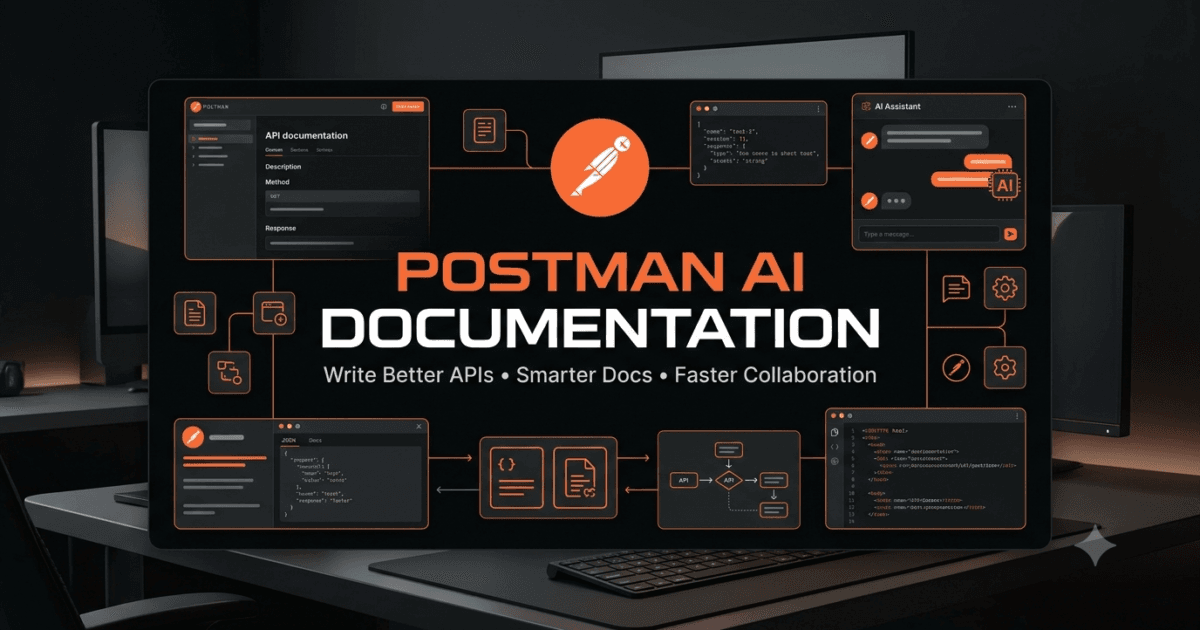
API documentation is one of the most valuable assets in modern software development. Regardless of how well an API is designed, developers, QA engineers, SDETs, DevOps engineers, and technical writers cannot use it efficiently without clear and accurate documentation. Postman AI Documentation introduces a faster and more intelligent approach to creating, reviewing, and maintaining API documentation by combining artificial intelligence with engineering best practices.
Documentation is often treated as the final step of software development, but in successful engineering teams it evolves alongside the API itself. Every new endpoint, parameter, response model, authentication method, and business rule should be reflected in the documentation so that every stakeholder works with the same understanding of the system.
Traditionally, writing API documentation requires manually describing endpoints, request parameters, response payloads, status codes, authentication methods, and usage examples. This process becomes increasingly difficult as APIs grow from a handful of endpoints to hundreds or even thousands.
With Postman AI Documentation, engineers can significantly reduce documentation effort by using AI to explain APIs, generate endpoint descriptions, recommend missing sections, improve readability, and maintain consistency across an entire API collection.
Throughout Day 6, you’ll learn how to create professional API documentation, review AI-generated content, improve technical writing, and build documentation that remains useful throughout the software development lifecycle.
Why API Documentation Matters
Every API is built for people.
Developers use documentation to integrate services.
QA engineers rely on documentation to design test cases.
Automation engineers use it to build reliable test suites.
Product owners verify business requirements.
Technical support teams troubleshoot production issues.
New team members learn system behavior through documentation.
Without reliable documentation, misunderstandings increase, onboarding slows down, defects become harder to reproduce, and integration projects take longer than necessary.
High-quality documentation reduces these risks by providing a single source of truth.
Characteristics of Excellent API Documentation
Professional API documentation should answer the following questions:
- What does the endpoint do?
- Why does it exist?
- Who should use it?
- Which HTTP method is supported?
- What authentication is required?
- Which parameters are mandatory?
- What request body is expected?
- What responses can be returned?
- Which error conditions should be expected?
- Are there business rules that consumers should understand?
Good documentation explains both technical behavior and business intent.
API Documentation
        │
        ▼
Overview
        │
        ▼
Authentication
        │
        ▼
Endpoint Description
        │
        ▼
Request Parameters
        │
        ▼
Request Body
        │
        ▼
Response Examples
        │
        ▼
Status Codes
        │
        ▼
Business Rules
        │
        ▼
Error Responses
Recommended Diagram 1
Title
Professional API Documentation Structure
Image ALT Text
Postman AI Documentation structure showing overview, authentication, endpoint description, request parameters, response examples, status codes, business rules, and error responses.
A consistent documentation structure improves usability across every API in an organization.
Common Documentation Problems
Many API projects suffer from similar documentation issues.
Examples include:
- Missing endpoint descriptions.
- Outdated request examples.
- Incomplete response documentation.
- Undocumented status codes.
- Missing authentication details.
- Poor formatting.
- Inconsistent terminology.
- Missing business rules.
- No error response examples.
These issues create confusion and increase communication overhead between teams.
One of the strengths of Postman AI Documentation is identifying these documentation gaps before they become larger problems.
How Postman AI Assists Documentation
Artificial intelligence does not replace technical writers or engineers.
Instead, Postman AI Documentation accelerates documentation by helping teams:
- Explain API functionality.
- Summarize endpoint behavior.
- Generate endpoint descriptions.
- Improve grammar and readability.
- Standardize terminology.
- Recommend missing sections.
- Generate request examples.
- Explain response payloads.
- Suggest documentation improvements.
AI allows engineers to spend more time validating technical accuracy instead of writing repetitive descriptions.
Writing Better AI Prompts for Documentation
The quality of documentation generated by AI depends heavily on the prompt provided.
A weak prompt might look like this:
Document this API.
The result is usually generic and incomplete.
A stronger engineering prompt provides context and expected output.
Act as a Senior API Technical Writer.

Review this customer registration endpoint.

Generate professional documentation including:

• Endpoint overview

• Business purpose

• Authentication requirements

• Request parameters

• Request body explanation

• Response examples

• Error responses

• Business rules

Write the documentation for software engineers and QA teams.
This structured prompt gives AI enough context to generate documentation that is both technically accurate and practically useful.
Understanding Different Documentation Audiences
One API may serve multiple audiences.
Developers want implementation details.
QA engineers focus on validations and expected responses.
Automation engineers need stable request and response examples.
Security teams examine authentication and authorization requirements.
Product owners verify business behavior.
Technical support teams investigate error conditions.
Good documentation addresses all of these perspectives instead of focusing on only one group.
Explaining API Endpoints with AI
Many APIs contain endpoint names that are technically correct but difficult for newcomers to understand.
For example:
POST /api/v1/customer/register
Rather than simply describing the HTTP method, ask Postman AI to explain the endpoint in business language.
Example prompt:
Act as a Business Analyst.

Explain this endpoint.

Describe:

• Business objective

• Expected users

• Typical workflow

• Required validations

Avoid implementation details unless necessary.
This approach produces documentation that is easier for both technical and non-technical stakeholders to understand.
Generating Request Parameter Documentation
Request parameters often become one of the weakest sections of API documentation.
Instead of listing only parameter names, explain:
- Purpose
- Data type
- Whether it is required
- Accepted values
- Validation rules
- Example values
- Business impact
Prompt example:
Review this API request.

Generate professional documentation for every request parameter.

Include validation rules and practical examples.
Well-documented parameters reduce integration errors and improve developer experience.
Documenting Request Bodies
Complex request bodies frequently contain nested objects and arrays.
Instead of documenting only the JSON structure, explain:
- Required fields
- Optional fields
- Nullable fields
- Business meaning
- Relationships between fields
- Validation constraints
Prompt example:
Explain this request body.

Generate documentation suitable for developers and QA engineers.

Highlight mandatory fields and business rules.
AI-generated explanations provide an excellent starting point, but engineers should always verify every field against the API specification.
Hands-on Lab
Select an API request from your Postman collection.
Without using AI, write documentation containing:
- Endpoint overview
- Authentication requirements
- Request parameters
- Request body
- Expected response
Then use Postman AI Documentation to generate documentation for the same endpoint.
Compare:
- Clarity
- Completeness
- Technical accuracy
- Readability
- Missing information
Record which AI recommendations genuinely improve your documentation.
Assignment
Choose three different API endpoints from your project.
For each endpoint:
- Document the business purpose.
- Describe every request parameter.
- Explain the request body.
- Identify required validations.
- Review the documentation using Postman AI.
- Improve the final version based on verified AI recommendations.
Prepare a comparison report highlighting how Postman AI Documentation improved documentation quality, consistency, readability, and overall developer experience.
Documenting API Responses with Postman AI Documentation
An API request is only one side of the communication process. The response returned by the server contains the information that developers, testers, automation engineers, and client applications actually use. If response documentation is incomplete or inaccurate, developers may misinterpret the API, testers may create incorrect validations, and production defects can become difficult to diagnose. Postman AI Documentation helps engineers create clear, consistent, and comprehensive response documentation while reducing the effort required to maintain it.
Professional API documentation should explain far more than a sample JSON response. Every response should clearly describe what the API returns, why each field exists, how consumers should use the data, and what validations are expected.
Good response documentation improves collaboration across development, QA, support, and product teams.
Why Response Documentation Is Important
Developers rely on response documentation to integrate applications correctly.
QA engineers use it to design validation scenarios.
Automation engineers reference it when writing assertions.
Frontend developers use it to display information correctly.
Business analysts verify that the response satisfies business requirements.
Technical support teams use response documentation to troubleshoot customer issues.
Incomplete response documentation often results in:
- Incorrect integrations
- Invalid assumptions
- Poor API usability
- Weak test coverage
- Increased production defects
- Longer debugging sessions
Well-documented responses reduce these risks significantly.
Understanding API Response Structure
Most REST APIs return responses that contain multiple components.
A complete response may include:
- HTTP status code
- Response headers
- Response body
- Metadata
- Business data
- Pagination information
- Error details
- Rate-limiting information
HTTP Response
      │
      ├── Status Code
      ├── Response Headers
      ├── Metadata
      ├── Response Body
      ├── Business Data
      ├── Pagination
      └── Error Information
Recommended Diagram 2
Title
Complete API Response Structure
Image ALT Text
Postman AI Documentation response structure showing status codes, response headers, metadata, business data, pagination, and error information.
Every section should be documented so API consumers understand exactly what information they can expect.
Explaining Response Fields with AI
Many enterprise APIs return complex JSON objects containing nested arrays, objects, and optional fields.
Instead of documenting only field names, explain the purpose of every important property.
Example prompt:
Act as a Senior API Technical Writer.

Review this API response.

Explain:

• Purpose of every field

• Data type

• Required or optional

• Business meaning

• Validation rules

• Relationships between fields
The generated explanation should always be reviewed against the official API specification before publication.
Documenting Nested JSON Objects
Large APIs frequently contain deeply nested structures.
Example:
{
  "customer": {
    "id": 1201,
    "name": "Sarah",
    "membership": {
      "level": "Gold",
      "discount": 15
    }
  }
}
Instead of documenting only the top-level object, explain every nested level separately.
Documentation should describe:
- Parent object
- Child objects
- Array contents
- Nullable fields
- Relationships
- Validation constraints
Prompt example:
Explain this nested JSON response.

Generate documentation suitable for software engineers.

Describe every nested object individually.
Breaking down complex responses into smaller sections makes documentation much easier to understand.
Documenting Response Headers
Response headers are often ignored even though they provide valuable information.
Important headers may include:
- Content-Type
- Cache-Control
- ETag
- Location
- Retry-After
- Authorization
- X-RateLimit-Limit
- X-RateLimit-Remaining
Each documented header should explain:
- Purpose
- Expected value
- When it appears
- Business significance
Prompt example:
Review this API response.

Generate documentation explaining every important response header.
Clear header documentation improves integration quality and simplifies troubleshooting.
Documenting Status Codes
Every documented endpoint should explain every possible HTTP response.
Instead of documenting only successful responses, include all expected outcomes.
Example table:
| Status Code | Description |
|---|---|
| 200 | Request completed successfully |
| 201 | Resource created successfully |
| 204 | Request succeeded with no content |
| 400 | Invalid request parameters |
| 401 | Authentication required |
| 403 | Access denied |
| 404 | Requested resource not found |
| 409 | Business conflict detected |
| 422 | Validation failed |
| 429 | Rate limit exceeded |
| 500 | Internal server error |
Prompt example:
Review this endpoint.

Document every HTTP status code that should be returned.

Explain when each response occurs.
Comprehensive status code documentation helps developers and testers prepare for every outcome.
Documenting Error Responses
Error responses deserve the same level of detail as successful responses.
Documentation should explain:
- Error code
- Error message
- Cause
- Resolution
- Retry recommendations
- Business impact
Example prompt:
Act as a Support Engineer.

Review these API error responses.

Generate documentation explaining:

• Why each error occurs

• How users should resolve it

• Whether retrying is appropriate
This information reduces support requests and improves developer experience.
Documenting Pagination
Many APIs return paginated results.
Instead of documenting only the returned records, explain pagination fields such as:
- Current page
- Total pages
- Page size
- Total records
- Next page
- Previous page
Prompt example:
Generate documentation explaining this paginated API response.

Describe every pagination field and its purpose.
Good pagination documentation helps consumers retrieve data efficiently.
Improving Response Examples
Sample responses should represent realistic business scenarios.
Avoid examples that contain meaningless placeholder values.
Instead use realistic examples showing:
- Valid customer data
- Successful transactions
- Realistic timestamps
- Proper identifiers
- Representative business values
Prompt example:
Generate realistic response examples for this API.

Use production-like business data while avoiding sensitive information.
Meaningful examples improve learning and reduce implementation mistakes.
Comparing AI-Generated Documentation with Manual Documentation
After generating documentation with AI, review it carefully.
Ask questions such as:
- Is every response field explained?
- Are business rules documented?
- Are optional fields identified?
- Are validation constraints correct?
- Are examples realistic?
- Is terminology consistent?
AI accelerates documentation, but engineering review ensures technical accuracy.
Best Practices for Response Documentation
Follow these recommendations when using Postman AI Documentation:
- Explain every important response field.
- Include realistic examples.
- Document both success and failure responses.
- Describe nested objects separately.
- Explain response headers.
- Include pagination details where applicable.
- Keep terminology consistent across endpoints.
- Update documentation whenever API behavior changes.
- Verify AI-generated content against official specifications.
Hands-on Lab
Choose an endpoint that returns a complex JSON response.
Use Postman AI Documentation to generate response documentation covering:
- Response body
- Response headers
- Status codes
- Nested objects
- Error responses
Review the generated content and improve it by adding business-specific explanations and validation notes.
Assignment
Select three APIs from your Postman collection.
For each API:
- Document every response field.
- Explain nested objects.
- Document all response headers.
- Create a complete status code reference.
- Describe every documented error response.
- Add realistic response examples.
- Review the documentation using Postman AI and refine it after verification.
By completing this assignment, you’ll create response documentation that is useful for developers, QA engineers, automation engineers, and support teams while building a consistent documentation standard for future API projects.
Documenting Authentication, Business Rules, and API Workflows with Postman AI Documentation
Most API documentation focuses on endpoints, parameters, and response payloads. While these sections are essential, they rarely provide enough information for developers and QA engineers to successfully integrate and validate an API. Authentication methods, authorization requirements, business rules, and complete workflow documentation are equally important. Postman AI Documentation helps engineers generate these advanced documentation sections while maintaining consistency across large API projects.
Professional API documentation should answer more than “How does this endpoint work?”
It should also answer:
- Who can use this endpoint?
- When should it be used?
- What business process does it support?
- What are the security requirements?
- Which endpoints are typically called together?
- What conditions cause failures?
- What validations should consumers perform?
Answering these questions transforms technical documentation into a complete engineering guide.
Documenting Authentication Methods
Authentication is one of the first things developers look for when integrating an API.
Every protected endpoint should clearly explain:
- Authentication type
- Required credentials
- Token format
- Token expiration
- Token refresh process
- Required request headers
- Authentication failures
Common authentication mechanisms include:
- API Key
- Bearer Token
- OAuth 2.0
- Basic Authentication
- JWT Authentication
- Session Authentication
Client
   │
   ▼
Authentication
   │
   ▼
Access Token
   │
   ▼
Protected API
   │
   ▼
Authorized Response
Recommended Diagram 3
Title
API Authentication Flow
Image ALT Text
Postman AI Documentation authentication flow showing client authentication, access token generation, protected API access, and authorized response.
A visual authentication flow helps developers understand how requests are authorized before they begin integration.
Using AI to Document Authentication
Instead of manually describing authentication for every endpoint, engineers can ask Postman AI to generate consistent explanations.
Example prompt:
Act as a Senior API Technical Writer.

Review this endpoint.

Generate authentication documentation including:

• Authentication method

• Required headers

• Token requirements

• Expiration behavior

• Authentication failures

• Security recommendations
Always verify generated documentation against the actual authentication implementation.
Documenting Authorization Rules
Authentication confirms identity.
Authorization determines permissions.
Documentation should explain:
- Available user roles
- Permission levels
- Accessible resources
- Restricted operations
- Role inheritance
- Administrator-only features
Example prompt:
Review this API.

Generate authorization documentation.

Explain which user roles can access each operation.
Clear authorization documentation prevents integration mistakes and improves API security.
Explaining Business Rules
Technical documentation alone is not enough.
Developers also need to understand the business logic behind an endpoint.
For example:
Customer Registration API
Business rules might include:
- Email addresses must be unique.
- Passwords require minimum complexity.
- Users must verify email addresses.
- Inactive accounts cannot log in.
- Registration is unavailable for blocked countries.
Prompt example:
Act as a Business Analyst.

Review this endpoint.

Document every business rule.

Explain why each rule exists.
Business-focused documentation reduces misunderstandings between development and product teams.
Documenting Complete API Workflows
Individual endpoint documentation is useful, but most business processes involve multiple APIs.
For example, an online shopping workflow may include:
User Login
      │
      ▼
Browse Products
      │
      ▼
View Product Details
      │
      ▼
Add to Cart
      │
      ▼
Create Order
      │
      ▼
Payment
      │
      ▼
Order Confirmation
Recommended Diagram 4
Title
End-to-End API Workflow
Image ALT Text
Postman AI Documentation workflow showing login, product browsing, shopping cart, order creation, payment, and confirmation APIs.
Documenting complete workflows helps developers understand how multiple endpoints interact within a business process.
Generating Workflow Documentation with AI
Instead of documenting endpoints independently, ask AI to explain the entire process.
Example prompt:
Review these API endpoints.

Generate workflow documentation showing:

• Execution order

• Dependencies

• Business objectives

• Required authentication

• Expected responses

• Failure scenarios
Workflow documentation provides valuable context for developers, QA engineers, and solution architects.
Documenting Request Examples
Examples are often the most frequently referenced part of API documentation.
A useful request example should include:
- HTTP method
- Endpoint
- Headers
- Authentication
- Request body
- Query parameters
- Path parameters
Prompt example:
Generate a complete request example for this endpoint.

Use realistic business data and explain every section.
Examples should represent practical business scenarios instead of generic placeholder values.
Documenting Business Validation Rules
Beyond request and response structures, documentation should explain validation requirements.
Examples include:
- Minimum password length
- Maximum order quantity
- Accepted file formats
- Required customer information
- Unique identifier rules
- Date validation
- Currency restrictions
- Regional availability
Prompt example:
Review this endpoint.

Generate documentation explaining every validation rule and its business purpose.
Clear validation rules reduce implementation errors and improve API usability.
Explaining API Dependencies
Many endpoints depend on resources created by earlier requests.
For example:
An order cannot be created until:
- Customer account exists.
- Authentication succeeds.
- Products are available.
- Inventory is sufficient.
- Payment method is valid.
Prompt example:
Explain the dependencies for this API.

Identify prerequisite endpoints and required business conditions.
Dependency documentation helps engineers understand the complete application architecture.
Standardizing Documentation Across Teams
Enterprise projects often involve multiple development teams.
Without documentation standards, every team writes documentation differently.
Standardization should include:
- Consistent terminology
- Uniform endpoint descriptions
- Shared formatting
- Reusable templates
- Standard request examples
- Common validation terminology
Postman AI can review documentation for consistency.
Example prompt:
Review this API documentation.

Identify inconsistencies in terminology, formatting, and documentation style.

Recommend improvements.
Consistent documentation improves collaboration across large engineering organizations.
Common Documentation Mistakes
Avoid these common mistakes when using Postman AI Documentation:
- Documenting only successful requests.
- Ignoring authentication requirements.
- Omitting authorization rules.
- Missing business workflows.
- Using unrealistic request examples.
- Failing to explain validation rules.
- Leaving dependencies undocumented.
- Publishing AI-generated content without verification.
- Allowing terminology to differ between endpoints.
Avoiding these issues results in documentation that is significantly more useful for every stakeholder.
Hands-on Lab
Choose a business process containing multiple API endpoints.
Using Postman AI Documentation, generate documentation for:
- Authentication
- Authorization
- Business rules
- Workflow sequence
- Request examples
- Validation rules
- Endpoint dependencies
Compare the AI-generated documentation with your existing documentation and identify improvements.
Assignment
Select one complete business workflow from your application.
Document:
- Authentication requirements.
- Authorization rules.
- Business objectives.
- Complete API workflow.
- Request examples.
- Validation rules.
- Endpoint dependencies.
- User roles involved.
Use Postman AI Documentation to review your work, then refine the final version after validating every recommendation against your API specifications and business requirements.
Building Enterprise Documentation Standards with Postman AI Documentation
Creating documentation for a single API is relatively straightforward. Maintaining accurate documentation across hundreds of APIs, multiple development teams, and continuous software releases is a much greater challenge. Enterprise organizations require documentation standards that ensure every API is described consistently, remains synchronized with implementation, and provides reliable information for developers, testers, architects, and business stakeholders. Postman AI Documentation helps engineering teams establish these standards while reducing the effort required to maintain documentation over time.
Documentation should never be considered a one-time activity completed before release. It is a living asset that evolves alongside the software. Every API modification, new feature, security enhancement, or business rule update should trigger a documentation review.
Organizations that treat documentation as part of their development lifecycle consistently experience faster onboarding, fewer integration issues, better testing quality, and reduced production support costs.
Characteristics of Enterprise Documentation
Enterprise documentation should be:
- Accurate
- Consistent
- Complete
- Easy to navigate
- Easy to maintain
- Version controlled
- Reviewable
- Searchable
- Automation friendly
- Business focused
Every endpoint should follow the same documentation structure regardless of which engineering team developed it.
Enterprise Documentation
           │
           ├── Standards
           ├── Templates
           ├── Review Process
           ├── Version Control
           ├── AI Review
           ├── Approval
           ├── Publication
           └── Continuous Updates
Recommended Diagram 5
Title
Enterprise API Documentation Lifecycle
Image ALT Text
Postman AI Documentation lifecycle showing standards, templates, review, version control, AI review, publication, and continuous documentation improvement.
A standardized lifecycle helps organizations maintain documentation quality as APIs evolve.
Creating Documentation Templates
Templates improve consistency and reduce documentation effort.
A reusable endpoint template should include:
- Endpoint overview
- Business objective
- Authentication
- Authorization
- Request headers
- Path parameters
- Query parameters
- Request body
- Response examples
- Status codes
- Error responses
- Business rules
- Validation rules
- Dependencies
- Notes
Prompt example:
Act as a Senior API Technical Writer.

Create a reusable enterprise API documentation template suitable for REST APIs.

Include every section required by developers, QA engineers, and technical writers.
Standard templates make documentation easier to review and automate.
Using AI to Review Documentation Quality
One of the strongest capabilities of Postman AI Documentation is reviewing existing documentation rather than simply generating new content.
Example prompt:
Review this API documentation.

Identify:

• Missing sections

• Technical inaccuracies

• Grammar improvements

• Inconsistent terminology

• Missing business rules

• Documentation gaps

Rank recommendations by importance.
AI-assisted reviews provide an efficient first pass before peer review and publication.
Maintaining Documentation During API Changes
APIs evolve continuously.
Changes may include:
- New endpoints
- Updated request parameters
- New response fields
- Authentication updates
- Security improvements
- Business rule modifications
- Deprecated functionality
Whenever APIs change, documentation should be updated immediately.
Prompt example:
Compare Version 1 and Version 2 of this API.

Identify every documentation update required.

Generate an updated documentation checklist.
Synchronizing documentation with implementation reduces confusion and prevents outdated references.
Versioning API Documentation
As APIs evolve, documentation should clearly indicate supported versions.
Version documentation should explain:
- Current version
- Deprecated versions
- Breaking changes
- Migration guidance
- Compatibility notes
- New functionality
Example prompt:
Generate migration documentation for Version 2 of this API.

Highlight breaking changes and recommended migration steps.
Clear versioning helps consumers transition between API releases with confidence.
Building Documentation Review Checklists
Every documentation review should follow a consistent process.
Example checklist:
- Endpoint description complete
- Authentication documented
- Authorization explained
- Parameters documented
- Request examples included
- Response examples verified
- Error responses documented
- Business rules explained
- Validation rules included
- Links updated
- Grammar reviewed
- AI recommendations verified
Reusable checklists improve documentation quality across every release.
Automating Documentation Reviews
While technical accuracy requires human verification, many documentation quality checks can be automated.
Examples include:
- Missing endpoint descriptions
- Inconsistent terminology
- Broken internal references
- Grammar suggestions
- Duplicate content
- Formatting consistency
- Missing examples
Prompt example:
Review this API documentation for publication readiness.

Generate a documentation quality report.
Automated reviews reduce repetitive manual effort and help maintain consistent standards.
Keeping Documentation Developer Friendly
Excellent documentation is written for readers rather than authors.
To improve usability:
- Use short paragraphs.
- Explain technical terms.
- Include realistic examples.
- Keep formatting consistent.
- Highlight important warnings.
- Avoid unnecessary jargon.
- Use meaningful headings.
- Link related endpoints.
- Provide troubleshooting guidance.
These practices improve both readability and developer experience.
Using AI Responsibly
AI significantly accelerates documentation creation, but responsibility remains with engineering teams.
Before publishing AI-generated documentation:
- Verify technical accuracy.
- Confirm business rules.
- Validate request examples.
- Test response examples.
- Review authentication details.
- Check version information.
- Confirm terminology consistency.
AI is most valuable as an intelligent assistant that supports documentation rather than replacing engineering review.
Building a Continuous Documentation Process
Enterprise documentation should evolve through a continuous improvement cycle.
API Development
       │
       ▼
Documentation Draft
       │
       ▼
AI Review
       │
       ▼
Engineering Review
       │
       ▼
Publication
       │
       ▼
API Updates
       │
       ▼
Documentation Revision
       │
       ▼
Repeat
Recommended Diagram 6
Title
Continuous Documentation Improvement Process
Image ALT Text
Postman AI Documentation continuous documentation workflow showing drafting, AI review, engineering review, publication, API updates, and ongoing revisions.
This process ensures documentation remains accurate throughout the software development lifecycle.
Best Practices for Postman AI Documentation
To maximize the value of Postman AI Documentation, follow these recommendations:
- Document APIs as they are developed.
- Use standardized templates across teams.
- Keep business rules close to technical details.
- Maintain realistic request and response examples.
- Review documentation after every release.
- Validate AI-generated content before publishing.
- Keep terminology consistent across all APIs.
- Include migration guidance for version changes.
- Encourage peer reviews for critical documentation.
- Continuously improve documentation based on developer feedback.
Common Mistakes to Avoid
Avoid these common mistakes when maintaining API documentation:
- Treating documentation as a one-time task.
- Ignoring documentation after API updates.
- Publishing AI-generated content without review.
- Using inconsistent terminology.
- Omitting authentication details.
- Forgetting error responses.
- Providing unrealistic examples.
- Ignoring version history.
- Failing to document business rules.
Avoiding these mistakes produces documentation that remains valuable throughout the life of the API.
Hands-on Lab
Create an enterprise documentation template for one of your existing Postman collections.
Use Postman AI Documentation to:
- Review completeness.
- Improve readability.
- Standardize terminology.
- Identify missing sections.
- Recommend better examples.
- Generate a documentation quality report.
Compare the original documentation with the AI-reviewed version and identify measurable improvements.
Assignment
Build a documentation standard for your API project.
Include:
- Documentation template.
- Documentation review checklist.
- Versioning strategy.
- AI review process.
- Engineering approval workflow.
- Documentation maintenance plan.
- Publication checklist.
- Continuous improvement strategy.
Review the complete documentation package using Postman AI Documentation, verify every recommendation, and finalize a reusable documentation framework that can be adopted across future API projects.
Internal Links:
- Learn MCP – Zero to Hero
- Learn AI Agents for QA – Zero to Hero
- Playwright Automation – Zero to Hero
- LangGraph: Complete Zero to Hero
- Learn Python – Zero to Hero
- OpenAI Codex: Complete Zero to Hero
- Cursor AI: Complete Zero to Hero
- Claude Code Tutorial: Complete Zero to Hero
- Free QA Resources Built From Real Experience
- QA Glossary: Test Automation Terms Every Engineer Should Know
External Resources:
- Postman Official Documentation: https://learning.postman.com/docs
- Postman Learning Center: https://learning.postman.com
- Postman AI Documentation: https://learning.postman.com/docs/postman-ai/postman-ai-overview
- OpenAPI Specification: https://spec.openapis.org/oas/latest.html
- HTTP Semantics (IETF RFC 9110): https://www.rfc-editor.org/rfc/rfc9110
- OWASP API Security Top 10: https://owasp.org/API-Security
People Asked Questions
What is Postman AI Documentation?
Postman AI Documentation uses artificial intelligence to help developers and QA engineers create, improve, review, and maintain professional API documentation with greater speed and consistency.
Can Postman AI generate complete API documentation?
Yes. It can generate endpoint descriptions, request and response documentation, authentication guides, business rules, examples, and technical explanations. Engineers should always verify the generated content before publication.
Is AI-generated documentation accurate?
AI-generated documentation provides an excellent starting point, but every section should be reviewed against the actual API implementation and official specifications before being published.
Can beginners use Postman AI Documentation?
Absolutely. Beginners can use Postman AI to understand API endpoints, request parameters, response structures, authentication methods, and documentation best practices.
Does Postman AI help maintain documentation?
Yes. Postman AI can review documentation, identify inconsistencies, recommend missing sections, improve readability, and assist with updating documentation after API changes.
Can Postman AI document authentication and business rules?
Yes. It can generate authentication guides, explain authorization models, describe business workflows, document validation rules, and create enterprise-ready technical documentation.
Is Postman AI suitable for enterprise API documentation?
Yes. When combined with engineering review, version control, documentation standards, and reusable templates, it can significantly improve enterprise documentation quality.
Conclusion
Day 6 demonstrated that Postman AI Documentation is much more than an AI writing assistant. It helps engineering teams create accurate API documentation, explain request and response structures, document authentication and business rules, standardize technical writing, and maintain enterprise-quality documentation throughout the software development lifecycle.
When combined with strong engineering practices, documentation standards, and regular review processes, Postman AI Documentation becomes a powerful productivity tool that improves collaboration between developers, QA engineers, automation engineers, architects, technical writers, and business stakeholders.
Enjoyed this article? Explore more in-depth guides on AI engineering, automation testing, Model Context Protocol, Playwright, and intelligent software quality at www.skakarh.com. Follow QAPulse by SK for practical, production-focused tutorials designed for QA engineers, SDETs, and AI developers.