QA
QA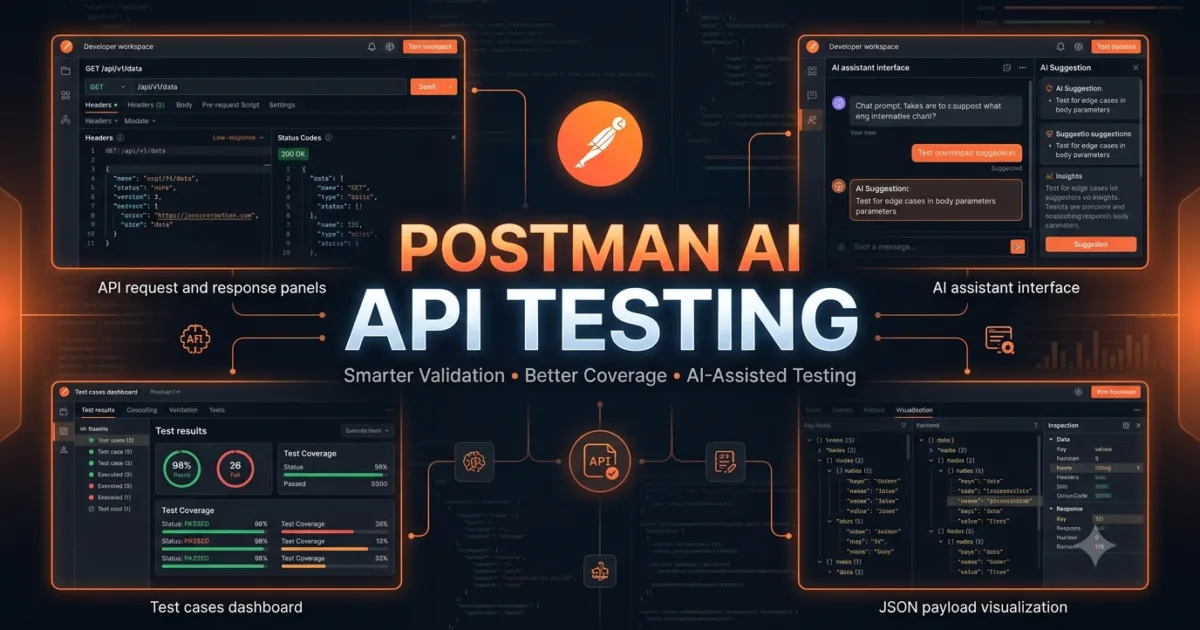
Postman AI API Testing is transforming how QA engineers, SDETs, software developers, and API teams design, validate, and maintain high-quality APIs. Instead of manually creating every test scenario, reviewing every request, or writing repetitive documentation, engineers can collaborate with Postman AI to accelerate testing while still maintaining complete control over quality and decision-making.
Traditional API testing often requires engineers to understand business requirements, analyze API specifications, identify edge cases, write assertions, validate responses, and continuously improve test coverage. While these tasks remain essential, modern AI can significantly reduce the time spent on repetitive activities by providing intelligent recommendations, identifying overlooked scenarios, and helping engineers think from multiple perspectives.
The purpose of Postman AI API Testing is not to replace human testers. Instead, it empowers engineering teams to focus on critical thinking, business validation, exploratory testing, and automation strategy while AI assists with repetitive analysis and documentation.
As APIs become larger and microservice architectures continue to grow, manually reviewing every endpoint becomes increasingly difficult. AI-assisted testing helps engineers discover risks earlier, improve productivity, and create more comprehensive API testing strategies.
In this lesson, you’ll learn how Postman AI supports the API testing lifecycle, understand where AI adds the greatest value, and build a strong foundation before moving into practical testing exercises in the following parts.
Why API Testing Is More Important Than Ever
Modern applications depend heavily on APIs.
Whether you’re using a banking application, ordering food online, booking flights, shopping through an e-commerce platform, or interacting with AI-powered software, APIs are responsible for exchanging information between systems.
If an API fails, the entire user experience can be affected.
For example:
- A payment API may process incorrect transactions.
- A login API may prevent users from accessing their accounts.
- A healthcare API may expose sensitive patient information.
- A shipping API may calculate incorrect delivery costs.
- A financial API may return inaccurate account balances.
Because APIs power nearly every modern application, comprehensive API testing has become one of the most important responsibilities of software quality teams.
Understanding the API Testing Lifecycle
Effective API testing begins long before automated scripts are written.
Every API passes through multiple testing stages before it reaches production.
Business Requirements
        │
        ▼
API Design Review
        │
        ▼
API Development
        │
        ▼
Manual Validation
        │
        ▼
Functional Testing
        │
        ▼
Negative Testing
        │
        ▼
Security Testing
        │
        ▼
Performance Testing
        │
        ▼
Automation Testing
        │
        ▼
Continuous Integration
        │
        ▼
Production Monitoring
Recommended Diagram 1
Title
API Testing Lifecycle with Postman AI
Image ALT Text
Postman AI API Testing lifecycle showing business requirements, API design, validation, functional testing, security testing, automation, CI/CD, and production monitoring.
Instead of assisting only during automation, Postman AI can contribute throughout the entire testing lifecycle.
Where Postman AI Fits Into API Testing
Many engineers assume AI is useful only for generating test cases.
In reality, Postman AI API Testing supports engineers during almost every testing activity.
It can help you:
- Understand unfamiliar endpoints.
- Explain request and response payloads.
- Suggest positive and negative test scenarios.
- Recommend edge cases.
- Generate validation ideas.
- Improve API documentation.
- Identify missing assertions.
- Explain HTTP status codes.
- Review authentication methods.
- Suggest automation opportunities.
- Highlight potential security risks.
- Recommend improvements to existing collections.
Rather than replacing engineering expertise, AI becomes an intelligent reviewer that helps identify opportunities you might otherwise overlook.
Traditional API Testing vs AI-Assisted API Testing
Understanding the differences between traditional testing and AI-assisted testing helps clarify where AI delivers the most value.
| Traditional API Testing | Postman AI API Testing |
|---|---|
| Manual endpoint analysis | AI-assisted endpoint explanations |
| Manual documentation review | AI-generated documentation summaries |
| Engineer identifies test ideas | AI suggests additional scenarios |
| Manual debugging | AI-assisted troubleshooting guidance |
| Manual assertion planning | AI recommends validation rules |
| Manual exploration | AI accelerates exploratory testing |
| Limited brainstorming | AI generates multiple testing perspectives |
Although AI accelerates many activities, engineers remain responsible for validating every recommendation before implementation.
How Postman AI Assists QA Engineers
Imagine you’ve joined a new project containing more than 300 API endpoints.
Without AI, you would likely spend days reading documentation, reviewing collections, understanding authentication methods, and identifying business workflows before writing your first automated test.
With Postman AI API Testing, you can begin by asking focused questions such as:
- What is the purpose of this endpoint?
- Which request parameters are mandatory?
- Which business rules should be validated?
- What negative scenarios should be tested?
- What security concerns should be reviewed?
- Which assertions are most important?
- Which HTTP status codes should be expected?
These conversations provide a faster understanding of unfamiliar APIs while allowing you to verify the information against official documentation.
Understanding AI-Assisted Test Design
A common misconception is that AI automatically creates perfect test cases.
In reality, AI produces recommendations based on the information provided.
Consider this request.
Generate API test cases.
The request is extremely broad.
Now compare it with a more structured prompt.
Act as a Senior QA Engineer.

Review this customer registration endpoint.

Generate:

• Positive scenarios

• Negative scenarios

• Boundary value tests

• Invalid input tests

• Business rule validations

• Security test ideas

Present the results as a markdown table.
The second prompt provides significantly more context, allowing AI to generate more useful testing recommendations.
This demonstrates why the prompt engineering concepts from Day 3 are essential before learning AI-assisted testing.
Benefits of Postman AI API Testing
Organizations adopting AI-assisted API testing often experience measurable improvements in productivity.
Some of the biggest advantages include:
Faster API Understanding
AI explains unfamiliar endpoints quickly, helping new team members become productive sooner.
Improved Test Coverage
AI frequently suggests edge cases, negative scenarios, and validation ideas that engineers may overlook during initial analysis.
Better Documentation
Postman AI can summarize request structures, response payloads, authentication methods, and business workflows, making documentation easier to maintain.
Faster Test Planning
Instead of brainstorming every scenario manually, engineers can use AI suggestions as a starting point for comprehensive testing strategies.
Improved Collaboration
Developers, testers, technical writers, and security engineers can all interact with the same API using prompts tailored to their specific roles.
The Responsibilities That Still Belong to Engineers
Although AI provides valuable assistance, certain responsibilities cannot be delegated.
Engineers remain responsible for:
- Understanding business requirements.
- Verifying API specifications.
- Reviewing AI-generated recommendations.
- Designing automation architecture.
- Approving production-ready test cases.
- Validating security requirements.
- Confirming regulatory compliance.
- Performing exploratory testing.
- Investigating production defects.
- Making engineering decisions.
AI supports these responsibilities—it does not replace them.
Real-World Example
Suppose you’re testing a customer registration endpoint.
Instead of beginning with dozens of manual notes, you ask Postman AI:
Explain this endpoint from the perspective of a QA engineer.

Identify business rules, validation requirements, expected HTTP status codes, possible edge cases, and security considerations.
Within seconds, you receive a structured overview that helps you organize your testing approach.
You still verify every recommendation against the API specification, but you’ve reduced the time required to understand the endpoint and identify initial testing ideas.
This collaboration between human expertise and AI assistance is the foundation of effective Postman AI API Testing.
Hands-on Lab
Open the Learning API Collection you created earlier in this series.
Select any endpoint and ask Postman AI the following prompt:
Act as a QA Engineer.

Explain this endpoint.

Include:

• Business purpose

• Required parameters

• Expected responses

• Validation ideas

• Security considerations

• Suggested test scenarios
Compare the AI response with the official API documentation.
Identify:
- Information that matches the documentation.
- Information that requires verification.
- Additional testing ideas generated by AI.
- Business rules not immediately obvious from the endpoint definition.
Record your observations for future lessons.
Assignment
Choose two different endpoints from your collection.
For each endpoint:
- Write your own testing approach before using AI.
- Ask Postman AI to recommend testing scenarios.
- Compare both approaches.
- Identify scenarios that AI introduced but you initially missed.
- Verify every AI recommendation against the API documentation.
Create a comparison table summarizing:
- Functional tests
- Negative tests
- Boundary tests
- Security checks
- Business validations
Building Effective API Test Strategies with Postman AI API Testing
Understanding how Postman AI API Testing works is only the first step. The real value comes from using AI to design intelligent testing strategies that improve API quality, reduce risk, and increase confidence before software reaches production.
Professional QA engineers do not begin by writing assertions or automation scripts. They first understand the business problem, identify risks, analyze API behavior, and decide what should be tested. Postman AI helps accelerate this analysis by suggesting scenarios, identifying potential gaps, and encouraging engineers to think beyond obvious test cases.
AI should never dictate your testing strategy. Instead, it should enhance your engineering thought process and help uncover scenarios that might otherwise be overlooked.
Understanding Risk-Based API Testing
Not every API endpoint carries the same level of business risk.
For example:
- A health check endpoint has relatively low business impact.
- A product search endpoint affects customer experience.
- A payment endpoint directly impacts revenue.
- A banking transfer endpoint involves financial transactions.
- A user authentication endpoint protects sensitive information.
Because of these differences, testing effort should be allocated according to business risk.
Low Risk
     │
     ▼
Medium Risk
     │
     ▼
High Risk
     │
     ▼
Critical Business Risk
Recommended Diagram 2
Title
Risk-Based API Testing Prioritization
Image ALT Text
Postman AI API Testing risk prioritization model showing low-risk, medium-risk, high-risk, and critical business API endpoints.
Instead of treating every endpoint equally, prioritize testing where failures would have the greatest business impact.
Using Postman AI to Identify Business Risks
One advantage of Postman AI API Testing is its ability to review API behavior from different engineering perspectives.
Instead of asking:
Generate test cases.
Ask:
Act as a Senior QA Engineer.

Review this endpoint.

Identify:

• Business risks

• Functional risks

• Security risks

• Data validation risks

• User experience risks

Rank each risk from High to Low.
This approach helps engineers think beyond simple request and response validation.
Creating Functional Test Scenarios
Functional testing verifies that the API performs exactly as intended.
For every endpoint, begin by asking questions such as:
- Does the API perform the correct business operation?
- Are mandatory fields validated?
- Are optional fields handled correctly?
- Are default values applied appropriately?
- Does the response contain expected data?
- Are all status codes correct?
Example prompt:
Act as a QA Engineer.

Generate functional test scenarios for this endpoint.

Include expected behavior, expected status codes, and expected response validation.
Rather than replacing your analysis, AI provides a starting point that you can refine according to business requirements.
Designing Positive Test Cases
Positive testing verifies expected user behavior.
Examples include:
- Valid authentication token
- Valid request payload
- Valid query parameters
- Existing customer ID
- Correct HTTP method
- Successful resource creation
Example AI prompt:
Generate ten positive API test cases.

Include:

• Test objective

• Input

• Expected response

• Expected status code
Review every generated scenario to ensure it reflects actual business rules.
Designing Negative Test Cases
Negative testing is where many production defects are discovered.
Instead of testing only successful requests, evaluate how the API behaves when users provide incorrect input.
Examples include:
- Missing required fields
- Empty payload
- Invalid data types
- Duplicate resources
- Invalid authentication
- Unsupported HTTP methods
- Expired tokens
- Invalid identifiers
Example prompt:
Generate comprehensive negative test scenarios for this endpoint.

Prioritize scenarios most likely to occur in production.
AI often suggests invalid input combinations that engineers might not immediately consider.
Boundary Value Analysis
Boundary conditions frequently expose hidden defects.
Consider an API that accepts usernames between 5 and 20 characters.
Instead of testing only valid values, examine the boundaries.
Examples:
- 4 characters
- 5 characters
- 6 characters
- 19 characters
- 20 characters
- 21 characters
Prompt example:
Review this endpoint.

Identify all possible boundary value test scenarios.
Boundary testing remains one of the most effective techniques for improving API quality.
Equivalence Partitioning
Rather than testing every possible value, divide input into logical groups.
Suppose an endpoint accepts ages between 18 and 65.
Possible partitions include:
- Less than 18
- Between 18 and 65
- Greater than 65
Instead of manually identifying these groups, ask Postman AI to recommend logical partitions based on API requirements.
This saves time while encouraging broader test coverage.
Validation Rule Discovery
Many APIs contain undocumented validation rules.
Example prompt:
Analyze this request body.

Suggest possible validation rules that should be tested.

Include required fields, length restrictions, formatting rules, uniqueness requirements, and business validations.
Use AI suggestions to compare against official documentation and identify missing validations.
Identifying Edge Cases
Edge cases often appear only after deployment because they receive limited attention during testing.
Examples include:
- Maximum payload size
- Extremely long strings
- Unicode characters
- Emojis
- Null values
- Duplicate requests
- Simultaneous requests
- Future dates
- Historical dates
- Invalid JSON
- Nested objects
- Empty arrays
Prompt example:
Identify uncommon edge cases that should be tested for this endpoint.

Explain why each scenario matters.
The explanations often help engineers understand the business impact behind each recommendation.
Building a Comprehensive Testing Matrix
Professional teams organize testing into structured categories.
Functional Tests
        │
        ▼
Negative Tests
        │
        ▼
Boundary Tests
        │
        ▼
Security Tests
        │
        ▼
Performance Tests
        │
        ▼
Regression Tests
Recommended Diagram 3
Title
Comprehensive API Testing Matrix
Image ALT Text
Postman AI API Testing matrix illustrating functional, negative, boundary, security, performance, and regression testing categories.
This framework ensures that important testing areas are not overlooked.
Prioritizing Test Cases
Not every test case should be automated immediately.
Consider factors such as:
- Business importance
- Customer impact
- Frequency of execution
- Historical defect rate
- Complexity
- Regulatory requirements
Prompt example:
Review these API test cases.

Rank them based on automation priority.

Explain your reasoning.
AI-generated prioritization can support planning discussions, but final decisions should always involve engineering judgment.
Common Mistakes in API Test Planning
Avoid these common errors when practicing Postman AI API Testing:
- Testing only successful scenarios.
- Ignoring business workflows.
- Overlooking boundary conditions.
- Assuming documentation is complete.
- Trusting AI-generated scenarios without validation.
- Failing to prioritize critical endpoints.
- Writing duplicate test cases.
- Ignoring historical production issues.
Recognizing these mistakes early leads to stronger and more maintainable API test suites.
Hands-on Lab
Choose an endpoint from your learning collection and ask Postman AI to generate:
- Functional test scenarios
- Negative test scenarios
- Boundary value tests
- Edge cases
- Business validation scenarios
Compare the AI-generated recommendations with your own manual analysis.
Highlight:
- New ideas suggested by AI.
- Scenarios requiring further investigation.
- Recommendations that should be validated with developers or product owners.
Assignment
Select three endpoints representing different business priorities.
For each endpoint:
- Classify its business risk.
- Identify functional tests.
- Create negative scenarios.
- Define boundary value tests.
- List edge cases.
- Rank test cases based on automation priority.
Document your findings in a structured testing matrix and compare your manual strategy with the recommendations generated through Postman AI API Testing. This exercise will strengthen your ability to combine AI assistance with professional testing practices before moving into advanced validation and assertion techniques in the next part of the series.
AI-Assisted API Validation Techniques with Postman AI API Testing
Designing high-quality test scenarios is only half of the testing process. The next challenge is determining whether an API behaves exactly as expected. This is where Postman AI API Testing becomes even more valuable by helping engineers identify validation opportunities, recommend assertions, explain response structures, and improve overall test quality.
Professional API testing is not limited to checking whether an endpoint returns HTTP 200 OK. A successful response code does not guarantee that the returned data is accurate, secure, complete, or aligned with business requirements.
The objective of validation is to ensure that every part of the API behaves correctly under expected and unexpected conditions.
Understanding API Validation
Validation answers one simple question:
“Did the API produce the correct result?”
A complete validation process typically examines:
- HTTP status code
- Response time
- Response body
- Response schema
- Data accuracy
- Business rules
- Authentication
- Authorization
- Response headers
- Error messages
Rather than validating only one aspect, engineers should evaluate the complete API response.
API Request
      │
      ▼
HTTP Response
      │
      ▼
Status Code Validation
      │
      ▼
Header Validation
      │
      ▼
Body Validation
      │
      ▼
Schema Validation
      │
      ▼
Business Rule Validation
      │
      ▼
Final Test Result
Recommended Diagram 4
Title
Complete API Validation Workflow
Image ALT Text
Postman AI API Testing workflow showing status code validation, header validation, response validation, schema validation, and business rule verification.
Using Postman AI to Understand API Responses
Before writing assertions, engineers should understand the structure of the response.
Instead of manually inspecting every field, ask Postman AI:
Act as a QA Engineer.

Explain this API response.

Identify:

• Important fields

• Required fields

• Optional fields

• Nullable fields

• Business-critical data

• Fields requiring validation
This provides an excellent starting point for deciding what should be verified.
Always compare AI explanations with the official API documentation.
Validating HTTP Status Codes
Status codes represent the first validation layer.
Common examples include:
| Status Code | Meaning |
|---|---|
| 200 | Successful request |
| 201 | Resource created |
| 202 | Accepted for processing |
| 204 | No response body |
| 400 | Bad request |
| 401 | Authentication required |
| 403 | Access denied |
| 404 | Resource not found |
| 409 | Conflict |
| 422 | Validation failed |
| 429 | Rate limit exceeded |
| 500 | Internal server error |
Instead of validating only successful responses, every important failure scenario should also be tested.
Prompt example:
Review this endpoint.

List every HTTP status code that should be validated.

Explain when each status code should occur.
This encourages broader validation coverage.
Validating Response Headers
Headers often contain important information that engineers forget to verify.
Examples include:
- Content-Type
- Authorization
- Cache-Control
- ETag
- Location
- Content-Length
- Retry-After
- X-RateLimit headers
Prompt example:
Review this endpoint.

Which response headers should be validated?

Explain why each header matters.
AI frequently highlights security and caching headers that might otherwise be ignored.
Validating Response Body
Most API testing focuses on response body validation.
Typical checks include:
- Required fields exist.
- Values are correct.
- Data types are correct.
- Nested objects are complete.
- Arrays contain expected records.
- Relationships between fields remain valid.
- No unexpected fields appear.
Instead of checking everything manually, ask AI to recommend important validations.
Analyze this JSON response.

Suggest important validations.

Prioritize business-critical fields.
The AI suggestions provide a useful checklist before implementing assertions.
Schema Validation
Schema validation confirms that the API response follows the expected structure.
Rather than validating individual values, schema validation verifies:
- Field names
- Data types
- Required properties
- Nested objects
- Arrays
- Nullable values
- Object hierarchy
Example prompt:
Review this JSON response.

Suggest a schema validation strategy.

Identify mandatory fields and expected data types.
This helps maintain consistency as APIs evolve.
Business Rule Validation
Business rules are often more important than technical validations.
For example:
A payment API should not allow negative transaction amounts.
A hotel booking API should reject checkout dates earlier than check-in dates.
An employee management API should prevent duplicate employee IDs.
Prompt example:
Act as a Business Analyst.

Review this endpoint.

Identify business rules that should be validated during testing.
Business-focused prompts help engineers discover validations that documentation may not explicitly describe.
Authentication and Authorization Validation
Security validation is an essential part of Postman AI API Testing.
Questions to consider include:
- Does the endpoint require authentication?
- Are expired tokens rejected?
- Are invalid tokens rejected?
- Can users access resources they do not own?
- Are administrator endpoints properly protected?
- Are role-based permissions enforced?
Example prompt:
Review this endpoint.

Suggest authentication and authorization validation scenarios.

Rank them by security risk.
Never rely solely on successful authentication testing.
Failure scenarios often reveal the most critical security defects.
Response Time Validation
Fast APIs improve user experience.
While acceptable response times differ between systems, performance validation should still be considered.
Prompt example:
Review this endpoint.

Recommend response time expectations.

Identify situations where performance testing is required.
AI can also suggest endpoints that may require load or stress testing.
Data Integrity Validation
Many APIs interact with databases or external systems.
Validation should confirm that:
- Records are created correctly.
- Existing records are updated accurately.
- Deleted resources are removed.
- Duplicate entries are prevented.
- Transactions remain consistent.
Example prompt:
Review this endpoint.

Identify data integrity validations that should be performed after execution.
Testing the API response alone is often insufficient. Database verification may also be required.
AI-Assisted Assertion Planning
Instead of immediately writing JavaScript assertions, first ask AI what should be verified.
Example:
Act as a Senior Automation Engineer.

Review this endpoint.

Recommend:

• Status validations

• Header validations

• Response body validations

• Business validations

• Security validations

Do not generate code.

Explain why each validation is important.
Understanding the reasoning behind each validation leads to stronger automation in later lessons.
Common Validation Mistakes
Avoid these common issues when using Postman AI API Testing:
- Validating only HTTP 200 responses.
- Ignoring response headers.
- Assuming documentation is always correct.
- Skipping business rule validation.
- Forgetting authorization testing.
- Ignoring response performance.
- Testing only valid inputs.
- Trusting AI recommendations without verification.
- Overlooking database consistency.
Professional validation requires both AI assistance and engineering judgment.
Hands-on Lab
Select an endpoint from your learning collection.
Ask Postman AI to recommend:
- Status code validations
- Response body validations
- Schema validations
- Header validations
- Business rule validations
- Security validations
Review each recommendation against the API specification.
Create a checklist identifying:
- Validations already covered
- Missing validations
- AI recommendations requiring further investigation
Assignment
Choose two API endpoints from different business domains.
For each endpoint:
- Identify every response validation category.
- List expected status codes.
- Identify important headers.
- Document response body validations.
- Define business rules.
- Identify authentication requirements.
- List performance expectations.
Compare your manual validation strategy with the recommendations produced through Postman AI API Testing. Record the differences and determine which additional validations should be incorporated into your final API testing approach before moving on to AI-assisted assertion generation and automation in the next part of the series.
AI-Powered Test Optimization with Postman AI API Testing
After learning how to design test strategies and validate API responses, the next step is optimizing your testing process. Professional QA engineers don’t simply create test cases—they continuously improve them. Postman AI API Testing helps engineers identify redundant tests, discover coverage gaps, prioritize automation efforts, and build maintainable API testing strategies that scale as applications grow.
Large enterprise applications may contain hundreds or even thousands of API endpoints. Testing every possible scenario manually is neither practical nor efficient. Instead, engineers must determine which tests provide the highest business value and how AI can assist in maintaining comprehensive coverage without creating unnecessary duplication.
Optimization is about working smarter, not simply testing more.
Understanding Test Optimization
Test optimization focuses on improving both quality and efficiency.
Instead of increasing the number of test cases, engineers should aim to maximize coverage while minimizing unnecessary maintenance.
A well-optimized API testing strategy should achieve:
- High functional coverage
- High business coverage
- Reduced duplicate tests
- Faster execution
- Easier maintenance
- Better automation readiness
- Improved defect detection
Business Requirements
        │
        ▼
Risk Analysis
        │
        ▼
Test Design
        │
        ▼
AI Review
        │
        ▼
Coverage Analysis
        │
        ▼
Automation Planning
        │
        ▼
Continuous Improvement
Recommended Diagram 5
Title
Optimized API Testing Workflow
Image ALT Text
Postman AI API Testing optimization workflow showing risk analysis, AI review, coverage analysis, automation planning, and continuous improvement.
Using Postman AI to Review Existing Test Cases
Many mature projects already have extensive API test suites.
Rather than starting from scratch, Postman AI can review existing tests and suggest improvements.
Example prompt:
Act as a Senior QA Engineer.

Review these API test cases.

Identify:

• Duplicate scenarios

• Missing validations

• Weak assertions

• Opportunities for simplification

• Missing edge cases

Rank recommendations by importance.
AI-generated feedback can significantly reduce maintenance effort while improving overall quality.
Measuring Test Coverage
A common misconception is that a large number of test cases automatically means good coverage.
True coverage considers multiple dimensions.
Examples include:
- Functional coverage
- Business rule coverage
- Input validation coverage
- Error handling coverage
- Authentication coverage
- Authorization coverage
- Security coverage
- Performance coverage
- Regression coverage
Prompt example:
Review this API.

Identify areas with insufficient testing coverage.

Recommend additional validation scenarios.
Coverage analysis helps teams discover important scenarios before defects reach production.
Eliminating Duplicate Test Cases
As projects grow, duplicate tests become increasingly common.
Examples include:
- Multiple tests verifying the same status code.
- Similar validation performed in different collections.
- Repeated authentication checks.
- Duplicate negative scenarios.
Prompt example:
Review these API tests.

Identify duplicate scenarios.

Suggest opportunities to consolidate them while maintaining coverage.
Reducing duplication makes automated suites easier to maintain and execute.
Improving Edge Case Coverage
Production defects often originate from scenarios that were never considered during development.
Examples include:
- Extremely large payloads
- Unexpected Unicode characters
- Empty collections
- Deeply nested JSON objects
- Simultaneous requests
- Invalid timestamps
- Unsupported content types
- Partial updates
- Duplicate transactions
Example prompt:
Review this endpoint.

Suggest advanced edge cases that should be added to the existing test suite.

Explain the business impact of each recommendation.
These suggestions help engineers build stronger regression suites.
AI-Assisted Regression Planning
Regression testing ensures that previously working functionality continues to operate after changes.
Instead of executing every available test, identify the highest-value regression scenarios.
Example prompt:
Act as an Automation Architect.

Review this API.

Recommend regression scenarios that should always be executed before production deployment.

Prioritize by business impact.
This approach supports efficient continuous integration pipelines.
Optimizing API Assertions
Assertions are often written incrementally over time, leading to inconsistent validation quality.
Instead of asking AI to generate assertion code immediately, first ask what should be validated.
Example:
Review this endpoint.

Recommend the most important assertions.

Group them into:

• Functional

• Data Validation

• Security

• Performance

• Business Rules
This strategy ensures that engineers understand the purpose behind every assertion before implementation.
Improving API Documentation Through Testing
Well-designed test suites often reveal documentation gaps.
Examples include:
- Missing response examples
- Undocumented status codes
- Incomplete parameter descriptions
- Missing validation rules
- Undefined error responses
Prompt example:
Compare this API response with its documentation.

Identify inconsistencies.

Suggest documentation improvements.
Keeping documentation synchronized with testing improves collaboration across development teams.
Prioritizing Automation Opportunities
Not every API test should be automated.
Engineers should evaluate:
- Business importance
- Frequency of execution
- Stability
- Repeatability
- Maintenance cost
- Return on investment
Prompt example:
Review these manual API tests.

Recommend which scenarios should be automated first.

Explain your reasoning.
AI recommendations should support automation planning rather than replace engineering decisions.
AI-Assisted Defect Investigation
When an automated test fails, engineers often spend considerable time determining the root cause.
Postman AI can assist by reviewing available information.
Example:
Act as a Software Test Engineer.

The API returned HTTP 500.

Authentication succeeded.

Payload matches the documentation.

Response time increased significantly.

Identify the most likely causes.

Recommend debugging steps.
Providing detailed observations enables AI to produce more focused troubleshooting guidance.
Building a Continuous Improvement Cycle
Testing should evolve alongside the application.
A practical improvement cycle might look like this:
Execute Tests
      │
      ▼
Review Results
      │
      ▼
Analyze Defects
      │
      ▼
Consult Postman AI
      │
      ▼
Improve Test Cases
      │
      ▼
Update Documentation
      │
      ▼
Expand Automation
      │
      ▼
Repeat
Recommended Diagram 6
Title
Continuous Improvement Cycle for API Testing
Image ALT Text
Postman AI API Testing continuous improvement cycle showing execution, analysis, AI review, optimization, documentation updates, and automation expansion.
This iterative approach ensures that test suites remain effective as APIs evolve.
Best Practices for Postman AI API Testing
To maximize the value of AI-assisted testing, follow these best practices:
- Begin with business requirements before writing tests.
- Use AI to explore multiple testing perspectives.
- Validate AI recommendations against official specifications.
- Prioritize business-critical endpoints.
- Maintain reusable prompt libraries.
- Continuously review and improve existing tests.
- Keep documentation synchronized with API behavior.
- Review historical production defects when designing new tests.
- Balance manual exploration with automation.
- Treat AI as an engineering assistant rather than a decision maker.
Common Mistakes to Avoid
Avoid these common mistakes when using Postman AI API Testing:
- Assuming more test cases automatically mean better quality.
- Automating unstable scenarios too early.
- Ignoring maintenance costs.
- Accepting AI suggestions without verification.
- Focusing only on functional validation.
- Neglecting security and performance testing.
- Leaving outdated documentation unchanged.
- Ignoring duplicate tests.
- Failing to review automation priorities as the application evolves.
Recognizing these issues early helps maintain efficient and scalable API testing practices.
Hands-on Lab
Review an existing Postman collection containing multiple API requests.
Use Postman AI to:
- Identify duplicate test scenarios.
- Recommend missing validations.
- Suggest additional edge cases.
- Highlight documentation inconsistencies.
- Prioritize automation opportunities.
Compare the AI recommendations with your current testing strategy and identify practical improvements that can be implemented immediately.
Assignment
Select a Postman collection containing at least five API endpoints.
For each endpoint:
- Assess business risk.
- Evaluate current test coverage.
- Identify missing validation categories.
- Review existing documentation.
- Prioritize automation candidates.
- Recommend improvements using Postman AI.
Prepare a summary report containing:
- Current strengths
- Coverage gaps
- High-priority improvements
- Recommended automation roadmap
- Documentation updates
- Lessons learned
Internal Links:
- Learn MCP – Zero to Hero
- Learn AI Agents for QA – Zero to Hero
- Playwright Automation – Zero to Hero
- LangGraph: Complete Zero to Hero
- Learn Python – Zero to Hero
- OpenAI Codex: Complete Zero to Hero
- Cursor AI: Complete Zero to Hero
- Claude Code Tutorial: Complete Zero to Hero
- Free QA Resources Built From Real Experience
- QA Glossary: Test Automation Terms Every Engineer Should Know
External Resources:
- Postman Official Documentation: https://learning.postman.com/docs
- Postman Learning Center: https://learning.postman.com
- Postman AI Documentation: https://learning.postman.com/docs/postman-ai/postman-ai-overview
- OpenAPI Specification: https://spec.openapis.org/oas/latest.html
- HTTP Semantics (IETF RFC 9110): https://www.rfc-editor.org/rfc/rfc9110
- OWASP API Security Top 10: https://owasp.org/API-Security
People Asked Questions
What is Postman AI API Testing?
Postman AI API Testing uses artificial intelligence to help engineers understand APIs, generate testing ideas, improve validation strategies, identify edge cases, and accelerate API quality assurance.
Does Postman AI automatically create API tests?
Postman AI can recommend test scenarios, validation ideas, documentation improvements, and automation strategies, but engineers should always review and validate every suggestion.
Can beginners use Postman AI API Testing?
Yes. Beginners can use Postman AI to understand API requests, responses, status codes, authentication methods, and testing concepts while learning professional API testing practices.
Can Postman AI improve API test coverage?
Yes. It helps identify missing functional tests, boundary conditions, negative scenarios, security validations, and business rule checks that might otherwise be overlooked.
Is AI-generated testing enough for production software?
No. AI accelerates planning and analysis, but human engineers must validate requirements, verify business logic, and approve production-ready test cases.
Can Postman AI generate automation ideas?
Yes. Postman AI can recommend reusable assertions, automation priorities, validation strategies, and opportunities for continuous integration.
Should AI replace manual API testing?
No. Exploratory testing, business validation, usability reviews, and engineering judgment remain essential parts of software quality assurance.
Conclusion
Throughout Day 4, you explored how Postman AI API Testing supports the complete API testing lifecycle. You learned how AI can assist with risk analysis, functional testing, negative testing, boundary value analysis, response validation, documentation reviews, coverage analysis, automation planning, and continuous improvement.
The most important takeaway is that AI enhances engineering expertise rather than replacing it. The highest-quality API testing still depends on understanding business requirements, validating specifications, applying critical thinking, and continuously refining test strategies.
By combining professional testing practices with Postman AI API Testing, you can create smarter, more maintainable, and more comprehensive API test suites that improve software quality while reducing repetitive work.
Enjoyed this article? Explore more in-depth guides on AI engineering, automation testing, Model Context Protocol, Playwright, and intelligent software quality at www.skakarh.com. Follow QAPulse by SK for practical, production-focused tutorials designed for QA engineers, SDETs, and AI developers.