QA
QA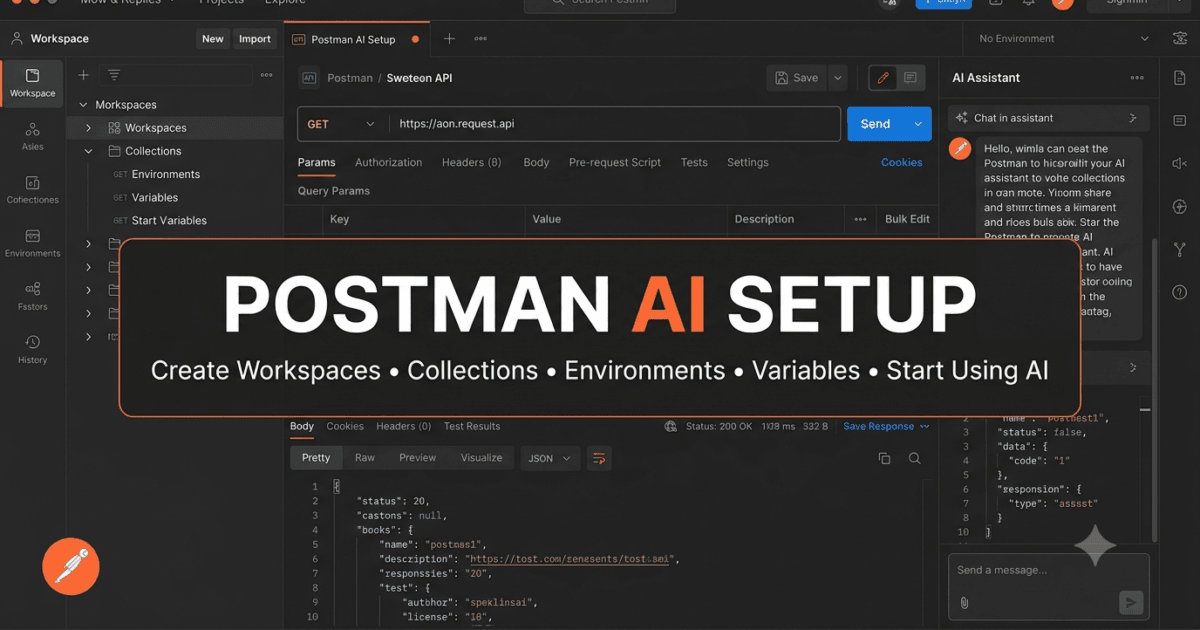
Postman AI Setup is the first practical step toward building an AI-assisted API development workflow. After learning what Postman AI is in Day 1, it’s time to configure your environment, create your first workspace, organize collections and environments, and prepare your projects for AI-powered API testing and development.
A properly configured Postman workspace improves productivity, collaboration, and maintainability while allowing Postman AI to provide better context-aware assistance throughout the API lifecycle.Artificial Intelligence becomes truly valuable when you start using it in your daily workflow. After understanding the concepts behind Postman AI in Day 1, it’s time to move from theory to practice.
Before asking AI to generate test cases, explain APIs, or write documentation, you need a properly configured Postman environment. A well-organized workspace not only improves productivity but also helps Postman AI provide more relevant and contextual responses.
Many beginners install Postman, click a few buttons, and immediately start experimenting with AI. While this approach may work for simple demonstrations, professional API development requires a structured environment with workspaces, collections, environments, and proper organization.
In this lesson, you’ll prepare your development environment, explore the Postman interface, understand where AI fits into your workflow, and perform your first interaction with Postman AI.
By the end of this lesson, you’ll have a fully configured workspace ready for the practical exercises that follow throughout this series.
Why Postman AI Setup Matters
Imagine joining a software company on your first day.
The backend team asks you to validate a newly developed Payment API.
You open Postman and immediately notice:
- Hundreds of requests
- Multiple collections
- Several environments
- Authentication tokens
- Shared workspaces
- Mock servers
- API documentation
Without understanding how these pieces fit together, even experienced developers can feel overwhelmed.
Postman AI becomes much more effective when your workspace is properly organized because it can better understand the context of your API development activities.
Instead of treating Postman as just another API client, think of it as an API collaboration platform where AI becomes your intelligent assistant.
Understanding the Postman AI Setup Ecosystem
Before exploring AI, let’s understand the major components of the Postman platform.
Postman Platform
│
├── Workspaces
│
├── Collections
│
├── Requests
│
├── Environments
│
├── Variables
│
├── APIs
│
├── Flows
│
├── Monitors
│
├── Mock Servers
│
├── Documentation
│
└── Postman AI
Notice that Postman AI is only one component of a much larger ecosystem.
Throughout this series, you’ll learn how AI interacts with these components to simplify API development and testing.
Postman AI Setup: Creating a Postman Account
If you already have a Postman account, you can skip this section.
For new users, creating an account is straightforward.
Visit the official Postman website and create a free account using your email address or sign in with a supported identity provider.
Once your account is created, you’ll have access to:
- Personal workspaces
- API collections
- Environment management
- Request history
- Basic collaboration features
- Cloud synchronization
- AI features available for your plan
Using an account instead of working offline ensures that your work is synchronized across devices and allows you to collaborate with team members more effectively.
Postman AI Setup: Installing the Desktop Application
Although Postman is available through a web interface, many developers prefer the desktop application because it provides a more integrated development experience.
The desktop application offers advantages such as:
- Better local file access
- Improved desktop integrations
- Easier certificate management
- Local proxy support
- Native operating system experience
Installation is similar to most desktop applications.
- Download the installer for your operating system.
- Run the installer.
- Sign in using your Postman account.
- Allow the application to synchronize your workspace.
After installation, take a few minutes to familiarize yourself with the interface before enabling AI-assisted workflows.
Desktop vs Web Version
Both versions of Postman are excellent, but understanding their differences helps you choose the right environment for your work.
| Feature | Desktop | Web |
|---|---|---|
| Installation Required | Yes | No |
| Runs in Browser | No | Yes |
| Local File Access | Excellent | Limited |
| Local API Testing | Excellent | Depends on configuration |
| Cloud Synchronization | Yes | Yes |
| Collaboration | Yes | Yes |
| AI Features | Supported | Supported (based on availability) |
For professional API development and testing, the desktop application is generally the preferred choice because it integrates more smoothly with local development environments.
Keeping Postman Updated
AI capabilities evolve rapidly.
New features, interface improvements, and bug fixes are introduced regularly.
Running the latest version of Postman ensures that you have access to the newest AI capabilities and improvements.
Before beginning this series, verify that your installation is up to date.
This simple habit can save considerable troubleshooting time later.
Exploring the Postman AI Setup Interface
When you first open Postman, you’ll notice several major sections.
Each plays a specific role in your API workflow.
Sidebar
The sidebar is your primary navigation area.
Here you’ll find:
- Workspaces
- Collections
- APIs
- Environments
- History
- Flows
Most of your daily work begins here.
Main Workspace
The central area is where you’ll create and edit requests.
This is where you’ll:
- Build HTTP requests
- Write request bodies
- Configure headers
- Execute requests
- View responses
- Write Postman test scripts
As the series progresses, you’ll spend most of your time in this section.
Response Panel
After sending a request, the response panel displays:
- Status code
- Response headers
- Response body
- Cookies
- Response time
- Payload size
Understanding responses is essential because many AI-powered workflows involve analyzing API responses and generating appropriate test scenarios.
Understanding Workspaces
A workspace is the highest level of organization in Postman.
Think of it as a project folder.
For example:
Workspace
│
├── Authentication APIs
├── Customer APIs
├── Product APIs
├── Payment APIs
└── Order APIs
Everything related to a project can live inside a workspace.
This organization becomes increasingly important as projects grow.
Instead of storing unrelated collections together, create dedicated workspaces for different applications or teams.
A well-structured workspace makes it easier for both humans and AI to understand the relationships between your APIs.
Creating Your First Workspace
Let’s create a workspace that we’ll use throughout this series.
Suggested workspace name:
Postman AI Zero to Hero
Inside this workspace, we’ll gradually build:
- API collections
- Sample requests
- Environment variables
- Test scripts
- AI-generated documentation
- Prompt examples
- Practice exercises
By keeping everything in one workspace, you’ll have a complete learning project that evolves throughout the series.
Think Like a QA Engineer
Many QA engineers inherit large Postman workspaces created by multiple developers over several years.
Instead of immediately modifying existing collections, spend time understanding the overall structure.
Ask questions such as:
- How are collections organized?
- Which environments exist?
- How is authentication handled?
- Are naming conventions consistent?
- Which requests are shared across teams?
Developing this habit early will make it easier to work with enterprise-scale API projects.
Hands-on Exercise
Complete the following tasks:
- Create or sign in to your Postman account.
- Install the latest desktop version of Postman if you haven’t already.
- Create a new workspace named Postman AI Zero to Hero.
- Explore the sidebar, request editor, and response panel.
- Spend a few minutes navigating the interface without creating any requests.
The objective isn’t to master every feature today.
Instead, become comfortable navigating the platform so that future lessons can focus on AI-powered API development rather than basic navigation.
Configuring Your Workspace for AI-Assisted API Development
Now that you’ve created your Postman workspace and explored the interface, it’s time to prepare it for real-world API development. A well-structured workspace doesn’t just make your projects easier to manage—it also helps you interact with Postman AI more effectively.
Throughout this series, we’ll continue using the same workspace, gradually adding collections, environments, variables, documentation, and AI-assisted assets.
Think of this workspace as your personal API laboratory.
Creating Your First Collection
A collection is a group of related API requests.
Instead of creating individual requests scattered across your workspace, collections allow you to organize endpoints logically.
For example, an e-commerce application might have the following structure:
E-Commerce API
│
├── Authentication
│   ├── Login
│   ├── Register
│   └── Refresh Token
│
├── Customers
│   ├── Create Customer
│   ├── Get Customer
│   └── Update Customer
│
├── Products
│
├── Orders
│
└── Payments
Creating logical collections makes it easier for developers, testers, and AI assistants to understand the purpose of your APIs.
Hands-on Exercise
Create a new collection named:
Learning API Collection
We’ll continue expanding this collection throughout the course.
Creating Your First Request
Inside your new collection, create a request named:
Get Users
Configure it as follows:
Method
GET
Request URL
https://jsonplaceholder.typicode.com/users
This is a public REST API that is perfect for learning because it doesn’t require authentication.
Click Send.
If everything is configured correctly, you’ll receive a JSON response containing sample users.
Congratulations—you’ve successfully executed your first request in this series.
Understanding the Response
Take a moment to inspect the response.
You’ll notice information such as:
- HTTP Status Code
- Response Headers
- JSON Response Body
- Response Time
- Response Size
A typical response begins like this:
[
  {
    "id": 1,
    "name": "Leanne Graham",
    "username": "Bret",
    "email": "Sincere@april.biz"
  }
]
Don’t worry about every field yet.
We’ll analyze responses in much greater detail in later lessons.
For now, the important point is that Postman successfully communicated with the API and displayed structured data.
Creating Your First Environment
Real applications rarely use a single server.
Most teams work with multiple environments such as:
- Development
- QA
- Staging
- Production
Instead of editing request URLs every time you switch environments, Postman uses variables.
Let’s create one.
Create an environment named:
Development
Add the following variable.
| Variable | Initial Value |
|---|---|
baseUrl | https://jsonplaceholder.typicode.com |
Now update your request URL.
Replace:
https://jsonplaceholder.typicode.com/users
with:
{{baseUrl}}/users
Send the request again.
The response should remain exactly the same.
Although this change seems small, it represents a professional API development practice.
Later, changing environments will require updating only one variable instead of every request.
Why Variables Matter
Imagine a project containing 450 API requests.
Without variables, moving from Development to QA would require editing every request manually.
With environment variables, you only update one value.
This approach:
- Reduces mistakes.
- Saves time.
- Improves maintainability.
- Simplifies automation.
AI can also generate examples that reference variables, making your collections cleaner and easier to understand.
Importing an Existing Collection
Many organizations already maintain Postman collections.
Instead of recreating requests manually, you can import them.
Postman supports importing:
- Collection files
- OpenAPI specifications
- Swagger definitions
- URLs
- Raw JSON
- API definitions
Imported collections provide excellent material for AI-assisted analysis because they often contain dozens or even hundreds of requests.
Throughout this series, we’ll work with both newly created collections and imported APIs.
Finding the AI Features
Depending on your Postman version and plan, AI features may appear in different locations within the interface.
As Postman continues evolving, the exact layout may change, but AI functionality is generally integrated into the workspace rather than existing as a completely separate application.
Take a few minutes to explore the interface and identify AI-related options available in your account.
Notice how AI is designed to complement your existing workflow instead of replacing it.
Your First AI Conversation
Once AI features are available, begin with something simple.
Rather than asking for complex automation, start by understanding your request.
Example prompt:
Explain what this API endpoint does.
After reviewing the response, continue the conversation.
Try prompts such as:
Explain the JSON response in beginner-friendly language.
Then ask:
What are the most important fields returned by this endpoint?
Notice how each question builds upon the previous one.
This conversational approach usually produces better results than asking one large, complicated question.
Improving AI Responses
Suppose AI provides a generic explanation.
Instead of accepting it immediately, refine your prompt.
For example:
Explain this endpoint from the perspective of a QA engineer.

Include:

- Request purpose
- Expected response
- Validation ideas
- Possible negative scenarios
The additional context helps AI generate information that’s much more relevant to software testing.
This iterative process is one of the most important skills you’ll develop throughout this series.
Organizing Your Workspace
As your projects grow, organization becomes increasingly important.
A recommended structure looks like this:
Postman AI Zero to Hero
│
├── Collections
│
├── Environments
│
├── Documentation
│
├── AI Prompt Library
│
├── Practice APIs
│
└── Assignments
Keeping related assets together makes your workspace easier to navigate and simplifies future collaboration with teammates.
Think Like a QA Engineer
Suppose you’re given a collection containing 300 requests.
Your first instinct shouldn’t be to start executing every endpoint.
Instead:
- Explore the collection hierarchy.
- Identify authentication requirements.
- Understand naming conventions.
- Review environment variables.
- Ask AI to summarize unfamiliar sections.
- Document any questions before writing tests.
Experienced QA engineers spend time understanding a system before validating it.
That investment pays dividends throughout the testing process.
Hands-on Lab
Complete the following tasks.
- Create a collection named Learning API Collection.
- Add the Get Users request.
- Execute the request successfully.
- Create a Development environment.
- Replace the hardcoded URL with the
{{baseUrl}}variable. - If Postman AI is available in your workspace, ask it to explain the endpoint.
- Refine your prompt to request QA-focused insights.
- Compare the two AI responses and note the differences.
Assignment
Create three additional requests using the JSONPlaceholder API:
- Get Posts
- Get Albums
- Get Todos
For each request:
- Execute it successfully.
- Replace hardcoded URLs with the
{{baseUrl}}variable. - Ask Postman AI to explain the endpoint.
- Ask Postman AI to suggest three validation ideas.
- Write down one additional validation that AI did not suggest.
By the end of this assignment, you’ll have your first organized Postman workspace, your first reusable environment, multiple API requests, and your first practical experience interacting with Postman AI. These assets will serve as the foundation for the more advanced testing, documentation, and automation exercises in the lessons ahead.
Using Postman AI to Understand APIs Faster
One of the biggest challenges developers and QA engineers face isn’t writing code—it’s understanding code and APIs written by someone else.
Imagine joining a new project where the backend team has already built more than 250 API endpoints. The documentation is incomplete, the original developers have moved to another team, and your manager asks you to begin API testing immediately.
Where do you start?
Traditionally, you would spend hours:
- Reading API documentation
- Opening individual requests
- Understanding request parameters
- Learning authentication
- Following request dependencies
- Asking senior developers questions
Today, Postman AI can significantly reduce that learning curve.
Instead of manually investigating every endpoint, you can use AI to quickly understand what an API does, identify important fields, learn authentication requirements, and discover potential testing scenarios.
Remember, AI accelerates understanding—it doesn’t replace it.
Understanding an Endpoint
Let’s use another endpoint from the JSONPlaceholder API.
GET {{baseUrl}}/posts/1
Execute the request.
The response will look similar to this:
{
  "userId": 1,
  "id": 1,
  "title": "sunt aut facere repellat provident occaecati",
  "body": "quia et suscipit..."
}
Instead of immediately writing tests, let’s begin by understanding the endpoint.
Example prompt:
Explain this API endpoint in simple language.
The AI should describe:
- What the endpoint returns
- What each field represents
- When developers would use it
- The expected response structure
This is far more efficient than trying to interpret every field manually.
Understanding JSON Responses
One of the most valuable uses of AI is explaining JSON payloads.
Suppose you’re unfamiliar with the response.
Instead of searching online, ask:
Explain every field in this JSON response.

Describe its purpose and possible validation ideas.
A useful AI response might explain:
userId
Represents the owner of the post.
id
Unique identifier of the post.
title
Short title describing the content.
body
Complete text of the post.
AI explanations like these are particularly helpful when working with large enterprise APIs containing deeply nested JSON objects.
Explaining Request Parameters
Not every API is as simple as JSONPlaceholder.
Consider the following endpoint.
GET /api/v1/orders/{orderId}
A beginner may understand that it retrieves an order.
A QA engineer wants much more information.
Ask AI:
Explain every part of this endpoint.

Include:

- Path parameter
- Authentication
- Expected responses
- Common errors
- Validation ideas
Now the AI has a clear objective.
Instead of giving a generic explanation, it can produce a more testing-focused response.
Understanding HTTP Status Codes
Every API response includes an HTTP status code.
AI can help explain what each status code means in the context of a specific endpoint.
Example prompt:
Explain all possible HTTP status codes for this endpoint.

Describe when each status should occur.
Typical responses might include:
| Status | Meaning |
|---|---|
| 200 | Request completed successfully |
| 201 | Resource created successfully |
| 400 | Invalid request data |
| 401 | Authentication required |
| 403 | User lacks permission |
| 404 | Requested resource not found |
| 500 | Internal server error |
Rather than memorizing status codes, you’ll learn how they relate to actual API behavior.
Understanding Authentication
Authentication is one of the first topics new team members struggle with.
Different projects may use:
- API Keys
- Bearer Tokens
- OAuth 2.0
- Basic Authentication
- JWT Tokens
- Session Cookies
Instead of reading multiple documents, ask AI questions like:
Explain how authentication works for this API.

Describe:

- Authentication type
- Required headers
- Common authentication failures
- Security best practices
This provides a much faster introduction to unfamiliar authentication mechanisms.
Understanding Headers
Headers often receive less attention than request bodies, but they’re equally important.
Suppose a request contains:
Authorization: Bearer <token>
Content-Type: application/json
Accept: application/json
Ask AI:
Explain the purpose of each HTTP header.

Which headers are mandatory?

Which validation scenarios should be tested?
AI can help explain:
- Why each header exists
- What happens if it’s missing
- Common mistakes
- Security considerations
Learning an Entire Collection
Enterprise collections can contain hundreds of endpoints.
Reading them individually is inefficient.
Instead, ask AI to summarize the collection.
Example prompt:
Summarize this API collection.

Describe:

- Business purpose
- Folder structure
- Authentication flow
- Request relationships
- Most important endpoints
Instead of spending hours exploring folders, you’ll gain a high-level understanding in minutes.
This is one of the biggest productivity improvements AI brings to API development.
AI-Assisted API Exploration Workflow
Here’s a practical workflow you can follow whenever you’re assigned a new API.
Receive Collection
        │
        ▼
Explore Folder Structure
        │
        ▼
Ask AI to Summarize
        │
        ▼
Understand Authentication
        │
        ▼
Review Request Parameters
        │
        ▼
Understand Response Payloads
        │
        ▼
Generate Test Ideas
        │
        ▼
Begin API Testing
Following this sequence ensures that you understand the API before writing automation or executing extensive tests.
Practical Example
Imagine your manager assigns you a Customer API.
Instead of immediately creating test scripts, start with AI-assisted discovery.
Prompt 1
Explain the purpose of this Customer API.
Prompt 2
Describe the request body and required fields.
Prompt 3
List possible validation rules.
Prompt 4
Generate functional and negative testing ideas.
Prompt 5
Identify possible edge cases that should be tested.
Notice how each prompt builds upon the previous response.
This incremental approach usually produces much higher-quality insights than requesting everything in one prompt.
AI Is a Learning Partner
Many developers think AI should always generate code.
In reality, one of its greatest strengths is education.
Whenever you encounter something unfamiliar, ask questions.
Examples include:
- Why does this endpoint use PUT instead of PATCH?
- Why is this status code returned?
- What is idempotency?
- Why is pagination used?
- Why does this API require OAuth?
- What are path parameters?
- When should query parameters be used?
Asking “why” questions builds long-term understanding instead of temporary knowledge.
Think Like a QA Engineer
Suppose AI explains an endpoint perfectly.
Does that mean you’re ready to automate it?
Not yet.
Ask yourself:
- Which business rules are missing?
- Which invalid inputs should be tested?
- What happens if authentication fails?
- Are rate limits documented?
- What security risks exist?
- Which edge cases could affect production?
Understanding an API is the first step.
Testing it thoroughly requires curiosity, critical thinking, and professional experience.
Hands-on Lab
Using your Learning API Collection, complete the following exercises.
- Execute the Get Posts request.
- Ask Postman AI to explain the endpoint.
- Ask AI to describe every field in the JSON response.
- Ask AI to identify possible validation rules.
- Ask AI to suggest five negative test scenarios.
- Compare the AI suggestions with your own ideas.
Document any additional scenarios that AI did not identify.
Assignment
Choose another endpoint from the JSONPlaceholder API.
Using Postman AI, perform the following activities:
- Explain the endpoint.
- Describe the request and response.
- Explain every JSON field.
- Identify expected HTTP status codes.
- Suggest authentication requirements (if applicable).
- Generate positive, negative, and boundary testing ideas.
- Write five additional test scenarios based on your own QA experience.
By completing this assignment, you’ll begin developing one of the most valuable skills in API testing: quickly understanding unfamiliar APIs and transforming that understanding into comprehensive, high-quality test coverage with the assistance of Postman AI.
From Understanding APIs to Building Better Tests
By this point, you’ve created your first Postman workspace, organized collections and environments, executed API requests, and used Postman AI to understand endpoints more efficiently.
These may seem like simple activities, but together they establish the foundation for everything you’ll build throughout this series.
Many beginners make the mistake of jumping directly into automation without first understanding the API. Professional engineers take a different approach. They first understand how an API works, identify the business requirements, learn the expected behavior, and only then begin writing automated tests.
Postman AI supports this workflow by helping you learn faster, organize information, and generate useful starting points that you can refine into production-ready assets.
A Professional API Learning Workflow
Whenever you’re assigned a new project, avoid randomly opening requests and experimenting without a plan.
Instead, follow a structured workflow like this.
Receive API Collection
        │
        ▼
Explore Workspace Structure
        │
        ▼
Review Authentication
        │
        ▼
Understand Endpoints
        │
        ▼
Analyze Request & Response
        │
        ▼
Use Postman AI for Explanation
        │
        ▼
Identify Business Rules
        │
        ▼
Generate Test Ideas
        │
        ▼
Write Manual Tests
        │
        ▼
Create Automated Tests
Notice that AI is integrated into the learning process rather than replacing it.
Building an AI Prompt Library
One habit that separates experienced engineers from beginners is maintaining a reusable library of prompts.
Instead of writing the same instructions repeatedly, save prompts that consistently produce useful responses.
Here are a few examples to start your library.
Explain an Endpoint
Explain this endpoint as if I am a QA engineer joining the project for the first time.

Include:

- Purpose
- Request parameters
- Response structure
- Validation ideas
- Possible risks
Understand a JSON Response
Explain every field in this JSON response.

Describe:

- Meaning
- Data type
- Validation considerations
- Business importance
Generate Testing Ideas
Generate:

- Functional tests
- Negative tests
- Boundary tests
- Security scenarios
- Performance considerations

Explain why each scenario is important.
Review an Existing Request
Review this Postman request.

Suggest improvements for:

- Readability
- Variables
- Authentication
- Request organization
- Testing opportunities
As you continue through this series, your prompt library will grow into a valuable resource that can be reused across multiple projects.
Organizing Large API Projects
Enterprise applications often contain hundreds or even thousands of endpoints.
Without proper organization, maintaining these APIs becomes increasingly difficult.
A recommended workspace structure is shown below.
Workspace
│
├── Authentication
│
├── Customers
│
├── Products
│
├── Orders
│
├── Payments
│
├── Reports
│
├── Shared Variables
│
├── Environments
│
├── AI Prompt Library
│
├── Documentation
│
└── Automation
A consistent structure benefits everyone on the team.
Developers can locate endpoints quickly.
QA engineers can organize testing more effectively.
New team members can onboard faster.
AI can also work with a better-organized project context.
Common Mistakes New Users Make
Let’s look at some common mistakes that can slow down your learning.
Asking Extremely Broad Questions
Avoid prompts such as:
Explain everything about this API.
The request is too broad.
Instead, break the problem into smaller questions.
For example:
- Explain authentication.
- Explain request parameters.
- Explain the response.
- Suggest test cases.
Smaller prompts usually produce clearer and more actionable responses.
Ignoring API Documentation
Even when AI provides an excellent explanation, don’t ignore official API documentation.
Documentation often contains:
- Business requirements
- Version history
- Deprecation notices
- Rate limits
- Authentication details
- Compliance requirements
AI complements documentation—it does not replace it.
Copying AI Responses Without Validation
Never assume that AI-generated content is automatically correct.
Review:
- Test cases
- Documentation
- Assertions
- Code snippets
- Security recommendations
Your review ensures that the output aligns with your project’s requirements.
Forgetting About Business Logic
Two APIs may look identical while enforcing completely different business rules.
For example:
Both APIs return:
{
  "status": "approved"
}
In one system, “approved” might mean that a manager reviewed the request.
In another, it might simply indicate that automated validation succeeded.
Only your project’s business rules can clarify the correct interpretation.
AI Doesn’t Replace Investigation
Suppose Postman AI explains an endpoint.
Should you immediately begin automation?
No.
Continue asking questions.
For example:
- What happens when required fields are missing?
- Can duplicate data be submitted?
- Are there authorization restrictions?
- Does the API support pagination?
- What happens during server failures?
- Are requests rate limited?
- Are sensitive fields encrypted?
Professional testing begins with curiosity.
AI helps you ask better questions, but it cannot replace investigative thinking.
Mini Project
Let’s apply everything you’ve learned so far.
Choose any endpoint from the JSONPlaceholder API.
Complete the following workflow.
Step 1
Execute the request.
Step 2
Understand the response.
Step 3
Ask Postman AI to explain the endpoint.
Step 4
Ask AI to explain every JSON field.
Step 5
Generate positive test scenarios.
Step 6
Generate negative test scenarios.
Step 7
Identify at least five additional scenarios that AI did not suggest.
Step 8
Organize everything inside your Learning API Collection.
By following this process, you’ll begin developing habits that scale from simple practice APIs to complex enterprise systems.
Productivity Tips
As you start using Postman AI regularly, these habits will help you work more efficiently.
- Create separate workspaces for different projects.
- Use collections to organize related endpoints.
- Store URLs using environment variables.
- Save frequently used prompts in a document or collection.
- Ask AI focused questions instead of broad ones.
- Review every AI-generated response.
- Keep your collections clean and well documented.
- Build reusable requests whenever possible.
Small improvements in organization can save significant time over the course of a project.
Challenge Exercise
Choose one endpoint from your collection.
Without using AI, complete the following tasks.
- Explain the endpoint.
- Describe the response.
- Write five test cases.
- Identify three edge cases.
Now repeat the same exercise using Postman AI.
Compare the results.
Ask yourself:
- Which explanations were more detailed?
- Which test cases did AI miss?
- Which scenarios did you discover independently?
- How could you improve your prompts?
This comparison will help you understand where AI provides the greatest value and where your engineering expertise remains essential.
Best Practices Before Moving Forward
Before continuing to Day 3, make sure you can comfortably:
- Navigate the Postman interface.
- Create and organize workspaces.
- Build collections.
- Configure environments.
- Use variables effectively.
- Execute API requests.
- Read JSON responses.
- Ask meaningful AI prompts.
- Review AI-generated suggestions critically.
These skills form the foundation for every lesson that follows.
Key Takeaways
Day 2 focused on transforming your Postman installation into a productive, AI-assisted API development environment.
You learned how to organize workspaces, create collections, configure environments, execute API requests, and use Postman AI to understand endpoints, JSON responses, and API structures more efficiently. More importantly, you developed a structured workflow for approaching unfamiliar APIs—one that emphasizes understanding before automation.
You also discovered that effective AI usage depends on clear prompts, organized projects, and continuous validation. Rather than treating AI as an answer engine, you learned to use it as a collaborative assistant that accelerates learning and reduces repetitive work while leaving critical engineering decisions in your hands.
With this foundation in place, you’re ready to move beyond simply asking AI to explain APIs.
Internal Links:
- Learn MCP – Zero to Hero
- Learn AI Agents for QA – Zero to Hero
- Playwright Automation – Zero to Hero
- LangGraph: Complete Zero to Hero
- Learn Python – Zero to Hero
- OpenAI Codex: Complete Zero to Hero
- Cursor AI: Complete Zero to Hero
- Claude Code Tutorial: Complete Zero to Hero
- Free QA Resources Built From Real Experience
- QA Glossary: Test Automation Terms Every Engineer Should Know
External Resources:
- Postman Official Documentation: https://learning.postman.com/docs
- Postman Learning Center: https://learning.postman.com
- Postman AI Documentation: https://learning.postman.com/docs/postman-ai/postman-ai-overview
- OpenAPI Specification: https://spec.openapis.org/oas/latest.html
- HTTP Semantics (IETF RFC 9110): https://www.rfc-editor.org/rfc/rfc9110
- OWASP API Security Top 10: https://owasp.org/API-Security
People Asked Questions
What is Postman AI Setup?
Postman AI Setup is the process of configuring your Postman workspace, collections, environments, variables, and AI-enabled features so you can efficiently build, test, and document APIs using AI assistance.
Do I need a Postman account to use Postman AI?
Yes. A Postman account is required to access cloud-based features, synchronize your workspaces, collaborate with teams, and use AI capabilities available for your plan.
Should I use the Postman desktop application or the web version?
Both versions support API development, but the desktop application is generally preferred for local development because it provides better access to local resources, certificates, and desktop integrations.
Why should I use environments and variables?
Environments and variables make API requests reusable across Development, QA, Staging, and Production without changing every request manually.
Can Postman AI explain existing API collections?
Yes. Postman AI can help explain endpoints, summarize collections, describe request and response structures, and assist developers in understanding unfamiliar APIs more quickly.
Is Postman AI useful for QA engineers?
Absolutely. QA engineers can use Postman AI to understand APIs, generate testing ideas, improve documentation, identify validation scenarios, and accelerate API testing workflows.
What should I organize inside a Postman workspace?
A well-organized workspace typically contains collections, environments, variables, documentation, reusable prompts, automation assets, and related API resources.
What should I learn before using Postman AI?
Understanding HTTP methods, REST APIs, JSON, status codes, headers, authentication, and basic API testing concepts will help you make better use of Postman AI.
Enjoyed this article? Explore more in-depth guides on AI engineering, automation testing, Model Context Protocol, Playwright, and intelligent software quality at www.skakarh.com. Follow QAPulse by SK for practical, production-focused tutorials designed for QA engineers, SDETs, and AI developers.