QA
QA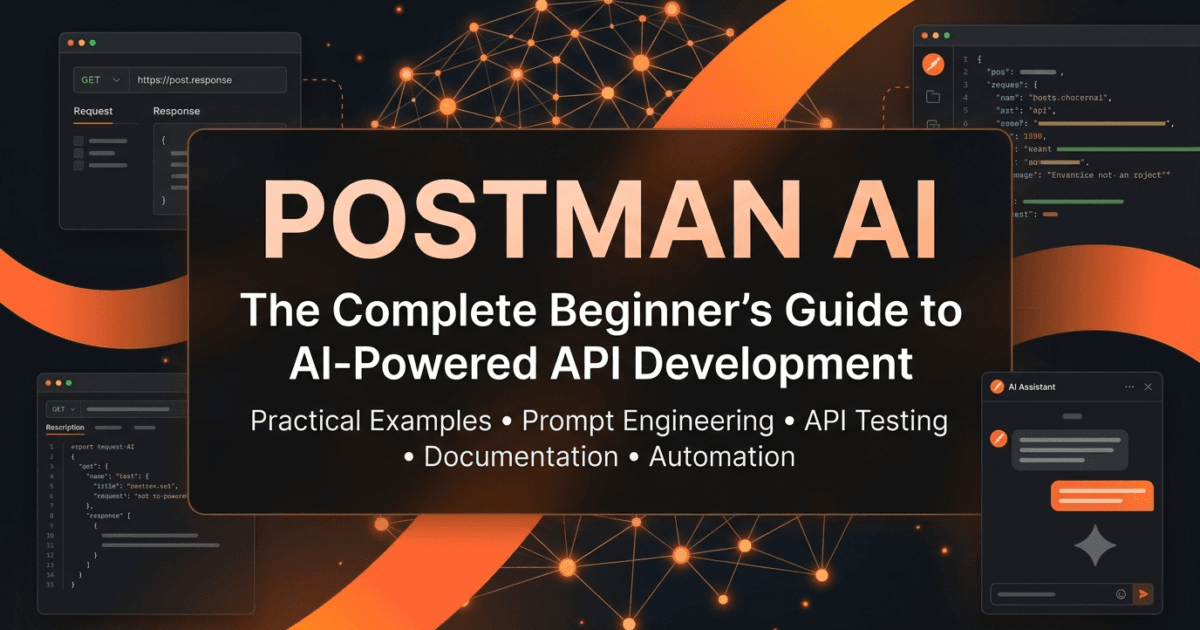
The way we build and test APIs is changing rapidly. A few years ago, developers and QA engineers spent hours writing test scripts, documenting endpoints, creating collections, debugging requests, and manually understanding APIs created by other teams. These repetitive tasks were considered a normal part of software development. Today, Artificial Intelligence is transforming that workflow.
Modern AI is no longer limited to answering questions or generating text. It is becoming an intelligent development assistant capable of understanding code, explaining APIs, generating tests, writing documentation, suggesting improvements, and helping engineers solve problems faster than ever before. This shift is redefining how software teams design, test, and maintain APIs.
Postman, one of the world’s most widely used API platforms, has embraced this transformation by introducing AI-powered capabilities directly into its ecosystem. Instead of forcing developers to switch between multiple AI tools, documentation websites, and coding assistants, Postman AI brings intelligent assistance into the place where API development already happens.
This is much more than adding a chatbot to an API platform. Postman AI is designed to understand your workspace, assist with API-related tasks, reduce repetitive work, and improve collaboration across development teams. Whether you’re creating your first REST API request or managing hundreds of enterprise APIs, AI can help you work more efficiently without replacing the engineering decisions that require human expertise.
Throughout this series, we will explore Postman AI from the ground up. Rather than simply introducing features, you’ll learn why those features exist, how they work behind the scenes, when to use them, when not to rely on them, and how to apply them effectively in real-world software projects. Every lesson will include practical examples, hands-on activities, assignments, production tips, and insights from the perspective of a QA engineer and API professional.
By the end of this series, you won’t just know how to click AI-powered buttons inside Postman—you’ll understand how to make AI a reliable part of your daily API development workflow.
What is Postman AI?
Postman AI is a collection of artificial intelligence capabilities integrated into the Postman platform to assist developers, testers, and API teams throughout the entire API lifecycle. It uses advanced language models to understand requests, collections, documentation, and other API artifacts, enabling users to complete common tasks more efficiently.
Instead of manually writing every test case, explaining every endpoint, or documenting every request from scratch, users can ask Postman AI for assistance. The AI can generate an initial draft, explain existing APIs, suggest improvements, or automate repetitive tasks, allowing engineers to focus on solving business problems rather than writing boilerplate content.
Imagine joining a new company where the backend team has already developed more than 300 API endpoints. Traditionally, you would spend days reading documentation, opening collections, tracing authentication flows, and trying to understand how different services interact. With AI-powered assistance, that learning process can become significantly faster. Postman AI can explain requests, summarize collections, and provide contextual information that helps you understand unfamiliar APIs more quickly.
However, it’s important to understand one fundamental principle from the very beginning:
Postman AI is an assistant—not an engineer.
It can accelerate your work, but it does not replace your understanding of software architecture, business rules, security requirements, or testing strategies. Successful engineers use AI to increase productivity while continuing to review, validate, and improve every AI-generated result.
Why Do We Need AI in API Development?
To appreciate the value of Postman AI, we first need to understand how API development has evolved over the years.
In the early days of web applications, software systems were relatively simple. A single application often consisted of one backend connected to one database. Communication between systems was limited, and APIs were used primarily for basic integrations.
Today, modern applications are very different.
Consider a typical e-commerce platform. A single customer placing an order may trigger communication with multiple services simultaneously:
- Authentication Service
- Product Catalog API
- Inventory Service
- Pricing Engine
- Payment Gateway
- Fraud Detection Service
- Shipping Provider
- Notification Service
- Analytics Platform
- Recommendation Engine
- Customer Support System
Every one of these interactions happens through APIs.
Now imagine that each service exposes dozens or even hundreds of endpoints. Testing, documenting, and maintaining these APIs manually becomes increasingly challenging as systems grow.
Engineers often spend considerable time on tasks such as:
- Understanding unfamiliar API endpoints
- Creating request examples
- Writing repetitive test scripts
- Updating documentation
- Explaining APIs to new team members
- Generating mock data
- Troubleshooting request failures
- Organizing collections
- Maintaining environment variables
- Reviewing API changes
These activities are essential, but many of them involve repetitive work that AI can assist with.
This is where Postman AI becomes valuable. Instead of replacing engineering knowledge, it reduces the time spent on repetitive tasks, allowing developers and QA engineers to focus on design decisions, business logic, security, and quality.
The Evolution of API Development
Understanding where Postman AI fits requires looking at how API development has evolved over time.
Phase 1: Manual API Testing
In the early stages of API development, testing was often performed manually using command-line tools, browser plugins, or custom scripts. Developers copied URLs, modified request bodies, checked responses, and repeated the same steps whenever an API changed.
While this approach worked for small projects, it quickly became inefficient as applications grew larger.
Phase 2: API Platforms
The introduction of dedicated API platforms transformed the development experience. Tools like Postman enabled developers to organize requests into collections, manage environments, automate testing, share APIs with teams, and document endpoints in a structured way.
This marked a significant improvement in productivity and collaboration.
However, engineers still needed to write tests, documentation, and scripts manually.
Phase 3: API Automation
As DevOps and Continuous Integration became mainstream, API testing evolved further. Automated testing frameworks, CI/CD pipelines, contract testing, monitoring, and API governance became standard practices in modern software development.
Automation reduced manual effort but introduced another challenge: maintaining automation itself.
Writing assertions, updating collections, maintaining documentation, and reviewing API changes continued to require significant engineering effort.
Phase 4: AI-Assisted API Development
We are now entering a new phase where artificial intelligence complements traditional automation.
Instead of replacing automation, AI makes automation easier to build, understand, and maintain.
An engineer can describe what they want in natural language, and AI can generate an initial solution. That solution still requires review, refinement, and validation, but it dramatically reduces the amount of repetitive work required to reach a production-ready result.
This shift is not about eliminating engineers; it is about enabling them to focus on higher-value work.
Traditional Workflow vs AI-Assisted Workflow
To understand the impact of Postman AI, compare a typical API development workflow before and after AI assistance.
Traditional Workflow
Understand the API

↓

Create requests manually

↓

Write documentation

↓

Write test scripts

↓

Execute requests

↓

Debug failures

↓

Update documentation

↓

Review everything manually
Every stage depends almost entirely on manual effort.
Now compare that with an AI-assisted workflow.
AI-Assisted Workflow
Understand the API

↓

Ask Postman AI to explain the endpoint

↓

Generate a documentation draft

↓

Generate initial test cases

↓

Review AI suggestions

↓

Refine business validations

↓

Execute requests

↓

Approve production-ready implementation
Notice an important difference.
The engineer is still responsible for the final implementation.
AI accelerates the journey, but it does not remove the need for critical thinking, domain knowledge, or quality assurance.
One of the biggest mistakes beginners make is assuming that AI-generated output is automatically correct. Throughout this series, you’ll learn how to evaluate AI suggestions with the same level of scrutiny you would apply to code written by another developer.
Understanding the Problems Postman AI Solves
Every technology is created to solve a problem. Before learning how to use Postman AI, it’s important to understand why it exists in the first place.
Software teams today build applications that are significantly larger and more interconnected than those of a decade ago. A single project may include hundreds of APIs, multiple environments, dozens of developers, automated CI/CD pipelines, and integrations with third-party services. As projects scale, repetitive tasks increase, and engineers spend more time maintaining APIs than building new features.
Postman AI addresses many of these repetitive challenges by helping engineers work faster without compromising quality.
Let’s look at some of the most common problems faced by API teams.
Problem 1: Understanding Someone Else’s API
One of the biggest challenges for developers and QA engineers is joining an existing project.
Imagine you’re assigned to test a payment service containing more than 150 API endpoints. The original developers have moved to another project, and the documentation hasn’t been updated in months.
Questions immediately arise:
- What does this endpoint actually do?
- Which request parameters are mandatory?
- Which headers are required?
- What authentication mechanism is being used?
- What response should I expect?
- Which APIs depend on one another?
Traditionally, answering these questions involves reading source code, searching internal documentation, and asking senior developers for clarification.
With AI-assisted workflows, understanding an unfamiliar API becomes much faster because AI can help explain requests, summarize collections, and provide context that reduces the initial learning curve.
This doesn’t eliminate the need to verify the information, but it gives engineers a strong starting point.
Problem 2: Repetitive Test Creation
Consider the following response from an API:
{
    "id": 101,
    "name": "John Doe",
    "email": "john@example.com",
    "active": true
}
A QA engineer will typically write assertions such as:
pm.test("Status code should be 200", () => {
    pm.response.to.have.status(200);
});

pm.test("Response contains user name", () => {
    const response = pm.response.json();
    pm.expect(response.name).to.eql("John Doe");
});
Now imagine repeating similar assertions across hundreds of endpoints.
The process becomes repetitive and time-consuming.
Instead of starting from an empty editor every time, AI can generate an initial version of these tests. Engineers can then review, customize, and strengthen them based on business requirements.
The objective is not to remove engineers from the process—it is to remove repetitive typing.
Problem 3: Documentation Is Often Ignored
Documentation is one of the most valuable assets in any software project.
Unfortunately, it is also one of the first things teams neglect when deadlines become tight.
Many APIs contain documentation that looks like this:
Create User API
That’s all.
No request explanation.
No parameter descriptions.
No example response.
No authentication details.
No error scenarios.
Months later, new team members struggle to understand the API because the documentation never evolved with the application.
AI can help generate descriptive documentation that engineers can review and improve rather than writing everything manually.
Think of AI as producing the first draft—not the final version.
Problem 4: New Team Members Need Time to Ramp Up
Every engineering manager knows that onboarding new developers takes time.
A new QA engineer might spend several weeks understanding:
- Authentication flow
- Environment variables
- Collection structure
- Naming conventions
- API dependencies
- Business workflows
If AI can explain collections and summarize API behavior, new engineers become productive more quickly.
This benefits not only individuals but also entire engineering teams.
Problem 5: Context Switching Reduces Productivity
Modern developers rarely work in a single application.
A typical day may involve switching between:
- Postman
- GitHub
- Browser documentation
- Internal wiki
- Slack or Microsoft Teams
- IDE
- AI assistant
- Terminal
Every switch interrupts focus.
When AI assistance is available directly inside the API platform, engineers spend less time jumping between tools and more time solving problems.
Reducing context switching may seem like a small improvement, but over weeks and months it can save many hours of productive engineering time.
AI Doesn’t Replace Critical Thinking
Whenever AI enters a workflow, an important question follows:
“Can AI replace developers?”
The short answer is no.
AI can generate information remarkably quickly, but speed should never be confused with correctness.
For example, imagine you ask an AI assistant to generate API tests for a login endpoint.
It might produce assertions similar to these:
pm.test("Status should be 200", () => {
    pm.response.to.have.status(200);
});

pm.test("Token exists", () => {
    const json = pm.response.json();
    pm.expect(json.token).to.exist;
});
At first glance, everything appears correct.
However, an experienced QA engineer immediately asks additional questions.
- What happens if the password is incorrect?
- What if the account is locked?
- What if the user is inactive?
- What if the request exceeds rate limits?
- What happens when MFA is enabled?
- Are expired tokens handled correctly?
- Are security headers present?
- Are sensitive fields exposed?
Notice that none of these questions are automatically answered by AI.
This is why engineering judgment remains essential.
AI can suggest.
Engineers validate.
Think Like a QA Engineer
Suppose Postman AI generates five automated test cases.
Don’t immediately copy and paste them into production.
Instead, ask yourself:
- Are positive scenarios covered?
- What negative scenarios are missing?
- Have edge cases been considered?
- Are business rules validated?
- Are response headers verified?
- Is performance acceptable?
- Have authorization rules been tested?
- Are security risks addressed?
The best QA engineers don’t just verify whether software works.
They actively search for situations where software might fail.
AI can accelerate testing, but curiosity and critical thinking remain uniquely human strengths.
Understanding the Human-AI Collaboration Model
One of the healthiest ways to think about Postman AI is as a junior engineering assistant.
Imagine a new developer joins your team.
They can help write code.
They can draft documentation.
They can suggest ideas.
But you still review everything before merging it into production.
The same principle applies to AI.
Engineer creates request
          │
          ▼
      Postman AI
          │
          ▼
 Generates suggestions
          │
          ▼
 Engineer reviews output
          │
          ▼
 Business validation
          │
          ▼
 Production-ready API workflow
Notice that AI never becomes the final decision-maker.
Instead, it becomes another contributor whose work requires professional review.
This mindset dramatically reduces the risk of blindly trusting generated content.
The Growing Importance of Prompt Engineering
As AI tools become more capable, another engineering skill is becoming increasingly valuable: prompt engineering.
The quality of AI-generated output often depends on the quality of the instructions provided.
Consider these two prompts.
Generic Prompt
Generate API tests.
The result may be technically correct but too generic to provide real value.
Now consider a more detailed prompt.
Better Prompt
Generate comprehensive Postman tests for this login API. Include positive, negative, boundary, authorization, validation, response time, and security-related assertions. Explain why each assertion is important.
The second prompt gives the AI much more context.
As a result, the generated output is usually more detailed, more relevant, and easier to refine.
Throughout this series, you’ll learn how to write effective prompts that produce practical, production-ready results rather than generic examples.
AI Insight
One of the biggest misconceptions about AI is that it “knows” your project.
In reality, AI works best when you provide context.
Instead of asking:
Explain this API.
Try asking:
Explain this customer registration API from the perspective of a QA engineer. Describe the request body, expected responses, possible validation failures, authentication requirements, and potential edge cases that should be tested.
The additional context helps AI generate responses that are more aligned with your role and objectives.
Core Capabilities of Postman AI
Artificial Intelligence has become a common feature in many developer tools, but not every AI implementation is equally useful. Some tools simply generate text, while others are designed to understand the context of your work and assist with specific engineering tasks.
Postman AI focuses on API development. Instead of acting as a general-purpose chatbot, it is designed to help developers and QA engineers perform API-related activities more efficiently. As the platform evolves, new AI capabilities continue to be introduced, but the overall goal remains the same: reduce repetitive work while improving productivity and collaboration.
Let’s explore the major areas where Postman AI can assist.
Explaining API Requests
One of the most practical capabilities of Postman AI is helping users understand existing APIs.
Imagine opening a collection that contains dozens of requests written by another developer months ago. The request names are unclear, the descriptions are missing, and the collection structure is unfamiliar.
Instead of manually examining every request, you can use AI to help explain:
- The purpose of the endpoint
- Expected request parameters
- Required headers
- Authentication requirements
- Possible response codes
- Potential use cases
This capability is particularly useful when joining a new project or working with third-party APIs.
For example, suppose you encounter the following endpoint:
GET /api/v1/orders/{orderId}
At first glance, the endpoint name tells you very little.
An AI explanation might describe:
- The endpoint retrieves details of a specific order.
- Authentication is required.
- The
orderIdpath parameter uniquely identifies the order. - A successful response returns order information.
- A
404response indicates the order was not found. - A
401response indicates authentication failure.
While an experienced developer could infer much of this information manually, AI helps summarize it quickly and consistently.
Assisting with API Documentation
Writing documentation is rarely anyone’s favorite task.
Developers naturally prioritize building features, while documentation often receives attention only when someone requests it.
As projects grow, incomplete documentation becomes a significant obstacle for new team members.
Postman AI can assist by generating documentation drafts based on existing requests.
For example, instead of manually writing descriptions for every endpoint, AI can create an initial version that includes:
- Endpoint purpose
- Request method
- Path parameters
- Query parameters
- Headers
- Authentication details
- Request body explanation
- Example responses
- Error codes
The generated content should always be reviewed before publication, but having a well-structured draft can save considerable time.
Generating Test Scripts
API testing is one of the most repetitive activities in software quality assurance.
Many endpoints require similar validations, including:
- Status code verification
- Response time validation
- Schema validation
- Required field checks
- Data type verification
- Header validation
Instead of repeatedly writing similar assertions, AI can generate an initial version that engineers can customize.
For example, a simple response might look like this:
{
    "id": 101,
    "status": "completed",
    "total": 450
}
A basic test script could be:
pm.test("Status code is 200", () => {
    pm.response.to.have.status(200);
});

pm.test("Order status is completed", () => {
    const response = pm.response.json();
    pm.expect(response.status).to.eql("completed");
});
An experienced QA engineer would likely extend this further by validating:
- Response schema
- Numeric ranges
- Business rules
- Currency values
- Data consistency
- Security-related headers
AI provides a starting point—not the finished solution.
Improving Existing Test Scripts
AI isn’t limited to creating new scripts.
It can also help improve existing ones.
Consider the following assertion:
pm.test("Status is 200", () => {
    pm.response.to.have.status(200);
});
Although technically correct, it verifies only one aspect of the response.
A more comprehensive approach might include:
- Response body validation
- Header verification
- Content-Type checks
- Response time validation
- Required field assertions
Throughout this series, we’ll learn how to use AI to strengthen existing automation instead of simply generating new code.
Helping Understand Collections
Large organizations often maintain API collections containing hundreds of requests.
Navigating these collections can be overwhelming for new engineers.
AI can summarize collection structures, helping users understand:
- What the collection represents
- How requests are organized
- Authentication flow
- Environment dependencies
- Related endpoints
- Overall workflow
Rather than spending hours exploring folders manually, developers gain a high-level understanding much more quickly.
Supporting Team Collaboration
API development is rarely a solo activity.
Developers, testers, DevOps engineers, architects, and product managers all interact with APIs from different perspectives.
AI-generated explanations and documentation can improve communication across teams by making technical information easier to understand.
For example:
A developer may want implementation details.
A QA engineer may need testing scenarios.
A product owner may require business-level explanations.
The same API can be described differently depending on the audience, and AI can help create those variations more efficiently.
How Postman AI Fits into the API Lifecycle
Postman has always supported multiple stages of API development.
AI extends many of these existing workflows.
API Design
      │
      ▼
Request Creation
      │
      ▼
Testing
      │
      ▼
Documentation
      │
      ▼
Collaboration
      │
      ▼
Automation
      │
      ▼
Monitoring
Now imagine AI assisting at each stage.
Design
│
├── Explain API concepts
│
├── Improve descriptions
│
├── Generate documentation
│
├── Suggest test cases
│
├── Improve scripts
│
├── Summarize collections
│
└── Assist collaboration
Notice something important.
AI participates throughout the lifecycle.
It isn’t limited to testing.
It isn’t limited to documentation.
Instead, it becomes a productivity layer that supports multiple engineering activities.
Real-World Scenario: A QA Engineer’s First Day
Imagine you’ve just joined a fintech company.
Your first assignment is to validate the Customer Account API.
The API collection contains:
- 180 endpoints
- Multiple environments
- OAuth authentication
- Complex request bodies
- Hundreds of automated tests
Without AI, your first week might involve:
- Reading documentation
- Exploring folders
- Asking senior engineers questions
- Understanding request dependencies
- Identifying authentication flows
With Postman AI assisting your learning process, you could begin by understanding the structure of the collection, reviewing endpoint purposes, and identifying common workflows before diving into implementation details.
This doesn’t replace conversations with teammates or project documentation, but it reduces the time needed to become productive.
AI Insight
The biggest productivity gain from AI often isn’t writing code.
It’s reducing the time required to understand unfamiliar systems.
Experienced engineers know that understanding an existing application usually takes longer than writing a new feature.
If AI can reduce onboarding from several days to several hours, the impact on engineering productivity is significant.
Think Like a QA Engineer
Suppose AI generates ten automated tests for an endpoint.
Instead of asking:
“Did AI generate enough tests?”
Ask yourself:
- Which business rule is missing?
- Which negative scenario hasn’t been tested?
- Can invalid data bypass validation?
- What happens under unexpected input?
- Which security scenarios are absent?
- What assumptions is AI making?
Great QA engineers don’t measure success by the number of tests.
They measure success by the risks those tests uncover.
Understanding the Limitations of Postman AI
Artificial Intelligence has made remarkable progress in recent years, but it’s important to understand that even the most advanced AI systems have limitations. Knowing these limitations is just as important as understanding their capabilities because it helps you use AI responsibly and avoid costly mistakes.
Many beginners assume that if AI generates an answer confidently, it must be correct. In reality, AI generates responses based on patterns learned from vast amounts of data. While those responses are often helpful, they are not guaranteed to be accurate, complete, or aligned with your project’s business requirements.
As a developer or QA engineer, your responsibility doesn’t end when AI provides an answer—it begins there.
AI Doesn’t Understand Your Business Rules
Suppose your company has the following requirement:
Customers can place a maximum of five orders per day unless they have a Premium subscription.
This business rule is unique to your application. Unless you explicitly provide this context, AI has no way of knowing it.
If you ask AI to generate test cases for the order creation API, it may produce excellent generic tests, but it won’t automatically include scenarios such as:
- Sixth order attempt by a standard customer
- Premium customer placing unlimited orders
- Subscription downgrade during the day
- Daily order counter reset at midnight
- Order limits across different time zones
These are business-specific scenarios that require human understanding.
AI Doesn’t Know Your Architecture
Every organization has its own architecture, naming conventions, authentication mechanisms, deployment strategies, and coding standards.
For example, your project might require:
- Custom authentication headers
- Proprietary response formats
- Internal error codes
- Organization-specific security policies
- Custom API gateways
Without this context, AI generates suggestions based on common industry practices rather than your organization’s standards.
Always review AI-generated content to ensure it aligns with your team’s architecture and development guidelines.
AI Can Produce Plausible but Incorrect Output
One of the most challenging aspects of working with AI is that incorrect responses often look convincing.
Consider the following API response:
{
    "status": "success",
    "userId": 245,
    "subscription": "premium"
}
AI might generate a test such as:
pm.test("Subscription is premium", () => {
    const response = pm.response.json();
    pm.expect(response.subscription).to.eql("premium");
});
The script is syntactically correct.
But ask yourself:
- Should every user be premium?
- What about free users?
- What happens when the subscription expires?
- What if the subscription field is optional?
The generated code isn’t wrong—it simply lacks business context.
That’s why validation is your responsibility.
Responsible AI Usage
The most successful engineers don’t ask, “Can AI do this for me?”
Instead, they ask:
“How can AI help me work more effectively while maintaining software quality?”
Responsible AI usage follows a simple workflow:
Understand the problem
        │
        ▼
Ask AI for assistance
        │
        ▼
Review the generated output
        │
        ▼
Validate against business rules
        │
        ▼
Improve where necessary
        │
        ▼
Use in production
Skipping the review stage defeats the purpose of professional engineering.
AI Is Most Effective at Repetitive Work
Think about the tasks you perform every week.
Some require creativity.
Others are repetitive.
AI delivers the greatest value when it handles repetitive work, allowing you to focus on tasks that require engineering expertise.
Examples include:
- Drafting documentation
- Generating initial test scripts
- Explaining unfamiliar endpoints
- Summarizing collections
- Creating example requests
- Suggesting improvements
Meanwhile, humans continue to own:
- Business decisions
- Architecture
- Security reviews
- Risk assessment
- Performance strategy
- Final code review
- Production approval
This balance creates an efficient collaboration between engineers and AI.
Your First Hands-on Exercise
Before exploring Postman AI in later lessons, take a few minutes to analyze your current workflow.
Create a simple table similar to the one below.
| Daily Activity | Manual Today? | Could AI Assist? |
|---|---|---|
| Understanding APIs | Yes | Yes |
| Writing documentation | Yes | Yes |
| Creating test scripts | Yes | Yes |
| Reviewing business rules | Yes | No |
| Security validation | Yes | Partially |
| Final production review | Yes | No |
There are no right or wrong answers.
The purpose of this exercise is to begin thinking about AI as a productivity partner rather than an automation replacement.
Practice Activity
Imagine you’ve received the following endpoint from another team.
POST /api/v1/customers
Without looking at any documentation, write down the questions you would normally ask.
For example:
- What authentication is required?
- Which fields are mandatory?
- What validation rules exist?
- What responses can be returned?
- Which error codes should be expected?
- Is duplicate customer creation allowed?
- Are email addresses unique?
- What happens if required fields are missing?
Now imagine asking an AI assistant to explain this endpoint.
Compare the AI’s explanation with your own list.
Did it answer every question?
Which questions still require clarification?
This simple exercise demonstrates an important lesson:
AI can accelerate understanding, but curiosity remains your greatest engineering skill.
Assignment
Your first assignment is intentionally simple.
Choose any public REST API that you’re familiar with.
Examples include:
- User Management API
- Product API
- Weather API
- Book Store API
- Movie Database API
Perform the following tasks:
- Identify five endpoints.
- Write a short description of each endpoint in your own words.
- List at least three possible test scenarios for every endpoint.
- Identify repetitive tasks that AI could help automate.
- Identify decisions that should always remain under human control.
Don’t worry about writing code yet.
The objective is to develop the right mindset before we begin using AI in practical scenarios.
Common Mistakes Beginners Make
As AI becomes more accessible, certain mistakes appear repeatedly among new users.
Blindly Trusting AI
AI-generated code should never be copied directly into production without review.
Asking Generic Questions
The quality of AI responses depends heavily on the quality of your prompts.
Instead of writing:
Generate tests.
Provide context.
For example:
Generate positive, negative, boundary, and authorization test cases for this customer registration endpoint.
Specific prompts produce significantly better results.
Ignoring Business Logic
AI understands patterns.
Your application understands business requirements.
Never assume both are the same.
Forgetting Security
Security testing requires careful consideration of authentication, authorization, input validation, sensitive data exposure, rate limiting, and other factors.
AI may suggest security tests, but engineers remain responsible for ensuring comprehensive coverage.
Best Practices for Working with Postman AI
As you begin your journey with Postman AI, adopt these habits from day one:
- Treat AI as a knowledgeable assistant, not as the final authority.
- Review every AI-generated suggestion before accepting it.
- Provide detailed prompts with sufficient context.
- Verify generated test cases against business requirements.
- Improve AI-generated documentation before publishing it.
- Continue learning API fundamentals instead of relying entirely on AI.
- Use AI to accelerate learning, not replace understanding.
- Keep experimenting with different prompts to discover better results.
The engineers who benefit most from AI aren’t necessarily the ones using it the most.
They’re the ones who know when to rely on AI and when to rely on their own expertise.
Getting Started with Postman AI
Now that you understand what Postman AI is and why it is becoming an important part of API development, it’s time to move from theory to practice.
Before we begin generating tests, documenting APIs, or asking AI to explain collections, we need to understand where Postman AI fits inside the Postman ecosystem and how to interact with it effectively.
One of the biggest mistakes beginners make is assuming that AI is “magic.” They expect it to automatically know everything about their APIs. In reality, Postman AI works best when you provide context, ask clear questions, and review its responses carefully.
Think of Postman AI as a knowledgeable teammate sitting beside you. The better your communication, the better the assistance you’ll receive.
Understanding the Postman AI Workflow
Every interaction with Postman AI follows a simple workflow.
You
 │
 ▼
Provide Context
 │
 ▼
Write a Prompt
 │
 ▼
Postman AI Processes the Request
 │
 ▼
AI Generates a Response
 │
 ▼
Review the Response
 │
 ▼
Refine if Necessary
 │
 ▼
Use in Your Project
Notice that AI is not the final step.
Your review is.
Whether AI generates documentation, test scripts, or explanations, you should always verify the output before using it in production.
Where Can You Use Postman AI?
Postman AI is designed to assist with multiple activities throughout the API lifecycle.
As you continue through this series, you’ll discover AI assistance in areas such as:
- API exploration
- Request creation
- Documentation
- Test generation
- Collection management
- API understanding
- Collaboration
- Learning unfamiliar APIs
Instead of thinking about AI as a single feature, think of it as an intelligent assistant available whenever you’re working with APIs.
Your First Interaction with AI
Suppose you’ve opened an unfamiliar API collection.
Traditionally, you might begin by reading every request manually.
Instead, consider asking AI questions such as:
Explain this collection.
or
What is the purpose of these endpoints?
or
Describe the authentication flow used by this API.
Notice something important.
These are not programming questions.
They are conversational questions.
That’s one of the biggest advantages of modern AI—you communicate using natural language.
Good Prompts vs Poor Prompts
The quality of AI responses depends heavily on the quality of your prompts.
Let’s compare two examples.
Poor Prompt
Explain API.
What’s missing?
Almost everything.
Which API?
What level of explanation?
Developer?
QA Engineer?
Beginner?
Advanced?
The AI has very little context.
Now compare that with a better prompt.
Better Prompt
Explain this customer registration API from the perspective of a QA engineer.

Describe:

• Request body
• Required fields
• Validation rules
• Authentication
• Possible response codes
• Edge cases
• Suggested test scenarios
This prompt gives the AI clear expectations.
As a result, the response is usually more detailed and more useful.
Anatomy of a Great Prompt
A high-quality prompt usually contains four components.
1. Role
Tell AI who you are.
Examples:
- QA Engineer
- Backend Developer
- Frontend Developer
- API Tester
- DevOps Engineer
Example:
Act as a Senior QA Engineer.
2. Context
Tell AI what you’re working on.
Example:
This endpoint creates a new customer account.
3. Task
Explain what you want.
Example:
Generate positive and negative test cases.
4. Output Format
Specify how you’d like the answer.
Example:
Return the results as a markdown table.
Combining all four elements usually produces significantly better responses.
Example Prompt
Act as a Senior API Test Automation Engineer.

Review this customer registration endpoint.

Generate:

- Positive test cases
- Negative test cases
- Boundary test cases
- Security scenarios
- Performance considerations

Return the output as a structured table with explanations.
Notice how much context this prompt provides.
AI has a much better understanding of what you’re trying to achieve.
Prompt Engineering Best Practices
Prompt engineering is becoming an essential skill for modern software engineers.
Here are a few guidelines that will help you obtain higher-quality responses.
Be Specific
Instead of asking:
Generate tests.
Ask:
Generate five boundary test cases for this payment API.
Specific prompts produce specific answers.
Provide Context
Context dramatically improves AI output.
For example:
The API belongs to an online banking application.

Only authenticated users can transfer money.

Daily transfer limit is $10,000.

Generate test cases.
This information helps AI produce business-aware suggestions.
Break Large Problems into Smaller Questions
Don’t ask AI to solve an entire project in one prompt.
Instead, divide the task.
Example:
Prompt 1
Explain the endpoint.
Prompt 2
Generate documentation.
Prompt 3
Generate positive test cases.
Prompt 4
Generate negative test cases.
Prompt 5
Review my existing tests.
This approach produces much better results than requesting everything at once.
Real-World Example
Imagine you’re testing a login API.
The request looks like this.
POST /api/v1/login
Request body
{
    "email": "john@example.com",
    "password": "Password123"
}
A beginner might ask AI:
Generate tests.
An experienced QA engineer would ask something like this.
Review this Login API.

Generate:

- Happy path tests
- Invalid credentials tests
- Missing fields
- SQL Injection attempts
- XSS validation
- Rate limiting scenarios
- Token validation
- Session expiration scenarios
- Boundary value tests

Explain why each test is important.
Notice how the second prompt reflects engineering thinking rather than simply requesting code.
Understanding Context Windows
One important concept when working with AI is context.
AI generates responses based on the information available during your conversation.
If you only provide this:
GET /users
AI has very little information.
If you provide:
- Request URL
- Headers
- Request body
- Authentication method
- Business rules
- Expected response
- Existing documentation
The AI can generate much more relevant and accurate suggestions.
The lesson here is simple:
Better context leads to better AI assistance.
Think Like a QA Engineer
Whenever AI gives you an answer, don’t immediately ask:
Is this correct?
Instead, ask:
- What assumptions did AI make?
- Which scenarios are missing?
- Which edge cases haven’t been considered?
- Which business rules were not provided?
- Which security validations should be added?
This habit will make you a stronger engineer regardless of which AI tool you use.
Hands-on Exercise
Choose any public API that you’re familiar with.
Write three different prompts describing the same endpoint.
Prompt 1
Use a short generic prompt.
Prompt 2
Add business context.
Prompt 3
Specify your role, expected output format, and testing requirements.
Compare the AI responses.
Ask yourself:
- Which response was most useful?
- Which prompt provided the most relevant information?
- How did additional context improve the answer?
You’ll quickly discover that writing better prompts often has a greater impact than switching to a different AI model.
Assignment
Select one endpoint from a public REST API and create three prompts.
Your prompts should ask Postman AI to:
- Explain the endpoint.
- Generate comprehensive API test cases.
- Produce documentation suitable for another developer joining the project.
Compare the responses and identify:
- Which prompt produced the highest-quality output?
- What additional context improved the results?
- What important information was still missing?
Save your prompts and observations. As this series progresses, you’ll continue refining them and develop prompt engineering techniques that consistently produce practical, production-ready AI assistance for API development and testing.
Understanding AI Prompts Through Practical Examples
Reading about prompt engineering is useful, but the best way to understand it is by comparing real prompts and their outcomes. In this section, we’ll use a simple API to demonstrate how the quality of your prompts directly affects the quality of AI-generated responses.
Suppose we’re working with a User Management API.
Sample API Endpoint
POST /api/v1/users
Request Body
{
    "firstName": "John",
    "lastName": "Doe",
    "email": "john@example.com",
    "password": "Password123!"
}
Now let’s ask Postman AI different questions.
Example 1: Generic Prompt
Generate API tests.
Although this prompt is valid, it provides almost no context.
The AI might generate basic tests such as:
- Verify the status code is
201 - Verify the response contains a user ID
- Verify the response time
These are useful, but they barely scratch the surface.
Example 2: Better Prompt
Generate positive, negative, and boundary test cases for this User Registration API.
The response becomes significantly more useful.
AI may now suggest scenarios like:
Positive Tests
- Register a new user with valid data.
- Register using a strong password.
- Register with optional fields.
Negative Tests
- Missing email.
- Invalid email format.
- Weak password.
- Duplicate email.
- Empty request body.
Boundary Tests
- Maximum first name length.
- Maximum password length.
- Special characters.
- Unicode characters.
- Leading and trailing spaces.
Already, the quality has improved dramatically.
Example 3: Professional QA Prompt
Now let’s think like an experienced SDET.
Act as a Senior QA Automation Engineer.

Review this User Registration API.

Generate:

- Functional tests
- Validation tests
- Boundary tests
- Negative tests
- Authorization tests
- Security tests
- Performance considerations
- Data validation scenarios

For every test case explain:

- Why it matters
- Expected result
- Possible risks
Notice that this prompt doesn’t just ask for tests.
It asks AI to think from the perspective of an experienced QA professional.
The difference in output quality is usually substantial.
AI Is Excellent at Generating Ideas
One misconception is that AI should always generate the final answer.
That’s rarely the best approach.
Instead, think of AI as an idea generator.
For example, imagine you already have twenty API tests.
Ask AI:
What important scenarios are missing?
Sometimes AI identifies cases that engineers overlook, including:
- Invalid content types
- Empty arrays
- Large payloads
- Unsupported media types
- Unexpected HTTP methods
- Duplicate submissions
- Time-zone differences
- Locale-specific inputs
Will every suggestion be relevant?
No.
But even discovering two or three overlooked scenarios can significantly improve API quality.
Reviewing AI-Generated Test Cases
Suppose Postman AI generates the following assertion.
pm.test("Response status should be 200", () => {
    pm.response.to.have.status(200);
});
There’s nothing wrong with it.
But should that be the only test?
Definitely not.
A professional QA engineer might expand it further.
pm.test("Response time is below 1000 ms", () => {
    pm.expect(pm.response.responseTime).to.be.below(1000);
});

pm.test("Content-Type is JSON", () => {
    pm.response.to.have.header("Content-Type");
});

pm.test("User ID exists", () => {
    const response = pm.response.json();
    pm.expect(response.id).to.exist;
});
AI gave us a starting point.
Engineering experience transformed it into a more comprehensive validation.
AI Can Help Explain Existing Scripts
Many engineers inherit Postman collections containing hundreds of test scripts.
Consider the following example.
const response = pm.response.json();

pm.test("Email exists", () => {
    pm.expect(response.email).to.exist;
});

pm.test("Status is active", () => {
    pm.expect(response.status).to.eql("active");
});
A new team member may understand what the script does but not why those assertions exist.
AI can help explain:
- The purpose of each assertion.
- Which business rule it validates.
- Possible improvements.
- Missing edge cases.
This is especially valuable during onboarding and code reviews.
Improving Documentation with AI
Imagine the following endpoint.
DELETE /api/v1/users/{id}
Without documentation, another developer may wonder:
- Does this permanently delete the user?
- Is soft delete implemented?
- Who is authorized?
- Can administrators restore deleted users?
- What happens if the user doesn’t exist?
Instead of writing everything from scratch, AI can generate a documentation draft that you can review and refine.
Remember:
Drafting is where AI shines.
Approval belongs to humans.
Real-World Workflow
Let’s walk through a realistic scenario.
You’re assigned to test an Employee Management API.
Instead of immediately writing tests, you could use AI in this sequence.
Step 1
Understand the API.
Prompt:
Explain the purpose of this Employee API.
Step 2
Understand authentication.
Prompt:
Describe the authentication flow used by this API.
Step 3
Generate documentation.
Prompt:
Create developer-friendly documentation for these endpoints.
Step 4
Generate test scenarios.
Prompt:
Generate functional, negative, and security test cases.
Step 5
Review everything.
Add:
- Business validations.
- Edge cases.
- Organization-specific rules.
- Security requirements.
Notice that AI accelerates every stage without replacing engineering judgment.
Common AI Mistakes in API Testing
Even experienced engineers occasionally misuse AI.
Some common mistakes include:
Using One Prompt for Everything
Avoid asking:
Test this API completely.
Large prompts often produce generic responses.
Instead, divide the work into smaller tasks.
Ignoring Edge Cases
AI may generate happy-path tests first.
Engineers should always think about:
- Invalid inputs.
- Unexpected values.
- Security vulnerabilities.
- Performance bottlenecks.
- Business exceptions.
Forgetting Non-Functional Testing
Many AI-generated responses focus on functional validation.
Don’t forget to consider:
- Performance.
- Scalability.
- Reliability.
- Availability.
- Security.
These remain essential aspects of professional API testing.
AI Insight
AI performs best when you iterate.
Don’t expect perfection from the first prompt.
Instead:
Prompt 1
Generate test cases.
↓
Prompt 2
Improve security coverage.
↓
Prompt 3
Add business validation.
↓
Prompt 4
Optimize the generated scripts.
This iterative approach often produces significantly better results than expecting one perfect response.
Challenge Exercise
Consider the following endpoint.
PUT /api/v1/orders/{orderId}
Without using AI, write down:
- Five functional tests.
- Five negative tests.
- Three security scenarios.
- Three boundary tests.
Now ask AI to perform the same task.
Compare your list with the AI-generated list.
Identify:
- Which ideas overlapped?
- Which ideas AI missed?
- Which ideas you hadn’t considered?
The goal isn’t to prove whether AI or humans are better.
The goal is to learn how both can work together to create stronger, more comprehensive API testing strategies.
Building an AI-First Mindset for API Development
Throughout this article, we’ve explored what Postman AI is, why it exists, how it fits into the API lifecycle, and how to write effective prompts. Before moving to hands-on implementation in Day 2, it’s important to develop the right mindset for working with AI.
The most successful developers and QA engineers don’t think of AI as a shortcut. They think of it as a productivity multiplier.
Imagine two engineers working on the same API.
The first engineer spends hours writing repetitive assertions, documenting endpoints manually, and switching between multiple tools to understand unfamiliar APIs.
The second engineer uses Postman AI to generate an initial draft, explain the API, suggest test cases, and create documentation. Instead of accepting everything blindly, they review, refine, and improve every AI-generated suggestion before adding it to the project.
Both engineers still apply the same business knowledge, testing skills, and technical expertise.
The difference is that one spends more time solving problems while the other spends more time performing repetitive tasks.
That is the real value of AI.
A Complete AI-Assisted API Workflow
Let’s bring everything you’ve learned together into a practical workflow that you can follow whenever you start working with a new API.
Receive a New API
        │
        ▼
Understand the Business Purpose
        │
        ▼
Explore the API Collection
        │
        ▼
Ask Postman AI to Explain the Endpoints
        │
        ▼
Review Authentication Requirements
        │
        ▼
Generate Initial Documentation
        │
        ▼
Generate Test Scenarios
        │
        ▼
Review and Improve the Test Cases
        │
        ▼
Execute API Requests
        │
        ▼
Analyze Responses
        │
        ▼
Refine Documentation and Tests
        │
        ▼
Commit Production-Ready Changes
This workflow highlights an important principle.
AI participates in almost every stage, but it never replaces engineering review.
A Practical Case Study
Imagine your team is building an online bookstore.
The backend team has completed the first version of the Order Management API.
You’ve been assigned to validate it.
Without AI, your workflow might look like this:
- Read the API documentation.
- Open each request manually.
- Understand request parameters.
- Write documentation notes.
- Create positive test cases.
- Create negative test cases.
- Write assertions.
- Execute requests.
- Debug failures.
- Update documentation.
Now imagine using Postman AI throughout the process.
You begin by asking AI to summarize the collection.
Next, you ask it to explain the order creation endpoint.
Then you request an initial set of positive, negative, and boundary test scenarios.
After reviewing the generated output, you identify missing business validations and add them manually.
Finally, you execute the requests, verify the responses, and update the generated documentation with project-specific details.
Notice what changed.
The repetitive work became faster.
The engineering responsibility remained exactly the same.
Example Prompt Library
As you continue through this series, you’ll build your own prompt library. Here are a few examples that you can adapt for different situations.
Explain an API
Act as a Senior Backend Developer.

Explain this API endpoint in simple language.

Describe:

- Purpose
- Request parameters
- Authentication
- Response structure
- Common use cases
Generate Test Cases
Act as a Senior QA Automation Engineer.

Generate:

- Positive test cases
- Negative test cases
- Boundary value tests
- Validation scenarios
- Authorization tests

Explain the expected result for each test case.
Improve Documentation
Review this API documentation.

Rewrite it so that a new developer joining the project can understand it easily.

Include request examples, response examples, and possible error codes.
Review Existing Tests
Analyze these Postman test scripts.

Identify:

- Missing assertions
- Weak validations
- Possible edge cases
- Security improvements
- Performance considerations
Notice that each prompt clearly defines the role, the task, and the expected output.
Best Practices for Using Postman AI
As AI becomes part of your daily workflow, following good practices becomes increasingly important.
Start with Understanding
Before asking AI to generate code, understand the API yourself.
You’ll write better prompts and produce better results.
Provide Complete Context
Include request bodies, headers, authentication methods, business rules, and expected responses whenever possible.
The more relevant information you provide, the more useful the AI response will be.
Review Everything
Never assume AI-generated content is production-ready.
Review every script, every document, and every suggestion.
Think Beyond Happy Paths
AI often starts with successful scenarios.
Always expand your testing to include:
- Invalid data
- Missing fields
- Security attacks
- Authorization failures
- Boundary conditions
- Unexpected user behavior
Build Your Own Prompt Library
Whenever you discover an effective prompt, save it.
Over time, you’ll build a collection of prompts that consistently produce high-quality results.
This can significantly improve your productivity across future projects.
Common Mistakes to Avoid
As you begin using Postman AI, avoid these common pitfalls.
Expecting Perfect Answers
AI provides suggestions, not guarantees.
Always verify the output.
Using Vague Prompts
The prompt:
Generate tests.
will almost always produce weaker results than:
Generate functional, validation, security, and boundary test cases for this customer registration endpoint.
Specific prompts create specific answers.
Ignoring Business Requirements
AI understands patterns.
Only your team understands your business.
Never assume AI knows company-specific workflows or compliance rules.
Replacing Learning with AI
One of the biggest risks is depending on AI before understanding API fundamentals.
The strongest engineers use AI to accelerate learning—not avoid it.
Continue improving your understanding of HTTP, REST, authentication, status codes, validation, and API design principles.
These skills remain essential regardless of how advanced AI becomes.
Think Like a QA Engineer
Suppose AI generates twenty test cases.
Your next question shouldn’t be:
Is this enough?
Instead, ask:
- Which critical business rule is still untested?
- Which customer journey hasn’t been considered?
- Which security risk is missing?
- Which edge case could cause production failures?
- Which performance bottleneck should be evaluated?
Professional QA engineers don’t measure quality by the number of test cases.
They measure quality by the risks those test cases help eliminate.
Hands-on Assignment
Choose a public REST API such as a Book Store API, Weather API, or User Management API.
Complete the following tasks:
- Select one endpoint.
- Write a clear prompt asking Postman AI to explain the endpoint.
- Write another prompt asking for API documentation.
- Ask for positive, negative, and boundary test cases.
- Review the AI-generated output.
- Add at least five additional scenarios that AI didn’t identify.
- Explain why your additional scenarios are important.
Don’t focus on writing code yet.
Instead, focus on learning how to communicate effectively with AI and evaluate its responses critically.
Internal Links:
- Learn MCP – Zero to Hero
- Learn AI Agents for QA – Zero to Hero
- Playwright Automation – Zero to Hero
- LangGraph: Complete Zero to Hero
- Learn Python – Zero to Hero
- OpenAI Codex: Complete Zero to Hero
- Cursor AI: Complete Zero to Hero
- Claude Code Tutorial: Complete Zero to Hero
- Free QA Resources Built From Real Experience
- QA Glossary: Test Automation Terms Every Engineer Should Know
External Resources:
- Postman Official Documentation: https://learning.postman.com/docs
- Postman Learning Center: https://learning.postman.com
- Postman AI Documentation: https://learning.postman.com/docs/postman-ai/postman-ai-overview
- OpenAPI Specification: https://spec.openapis.org/oas/latest.html
- HTTP Semantics (IETF RFC 9110): https://www.rfc-editor.org/rfc/rfc9110
- OWASP API Security Top 10: https://owasp.org/API-Security
People Asked Questions
What is Postman AI?
Postman AI is an AI-powered assistant integrated into Postman that helps developers and QA engineers understand APIs, generate documentation, create test cases, explain collections, and improve productivity throughout the API lifecycle.
Is Postman AI free?
Postman AI availability depends on your Postman plan and the AI features enabled in your workspace. Check the latest pricing and feature availability on the official Postman website.
Can Postman AI generate Postman test scripts?
Yes. Postman AI can help generate initial Postman test scripts, suggest assertions, and recommend improvements. Engineers should always review and validate the generated output before using it in production.
Does Postman AI replace QA engineers?
No. Postman AI accelerates repetitive tasks such as documentation and test generation, but engineers remain responsible for business logic, security, architecture, and final validation.
Can beginners learn Postman AI?
Absolutely. Postman AI is designed to assist both beginners and experienced professionals. Understanding basic HTTP concepts and REST APIs will help you make the most of its capabilities.
What are the benefits of Postman AI?
Some key benefits include:
- Faster API learning
- Improved documentation
- AI-assisted test generation
- Better collaboration
- Reduced repetitive work
- Increased productivity
- Easier onboarding for new team members
Is Postman AI suitable for enterprise teams?
Yes. Enterprise teams can use Postman AI to improve API collaboration, accelerate documentation, enhance testing workflows, and support large-scale API development projects while maintaining human review and governance.
What programming languages work with Postman AI?
Postman AI can assist with API-related workflows regardless of your primary programming language. It is commonly used alongside JavaScript, TypeScript, Python, Java, C#, Go, and other technologies used for API development and testing.
Enjoyed this article? Explore more in-depth guides on AI engineering, automation testing, Model Context Protocol, Playwright, and intelligent software quality at www.skakarh.com. Follow QAPulse by SK for practical, production-focused tutorials designed for QA engineers, SDETs, and AI developers.