 QA
QA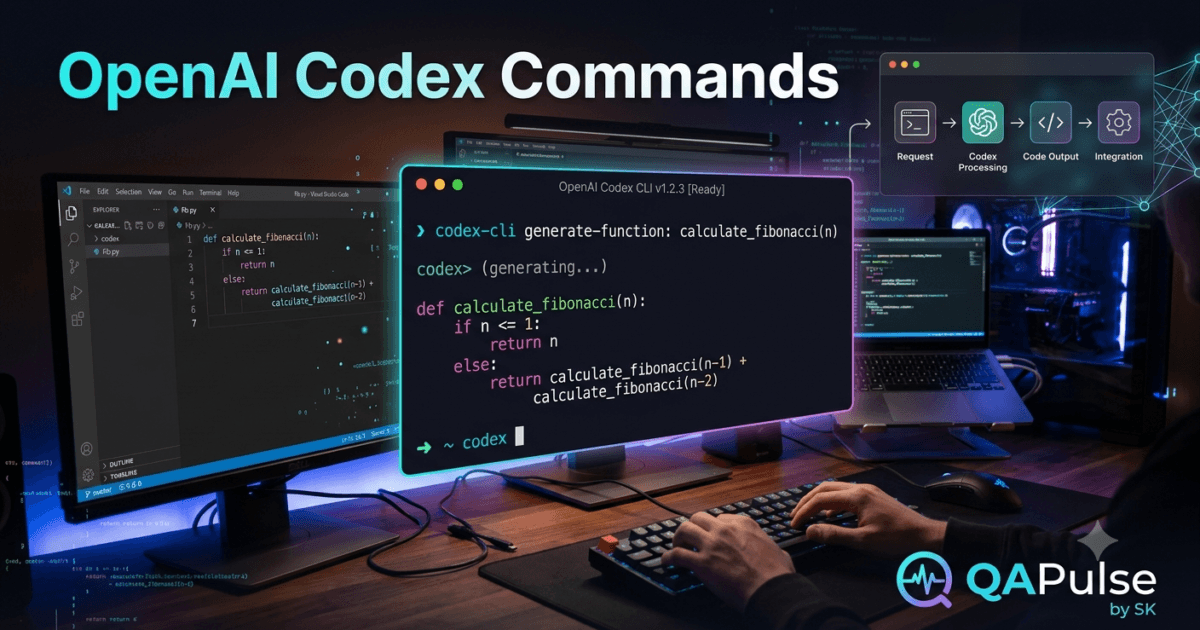
Why Learning OpenAI Codex Commands Matters
Every command-line tool becomes truly valuable when developers understand its commands and how they fit into daily workflows. While installing the OpenAI Codex CLI is an important first step, real productivity comes from mastering the OpenAI Codex Commands that simplify coding, debugging, repository exploration, and software maintenance.
Professional developers interact with command-line tools hundreds of times each day. They automate repetitive work, inspect projects, execute tests, manage version control, and deploy applications directly from the terminal. The OpenAI Codex CLI extends these capabilities by introducing AI-powered commands that help developers communicate with their codebase using natural language.
Learning the available OpenAI Codex Commands enables developers to complete engineering tasks faster while remaining inside the terminal.
What Are OpenAI Codex Commands?
OpenAI Codex Commands are terminal instructions used within the OpenAI Codex CLI to manage AI interactions, authenticate sessions, inspect repositories, configure the environment, and perform AI-assisted software development tasks.
Unlike traditional shell commands that execute predefined operations, OpenAI Codex Commands combine command-line functionality with natural language processing, allowing developers to collaborate with AI throughout the development lifecycle.
These commands form the foundation of productive AI-assisted engineering workflows.
Categories of OpenAI Codex Commands
Most OpenAI Codex Commands fall into several major categories.
Authentication Commands
Authentication commands allow developers to connect the CLI with their OpenAI account.
Typical operations include:
- Logging in
- Managing sessions
- Verifying authentication
- Refreshing credentials
Without authentication, AI-powered development features are unavailable.
Project Commands
Project-related commands help the CLI understand the repository being analyzed.
These operations support:
- Opening repositories
- Reading project context
- Understanding folder structures
- Accessing configuration files
Repository awareness enables Codex to generate more accurate and context-aware responses.
Configuration Commands
Configuration commands control how the CLI behaves.
Developers may configure:
- Environment settings
- Default preferences
- Output behavior
- Project-specific options
Proper configuration improves usability across multiple projects.
Maintenance Commands
Maintenance commands help keep the CLI healthy and up to date.
Common activities include:
- Checking versions
- Updating packages
- Verifying installations
- Removing outdated components
Regular maintenance ensures compatibility with the latest OpenAI improvements.
Commonly Used OpenAI Codex Commands
Although new functionality continues to evolve, developers frequently work with commands similar to the following.
Check Installed Version
codex --version
Displays the currently installed version of the OpenAI Codex CLI.
Authenticate
codex login
Starts the authentication process for your OpenAI account.
Launch the CLI
codex
Opens an interactive OpenAI Codex development session inside the terminal.
Update the CLI
npm update -g @openai/codex
Updates the CLI to the latest available release.
Remove the CLI
npm uninstall -g @openai/codex
Removes the CLI from the local development environment.
How Developers Use OpenAI Codex Commands
A typical development session involves multiple commands working together.
Open Terminal

↓

Navigate to Repository

↓

Run OpenAI Codex Commands

↓

Analyze Project

↓

Generate AI Response

↓

Review Code

↓

Run Tests

↓

Commit Changes
Each command contributes to a structured and efficient engineering workflow.
Advantages of Mastering OpenAI Codex Commands
Developers who become comfortable with OpenAI Codex Commands benefit from several advantages.
These include:
- Faster development workflows
- Reduced context switching
- Better repository awareness
- Improved automation
- Easier debugging
- More efficient feature implementation
- Consistent command-line experience
- Higher developer productivity
Because many engineering tasks already occur inside the terminal, integrating AI commands into this workflow feels natural for experienced developers.
Who Should Learn OpenAI Codex Commands?
Learning OpenAI Codex Commands is valuable for professionals working across many areas of software engineering.
Examples include:
- Backend Developers
- Frontend Developers
- Full-Stack Engineers
- QA Automation Engineers
- SDETs
- DevOps Engineers
- Platform Engineers
- AI Engineers
- Cloud Engineers
- Computer Science Students
Whether maintaining enterprise systems or developing personal projects, understanding these commands enables developers to integrate AI directly into their existing command-line workflows.
Real-World Value
Organizations increasingly adopt AI-assisted development to improve productivity without compromising engineering quality. Developers who understand OpenAI Codex Commands can navigate repositories, automate repetitive tasks, interact with AI efficiently, and streamline software development from the terminal.
As command-line development continues to play a central role in professional engineering, mastering OpenAI Codex Commands provides a practical skill that improves both individual productivity and team collaboration.
OpenAI Codex Commands: Installation, Usage, and Daily Command-Line Workflow
Getting Started with OpenAI Codex Commands
After learning what OpenAI Codex Commands are, the next step is understanding how to use them effectively during everyday software development. Knowing a list of commands is useful, but professional developers gain the greatest benefit when those commands become part of a consistent workflow.
Whether you are creating a new application, maintaining an enterprise platform, or contributing to an open-source project, OpenAI Codex Commands help you navigate repositories, interact with AI, and perform development tasks without leaving the terminal.
The objective is not to memorize every available command but to understand when and why each command should be used.
Preparing Your Development Environment
Before using OpenAI Codex Commands, verify that your development environment is ready.
Ensure that you have:
- Node.js installed
- npm configured
- Git installed
- An active OpenAI account
- Internet connectivity
- Access to your project repository
- A supported terminal application
A properly configured environment reduces setup issues and ensures that AI-assisted commands execute successfully.
Launching the CLI
Most development sessions begin from the root directory of the project.
Example:
cd my-project
codex
Launching the CLI from the repository root gives Codex access to the project’s structure, configuration files, and source code, enabling more accurate responses.
Verifying Your Installation
One of the first OpenAI Codex Commands every developer should know is the version command.
codex --version
Checking the installed version helps verify that the CLI is correctly installed and allows developers to confirm compatibility when following documentation or troubleshooting issues.
Authenticating Your Session
Before AI-powered features can be used, authentication is required.
Run:
codex login
This command opens the authentication process and securely associates the CLI with your OpenAI account.
Maintaining an active session allows uninterrupted development during long coding sessions.
Updating the CLI
OpenAI regularly improves the CLI with new capabilities, performance enhancements, and bug fixes.
Developers should periodically update their installation.
npm update -g @openai/codex
Keeping the CLI current helps ensure compatibility with the latest platform improvements.
Organizing Your Workflow
Professional developers use OpenAI Codex Commands as part of a structured engineering process rather than issuing random terminal instructions.
A common workflow looks like this:
Open Repository

↓

Verify Installation

↓

Authenticate

↓

Launch OpenAI Codex

↓

Describe Development Task

↓

Review AI Response

↓

Modify Code

↓

Run Tests

↓

Commit Changes
Following a repeatable workflow improves productivity and reduces unnecessary mistakes.
Combining OpenAI Codex Commands with Git
Most software projects rely on Git for version control.
Developers frequently alternate between Git commands and OpenAI Codex Commands during feature development.
Typical activities include:
- Reviewing repository status
- Switching branches
- Pulling recent updates
- Understanding existing code
- Implementing new functionality
- Reviewing generated code
- Committing completed work
Using both tools together creates an efficient command-line development experience.
Managing Multiple Projects
Many developers work on several repositories throughout the week.
To improve organization:
- Launch Codex from the correct project directory.
- Keep project documentation updated.
- Use meaningful branch names.
- Maintain consistent folder structures.
- Close completed sessions before switching repositories.
These habits help OpenAI Codex maintain accurate project context across different codebases.
Common Usage Mistakes
Several common habits reduce the effectiveness of OpenAI Codex Commands.
Launching from the Wrong Directory
Starting the CLI inside a nested folder may limit repository awareness.
Whenever possible, launch from the project root.
Forgetting Authentication
Expired sessions prevent AI requests from succeeding.
If unexpected authentication errors occur, log in again before continuing development.
Ignoring CLI Updates
Using an outdated version may result in missing features or compatibility issues.
Regular updates ensure access to the latest improvements.
Working Without Context
Before requesting code generation, understand the existing repository.
Review:
- Folder structure
- Existing services
- Documentation
- Coding conventions
- Architecture
Providing sufficient project context leads to better AI-generated responses.
Practical Recommendations
Developers who achieve the best results with OpenAI Codex Commands establish consistent habits rather than relying on isolated terminal interactions. They begin every session by verifying their environment, authenticating when necessary, launching the CLI from the project root, understanding the repository before requesting assistance, combining Codex with Git throughout development, reviewing every AI-generated implementation, and validating changes with automated testing before committing them. These practices transform OpenAI Codex Commands into an essential part of a modern, efficient, and reliable software development workflow.
OpenAI Codex Commands: Practical Examples, Real-World Workflows, and Developer Productivity
Applying OpenAI Codex Commands in Everyday Development
Learning individual OpenAI Codex Commands is only the first step. Their real value appears when they become part of a developer’s daily workflow. Professional software engineers use command-line tools continuously throughout the day to navigate repositories, inspect code, manage versions, execute tests, and automate repetitive tasks. By combining these workflows with AI-powered assistance, OpenAI Codex Commands help developers solve problems more efficiently without leaving the terminal.
Rather than replacing traditional command-line utilities, OpenAI Codex Commands extend them by enabling natural language interactions that complement existing development practices.
Beginning the Development Day
A productive engineering session usually starts with preparing the local development environment.
Typical activities include:
- Opening the terminal
- Navigating to the project repository
- Pulling the latest source code
- Reviewing active branches
- Checking pending tasks
- Verifying the OpenAI Codex CLI installation
- Launching an AI-assisted development session
Completing these steps ensures that developers begin with an up-to-date project before requesting AI assistance.
Understanding Existing Code
One of the most valuable uses of OpenAI Codex Commands is understanding unfamiliar codebases.
Developers frequently ask the CLI to explain:
- Project architecture
- Service responsibilities
- Database models
- API endpoints
- Authentication flow
- Configuration files
- Build scripts
- Test structure
Repository-aware explanations reduce onboarding time and help developers become productive more quickly.
Implementing New Features
Large software features typically affect multiple parts of an application.
A common workflow includes:
- Understanding the requirement
- Reviewing the existing implementation
- Identifying reusable components
- Asking Codex for implementation guidance
- Reviewing generated code
- Integrating changes into the project
- Executing automated tests
Using OpenAI Codex Commands throughout this process keeps development focused within the terminal.
Daily AI-Assisted Workflow
Many developers follow a structured process similar to the following:
Open Terminal

↓

Navigate to Repository

↓

Run OpenAI Codex Commands

↓

Analyze Existing Code

↓

Generate Solution

↓

Review Implementation

↓

Run Automated Tests

↓

Commit Changes
This repeatable workflow helps maintain consistency across projects while improving development efficiency.
Supporting Code Reviews
Code review is another area where OpenAI Codex Commands provide practical value.
Developers can request assistance with:
- Explaining complex functions
- Reviewing business logic
- Identifying duplicated code
- Suggesting refactoring opportunities
- Improving readability
- Evaluating error handling
- Detecting potential edge cases
AI-generated observations should always complement—not replace—peer review.
Generating Documentation
Maintaining technical documentation often becomes a lower priority during feature development.
OpenAI Codex Commands can assist in producing:
- README updates
- API documentation
- Installation guides
- Deployment instructions
- Configuration references
- Function summaries
- Developer onboarding notes
Developers should verify generated documentation to ensure that it accurately reflects the current implementation.
Enhancing Test Automation
Testing remains an essential part of professional software engineering.
Developers commonly use OpenAI Codex Commands to help create:
- Unit tests
- Integration tests
- API tests
- Mock data
- Test fixtures
- Regression scenarios
- Edge-case validations
Combining AI-generated test suggestions with manual review improves overall software reliability.
Supporting Continuous Learning
OpenAI Codex Commands are also valuable educational tools.
Developers use them to:
- Learn new programming languages
- Understand unfamiliar frameworks
- Explore design patterns
- Explain algorithms
- Study architectural concepts
- Compare implementation approaches
Because learning occurs directly within the development environment, developers can immediately apply new knowledge to real projects.
Common Workflow Mistakes
Several common mistakes reduce the effectiveness of OpenAI Codex Commands.
Skipping Repository Analysis
Requesting code without first understanding the existing project often leads to inconsistent implementations.
Review the repository before generating new functionality.
Requesting Entire Applications
Large prompts produce more complex outputs that require extensive review.
Instead, divide development into smaller, manageable tasks.
Ignoring Existing Coding Standards
Generated code should follow the repository’s architecture, naming conventions, and engineering practices.
Always review whether AI-generated changes integrate naturally with the existing codebase.
Failing to Validate Output
Every generated implementation should be checked for:
- Functional correctness
- Business requirements
- Security
- Performance
- Maintainability
- Test coverage
Human oversight remains essential for delivering production-quality software.
Practical Recommendations
Developers who gain the greatest value from OpenAI Codex Commands use them as part of a disciplined engineering workflow rather than relying on isolated prompts. They begin each session by understanding the repository, work incrementally on individual tasks, use AI to explain existing implementations before generating new code, validate every response through testing and code review, and maintain documentation alongside development. This structured approach enables OpenAI Codex Commands to improve productivity while preserving software quality, maintainability, and long-term project consistency.
OpenAI Codex Commands: Best Practices, Security, Performance, and Enterprise Development
Building Professional Development Workflows with OpenAI Codex Commands
As AI-assisted software development becomes increasingly common, developers need more than a basic understanding of terminal commands. They need structured workflows that combine automation, repository awareness, software engineering principles, and responsible AI usage. OpenAI Codex Commands provide the foundation for interacting with AI directly from the command line, but long-term success depends on how these commands are incorporated into everyday engineering practices.
Professional development teams treat OpenAI Codex Commands as productivity tools that support software design, implementation, testing, documentation, and maintenance while ensuring that human developers remain responsible for architecture, business logic, and software quality.
Best Practices for Using OpenAI Codex Commands
Start Every Session from the Project Root
Repository awareness is one of the biggest strengths of the OpenAI Codex CLI.
Launching the CLI from the root directory allows OpenAI Codex Commands to analyze:
- Project structure
- Source files
- Configuration
- Documentation
- Dependencies
- Existing coding patterns
This broader context improves the accuracy of AI-generated responses.
Work on One Task at a Time
Avoid mixing unrelated requests within a single development session.
Instead, focus on one objective such as:
- Implement authentication
- Refactor a service
- Generate unit tests
- Improve documentation
- Review business logic
Smaller tasks are easier to review, test, and integrate into production code.
Combine AI with Traditional Development Tools
Professional developers rarely use OpenAI Codex Commands in isolation.
A typical workflow includes:
Open Repository

↓

Git Operations

↓

OpenAI Codex Commands

↓

Generate Solution

↓

Review Code

↓

Run Automated Tests

↓

Commit Changes

↓

Push Repository
Combining Git, testing tools, and OpenAI Codex creates a streamlined development process.
Validate Every AI-Generated Response
Although OpenAI Codex Commands can produce high-quality code, developers remain responsible for verifying every implementation.
Review generated code for:
- Functional correctness
- Business requirements
- Security
- Error handling
- Performance
- Readability
- Maintainability
- Compliance with coding standards
AI should accelerate engineering decisions—not replace professional judgment.
Security Best Practices
Security should remain a priority during AI-assisted development.
When using OpenAI Codex Commands:
- Never expose API keys or credentials in prompts.
- Avoid sharing confidential customer information.
- Remove sensitive business data before requesting assistance.
- Review authentication and authorization logic carefully.
- Validate user input handling.
- Confirm secure error management.
- Follow organizational security policies and compliance requirements.
Every AI-generated implementation should undergo the same security review process as manually written code.
Improving Development Performance
Efficient command-line workflows improve both developer productivity and software quality.
Recommended practices include:
- Keep the CLI updated.
- Organize repositories consistently.
- Remove obsolete code.
- Maintain clear documentation.
- Follow consistent naming conventions.
- Update project dependencies regularly.
Well-maintained repositories provide better context for AI-assisted development.
Supporting Team Collaboration
Many engineering teams integrate OpenAI Codex Commands into collaborative development processes.
Typical use cases include:
- Feature implementation
- Pull request preparation
- Legacy code analysis
- Technical documentation
- Framework migration
- Test generation
- Knowledge sharing
- Developer onboarding
Using shared workflows and coding standards helps teams obtain more consistent AI-generated results across multiple repositories.
Common Mistakes
Expecting AI to Replace Software Design
OpenAI Codex assists with implementation but cannot replace architectural planning or business decision-making.
Developers should define clear requirements before requesting AI assistance.
Generating Large Features in One Prompt
Massive prompts often produce outputs that are difficult to review and validate.
Divide large projects into smaller, logical milestones.
Ignoring Existing Project Standards
Generated code should follow:
- Repository structure
- Naming conventions
- Design patterns
- Testing strategy
- Documentation standards
Consistency improves maintainability and simplifies future development.
Skipping Testing
Every AI-generated modification should be validated through:
- Unit testing
- Integration testing
- End-to-end testing
- Static analysis
- Peer review
Testing remains essential regardless of how code is created.
Enterprise Adoption
Organizations are increasingly adopting OpenAI Codex Commands to improve engineering productivity while maintaining governance and software quality.
Enterprise use cases include:
- Accelerating feature delivery
- Modernizing legacy systems
- Standardizing engineering workflows
- Supporting large development teams
- Improving technical documentation
- Enhancing automated testing
- Simplifying repository exploration
When combined with established engineering processes, OpenAI Codex Commands help teams deliver reliable software more efficiently.
Measuring Success
Engineering leaders often evaluate AI-assisted development using measurable performance indicators.
| Metric | Purpose |
|---|---|
| Development Velocity | Measure feature delivery speed |
| Code Review Quality | Evaluate maintainability and consistency |
| Test Coverage | Assess software reliability |
| Defect Rate | Track implementation quality |
| Documentation Completeness | Monitor technical documentation |
| Developer Productivity | Evaluate workflow efficiency |
| AI Adoption Rate | Understand team usage patterns |
Tracking these metrics helps organizations refine how AI tools are integrated into software development.
Long-Term Success with OpenAI Codex Commands
Developers who consistently achieve the best results with OpenAI Codex Commands follow disciplined engineering practices. They begin each session with a clear understanding of the repository, work on one well-defined task at a time, combine AI assistance with Git and automated testing, review every generated implementation, maintain security standards, and continuously improve documentation alongside the codebase.
By treating AI as a collaborative engineering partner rather than an autonomous developer, teams can use OpenAI Codex Commands to increase productivity while preserving software quality, maintainability, and long-term project success.
Internal Links:
- Learn MCP – Zero to Hero
- Learn AI Agents for QA – Zero to Hero
- Playwright Automation – Zero to Hero
- Learn Python – Zero to Hero
- OpenAI Codex: Complete Zero to Hero
- Cursor AI: Complete Zero to Hero
- Claude Code Tutorial: Complete Zero to Hero
- Free QA Resources Built From Real Experience
- QA Glossary: Test Automation Terms Every Engineer Should Know
External Resources:
- OpenAI Codex – Get Started: OpenAI Codex Get Started
- OpenAI Codex CLI – Getting Started: OpenAI Codex CLI Guide
- OpenAI Codex GitHub Repository: OpenAI Codex GitHub Repository
- Using OpenAI Codex with ChatGPT: Using Codex with ChatGPT
- OpenAI Codex CLI Authentication: Codex CLI Sign-in Guide
People Also Ask
What are OpenAI Codex Commands?
OpenAI Codex Commands are command-line instructions used with the OpenAI Codex CLI to authenticate users, manage AI-assisted development sessions, analyze repositories, configure environments, and support software engineering tasks directly from the terminal.
Do OpenAI Codex Commands require the CLI?
Yes. These commands are executed through the OpenAI Codex CLI, which must be installed and configured before AI-assisted terminal workflows can be used.
Can OpenAI Codex Commands generate production code?
They can generate high-quality code suggestions, but developers should always review, test, and validate every AI-generated implementation before deploying it.
Are OpenAI Codex Commands useful for enterprise development?
Yes. Enterprise engineering teams use OpenAI Codex Commands to improve productivity, accelerate feature delivery, assist with documentation, support code reviews, and simplify repository exploration.
Should developers learn OpenAI Codex Commands?
Absolutely. Understanding OpenAI Codex Commands allows developers to integrate AI directly into terminal-based workflows, reducing context switching and improving engineering efficiency.
Featured Snippet
What Are OpenAI Codex Commands?
OpenAI Codex Commands are terminal commands available through the OpenAI Codex CLI that enable developers to authenticate, interact with AI, analyze repositories, generate code, and streamline software development using natural language directly from the command line.
AI Overview Answer
OpenAI Codex Commands extend traditional terminal workflows by combining command-line development with AI-powered assistance. Developers can authenticate, inspect repositories, generate code, understand existing projects, improve documentation, and accelerate software engineering tasks while remaining inside the terminal, making AI a natural part of everyday development.
Enjoyed this article? Explore more in-depth guides on AI engineering, automation testing, Model Context Protocol, Playwright, and intelligent software quality at www.skakarh.com. Follow QAPulse by SK for practical, production-focused tutorials designed for QA engineers, SDETs, and AI developers.


