QA
QA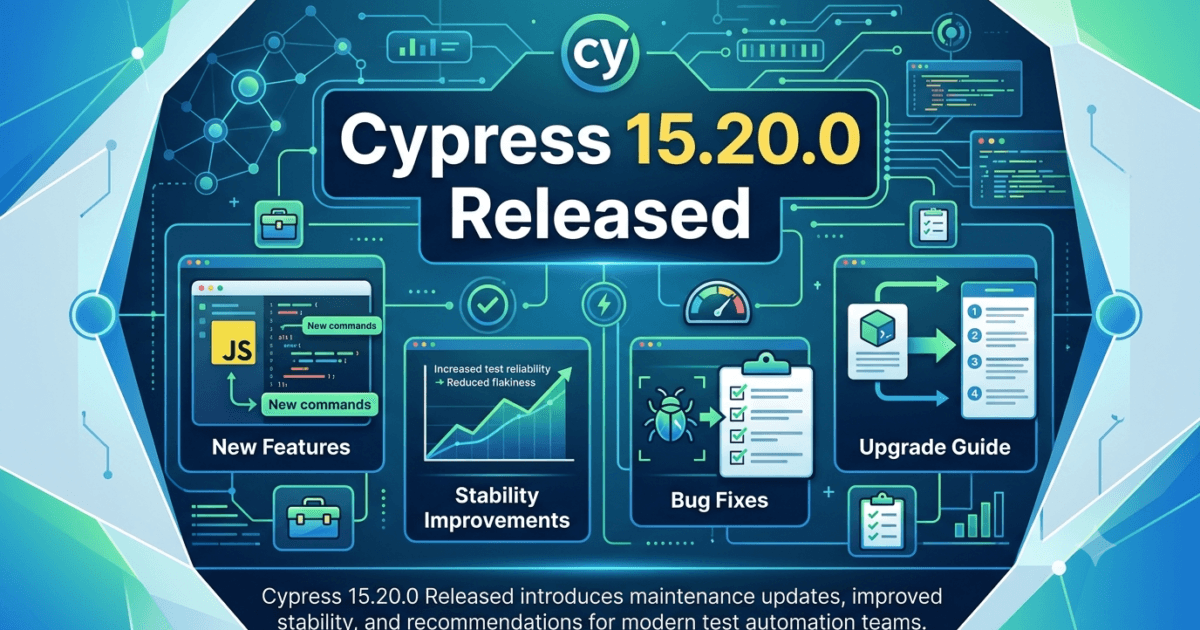
The Cypress team has released Cypress 15.20.0, continuing its rapid release cadence with another maintenance-focused update aimed at improving stability, reliability, and the overall developer experience. While this is not a feature-heavy release, it addresses several issues that affect day-to-day automation, especially for teams running large regression suites, CI/CD pipelines, and enterprise-scale end-to-end testing.
For QA Engineers, SDETs, Test Automation Engineers, and DevOps teams, this release reinforces Cypress’s focus on making test execution more predictable while reducing flaky behavior and improving compatibility with modern development environments. According to the official changelog, the update primarily delivers bug fixes, performance refinements, and internal improvements rather than introducing new APIs or major workflow changes. (Cypress Documentation)
Why This Release Matters
Minor releases are often overlooked because they don’t introduce flashy features. However, experienced automation engineers know that these releases frequently have the biggest impact on production test suites.
Organizations running thousands of Cypress tests every day benefit more from:
- Better browser stability
- Reduced flaky failures
- Improved CI reliability
- Faster execution
- Better compatibility with modern browsers
- More predictable debugging
Cypress 15.20.0 continues this philosophy by refining the testing experience instead of changing it.
For enterprise teams, every unexpected browser crash, intermittent timeout, or inconsistent test execution can waste hours of engineering effort. Even small fixes in these areas often produce significant productivity gains across an entire automation pipeline.
What’s New in Cypress 15.20.0
According to the official Cypress release notes, version 15.20.0 focuses on improving the quality of the platform through bug fixes, stability enhancements, dependency updates, and overall maintenance improvements rather than introducing breaking architectural changes or new testing commands. (Cypress Documentation)
This means existing automation projects can generally upgrade with minimal risk while benefiting from ongoing platform improvements.
Expert Commentary for QA Engineers
From a QA engineering perspective, Cypress 15.20.0 is the type of release that should not be ignored.
Although it doesn’t introduce revolutionary features, stability releases like this gradually improve the overall reliability of automated testing environments. Teams maintaining hundreds or thousands of end-to-end tests typically experience the greatest value from these incremental improvements because even a small reduction in flaky executions can significantly lower maintenance costs.
Key Improvement 1 — Improved Stability
The biggest takeaway from this release is increased platform stability.
Stable automation is always more valuable than additional features. Every failed pipeline caused by tooling rather than application defects reduces confidence in automated testing.
For enterprise QA teams, this release contributes to:
- More reliable test execution
- Better browser consistency
- Fewer unexpected automation failures
- Reduced maintenance effort
- Increased confidence in CI pipelines
Key Improvement 2 — Better Developer Experience
Another important aspect of Cypress 15.20.0 is the continued investment in developer experience.
Cypress has consistently focused on reducing friction for automation engineers by improving diagnostics, internal tooling, dependency management, and execution reliability.
These improvements may not be immediately visible during local execution, but they become increasingly valuable for:
- Large automation repositories
- Parallel execution
- Cloud execution
- Cross-team collaboration
- Enterprise CI/CD environments
A smoother development experience means engineers spend more time writing valuable tests and less time troubleshooting framework issues.
Are There Any Breaking Changes?
Based on the official release information, Cypress 15.20.0 does not introduce major breaking changes intended to impact existing automation projects. Instead, it is a maintenance release centered on fixes and refinements. (Cypress Documentation)
That said, every production upgrade should still follow standard engineering practices:
- Upgrade in a feature branch.
- Execute the complete regression suite.
- Validate custom plugins.
- Verify third-party integrations.
- Test your CI/CD pipeline.
- Confirm browser compatibility.
- Review internal helper libraries.
Even maintenance releases can expose assumptions in custom frameworks, so a controlled rollout remains the safest approach.
Should QA Teams Upgrade Immediately?
For most teams, the answer is yes.
Because Cypress 15.20.0 focuses on maintenance and stability rather than introducing disruptive changes, it is a recommended upgrade for projects already using the Cypress 15.x release line.
Recommended for
- QA Engineers
- SDETs
- Automation Engineers
- Enterprise QA teams
- CI/CD pipelines
- Continuous Testing environments
- Large regression suites
Suggested Upgrade Strategy
- Upgrade in a non-production branch.
- Run smoke tests.
- Execute the full regression suite.
- Verify reporting integrations.
- Merge after successful validation.
Following this approach minimizes upgrade risk while allowing teams to benefit from the latest fixes.
How to Upgrade
For Node.js projects:
npm install cypress@latest
or
npm install cypress@15.20.0
For Python-based environments that invoke Cypress through wrappers or tooling:
pip install cypress --upgrade
After upgrading:
- Verify the installed version.
- Reinstall dependencies if needed.
- Run smoke tests.
- Execute your full CI pipeline.
- Review any plugin compatibility warnings.
Key Takeaways
Cypress 15.20.0 may not introduce headline-grabbing capabilities, but it delivers exactly what mature automation teams need: a more dependable testing platform.
As automation suites grow larger and CI pipelines become increasingly complex, incremental improvements in stability, reliability, and maintainability often provide greater long-term value than entirely new features. For QA engineers and SDETs, this release is a practical upgrade that helps keep test infrastructure healthy without requiring significant migration effort.
In short, if your team is already on the Cypress 15.x series, Cypress 15.20.0 is a recommended update. Apply your normal validation process, confirm compatibility with your project’s plugins and workflows, and take advantage of the ongoing reliability improvements provided in this release. (Cypress Documentation)
Deep Dive into Cypress 15.20.0 for Modern Test Automation
While major Cypress releases often introduce new commands or capabilities, maintenance releases such as Cypress 15.20.0 play an equally important role in keeping automation ecosystems healthy. For teams practicing Continuous Integration (CI), Continuous Delivery (CD), and Shift-Left Testing, reliability improvements directly translate into faster feedback cycles and lower maintenance costs.
Many organizations execute thousands of Cypress tests every day. Even a small improvement in stability can save countless hours otherwise spent investigating intermittent failures, rerunning pipelines, or debugging environment-specific issues.
Let’s explore why maintenance releases deserve serious attention.
Why Stable Test Frameworks Matter More Than New Features
A common misconception among new automation engineers is that framework upgrades are only worthwhile when they introduce new APIs.
In reality, enterprise QA teams value reliability above everything else.
Consider a regression suite with:
- 4,000 End-to-End tests
- 600 Component tests
- Multiple browser configurations
- Parallel execution across CI runners
- Nightly regression pipelines
If only 1% of executions become flaky because of tooling instability, engineers may investigate dozens of false failures every week.
Those investigations often consume more engineering time than writing entirely new automation.
This is why maintenance releases frequently provide the highest return on investment.
Common Problems Maintenance Releases Help Solve
Although every project differs, automation teams frequently encounter issues such as:
Random Browser Crashes
Occasionally browsers terminate unexpectedly during lengthy regression executions.
Symptoms include:
- Lost browser sessions
- Unexpected process exits
- Interrupted screenshots
- Missing videos
- Partial test execution
Stability improvements reduce these situations.
Inconsistent CI Results
Tests passing locally but failing in GitHub Actions, Azure DevOps, GitLab CI, or Jenkins are among the most frustrating automation problems.
Maintenance updates often improve:
- Process synchronization
- Browser lifecycle management
- Internal retry mechanisms
- Resource cleanup
- Platform compatibility
These refinements contribute to more predictable CI executions.
Dependency Compatibility
Modern JavaScript projects evolve rapidly.
Automation frameworks must continually stay compatible with newer versions of:
- Node.js
- Chromium
- Electron
- Firefox
- WebKit-related dependencies
- Operating systems
Maintenance releases ensure Cypress remains aligned with these evolving ecosystems.
How Cypress Continues Improving Reliability
Unlike traditional Selenium-based automation, Cypress executes directly alongside the application inside the browser.
This architecture enables:
- Automatic waiting
- Better synchronization
- Rich debugging
- DOM snapshots
- Time-travel debugging
However, maintaining such tight browser integration requires continuous engineering work.
Every browser update introduces subtle behavior changes.
Maintenance releases help ensure Cypress continues interacting correctly with modern browser engines.
Why QA Engineers Should Regularly Upgrade
Some organizations postpone framework upgrades for months or even years.
This creates several risks.
Accumulated Technical Debt
Skipping multiple versions means eventually upgrading across dozens of releases simultaneously.
That often introduces:
- Larger migration efforts
- Plugin incompatibilities
- Deprecated APIs
- Documentation gaps
Frequent small upgrades are much easier to manage.
Improved CI Reliability
CI pipelines represent the heartbeat of modern software delivery.
Every flaky execution increases:
- Pipeline duration
- Investigation effort
- Infrastructure cost
- Developer frustration
Keeping Cypress current reduces these operational risks.
Better Security
Framework dependencies receive continuous security improvements.
Although Cypress itself may not expose application vulnerabilities, keeping dependencies current helps reduce supply-chain risks across development environments.
Best Practices Before Upgrading Cypress
Professional QA teams rarely upgrade directly on the main branch.
Instead, they follow a structured validation strategy.
Step 1 — Create an Upgrade Branch
feature/upgrade-cypress-15-20-0
This isolates framework changes from active feature development.
Step 2 — Upgrade Dependencies
npm install cypress@15.20.0
Then reinstall project dependencies if necessary.
Step 3 — Verify Version
npx cypress version
Confirm the expected version is installed before running tests.
Step 4 — Execute Smoke Tests
Begin with critical user journeys such as:
- Login
- Registration
- Checkout
- Search
- Dashboard loading
Smoke testing quickly identifies major regressions after the upgrade.
Step 5 — Execute Full Regression
Once smoke tests succeed, run:
- End-to-End suites
- Component tests
- API validations
- Cross-browser testing
- Parallel execution
This provides confidence before merging.
Recommended Validation Checklist
After upgrading Cypress, verify the following areas.
| Validation Area | Why It Matters |
|---|---|
| Browser Launch | Ensures supported browsers start correctly |
| Screenshots | Confirms visual debugging still works |
| Video Recording | Validates execution artifacts |
| Test Retries | Ensures retry configuration behaves correctly |
| Fixtures | Confirms test data loading |
| Network Intercepts | Verifies mocked API behavior |
| Environment Variables | Prevents configuration regressions |
| Custom Commands | Ensures framework extensions remain compatible |
| Plugins | Detects third-party compatibility issues |
| CI Pipelines | Validates cloud execution |
Enterprise Upgrade Strategy
For large organizations, framework upgrades should follow staged deployment.
Phase 1
Upgrade a small internal project.
Phase 2
Monitor:
- Execution duration
- Failure rates
- Browser stability
- Memory consumption
Phase 3
Upgrade shared automation libraries.
Phase 4
Roll out across all repositories.
Phase 5
Monitor production CI pipelines for several days before declaring the upgrade complete.
This gradual approach minimizes disruption while providing rapid feedback.
Impact on Different QA Roles
Manual Testers Transitioning to Automation
Maintenance releases require minimal workflow changes.
Existing Cypress knowledge remains applicable.
Automation Engineers
Expect improved execution consistency with little or no code modification.
SDETs
SDETs maintaining enterprise frameworks benefit from:
- Better CI stability
- Reduced maintenance
- Easier dependency management
- Improved long-term framework health
DevOps Engineers
Reliable automation contributes to:
- Faster deployment pipelines
- Reduced reruns
- Lower infrastructure costs
- Improved delivery confidence
Should You Upgrade?
| Team Type | Recommendation |
|---|---|
| New Cypress Projects | ✅ Upgrade immediately |
| Existing Cypress 15.x Projects | ✅ Recommended |
| Enterprise Automation Teams | ✅ Validate, then upgrade |
| Mission-Critical Applications | ✅ Test in staging first |
| Teams Several Versions Behind | ⚠ Review intermediate release notes before upgrading |
Expert Recommendation
From a QA engineering perspective, Cypress 15.20.0 is a worthwhile maintenance update. Although it does not introduce major user-facing capabilities, it strengthens the reliability of the automation platform through incremental improvements that matter most in real-world testing.
For organizations already using Cypress 15.x, the upgrade process should be straightforward. Execute the upgrade in a dedicated branch, validate your regression suite, confirm plugin compatibility, and promote the update after successful CI verification.
Teams that follow a regular upgrade cadence will benefit from lower maintenance effort, fewer flaky tests, and a more dependable automation pipeline over time.
Real-World Testing Scenarios After Upgrading to Cypress 15.20.0
Upgrading a testing framework is only the first step. The real value comes from validating that your automation suite continues to behave consistently across different environments. Even when a release contains only bug fixes and maintenance improvements, QA teams should verify that existing test cases execute without unexpected behavior.
Below are practical testing scenarios that every automation team should execute after upgrading to Cypress 15.20.0.
Authentication Testing
Authentication flows are among the most critical user journeys in any application. After upgrading, validate that login, logout, password reset, session handling, and multi-factor authentication continue to function correctly.
Recommended checks include:
- Valid user login
- Invalid credential handling
- Session timeout
- Remember Me functionality
- Token refresh
- Role-based access control
Successful execution of these tests provides confidence that browser and cookie management continue to work as expected.
Form Validation Testing
Most applications rely heavily on forms for collecting user information. Verify that all validation logic behaves consistently after the upgrade.
Important scenarios include:
- Required field validation
- Invalid email formats
- Password strength validation
- File uploads
- Dropdown selections
- Date pickers
- Multi-step forms
Testing these workflows ensures that user interactions remain stable across supported browsers.
API Testing with Network Intercepts
Many Cypress automation suites mock backend services using network interception. After upgrading, verify that request interception continues to work correctly.
Recommended validation includes:
- Mock API responses
- Verify request payloads
- Validate response status codes
- Simulate server errors
- Test timeout scenarios
- Verify authentication headers
Reliable API interception is essential for creating deterministic and repeatable end-to-end tests.
Cross-Browser Testing
Modern web applications must work consistently across multiple browsers. Even maintenance releases should be validated against all browsers supported by your organization.
Recommended browsers include:
- Chrome
- Microsoft Edge
- Firefox
Verify:
- Element rendering
- User interactions
- Responsive layouts
- File downloads
- Browser permissions
- Clipboard operations
Cross-browser validation helps identify browser-specific issues before they reach production.
Responsive Testing
Users access applications from a wide range of devices and screen sizes. After upgrading, execute responsive testing across multiple viewports.
Suggested device sizes include:
- Mobile phones
- Tablets
- Laptops
- Desktop monitors
Verify:
- Navigation menus
- Responsive grids
- Images
- Modal dialogs
- Forms
- Scroll behavior
Responsive testing confirms that UI interactions remain stable regardless of screen size.
Performance Monitoring
Although Cypress is not a dedicated performance testing tool, teams should still monitor execution metrics after upgrading.
Track the following indicators:
- Total execution time
- Average test duration
- Browser startup time
- Memory usage
- CPU utilization
- Parallel execution performance
Comparing these metrics before and after upgrading helps identify unexpected regressions.
Regression Testing Strategy
A structured regression strategy reduces upgrade risk.
Start with a small smoke suite covering business-critical functionality. If those tests pass, execute the complete regression suite.
A recommended execution order is:
- Smoke tests
- Authentication tests
- Core business workflows
- API validation
- Cross-browser testing
- Full regression suite
- Parallel CI execution
This phased approach helps identify issues early while reducing investigation time.
CI/CD Pipeline Validation
Framework upgrades should always be validated within the same Continuous Integration environment used for production deployments.
Confirm that the following areas continue to work correctly:
- Dependency installation
- Test execution
- Parallel jobs
- Test reporting
- Screenshot generation
- Video recording
- Artifact uploads
- Pipeline notifications
If your organization uses GitHub Actions, GitLab CI, Jenkins, Azure DevOps, or another CI platform, execute at least one complete production-equivalent pipeline before approving the upgrade.
Common Upgrade Mistakes
Even experienced teams sometimes overlook important validation steps during framework upgrades.
Common mistakes include:
- Upgrading directly on the main branch
- Skipping smoke testing
- Ignoring plugin compatibility
- Not validating CI/CD pipelines
- Forgetting cross-browser testing
- Updating Cypress without reviewing release notes
- Assuming all custom commands will continue working without verification
Avoiding these mistakes significantly reduces deployment risk.
Best Practices for QA Teams
To get the maximum benefit from Cypress 15.20.0, consider adopting these best practices:
- Keep Cypress updated regularly instead of skipping multiple releases.
- Review official release notes before every upgrade.
- Upgrade using a dedicated feature branch.
- Execute smoke tests before running full regression suites.
- Validate custom plugins and shared utilities.
- Monitor CI pipeline stability after deployment.
- Document any project-specific migration steps for future upgrades.
Following these practices helps maintain a reliable automation framework while minimizing technical debt.
More Relevant Articles
- Cypress 15.19.0 Enhances Test Automation Reliability for Modern QA Teams
- Cypress 15.18.1 Released: Critical Stability & Testing Improvements Every QA Engineer Should Know
- Cypress 15.18.0 Released: 7 Important Improvements QA Engineers Must Know in 2026
- Cypress 15.16.0 Released: 7 Important Updates QA Engineers Should Know
- Cypress 15.15.0 Released: Stability, Speed, and the Future of DX
- Playwright vs Cypress in 2026: Which Tool Actually Wins?
External Resources
- Cypress Official Website: https://www.cypress.io
- Cypress Documentation: https://docs.cypress.io
- Cypress Changelog: https://docs.cypress.io/app/references/changelog#15-20-0
- GitHub Release: https://github.com/cypress-io/cypress/releases/tag/v15.20.0
- Cypress GitHub Repository: https://github.com/cypress-io/cypress
- OWASP Testing Guide: https://owasp.org/www-project-web-security-testing-guide
People Asked Questions
What is Cypress 15.20.0?
Cypress 15.20.0 is a maintenance release that delivers bug fixes, stability improvements, dependency updates, and overall enhancements to improve the reliability of automated testing.
When was Cypress 15.20.0 released?
Cypress 15.20.0 was officially released on August 04, 2026.
Does Cypress 15.20.0 include breaking changes?
According to the official release notes, there are no major breaking changes introduced in Cypress 15.20.0. Teams should still validate their automation suites before upgrading.
Should QA teams upgrade to Cypress 15.20.0?
Yes. Organizations already using the Cypress 15.x release series should consider upgrading after validating their smoke tests, regression suite, plugins, and CI/CD pipelines.
How do I upgrade to Cypress 15.20.0?
Run the following command:
npm install cypress@15.20.0Then execute your complete regression suite to verify compatibility.
Is Cypress 15.20.0 suitable for enterprise projects?
Yes. The release is recommended for enterprise automation projects because it focuses on improving stability, reliability, and compatibility with modern development environments.
Does Cypress 15.20.0 improve test stability?
Yes. The primary objective of this maintenance release is to improve platform stability and provide a more reliable testing experience.
Key Takeaways
- Released on August 04, 2026
- Focuses on maintenance and stability improvements
- No major breaking changes reported
- Recommended for teams already using Cypress 15.x
- Improves long-term automation reliability
- Simple upgrade process for most projects
- Validate plugins and CI/CD pipelines before deployment
Final Verdict
Cypress 15.20.0 is a solid maintenance release that strengthens the overall reliability of the testing framework. Although it does not introduce major new features, its stability improvements and ongoing maintenance make it a recommended update for teams already using the Cypress 15.x release line.
For QA Engineers, SDETs, and Automation Engineers, the upgrade should be straightforward when combined with proper validation. By following a structured upgrade process, executing comprehensive regression testing, and monitoring CI/CD pipelines, organizations can confidently adopt the latest release while continuing to deliver high-quality software with reliable automated testing.
In today’s fast-moving software development landscape, maintaining an up-to-date automation framework is just as important as writing new test cases. Regular maintenance updates like Cypress 15.20.0 help ensure that your testing infrastructure remains dependable, efficient, and ready to support modern software delivery practices.
Continue Learning
Explore more expert articles on Cypress, Playwright, Selenium, FastAPI, Docker, LangChain, CrewAI, MCP, AI Agents, Test Automation, Performance Testing, and Software Engineering at www.skakarh.com.
QAPulse by SK delivers expert release analysis, migration guidance, enterprise testing strategies, AI engineering insights, DevOps best practices, and practical automation knowledge to help software professionals build faster, smarter, and more reliable software.