QA
QA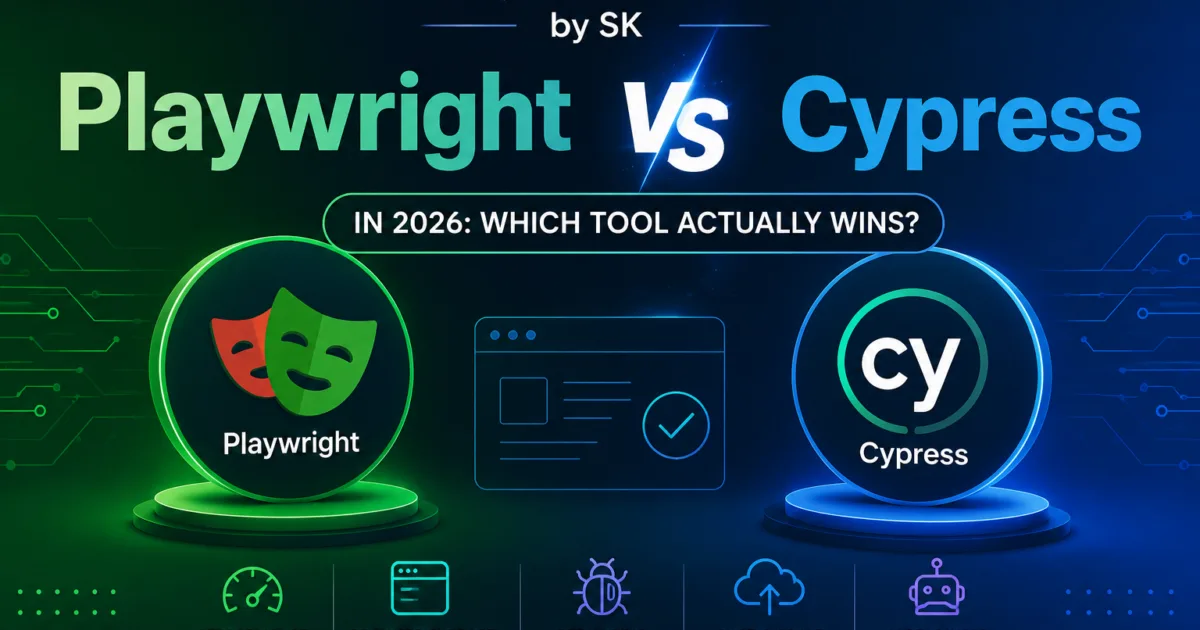
Playwright vs Cypress Is No Longer a Simple Debate in 2026
The Playwright vs Cypress discussion has changed dramatically over the last few years.
A while ago, the comparison was mostly about:
- syntax
- speed
- developer experience
- browser support
But in 2026?
The conversation is much bigger.
Modern engineering teams now care about:
- AI compatibility
- observability
- scalability
- distributed execution
- workflow orchestration
- enterprise maintainability
- debugging intelligence
- cloud-native automation
That means choosing between Playwright and Cypress is no longer just a framework decision.
It is increasingly:
an engineering strategy decisionSome companies are still heavily invested in Cypress ecosystems.
Others are aggressively migrating toward Playwright.
And honestly?
Both tools are still extremely strong.
But they solve problems differently.
Why the Playwright vs Cypress Debate Changed in 2026
Modern applications are becoming:
- highly dynamic
- distributed
- AI-assisted
- continuously deployed
- increasingly event-driven
Traditional browser automation alone is no longer enough.
Engineering teams now increasingly need:
- resilient automation
- adaptive workflows
- intelligent debugging
- scalable orchestration
- observability-friendly systems
That shift changed how engineers evaluate automation tools.
The modern Playwright vs Cypress comparison now focuses heavily on:
long-term engineering scalability
instead of only:
test writing convenience
Playwright vs Cypress Architecture Comparison
This is one of the biggest differences between the two tools.
🟢 Playwright Architecture
Playwright uses:
- direct browser automation protocols
- isolated browser contexts
- multi-browser architecture
- event-driven execution
This makes Playwright extremely strong for:
- scalability
- parallel execution
- enterprise orchestration
- modern browser control
Playwright also supports:
- Chromium
- Firefox
- WebKit
with very strong cross-browser consistency.
That became a major advantage for enterprise teams.
🟣 Cypress Architecture
Cypress uses:
- browser-injected execution
- in-browser JavaScript runtime
- command queue architecture
This creates an incredibly smooth developer experience.
Cypress feels:
very frontend-friendly
especially for:
- rapid debugging
- local development
- component testing
- frontend-heavy teams
But Cypress architecture also introduces limitations in some advanced scenarios:
- multi-tab workflows
- browser-level isolation
- complex distributed execution
- native browser handling
Playwright vs Cypress Developer Experience
This is where things become interesting.
🟣 Why Developers Love Cypress
Cypress became popular because it dramatically improved:
- readability
- debugging simplicity
- frontend developer adoption
The interactive runner was revolutionary when introduced.
Many engineers still love Cypress because:
- setup is simple
- assertions feel intuitive
- debugging is visually smooth
- local feedback loops are excellent
For frontend-focused teams:
Cypress still feels extremely productive.
🟢 Why Developers Love Playwright
Playwright increasingly attracts engineers who want:
- stronger architecture
- enterprise scalability
- browser flexibility
- advanced automation control
Playwright also introduced:
- trace viewer
- network interception
- browser contexts
- resilient locators
- advanced parallelization
These features make Playwright increasingly attractive for:
- modern SDET teams
- platform engineering
- AI-assisted automation
- distributed systems testing
Playwright vs Cypress Browser Support
Browser support became a major differentiator.
| Feature | Playwright | Cypress |
|---|---|---|
| Chromium | ✅ | ✅ |
| Firefox | ✅ Strong | ⚠️ Limited |
| WebKit/Safari | ✅ Native | ⚠️ Experimental |
| Multi-browser parity | ✅ Excellent | ⚠️ Moderate |
| Mobile emulation | ✅ Advanced | ⚠️ Basic |
This is one reason many enterprise organizations increasingly choose Playwright.
Especially teams that care deeply about:
- browser parity
- Safari reliability
- cross-platform validation
Playwright vs Cypress Debugging and Observability
Modern QA increasingly depends on:
- visibility
- telemetry
- debugging intelligence
- execution tracing
This area became critical in 2026.
🟢 Playwright Strengths
Playwright provides:
- trace viewer
- video capture
- network logs
- execution snapshots
- browser-level visibility
The trace viewer alone changed debugging workflows massively.
Engineers can replay failures visually with:
- DOM state
- network state
- action history
- screenshots
That dramatically improves debugging efficiency.
🟣 Cypress Strengths
Cypress still offers:
- extremely intuitive local debugging
- time-travel debugging
- command snapshots
- frontend-focused visibility
For frontend developers:
Cypress debugging remains one of the best experiences available.
However, Playwright increasingly performs better in:
large-scale distributed automation environmentsPlaywright vs Cypress Performance
Performance discussions often become oversimplified online.
The reality is more nuanced.
🟢 Playwright Performance Advantages
Playwright generally performs better for:
- parallel execution
- isolated browser contexts
- large regression suites
- distributed CI/CD scaling
Its architecture is optimized for:
high-throughput automation systems🟣 Cypress Performance Advantages
Cypress feels faster during:
- local development
- frontend iteration
- rapid UI debugging
Because the developer feedback loop is highly optimized.
In enterprise CI/CD systems:
Playwright increasingly scales more efficiently.
Playwright vs Cypress for AI-Native Engineering
This category barely existed a few years ago.
Now it matters massively.
Modern engineering increasingly integrates:
- AI agents
- adaptive automation
- intelligent debugging
- semantic workflows
- orchestration systems
🟢 Why Playwright Is Gaining Momentum
Playwright increasingly fits modern AI-native workflows because of:
- flexible APIs
- browser-level control
- scalable architecture
- strong event handling
- robust tracing
Many AI automation experiments now use Playwright as:
the browser orchestration layer
for AI agents and intelligent workflows.
🟣 Cypress Position
Cypress remains excellent for:
- frontend-centric development
- component testing
- local developer productivity
But Playwright increasingly feels more future-ready for:
- intelligent orchestration
- AI-driven systems
- scalable automation ecosystems
Playwright vs Cypress Enterprise Scalability
This is where many organizations make long-term decisions.
Large enterprise systems increasingly require:
- distributed execution
- advanced parallelization
- workflow orchestration
- observability integration
- scalable architecture
🟢 Why Enterprises Lean Toward Playwright
Playwright increasingly aligns with:
- platform engineering
- cloud-native pipelines
- enterprise orchestration
- AI-assisted debugging
- scalable execution systems
Its architecture handles complexity extremely well.
🟣 Where Cypress Still Excels
Cypress remains excellent for:
- smaller frontend teams
- rapid UI testing
- startup environments
- developer-centric workflows
Many teams still succeed massively with Cypress.
The key difference is:
long-term scaling philosophyMigration Considerations
Many teams are now evaluating migration paths.
Reasons Teams Move From Cypress to Playwright
Common reasons include:
- Safari/WebKit support
- better scaling
- stronger parallelization
- advanced tracing
- browser-level control
- AI workflow compatibility
Reasons Some Teams Stay With Cypress
Some teams remain because:
- frontend teams love the workflow
- migration cost is high
- existing suites are stable
- developer onboarding is easier
Migration decisions should depend on:
- architecture goals
- scaling requirements
- browser strategy
- engineering maturity
- future workflow direction
Which Tool Is Better for Different Teams?
| Team Type | Better Choice |
|---|---|
| Frontend-heavy startup | Cypress |
| Enterprise scalability | Playwright |
| AI-native automation systems | Playwright |
| Component testing focus | Cypress |
| Safari-heavy environments | Playwright |
| Quick onboarding teams | Cypress |
| Advanced orchestration pipelines | Playwright |
| Simple UI validation | Cypress |
| Distributed CI/CD systems | Playwright |
Why Playwright vs Cypress Is Really About Engineering Strategy
The modern Playwright vs Cypress debate is no longer only about browser automation syntax or developer experience. In 2026, engineering teams increasingly evaluate automation frameworks based on scalability, observability, AI-readiness, orchestration support, enterprise maintainability, and distributed execution capabilities. While Cypress still delivers an excellent frontend-focused developer experience, Playwright increasingly dominates large-scale, AI-native, and enterprise automation ecosystems due to its architecture, tracing capabilities, browser control, and scalable execution model.
More Related Blogs:
- Learn MCP – Zero to Hero
- Learn AI Agents for QA – Zero to Hero
- Playwright Automation – Zero to Hero
- TencentDB Agent Memory: Complete Zero to Hero
- LangGraph: Complete Zero to Hero
- Learn Python – Zero to Hero
- OpenAI Codex: Complete Zero to Hero
- Cursor AI: Complete Zero to Hero
- Claude Code Tutorial: Complete Zero to Hero
- AutoGen: Complete Zero to Hero Guide
- Free QA Resources Built From Real Experience
- QA Glossary: Test Automation Terms Every Engineer Should Know
External Resources
Final Verdict
If your priority is:
- frontend simplicity
- rapid developer feedback
- smooth UI debugging
Cypress is still outstanding.
But if your organization is moving toward:
- enterprise scale
- AI-native engineering
- distributed execution
- observability-first automation
- intelligent orchestration
then Playwright increasingly feels like:
the stronger long-term strategic choiceThe real winner in Playwright vs Cypress depends less on popularity…
and more on the future your engineering team is trying to build.