QA
QA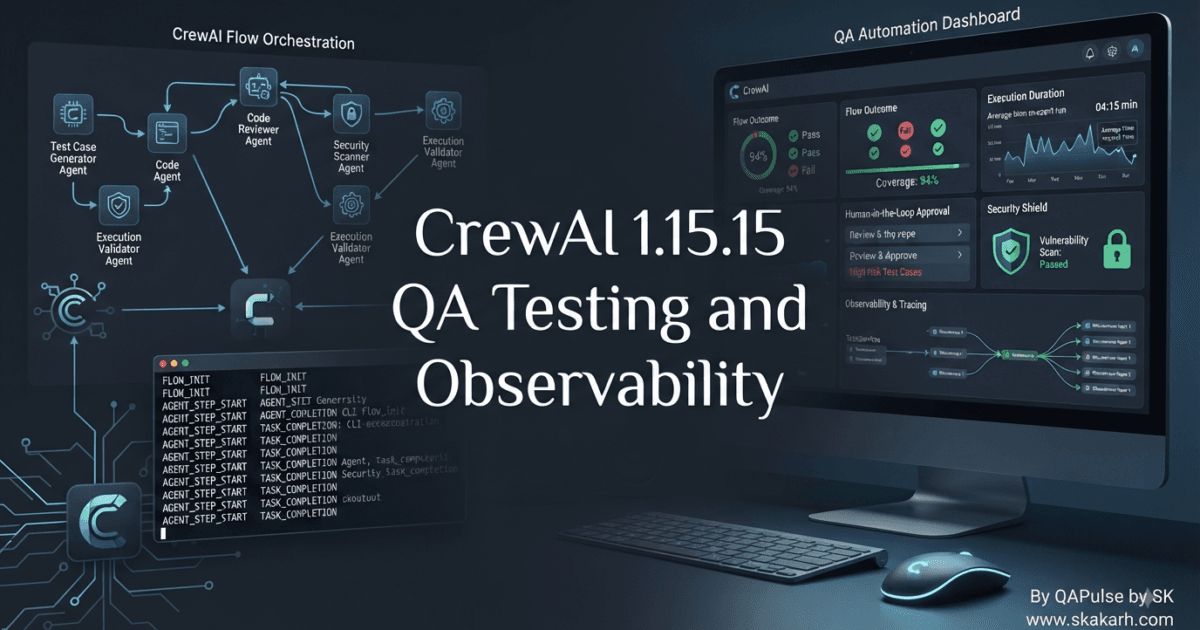
CrewAI 1.15.15 Released on August 12, 2026, with changes that are particularly interesting for QA engineers because several updates affect Flow observability, human-in-the-loop behavior, tracing, security dependencies, agent date injection, and CLI consistency.
At first glance, this might look like another incremental AI-agent framework update.
For an SDET, however, there is a more important question:
Can we now observe, test, and trust AI-agent workflows more effectively?
That is where this release becomes interesting.
CrewAI 1.15.15 introduces a feature to report Flow outcome, duration, and human-in-the-loop signals, while also correcting event emission and tracing behavior. It also updates dependencies addressing security concerns.
For traditional applications, QA often starts with:
Input
  ↓
Application
  ↓
Output
AI-agent systems are more complicated:
User Input
    ↓
Flow
    ↓
Agent
    ↓
Tool
    ↓
External System
    ↓
Human Approval?
    ↓
Agent Continues
    ↓
Final Outcome
That additional state makes observability much more important.


Why This CrewAI Release Matters to QA Engineers
The most important change isn’t necessarily the largest code change.
It is the improved ability to understand what happened during a Flow execution.
Consider a traditional automated test:
result = calculate_total(items)

assert result == 150
The assertion is relatively deterministic.
Now consider an AI-agent workflow:
result = crew.kickoff()

assert result is not None
That assertion tells you almost nothing about the execution.
You need to know:
Did the Flow start?
Did the agent execute?
Which tools were called?
Did a human intervene?
How long did execution take?
Did the Flow complete?
Why did it stop?
This is why the Flow outcome and duration reporting introduced in CrewAI 1.15.15 is strategically relevant to QA.
From Output Testing to Execution Testing
AI-agent testing cannot rely exclusively on the final answer.
A better model is:
                    AI Flow
                       │
        ┌──────────────┼──────────────┐
        ↓              ↓              ↓
    Outcome         Duration       HITL Signal
        │              │              │
        └──────────────┼──────────────┘
                       ↓
                 QA Evidence
Instead of asserting only:
assert responseyou can think about testing the execution contract:
result = run_flow()

assert result.outcome == "success"
assert result.duration < MAX_DURATION
assert result.human_intervention is False
The exact API should be implemented according to the CrewAI version and your application architecture; the testing principle is what matters.
Your test suite should gradually move from “Did I get an answer?” toward “Did the agent system behave correctly?”
Flow Outcome Becomes a QA Signal
A Flow outcome gives QA engineers another dimension of testability.
Imagine these executions:
| Execution | Final Output | Flow Outcome | QA Interpretation |
|---|---|---|---|
| A | Correct | Success | Expected |
| B | Incorrect | Success | Logic/quality defect |
| C | None | Failed | Execution failure |
| D | Partial | Aborted | Recovery investigation |
| E | Correct | Success | Check performance and side effects |
Notice something important.
A successful Flow does not automatically mean a successful business operation.
You still need domain assertions.
For example:
def test_customer_research_flow():
    result = run_customer_research()

    assert result.outcome == "success"
    assert result.customer_id == "CUST-100"
    assert result.sources
    assert result.summary
The Flow-level signal tells you what happened operationally.
Your business assertions tell you whether the result was useful.
You need both.
Duration Is More Than a Performance Metric
The addition of Flow duration reporting also creates a useful QA signal.
Suppose the same workflow produces:
Run 1 → 18 seconds
Run 2 → 21 seconds
Run 3 → 19 seconds
Run 4 → 67 seconds
Run 5 → 22 seconds
The final answer from Run 4 might still be correct.
A traditional functional test could pass.
A production monitoring system should still investigate the 67-second execution.
You can establish a threshold:
MAX_DURATION = 30

result = run_flow()

assert result.duration <= MAX_DURATION
For AI systems, however, fixed thresholds should be used carefully.
LLM calls, external APIs, tool execution, queue delays, and human approval can all influence duration.
A better strategy may be baseline-based:
Historical p95
     ↓
Current p95
     ↓
Compare
     ↓
Investigate significant deviation
This avoids treating normal AI variability as a defect.
Human-in-the-Loop Signals Change Testing
Human-in-the-loop workflows introduce a new testing state.
Consider:
Agent
  ↓
Generate Action
  ↓
Human Approval
  ↓
Approved?
 ┌───────┴───────┐
 ↓               ↓
Yes              No
 ↓               ↓
Continue         Stop
Your test cases should explicitly cover both branches.
def test_human_approval_allows_flow():
    request_approval()

    approve_request()

    result = continue_flow()

    assert result.outcome == "success"
And:
def test_human_rejection_stops_flow():
    request_approval()

    reject_request()

    result = continue_flow()

    assert result.outcome == "aborted"
This is fundamentally different from testing a normal synchronous API.
The human decision becomes part of the system state.
Test Human Intervention as a State Machine
For complex agent workflows, model human interaction explicitly.
PENDING
   ↓
AWAITING_APPROVAL
   ↓
 ┌─┴─────────────┐
 ↓               ↓
APPROVED       REJECTED
 ↓               ↓
EXECUTING       STOPPED
 ↓
COMPLETED
Then test every valid transition.
A useful test matrix:
| Current State | Action | Expected State |
|---|---|---|
| Pending | Start | Executing |
| Executing | Approval required | Awaiting approval |
| Awaiting approval | Approve | Executing |
| Awaiting approval | Reject | Stopped |
| Executing | Complete | Completed |
| Executing | Failure | Failed |
This approach prevents human-in-the-loop behavior from becoming an untested black box.
Why FlowStartedEvent Matters
The release also fixes a situation where FlowStartedEvent was not emitted when a boundary hook aborted the Flow.
This may sound like an internal implementation detail.
For QA and observability, it is important.
Imagine:
Flow Request
    ↓
Boundary Hook
    ↓
Abort
If the Flow never produces the expected start event, your monitoring system may incorrectly conclude that the Flow never began.
That creates an observability gap.
A useful test concept is:
def test_aborted_flow_emits_start_event():
    events = []

    trigger_boundary_abort()

    run_flow(events)

    assert contains_event(
        events,
        "FlowStartedEvent"
    )
The exact event-capture mechanism depends on your implementation.
The important assertion is:
An execution should remain observable even when it terminates early.
Observability Is Part of Quality
This is one of the biggest lessons from this release.
Traditional QA often treats observability as an operations concern.
Modern AI systems make that separation increasingly difficult.
Consider:
Application Correctness
        +
Execution Observability
        +
Security
        +
Performance
        =
Production Confidence
If an agent produces a wrong result, you need to know:
- Which Flow executed?
- Which agent acted?
- Which tool was called?
- What was the duration?
- Was human approval involved?
- Where did execution stop?
Without that evidence, debugging becomes guesswork.
CrewAI Versus Traditional API Testing
Compare a traditional REST API with an AI-agent Flow.
| Traditional API | AI-Agent Flow |
|---|---|
| Request | Prompt/task |
| Endpoint | Flow/agent |
| Deterministic logic | Probabilistic reasoning |
| Response | Generated result |
| HTTP status | Flow outcome |
| Latency | Flow duration |
| Authentication | Credentials/tools |
| API logs | Agent/Flow traces |
| User approval | Human-in-the-loop |
| Contract assertions | Outcome + behavior assertions |
This does not mean traditional API testing becomes irrelevant.
It means AI-agent QA needs additional dimensions.
Security Dependency Updates Deserve QA Attention
CrewAI 1.15.15 also bumps Torch to 2.13.0 to address a security vulnerability and updates GitPython to 3.1.58 in crewai-tools[github].
Security dependency changes should never be treated as:
“Just install the new version.”
They can affect runtime behavior, compatibility, package resolution, and integration workflows.
A basic validation pipeline should include:
Dependency Upgrade
       ↓
Environment Installation
       ↓
Import Tests
       ↓
Agent Startup
       ↓
Tool Execution
       ↓
Critical Workflow
       ↓
Security Validation
For Python environments, begin with a clean installation:
python -m venv .venv
source .venv/bin/activate

pip install --upgrade pip
pip install crewai
Then verify:
python -c "import crewai; print(crewai.__version__)"For production, pin and test the exact dependency graph rather than relying blindly on floating versions.
Dependency Testing Should Include the Lockfile
A mature Python project should have reproducible dependencies.
For example:
requirements.txt
requirements.lock
pyproject.toml
uv.lock
poetry.lock
Depending on your package-management strategy.
Your CI pipeline should verify that a clean environment can reproduce the expected installation.
pip install -r requirements.txt
pytest
Then run the critical agent workflows.
The objective is not merely:
Installation = PASSIt is:
Installation
+
Import
+
Startup
+
Execution
+
Tool Integration
=
Dependency Confidence
Test GitHub Tool Integrations Separately
Because GitPython was updated for crewai-tools[github], teams using GitHub-related tooling should give those integrations additional attention.
Test:
Authentication
↓
Repository Access
↓
Branch Access
↓
Read Operation
↓
Write Operation
↓
Error Handling
Example:
def test_github_tool_access():
    repository = get_test_repository()

    assert repository is not None
    assert repository.name == "qa-test-repository"
Then test permission failures separately.
def test_github_tool_rejects_unauthorized_access():
    revoke_test_access()

    result = run_github_agent_task()

    assert result.failed is True
This prevents dependency upgrades from being validated only at the package-installation level.
Agent Date Injection Deserves Boundary Testing
The release also refactors date injection functionality in agents.
Dates are notoriously good sources of subtle defects.
Test:
Current date
Past date
Future date
Timezone difference
Midnight boundary
DST transition where applicable
Invalid date
Missing date
A test should avoid assuming the machine’s local date.
Instead:
def test_agent_uses_controlled_date():
    set_test_date("2026-08-12")

    result = run_agent(
        "What is today's date?"
    )

    assert "2026-08-12" in result.text
For deterministic tests, inject the clock rather than reading the actual system clock.
Why Time Injection Matters for AI Agents
Imagine an agent is responsible for:
Generate daily report
Check overdue tasks
Summarize today's incidents
Schedule tomorrow's jobs
A date defect can change the business meaning of every result.
Therefore:
Time
 ↓
Prompt Context
 ↓
Agent Reasoning
 ↓
Tool Calls
 ↓
Business Result
A tiny date-handling change can propagate throughout the entire workflow.
This is why QA should treat date injection as a behavioral dependency rather than an implementation detail.
CLI Consistency Is Also Testable
The release standardizes CLI flags to kebab-case.
This looks minor, but CLI interfaces are contracts.
A regression test can verify expected commands:
crewai --helpThen inspect the documented options.
For automation, maintain CLI smoke tests:
def test_cli_help():
    result = run_cli(["--help"])

    assert result.exit_code == 0
    assert "help" in result.stdout.lower()
If your CI scripts depend on specific flags, those commands should be part of regression coverage.
Compare CLI Testing With API Testing
| CLI Testing | API Testing |
|---|---|
| Arguments | Query/body parameters |
| Flags | Request options |
| Exit code | HTTP status |
| stdout/stderr | Response body |
| Environment variables | Headers/configuration |
| Shell integration | Service integration |
Both are contracts.
If your engineering platform depends on a CLI, its interface deserves automated tests.
A Strategic QA Model for CrewAI
For CrewAI 1.15.15, I would organize the QA strategy into six layers:
                    CrewAI QA
                       │
       ┌───────────────┼───────────────┐
       ↓               ↓               ↓
    Functional     Observability    Security
       ↓               ↓               ↓
   Flow Tests       Events          Dependencies
       │               │               │
       └───────────────┼───────────────┘
                       ↓
                 Reliability
                       ↓
              Human-in-the-Loop
                       ↓
                  Performance
This is much stronger than simply running a collection of prompt-response tests.
The Key Shift for SDETs
The important shift is from:
assert agent_responseto:
assert flow_started
assert expected_tools_used
assert human_signal_correct
assert outcome_correct
assert duration_acceptable
assert side_effects_correct
The second approach gives you significantly more information when a test fails.
And that information is what makes an AI-agent system maintainable.
Interactive Challenge for QA Engineers
Take one CrewAI Flow from your own project.
Write down:
Flow:
____________________________

Expected outcome:
____________________________

Expected duration:
____________________________

Human approval required?
____________________________

Critical tool:
____________________________

Expected event:
____________________________

Security dependency:
____________________________

Failure scenario:
____________________________
Now ask yourself:
If this Flow fails in production tomorrow, can my test suite tell me exactly where and why it failed?
If the answer is no, that gap is probably more important than adding another happy-path test.
Upgrade Recommendation
For teams already using CrewAI, CrewAI 1.15.15 Released is worth validating, particularly because the release includes a security-related Torch dependency update and improvements around Flow observability.
I would use a staged approach:
Install in isolated environment
          ↓
Run unit tests
          ↓
Run Flow smoke tests
          ↓
Validate HITL behavior
          ↓
Validate event/tracing behavior
          ↓
Test GitHub/tool integrations
          ↓
Run critical agent workflows
          ↓
Compare performance baseline
          ↓
Approve deployment
For production-critical systems, do not treat a dependency/security update as sufficient reason to skip regression testing.
The safest upgrade is an evidence-based upgrade.
Testing CrewAI Flows Beyond the Final Answer
CrewAI 1.15.15 Released with several changes that give QA engineers a stronger opportunity to test not only what an AI agent produces, but also how the Flow executes, how long it takes, whether humans intervene, and whether execution remains observable when something goes wrong.
That distinction is critical.
A conventional test might look like this:
def test_agent():
    result = run_agent("Summarize this document")

    assert result is not None
The test can pass even when the underlying execution is problematic.
A stronger test asks:
def test_agent_flow():
    result = run_flow()

    assert result.started
    assert result.outcome == "success"
    assert result.duration < 30
    assert result.required_tools_completed
    assert result.no_unexpected_human_intervention
The exact properties depend on your application and the APIs you expose around CrewAI. The important engineering principle is to test execution behavior as well as output quality.
Treat an AI Flow as a Distributed System
A CrewAI Flow should not be mentally modeled as one function.
A production AI workflow may involve:
User
 ↓
Flow
 ↓
Agent
 ↓
LLM
 ↓
Tool
 ↓
External API
 ↓
Database
 ↓
Human Approval
 ↓
Next Agent
 ↓
Final Result
Every arrow introduces a potential failure point.
For QA engineers, this means the testing boundary should expand from:
Prompt → Answerto:
Input
 ↓
Flow
 ↓
Agent
 ↓
Tools
 ↓
External Services
 ↓
Human Decision
 ↓
Outcome
This is one of the most important changes in mindset when moving from traditional test automation into AI-agent testing.


Test the Flow Lifecycle
A Flow should have a lifecycle that can be tested.
Think about:
Created
  ↓
Started
  ↓
Executing
  ↓
Waiting
  ↓
Human Intervention
  ↓
Resumed
  ↓
Completed
Or, in a failure scenario:
Executing
   ↓
Tool Failure
   ↓
Retry
   ↓
Recovery
   ↓
Completed
Your tests should cover the important transitions.
For example:
def test_flow_reaches_completion():
    result = run_customer_flow()

    assert result.outcome == "success"
Then add a failure scenario:
def test_flow_handles_tool_failure():
    simulate_tool_failure()

    result = run_customer_flow()

    assert result.outcome in {
        "failed",
        "recovered"
    }
This is much more valuable than testing only the happy path.
Flow Outcome Is a Testable Contract
The new Flow outcome reporting provides another signal for automated validation.
Consider three executions:
Execution A → Correct output + Success
Execution B → Incorrect output + Success
Execution C → No output + Failure
These are three different QA problems.
The first is healthy.
The second is a functional or AI-quality problem.
The third is an execution problem.
Therefore, don’t reduce your assertions to:
assert responseInstead:
def test_customer_flow():
    result = run_customer_flow()

    assert result.outcome == "success"
    assert result.customer_id == "CUST-100"
    assert result.summary
The Flow outcome tells you about execution.
The business assertions tell you whether the execution produced the correct result.
Duration Should Become Part of Your Test Strategy
AI workflows can become unexpectedly slow.
Suppose your baseline looks like this:
Run 1: 17 sec
Run 2: 19 sec
Run 3: 18 sec
Run 4: 20 sec
Run 5: 18 sec
Then a new release produces:
Run 1: 18 sec
Run 2: 19 sec
Run 3: 62 sec
Run 4: 20 sec
Run 5: 19 sec
The average might hide the problem.
For that reason, measure distributions rather than relying exclusively on averages.
durations = [
    18,
    19,
    62,
    20,
    19
]

assert max(durations) < 90
For more mature testing:
p50
p90
p95
p99
maximum
can provide a better view of performance behavior.
Do not automatically define an extremely strict fixed threshold for every AI workflow. LLM latency, network calls, tool execution, and human intervention can introduce legitimate variability.
Compare Functional Tests With AI Flow Tests
| Traditional Functional Test | AI Flow Test |
|---|---|
| Input | Input/task |
| Function | Flow/agent |
| Expected output | Expected outcome + output |
| Execution time | Flow duration |
| Function error | Flow failure |
| API dependency | Tools/external systems |
| User interaction | Human-in-the-loop |
| Logs | Events/traces |
| Deterministic behavior | Potentially variable behavior |
This does not mean traditional assertions disappear.
It means AI systems require additional assertions around execution behavior.
Human-in-the-Loop Requires Branch Testing
One of the most interesting QA implications of CrewAI 1.15.15 Released is the reporting of human-in-the-loop signals.
A human approval step introduces branching behavior:
Agent
 ↓
Action Requires Approval
 ↓
 ┌───────────────┐
 ↓               ↓
Approve         Reject
 ↓               ↓
Continue        Stop
Both paths need tests.
def test_approval_continues_flow():
    approval = submit_for_approval()

    approve(approval)

    result = continue_flow()

    assert result.outcome == "success"
And:
def test_rejection_stops_flow():
    approval = submit_for_approval()

    reject(approval)

    result = continue_flow()

    assert result.outcome == "aborted"
The exact outcome names should match your implementation.
The strategy is what matters: every meaningful human decision becomes a testable state transition.
Test Approval Delays
There is another scenario teams frequently overlook.
What happens when the human doesn’t respond?
Flow
 ↓
Approval Requested
 ↓
Waiting
 ↓
No Response
 ↓
Timeout?
You should define the expected behavior.
def test_approval_timeout():
    approval = submit_for_approval()

    wait_for_timeout(approval)

    result = inspect_flow()

    assert result.status == "timed_out"
Possible expected behaviors include:
- pause indefinitely
- timeout
- notify another user
- cancel the Flow
- retry approval
- escalate
The correct behavior is a business decision, but QA must make it explicit and testable.
Test Duplicate Human Decisions
What happens if an approval endpoint receives two requests?
Approve
Approve
or:
Approve
Reject
in rapid succession?
This is an excellent reliability test.
def test_duplicate_approval_is_safe():
    approval = create_approval()

    approve(approval)
    approve(approval)

    result = inspect_flow()

    assert result.has_single_transition
For sensitive workflows, idempotency around human decisions can be extremely important.
Validate Flow Events
The fix involving FlowStartedEvent is another example of why event testing matters.
An event-driven architecture can be visualized as:
Flow Starts
   ↓
FlowStartedEvent
   ↓
Agent Executes
   ↓
Tool Executes
   ↓
Flow Completes
A monitoring system may depend on these events.
Therefore, QA can validate the event contract:
def test_flow_start_event():
    events = capture_events()

    run_flow()

    assert "FlowStartedEvent" in events
Don’t make event assertions dependent on fragile log strings if structured event objects are available.
Prefer:
assert event.type == "FlowStartedEvent"over:
assert "flow started" in log_lineThe first is a contract.
The second is an implementation detail.
Test Boundary Hook Aborts
The release specifically addresses the case where a boundary hook aborts a Flow before the expected start event was emitted.
This gives us an excellent negative test.
Request
 ↓
Boundary Hook
 ↓
Abort
Your test should answer:
- Was the execution recognized?
- Was the start event emitted?
- Was the abort captured?
- Was the correct outcome reported?
- Can monitoring identify the execution?
Conceptually:
def test_boundary_abort_is_observable():
    events = capture_events()

    trigger_boundary_abort()

    run_flow()

    assert has_event(events, "FlowStartedEvent")
    assert has_abort_signal(events)
This is a classic example of testing observability as functionality.
Observability Must Survive Failure
A common mistake is testing observability only during successful executions.
Production incidents happen during failures.
Therefore:
Healthy execution
    ↓
Observable

Failed execution
    ↓
Still observable
Ask these questions:
Can we identify the Flow?
Can we identify when it started?
Can we identify why it stopped?
Can we identify the responsible component?
Can we identify whether human intervention occurred?
Can we determine execution duration?
If the answer to several of these is no, you have an observability gap.
Test Tracing Isolation
The release also scopes span export to the framework’s own tracer provider.
For QA engineers, this should trigger an important question:
Are traces from my test environment isolated correctly?
A test environment may contain:
Application Tracer
CrewAI Tracer
Database Tracer
HTTP Tracer
Test Framework
You don’t want unrelated spans accidentally appearing in the wrong tracing pipeline.
Conceptually:
def test_crewai_spans_are_scoped():
    traces = collect_traces()

    run_flow()

    crewai_spans = [
        span for span in traces
        if span.source == "crewai"
    ]

    assert crewai_spans
The exact implementation depends on the telemetry system you use.
The principle is to verify trace ownership and isolation.
Compare Logs, Metrics, and Traces
| Signal | Best For |
|---|---|
| Logs | Detailed events |
| Metrics | Trends and thresholds |
| Traces | End-to-end execution |
| Flow outcome | Execution result |
| Duration | Performance |
| HITL signal | Human interaction |
A mature AI-agent QA strategy uses these signals together.
For example:
Test Failed
   ↓
Flow Outcome = Failed
   ↓
Trace identifies agent
   ↓
Span identifies tool
   ↓
Log identifies exception
   ↓
Metric shows latency spike
Now your failure is diagnosable rather than mysterious.
Test Security Dependency Changes
The Torch update deserves explicit attention because the release notes identify it as a security-related dependency update.
Never validate a security dependency update with only:
pip install crewaiFollow it with application-level tests.
python -m pytest tests/Then run the critical Flow suite:
python -m pytest tests/flows/And tool integration tests:
python -m pytest tests/tools/The important relationship is:
Dependency
 ↓
Framework
 ↓
Agent
 ↓
Tool
 ↓
Business Workflow
A package installation can succeed while an application integration fails.
Use a Clean Environment
A dependency update should be tested in a clean environment.
python -m venv .venv
source .venv/bin/activate

python -m pip install --upgrade pip
pip install crewai
Then verify the installed package:
python -c "import crewai; print(crewai.__version__)"After that:
pytestThis helps distinguish:
Clean installation problemfrom:
Existing environment problemThat distinction is extremely useful when diagnosing upgrade failures.
Test the GitHub Tooling Path
The GitPython update affects crewai-tools[github].
If your project uses GitHub tools, create a dedicated integration suite.
def test_github_repository_access():
    repository = access_test_repository()

    assert repository is not None
Then test negative behavior:
def test_github_access_denied():
    remove_repository_permission()

    result = execute_github_task()

    assert result.failed is True
Also consider:
Invalid repository
Missing repository
Invalid credentials
Expired credentials
Rate limit
Network failure
Permission denied
This gives you much stronger coverage than verifying that the Python package imports.
Date Injection Needs Deterministic Tests
The refactoring of date injection should also attract QA attention.
Date-sensitive agents can produce completely different answers depending on the date supplied to them.
For example:
Today
Yesterday
Tomorrow
End of month
Start of month
Year boundary
Timezone boundary
Use controlled dates:
def test_report_uses_expected_date():
    freeze_date("2026-08-12")

    result = run_report_agent()

    assert result.report_date == "2026-08-12"
This type of testing eliminates flaky tests caused by the actual system clock.
Test Timezone Boundaries
Suppose:
UTC:        2026-08-12 23:30
Pakistan:   2026-08-13 04:30
An agent generating a “today” report could produce different business results depending on which clock it uses.
Therefore test explicitly:
def test_date_across_timezone_boundary():
    set_timezone("UTC")
    utc_result = run_agent()

    set_timezone("Asia/Karachi")
    local_result = run_agent()

    assert utc_result.date != local_result.date
Whether that difference is expected depends on your product requirements.
The important point is to make the behavior deliberate rather than accidental.
Test CLI Flag Compatibility
The release standardizes CLI flags to kebab-case.
CLI changes can break automation even when the core framework works perfectly.
For example, your CI pipeline may contain:
crewai run --some-flag valueA changed CLI convention can break:
- shell scripts
- CI jobs
- Docker entrypoints
- deployment scripts
- documentation examples
- developer tooling
Create CLI smoke tests:
def test_crewai_help_command():
    result = run_command(
        ["crewai", "--help"]
    )

    assert result.exit_code == 0
Then test the commands your organization actually uses.
Compare CLI Testing With Workflow Testing
| CLI Regression | Flow Regression |
|---|---|
| Command starts | Flow starts |
| Flags accepted | Inputs accepted |
| Exit code correct | Outcome correct |
| stdout/stderr correct | Result correct |
| Environment loaded | Dependencies available |
| Script completes | Workflow completes |
This distinction matters because a release can pass Flow tests while breaking a deployment script.
Both layers need coverage.
Create a Release Smoke Suite
For a CrewAI upgrade, your first CI gate could be intentionally small:
CrewAI Installation
        ↓
Version Check
        ↓
Agent Startup
        ↓
Simple Flow
        ↓
Flow Outcome
        ↓
Duration
        ↓
Event Capture
        ↓
Critical Tool
For example:
def test_crewai_release_smoke():
    result = run_smoke_flow()

    assert result.started
    assert result.outcome == "success"
    assert result.duration < 60
Keep this suite fast enough to run on every candidate build.
Build a Regression Suite Around Risk
After smoke testing, expand into:
Regression
├── Flow execution
├── Agent behavior
├── Tool integrations
├── Human approval
├── Event emission
├── Tracing
├── Date handling
├── CLI
├── Security dependencies
└── Failure recovery
This creates a reusable test architecture for future CrewAI updates.
Don’t Test AI Like a Deterministic Function
This is perhaps the most important strategic lesson.
A traditional assertion may be:
assert result == "Expected exact string"For many AI-agent scenarios, exact matching is too brittle.
Instead, validate structured expectations:
assert result.customer_id == expected_customer
assert result.contains_required_information
assert result.used_allowed_tools
assert result.outcome == "success"
For generated text, consider:
Required facts
Forbidden facts
Format
Business rules
Tool usage
Safety constraints
Outcome
This produces more resilient AI testing.
Use Deterministic Tests Around Probabilistic Components
You cannot make every LLM response deterministic.
You can make the surrounding system deterministic.
For example:
                 LLM
                  ↓
        Probabilistic Response
                  ↓
        Deterministic Validation
                  ↓
             Test Result
Control:
- test input
- mock APIs
- dates
- credentials
- tool responses
- human decisions
- expected state transitions
Then allow the model’s generated content to vary within defined business boundaries.
This is a much more sustainable approach.
Interactive Exercise: Find Your Observability Gap
Pick one production Flow and answer:
Can I identify its execution ID?
[ ] Yes  [ ] No

Can I determine when it started?
[ ] Yes  [ ] No

Can I determine its duration?
[ ] Yes  [ ] No

Can I detect human intervention?
[ ] Yes  [ ] No

Can I identify failed tools?
[ ] Yes  [ ] No

Can I trace external calls?
[ ] Yes  [ ] No

Can I distinguish failure from cancellation?
[ ] Yes  [ ] No
Every “No” is a potential engineering improvement.
This exercise is more valuable than simply adding another happy-path assertion.
Create a Release Decision Matrix
For production upgrades, use explicit release gates.
| Area | Minimum Requirement | Decision |
|---|---|---|
| Installation | Clean installation succeeds | Required |
| Agent startup | Critical agents initialize | Required |
| Flow outcome | Critical Flows complete | Required |
| HITL | Approval/rejection behave correctly | Required where applicable |
| Events | Critical events captured | Required |
| Tracing | No unexpected trace leakage | Required |
| Security | Dependency validation passes | Required |
| CLI | Production commands work | Required |
| Performance | Within agreed baseline | Recommended |
| Recovery | Critical failures recover safely | Required |
This removes ambiguity from the question:
“Are we ready to upgrade?”
You can answer with evidence.
Recommended Upgrade Strategy
For CrewAI 1.15.15 Released, I would not recommend blindly upgrading every production environment immediately.
Use:
Development
   ↓
Automated Tests
   ↓
QA/Staging
   ↓
Critical Flow Tests
   ↓
Security Validation
   ↓
Observability Validation
   ↓
Canary
   ↓
Production
Pay particular attention to projects using:
- human-in-the-loop Flows
- GitHub tooling
- custom tracing
- date-sensitive agents
- CLI automation
- security-sensitive workloads
- long-running agent workflows
The release contains changes across several of these areas, making targeted validation more valuable than a generic smoke test.
A Better SDET Question
Instead of asking:
“Does CrewAI 1.15.15 work?”
ask:
“Which execution contracts changed, which production workflows depend on them, and what evidence proves those workflows remain safe?”
That question leads you toward better tests.
Release Change
      ↓
Affected Contract
      ↓
Affected Workflow
      ↓
Failure Scenario
      ↓
Automated Test
      ↓
Observability
      ↓
Release Evidence
That is the strategic testing model SDETs should apply to modern AI-agent frameworks.
Observability-Driven Testing for CrewAI 1.15.15
CrewAI 1.15.15 Released with changes that make observability an increasingly important part of AI-agent testing. For QA engineers and SDETs, the practical question is no longer simply whether an agent produces the expected response.
The better question is:
Can we prove that the Flow executed correctly, remained observable, respected its boundaries, and produced the expected business result?
That difference becomes particularly important when a Flow contains several agents, tools, external services, and human decisions.
A simplified architecture might look like this:
User Request
     ↓
CrewAI Flow
     ↓
Agent
     ↓
LLM
     ↓
Tool
     ↓
External API
     ↓
Human Approval
     ↓
Another Agent
     ↓
Business Result
A failure anywhere in this chain can produce an unexpected final result.


The Difference Between Output Testing and Flow Testing
Consider a simple test:
def test_agent_response():
    result = run_agent("Find overdue customer invoices")

    assert result
Technically, this test may pass even if:
- the wrong tool was used
- the Flow took five minutes
- an unexpected human intervention occurred
- an external API failed and was silently retried
- the wrong customer data was retrieved
- an event was never emitted
- tracing information disappeared
A stronger test evaluates the execution contract:
def test_invoice_flow():
    result = run_invoice_flow()

    assert result.outcome == "success"
    assert result.customer_id == "CUST-100"
    assert result.duration < 30
    assert result.invoice_data
The exact attributes will depend on the application’s implementation.
The testing principle is universal:
Test the journey, not just the destination.
Why Observability Is Becoming a QA Requirement
In conventional applications, QA often treats observability as something primarily owned by developers and operations teams.
AI-agent systems blur that boundary.
Suppose a test fails with:
Expected: customer invoice total = $1,250
Actual:   customer invoice total = $0
That tells you the result is wrong.
But what happened?
Flow
 ↓
Agent
 ↓
GitHub Tool
 ↓
API
 ↓
Database
 ↓
Calculation
Without traces or structured events, the SDET may have to reproduce the entire workflow manually.
With good observability:
Test Failure
     ↓
Flow Outcome
     ↓
Execution Trace
     ↓
Agent Span
     ↓
Tool Span
     ↓
API Error
     ↓
Root Cause
That dramatically reduces debugging time.
Use Events as Test Evidence
The FlowStartedEvent correction is particularly interesting from a testing perspective.
An event is not merely a log message.
It can be part of an execution contract.
Conceptually:
def test_flow_generates_start_event():
    events = capture_events()

    run_flow()

    assert any(
        event.type == "FlowStartedEvent"
        for event in events
    )
This approach is stronger than checking textual logs:
assert "Flow started" in logsWhy?
Because structured events can be consumed by:
- monitoring systems
- test frameworks
- tracing systems
- dashboards
- alerting systems
- analytics pipelines
The event itself becomes machine-readable evidence.
Test the Failure Path, Not Only Success
One of the biggest mistakes in AI-agent testing is over-investing in successful executions.
A production system needs tests such as:
Successful Flow
Failed Flow
Aborted Flow
Timed-Out Flow
Human-Rejected Flow
Tool Failure
External API Failure
Invalid Input
Permission Failure
For example:
def test_flow_when_tool_fails():
    mock_tool_failure()

    result = run_customer_flow()

    assert result.outcome in {
        "failed",
        "recovered"
    }
The exact expected outcome should come from your application’s recovery strategy.
The important question is:
Does the Flow fail predictably?
Predictable failure is a quality attribute.
Boundary Hooks Need Negative Testing
A boundary hook can prevent a Flow from continuing.
That creates a particularly useful QA scenario:
Request
   ↓
Boundary Hook
   ↓
Validation
   ↓
Reject
   ↓
Flow Aborted
A robust test should validate both the business result and observability:
def test_boundary_hook_abort():
    events = capture_events()

    trigger_invalid_request()

    result = run_flow()

    assert result.aborted
    assert has_event(events, "FlowStartedEvent")
The reason the event assertion matters is simple:
An aborted execution should not become an invisible execution.
This is especially important when dashboards and alerting systems depend on Flow events.
Human-in-the-Loop Is a State Machine
Human approval introduces states that don’t exist in a simple request-response application.
Think of the workflow as:
EXECUTING
    ↓
AWAITING_APPROVAL
    ↓
 ┌──────────────┐
 ↓              ↓
APPROVED      REJECTED
 ↓              ↓
EXECUTING      STOPPED
 ↓
COMPLETED
Every state transition deserves consideration.
A useful test matrix looks like this:
| Current State | Action | Expected Result |
|---|---|---|
| Executing | Request approval | Awaiting approval |
| Awaiting approval | Approve | Continue |
| Awaiting approval | Reject | Stop |
| Awaiting approval | No response | Timeout/escalation |
| Executing | Tool failure | Recovery/failure |
| Executing | Completion | Completed |
This is more powerful than writing individual tests without understanding the state model.
Compare Traditional Workflow Testing With AI-Agent Testing
| Traditional Workflow | AI-Agent Workflow |
|---|---|
| Fixed sequence | Dynamic execution |
| Deterministic branch | Potentially dynamic reasoning |
| Function result | Agent-generated result |
| API dependency | Tools + APIs + LLM |
| User input | Prompt/task |
| Status code | Flow outcome |
| Request latency | Variable Flow duration |
| Logs | Events + traces + logs |
| User interaction | Human-in-the-loop |
| Assertions | Business + behavioral assertions |
The difference does not mean traditional QA techniques become obsolete.
It means they need another layer.
Duration Should Be Tested as a Distribution
Flow duration is another useful signal.
Suppose your historical execution times are:
18s
19s
17s
20s
19s
18s
Then a release produces:
18s
19s
64s
20s
19s
A test that only checks:
assert duration < 120would pass.
But the workflow has potentially regressed significantly.
For performance-sensitive systems, maintain historical baselines:
p50
p90
p95
p99
maximum
Then compare candidate releases against the baseline.
Conceptually:
def test_flow_performance():
    result = run_flow()

    assert result.duration <= PERFORMANCE_LIMIT
For more sophisticated systems:
Current p95
      ↓
Historical p95
      ↓
Calculate deviation
      ↓
Regression threshold
      ↓
Pass / Investigate
This is more useful than randomly choosing a latency threshold.
Human Intervention Can Affect Duration
There is an important complication.
A human-in-the-loop Flow may naturally take longer.
Compare:
| Flow Type | Expected Duration |
|---|---|
| Automated agent | Low |
| Agent + API | Moderate |
| Agent + multiple tools | Higher |
| Agent + human approval | Variable |
| Agent + human + external systems | Highly variable |
Therefore, don’t automatically classify every long Flow as a performance defect.
Instead, separate:
Agent execution time
+
Tool execution time
+
Human waiting time
=
Total Flow duration
That distinction can help your performance analysis.
Build a Duration Budget
For a production Flow, establish an approximate budget.
LLM processing       5s
Tool calls           8s
External API         4s
Validation            2s
-------------------------
Automated budget     19s
If human approval is required:
Automated execution  19s
Human waiting       variable
Now the QA team can determine whether a delay came from the system or from the human approval stage.
That is much more actionable than simply reporting:
“The Flow took 90 seconds.”
Test Security Changes at the Application Layer
The Torch dependency update in this release is also important.
Security fixes should trigger more than a package installation test.
Start with a clean environment:
python -m venv .venv
source .venv/bin/activate

python -m pip install --upgrade pip
pip install crewai
Verify the package:
python -c "import crewai; print(crewai.__version__)"Then execute your tests:
pytestBut don’t stop there.
Run critical agent workflows:
pytest tests/agents/
pytest tests/flows/
pytest tests/tools/
The goal is to verify:
Dependency
   ↓
Framework
   ↓
Agent
   ↓
Tool
   ↓
Business Flow
A successful pip install proves very little about application compatibility.
GitPython Changes and Integration Testing
Projects using GitHub tooling through crewai-tools[github] should give those workflows dedicated regression coverage.
Start with the happy path:
def test_github_repository_lookup():
    repository = lookup_repository(
        "test-repository"
    )

    assert repository
Then test:
Invalid repository
Missing permissions
Expired credentials
Network failure
Rate limiting
Private repository
Repository unavailable
For example:
def test_github_permission_failure():
    remove_test_repository_access()

    result = run_github_agent_task()

    assert result.failed
AI-agent tooling is still software integration.
Treat every tool as an external dependency with its own contract.
Test Tool Selection, Not Just Tool Execution
There is another layer that is particularly relevant to AI agents.
Suppose an agent has access to:
search_database
get_customer
send_email
delete_record
A test should not only verify that the agent produced a response.
It should verify that the agent used an appropriate tool.
Conceptually:
def test_agent_uses_read_only_tool():
    result = run_customer_lookup()

    assert "get_customer" in result.tools_used
    assert "delete_record" not in result.tools_used
This is especially important when an agent has access to tools with side effects.
Apply the Principle of Least Privilege
For production agents, ask:
Does this agent need:
    Read access?
    Write access?
    Delete access?
    External network access?
    GitHub access?
If the answer is no, don’t expose the capability.
QA can validate this:
def test_agent_cannot_delete_customer():
    result = run_agent(
        "Delete customer CUST-100"
    )

    assert result.action_denied
This moves AI testing toward security testing.
Date Injection Is a Hidden Regression Area
The date injection refactoring deserves targeted testing because time-dependent agents can behave differently without any obvious application error.
Consider an agent that answers:
“Which tasks are due today?”
The answer depends on:
Current date
Timezone
Task timezone
Database timestamps
Prompt context
A deterministic test can freeze time:
def test_due_tasks_use_controlled_date():
    freeze_date("2026-08-12")

    result = run_task_agent()

    assert result.report_date == "2026-08-12"
Also test:
00:00 boundary
23:59 boundary
Month end
Year end
Timezone transition
Future date
Past date
Test Timezone Behavior Explicitly
Imagine:
UTC
2026-08-12 23:30

Asia/Karachi
2026-08-13 04:30
The same request can legitimately produce different date-sensitive results.
Therefore, define the expected timezone contract.
def test_agent_uses_business_timezone():
    set_timezone("Asia/Karachi")

    result = run_daily_report()

    assert result.date == "2026-08-13"
The exact timezone should match the business requirement.
The important thing is that the behavior is explicit.
CLI Changes Need Regression Tests
The standardization of CLI flags to kebab-case may seem unrelated to QA.
It isn’t.
CLI commands are interfaces.
Your CI/CD system may execute commands like:
crewai run --environment stagingA flag change can break:
- CI pipelines
- deployment scripts
- Docker commands
- shell scripts
- developer automation
Create CLI smoke tests:
def test_crewai_cli():
    result = run_command([
        "crewai",
        "--help"
    ])

    assert result.exit_code == 0
Then test the actual commands used by your organization.
Compare CLI and API Contracts
| CLI | API |
|---|---|
| Flags | Parameters |
| Exit code | HTTP status |
| stdout | Response |
| stderr | Error response |
| Environment variables | Headers/config |
| Shell script | API client |
Both are interfaces.
Both deserve regression testing.
Use Contract Testing Around Agent Tools
One effective strategy is to separate the agent from external systems during most tests.
For example:
Agent
 ↓
Mock Tool
 ↓
Controlled Response
Instead of:
Agent
 ↓
Real Tool
 ↓
Internet
 ↓
External API
A mock tool can provide:
def fake_customer_tool(customer_id):
    return {
        "id": customer_id,
        "status": "active",
        "balance": 1250
    }
Now your agent tests become reproducible.
Then maintain a smaller integration suite against the real service.
This creates two layers:
Fast Tests
    ↓
Mocked dependencies

Integration Tests
    ↓
Real dependencies
That is generally more efficient than using real external systems for every test.
Separate AI Quality From System Reliability
A generated answer can be wrong for different reasons.
Imagine:
Case A
Agent reasoned incorrectly

Case B
Tool returned incorrect data

Case C
API was unavailable

Case D
Flow timed out

Case E
Human rejected the action
All five could produce:
"Test failed"But they are completely different defects.
Your test framework should capture enough evidence to distinguish them.
A useful result model is:
Test Result
├── Flow outcome
├── Duration
├── Agent behavior
├── Tool calls
├── External failures
├── Human intervention
└── Business assertions
This is where observability and QA become tightly connected.
Build an AI-Agent Test Pyramid
A useful test pyramid for CrewAI systems is:
                 E2E AI Flows
                    /\
                   /  \
              Integration
                 /    \
                /      \
          Agent/Tool Tests
             /        \
            /          \
        Unit + Contract Tests
The lower layers should be fast and deterministic.
The upper layers should validate real orchestration.
Don’t make every test an expensive end-to-end LLM execution.
A Practical Test Distribution
For example:
60%  Unit / contract tests
25%  Agent and tool integration
10%  Flow-level tests
 5%  Full production-like E2E
These percentages are not universal rules.
The principle is:
Keep expensive, probabilistic tests at the top of the pyramid.
This makes the suite faster and easier to maintain.
Create Release-Specific Smoke Tests
When validating CrewAI 1.15.15 Released, start with a focused smoke suite.
def test_release_smoke():
    result = run_smoke_flow()

    assert result.outcome == "success"
    assert result.duration < 60
Then verify the important capabilities affected by the release:
Flow outcome
Flow duration
Human-in-the-loop signal
FlowStartedEvent
Tracing
GitHub tooling
Date injection
CLI
This gives your team a targeted validation strategy instead of blindly running every test first.
Interactive QA Exercise
Choose one important Flow from your project.
Write down:
Flow name:
_________________________

Expected outcome:
_________________________

Expected duration:
_________________________

Human approval:
_________________________

Required tools:
_________________________

Expected events:
_________________________

Critical external service:
_________________________

Security-sensitive action:
_________________________
Now intentionally break one dependency.
For example:
API unavailableThen ask:
Can my test suite tell me that the API failed, rather than simply telling me that the AI response was wrong?
If not, your next improvement should probably be observability rather than another assertion.
Build a Release Validation Matrix
For a production upgrade, use a matrix like this:
| Area | Validation | Priority |
|---|---|---|
| Installation | Clean environment | High |
| Agent startup | Initialize critical agents | High |
| Flow outcome | Validate success/failure | High |
| Duration | Compare baseline | High |
| HITL | Approve/reject/timeout | High |
| Events | Validate critical events | High |
| Tracing | Verify trace isolation | High |
| GitHub tools | Integration tests | Medium/High |
| Date injection | Boundary tests | Medium |
| CLI | Command regression | Medium |
| Security | Dependency validation | High |
This transforms an upgrade from:
“Let’s install the new version.”
into:
“Let’s prove that the new version satisfies our existing execution contracts.”
The SDET Mindset for AI Framework Releases
When a new AI framework release arrives, don’t start by asking:
“What new API should I learn?”
Start with:
What changed?
     ↓
Which execution behavior changed?
     ↓
Which production workflows depend on it?
     ↓
What can fail?
     ↓
How will I observe the failure?
     ↓
How will I automate the validation?
That workflow turns release notes into a QA strategy.
For CrewAI 1.15.15 Released, the strongest QA lesson is that observability itself is becoming part of testability.
If you cannot observe a Flow’s execution, you cannot reliably diagnose it.
If you cannot diagnose it, regression testing becomes much less valuable.
And if you cannot distinguish a model-quality problem from a tool, dependency, tracing, or orchestration problem, your SDET pipeline will produce failures without enough evidence to act on them.
Turning CrewAI 1.15.15 Into a Production-Ready QA Strategy
CrewAI 1.15.15 Released with changes that are small at the package level but meaningful when viewed from a production QA perspective. The important lesson for SDETs is that an AI framework upgrade should never be treated as a simple dependency replacement.
A production validation strategy should connect:
Release Change
      ↓
Affected Component
      ↓
Affected Workflow
      ↓
Failure Scenario
      ↓
Automated Test
      ↓
Observability
      ↓
Release Decision
That approach gives your team evidence instead of assumptions.
Turn Release Notes Into Test Cases
A release note normally describes a technical change.
An SDET should translate that change into a testing question.
For example:
| Release Change | QA Question |
|---|---|
| Flow outcome reporting | Can we reliably determine execution status? |
| Flow duration reporting | Can we detect abnormal execution time? |
| Human-in-the-loop signals | Can we verify approval and rejection paths? |
| FlowStartedEvent fix | Is the Flow observable when boundary hooks abort it? |
| Tracer scoping | Are traces isolated correctly? |
| Torch update | Do critical workflows remain compatible and secure? |
| CLI standardization | Do automation scripts still work? |
This is a useful technique for every AI framework release, not only CrewAI.
Instead of copying release notes into a test plan, convert every meaningful change into an observable behavior.
Build a Release Risk Score
Not every change deserves the same testing effort.
You can introduce a simple risk model:
def release_risk(impact, exposure, complexity):
    return impact * exposure * complexity
For example:
Flow reporting       → High
Tracing              → High
Security dependency  → High
Date injection       → Medium
CLI flags            → Medium
Documentation        → Low
The goal isn’t mathematical precision.
The goal is to force the team to ask:
Which changes could actually hurt our production workflows?
For a project heavily dependent on human approvals, the human-in-the-loop changes should receive more attention than a documentation update.
Create a Production Readiness Gate
Before promoting the upgraded framework, establish explicit gates.
Build
 ↓
Install
 ↓
Unit Tests
 ↓
Tool Tests
 ↓
Agent Tests
 ↓
Flow Tests
 ↓
Observability Tests
 ↓
Security Validation
 ↓
Performance Validation
 ↓
Staging
 ↓
Canary
 ↓
Production
A simple CI implementation might look like:
stages:
  - unit
  - integration
  - flow
  - security
  - performance
  - release
Then:
flow_tests:
  stage: flow
  script:
    - pytest tests/flows/
The exact CI platform is not important.
The important principle is that an AI framework upgrade should have a release gate, not simply a package installation step.
Use Canary Releases for High-Risk AI Systems
If your application runs critical AI workflows, don’t immediately move every environment to the new framework version.
A safer strategy is:
Old Version
   ↓
Production
   ↓
New Version
   ↓
Small Traffic Segment
   ↓
Observe
   ↓
Compare
   ↓
Expand
During the canary period, compare:
Flow success rate
Flow duration
Tool failure rate
Human intervention rate
Error rate
Trace completeness
Business validation failures
For example:
Old version:
Success = 98.2%
p95 = 24s

New version:
Success = 98.4%
p95 = 25s
That looks healthy.
But:
Old version:
GitHub tool failures = 0.8%

New version:
GitHub tool failures = 5.4%
would justify investigation.
The key is to compare behavior, not merely whether the application starts.
Build Golden Workflows
A useful technique for AI-agent QA is to maintain a set of golden workflows.
These are representative production scenarios that must remain healthy across releases.
For example:
Golden Workflow 1
Customer Support Agent

Golden Workflow 2
GitHub Repository Agent

Golden Workflow 3
Human Approval Workflow

Golden Workflow 4
Daily Reporting Agent

Golden Workflow 5
Data Extraction Flow
Each workflow should have measurable expectations.
def test_customer_support_golden_flow():
    result = run_customer_support_flow()

    assert result.outcome == "success"
    assert result.customer_id
    assert result.response
Golden workflows become particularly valuable when upgrading AI frameworks because they represent business behavior, not framework internals.
Don’t Freeze Every AI Response
A common testing mistake is expecting an exact generated response.
For example:
assert result.text == (
    "Your order has been shipped "
    "and will arrive tomorrow."
)
This may become unnecessarily fragile.
Instead:
assert result.order_status == "shipped"
assert result.contains_delivery_information
assert result.customer_id == expected_customer
For generated text, consider validating:
Required facts
Forbidden claims
Output structure
Business rules
Tool usage
Safety constraints
This produces tests that tolerate legitimate model variation while still detecting meaningful defects.
Separate Framework Regression From Model Regression
When an AI test fails after an upgrade, don’t immediately blame the framework.
There are at least three possibilities:
Framework change
        ↓
Agent orchestration changed

Model behavior
        ↓
Generated response changed

External dependency
        ↓
Tool/API response changed
Your test infrastructure should help identify which layer changed.
A useful test report might contain:
Framework version: 1.15.15
Model: <configured model>
Flow: CustomerSupport
Outcome: success
Duration: 21.4s
Tools: customer_lookup, order_lookup
Human approval: false
Business assertions: 8/8
That metadata can dramatically improve debugging.
Snapshot the Important Environment Information
When investigating AI regressions, environment information matters.
Capture:
environment = {
    "framework": "CrewAI",
    "python": "3.x",
    "model": "configured-model",
    "test_suite": "release-smoke",
}
You can also capture dependency versions:
pip freeze > test-environment.txtThis allows the team to compare:
Before upgrade
        vs
After upgrade
rather than trying to reconstruct the environment weeks later.
Use Contract Tests for Tools
Agent tools should have explicit contracts.
For example:
def get_customer(customer_id: str):
    ...
Define expectations around:
Input
Output
Errors
Timeout
Authentication
Permissions
Side effects
A contract test might look like:
def test_customer_tool_contract():
    result = get_customer("CUST-100")

    assert result["id"] == "CUST-100"
    assert "status" in result
Then test invalid inputs:
def test_customer_tool_invalid_id():
    result = get_customer("INVALID")

    assert result["error"]
This allows the agent layer and tool layer to be tested independently.
Protect Side-Effecting Tools
The biggest risk isn’t always a wrong answer.
Sometimes it’s an unintended action.
Imagine an agent has:
read_customer
update_customer
delete_customer
send_email
A QA engineer should test whether the agent can accidentally select a dangerous tool.
def test_read_request_does_not_trigger_delete():
    result = run_agent(
        "Show me customer CUST-100"
    )

    assert "delete_customer" not in result.tools_used
For destructive operations, add explicit authorization tests.
def test_delete_requires_authorization():
    result = run_agent(
        "Delete customer CUST-100"
    )

    assert result.action_denied
This turns agent testing into a combination of functional, integration, and security testing.
Test Idempotency
AI workflows often interact with external systems.
Suppose an agent sends an email.
A retry could accidentally send it twice.
Flow
 ↓
send_email
 ↓
Network timeout
 ↓
Retry
 ↓
send_email again
Your test should ask:
Can the operation safely be repeated?
For example:
def test_email_action_is_idempotent():
    first = send_notification("ORDER-100")
    second = send_notification("ORDER-100")

    assert first.message_id == second.message_id
The implementation will vary, but the testing principle is important.
Retries should not automatically become duplicate side effects.
Test Recovery, Not Just Failure
A mature test suite asks three questions:
What happens when it works?
What happens when it fails?
What happens when it recovers?
For example:
Tool Available
     ↓
Success

Tool Unavailable
     ↓
Failure

Tool Temporarily Unavailable
     ↓
Retry
     ↓
Recovery
     ↓
Success
A test could look like:
def test_tool_recovery():
    configure_temporary_failure()

    result = run_flow()

    assert result.outcome == "success"
    assert result.retry_count > 0
This gives you more confidence than a simple failure assertion.
Test Human-in-the-Loop Recovery
The same idea applies to human approval.
Approval Requested
       ↓
No Response
       ↓
Timeout
       ↓
Escalation
       ↓
Human Approval
       ↓
Flow Continues
Don’t only test:
Approve → SuccessAlso test:
Reject → Correct stop
Timeout → Correct escalation
Duplicate approval → Safe behavior
Late approval → Correct handling
Invalid approval → Rejected
These scenarios represent real production conditions.
Make Observability Part of Definition of Done
A useful organizational rule is:
A production Flow is not ready unless its important states are observable.
For example:
Flow started       ✓
Flow completed     ✓
Flow failed        ✓
Flow aborted       ✓
Human approval     ✓
Tool failure       ✓
Duration           ✓
Trace              ✓
This changes observability from a “nice to have” into a quality requirement.
Compare QA Maturity Levels
| Level | Testing Approach |
|---|---|
| Level 1 | Check final AI response |
| Level 2 | Add functional assertions |
| Level 3 | Test tools and Flow outcomes |
| Level 4 | Add events, tracing and duration |
| Level 5 | Add recovery, security and canary validation |
| Level 6 | Continuous production behavior monitoring |
Most teams should aim beyond Level 1.
The goal isn’t to build an enormous test suite overnight.
The goal is to progressively move from output testing toward system behavior testing.
A Practical Release Checklist
Before deploying the new version, validate:
[ ] Clean installation works
[ ] Existing agents initialize
[ ] Critical Flows complete
[ ] Failure paths behave correctly
[ ] Flow outcomes are captured
[ ] Duration is measurable
[ ] Human approval works
[ ] Human rejection works
[ ] Timeout behavior is correct
[ ] FlowStartedEvent is observable
[ ] Traces remain correctly scoped
[ ] GitHub integrations pass
[ ] Date-sensitive agents pass
[ ] CLI automation passes
[ ] Security validation passes
[ ] Golden workflows pass
[ ] Performance remains within baseline
[ ] Canary monitoring is configured
This checklist can become a reusable template for future AI framework upgrades.
When Should You Upgrade?
The correct answer isn’t simply:
“Immediately.”
Instead, use evidence.
A reasonable decision model is:
No breaking changes
        +
Critical regression suite passes
        +
Security validation passes
        +
Observability passes
        +
Performance acceptable
        +
Staging stable
        ↓
Production upgrade
For a low-risk development project, this process can be lightweight.
For a customer-facing production agent with external tools and human approvals, it should be significantly stricter.
CrewAI 1.15.15 Released: What Should QA Engineers Take Away?
The most valuable lesson from this release isn’t any individual feature.
It is the direction of modern AI engineering.
AI-agent frameworks are moving toward systems where:
Agent
+
Flow
+
Tools
+
Human
+
Events
+
Tracing
+
Security
+
Business Rules
must work together reliably.
That means the SDET role is expanding.
You aren’t only checking whether the final answer is correct.
You are validating whether the entire decision and execution system behaves safely and predictably.
Internal Links
- CrewAI 1.15.14: Runtime Context, QA Testing & Upgrade Guide
- CrewAI 1.15.13 Released — Powerful Stability, Correctness, Observability, and Security Upgrade Guide
- CrewAI 1.15.12 Update: New Features, URLReadTool, CLI, Bug Fixes & Upgrade Guide
- CrewAI 1.15.11 Released: Telemetry, Security & IBM Db2 Updates
- CrewAI 1.15.10 Released: Skill Usage Tracking Brings Better Observability for AI Teams
- CrewAI 1.15.9 Released: Better Failure Visibility and Smarter AI Agent Workflows for QA Engineers
- CrewAI 1.15.8 Released: Smarter AI Agent Workflows and Reliability Improvements Every QA Engineer Should Know
- CrewAI 1.15.5 Strengthens Enterprise AI Security with Authenticated Skill Registry Downloads
- CrewAI 1.15.4 Elevates Skills Repository to Production Ready for Enterprise AI Agent Development
- CrewAI 1.15.2 Released: AI Flow & Agent Updates for QA Engineers
- CrewAI 1.15.1 Released: What QA Engineers Need to Know About the Latest AI Agent Update
- CrewAI 1.15.0 Released: Agentic AI Workflow Improvements Every QA Engineer Should Know
- CrewAI 1.14.7 Released: Powerful Agentic AI Improvements QA Engineers Must Know
- CrewAI 1.14.6 Released: Powerful Agent Reliability Improvements QA Engineers Should Know
Official Resources
- Official Release Notes: https://docs.crewai.com/v1.15.15/en/changelog
- Official Documentation: https://docs.crewai.com
AI Overview Optimization
What is CrewAI 1.15.15?
CrewAI 1.15.15 is a CrewAI release containing Flow reporting improvements, human-in-the-loop signals, event handling fixes, tracing changes, dependency security updates, date injection refactoring, and CLI flag standardization. For QA engineers, the most important impact is improved testing around Flow execution, observability, and production reliability.
What are the most important changes in CrewAI 1.15.15?
The key changes are:
- Flow outcome, duration, and human-in-the-loop reporting
- Improved
FlowStartedEventbehavior - Tracer provider scoping
- Torch security update
- GitPython dependency update
- Date injection changes
- CLI flag standardization
Is CrewAI 1.15.15 a breaking release?
Based on the supplied release information, no explicit breaking changes are listed. However, QA teams should still validate CLI automation, date-sensitive workflows, tracing, GitHub integrations, and critical Flows before production deployment.
Should QA Engineers Upgrade to CrewAI 1.15.15?
Teams should validate CrewAI 1.15.15 in a development or staging environment before production. Critical validation should cover Flow outcomes, duration, human-in-the-loop behavior, events, tracing, GitHub tooling, date handling, CLI commands, security dependencies, and production-like golden workflows.
People Asked Questions
What is new in CrewAI 1.15.15?
CrewAI 1.15.15 adds Flow outcome, duration, and human-in-the-loop reporting while also fixing Flow event behavior and improving tracer scoping. It also updates security-sensitive dependencies, refactors date injection, and standardizes CLI flags.
Is CrewAI 1.15.15 safe to upgrade?
There are no explicit breaking changes in the supplied release notes, but production teams should still run regression, integration, security, observability, and Flow-level tests before upgrading.
What should QA engineers test after upgrading CrewAI?
QA engineers should test Flow outcomes, execution duration, human approval and rejection paths, Flow events, tracing, external tools, date-sensitive behavior, CLI commands, security dependencies, and critical business workflows.
Does CrewAI 1.15.15 improve Flow observability?
Yes. The release includes Flow outcome and duration reporting and changes related to Flow events and tracing. These provide additional signals that QA and SDET teams can use when validating agent workflows.
How should human-in-the-loop Flows be tested?
Test approval, rejection, timeout, duplicate decisions, invalid decisions, recovery, and late responses. Also verify that human intervention is correctly represented in Flow execution data.
Does CrewAI 1.15.15 include breaking changes?
The supplied release notes do not list breaking changes. Nevertheless, CLI changes, dependency updates, and behavior changes should be validated against existing automation.
How do I test CrewAI agents?
Test the agent at multiple levels: unit and contract tests for tools, integration tests for external services, Flow tests for orchestration, and end-to-end tests for critical business scenarios.
Should AI responses be tested with exact string matching?
Usually not. For many AI workflows, validate required facts, business rules, structure, prohibited content, tool usage, and Flow outcomes instead of requiring one exact generated response.
How can SDETs test CrewAI Flow duration?
Establish a baseline using measurements such as p50, p90, p95, and p99, then compare candidate releases against that baseline. Account separately for automated execution time and human waiting time.
Why are events important when testing CrewAI?
Structured events provide machine-readable evidence about Flow execution. They can be used by tests, monitoring, tracing, dashboards, and alerting systems, making failures easier to diagnose.
Conclusion
CrewAI 1.15.15 Released with changes that provide several useful signals for QA engineers, particularly around Flow reporting, human-in-the-loop behavior, event handling, tracing, dependency security, date injection, and CLI consistency.
The strongest upgrade strategy is therefore not:
Install → Run tests → DeployIt is:
Understand change
      ↓
Identify affected workflows
      ↓
Create targeted tests
      ↓
Validate observability
      ↓
Test failure and recovery
      ↓
Compare performance
      ↓
Validate security
      ↓
Run golden workflows
      ↓
Canary
      ↓
Deploy
That strategy turns a framework upgrade into an engineering decision backed by evidence.
For QA engineers and SDETs working with AI agents, this is increasingly the standard to aim for: don’t just test what the agent says; test what the system does, how it gets there, and whether you can prove what happened when something goes wrong.
Final Key Takeaways
- CrewAI 1.15.15 Released with several changes that have direct QA implications beyond simple feature verification.
- Flow outcome and duration should become useful automated test signals.
- Human-in-the-loop workflows require testing approval, rejection, timeout, duplicate, and recovery scenarios.
- Events and tracing are testable contracts, not merely operational details.
- Security dependency updates should be validated through clean installation and application regression testing.
- Date injection changes require deterministic tests around dates, timezones, and boundary conditions.
- CLI changes can break CI/CD automation even when the underlying framework works correctly.
- AI responses should not always be tested with exact string matching. Validate business rules, structure, required information, tool usage, and outcomes.
- Golden workflows provide an effective regression safety net for AI-agent applications.
- The strongest SDET strategy is to move from output testing to execution-system testing.
- A production AI Flow should be considered incomplete if critical execution states cannot be observed.
- The ultimate goal is simple: make every important AI workflow measurable, testable, diagnosable, and safe to upgrade.
Continue Learning
Explore more expert articles on n8n, LangChain, CrewAI, MCP Servers, AI Agents, LlamaIndex, Docker, FastAPI, Playwright, Cypress, Test Automation, DevOps, and Software Engineering at www.skakarh.com.
QAPulse by SK delivers expert release analysis, AI engineering insights, enterprise automation strategies, migration guidance, DevOps best practices, and practical testing knowledge to help software professionals build scalable, intelligent, and production-ready software systems.