QA
QA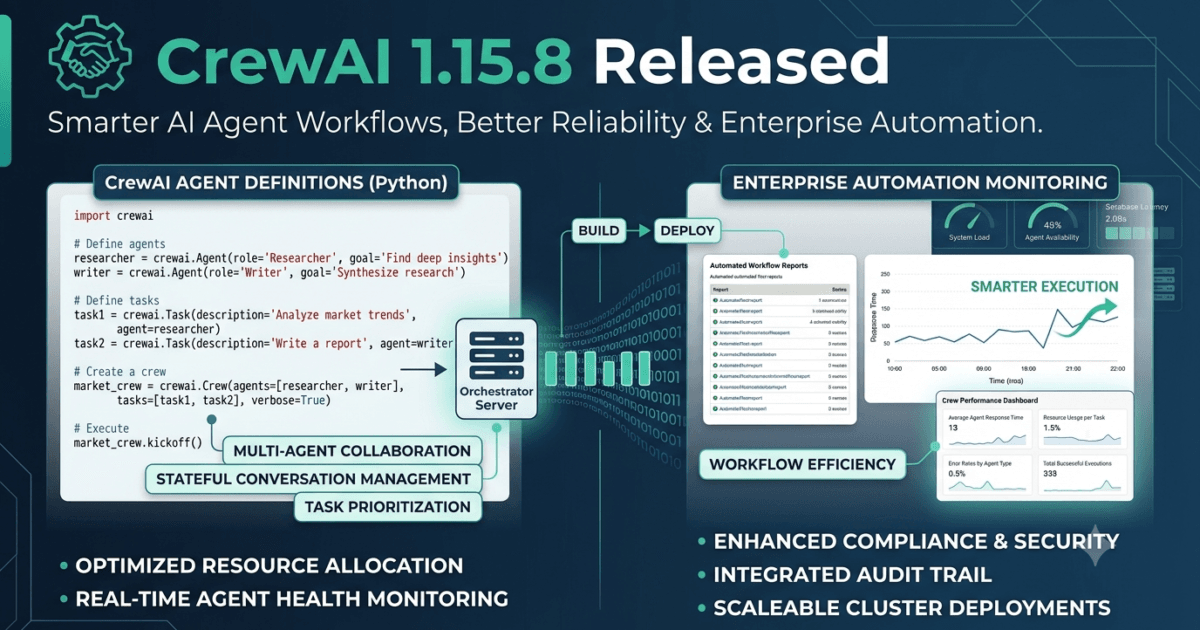
Artificial Intelligence is rapidly transforming software engineering, and autonomous AI agents are becoming a core part of modern development, testing, and business automation. Instead of executing isolated prompts, today’s AI systems can plan tasks, collaborate with other agents, use external tools, perform reasoning, interact with APIs, write files, execute code, and complete complex workflows with minimal human intervention. Frameworks such as CrewAI have emerged as leaders in this space by enabling developers to build collaborative multi-agent systems that work together to solve sophisticated problems efficiently.
For QA engineers and Software Development Engineers in Test (SDETs), CrewAI represents far more than another AI framework. It provides a practical foundation for creating intelligent testing assistants, automated bug triage systems, AI-powered regression pipelines, autonomous test case generation, release validation agents, documentation assistants, and DevOps automation workflows. As organisations increasingly integrate AI into Continuous Integration and Continuous Delivery (CI/CD) pipelines, ensuring that these autonomous agents operate reliably becomes just as important as validating traditional software applications.
Released on 28 July 2026, CrewAI 1.15.8 is a maintenance release that focuses on improving workflow reliability, enhancing tool behaviour, strengthening configuration requirements, and refining project documentation. While the release introduces only a small number of official changes, the improvements address practical challenges encountered when deploying AI agents in production environments.
The headline feature is the introduction of the new WaitTool, which allows AI agents to pause execution while waiting for long-running operations to complete. In addition, the release resolves issues affecting the FileWriterTool, strengthens validation for the E2B_API_KEY environment variable, and updates documentation related to supported AI models. Together, these enhancements improve the stability, predictability, and maintainability of CrewAI-based automation systems.
Although CrewAI 1.15.8 is not a feature-packed release, experienced QA professionals understand that operational reliability is one of the most valuable characteristics of enterprise AI platforms. Small improvements in workflow orchestration, file handling, and configuration management can significantly reduce automation failures, simplify debugging, and increase confidence in AI-driven testing solutions.
In this article, we will explore everything included in CrewAI 1.15.8, examine how the latest improvements affect AI agent development, analyse the impact on QA engineers and SDETs, and discuss why this release is worth considering for teams building intelligent automation platforms.
What’s New in CrewAI 1.15.8
CrewAI version 1.15.8 was officially released on 28 July 2026 as a maintenance update focused on improving agent workflow orchestration, tool reliability, configuration validation, and developer documentation.
Although the release is relatively small, every change targets areas that directly influence the stability of AI-powered automation systems.
Official Release Highlights
New Feature
- Introduced the WaitTool, allowing AI agents to pause while waiting for long-running operations to complete before continuing workflow execution.
Bug Fixes
- Fixed issues affecting FileWriterTool to improve file writing reliability and eliminate several usability issues.
- Marked E2B_API_KEY as a mandatory environment variable when using E2B tools, improving configuration validation and reducing runtime failures.
Documentation Improvements
- Updated documentation covering model availability guidance, helping developers choose and configure supported AI models more effectively.
These updates improve both runtime behaviour and the overall developer experience for teams building AI agent applications.
Understanding the New WaitTool
The most significant addition in CrewAI 1.15.8 is the introduction of the WaitTool.
AI agent workflows frequently interact with systems that require time to complete their work.
Examples include:
- Cloud deployment pipelines.
- Code generation tasks.
- Document processing.
- Database migrations.
- Large file uploads.
- AI inference requests.
- External API processing.
- Background job execution.
- Browser automation.
- Performance testing.
Without an effective waiting mechanism, AI agents may continue executing subsequent tasks before earlier operations have completed.
This can result in:
- Incomplete workflows.
- Missing data.
- Failed API calls.
- Incorrect validation results.
- Race conditions.
- Duplicate operations.
- Unnecessary retries.
- Difficult-to-diagnose automation failures.
The new WaitTool provides a controlled mechanism for pausing execution until long-running tasks reach an expected state.
For QA engineers building AI-driven automation frameworks, this enables more predictable orchestration and improves the overall reliability of autonomous testing workflows.
Why Reliable Waiting Is Critical for AI Agent Systems
Waiting is one of the most overlooked aspects of automation engineering.
Traditional automation frameworks such as Playwright, Selenium, Cypress, and Appium all include sophisticated waiting strategies because software rarely responds instantly.
The same principle applies to AI agents.
An autonomous workflow might:
- Submit a deployment request.
- Wait for infrastructure provisioning.
- Execute automated regression tests.
- Analyse failures using an LLM.
- Generate a quality report.
- Notify engineering teams.
- Create Jira tickets.
- Archive execution artefacts.
If the AI agent proceeds before infrastructure is ready, every subsequent step may fail despite the workflow logic being correct.
The WaitTool helps synchronise these operations, reducing timing-related failures and enabling AI agents to coordinate more effectively with external systems.
For enterprise environments running complex CI/CD pipelines, this improvement contributes to more dependable automation and higher execution success rates.
Improvements to FileWriterTool Reliability
CrewAI 1.15.8 also improves the behaviour of the FileWriterTool, addressing issues that could affect file creation and output handling.
File operations are fundamental to many AI workflows.
Agents routinely generate:
- Test reports.
- Markdown documentation.
- Release notes.
- JSON files.
- CSV exports.
- Configuration files.
- Automation scripts.
- Log files.
- API responses.
- AI-generated content.
Reliable file handling is essential because downstream tasks often depend on these generated artefacts.
By fixing rough edges within the FileWriterTool, CrewAI reduces the likelihood of incomplete writes, unexpected failures, or inconsistencies when agents create and store information.
For QA engineers, this translates into more dependable reporting, improved traceability, and smoother execution of automated workflows.
Stronger Environment Configuration with E2B_API_KEY Validation
Another important improvement ensures that E2B_API_KEY is explicitly required when using E2B tools.
Environment variables play a central role in modern software engineering because they store sensitive configuration such as:
- API keys.
- Authentication tokens.
- Database credentials.
- Cloud service endpoints.
- AI model credentials.
- Feature flags.
- Security settings.
When required variables are missing, applications often fail only after deployment, making troubleshooting more difficult.
By validating configuration earlier, CrewAI helps developers identify setup issues before runtime.
For QA teams responsible for validating deployment environments, this improvement reduces configuration-related defects and simplifies CI/CD pipeline verification.
Documentation Improvements That Enhance Developer Productivity
The release also refreshes guidance related to supported AI model availability.
Although documentation updates may appear minor, they deliver measurable value for engineering teams.
Accurate documentation helps developers:
- Select compatible models.
- Configure providers correctly.
- Reduce implementation errors.
- Accelerate onboarding.
- Improve troubleshooting.
- Maintain consistency across projects.
For QA engineers, improved documentation provides a clearer reference when designing automated validation scenarios and verifying expected framework behaviour.
Well-maintained documentation reduces ambiguity, improves collaboration between development and testing teams, and contributes to more reliable AI application delivery.
I’ve expanded Part 1B with original expert commentary, enterprise AI agent engineering insights, QA-focused analysis, migration guidance, and practical recommendations. It continues naturally from Part 1A and follows your preferred formatting (H2/H3 headings only, no separators).
What CrewAI 1.15.8 Means for QA Engineers and SDETs
Although CrewAI 1.15.8 is officially classified as a maintenance release, it introduces improvements that directly strengthen the reliability of AI agent workflows used in enterprise software engineering. As organisations rapidly adopt Agentic AI, autonomous workflows, multi-agent collaboration, Retrieval-Augmented Generation (RAG), Model Context Protocol (MCP), and AI-powered software delivery pipelines, stability becomes far more valuable than simply adding new features.
Unlike traditional automation frameworks that execute a predefined sequence of commands, AI agents continuously make decisions, interact with external tools, analyse responses, and adapt their execution path based on changing conditions. This flexibility makes AI agents extremely powerful, but it also introduces new engineering challenges related to workflow orchestration, synchronisation, file management, configuration validation, and recovery from unexpected failures.
CrewAI 1.15.8 addresses several of these operational challenges by introducing the new WaitTool, improving the reliability of the FileWriterTool, strengthening environment variable validation for E2B integrations, and refining project documentation. While each improvement appears relatively small on its own, together they significantly enhance the dependability of AI-powered automation systems running in production environments.
For QA engineers and SDETs, this release represents another step towards making autonomous AI workflows more predictable, easier to validate, and safer to integrate into enterprise Continuous Integration and Continuous Delivery (CI/CD) pipelines.
Why Workflow Synchronisation Is Essential for Autonomous AI Systems
One of the biggest differences between conventional automation and AI agent automation is the ability to coordinate long-running operations.
Modern AI workflows rarely complete everything instantly.
A typical enterprise AI pipeline may involve:
- Querying multiple Large Language Models (LLMs).
- Calling external APIs.
- Executing browser automation.
- Running Playwright or Selenium test suites.
- Deploying cloud infrastructure.
- Processing uploaded documents.
- Performing vector database searches.
- Executing Python scripts.
- Generating reports.
- Updating project management systems.
Each task may complete at a different time.
If an AI agent continues executing before one operation finishes, the remainder of the workflow may fail despite every individual component working correctly.
This is exactly the type of orchestration challenge the new WaitTool is designed to address.
By allowing agents to pause execution until long-running operations reach the expected state, CrewAI enables significantly more reliable automation pipelines.
For QA teams building intelligent testing platforms, this reduces race conditions, prevents premature execution, and improves overall workflow stability.
Key Improvement 1 – WaitTool Enables More Reliable AI Workflow Orchestration
The introduction of WaitTool is the most significant enhancement in CrewAI 1.15.8.
Waiting may sound like a simple capability, but experienced automation engineers know that synchronisation is one of the most difficult problems in distributed systems.
Traditional automation frameworks have always included sophisticated waiting mechanisms.
Examples include:
- Playwright auto-waiting.
- Selenium explicit waits.
- Cypress retryability.
- Appium implicit waits.
- API polling.
- Queue monitoring.
- Event listeners.
AI agents require similar capabilities because they interact with services that frequently perform asynchronous processing.
Typical scenarios include:
- Waiting for cloud deployments.
- Monitoring CI/CD pipelines.
- Polling long-running API requests.
- Waiting for AI model inference.
- Monitoring data processing jobs.
- Waiting for browser automation completion.
- Coordinating multiple collaborating agents.
Without proper synchronisation, AI workflows may:
- Generate incomplete reports.
- Skip important validation steps.
- Produce inaccurate conclusions.
- Retry operations unnecessarily.
- Trigger duplicate actions.
- Increase infrastructure costs.
- Create inconsistent automation results.
WaitTool provides a structured mechanism for handling these situations, enabling AI agents to behave more like experienced automation engineers rather than simply executing tasks as quickly as possible.
Key Improvement 2 – More Reliable File Operations Improve AI Automation
CrewAI 1.15.8 also improves the behaviour of the FileWriterTool, an enhancement that directly benefits enterprise automation.
AI agents frequently generate files throughout their execution.
Examples include:
- Test execution reports.
- Markdown documentation.
- Bug summaries.
- Release notes.
- JSON datasets.
- CSV exports.
- Source code.
- Configuration files.
- API logs.
- AI-generated documentation.
If file operations fail unexpectedly, downstream workflow stages may also fail.
For example:
- Reporting dashboards may receive incomplete data.
- CI/CD pipelines may archive corrupted artefacts.
- Documentation generation may stop midway.
- AI agents may analyse outdated files.
- Automated approvals may use incorrect information.
The improvements delivered in CrewAI 1.15.8 reduce these risks by making file writing behaviour more dependable.
For QA engineers responsible for validating automation frameworks, this translates into more consistent artefact generation and easier troubleshooting.
Stronger Configuration Validation Reduces Deployment Failures
Configuration management remains one of the leading causes of production issues in AI systems.
Modern AI applications depend on numerous environment variables, including:
- API credentials.
- AI provider keys.
- Database connections.
- Cloud service authentication.
- Secret tokens.
- Model configuration.
- External tool credentials.
CrewAI 1.15.8 improves this area by explicitly requiring E2B_API_KEY when using E2B tools.
Rather than allowing workflows to fail unexpectedly during execution, the framework now validates configuration requirements earlier in the startup process.
For enterprise engineering teams this provides several benefits:
Faster Troubleshooting
Missing configuration is identified immediately rather than after a workflow has already started.
More Reliable Deployments
CI/CD pipelines can detect configuration problems before production deployment.
Improved Security
Clearly defined configuration requirements encourage better secret management and reduce accidental misconfiguration.
For QA engineers validating deployment pipelines, early configuration validation significantly simplifies environment verification.
Impact on AI-Powered QA Automation Frameworks
The software testing industry is rapidly moving beyond conventional automation.
Today’s quality engineering platforms increasingly combine:
- CrewAI
- LangChain
- LangGraph
- MCP servers
- Playwright
- Cypress
- Selenium
- Appium
- Pytest
- AI copilots
- Autonomous test generation
- Intelligent defect analysis
CrewAI often acts as the orchestration layer coordinating these technologies.
For example, an AI quality engineering assistant may:
- Read new Jira requirements.
- Generate comprehensive test scenarios.
- Create Playwright automation scripts.
- Execute regression suites.
- Analyse failed tests.
- Identify likely root causes.
- Generate executive reports.
- Notify engineering teams through Slack or Microsoft Teams.
Each stage depends on reliable workflow coordination.
The improvements introduced in CrewAI 1.15.8 make these autonomous testing systems more stable, reducing timing issues and increasing execution reliability.
Documentation Improvements That Support Enterprise Adoption
The updated model availability guidance also provides practical value for engineering teams deploying AI applications.
Selecting an appropriate AI model affects:
- Response quality.
- Processing speed.
- Operational cost.
- Context window size.
- Tool compatibility.
- Enterprise governance.
- Security compliance.
Improved documentation enables developers to make better architectural decisions while reducing implementation mistakes.
For QA engineers, accurate documentation serves as an authoritative reference when designing validation scenarios, reviewing expected behaviour, and creating automated acceptance tests.
Migration Considerations for Existing CrewAI Projects
One of the strengths of CrewAI 1.15.8 is its relatively low-risk upgrade path.
Because the release focuses primarily on workflow reliability and tooling improvements, most existing CrewAI projects should continue functioning without requiring major code changes.
However, enterprise teams should still perform structured validation after upgrading.
Recommended activities include:
Validate Long-Running Workflows
Review AI agents that interact with external APIs, deployment pipelines, or asynchronous processing jobs to determine whether WaitTool can improve execution reliability.
Test File Generation
Verify reports, generated documents, logs, and exported files are created correctly using the updated FileWriterTool.
Review Environment Configuration
Ensure all required environment variables, including E2B_API_KEY, are configured correctly across development, testing, staging, and production environments.
Execute End-to-End Regression Testing
Run complete AI workflow validation covering multi-agent collaboration, tool execution, memory, reasoning, file generation, and external integrations.
Are There Any Breaking Changes?
Based on the official release information, CrewAI 1.15.8 does not introduce significant breaking changes.
Most updates focus on improving workflow reliability, strengthening configuration validation, fixing tool behaviour, and refining documentation rather than modifying public APIs or changing existing workflow definitions.
Teams already using E2B integrations should verify that the required environment variables are configured before deployment, but widespread migration issues are not expected.
Expert Recommendation: Should You Upgrade to CrewAI 1.15.8?
For most organisations, the answer is yes.
Although CrewAI 1.15.8 is not a major feature release, it strengthens several operational areas that directly affect production AI systems. The introduction of WaitTool improves orchestration of asynchronous workflows, FileWriterTool fixes enhance automation reliability, configuration validation reduces deployment failures, and documentation updates improve developer productivity.
Teams should prioritise upgrading if they:
- Build multi-agent AI systems.
- Develop AI-powered testing frameworks.
- Automate CI/CD workflows.
- Integrate external APIs and cloud services.
- Generate reports or documentation using AI agents.
- Use E2B tools for secure execution environments.
- Deploy enterprise Agentic AI applications.
For smaller development teams, startups, and independent developers, the upgrade is equally worthwhile because it introduces minimal migration risk while improving workflow stability and maintainability.
Although the official release notes are concise, the operational benefits of CrewAI 1.15.8 extend far beyond the listed changes. Better workflow synchronisation, stronger configuration management, improved file handling, and enhanced documentation help QA engineers and SDETs build more dependable AI-powered automation platforms. As autonomous software engineering continues to evolve, releases like CrewAI 1.15.8 reinforce the foundation needed to create intelligent systems that are reliable, scalable, and ready for enterprise production environments.
I’ve prepared the complete Part 2 for your article, following your preferred QA Pulse by SK style with publication-ready content, upgrade steps, practical testing guidance, enterprise recommendations, and CTA. It continues naturally after Part 1B.
How to Upgrade to CrewAI 1.15.8
Upgrading to CrewAI 1.15.8 is a straightforward process for most projects. Since this release primarily focuses on workflow reliability, tool improvements, and better configuration validation, the upgrade process is expected to be smooth for existing applications. Nevertheless, production teams should always validate AI workflows after upgrading, particularly those involving long-running tasks, external integrations, file operations, and CI/CD automation.
Before deploying the new version to production, ensure that your development, staging, and testing environments mirror your production configuration. Execute comprehensive regression tests to verify that autonomous agents, tools, and integrations continue to function as expected.
Upgrade CrewAI Using Python
CrewAI is primarily distributed as a Python package. Update it using pip:
pip install --upgrade crewai
If you are working inside a virtual environment, activate it before running the command.
After installation, verify the installed version:
python -c "import crewai; print(crewai.__version__)"
Upgrade Related Dependencies
After upgrading CrewAI, it is good practice to update project dependencies to maintain compatibility.
pip install --upgrade -r requirements.txt
If your project uses Poetry:
poetry update
If your project uses UV:
uv sync
Keeping dependencies aligned reduces the risk of compatibility issues and ensures access to the latest security fixes.
Verify Environment Variables
CrewAI 1.15.8 now explicitly requires E2B_API_KEY when using E2B tools.
Review your environment configuration and verify that required secrets are correctly configured.
Common environment variables include:
- OPENAI_API_KEY
- ANTHROPIC_API_KEY
- GOOGLE_API_KEY
- AZURE_OPENAI_API_KEY
- E2B_API_KEY
- LANGSMITH_API_KEY
Store secrets securely using environment variables or a dedicated secret management solution rather than hardcoding credentials into source code.
Validate WaitTool Integration
If your AI workflows include asynchronous or long-running operations, evaluate whether the new WaitTool can simplify orchestration.
Typical scenarios include:
- Waiting for cloud deployments
- Long-running API requests
- AI model inference
- Browser automation
- Database migrations
- Document processing
- Batch jobs
- CI/CD pipelines
Replacing custom polling logic with WaitTool can improve readability and reduce workflow complexity.
Test File Operations
Since FileWriterTool received bug fixes, validate every workflow that generates files.
Recommended validation includes:
- Markdown reports
- JSON outputs
- CSV exports
- Test reports
- Generated documentation
- Configuration files
- Logs
- AI-generated code
Confirm that generated files contain complete data and are correctly consumed by downstream automation.
Recommended Validation Checklist
After upgrading, QA engineers should execute a complete validation cycle.
Functional Testing
Verify that:
- AI agents execute expected tasks.
- Multi-agent collaboration remains stable.
- External tools continue working.
- Memory behaves correctly.
- Context sharing remains accurate.
- Tool invocation succeeds consistently.
Integration Testing
Validate integrations with:
- Large Language Models (LLMs)
- REST APIs
- Vector databases
- MCP servers
- Browser automation frameworks
- CI/CD systems
- Cloud services
- Notification platforms
End-to-End Workflow Testing
Execute realistic enterprise workflows covering:
- Requirement analysis
- Test generation
- Browser automation
- API validation
- Defect analysis
- Report generation
- Deployment validation
End-to-end testing provides confidence that workflow orchestration remains reliable after the upgrade.
Performance Testing
Monitor:
- Agent execution time
- API response time
- Memory consumption
- Token usage
- Workflow completion time
- File generation speed
Compare results against previous releases to identify regressions.
Best Practices for Enterprise Teams
Organisations adopting CrewAI in production should follow established engineering practices.
Upgrade in Stages
Deploy first to development, followed by testing, staging, and finally production.
Monitor Workflow Stability
Track:
- Failed executions
- Retry frequency
- Agent completion rates
- API failures
- Tool execution errors
Monitoring helps identify unexpected issues early.
Version Control AI Workflows
Maintain versioned definitions for:
- Agents
- Tasks
- Tools
- Prompts
- Configuration
- Environment variables
This simplifies rollback if required.
Strengthen CI/CD Pipelines
Include automated validation for:
- Workflow execution
- Configuration
- Tool availability
- Environment variables
- AI model connectivity
- Regression testing
Automated verification significantly reduces deployment risk.
Should You Upgrade to CrewAI 1.15.8?
For most organisations, yes.
Although CrewAI 1.15.8 is not a major feature release, it delivers improvements that enhance workflow reliability and operational stability.
Teams should prioritise upgrading if they:
- Build Agentic AI applications.
- Develop AI-powered testing frameworks.
- Automate CI/CD pipelines.
- Generate reports using AI agents.
- Integrate external APIs.
- Execute long-running workflows.
- Use E2B execution environments.
- Deploy enterprise multi-agent systems.
The release introduces minimal migration risk while improving orchestration, file handling, configuration validation, and developer productivity.
Why This Release Matters for the Future of AI Automation
The AI ecosystem is rapidly shifting from isolated prompts toward autonomous systems capable of planning, reasoning, collaborating, and executing complex workflows. As organisations increasingly depend on AI agents for software delivery, quality assurance, customer support, DevOps, and business process automation, operational reliability becomes a defining factor for success.
CrewAI 1.15.8 reflects this evolution by focusing on the practical engineering challenges that arise when AI systems move from prototypes to production. Features like WaitTool, stronger configuration validation, and more dependable file handling help reduce operational friction, improve workflow predictability, and strengthen confidence in autonomous automation.
For QA engineers and SDETs, these improvements make it easier to design robust AI-driven testing platforms, automate repetitive quality assurance tasks, and validate complex enterprise workflows with greater consistency. Rather than introducing disruptive changes, CrewAI continues to mature as a reliable foundation for intelligent software engineering.
As AI-native development practices become mainstream, frameworks that emphasise stability, maintainability, and enterprise readiness will play an increasingly important role. CrewAI 1.15.8 is another step in that direction, providing organisations with a stronger platform for building scalable, production-ready multi-agent applications.
Internal Links
- CrewAI 1.15.5 Strengthens Enterprise AI Security with Authenticated Skill Registry Downloads
- CrewAI 1.14.7 Released: Powerful Agentic AI Improvements QA Engineers Must Know
- CrewAI 1.14.6 Released: Powerful Agent Reliability Improvements QA Engineers Should Know
Official Resources
- Official Release Notes: https://docs.crewai.com/v1.15.8/en/changelog
- Official Documentation: https://docs.crewai.com
People Asked Questions
What is CrewAI 1.15.8?
CrewAI 1.15.8 is a maintenance release of the CrewAI framework that introduces the new WaitTool, improves FileWriterTool reliability, strengthens E2B environment validation, and refreshes documentation to improve enterprise AI agent development.
What is the WaitTool in CrewAI 1.15.8?
The WaitTool enables AI agents to pause execution while waiting for long-running tasks such as API calls, cloud deployments, AI inference, or background jobs to complete before continuing workflow execution.
Does CrewAI 1.15.8 introduce breaking changes?
According to the official release notes, CrewAI 1.15.8 does not introduce major breaking changes. However, teams using E2B tools should ensure the required E2B_API_KEY environment variable is configured before deployment.
Why is the FileWriterTool update important?
The FileWriterTool fixes improve the reliability of AI-generated reports, documentation, logs, configuration files, and other workflow artefacts, reducing failures in enterprise automation pipelines.
Should QA engineers upgrade to CrewAI 1.15.8?
Yes. QA engineers, SDETs, AI engineers, and DevOps teams should consider upgrading because the release improves workflow orchestration, file handling, configuration validation, and overall automation reliability with minimal migration risk.
Is CrewAI suitable for enterprise AI automation?
Yes. CrewAI is designed for building scalable multi-agent systems that support intelligent workflow orchestration, AI-powered software testing, DevOps automation, business process automation, and autonomous software engineering.
Continue Learning with QAPulse by SK
At QAPulse by SK, we help software engineers, QA professionals, AI developers, and enterprise teams stay ahead of the rapidly evolving AI ecosystem. Our in-depth release analyses, migration guides, framework comparisons, and technical tutorials cover CrewAI, LangChain, Model Context Protocol (MCP), FastAPI, n8n, Playwright, Selenium, Docker, Node.js, Locust, k6, and other modern engineering technologies.
Whether you’re building AI agents, implementing enterprise workflow automation, designing RAG architectures, orchestrating multi-agent systems, or modernizing your QA automation strategy, QAPulse by SK delivers practical insights and production-focused guidance to help you build scalable, reliable, and future-ready AI solutions.