QA
QA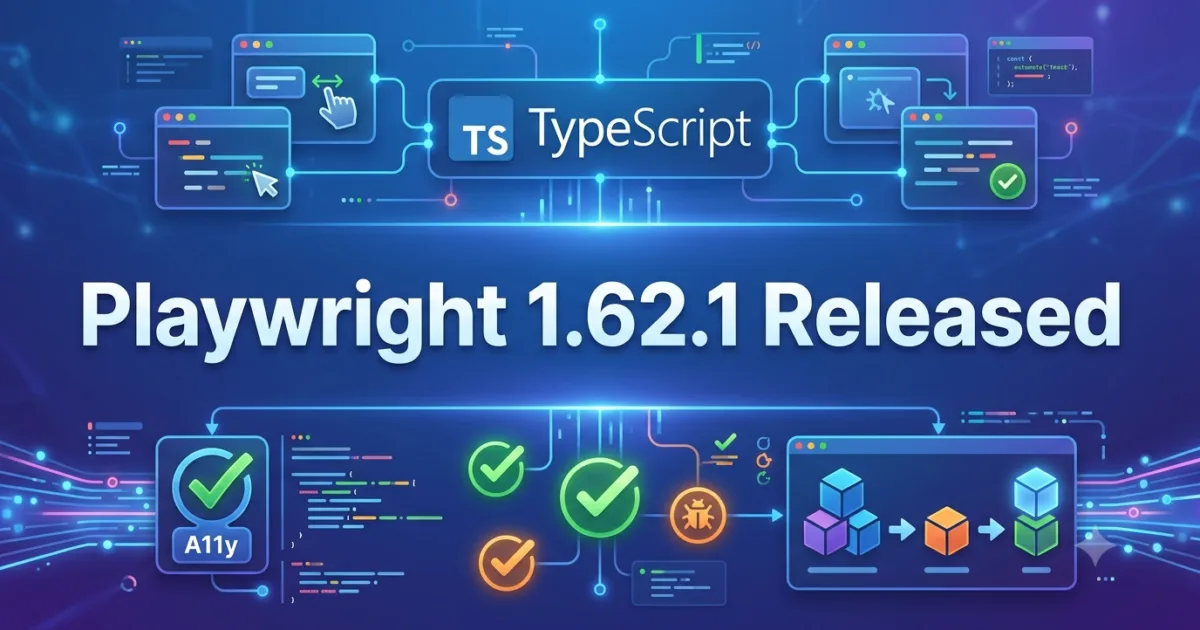
Introduction
Playwright 1.62.1 was officially released on July 30, 2026, as an important patch release focused on resolving several high-impact regressions introduced in the Playwright 1.62.0 release. While this update does not introduce new automation features or APIs, it delivers critical stability improvements that significantly benefit QA Engineers, SDETs, Test Automation Engineers, DevOps teams, and developers maintaining enterprise-scale Playwright test suites.
Patch releases are often underestimated, but they play a vital role in maintaining the reliability of automation frameworks. In enterprise environments where thousands of automated tests execute daily across multiple pipelines, even a small regression can interrupt Continuous Integration (CI) workflows, delay software releases, or create false negatives that consume valuable debugging time.
Playwright 1.62.1 addresses several regressions affecting TypeScript project configuration, accessibility snapshots, page.evaluate() type validation, and image-based actionable elements. These fixes restore compatibility with common TypeScript monorepo setups while improving accessibility testing accuracy and developer productivity.
If your organization recently upgraded to Playwright 1.62.0 and experienced unexpected TypeScript compilation errors, project reference issues, or accessibility snapshot inconsistencies, this maintenance release should be considered a high-priority upgrade.
Official Release Highlights
According to the official Playwright release notes, version 1.62.1 primarily focuses on fixing regressions discovered after the 1.62.0 release.
The update includes fixes for:
- TypeScript tsconfig “extends” resolution regression
- Directory-based project reference resolution failures
- Accessibility snapshot issues affecting button names
- Type-checking problems with branded primitive types in
page.evaluate() - Missing image-type actionable elements in accessibility snapshots
Although these may appear to be developer-centric improvements, each fix directly contributes to more reliable automation pipelines, better accessibility validation, and smoother enterprise adoption.
What’s Fixed in Playwright 1.62.1
TypeScript Configuration Resolution Is Restored
One of the most significant regressions addressed in Playwright 1.62.1 involves TypeScript configuration inheritance.
Many enterprise repositories organize multiple Playwright projects using shared tsconfig.json files. These configurations commonly use the extends property to inherit compiler settings from centralized configurations stored within shared packages.
Playwright 1.62.0 introduced a regression where bare module specifiers referenced in tsconfig extends were no longer resolved correctly through the expected node_modules lookup process.
As a result:
- Shared TypeScript configurations stopped working.
- Build pipelines failed unexpectedly.
- Monorepo automation projects required manual workarounds.
- CI/CD environments became unstable after upgrading.
Playwright 1.62.1 restores compatibility with TypeScript’s native behavior, ensuring enterprise repositories behave consistently with the standard TypeScript compiler.
Project References Work Correctly Again
Another critical regression affected directory-based TypeScript project references.
Many organizations structure large automation repositories using multiple packages linked together through project references such as:
"path": "../automation-core"
Following the 1.62 release, these directory references could fail to resolve correctly, preventing Playwright projects from compiling successfully.
Version 1.62.1 fixes this issue, making project references reliable once again for:
- Monorepositories
- Shared automation frameworks
- Internal Playwright libraries
- Enterprise QA platforms
For organizations maintaining reusable Playwright utilities across dozens of applications, this fix is particularly valuable.
Accessibility Testing Receives Important Improvements
Accessibility testing continues to be one of Playwright’s strongest differentiators, and version 1.62.1 improves its accuracy.
A bug affecting accessibility snapshots caused button names to disappear whenever visible text was nested inside spans containing aria-hidden SVG elements.
Although visually the application behaved correctly, accessibility snapshots could incorrectly represent the accessible name.
This created problems for teams relying on automated accessibility verification because:
- Snapshot comparisons became unreliable.
- Accessibility reports contained inaccurate information.
- False failures increased review effort.
The fix ensures accessibility snapshots now capture button names correctly, improving confidence in automated accessibility validation and helping organizations maintain compliance with accessibility standards.
Better Handling of Branded TypeScript Types
Playwright 1.62 introduced another regression affecting developers using advanced TypeScript features.
Applications using branded primitive types, such as custom string aliases for domain-specific validation, encountered type-checking failures when passing values into page.evaluate().
While this issue primarily impacted development rather than runtime behavior, it interrupted compilation and reduced developer productivity.
Playwright 1.62.1 restores proper compatibility, allowing strongly typed automation frameworks to continue using branded primitives without additional casting or workarounds.
This improvement is especially valuable for teams that enforce strict TypeScript typing across large automation codebases.
Accessibility Snapshots Now Recognize Image-Based Controls
Another accessibility improvement addresses image-type actionable elements.
Earlier versions could omit certain image-based interactive components from generated accessibility snapshots.
For organizations testing:
- Image buttons
- Icon controls
- Graphical navigation
- Accessible UI components
this omission could reduce the accuracy of accessibility reports.
Version 1.62.1 ensures these interactive image elements are now represented correctly, making automated accessibility audits more complete and trustworthy.
What This Means for QA Engineers
Although Playwright 1.62.1 is classified as a maintenance release, its practical impact is significant for software testing teams.
Key Improvement 1 – More Stable Enterprise Automation Projects
Organizations using monorepositories, reusable automation libraries, or shared TypeScript configurations can upgrade confidently without worrying about broken tsconfig inheritance or failed project references.
This greatly improves developer productivity and minimizes CI/CD interruptions.
Key Improvement 2 – Improved Accessibility Validation
Accessibility testing has become an essential part of modern quality assurance.
By correcting accessibility snapshot generation for buttons and image-based controls, Playwright produces more accurate accessibility reports, reducing false positives while increasing confidence in automated compliance testing.
Breaking Changes
No intentional breaking changes were introduced in Playwright 1.62.1.
Instead, this release specifically resolves regressions introduced in Playwright 1.62.0.
Teams already using Playwright 1.61.x or earlier should experience a smooth upgrade path.
Organizations that upgraded to 1.62.0 are strongly encouraged to move directly to 1.62.1.
Upgrade Recommendation
This release is recommended for:
- QA Engineers
- SDETs
- Playwright Automation Engineers
- Enterprise TypeScript projects
- Accessibility testing teams
- CI/CD pipeline maintainers
- Organizations using monorepositories
If your team is currently running Playwright 1.62.0, upgrading should be considered a priority because the fixes directly address regressions that may interrupt development and automated testing workflows.
How to Upgrade
Python
pip install playwright --upgrade
Node.js
npm install playwright@latest
After upgrading, execute:
- Your full regression suite
- Accessibility snapshot validation
- TypeScript compilation
- CI/CD pipeline verification
to confirm everything behaves as expected.
Playwright 1.62.1 Regression Fixes Explained: Why This Update Matters for Enterprise Test Automation
Understanding the Most Important Fixes in Playwright 1.62.1
Although Playwright 1.62.1 is officially categorized as a patch release, its impact extends well beyond routine bug fixes. Several regressions introduced in Playwright 1.62.0 affected enterprise automation projects, particularly those relying on TypeScript monorepositories, shared project configurations, advanced type safety, and accessibility testing. This maintenance release restores expected behavior while improving the stability of development environments used by QA teams worldwide.
For organizations running hundreds or even thousands of Playwright tests across Continuous Integration (CI) pipelines, a seemingly minor regression can quickly escalate into build failures, delayed deployments, and increased maintenance costs. By resolving these issues promptly, Playwright demonstrates its commitment to enterprise-grade browser automation and developer productivity.
Let’s examine each important fix and understand why it matters from a QA engineering perspective.
TypeScript Configuration Resolution Is Back to Normal
One of the most significant issues resolved in Playwright 1.62.1 involves TypeScript configuration inheritance.
Modern Playwright automation frameworks frequently use centralized tsconfig.json files to maintain consistent compiler settings across multiple applications. Instead of duplicating configuration files in every project, teams typically use the extends property.
For example:
{
  "extends": "@company/tsconfig/playwright.json"
}
This approach keeps large automation repositories organized and ensures consistent compiler behavior.
Unfortunately, Playwright 1.62.0 introduced a regression where bare module specifiers referenced through extends were no longer resolved using TypeScript’s standard node_modules lookup mechanism.
Why This Was a Serious Problem
For enterprise organizations, shared TypeScript configurations are standard practice. When configuration inheritance fails:
- Automation projects refuse to compile.
- Local development environments become inconsistent.
- Continuous Integration pipelines fail unexpectedly.
- Developers spend valuable time troubleshooting configuration errors instead of writing automation.
Large organizations with monorepositories felt this issue immediately because dozens of Playwright packages depended on shared compiler settings.
How Playwright 1.62.1 Solves It
Playwright 1.62.1 restores TypeScript’s expected behavior by correctly resolving inherited configuration files exactly as the TypeScript compiler does.
As a result:
- Shared configurations work again.
- Monorepositories build successfully.
- Existing CI/CD pipelines continue without modification.
- Teams no longer require temporary workarounds.
For QA engineers managing enterprise automation frameworks, this fix removes one of the biggest upgrade risks introduced in version 1.62.0.
Directory-Based Project References Work Correctly Again
Another high-impact regression involved TypeScript Project References.
Large Playwright repositories often separate automation into reusable packages.
A typical enterprise structure may look like this:
automation-core/
automation-api/
automation-ui/
automation-common/
Each package references shared libraries using directory paths rather than individual files.
Example:
"path": "../automation-common"
Following the Playwright 1.62.0 release, these directory references could fail to resolve correctly, causing build failures even though the project structure itself was perfectly valid.
Why This Matters for Enterprise Automation
Reusable project references provide several advantages:
- Faster incremental builds
- Better dependency management
- Reusable testing utilities
- Shared Page Object Models
- Common reporting frameworks
- Centralized helper libraries
When project references stop working, organizations often experience widespread compilation failures across multiple repositories.
Playwright 1.62.1 restores support for these directory-based references, allowing enterprise automation projects to continue using modern TypeScript architecture without interruption.
Accessibility Snapshot Improvements Enhance Test Reliability
Accessibility testing has become a critical quality gate for modern software applications.
Playwright includes powerful accessibility snapshot capabilities that help automation engineers verify whether applications remain compliant with accessibility standards such as WCAG.
However, version 1.62.0 introduced a regression affecting button elements.
The Problem
Buttons containing visible text wrapped inside spans alongside decorative SVG icons marked with aria-hidden="true" could lose their accessible names within generated accessibility snapshots.
Although users interacting with the application experienced no visual problem, automated accessibility reports became inaccurate.
Example:
<button>
  <span>Submit Order</span>
  <svg aria-hidden="true"></svg>
</button>
Instead of reporting:
Button: Submit Order
the accessibility snapshot could omit the button’s accessible name entirely.
Why QA Teams Should Care
Many organizations now integrate accessibility validation directly into automated regression pipelines.
Incorrect accessibility snapshots can lead to:
- False positive failures
- Inaccurate compliance reports
- Increased manual verification effort
- Reduced confidence in automation results
Playwright 1.62.1 corrects this behavior, making accessibility snapshots significantly more reliable for enterprise testing.
Image-Based Actionable Elements Are Now Properly Captured
Playwright 1.62.1 also fixes another accessibility-related issue involving image-type actionable elements.
Some graphical controls were previously omitted from accessibility snapshots.
Examples include:
- Image buttons
- Icon-only controls
- Clickable graphics
- Custom navigation icons
When these elements were excluded, accessibility reports no longer accurately represented the user interface.
For organizations prioritizing inclusive design and regulatory compliance, missing interactive elements reduce the effectiveness of automated accessibility testing.
The latest release ensures these controls are now correctly included, providing a more complete accessibility representation of the application.
Improved Type Safety for Advanced TypeScript Projects
Many enterprise Playwright frameworks enforce strict TypeScript typing to reduce runtime defects.
One advanced feature frequently used in enterprise applications is Branded Types.
These types help developers distinguish domain-specific values while maintaining compile-time safety.
Example:
type UserId = string & { readonly brand: unique symbol };
Following Playwright 1.62.0, passing branded primitive values into page.evaluate() triggered unexpected type-checking failures.
Although the runtime behavior remained correct, compilation errors interrupted developer workflows.
Playwright 1.62.1 restores compatibility with branded primitive types, enabling strongly typed Playwright frameworks to continue compiling without unnecessary casting or code modifications.
What This Means for Enterprise QA Teams
From a software testing perspective, this release delivers improvements that directly affect day-to-day productivity.
Improved Development Experience
Developers working with sophisticated TypeScript repositories will experience fewer configuration-related interruptions.
Automation engineers can continue using shared configurations, reusable packages, and advanced typing patterns without additional maintenance.
More Reliable Accessibility Testing
Organizations integrating accessibility validation into CI pipelines benefit from more accurate snapshots and fewer false failures.
This increases confidence in automated compliance testing while reducing manual verification effort.
Stable Continuous Integration Pipelines
CI/CD environments are particularly sensitive to configuration regressions.
By fixing project references and compiler configuration resolution, Playwright 1.62.1 helps restore pipeline stability across enterprise environments.
Upgrade Recommendations
If your team currently uses:
- Shared TypeScript configurations
- Monorepositories
- Accessibility testing
- Strongly typed automation frameworks
- Reusable Playwright libraries
then upgrading to Playwright 1.62.1 should be considered a high priority.
Organizations still running Playwright 1.61.x can upgrade confidently.
Organizations already using Playwright 1.62.0 should move directly to 1.62.1 to eliminate the regressions introduced in the previous release.
Migration Checklist for QA Engineers
Before rolling out Playwright 1.62.1 across production automation pipelines, consider the following checklist:
Validate TypeScript Configuration
- Verify all shared
tsconfig.jsonfiles resolve correctly. - Confirm inherited compiler settings behave as expected.
- Remove temporary workarounds introduced after upgrading to 1.62.0.
Execute Full Regression Suite
Run complete browser automation across:
- Chromium
- Firefox
- WebKit
- Mobile emulation
- Parallel execution
Compare results against previous successful builds.
Verify Accessibility Automation
Re-run accessibility snapshot tests involving:
- Buttons
- Image controls
- SVG icons
- Icon-only navigation
- Screen-reader validation
Ensure generated snapshots now match expected accessibility output.
Validate Shared Framework Packages
If your organization maintains reusable Playwright libraries, verify:
- Page Object Models
- Utility packages
- Common fixtures
- Reporting libraries
- Authentication helpers
compile successfully using project references.
More Related Blogs
- Playwright 1.62.0 Released — Powerful New Features Every QA Engineer Should Know
- Playwright 1.61.1 Released: 5 Critical Bug Fixes QA Engineers Must Know in 2026
- Playwright 1.59.1 Released — What’s New for QA Engineers
External Resources
- Playwright Official Website: https://playwright.dev
- Playwright Documentation: https://playwright.dev/docs
- Playwright GitHub Repository: https://github.com/microsoft/playwright
- Playwright 1.61.1 Release Notes: https://github.com/microsoft/playwright/releases/tag/v1.62.1
- Node.js Official Website: https://nodejs.org
- pnpm Official Website: https://pnpm.io
People Also Ask
Is Playwright 1.62.1 worth upgrading?
Yes. It fixes several regressions from Playwright 1.62.0 that affected TypeScript projects, accessibility testing, and enterprise automation frameworks.
What bugs were fixed in Playwright 1.62.1?
The update resolves TypeScript tsconfig inheritance issues, project reference failures, accessibility snapshot bugs, branded primitive type validation, and image-based accessibility element handling.
Does Playwright 1.62.1 introduce breaking changes?
No. It is a maintenance release focused on restoring expected behavior and fixing regressions introduced in version 1.62.0.
Is Playwright 1.62.1 suitable for enterprise projects?
Yes. Teams using monorepositories, reusable automation frameworks, accessibility testing, and CI/CD pipelines should upgrade to improve stability.
Should QA engineers upgrade from Playwright 1.62.0?
Yes. Upgrading is strongly recommended because the release addresses several issues that can interrupt enterprise automation workflows.
Does Playwright 1.62.1 improve accessibility testing?
Yes. It fixes missing button names and image-based actionable elements in accessibility snapshots, making automated accessibility testing more reliable.
Does Playwright 1.62.1 affect CI/CD pipelines?
Positively. By fixing TypeScript configuration and project reference issues, it improves build stability in Continuous Integration environments.
Is Playwright still the best browser automation framework?
Playwright remains one of the leading browser automation frameworks because of its cross-browser support, built-in waiting mechanisms, accessibility capabilities, and strong enterprise adoption.
Final Thoughts
Playwright 1.62.1 is an excellent example of why patch releases should never be ignored.
Rather than introducing new features, this release focuses entirely on improving stability, compatibility, developer productivity, and automation reliability. These are precisely the qualities enterprise QA teams value most when maintaining large-scale browser automation frameworks.
The restoration of TypeScript configuration behavior, improved accessibility snapshot accuracy, corrected project reference resolution, and stronger type compatibility make Playwright 1.62.1 a highly recommended update for organizations committed to modern test automation excellence.
Whether you maintain a small automation project or a global enterprise testing platform, adopting Playwright 1.62.1 will help ensure smoother builds, more reliable accessibility validation, and a better overall developer experience before your next release cycle.
Enjoyed this article? Explore more in-depth guides on AI engineering, automation testing, Model Context Protocol, Playwright, and intelligent software quality at www.skakarh.com. Follow QAPulse by SK for practical, production-focused tutorials designed for QA engineers, SDETs, and AI developers.