QA
QA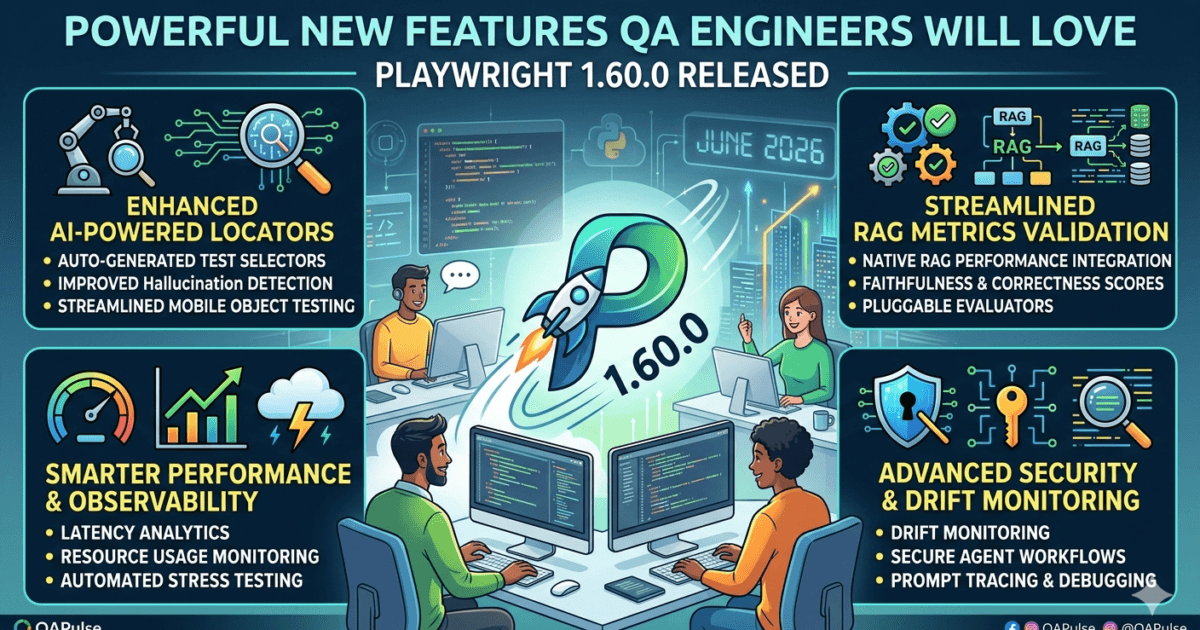
Playwright continues to establish itself as one of the most powerful end-to-end testing frameworks available today.
With strong cross-browser support, built-in auto-waiting, robust debugging capabilities, and excellent developer experience.
Playwright has become a preferred choice for QA Engineers, SDETs, and Test Automation Architects worldwide.
On May 11, 2026, Microsoft released Playwright 1.60.0, introducing several highly practical features that directly benefit test automation teams.
Unlike some maintenance releases, Playwright 1.60.0 includes functionality that many QA engineers have requested for years, including first-class HAR recording support in tracing, a dedicated drag-and-drop API, and significant improvements to accessibility testing.
In this article, we’ll explore what changed in Playwright 1.60.0, how these updates impact automation frameworks, migration considerations, and whether teams should upgrade immediately.
What Is Playwright 1.60.0?
Playwright 1.60.0 is the latest stable release of Microsoft’s browser automation framework.
The release focuses on:
- Improved debugging
- Better observability
- Enhanced accessibility testing
- Simplified drag-and-drop automation
- Improved developer experience
Official release notes:
https://github.com/microsoft/playwright/releases/tag/v1.60.0
Official documentation:
Existing Support in the QAPulse by SK Playwright Boilerplate
The introduction of HAR recording as a first-class tracing API in Playwright 1.60.0 is a welcome enhancement. However, teams using our Playwright Boilerplate already have HAR recording capabilities built into the framework.
Our open-source Playwright Boilerplate includes support for capturing network traffic and debugging test failures, helping QA engineers analyze API requests, responses, and application behavior during automation execution.
GitHub Repository:
https://github.com/QAPulse-by-SK/playwright-boilerplate
If you’re looking to accelerate Playwright adoption, reduce framework setup time, and follow production-ready automation practices, the boilerplate provides a solid foundation for modern test automation projects.
Why Playwright 1.60.0 Matters for QA Engineers
Modern test automation requires more than clicking buttons and validating text.
Today’s teams need:
- Better debugging tools
- Faster root cause analysis
- Reliable file upload testing
- Accessibility validation
- CI/CD-friendly reporting
The features introduced in Playwright 1.60.0 directly address these areas.
Feature #1: HAR Recording Is Now Part of Tracing
One of the most significant additions in Playwright 1.60.0 is:
await using har = await context.tracing.startHar('trace.har');
HAR (HTTP Archive) recording is now a first-class tracing capability.
Why This Is Important
Previously, teams often had to manage tracing and HAR collection separately.
Now QA engineers can:
- Capture browser traces
- Record network activity
- Correlate failures faster
- Simplify debugging workflows
Real-World Example
Imagine a flaky API-driven test.
With Playwright 1.60.0 you can now capture:
- Browser actions
- Network requests
- Response payloads
- Timing information
inside a single debugging workflow.
Impact on Test Automation Teams
| Area | Benefit |
|---|---|
| Debugging | Faster root cause analysis |
| API Validation | Better request visibility |
| CI/CD Pipelines | Improved diagnostics |
| Flaky Test Investigation | Easier troubleshooting |
This is arguably the most valuable enhancement in Playwright 1.60.0.
Feature #2: New locator.drop() API
Playwright now introduces:
await page.locator('#dropzone').drop({
  files: {
    name: 'note.txt',
    mimeType: 'text/plain',
    buffer: Buffer.from('hello')
  }
});
Why This Matters
Testing drag-and-drop interactions has historically been frustrating.
Many applications rely on:
- File upload zones
- Drag-and-drop workflows
- Rich content editors
- Document management systems
QA engineers often resorted to custom JavaScript workarounds.
Playwright 1.60.0 removes that complexity.
Use Cases
The new API is ideal for testing:
- File upload widgets
- Document portals
- Media management systems
- Internal enterprise applications
- Cloud storage platforms
Impact on QA Teams
| Before | After |
|---|---|
| Custom drag scripts | Native API |
| Browser inconsistencies | Cross-browser support |
| Complex maintenance | Cleaner tests |
| Higher flakiness | Better reliability |
Feature #3: Improved ARIA Snapshot Testing
Playwright 1.60.0 expands support for:
expect(page).toMatchAriaSnapshot()
Why Accessibility Testing Matters
Accessibility is no longer optional.
Organizations increasingly require compliance with:
- WCAG
- ADA
- Government accessibility standards
The enhanced ARIA snapshot support enables teams to validate accessibility structures more efficiently.
Benefits
QA teams can now:
- Detect accessibility regressions
- Verify ARIA tree consistency
- Improve accessibility automation coverage
- Reduce manual accessibility validation effort
This is particularly valuable for enterprise applications and public-facing services.
What QA Engineers Should Test After Upgrading
Before rolling Playwright 1.60.0 into production automation pipelines, validate the following:
1. Existing Test Suites
Execute:
- Smoke tests
- Regression tests
- Cross-browser tests
2. CI/CD Pipelines
Validate:
- GitHub Actions
- Jenkins
- GitLab CI
- Azure DevOps
3. Tracing Integrations
Verify:
- Trace collection
- HAR generation
- Artifact storage
- Reporting workflows
4. Upload Workflows
Review:
- File uploads
- Drag-and-drop scenarios
- Media management flows
5. Accessibility Pipelines
Validate:
- ARIA assertions
- Accessibility snapshots
- Reporting integrations
Impact on Different QA Roles
Impact on Playwright Engineers
Immediate benefits include:
- Easier debugging
- Better network visibility
- Simplified drag-and-drop testing
Impact on SDETs
SDETs can reduce custom helper code and improve maintainability.
Impact on Accessibility Testing Teams
ARIA snapshot enhancements make accessibility validation more scalable.
Impact on DevOps Teams
HAR tracing support improves diagnostics during CI/CD failures.
Should You Upgrade to Playwright 1.60.0?
Upgrade Immediately If
✅ You use Playwright heavily
✅ You maintain file upload workflows
✅ You struggle with flaky network tests
✅ Accessibility testing is important
Consider Additional Validation If
⚠️ You have extensive custom tracing integrations
⚠️ You maintain internal Playwright plugins
⚠️ You rely on specialized reporting frameworks
For most teams, Playwright 1.60.0 appears to be a low-risk, high-value upgrade.
Migration Checklist
| Task | Priority |
|---|---|
| Upgrade Playwright package | High |
| Run regression suite | High |
| Validate HAR tracing | High |
| Test file uploads | High |
| Verify drag-and-drop workflows | High |
| Validate accessibility tests | Medium |
| Review CI/CD artifacts | Medium |
My QA Assessment of Playwright 1.60.0
Biggest Win
HAR recording integrated directly into tracing.
Most Practical Feature
locator.drop() for upload and drag-and-drop testing.
Most Underrated Feature
ARIA snapshot improvements for accessibility automation.
Upgrade Risk
Low.
Enterprise Recommendation
Upgrade after executing standard regression testing.
Overall Rating
9/10
This is one of the more useful Playwright releases for automation teams because it delivers practical improvements rather than purely internal maintenance updates.
Official Resources
Playwright Release Notes
https://github.com/microsoft/playwright/releases/tag/v1.60.0
Playwright Documentation
Playwright GitHub Repository
https://github.com/microsoft/playwright
Related Reading on SKAKARH.com
Consider exploring:
- Your Playwright tutorials
- Playwright interview questions
- API testing guides
- AI testing articles
- CI/CD testing content
- Selenium vs Playwright comparisons
Link these to the actual URLs published on your website.
Frequently Asked Questions
What is Playwright 1.60.0?
Playwright 1.60.0 is the latest stable release of Microsoft’s browser automation framework.
What is the biggest feature in Playwright 1.60.0?
HAR recording integrated directly into tracing is arguably the most impactful addition.
Does Playwright 1.60.0 contain breaking changes?
No significant breaking changes were highlighted in the release notes.
What is locator.drop()?
locator.drop() is a new API that simulates drag-and-drop operations for files and clipboard-like data.
Why are ARIA snapshots important?
ARIA snapshots help automate accessibility testing and detect accessibility regressions.
Should QA engineers upgrade immediately?
Most teams can upgrade safely after executing standard regression tests.
Is Playwright still better than Selenium in 2026?
Both tools remain valuable, but Playwright continues to lead in developer experience, debugging capabilities, and modern browser automation features.
Final Thoughts
Playwright 1.60.0 delivers meaningful improvements that directly benefit QA engineers, SDETs, accessibility specialists, and automation architects.
The new HAR tracing integration, locator.drop() API, and ARIA snapshot enhancements solve real-world testing challenges and help teams build more maintainable automation frameworks.
For organizations already invested in Playwright, this release is strongly recommended after standard validation testing.
Relevant Articles
- What is Playwright and Why Everyone is Talking About It
- Why Most Test Automation Frameworks Collapse at Scale
- The Hidden Architecture Behind Scalable QA Platforms in 2026
- AI-Powered Test Automation Framework: Powerful Complete Guide for 2026
- LlamaIndex 0.14.22 Released: Powerful Updates QA Engineers Must Know