QA
QA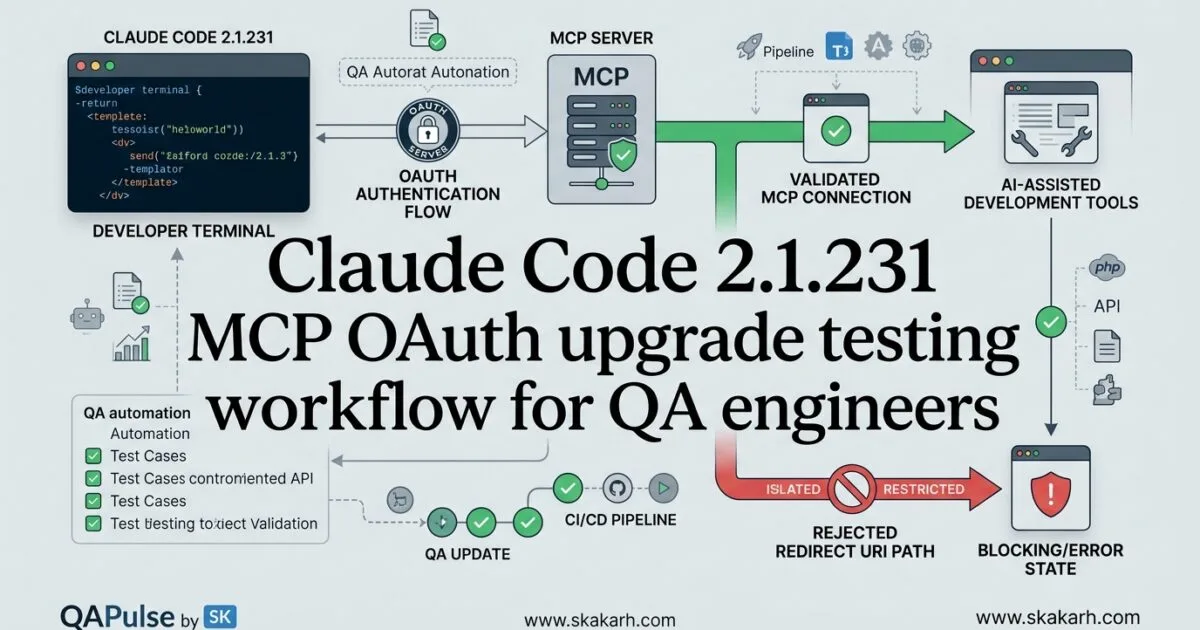
Claude Code 2.1.231 introduces a small but important fix for teams using MCP OAuth authentication. Released on August 13, 2026, this version fixes a redirect URI mismatch that could prevent OAuth sign-in for MCP servers using a pre-registered OAuth client, including integrations such as Slack. Official Claude Code 2.1.231 release notes
For QA engineers and SDETs, this is exactly the kind of release that can look insignificant in a changelog but matter significantly in an automation environment. A one-line authentication fix can determine whether an AI-assisted testing workflow connects to an MCP server successfully or stops at the login stage.
The important question is therefore not simply “What changed in Claude Code 2.1.231?” The better engineering question is:
Does your MCP authentication flow still complete successfully when Claude Code interacts with a pre-registered OAuth client?
That distinction changes how QA teams should approach this upgrade.
What Changed in Claude Code 2.1.231?
The release contains a focused bug fix:
MCP OAuth sign-in could fail because of a redirect URI mismatch when an MCP server uses a pre-registered OAuth client.
This scenario matters because OAuth authentication depends heavily on an exact relationship between several components:
Claude Code
    ↓
MCP Client
    ↓
OAuth Authorization Server
    ↓
Pre-registered OAuth Client
    ↓
Redirect URI
    ↓
MCP Server
If the redirect URI generated or supplied during authentication does not match the URI registered with the OAuth provider, authentication can fail even though the username, password, client ID, and authorization server are all correct.
For QA engineers, this means the defect belongs to a protocol-integration boundary, not simply to a user-interface login flow.


Why This Small Fix Matters to QA Engineers
Authentication bugs are rarely isolated to authentication.
Consider an AI-powered test automation workflow:
Claude Code
     ↓
MCP Server
     ↓
Test Management System
     ↓
Test Cases
     ↓
Automation Framework
     ↓
CI/CD Pipeline
If OAuth authentication fails at the MCP layer, everything downstream becomes unavailable.
Your test-generation prompts may work.
Your automation framework may work.
Your test management API may work.
Your CI/CD pipeline may work.
Yet the overall workflow still fails.
That is why QA engineers should evaluate integration paths, rather than judging a release only by the number of changed lines.
Think in terms of failure propagation
A useful QA model is:
Authentication failure
        ↓
MCP connection failure
        ↓
Tool discovery failure
        ↓
Tool invocation failure
        ↓
AI workflow failure
        ↓
Automation workflow failure
This is particularly important for SDETs building AI-assisted testing systems.
A defect at the authentication layer can appear to users as an AI-agent failure, even though the agent itself is functioning correctly.
Claude Code 2.1.231 and MCP OAuth
The release specifically addresses MCP OAuth sign-in with servers that use a pre-registered OAuth client.
That distinction is important.
A dynamically registered OAuth client and a pre-registered OAuth client can have different registration and validation behavior.
A simplified pre-registration model looks like this:
OAuth Provider
    │
    ├── Client ID
    ├── Client Secret
    └── Registered Redirect URI
              │
              ▼
          MCP Client
              │
              ▼
          Claude Code
The OAuth provider expects the redirect URI used during authentication to match the registered value.
Conceptually:
registered_uri = "https://example.com/oauth/callback"
requested_uri = "https://example.com/oauth/callback"

assert registered_uri == requested_uri
A mismatch such as this can cause authentication failure:
registered_uri = "https://example.com/oauth/callback"
requested_uri = "http://example.com/oauth/callback"

assert registered_uri == requested_uri
The difference may appear trivial, but OAuth providers can treat the URIs as different values.
Protocol-level security intentionally makes these checks strict.
What QA Should Actually Test
A weak upgrade test would be:
claude --version
followed by:
Claude Code starts successfully.
PASS
That proves almost nothing about MCP OAuth.
A stronger QA strategy validates the complete authentication journey.
| Test Layer | What to Validate | Importance |
|---|---|---|
| Installation | Claude Code starts | Medium |
| Version | 2.1.231 is active | Medium |
| MCP discovery | Server can be discovered | High |
| OAuth initiation | Login flow starts | Critical |
| Redirect URI | Registered URI is accepted | Critical |
| Authorization | OAuth provider grants access | Critical |
| Token exchange | Token is successfully obtained | Critical |
| MCP connection | Authenticated server connects | Critical |
| Tool discovery | MCP tools become available | High |
| Tool invocation | Tools execute successfully | Critical |
| Regression | Existing workflows remain functional | Critical |
This is the difference between version testing and workflow testing.
Version Testing vs Workflow Testing
A useful comparison for SDETs is:
| Approach | Example | Problem |
|---|---|---|
| Version testing | Check claude --version | Only proves installation |
| Smoke testing | Start Claude Code | Does not validate OAuth |
| MCP testing | Connect to MCP server | Better, but may miss OAuth edge cases |
| OAuth testing | Complete authentication | Validates identity flow |
| End-to-end testing | Authenticate → discover → invoke MCP tool | Validates the actual workflow |
For this release, the strongest signal comes from the last two approaches.
The lesson is simple:
A successful application startup does not prove a successful authentication integration.
Build a Focused MCP OAuth Regression Test
If your team already has MCP authentication infrastructure, create a small regression test around the exact scenario affected by the release.
The conceptual test should look like this:
def test_mcp_oauth_login_with_registered_client():
    client = create_mcp_client()

    authorization_url = client.start_oauth()

    assert authorization_url is not None

    callback = complete_oauth_flow(
        authorization_url
    )

    assert callback.success is True

    session = client.connect()

    assert session.authenticated is True
The exact implementation will depend on your MCP server and OAuth provider, but the testing principle remains the same.
Do not make the test excessively broad.
The goal is to isolate the risk introduced by the release.
Test the Redirect URI Explicitly
Redirect URI validation deserves its own test category because that is the area directly connected to the reported fix.
A test matrix could look like this:
| Scenario | Expected Result |
|---|---|
| Exact registered URI | Authentication succeeds |
| Different scheme | Authentication rejected |
| Different host | Authentication rejected |
| Different port | Authentication rejected |
| Different path | Authentication rejected |
| Missing URI | Authentication rejected |
| Trailing-slash difference | Provider-specific behavior |
| Valid URI with valid client | Authentication succeeds |
This type of matrix is much more valuable than simply testing:
Login = successful
because it verifies the security boundary around the login process.
Compare Claude Code MCP OAuth With Traditional API Authentication
MCP OAuth introduces a different testing surface compared with a conventional API key.
| Characteristic | API Key | OAuth | MCP OAuth |
|---|---|---|---|
| Credential type | Static token/key | Access token | OAuth access token |
| Redirect URI | Usually irrelevant | Important | Critical |
| Browser interaction | Usually no | Often yes | Often yes |
| Token lifecycle | Simple | Managed | Managed |
| Client registration | Usually simple | Required depending on flow | Important |
| Authentication testing | Request-level | Flow-level | Flow + MCP-level |
| Tool discovery dependency | No | No | Yes |
This distinction matters when designing regression suites.
An API-key test might be as simple as:
response = client.get(
    "/users",
    headers={"Authorization": "Bearer TOKEN"}
)

assert response.status_code == 200
OAuth requires more state:
Authorization Request
        ↓
User Authorization
        ↓
Redirect
        ↓
Authorization Code
        ↓
Token Exchange
        ↓
Access Token
        ↓
Authenticated MCP Connection
That creates more opportunities for integration failures.
How to Validate MCP Tool Access After Authentication
Do not stop testing when OAuth succeeds.
Authentication is only the first gate.
After successful authentication, validate MCP tool discovery:
OAuth Success
     ↓
MCP Connection
     ↓
Initialize
     ↓
Capabilities
     ↓
Tool Discovery
     ↓
Tool Invocation
A practical smoke test should therefore verify:
session = connect_to_mcp()

assert session.authenticated

tools = session.list_tools()

assert len(tools) > 0
Then invoke one low-risk test tool:
result = session.call_tool(
    "health_check",
    {}
)

assert result.success
This catches a class of failures where authentication succeeds but the MCP session is not correctly established.
Should You Upgrade Immediately?
For teams using MCP OAuth with pre-registered clients, Claude Code 2.1.231 deserves targeted validation before production rollout because the release directly addresses an authentication failure scenario.
For teams that do not use MCP OAuth, the specific fix may have little immediate functional impact.
A practical decision matrix:
| Environment | Recommendation |
|---|---|
| No MCP | Normal upgrade validation |
| MCP without OAuth | Run MCP regression tests |
| MCP with OAuth | Prioritize upgrade testing |
| MCP with pre-registered OAuth clients | High-priority validation |
| MCP + Slack-style OAuth integration | Run authentication regression |
| Production AI automation using MCP | Canary before broad rollout |
The important distinction is between affected users and everyone else.
You do not need to create a massive regression campaign for a narrowly scoped authentication fix.
You need to create a risk-focused regression campaign.
A Strategic QA Approach for Claude Code 2.1.231
The most efficient validation model is:
1. Verify version
       ↓
2. Validate MCP configuration
       ↓
3. Start OAuth
       ↓
4. Validate redirect URI
       ↓
5. Complete authentication
       ↓
6. Verify MCP connection
       ↓
7. Discover tools
       ↓
8. Invoke representative tool
       ↓
9. Run existing AI workflow
       ↓
10. Approve production rollout
This gives QA teams a repeatable upgrade-testing pattern rather than a one-time checklist.
Ask yourself these questions before approving the upgrade
Question 1: Does our MCP server use OAuth?
Question 2: Is the OAuth client pre-registered?
Question 3: Is the redirect URI explicitly configured?
Question 4: Can authentication complete without manual workarounds?
Question 5: Are MCP tools available after authentication?
Question 6: Can Claude Code execute a real representative workflow?
If the answer to any critical question is no, the upgrade should not automatically pass your production gate.
Automate the Upgrade Gate
A mature SDET pipeline can turn these checks into a deployment gate.
For example:
claude --version

./tests/mcp/test_oauth_login.py

./tests/mcp/test_tool_discovery.py

./tests/mcp/test_tool_invocation.py

./tests/regression/run-ai-workflows.sh
Then the CI pipeline can enforce:
Version Check       PASS
OAuth Login         PASS
Redirect Validation PASS
MCP Connection      PASS
Tool Discovery      PASS
Tool Invocation     PASS
Regression Suite    PASS
                    ↓
               Production
This is much stronger than relying on a developer manually confirming that Claude Code opens correctly.
The Bigger Lesson for AI Test Automation
Claude Code releases increasingly demonstrate why AI tooling requires a different style of QA thinking.
Traditional automation often focuses on:
Application
   ↓
API
   ↓
Database
AI-assisted automation can look more like:
AI Coding Agent
      ↓
MCP Client
      ↓
OAuth
      ↓
External Tool
      ↓
API
      ↓
Test Infrastructure
      ↓
CI/CD
Every additional integration creates another compatibility boundary.
That means SDETs need to test not only whether individual components work, but whether the chain of capabilities remains intact.
The most important regression in Claude Code 2.1.231 is therefore not simply:
OAuth login works
It is:
Claude Code
   ↓
OAuth authentication
   ↓
MCP connection
   ↓
Tool discovery
   ↓
Tool execution
   ↓
AI-assisted QA workflow
That is the workflow that ultimately matters to engineering teams.
Practical Upgrade Checklist
Before deploying Claude Code 2.1.231 into a production AI-testing environment, validate:
- Claude Code version
- MCP configuration
- OAuth provider configuration
- Pre-registered client configuration
- Redirect URI
- OAuth authorization
- Token exchange
- MCP authentication
- MCP server connection
- Tool discovery
- Tool invocation
- Existing prompts and workflows
- CI/CD integration
- Authentication failure handling
- Regression suite
The strongest QA strategy is to test the affected protocol boundary first, then expand outward into the complete workflow.
That approach gives teams faster feedback while avoiding unnecessary full-suite execution for every small release.
Testing Claude Code 2.1.231 in Real QA Workflows
Claude Code 2.1.231 upgrade testing should not end when OAuth login succeeds. The real validation starts after authentication: can Claude Code establish the MCP connection, discover the expected tools, invoke them successfully, and complete the workflow that your QA team actually depends on?
That distinction is important because the reported fix targets a very specific integration boundary: MCP OAuth sign-in with a pre-registered OAuth client where redirect URI validation could fail.
For an SDET, the practical testing chain should therefore be:
Claude Code 2.1.231
        ↓
MCP configuration
        ↓
OAuth authorization
        ↓
Redirect URI validation
        ↓
Token exchange
        ↓
Authenticated MCP session
        ↓
Tool discovery
        ↓
Tool invocation
        ↓
Real QA workflow
A release should pass only when the required path remains functional.
Turn the Release Note Into a Test Strategy
A release note tells you what changed.
A QA strategy asks:
What could fail because of this change, and how would we detect it before users do?
For Claude Code 2.1.231, the answer starts with OAuth.
The test strategy can be divided into four layers:
| Layer | What to Validate | Priority |
|---|---|---|
| Authentication | OAuth login and authorization | Critical |
| Protocol | Redirect URI and token exchange | Critical |
| MCP | Connection and tool discovery | Critical |
| Business workflow | Actual AI-assisted QA workflow | Critical |
This is more useful than treating the release as a simple version upgrade.
Think like an SDET
Instead of writing:
Test Claude Code 2.1.231
write:
Validate MCP OAuth compatibility
with pre-registered OAuth clients
Then break the risk into testable assertions.
def test_mcp_oauth_flow():
    auth = start_oauth()

    assert auth.authorization_url

    result = complete_authorization(auth)

    assert result.success

    session = connect_mcp()

    assert session.authenticated
The test is now tied directly to the behavior affected by the release.
Validate the Redirect URI, Not Just the Login Button
One of the easiest mistakes is to test OAuth like a conventional UI login:
Click Login
    ↓
Enter credentials
    ↓
Login successful
That is insufficient for this scenario.
OAuth is a protocol flow, and the redirect URI is one of its important security boundaries.
A more useful model is:
Client
  ↓
Authorization Request
  ↓
OAuth Provider
  ↓
User Authorization
  ↓
Registered Redirect URI
  ↓
Authorization Code
  ↓
Token Exchange
  ↓
Access Token
The redirect URI must correspond to what the OAuth client is registered to use.
A focused test matrix makes this explicit:
| Scenario | Expected Result |
|---|---|
| Exact registered URI | PASS |
| Different scheme | REJECT |
| Different hostname | REJECT |
| Different port | REJECT |
| Different path | REJECT |
| Missing redirect URI | REJECT |
| Valid client + valid URI | PASS |
| Valid client + mismatched URI | REJECT |
This is where security testing and functional testing overlap.
A test that expects an invalid redirect URI to be rejected is not testing whether authentication is broken. It is testing whether the authentication boundary is behaving correctly.

Test Both Positive and Negative Authentication Paths
A mature regression suite should never contain only happy-path tests.
For example:
def test_registered_redirect_uri_is_accepted():
    response = authenticate(
        redirect_uri=REGISTERED_URI
    )

    assert response.success
Then test the security boundary:
def test_unregistered_redirect_uri_is_rejected():
    response = authenticate(
        redirect_uri="https://attacker.example/callback"
    )

    assert response.success is False
This gives you two different guarantees:
Positive testing: valid authentication continues to work.
Negative testing: invalid authentication remains blocked.
That distinction becomes particularly important when authentication infrastructure changes.
Don’t Stop When OAuth Succeeds
Suppose your OAuth test passes:
OAuth authentication: PASS
Can you immediately approve the upgrade?
No.
OAuth is only the gateway into the MCP environment.
The next validation should be:
Authentication
      ↓
MCP initialization
      ↓
Server capabilities
      ↓
Tool discovery
      ↓
Tool invocation
For example:
session = connect_to_mcp()

assert session.authenticated

tools = session.list_tools()

assert tools
Then invoke a safe representative tool:
result = session.call_tool(
    "health_check",
    {}
)

assert result.success
This catches failures where authentication succeeds but the authenticated MCP session cannot provide the capabilities expected by the client.
Compare Smoke Testing With End-to-End MCP Testing
This is where QA teams often underestimate AI tooling.
| Test Type | What It Proves | Is It Enough? |
|---|---|---|
| Version check | Correct binary installed | No |
| Startup test | Claude Code launches | No |
| OAuth test | Authentication works | No |
| MCP connection test | Server connection works | Not alone |
| Tool discovery test | Tools are available | Not alone |
| Tool invocation test | MCP operation works | Better |
| End-to-end workflow | Actual QA scenario works | Yes |
A useful production gate therefore looks like:
Version
  +
OAuth
  +
MCP
  +
Tool execution
  +
Real workflow
  =
Upgrade confidence
Test the Workflow Your QA Team Actually Uses
This is the most important practical step.
Imagine your team uses Claude Code with an MCP server to inspect test cases and generate automation.
Your regression test should resemble the real workflow:
Claude Code
     ↓
Authenticate with MCP
     ↓
Discover test-management tools
     ↓
Retrieve test case
     ↓
Analyze requirements
     ↓
Generate automation
     ↓
Validate generated test
Testing only the authentication screen would miss failures later in the chain.
A workflow-level test could conceptually look like:
def test_ai_testing_workflow():
    session = authenticated_mcp_session()

    test_case = session.call_tool(
        "get_test_case",
        {"id": "QA-1001"}
    )

    assert test_case.success

    generated_test = run_ai_workflow(test_case)

    assert generated_test.contains_automation
The exact APIs will differ between MCP servers, but the testing principle remains stable.
Claude Code 2.1.231 vs a Conventional API Client Upgrade
Traditional API clients often have a relatively straightforward upgrade path:
Install new version
      ↓
Run API tests
      ↓
Run regression
An AI coding agent using MCP can introduce more integration boundaries:
| Conventional API Client | Claude Code + MCP |
|---|---|
| HTTP client | AI coding agent |
| API authentication | OAuth + MCP authentication |
| API request | MCP tool invocation |
| API response | Tool result + AI interpretation |
| API regression | Workflow regression |
| Client compatibility | Agent + MCP + tool compatibility |
This means a package upgrade in an AI development environment can have consequences beyond the package itself.
The QA target becomes the capability chain.
Build a Focused Regression Suite
You don’t necessarily need hundreds of tests for this release.
Start with the highest-risk scenarios.
MCP OAuth Regression
│
├── Registered client
├── Valid redirect URI
├── Invalid redirect URI
├── OAuth authorization
├── Token exchange
├── MCP connection
├── Tool discovery
├── Tool invocation
└── Existing QA workflow
A simple test matrix could be:
| Test | Expected |
|---|---|
| Valid OAuth client | PASS |
| Valid redirect URI | PASS |
| Invalid redirect URI | REJECT |
| OAuth authorization | PASS |
| Token exchange | PASS |
| MCP initialization | PASS |
| Tool discovery | PASS |
| Representative tool call | PASS |
| Existing workflow | PASS |
This is a much more targeted regression strategy than running every test in the organization before understanding the affected risk.
Automate the Upgrade Gate in CI/CD
Once the test strategy is stable, turn it into an automated quality gate.
For example:
claude --version

python -m pytest tests/mcp/test_oauth.py

python -m pytest tests/mcp/test_connection.py

python -m pytest tests/mcp/test_tools.py

python -m pytest tests/e2e/test_ai_workflows.py
The CI pipeline can then enforce:
Claude Code version       PASS
OAuth authentication      PASS
Redirect URI validation   PASS
MCP connection            PASS
Tool discovery            PASS
Tool invocation           PASS
AI workflow regression    PASS
                          ↓
                    Production Gate
This approach is particularly valuable when Claude Code is used across development and QA environments.
Instead of asking:
“Did someone test the upgrade?”
your organization can ask:
“Did the automated production-readiness gate pass?”
That is a much stronger engineering control.
Canary the Upgrade for Production AI Workflows
For teams heavily dependent on MCP, avoid making a broad production change immediately.
A simple rollout model is:
Development
     ↓
Dedicated QA environment
     ↓
Canary users
     ↓
Production
During the canary stage, monitor:
- OAuth failures
- MCP connection failures
- tool discovery failures
- tool invocation errors
- authentication latency
- unexpected authorization prompts
- workflow failures
This gives teams an opportunity to detect environmental differences that automated tests may not reproduce.
What About Teams That Don’t Use MCP OAuth?
The fix is specifically relevant to MCP OAuth authentication.
That means risk should be proportional to your environment.
| Environment | Testing Recommendation |
|---|---|
| Claude Code without MCP | Basic upgrade validation |
| MCP without OAuth | MCP regression |
| MCP with OAuth | OAuth + MCP regression |
| Pre-registered OAuth client | Focused redirect URI testing |
| Production AI workflows | Full workflow + canary validation |
This is an important QA principle:
Don’t increase testing because a version number changed. Increase testing because the risk changed.
That keeps upgrade validation efficient.
What Could Still Go Wrong After the Fix?
Even when the specific OAuth defect is fixed, QA should consider adjacent failure modes.
Configuration drift
The OAuth provider may contain a different redirect URI from the environment configuration.
Environment differences
Development and production may use different callback URLs.
Development:
https://dev.example.com/oauth/callback

Production:
https://prod.example.com/oauth/callback
A test passing in development does not automatically prove production compatibility.
Expired credentials
The client may be correctly configured but its credentials may have expired.
Token lifecycle problems
Initial authentication may succeed while refresh or re-authentication fails later.
MCP server differences
One MCP server may work while another uses a different OAuth configuration.
Browser and callback behavior
Headless CI environments can behave differently from an interactive developer workstation.
These are precisely the reasons why a focused test should be followed by workflow-level validation.
Add Authentication Failure Observability
QA should also verify that failures are diagnosable.
A good failure should tell engineers something useful:
OAuth authentication failed:
redirect URI mismatch
expected: registered callback
received: configured callback
A poor failure might simply say:
Authentication failed.
For SDETs, observability is part of testability.
If an automated pipeline detects a failure at 2 AM, the diagnostic information can determine whether the issue takes five minutes or two hours to investigate.
A Practical Production-Readiness Gate
For Claude Code 2.1.231, I would use a risk-based gate like this:
                    Claude Code 2.1.231
                             │
                             ▼
                    Version Verification
                             │
                             ▼
                       MCP Detection
                             │
                             ▼
                     OAuth Test Suite
                             │
                 ┌───────────┴───────────┐
                 ▼                       ▼
          Valid URI Test          Invalid URI Test
                 │                       │
                PASS                  REJECT
                 └───────────┬───────────┘
                             ▼
                      MCP Connection
                             │
                             ▼
                       Tool Discovery
                             │
                             ▼
                      Tool Invocation
                             │
                             ▼
                    QA Workflow Test
                             │
                             ▼
                       Canary Release
                             │
                             ▼
                         Production
This is the level at which an SDET can confidently say the upgrade has been tested.
The Bigger Lesson for AI-Assisted Testing
Claude Code 2.1.231 is a useful example of a broader shift in software testing.
A traditional dependency upgrade might primarily affect:
Application
    ↓
Library
    ↓
API
An AI development environment can look more like:
Developer
    ↓
AI Coding Agent
    ↓
MCP
    ↓
OAuth
    ↓
External Tool
    ↓
API
    ↓
Test Infrastructure
    ↓
CI/CD
Every arrow represents a potential compatibility boundary.
That changes the SDET mindset.
Instead of asking:
“Does the new version start?”
ask:
“Does the complete capability chain still work?”
That is a much more valuable question.
A Reusable AI Tool Upgrade Testing Pattern
The same strategy can be applied to future AI tooling releases.
1. Identify changed component
2. Identify affected integration boundary
3. Create focused regression tests
4. Test positive and negative paths
5. Validate downstream capabilities
6. Execute representative workflows
7. Run broader regression
8. Canary the release
9. Monitor production behavior
For Claude Code 2.1.231, the affected boundary is MCP OAuth authentication.
For another release, it could be MCP tool discovery, permissions, model integration, filesystem access, or agent execution.
The testing strategy stays reusable.
Internal Links
- Learn MCP – Zero to Hero
- Learn AI Agents for QA – Zero to Hero
- Playwright Automation – Zero to Hero
- TencentDB Agent Memory: Complete Zero to Hero
- LangGraph: Complete Zero to Hero
- Learn Python – Zero to Hero
- OpenAI Codex: Complete Zero to Hero
- Cursor AI: Complete Zero to Hero
- Claude Code Tutorial: Complete Zero to Hero
- AutoGen: Complete Zero to Hero Guide
- Free QA Resources Built From Real Experience
- QA Glossary: Test Automation Terms Every Engineer Should Know
External Links
- Claude Code official documentation
- Anthropic official Claude Code repository
- Claude Code v2.1.231 release notes
- Model Context Protocol official documentation
- OAuth 2.0 RFC 6749
People Asked Questions
What is new in Claude Code 2.1.231?
Claude Code 2.1.231 fixes an MCP OAuth sign-in problem involving redirect URI mismatches for servers using pre-registered OAuth clients.
What does the Claude Code 2.1.231 OAuth fix address?
The fix addresses MCP OAuth authentication failures caused by redirect URI mismatches when an OAuth client has already been registered.
Should QA engineers test Claude Code 2.1.231?
Yes. Teams using MCP OAuth, particularly pre-registered OAuth clients, should run focused authentication, redirect URI, MCP connection, and workflow regression tests.
What should I test after upgrading Claude Code 2.1.231?
Test OAuth authentication, registered and invalid redirect URIs, token exchange, MCP connection, tool discovery, tool invocation, and representative AI-assisted workflows.
Can Claude Code OAuth work while MCP tools still fail?
Yes. Successful OAuth authentication does not necessarily prove that MCP initialization, tool discovery, or tool invocation works correctly. These should be tested separately.
What is an OAuth redirect URI mismatch?
A redirect URI mismatch occurs when the callback URI supplied during authorization does not match the URI registered for the OAuth client.
Is Claude Code 2.1.231 a breaking release?
The supplied release note describes a specific MCP OAuth fix rather than a major breaking change. Nevertheless, teams should validate their existing OAuth and MCP configurations before production rollout.
How can SDETs automate Claude Code upgrade testing?
SDETs can create automated tests covering OAuth authentication, redirect URI validation, MCP initialization, tool discovery, tool invocation, and representative end-to-end AI workflows.
AI Overview Optimization
Claude Code 2.1.231 fixes an MCP OAuth sign-in failure caused by redirect URI mismatches for servers using pre-registered OAuth clients. QA engineers should validate the OAuth flow, redirect URI handling, MCP connection, tool discovery, tool invocation, and representative AI workflows before production rollout.
Conclusion
The important lesson from Claude Code 2.1.231 is not simply that an OAuth redirect URI bug was fixed.
The deeper QA lesson is that a small authentication change can sit at the beginning of a much larger AI automation dependency chain.
A successful test therefore needs to move beyond:
Claude Code starts
and beyond:
OAuth login succeeds
The meaningful validation is:
OAuth
  ↓
MCP
  ↓
Tools
  ↓
Workflow
  ↓
QA outcome
For teams using pre-registered OAuth clients, the highest-value regression is a focused validation of the redirect URI and complete MCP authentication flow. After that, tool discovery, tool invocation, and representative AI-assisted QA workflows should confirm that the integration remains operational.
The best upgrade strategy is therefore risk-focused rather than version-focused.
Final Key Takeaways
- Claude Code 2.1.231 fixes an MCP OAuth sign-in failure involving redirect URI mismatches with pre-registered OAuth clients.
- QA should test the OAuth protocol flow, not just the Claude Code startup.
- Redirect URI validation deserves dedicated positive and negative tests.
- Successful OAuth authentication does not guarantee successful MCP tool access.
- MCP tool discovery and tool invocation should be part of regression testing.
- Production AI workflows should be validated end to end.
- Teams using pre-registered OAuth clients should prioritize this upgrade validation.
- CI/CD quality gates can automate the upgrade decision.
- Canary deployment is valuable for production AI-testing environments.
- The broader SDET lesson is simple: test the capability chain, not just the upgraded component.
Continue Learning
Explore more expert articles on Mobile Testing, Backend & API, AI & Agentic, AI Tools, n8n, LangChain, CrewAI, MCP Servers, AI Agents, LlamaIndex, Docker, FastAPI, Playwright, Cypress, Test Automation, DevOps, and Software Engineering at www.skakarh.com.
QAPulse by SK delivers expert release analysis, AI engineering insights, enterprise automation strategies, migration guidance, DevOps best practices, and practical testing knowledge to help software professionals build scalable, intelligent, and production-ready software systems.