QA
QA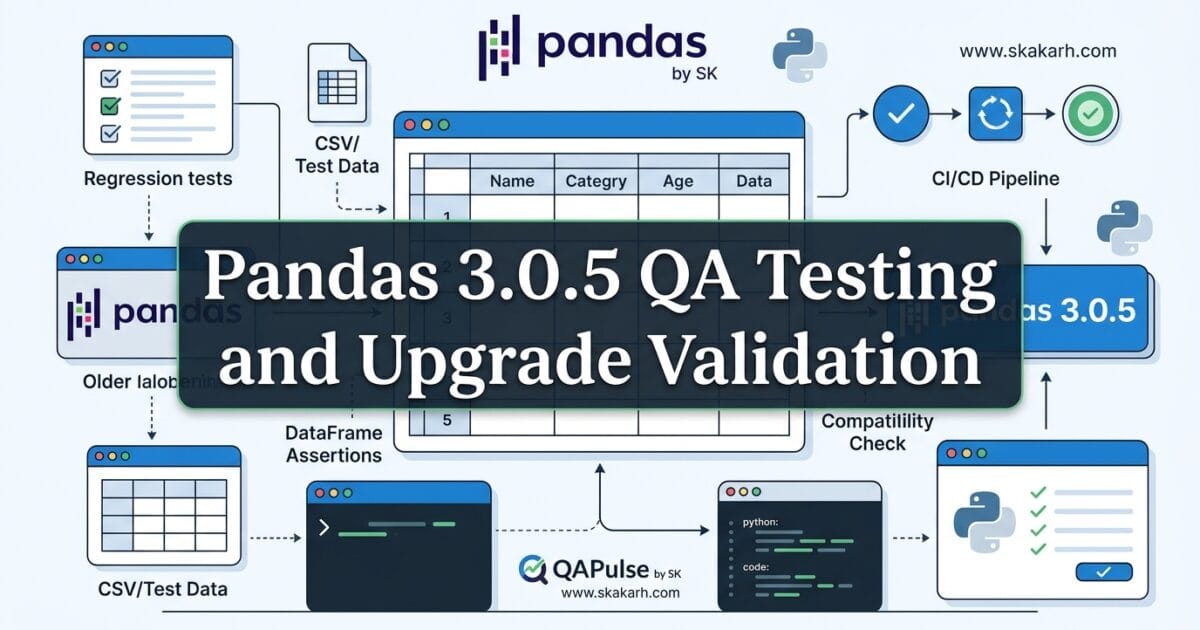
Pandas 3.0.5 is a patch release, but “patch” does not automatically mean “irrelevant to QA.” Released on July 22, 2026, pandas 3.0.5 specifically addresses regressions in the 3.0.x line, and the official project recommends that users on the 3.0.x series upgrade. (Pandas)
For a QA engineer or SDET, the interesting question is therefore not simply “What changed in Pandas 3.0.5?”
The better question is:
Which regression fixes could change the behavior of my existing data-processing, validation, reporting, or test-automation workflows?
That distinction matters.
A dependency upgrade can be technically successful while still exposing problems in application code, test data, assertions, serialization, data transformations, or downstream integrations.
Pandas 3.0.5 is particularly interesting because it sits inside the larger pandas 3.0 generation. Pandas 3.0 introduced substantial behavioral changes compared with the 2.x generation, including a dedicated string dtype by default, more consistent Copy-on-Write behavior, and changes around datetime resolution. (Pandas)
So although 3.0.5 itself is a patch release, QA teams should evaluate it in the context of the 3.0.x behavior already present in their environment.
What Pandas 3.0.5 Actually Changes
The official release notes classify pandas 3.0.5 as a patch release containing regression fixes and bug fixes. The pandas project recommends upgrading users who are already running the 3.0.x series. (Pandas)
That gives us an important QA signal.
A feature release asks:
“What new capabilities do we need to test?”
A regression-focused patch release asks:
“Which previously working behaviors were affected, and have they now been restored?”
Those are different testing strategies.
| Release type | Primary QA question | Typical testing emphasis |
|---|---|---|
| Major release | What fundamentally changed? | Compatibility + regression + migration |
| Minor release | What new behavior was introduced? | Feature + regression |
| Patch release | What defects were corrected? | Regression + targeted validation |
| Security release | What security behavior changed? | Security + regression |
| Pandas 3.0.5 | Which 3.0.x regressions were fixed? | Regression + workflow validation |
This is why blindly running a generic test suite is not enough.
Your testing should start by identifying where pandas is actually used.
For example:
import pandas as pd

df = pd.read_csv("orders.csv")

result = (
    df.groupby("customer_id")["amount"]
      .sum()
      .reset_index()
)

print(result)
A test that only checks whether this script completes successfully gives you one piece of information.
A stronger QA test checks whether the result is still correct:
expected_total = 15420.50

actual_total = result["amount"].sum()

assert actual_total == expected_total
That difference—execution versus behavioral correctness—is where dependency testing becomes valuable.
Why a Patch Release Still Matters to SDETs
Imagine your automation framework currently contains:
Application
   ↓
Python
   ↓
pandas
   ↓
NumPy
   ↓
CSV / JSON / Database
   ↓
Assertions
   ↓
Test Report
Changing pandas can influence more than the line where import pandas appears.
It can affect:
- DataFrame construction
- Series behavior
- dtype handling
- data transformations
- filtering
- grouping
- sorting
- serialization
- test fixtures
- generated reports
- expected-value calculations
- data-driven testing
- API response validation
- database comparison utilities
The most dangerous failures are not necessarily obvious exceptions.
Consider:
assert actual == expected
If the code throws an exception, your pipeline immediately tells you something is wrong.
But if the code continues and produces subtly different data, the problem can become much harder to identify.
That is why Pandas 3.0.5 should be treated as a regression-validation exercise rather than simply a package installation exercise.

The Bigger Context: Pandas 3.0 Changed the Testing Baseline
There is an important distinction between upgrading from pandas 3.0.4 to 3.0.5 and upgrading from pandas 2.x to pandas 3.x.
The first is a patch-level movement inside the same major release line.
The second crosses a major-version boundary.
Pandas 3.0 introduced several significant changes, including the new default string dtype, more consistent Copy-on-Write behavior, and changes to datetime resolution. (Pandas)
That means your organization may already have completed the difficult migration work when it moved from 2.x to 3.x.
For that environment, upgrading to Pandas 3.0.5 is a much more focused exercise.
Think about it like this:
Pandas 2.x
    │
    │ major migration
    ▼
Pandas 3.0.x
    │
    │ patch/regression update
    ▼
Pandas 3.0.5
The testing depth should reflect that difference.
Pandas 2.x → 3.x
You might investigate:
- dtype changes
- string behavior
- Copy-on-Write behavior
- datetime behavior
- deprecated APIs
- removed APIs
- application compatibility
- dependency compatibility
- performance changes
Pandas 3.0.x → 3.0.5
Your emphasis should shift toward:
- regression validation
- existing workflow verification
- critical DataFrame operations
- test-fixture validation
- data-processing correctness
- integration tests
- production-like datasets
That is a much more efficient testing strategy.
Install Pandas 3.0.5 Correctly
The official pandas documentation confirms pandas 3.0.5 as the current 3.0.x release and lists July 22, 2026 as its release date. (Pandas)
For a controlled QA environment, pinning the exact version is usually better than allowing an unconstrained latest version.
python -m pip install --upgrade "pandas==3.0.5"
Then verify it:
python -c "import pandas as pd; print(pd.__version__)"
Expected:
3.0.5
For a reproducible automation environment:
pandas==3.0.5
is generally preferable to:
pandas
Why?
Because your test result should be reproducible.
If today’s pipeline runs against 3.0.5 and tomorrow it silently installs a newer version, you no longer know whether a changed test result came from your application or from the dependency.
Check the Complete Python Environment
Do not validate pandas in isolation.
Pandas sits inside a Python dependency graph, and the official show_versions() utility can expose pandas alongside related environment information. (Pandas)
Use:
import pandas as pd

print("Pandas:", pd.__version__)
pd.show_versions()
For CI pipelines, you can also capture the installed dependency set:
python -m pip freeze > installed-packages.txt
Then your upgrade test becomes reproducible:
Before upgrade
      ↓
Capture dependency state
      ↓
Install pandas 3.0.5
      ↓
Run regression suite
      ↓
Compare results
      ↓
Approve / investigate
This is considerably safer than simply executing:
pip install --upgrade pandas
inside a production-like environment without recording what changed.
A Practical Pandas 3.0.5 QA Strategy
A useful testing strategy has four layers.
Layer 1: Version Validation
First prove that the expected version is actually installed.
import pandas as pd

assert pd.__version__ == "3.0.5"
This sounds trivial, but it prevents a surprisingly common CI problem: believing you are testing one dependency version while the runner is actually using another.
Layer 2: API Smoke Testing
Exercise the pandas operations your application uses most frequently.
import pandas as pd

df = pd.DataFrame({
    "id": [1, 2, 3],
    "price": [10.0, 20.0, 30.0]
})

assert len(df) == 3
assert df["price"].sum() == 60.0
Layer 3: Business Regression Testing
Now test actual application behavior.
def calculate_total(df):
    return df["price"].sum()

def test_calculate_total():
    data = pd.DataFrame({
        "price": [100, 200, 300]
    })

    assert calculate_total(data) == 600
This is more valuable than simply checking whether pandas imports successfully.
Layer 4: Integration Testing
Finally, validate pandas where it interacts with the rest of your system.
For example:
API response
     ↓
JSON
     ↓
pandas DataFrame
     ↓
Transformation
     ↓
Database comparison
     ↓
Assertion
That is where many real-world dependency problems surface.
Pandas 3.0.5 Versus “Just Upgrade and Run Tests”
There are two approaches teams commonly take.
| Approach | What happens | Risk |
|---|---|---|
| Upgrade and run tests | Install package and execute existing suite | Hidden coverage gaps |
| Targeted upgrade testing | Map dependency usage and test affected workflows | Lower unknown risk |
| Snapshot comparison | Compare old/new outputs | Detects behavioral differences |
| Production-like validation | Test with realistic datasets | Better confidence |
| Automated compatibility gate | Block deployment on failures | Prevents accidental promotion |
The strategic advantage is obvious.
Your existing tests represent what you already know how to test.
An upgrade can expose behavior that your test suite never considered.
That is why a strong SDET does not ask only:
“Did all tests pass?”
The stronger question is:
“Did we test the behaviors most likely to be affected by this dependency change?”
Use Before-and-After Data Comparisons
One of the most effective techniques for pandas upgrades is output comparison.
Suppose your application generates a transformed dataset.
Run the same input against the previous version and pandas 3.0.5:
old_result = run_pipeline_with_old_environment(input_data)
new_result = run_pipeline_with_new_environment(input_data)
Then compare:
import pandas as pd

pd.testing.assert_frame_equal(
    old_result,
    new_result,
    check_dtype=True
)
This is powerful because you are not merely testing whether the program ran.
You are testing whether the data contract remained stable.
For controlled scenarios, you may intentionally relax specific comparison rules:
pd.testing.assert_frame_equal(
    old_result,
    new_result,
    check_dtype=False
)
But do this deliberately.
If you disable dtype checking simply to make the test pass, you may hide exactly the kind of behavioral difference that an upgrade test should detect.
Interactive QA Challenge
Before approving a pandas dependency upgrade, ask yourself:
If pandas changed the dtype of a critical column but every test still returned HTTP 200, would your current test suite detect it?
If the answer is no, your testing strategy is checking system availability rather than data correctness.
That distinction is especially important for:
- ETL pipelines
- analytics applications
- reporting systems
- ML preprocessing
- data-validation frameworks
- API test frameworks
- database reconciliation
- CSV/Excel processing
- automated test-data generation
Why Pandas 3.0.5 Matters for Test Automation
SDETs frequently use pandas indirectly.
For example, a data-driven test may load test cases from CSV:
import pandas as pd

cases = pd.read_csv("test_cases.csv")

for _, case in cases.iterrows():
    response = call_api(
        case["endpoint"],
        case["payload"]
    )

    assert response.status_code == case["expected_status"]
Here pandas is not the system under test.
But pandas is part of the test infrastructure.
That means a pandas regression can potentially affect the test itself.
This creates an important testing principle:
Dependencies used by your test framework deserve regression testing just like dependencies used by your application.
A broken production dependency is bad.
A broken test-data dependency can be even more confusing because it can produce false failures—or worse, false confidence.


The Python Version Constraint Matters Too
Pandas 3.0 supports Python 3.11 and higher, so the runtime version must be included in your compatibility matrix. (Pandas)
A simple matrix could look like:
| Python | Pandas 3.0.5 | QA Action |
|---|---|---|
| 3.10 | Not supported by pandas 3.0 | Migration required |
| 3.11 | Supported | Test |
| 3.12 | Supported | Test |
| 3.13 | Supported | Test |
| 3.14 | Supported according to the current pandas 3.0.x environment | Validate |
| Future runtime | Verify official support | Do not assume |
Do not interpret “the package installed successfully” as proof of compatibility.
Your CI environment should explicitly define the supported combinations.
For example:
strategy:
  matrix:
    python-version:
      - "3.11"
      - "3.12"
      - "3.13"
Then execute your critical pandas workflows against each supported runtime.
What QA Should Prioritize
Not every pandas operation deserves equal testing effort.
Start with the operations your product depends on.
| Area | Priority |
|---|---|
| Critical DataFrame transformations | High |
| dtype-sensitive logic | High |
| Data ingestion | High |
| Business calculations | High |
| API/database reconciliation | High |
| Test-data generation | High |
| Reporting | Medium |
| Exploratory notebooks | Medium |
| Rarely used utilities | Low |
This prevents a common QA mistake: spending equal effort everywhere.
Risk-based testing is better.
If a pandas operation directly affects customer billing, test it aggressively.
If another operation is used only in an internal notebook once a month, it does not deserve the same upgrade budget.
The Real Upgrade Question
The pandas project’s recommendation is straightforward for users on the 3.0.x line: upgrade to 3.0.5 because it contains regression fixes and bug fixes. (Pandas)
For QA teams, however, the decision should be slightly more disciplined.
Ask:
- Are we already running pandas 3.0.x?
- Is our Python runtime supported?
- Which workflows depend on pandas?
- Which tests are sensitive to DataFrame behavior?
- Do we compare generated datasets?
- Do we test production-like data?
- Can we reproduce the old environment?
- Can we roll back if a regression appears?
If the answers are clear, upgrading becomes a controlled engineering change rather than a gamble.
The best upgrade process is not:
Install → Hope → Deploy
It is:
Baseline
   ↓
Upgrade
   ↓
Validate
   ↓
Compare
   ↓
Regression test
   ↓
Integration test
   ↓
Approve
That is the mindset QA engineers should bring to Pandas 3.0.5.
The official pandas documentation provides the release notes and installation guidance, while the project identifies 3.0.5 as the latest 3.0.x release as of July 22, 2026. (Pandas)
Why Pandas 3.0.5 Matters for Test Data, Regression Checks, and QA Pipelines
Pandas 3.0.5 is a patch release, so the right question for a QA engineer is not simply, “What new feature do I get?” The better question is: what regression fixes changed the behavior of the data-processing code that my tests depend on?
That distinction matters because pandas is often invisible inside a testing stack. A test may use pandas to load API responses, compare database exports, transform CSV files, validate analytics results, or generate test datasets. A seemingly small library correction can therefore affect assertions and test-data pipelines without changing a single line of test code.
The official pandas announcement describes 3.0.5 as a patch release in the 3.0.x series containing regression fixes and bug fixes, and recommends users on the 3.0.x series upgrade. Pandas 3.0 requires Python 3.11 or newer.
Pandas 3.0.5: A Patch Release With QA Consequences
For QA teams, patch releases deserve a different testing strategy from major releases.
A major release usually triggers questions such as:
- What APIs were removed?
- What behavior changed?
- What dependencies are incompatible?
- What migration work is required?
A patch release shifts the emphasis toward:
- regression detection
- deterministic test-data processing
- assertion stability
- serialization behavior
- DataFrame comparison
- CI environment consistency
- dependency compatibility
That makes Pandas 3.0.5 particularly relevant to teams already running pandas 3.0.x.
Think about a test that compares two datasets:
import pandas as pd

expected = pd.read_csv("expected.csv")
actual = pd.read_csv("actual.csv")

pd.testing.assert_frame_equal(actual, expected)
The test itself has not changed.
But the library underneath the test has.
That means your regression risk is not necessarily in the test code. It can be in the data transformation behavior between the application and assertion.

What Changed in Pandas 3.0.5?
The most important context is that pandas 3.0.5 is not positioned as a feature-heavy release.
The official announcement characterizes it as a patch release containing regression fixes and bug fixes. The project specifically recommends upgrading users of the 3.0.x series.
That changes how I would approach validation.
Instead of creating an entirely new test suite, I would focus on high-value regression paths.
For example:
def test_customer_export():
    df = pd.read_csv("customers.csv")

    assert not df.empty
    assert "customer_id" in df.columns
    assert df["customer_id"].is_unique
This test validates more than pandas syntax.
It validates an assumption your QA pipeline makes about the data.
If your automation relies heavily on DataFrames, you should test:
Input
  ↓
Pandas transformation
  ↓
Expected structure
  ↓
Expected values
  ↓
Application assertion
That is much more useful than simply verifying:
import pandas as pd

print(pd.__version__)
The version check tells you what you installed.
The regression test tells you whether your system still works.
Pandas 3.0.5 and the QA Regression Mindset
A useful way to think about dependency upgrades is to separate installation validation from behavior validation.
| Validation type | Question | Example |
|---|---|---|
| Installation | Did the new version install? | Import pandas successfully |
| Compatibility | Does the environment support it? | Python/dependency checks |
| Functional | Does application behavior work? | Data transformation tests |
| Regression | Did previous behavior remain valid? | Existing test suite |
| Data integrity | Are values and types correct? | DataFrame assertions |
| Pipeline | Does CI still behave correctly? | Full pipeline execution |
This distinction becomes especially important with pandas because test automation frequently uses it as a data-processing layer rather than as the primary product under test.
Consider an API validation test:
import pandas as pd
import requests

response = requests.get("/api/orders")
data = response.json()

df = pd.DataFrame(data["orders"])

assert df["order_id"].notna().all()
assert (df["amount"] >= 0).all()
If the DataFrame construction or subsequent transformation behaves differently because of a regression fix, your API test may produce a different result even though the API itself has not changed.
That is why experienced SDETs should treat dependency upgrades as part of the test environment risk model.
Pandas 3.0.5 vs a Major Pandas Upgrade
It is tempting to treat every pandas release identically.
That is a mistake.
Compare the testing strategy:
| Area | Patch release such as 3.0.5 | Major release |
|---|---|---|
| Primary concern | Regression fixes | API and behavior changes |
| Migration effort | Usually lower | Potentially significant |
| Existing tests | High priority | High priority |
| New feature testing | Usually limited | Important |
| Dependency audit | Recommended | Essential |
| Data validation | Important | Critical |
| Python compatibility | Verify | Verify carefully |
| Rollback plan | Recommended | Essential |
Pandas 3.0.5 should therefore be approached as a controlled regression upgrade, rather than as a feature-adoption project.
The Python Version Requirement You Should Not Ignore
There is another important compatibility condition.
Pandas 3.0 supports Python 3.11 and higher.
So before upgrading, check the runtime used by your actual automation environment:
python --version
python -c "import pandas as pd; print(pd.__version__)"
Do not only check your laptop.
Check the environment where your tests actually execute.
For example:
# Example CI validation

- name: Check Python
  run: python --version

- name: Check Pandas
  run: python -c "import pandas as pd; print(pd.__version__)"

- name: Run tests
  run: pytest
This matters because local development and CI can silently use different Python environments.
A developer might have:
Python 3.13
Pandas 3.0.5
while an older CI runner has:
Python 3.10
Pandas 2.x
Your local tests can pass while CI behavior tells a completely different story.
Upgrade Pandas Without Losing Reproducibility
For a controlled QA environment, avoid blindly upgrading everything.
The official pandas documentation provides the installation approach for the 3.0.x line, including:
python -m pip install --upgrade pandas==3.0.*
or:
conda install -c conda-forge pandas=3.0
For automation projects, I prefer explicitly recording the environment.
For example:
python -m pip install --upgrade "pandas==3.0.5"
Then verify:
python -c "import pandas as pd; print(pd.__version__)"
And execute the regression suite:
pytest -q
The important sequence is:
Upgrade
   ↓
Verify environment
   ↓
Run unit tests
   ↓
Run data-validation tests
   ↓
Run integration tests
   ↓
Compare critical datasets
   ↓
Approve CI rollout
That is a much stronger upgrade process than changing a dependency version and waiting for production to reveal the consequences.
Test Data Is Where Pandas Upgrades Become Interesting
Many QA engineers use pandas for test-data generation without thinking of it as part of the test infrastructure.
For example:
import pandas as pd

users = pd.DataFrame({
    "username": ["qa_user_01", "qa_user_02"],
    "role": ["admin", "viewer"],
    "active": [True, True]
})

users.to_csv("test-users.csv", index=False)
Another test might consume the generated file:
users = pd.read_csv("test-users.csv")

assert len(users) == 2
assert users["active"].all()
Here pandas participates in both sides of the test lifecycle:
Generate test data
        ↓
     Pandas
        ↓
Persist test data
        ↓
Application
        ↓
Collect result
        ↓
     Pandas
        ↓
Compare expected vs actual
That means regression testing should include both test-data generation and test-result analysis.
A Practical Regression Check
Suppose your project contains a known-good dataset.
You can establish a simple regression baseline:
import pandas as pd

baseline = pd.read_parquet("baseline.parquet")
candidate = pd.read_parquet("candidate.parquet")

pd.testing.assert_frame_equal(
    candidate,
    baseline,
    check_dtype=True
)
For some systems, exact equality is too strict.
You may instead compare specific business-critical properties:
assert candidate.shape == baseline.shape
assert list(candidate.columns) == list(baseline.columns)
assert candidate["customer_id"].is_unique
assert candidate["revenue"].sum() == baseline["revenue"].sum()
This is an important testing principle:
Do not test every byte when the business requirement is about behavior.
A good SDET identifies which properties actually matter.
Pandas 3.0.5 vs Other Data Validation Approaches
Pandas is not the only option for validating structured data.
| Tool | Strongest use case | QA advantage |
|---|---|---|
| Pandas | Tabular data | Powerful transformations and comparisons |
| Polars | High-performance DataFrames | Fast data processing |
| NumPy | Numerical arrays | Efficient numerical assertions |
| Great Expectations | Data-quality rules | Declarative validation |
| Pytest | Test orchestration | Flexible automation framework |
These tools can also work together.
For example:
import pandas as pd

df = pd.read_csv("orders.csv")

assert df["order_id"].notna().all()
assert df["amount"].ge(0).all()
Pytest can orchestrate the test, while pandas performs the data manipulation.
That separation is useful.
You do not need to replace pandas simply because another tool is faster or newer. The better question is:
Does the tool fit the workload and provide reliable assertions for the data your tests actually validate?
A Strategic Upgrade Checklist
Before approving Pandas 3.0.5 in a production QA environment, I would check:
[ ] Python version is supported
[ ] Pandas version is pinned/verified
[ ] Existing unit tests pass
[ ] Data transformation tests pass
[ ] CSV/JSON/Parquet workflows pass
[ ] DataFrame assertions pass
[ ] Test-data generators pass
[ ] CI environment matches local assumptions
[ ] Critical datasets have regression coverage
[ ] Dependency lock files are updated
[ ] Rollback version is known
The key is not the number of tests.
It is whether the tests cover the places where pandas affects your system.
Make the Upgrade a QA Experiment
Here is a simple exercise you can run in your own project.
Choose one important data-processing test.
Record:
import pandas as pd

print("Pandas:", pd.__version__)

df = pd.read_csv("critical-data.csv")

print("Rows:", len(df))
print("Columns:", list(df.columns))
print("Dtypes:")
print(df.dtypes)
Run it before the upgrade.
Then install Pandas 3.0.5 and run the same test.
Do not immediately ask:
“Did it pass?”
Ask:
“Did the observable behavior remain the same?”
That means comparing:
- row counts
- column names
- data types
- null counts
- sorting assumptions
- calculated values
- serialization output
- downstream assertions
This is the difference between test execution and test engineering.
When Should QA Teams Upgrade?
For teams already using pandas 3.0.x, the official project recommendation favors upgrading to 3.0.5 because it contains regression and bug fixes.
My recommendation would be:
Upgrade in development and CI first, validate critical data workflows, then promote through your normal release process.
For a production automation environment, I would not make the decision based solely on the fact that the release is a patch.
Instead:
Low-risk data usage
        ↓
Upgrade + smoke tests
        ↓
Regression suite
        ↓
CI validation
        ↓
Production

High-risk data pipeline
        ↓
Upgrade in isolated environment
        ↓
Dataset comparison
        ↓
Full regression
        ↓
Canary execution
        ↓
Production
The second strategy is appropriate when pandas sits directly inside financial, analytics, ETL, reporting, or high-volume test-data pipelines.
Internal Links
- Learn MCP – Zero to Hero
- Learn AI Agents for QA – Zero to Hero
- Playwright Automation – Zero to Hero
- TencentDB Agent Memory: Complete Zero to Hero
- LangGraph: Complete Zero to Hero
- Learn Python – Zero to Hero
- OpenAI Codex: Complete Zero to Hero
- Cursor AI: Complete Zero to Hero
- Claude Code Tutorial: Complete Zero to Hero
- AutoGen: Complete Zero to Hero Guide
- Free QA Resources Built From Real Experience
- QA Glossary: Test Automation Terms Every Engineer Should Know
External Links
- Official pandas 3.0.5 release announcement
- Official pandas documentation
- Official pandas GitHub repository
- Python documentation
- Python packaging documentation
People Asked Questions
What is Pandas 3.0.5?
Pandas 3.0.5 is a patch release in the pandas 3.0.x series containing regression fixes and bug fixes.
Is Pandas 3.0.5 a major release?
No. Pandas 3.0.5 is a patch release, so QA teams should primarily focus on regression testing and compatibility validation rather than major migration work.
What Python version does Pandas 3.0.5 require?
Pandas 3.0 supports Python 3.11 and newer, so teams should verify their Python runtime before upgrading.
Should I upgrade to Pandas 3.0.5?
If you are already using the pandas 3.0.x series, upgrading to 3.0.5 is reasonable after validating your application’s data-processing and test-automation workflows.
How do I install Pandas 3.0.5?
Use:
python -m pip install --upgrade "pandas==3.0.5"Then verify the installed version:
python -c "import pandas as pd; print(pd.__version__)"What should QA engineers test after upgrading Pandas?
Test DataFrame comparisons, test-data generation, CSV/JSON/Parquet processing, API validation, database-result comparisons, CI environments, and critical data transformations.
Can a Pandas patch release break existing tests?
A patch release can expose or correct behavior that existing tests depend upon. That is why regression testing remains important even when the release does not introduce major API changes.
How can I test Pandas upgrades in CI?
Pin the intended pandas version, verify the Python runtime, execute unit and integration tests, and compare critical datasets or DataFrame outputs against known-good baselines.
AI Overview Optimization
Pandas 3.0.5 is a patch release in the pandas 3.0.x series focused on regression fixes and bug fixes. For QA engineers, the safest upgrade approach is to verify Python compatibility, run existing regression tests, validate DataFrame and test-data workflows, and compare critical outputs before promoting the dependency to production.
| Question | Direct answer |
|---|---|
| What is it? | Pandas 3.0.5 patch release |
| Main focus | Regression and bug fixes |
| Python requirement | Python 3.11+ |
| QA priority | Regression testing |
| Key validation | DataFrames, test data, pipelines |
| Upgrade strategy | CI → regression → controlled production rollout |
Conclusion
Pandas 3.0.5 is a patch release, but that does not make it irrelevant to QA.
For test automation teams, the most important consideration is not a long list of new APIs. It is whether the regression fixes and dependency changes preserve the behavior your automation already relies upon.
If pandas is used for DataFrame comparisons, API validation, test-data generation, CSV processing, database-result analysis, or reporting, then your upgrade strategy should focus on behavioral regression testing.
The strongest approach is simple:
upgrade deliberately, validate the environment, exercise critical data paths, compare meaningful outputs, and promote only after your CI evidence supports the change.
Final Key Takeaways
- Pandas 3.0.5 is a patch release focused on regression and bug fixes.
- Users already on the pandas 3.0.x series are encouraged by the project to upgrade.
- Pandas 3.0 requires Python 3.11 or newer.
- QA teams should test behavior rather than simply checking whether pandas imports.
- DataFrame assertions are valuable regression safeguards.
- Test-data generation deserves upgrade coverage just as much as application-result validation.
- CI should use the same supported Python and pandas versions that you validated locally.
- Critical datasets should have baseline comparisons.
- Pinning the exact dependency version improves reproducibility.
- A patch upgrade should still pass through a controlled regression strategy.
- The real question is not “Did Pandas 3.0.5 install?”
- The better question is “Does everything depending on pandas still behave correctly?”
Continue Learning
Explore more expert articles on Mobile Testing, Backend & API, AI & Agentic, AI Tools, n8n, LangChain, CrewAI, MCP Servers, AI Agents, LlamaIndex, Docker, FastAPI, Playwright, Cypress, Test Automation, DevOps, and Software Engineering at www.skakarh.com.
QAPulse by SK delivers expert release analysis, AI engineering insights, enterprise automation strategies, migration guidance, DevOps best practices, and practical testing knowledge to help software professionals build scalable, intelligent, and production-ready software systems.