QA
QA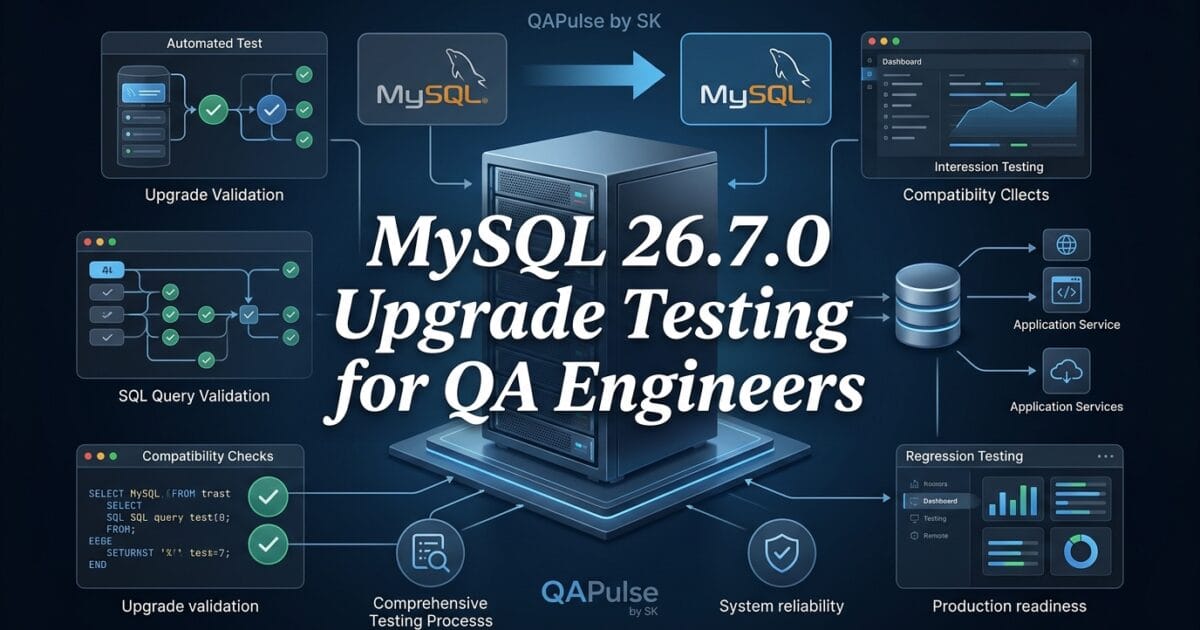
MySQL 26.7.0 is the focus of this release analysis, but the important question for QA engineers is not simply whether the version installs successfully. The real question is whether your applications, queries, test environments, drivers, and database-dependent automation continue to behave correctly after the upgrade.
Strategic QA principle: A database upgrade is successful only when the applications depending on the database remain functionally and operationally compatible.
MySQL 26.7.0 is therefore worth approaching from a compatibility-testing perspective, especially when the database sits underneath APIs, web applications, automation frameworks, reporting systems, or CI/CD environments.
What MySQL 26.7.0 Means for QA Engineers
The supplied release information does not provide a detailed change list for MySQL 26.7.0. The GitHub repository does not publish conventional GitHub Releases for mysql/mysql-server; the version information is instead associated with the project’s tags and official changelog.
That distinction matters.
A QA engineer should avoid treating a version-number change as proof that there are major user-facing features. Instead, the testing strategy should start by identifying what changed in the database distribution and then determining which application behaviors could be affected.
A useful upgrade model is:
MySQL upgrade
     ↓
Configuration compatibility
     ↓
Driver compatibility
     ↓
SQL/query compatibility
     ↓
Schema compatibility
     ↓
Application behavior
     ↓
Automation regression
     ↓
Performance validation
     ↓
Production readiness
This is considerably more useful than simply running:
mysql --version
and declaring the upgrade successful.

Why Database Version Changes Matter to Test Automation
Database upgrades can create failures that do not appear during a basic smoke test.
Consider an application that performs:
SELECT id, name
FROM customers
WHERE status = 'active'
ORDER BY created_at DESC;
The query may execute successfully after an upgrade, but that does not prove the application is compatible.
Your automation should also validate:
def test_active_customers(api_client):
    response = api_client.get("/customers?status=active")

    assert response.status_code == 200
    assert response.json()["count"] >= 0
The important distinction is between database availability and application compatibility.
| Validation | What it proves | What it does not prove |
|---|---|---|
mysql --version | Version installed | Application compatibility |
| Database connection test | Server accepts connections | Query correctness |
| SQL smoke test | Basic SQL execution | Business behavior |
| API test | Application still works | Database performance |
| Regression suite | Existing behavior preserved | Production-scale workload |
| Load test | Performance under workload | Every functional scenario |
This is why database upgrade testing needs multiple layers.
MySQL 26.7.0 Upgrade Testing Should Start With Compatibility
Before changing a shared environment, create a compatibility baseline.
Record at least:
- Current MySQL version
- Database engine configuration
- SQL modes
- Character sets
- Collations
- Database drivers
- ORM versions
- Connection-pool settings
- Stored procedures
- Triggers
- Scheduled jobs
- Replication configuration
- Backup and restore behavior
- Application dependencies
- Test automation dependencies
For example:
SELECT VERSION();

SELECT @@sql_mode;

SELECT @@character_set_server;

SELECT @@collation_server;
Capture these values before and after the upgrade.
A simple automated comparison can then detect unexpected changes:
before = {
    "sql_mode": "STRICT_TRANS_TABLES,...",
    "charset": "utf8mb4",
    "collation": "utf8mb4_0900_ai_ci",
}

after = {
    "sql_mode": "STRICT_TRANS_TABLES,...",
    "charset": "utf8mb4",
    "collation": "utf8mb4_0900_ai_ci",
}

assert before == after
The exact assertions should reflect your environment rather than blindly requiring every configuration value to remain identical.
Don’t Test Only Whether the Database Starts
One of the most common upgrade-testing mistakes is stopping here:
systemctl restart mysql
systemctl status mysql
If the service is running, the infrastructure team may consider the upgrade successful.
For QA, that is only the first gate.
A stronger validation sequence looks like this:
Database starts
      ↓
Application connects
      ↓
Authentication works
      ↓
Queries execute
      ↓
Transactions behave correctly
      ↓
APIs return expected responses
      ↓
Background jobs complete
      ↓
Automation passes
      ↓
Performance remains acceptable
This difference is critical for production systems.
SQL Compatibility Testing
SQL compatibility should be treated as a first-class regression area.
Build a test suite around the queries your application actually uses.
For example:
def test_customer_lookup(db):
    result = db.execute("""
        SELECT id, email
        FROM customers
        WHERE status = 'active'
    """)

    assert result is not None
Then move beyond simple execution.
Validate:
- Returned records
- Ordering
- NULL behavior
- Numeric calculations
- Date/time handling
- Aggregations
- Joins
- Transactions
- Constraints
- Stored procedures
- Error handling
A query returning HTTP 200 does not automatically mean its business result is correct.
Compare Database Upgrade Testing With Application Regression
These two approaches are related but not identical.
| Area | Database Upgrade Testing | Application Regression |
|---|---|---|
| Primary goal | Validate database compatibility | Validate application behavior |
| SQL compatibility | Critical | Indirect |
| Schema validation | Critical | Important |
| Driver compatibility | Critical | Important |
| API behavior | Important | Critical |
| UI behavior | Usually indirect | Critical |
| Query performance | Critical | Important |
| Data integrity | Critical | Critical |
| Infrastructure configuration | Critical | Usually indirect |
The strongest strategy combines both.
Your database team validates the platform while QA validates what customers actually experience.
Test Database Drivers and Connection Pools
A database upgrade can expose problems outside the database itself.
Your application may use:
Application
    ↓
ORM
    ↓
Database Driver
    ↓
Connection Pool
    ↓
MySQL
Testing only the final database layer leaves several compatibility points unchecked.
For example, an application might use a Python driver:
import mysql.connector

connection = mysql.connector.connect(
    host="localhost",
    user="test_user",
    password="password",
    database="qa_db"
)

cursor = connection.cursor()
cursor.execute("SELECT 1")

assert cursor.fetchone()[0] == 1
The same principle applies to Java, Node.js, Go, .NET, PHP, and other MySQL clients.
The upgrade matrix should therefore include the database + driver + ORM + application combination.
Use Testcontainers for Repeatable Upgrade Testing
Containerized database testing can make upgrade validation significantly more repeatable.
A test environment can define the database version explicitly:
services:
  mysql:
    image: mysql:26.7.0
    environment:
      MYSQL_ROOT_PASSWORD: root
      MYSQL_DATABASE: testdb
      MYSQL_USER: test
      MYSQL_PASSWORD: test
    ports:
      - "3306:3306"
The exact image tag should always be verified against the available official MySQL distribution rather than assuming that every version follows the same container-tagging convention.
The strategic advantage is reproducibility:
Developer machine
       ↓
CI environment
       ↓
Upgrade test environment
       ↓
Pre-production
All environments can be tested against the intended database version.
MySQL 26.7.0 vs Other Database Upgrade Strategies
Different databases require different validation strategies, but the underlying QA principle remains similar.
| Database | Important Upgrade Testing Areas |
|---|---|
| MySQL | SQL behavior, schema, drivers, replication, performance |
| PostgreSQL | Extensions, SQL behavior, planner changes, drivers |
| SQL Server | Compatibility level, queries, stored procedures, execution plans |
| MongoDB | Driver compatibility, document behavior, indexes |
| Oracle | SQL compatibility, packages, optimizer behavior, dependencies |
The lesson is broader than MySQL:
The database is part of the application contract.
If that contract changes, the application’s automated tests should detect it.
Build an Upgrade Gate Instead of Relying on Manual Verification
A mature QA pipeline should prevent an unvalidated database upgrade from reaching production.
For example:
upgrade-validation:
  steps:
    - validate-version
    - validate-configuration
    - run-schema-migrations
    - run-sql-tests
    - run-api-tests
    - run-regression-tests
    - run-performance-tests
    - validate-backups
The deployment should proceed only when the required gates pass.
A simple policy can be:
IF critical regression fails
    → STOP upgrade

IF data integrity check fails
    → STOP upgrade

IF migration fails
    → STOP upgrade

IF performance exceeds threshold
    → INVESTIGATE

IF all production-readiness gates pass
    → APPROVE
This transforms database upgrades from a risky infrastructure event into a measurable engineering process.
Make the Upgrade Testable Before Production
The strongest approach is not to discover compatibility problems after the production database has already changed.
Instead:
Production MySQL
       ↓
Clone representative data
       ↓
Deploy target MySQL version
       ↓
Run automated validation
       ↓
Compare results
       ↓
Analyze regressions
       ↓
Approve / reject upgrade
Your test environment should represent the production architecture closely enough to expose real compatibility risks.
Pay particular attention to:
- Large tables
- High-volume queries
- Complex joins
- Heavy indexes
- Transactions
- Concurrent writes
- Long-running queries
- Scheduled jobs
- Reporting workloads
- API traffic
- Backup and restore operations
The goal is not merely to prove that MySQL 26.7.0 starts.
The goal is to prove that your system still behaves correctly on MySQL 26.7.0.
MySQL 26.7.0 Upgrade Validation: From Smoke Tests to Production Confidence
MySQL 26.7.0 should be validated as part of the complete application stack, not as an isolated database component. A successful server startup is useful, but it is only an infrastructure check. QA engineers need evidence that applications, queries, transactions, automation, integrations, and operational workflows continue to work as expected.
The most effective upgrade strategy is therefore to move from installation validation toward behavioral validation.
Validate Schema and Migration Compatibility
Database upgrades frequently happen alongside application releases, which means schema migrations must be tested independently and together with the new database environment.
For example, if your deployment executes:
ALTER TABLE orders
ADD COLUMN risk_score DECIMAL(5,2);
the test should verify more than whether the statement executes.
def test_order_schema(db):
    columns = db.execute("""
        SELECT COLUMN_NAME, DATA_TYPE
        FROM information_schema.columns
        WHERE table_name = 'orders'
          AND column_name = 'risk_score'
    """)

    assert columns
A stronger migration test validates:
- Migration completes successfully
- Existing data remains intact
- New columns have the expected type
- Indexes remain available
- Constraints behave correctly
- Rollback procedures work
- Application code can use the new schema
- Existing queries continue to work
For production systems, migration testing should happen against a realistic copy of the schema rather than a tiny artificial database.
Test Transactions and Data Integrity
A database can accept connections and execute queries while still producing application-level problems.
Transaction behavior deserves dedicated regression coverage.
def test_order_transaction(db):
    db.begin()

    db.execute("""
        INSERT INTO orders(customer_id, total)
        VALUES (101, 250.00)
    """)

    db.commit()

    result = db.execute("""
        SELECT total
        FROM orders
        WHERE customer_id = 101
        ORDER BY id DESC
        LIMIT 1
    """)

    assert float(result[0]["total"]) == 250.00
Also test rollback:
def test_transaction_rollback(db):
    db.begin()

    db.execute("""
        INSERT INTO orders(customer_id, total)
        VALUES (999, 500.00)
    """)

    db.rollback()

    result = db.execute("""
        SELECT COUNT(*)
        FROM orders
        WHERE customer_id = 999
          AND total = 500.00
    """)

    assert result[0][0] == 0
This is particularly important for financial transactions, order processing, inventory systems, authentication, and any workflow where partial writes could corrupt business state.
Validate Application APIs Against the Upgraded Database
Database compatibility ultimately becomes a customer-facing concern when an API depends on the database.
For example:
def test_create_customer(api_client):
    response = api_client.post(
        "/customers",
        json={
            "name": "QA Customer",
            "email": "qa@example.com"
        }
    )

    assert response.status_code == 201
Then validate persistence:
def test_customer_persisted(db):
    result = db.execute("""
        SELECT name, email
        FROM customers
        WHERE email = 'qa@example.com'
    """)

    assert result[0]["name"] == "QA Customer"
This creates a valuable chain:
API request
    ↓
Application logic
    ↓
Database driver
    ↓
MySQL 26.7.0
    ↓
Database transaction
    ↓
API response
Testing only the API or only the database leaves gaps.
Test Negative Scenarios, Not Just Happy Paths
Upgrade testing should deliberately exercise failure conditions.
Examples include:
- Duplicate records
- Invalid foreign keys
- NULL values
- Invalid data types
- Transaction conflicts
- Constraint violations
- Connection failures
- Query timeouts
- Authentication failures
- Deadlocks
- Rollbacks
For example:
def test_duplicate_email_rejected(api_client):
    response = api_client.post(
        "/customers",
        json={
            "name": "Duplicate",
            "email": "existing@example.com"
        }
    )

    assert response.status_code in (400, 409)
The exact expected response should match your application’s contract.
The strategic point is simple: an upgrade should not change how your application handles known failure conditions unless that change is intentional.
Compare Query Results Before and After the Upgrade
One of the most powerful techniques for database upgrade testing is differential validation.
Run important queries against:
Current database
       ↓
Target database
       ↓
Compare results
For example:
before = run_query(
    old_db,
    "SELECT customer_id, SUM(total) FROM orders GROUP BY customer_id"
)

after = run_query(
    new_db,
    "SELECT customer_id, SUM(total) FROM orders GROUP BY customer_id"
)

assert before == after
For large datasets, avoid blindly comparing entire result sets in memory.
Instead, compare:
- Row counts
- Checksums
- Aggregates
- Representative records
- Critical business values
- Query execution characteristics
This approach is much stronger than relying on a few manually selected queries.


Performance Testing Should Be Part of the Upgrade
Functional tests can pass while performance gets worse.
That is why MySQL 26.7.0 validation should include representative performance scenarios.
Measure:
| Metric | Before Upgrade | After Upgrade | Decision |
|---|---|---|---|
| Average query time | Baseline | Target result | Compare |
| P95 latency | Baseline | Target result | Compare |
| P99 latency | Baseline | Target result | Compare |
| Transactions/sec | Baseline | Target result | Compare |
| CPU utilization | Baseline | Target result | Compare |
| Memory utilization | Baseline | Target result | Compare |
| Connection usage | Baseline | Target result | Compare |
A simple load-test workflow could look like:
Baseline
   ↓
Capture metrics
   ↓
Upgrade test environment
   ↓
Replay workload
   ↓
Capture metrics
   ↓
Compare
   ↓
Investigate regressions
Do not define an arbitrary “upgrade passed” threshold without considering the application’s existing performance objectives.
A 3% latency change might be irrelevant for one workload and unacceptable for another.
Test Connection Pool Behavior
Modern applications rarely create a brand-new database connection for every request.
They typically use a pool:
Application
     ↓
Connection Pool
     ↓
MySQL
Test scenarios such as:
- Connection creation
- Connection reuse
- Pool exhaustion
- Connection timeout
- Idle connection handling
- Server restart
- Network interruption
- Application recovery
For example:
def test_database_reconnect(db):
    db.execute("SELECT 1")

    simulate_connection_loss()

    db.reconnect()

    result = db.execute("SELECT 1")

    assert result is not None
The exact implementation depends on the application’s driver and connection-pool library.
This kind of testing is especially important because production failures often occur at the boundaries between components rather than inside the database server itself.
Validate Backup and Restore
A database upgrade is incomplete if the recovery strategy has not been tested.
Validate:
Backup
  ↓
Upgrade
  ↓
Application validation
  ↓
Restore test
  ↓
Data verification
For example, after restoring a backup:
SELECT COUNT(*) FROM customers;
SELECT COUNT(*) FROM orders;
SELECT MAX(created_at) FROM orders;
Compare the results with the expected baseline.
Also verify:
- Backup completes
- Backup files are usable
- Restore completes
- Permissions are preserved
- Critical tables exist
- Recent records are available
- Application can reconnect
- Recovery time remains acceptable
A backup that has never been restored is an assumption, not a recovery strategy.
Add Database Upgrade Testing to CI/CD
The strongest long-term approach is to automate the validation.
A pipeline can use stages such as:
stages:
  - database-startup
  - schema-validation
  - migration-testing
  - sql-regression
  - api-regression
  - data-integrity
  - performance
  - backup-restore
  - production-gate
Each stage should have a clearly defined failure policy.
For example:
Critical data-integrity failure
        ↓
       STOP

Migration failure
        ↓
       STOP

Critical API regression
        ↓
       STOP

Performance degradation
        ↓
   Investigate

Non-critical warning
        ↓
     Review
This turns the upgrade from a manual checklist into an engineering control.
MySQL 26.7.0 Testing Compared With a Simple Smoke Test
The difference becomes obvious when the two approaches are placed side by side.
| Approach | Simple Smoke Test | Upgrade Validation Strategy |
|---|---|---|
| Server starts | Yes | Yes |
| Connection works | Yes | Yes |
| Basic SQL | Yes | Yes |
| Schema validation | Limited | Yes |
| Migration testing | No | Yes |
| API regression | No | Yes |
| Data integrity | Limited | Yes |
| Transaction testing | Limited | Yes |
| Negative scenarios | Rarely | Yes |
| Driver compatibility | No | Yes |
| Performance | No | Yes |
| Backup/restore | No | Yes |
| CI/CD gate | No | Yes |
| Production readiness | Weak evidence | Stronger evidence |
A smoke test answers:
“Is the database alive?”
A serious upgrade test answers:
“Can our system safely operate on the upgraded database?”
Those are completely different questions.
Build a Production-Readiness Gate
Before approving MySQL 26.7.0 for production, create an explicit decision matrix.
                 PASS?
                   │
        ┌──────────┴──────────┐
        │                     │
   Functional tests       Data integrity
        │                     │
        └──────────┬──────────┘
                   ↓
             Performance
                   ↓
            Backup/restore
                   ↓
             Observability
                   ↓
          Production approval
A practical checklist could include:
| Gate | Required Result |
|---|---|
| Database startup | Pass |
| Application connection | Pass |
| Schema validation | Pass |
| Migrations | Pass |
| SQL regression | Pass |
| API regression | Pass |
| Critical workflows | Pass |
| Data integrity | Pass |
| Performance | Within agreed threshold |
| Backup | Pass |
| Restore | Pass |
| Monitoring | Operational |
| Rollback plan | Tested |
The important phrase here is agreed threshold.
QA should not decide upgrade acceptance using arbitrary numbers. Development, QA, DevOps, and product stakeholders should agree on what constitutes an unacceptable regression.
When Should You Upgrade Immediately?
A version upgrade should not automatically trigger an immediate production rollout simply because the installation succeeded.
Consider three scenarios.
Low-risk environment
If the database is used only for development or disposable test data:
Upgrade
  ↓
Smoke test
  ↓
Basic regression
  ↓
Continue
Business-critical application
For a production API or customer-facing application:
Upgrade
  ↓
Compatibility testing
  ↓
Full regression
  ↓
Performance testing
  ↓
Backup/restore
  ↓
Canary or controlled rollout
  ↓
Monitor
Mission-critical database
For highly sensitive workloads, add:
- Production-like data
- Replica testing
- Failover testing
- Recovery rehearsal
- Capacity testing
- Rollback rehearsal
- Extended monitoring
The higher the business impact, the stronger the evidence required before approval.
A Practical QA Upgrade Workflow
For teams that want a repeatable process, use this sequence:
1. Record current environment
          ↓
2. Identify application dependencies
          ↓
3. Build target database environment
          ↓
4. Apply schema and migrations
          ↓
5. Validate configuration
          ↓
6. Run SQL regression
          ↓
7. Run API and application regression
          ↓
8. Validate data integrity
          ↓
9. Run performance workload
          ↓
10. Test backup and restore
          ↓
11. Review failures
          ↓
12. Approve or reject production rollout
This process also creates reusable evidence for future database upgrades.
Instead of asking, “Did we test the upgrade?”, your team can answer:
“Here is the exact compatibility evidence from the current version to the target version.”
That is a much stronger engineering position.
The Bigger Lesson for QA Engineers
Database upgrades are often treated as DevOps work, but the consequences are application-level.
A database is not simply infrastructure sitting underneath the application. It participates directly in:
- Data contracts
- Business rules
- Transactions
- Application performance
- Authentication
- Reporting
- Background processing
- Test automation
- Observability
- Recovery
That makes database upgrades a natural QA responsibility as well.
The strongest QA teams do not wait for developers to report that an upgrade broke something.
They build automated checks that discover the incompatibility before production does.
| Testing Area | Basic Version Check | MySQL 26.7.0 QA Validation |
|---|---|---|
| Installation | Version starts successfully | Version + configuration validated |
| Connectivity | Database accepts connections | Application and driver connections tested |
| SQL | Basic queries execute | Critical query suite regression-tested |
| Application | Not tested | End-to-end workflows validated |
| Performance | Not measured | Baseline compared against new version |
| Data | Database starts | Data integrity and migrations verified |
| Operations | Upgrade completed | Backup, restore, monitoring and rollback tested |
| Production | Version deployed | Production-readiness gates passed |
Internal Links
- Learn MCP – Zero to Hero
- Learn AI Agents for QA – Zero to Hero
- Playwright Automation – Zero to Hero
- TencentDB Agent Memory: Complete Zero to Hero
- LangGraph: Complete Zero to Hero
- Learn Python – Zero to Hero
- OpenAI Codex: Complete Zero to Hero
- Cursor AI: Complete Zero to Hero
- Claude Code Tutorial: Complete Zero to Hero
- AutoGen: Complete Zero to Hero Guide
- Free QA Resources Built From Real Experience
- QA Glossary: Test Automation Terms Every Engineer Should Know
External Links
- MySQL Official Documentation
- MySQL Reference Manual
- MySQL Release Notes
- MySQL Developer Zone
- MySQL GitHub Repository
People Asked Questions
What is MySQL 26.7.0?
MySQL 26.7.0 is a MySQL release identified by version 26.7.0. QA teams should evaluate its release changes, compatibility, application behavior, and regression risks before production adoption.
What should QA engineers test after upgrading to MySQL 26.7.0?
QA engineers should test database connectivity, queries, transactions, stored procedures, application integrations, performance-sensitive workloads, authentication, migrations, backups, and critical regression scenarios.
Is MySQL 26.7.0 safe for production?
Production readiness should be determined through compatibility, regression, performance, backup/restore, and application-level testing rather than the version number alone.
How should I test a MySQL version upgrade?
Create a representative test environment, upgrade a database copy, execute automated and manual regression suites, compare application behavior and performance, and validate operational workflows before production deployment.
Does a MySQL upgrade require application testing?
Yes. Database behavior can affect applications through SQL compatibility, drivers, ORM behavior, transactions, connection handling, and performance. Database-only validation is not enough for critical applications.
What is the difference between MySQL upgrade testing and regression testing?
Upgrade testing focuses on whether the new database version works correctly with the existing environment. Regression testing verifies that existing application functionality continues to work after the change.
AI Overview / AI Answer Optimization
MySQL 26.7.0 should be evaluated as an application compatibility change, not simply a database version change. QA engineers should validate release changes, database connectivity, SQL behavior, migrations, transactions, application workflows, performance, backup and restore, and production deployment procedures before upgrading.
Conclusion
MySQL 26.7.0 should be approached as a system compatibility exercise, not merely a package or server upgrade. The most valuable validation is not checking whether the new database starts; it is proving that the software ecosystem depending on it continues to behave correctly.
A mature strategy combines schema validation, SQL regression, API testing, transaction checks, driver compatibility, data-integrity validation, performance testing, backup and restore testing, and CI/CD quality gates.
The key shift in mindset is simple:
Don’t test whether MySQL upgraded successfully. Test whether everything depending on MySQL still works after the upgrade.
That principle applies beyond this release. Whether your organization upgrades MySQL, PostgreSQL, SQL Server, or another database platform, the real success criterion remains the same: the application must continue delivering the expected behavior with trustworthy data and acceptable performance.
Final Key Takeaways
- MySQL 26.7.0 validation should go beyond checking whether the server starts.
- Test the complete chain from application → driver → connection pool → database → data → API.
- Establish a before-upgrade baseline for configuration, queries, data, and performance.
- Validate schema migrations and SQL behavior against realistic data.
- Test transactions, rollback, constraints, and negative scenarios.
- Compare critical query results before and after the upgrade.
- Include API and end-to-end regression testing.
- Measure performance instead of assuming functional compatibility means performance compatibility.
- Test backup and restore rather than merely confirming that backups exist.
- Automate the upgrade checks inside CI/CD wherever possible.
- Establish explicit production-readiness gates before deployment.
- Treat database upgrades as compatibility testing for the entire application ecosystem, not as infrastructure-only changes.
Continue Learning
Explore more expert articles on Mobile Testing, Backend & API, AI & Agentic, AI Tools, n8n, LangChain, CrewAI, MCP Servers, AI Agents, LlamaIndex, Docker, FastAPI, Playwright, Cypress, Test Automation, DevOps, and Software Engineering at www.skakarh.com.
QAPulse by SK delivers expert release analysis, AI engineering insights, enterprise automation strategies, migration guidance, DevOps best practices, and practical testing knowledge to help software professionals build scalable, intelligent, and production-ready software systems.