QA
QA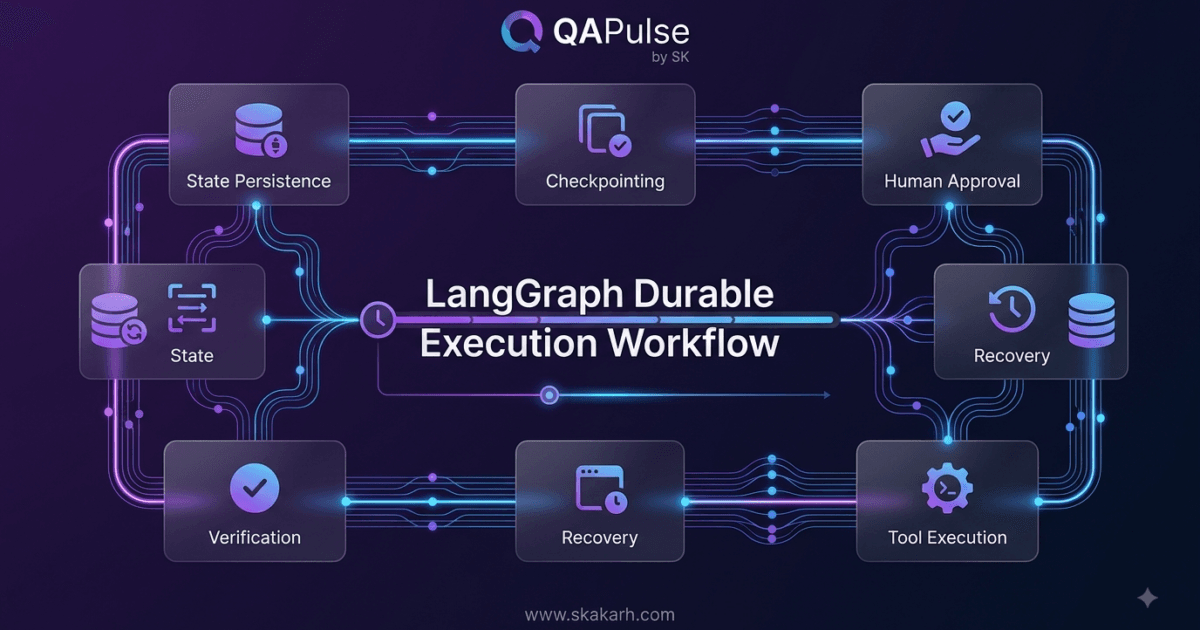
LangGraph durable execution is one of the most important concepts to understand when moving an AI agent from a simple demo to a production workflow.
A basic agent can call an LLM, use a tool, generate a response, and finish in a few seconds.
Production agents are rarely that simple.
A real agent might:
- Call multiple APIs
- Query a database
- Search documents
- Execute tools
- Wait for a human approval
- Process a long-running task
- Recover from a temporary failure
- Continue after a server restart
- Maintain state across multiple interactions
That creates a fundamental engineering problem:
What happens to the agent when execution stops halfway through the workflow?
Imagine an agent handling a production incident:
Incident detected
      ↓
Analyze logs
      ↓
Identify probable cause
      ↓
Generate remediation plan
      ↓
Human approval
      ↓
Execute remediation
      ↓
Verify recovery
Now imagine the application crashes immediately after the human approves the remediation.
Should the entire workflow start again?
Should the AI analyze the logs again?
Should the remediation plan be regenerated?
Should the production action run twice?
A production-grade agent needs better answers.
This is where LangGraph durable execution becomes important.
LangGraph provides low-level infrastructure for long-running, stateful agent workflows, including durable execution, persistence, streaming, and human-in-the-loop capabilities. (Docs by LangChain)


Suggested ALT text: LangGraph durable execution workflow showing checkpointed AI agent state and human approval
Why Normal Agent Loops Become Difficult in Production
Let’s start with a deliberately simple implementation.
def run_agent(request):
    plan = create_plan(request)

    result = execute_tool(plan)

    response = generate_response(result)

    return response
This looks perfectly reasonable.
But consider what happens if execute_tool() takes several minutes and your application process crashes.
The Python process disappears.
The local variables disappear.
The execution context disappears.
The application may have no reliable way to determine:
What already happened?
What still needs to happen?
Which tools were already called?
What was the previous result?
Was the operation successful?
Can the workflow safely continue?
You could manually build a persistence system:
Database
   ↓
Save every state transition
   ↓
Detect failures
   ↓
Determine last successful step
   ↓
Restore state
   ↓
Resume workflow
But once you start adding retries, branching, human approvals, parallel operations, and long-running tasks, you’re effectively building an orchestration runtime.
That’s exactly the type of infrastructure LangGraph is designed to provide.
What Is LangGraph Durable Execution?
At a high level, durable execution means that a workflow can preserve its state so that execution can recover and continue after interruptions or failures.
LangGraph’s persistence layer saves graph state as checkpoints. These checkpoints are organized by threads and support capabilities such as human-in-the-loop workflows, memory, time-travel debugging, and fault-tolerant execution. (Docs by LangChain)
Think about the difference like this:
| Traditional Agent Loop | Durable Agent Workflow |
|---|---|
| State mainly exists in memory | State can be persisted |
| Process failure can lose progress | Workflow can resume from checkpoint |
| Long-running tasks are difficult | Long-running execution is supported |
| Human pauses require custom logic | Interrupt/resume is supported |
| Recovery must be designed manually | Persistence provides recovery infrastructure |
| Retry behavior can be fragile | Execution can be structured around checkpoints |
The important point is that durability is not simply “saving chat history.”
It is about preserving the state required to continue a workflow.
That distinction matters.
State Is the Foundation
Consider an agent processing a customer refund.
Request
  ↓
Validate customer
  ↓
Check payment
  ↓
Calculate refund
  ↓
Request approval
  ↓
Issue refund
  ↓
Notify customer
The state might look conceptually like:
state = {
    "customer_id": "C1024",
    "payment_id": "PAY7788",
    "refund_amount": 250.00,
    "risk": "medium",
    "approval": None,
    "refund_status": "pending"
}
The workflow can move through several states:
INITIAL
   ↓
VALIDATED
   ↓
PAYMENT_CONFIRMED
   ↓
REFUND_CALCULATED
   ↓
WAITING_FOR_APPROVAL
   ↓
APPROVED
   ↓
REFUND_EXECUTED
   ↓
COMPLETED
If the system reaches WAITING_FOR_APPROVAL, execution does not necessarily need to be destroyed just because a human hasn’t responded yet.
That is a fundamentally different model from a request-response API that expects everything to complete in one request.
The Connection Between Durability and Human-in-the-Loop
This is where the two concepts become especially powerful together.
Human approval introduces an unpredictable amount of time.
A person might respond in:
30 seconds
or:
30 minutes
or:
8 hours
or even:
2 days
A normal function cannot simply remain active for that entire period.
Instead, the workflow should reach a controlled interruption point.
Agent
  ↓
Generate action
  ↓
INTERRUPT
  ↓
Persist state
  ↓
Wait
  ↓
Human decision
  ↓
RESUME
  ↓
Continue execution
LangGraph’s human-in-the-loop functionality uses interrupts together with persistence so an execution can pause and later resume after a human decision. The documented decision model can include approval, editing, or rejection of a proposed action. (Docs by LangChain)
This is particularly useful when an agent is about to perform an action that has consequences.
Examples include:
- Sending an email
- Updating a customer record
- Executing SQL
- Creating a financial transaction
- Modifying production infrastructure
- Deploying software
- Changing a Jira issue
The agent can reason.
The human can govern.
The workflow can remember.
A Simple Mental Model
Think of a LangGraph workflow as a state machine.
                    ┌──────────────┐
                    │    START     │
                    └──────┬───────┘
                           ↓
                    ┌──────────────┐
                    │ Analyze Task │
                    └──────┬───────┘
                           ↓
                    ┌──────────────┐
                    │ Generate Plan│
                    └──────┬───────┘
                           ↓
                    ┌──────────────┐
                    │ Human Review │
                    └──────┬───────┘
                           ↓
                  ┌────────┴────────┐
                  ↓                 ↓
              Approved           Rejected
                  ↓                 ↓
            Execute Action       Revise
                  ↓
              Validate
                  ↓
                 END
The graph structure makes the workflow explicit.
Instead of hiding all the control logic inside a large prompt, you can represent important transitions in application code.
That is one reason LangGraph is different from simply calling an LLM in a loop.
LangGraph vs a Simple LLM Loop
A simple LLM application might look like:
response = llm.invoke(prompt)
An agent loop might look like:
while not finished:
    response = llm.invoke(state)
    tool = choose_tool(response)
    result = tool()
    state = update_state(state, result)
A stateful graph introduces explicit workflow structure.
Conceptually:
from langgraph.graph import StateGraph, START, END

builder = StateGraph(State)

builder.add_node("analyze", analyze)
builder.add_node("execute", execute)

builder.add_edge(START, "analyze")
builder.add_edge("analyze", "execute")
builder.add_edge("execute", END)

graph = builder.compile()
The official Python documentation uses StateGraph with nodes and edges as the foundation for building LangGraph workflows. (Docs by LangChain)
The difference is not that one approach is automatically better.
It depends on workflow complexity.
| Approach | Best For | Durable State | Human Approval | Complex Branching |
|---|---|---|---|---|
| Direct LLM API call | Simple generation | No | Manual | No |
| Custom Python loop | Small agents | Custom | Custom | Limited |
| Traditional workflow engine | Deterministic workflows | Yes | Yes | Yes |
| LangGraph | Stateful AI workflows | Yes | Yes | Yes |
This is an important architectural decision.
You shouldn’t introduce LangGraph merely because an application contains an LLM.
If your application only needs:
Input → LLM → Output
a direct model API may be the better engineering choice.
The value becomes clearer when your workflow looks like:
Input
 ↓
Reason
 ↓
Tool
 ↓
Condition
 ↓
Tool
 ↓
Human
 ↓
Resume
 ↓
Retry
 ↓
Verify
 ↓
Complete
That’s where explicit orchestration starts paying for itself.
Your First Durable Workflow
Let’s build a small example.
Start with a state definition:
from typing import TypedDict

class AgentState(TypedDict):
    request: str
    analysis: str
    result: str
Now create nodes:
def analyze(state: AgentState):
    return {
        "analysis": f"Analyzing: {state['request']}"
    }


def execute(state: AgentState):
    return {
        "result": f"Executed using: {state['analysis']}"
    }
Then create the graph:
from langgraph.graph import StateGraph, START, END

builder = StateGraph(AgentState)

builder.add_node("analyze", analyze)
builder.add_node("execute", execute)

builder.add_edge(START, "analyze")
builder.add_edge("analyze", "execute")
builder.add_edge("execute", END)

graph = builder.compile()
Run it:
result = graph.invoke({
    "request": "Investigate payment failure",
    "analysis": "",
    "result": ""
})

print(result)
The important lesson isn’t the amount of code.
It is the mental model.
You are defining:
State
+
Nodes
+
Edges
+
Execution
That gives you an explicit representation of the workflow.
Adding Persistence
Durability requires persistence.
LangGraph’s documentation explains that compiling a graph with a checkpointer causes state snapshots to be saved at execution steps. Those checkpoints support capabilities including fault tolerance and human-in-the-loop workflows. (Docs by LangChain)
For development, an in-memory checkpointer can be useful:
from langgraph.checkpoint.memory import InMemorySaver

checkpointer = InMemorySaver()

graph = builder.compile(
    checkpointer=checkpointer
)
Now execution can be associated with a thread:
config = {
    "configurable": {
        "thread_id": "incident-1001"
    }
}
Then invoke:
result = graph.invoke(
    {
        "request": "Investigate payment failure",
        "analysis": "",
        "result": ""
    },
    config=config
)
The thread identifier is important because it gives the workflow a durable identity.
Instead of thinking:
Request #8472
you start thinking:
Workflow Thread: incident-1001
That thread can represent the lifecycle of a long-running process.
Development Persistence vs Production Persistence
One important engineering distinction should not be overlooked.
An in-memory saver is convenient for development and experimentation.
It is not the same thing as durable production infrastructure.
The official documentation specifically recommends a persistent checkpointer for production human-in-the-loop workflows; its example points to AsyncPostgresSaver for production persistence. (Docs by LangChain)
| Environment | Persistence Approach | Purpose |
|---|---|---|
| Local experiment | In-memory | Fast development |
| Unit tests | Controlled test storage | Repeatable testing |
| Prototype | Lightweight persistence | Workflow validation |
| Production | Persistent database-backed checkpointing | Reliability |
| Enterprise | Durable storage + monitoring + backups | Operational resilience |
This is exactly the kind of distinction QA and SDET engineers should care about.
A demo that survives because the Python process stays alive is not necessarily a production-ready architecture.
Why Checkpoints Matter More Than “Memory”
There is a common misunderstanding around AI agents.
People often hear:
“The agent has memory.”
But memory and durable execution are not identical.
Memory might mean:
Conversation history
Durable execution means something closer to:
Where was the workflow?
What state existed?
Which steps completed?
What should happen next?
Can execution safely resume?
LangGraph’s persistence documentation explicitly connects checkpoints to memory, human-in-the-loop, time-travel debugging, and fault tolerance. (Docs by LangChain)
For production engineering, the second category is often more important.
The QA Engineer’s Perspective
This is where the topic becomes especially interesting for SDETs.
A traditional test might verify:
Given payment = $100
When refund is requested
Then refund = $100
A durable AI workflow introduces more failure dimensions.
You now need to test:
What if the process crashes?
What if the human takes 6 hours?
What if the approval is rejected?
What if the tool times out?
What if the workflow resumes twice?
What if the model output changes?
What if the database is temporarily unavailable?
What if a previous node already executed?
That changes the testing strategy.
Test matrix
| Scenario | Expected Behavior |
|---|---|
| Normal completion | Workflow reaches END |
| Node failure | Workflow can recover |
| Process restart | State remains available |
| Human approval | Workflow pauses |
| Human rejection | Workflow follows rejection path |
| Human edit | Modified decision is respected |
| Tool timeout | Controlled retry/failure |
| Duplicate resume | No unsafe duplicate action |
| Invalid AI output | Validation prevents execution |
| Persistence failure | Workflow fails safely |
This is why durable execution is not merely an infrastructure feature.
It changes how the system should be tested.
A Production Failure Thought Experiment
Imagine your agent receives:
“Restart the payment service because error rates are above threshold.”
The agent investigates.
Step 1 → Query monitoring
Step 2 → Analyze error pattern
Step 3 → Generate remediation
Step 4 → Request approval
The human approves.
Immediately afterward, the server crashes.
Without reliable state management, the system might return to an ambiguous state.
With a properly designed durable workflow:
Checkpoint
   ↓
Human approval recorded
   ↓
Process crashes
   ↓
Application restarts
   ↓
Workflow restored
   ↓
Execution continues
That is the real value.
The agent doesn’t need to “remember” the event like a chatbot.
The workflow has a persisted execution state.
Durable Execution Is About Recoverability
This leads to a broader engineering principle:
A production agent should not depend on process memory to remember where it is.
Processes crash.
Containers restart.
Deployments happen.
Workers disappear.
Networks fail.
Databases temporarily become unavailable.
Humans take time to respond.
AI systems are inherently variable.
A robust architecture accepts those realities instead of pretending they won’t happen.
That is why the combination of:
State
+
Checkpointing
+
Interrupts
+
Human Decisions
+
Resume
+
Validation
is so powerful for long-running agent workflows.
And it is also why LangGraph durable execution is more accurately understood as a reliability architecture than simply an AI feature.
The official LangGraph documentation positions durable execution and human-in-the-loop as core capabilities for long-running, stateful workflows and agents. (Docs by LangChain)
LangGraph Durable Execution: Human-in-the-Loop Workflows That Resume Safely
LangGraph durable execution becomes especially valuable when an AI workflow cannot afford to lose its state when a process fails, a tool call breaks, or a human needs to make a decision.
Consider an AI agent responsible for approving a production database change:
User Request
     ↓
Analyze Request
     ↓
Inspect Database
     ↓
Generate SQL
     ↓
Human Approval
     ↓
Execute SQL
     ↓
Verify Result
The workflow looks simple.
But production introduces an uncomfortable question:
What happens if the application crashes after the human approves the SQL but before the database operation executes?
A basic LLM application may have no reliable answer.
A production-grade stateful workflow should.
This is where LangGraph durable execution becomes important.
LangGraph is designed as low-level infrastructure for long-running, stateful workflows and agents. Its documented capabilities include durable execution, human-in-the-loop workflows, persistence, streaming, and the ability to resume execution after failures.
The important distinction is that durability is not simply about storing conversation history.
It is about preserving the execution state required to continue a workflow safely.


Why AI Agents Need Durable Execution
A simple LLM request is usually stateless:
response = llm.invoke(
    "Summarize this incident."
)
If the request fails, you call it again.
That’s relatively straightforward.
An agent workflow is different.
Imagine:
Step 1 → Search documentation
Step 2 → Query monitoring
Step 3 → Analyze results
Step 4 → Generate remediation
Step 5 → Request approval
Step 6 → Execute remediation
Step 7 → Verify system
Now the system needs to know:
- Which steps completed?
- What state was produced?
- Which tool calls succeeded?
- Which operations need to be retried?
- Is human approval still pending?
- Has the approved action already executed?
- Can the workflow safely resume?
A simple Python loop doesn’t automatically solve those problems.
You can build the infrastructure yourself, but eventually you’ll need:
State storage
+
Checkpointing
+
Resume logic
+
Failure handling
+
Retry policies
+
Human interrupts
+
Thread identity
+
Concurrency handling
+
Observability
At that point, your “simple agent” has become a workflow runtime.
LangGraph provides infrastructure around this stateful workflow model rather than trying to hide the architecture behind a single high-level agent abstraction.
Durable Execution vs Traditional Agent Execution
The difference becomes clearer with a practical comparison.
| Capability | Simple LLM Call | Custom Agent Loop | LangGraph Workflow |
|---|---|---|---|
| Generate text | ✅ | ✅ | ✅ |
| Tool calling | Limited/custom | ✅ | ✅ |
| Explicit state | Limited | Custom | ✅ |
| Checkpointing | ❌ | Custom | ✅ |
| Resume after failure | ❌ | Custom | ✅ |
| Human interruption | Custom | Custom | ✅ |
| Complex branching | Limited | Custom | ✅ |
| Long-running workflow | Poor fit | Possible | Strong fit |
| Time-travel debugging | ❌ | Custom | Supported through persistence |
| Fault recovery | Custom | Custom | Built around persistence |
LangGraph’s persistence layer saves graph state as checkpoints organized into threads. The documentation identifies these checkpoints as the foundation for human-in-the-loop workflows, memory, time-travel debugging, and fault tolerance.
That last point is particularly important for engineers.
The checkpoint is not merely a memory store.
It represents the state of the workflow.
Think in State, Not Prompts
One of the biggest mindset changes when building production agents is moving from:
“What prompt should I send?”
to:
“What state does my workflow need to maintain?”
Suppose you’re building an incident-response agent.
Instead of keeping everything inside one giant prompt:
Investigate this incident and decide what to do...define structured state:
from typing import TypedDict


class IncidentState(TypedDict):
    incident_id: str
    symptoms: list[str]
    evidence: list[str]
    hypothesis: str
    remediation: str
    approved: bool
    execution_result: str
Now the workflow has an explicit representation of its progress.
For example:
incident_id
    ↓
symptoms
    ↓
evidence
    ↓
hypothesis
    ↓
remediation
    ↓
approved
    ↓
execution_result
This makes the system easier to inspect and test.
It also makes recovery much more meaningful.
Checkpoints Are the Core of Persistence
LangGraph’s persistence model saves graph state at execution steps when a checkpointer is configured. These checkpoints are associated with a thread, allowing the runtime to identify and restore a workflow’s state.
A development implementation can use an in-memory saver:
from langgraph.checkpoint.memory import InMemorySaver

checkpointer = InMemorySaver()
Then compile the graph:
graph = builder.compile(
    checkpointer=checkpointer
)
Now provide a thread ID:
config = {
    "configurable": {
        "thread_id": "incident-1001"
    }
}
Invoke the graph:
result = graph.invoke(
    {
        "incident_id": "INC-1001",
        "symptoms": ["HTTP 500", "checkout failures"],
        "evidence": [],
        "hypothesis": "",
        "remediation": "",
        "approved": False,
        "execution_result": ""
    },
    config=config
)
The thread_id matters because it identifies the execution whose state should be persisted and later resumed. LangGraph’s interrupt documentation describes it as the persistent pointer to the saved workflow state.
Think of it as:
thread_id
    ↓
checkpoint history
    ↓
workflow state
    ↓
resume from saved execution
In-Memory Persistence Is Not Production Persistence
This is an important distinction for anyone learning LangGraph.
InMemorySaver is convenient for:
- Tutorials
- Experiments
- Local development
- Unit tests
- Proofs of concept
It should not automatically be treated as your production durability strategy.
The official human-in-the-loop documentation recommends a persistent checkpointer such as AsyncPostgresSaver for production workflows, while InMemorySaver is appropriate for testing or prototyping.
| Environment | Typical Approach | Objective |
|---|---|---|
| Tutorial | In-memory | Learn concepts |
| Unit test | In-memory/test storage | Fast repeatable tests |
| Prototype | Lightweight persistence | Validate workflow |
| Production | Persistent checkpointer | Survive failures |
| Enterprise | Durable DB + backups + monitoring | Operational resilience |
This distinction is important because a workflow that survives a Python function call is not necessarily a workflow that survives infrastructure failure.
Human-in-the-Loop Changes the Execution Model
Now let’s introduce a human decision.
Imagine the agent has generated this action:
Restart payment-service
Reason:
Error rate has exceeded 20% for 10 minutes.
Should the AI execute it?
Not necessarily.
A safer workflow is:
AI analyzes
     ↓
AI proposes action
     ↓
INTERRUPT
     ↓
Human reviews
     ↓
Approve / Edit / Reject
     ↓
Workflow resumes
LangGraph’s interrupt() mechanism allows graph execution to pause and wait for external input. The runtime saves state through its persistence layer and can resume when a response is supplied.
This is one of the strongest use cases for durable workflows.
Humans don’t operate on predictable execution times.
A human may respond immediately.
Or after lunch.
Or tomorrow.
Your workflow should not depend on keeping a Python process alive while waiting for that decision.
Building a Human Approval Node
A simple example:
from langgraph.types import interrupt


def approval_node(state):
    decision = interrupt({
        "action": state["remediation"],
        "reason": state["hypothesis"],
        "message": "Approve this remediation?"
    })

    return {
        "approved": decision
    }
The workflow pauses at the interrupt.
The caller can receive the interrupt information and display it to a human.
Then the workflow can be resumed.
from langgraph.types import Command

graph.invoke(
    Command(resume=True),
    config=config
)
The official documentation explains that the value supplied through Command(resume=...) becomes the return value of the interrupt() call when execution resumes.
The model therefore doesn’t need to keep “waiting.”
The workflow waits.
That’s a major architectural distinction.
Approval Is Not the Only Human Decision
Human-in-the-loop doesn’t have to mean:
YES
NO
A useful production workflow can support multiple decisions.
For example:
Approve
Edit
Reject
The LangChain/LangGraph human-in-the-loop documentation describes these decision types for sensitive tool calls.
Imagine an AI generates:
DELETE FROM users
WHERE last_login < '2022-01-01';
A reviewer might say:
Approve.
Or:
Change the date to 2023.
Or:
Reject. Don’t delete users.
That creates a much stronger control model than simply allowing or denying the entire workflow.
Human-in-the-Loop Should Be Risk-Based
Don’t interrupt every operation.
That would make the agent painfully slow.
Consider:
| Tool / Action | Risk | Human Review |
|---|---|---|
| Read documentation | Low | No |
| Search database | Low | Usually no |
| Generate report | Low | Optional |
| Write file | Medium | Depends |
| Send email | Medium | Often useful |
| Modify database | High | Yes |
| Delete data | Critical | Yes |
| Financial transaction | Critical | Yes |
| Production deployment | Critical | Yes |
This is a much better strategy.
interrupt_on = {
    "read_data": False,
    "generate_report": False,
    "write_file": True,
    "execute_sql": True,
    "delete_records": True,
}
The official HITL middleware documentation uses the same general risk-based idea: tools can be configured with True, False, or specific allowed decisions such as approve, edit, or reject.
The strategic principle is:
Don’t make the human approve intelligence. Make the human approve risk.
That is a much more scalable model.
What Happens When the Workflow Resumes?
This is one of the most important implementation details.
When an interrupt occurs, the workflow is not simply frozen at a Python instruction pointer forever.
The node can restart from the beginning when resumed.
The official interrupt documentation explicitly warns that code before the interrupt() call may run again when the node resumes.
Consider:
def approval_node(state):
    send_notification()

    decision = interrupt(
        "Approve deployment?"
    )

    return {
        "approved": decision
    }
If send_notification() produces an external side effect, you need to think carefully about what happens when the node is replayed.
You could accidentally send the notification twice.
That means side effects must be designed carefully.
Idempotency Becomes Essential
Consider this:
def execute_payment(state):
    payment_api.charge(
        state["amount"]
    )
If the node executes again after recovery, could the customer be charged twice?
That’s unacceptable.
Instead, introduce an idempotency key:
def execute_payment(state):
    payment_api.charge(
        amount=state["amount"],
        idempotency_key=state["payment_id"]
    )
Now the external payment system can recognize repeated attempts for the same operation.
This is not merely a LangGraph concern.
It’s a distributed-systems principle.
But durable AI workflows make it particularly important because recovery and replay are normal parts of the execution model.
The official interrupt documentation specifically warns that side effects occurring before an interrupt should be idempotent.
A Dangerous Example
Avoid designing an interrupt like this:
def dangerous_node(state):
    delete_production_data()

    approval = interrupt(
        "Continue?"
    )

    return {"approved": approval}
The irreversible action already happened before approval.
The approval is meaningless.
Instead:
def safe_node(state):
    action = build_deletion_plan(state)

    approval = interrupt({
        "action": action
    })

    if approval:
        execute_deletion(action)

    return {
        "approved": approval
    }
Now the human approval occurs before the side effect.
The difference is fundamental.
BAD

Prepare
 ↓
Execute
 ↓
Ask permission


GOOD

Prepare
 ↓
Ask permission
 ↓
Execute
Don’t Put Critical Side Effects Inside the Wrong Boundary
For long-running workflows, separate reasoning from execution.
For example:
Node A
↓
Analyze

Node B
↓
Generate action

Node C
↓
Human approval

Node D
↓
Execute

Node E
↓
Verify
This is better than one giant node:
def everything(state):
    analyze()
    generate()
    approve()
    execute()
    verify()
Discrete nodes give you clearer boundaries.
The official LangGraph guidance emphasizes breaking workflows into discrete steps because this supports durable execution, clearer debugging, and inspection of state between steps.
Durable Execution and Determinism
AI systems create another challenge:
LLM output isn’t always deterministic.
Suppose an agent originally generates:
Restart payment service.After a restart, it could generate:
Scale payment service horizontally.If the workflow re-runs the LLM call instead of preserving the previous result, your recovery behavior may change.
That can be dangerous.
A useful architecture is:
LLM Decision
     ↓
Persist Decision
     ↓
Human Approval
     ↓
Execute Persisted Decision
Rather than:
LLM Decision
     ↓
Human Approval
     ↓
Failure
     ↓
Call LLM Again
     ↓
Different Decision
This is one reason state and checkpoints matter so much.
You want recovery to continue from known state rather than casually regenerating important decisions.
Tasks and Side Effects
LangGraph’s functional API documentation highlights the role of tasks for checkpointing long-running operations, human-in-the-loop workflows, retries, parallel execution, and observability. It also recommends encapsulating randomness or external operations in tasks so workflows can resume correctly.
Conceptually:
from langgraph.func import entrypoint, task


@task
def fetch_incident_data(incident_id):
    return monitoring_api.get_incident(
        incident_id
    )


@task
def generate_analysis(data):
    return analyze_with_llm(data)
Then your workflow can compose those operations.
The principle is:
External / non-deterministic work
          ↓
       Task
          ↓
    Persist result
          ↓
Continue workflow
This reduces the need to recompute expensive or variable operations during recovery.
LangGraph Durable Execution vs Checkpointing
These terms are related, but they aren’t identical.
Checkpointing is the mechanism.
Durable execution is the resulting workflow capability.
Think about it like this:
Checkpoint
   ↓
Persist state
   ↓
Recover state
   ↓
Resume workflow
   ↓
Durable execution
The checkpointer provides the stored state.
The runtime uses that state to support continuation and recovery.
LangGraph’s persistence documentation explicitly describes checkpointing as enabling fault tolerance and error recovery, including restarting from the last successful step after node failures.
What Happens When a Node Fails?
Imagine a graph:
A
↓
B
↓
C
↓
D
Node C fails.
A naïve implementation might restart everything:
A
↓
B
↓
C ❌
↓
Restart A
↓
Restart B
↓
Retry C
With checkpointed state, the system can preserve successful work and recover from the appropriate point.
LangGraph’s persistence documentation also describes pending writes: if one or more nodes fail during a superstep, successful writes from other nodes can be preserved so they don’t necessarily need to be rerun during recovery.
This is an important performance and reliability benefit.
Recovery Is Not the Same as Retry
This distinction is often missed.
Retry means:
Try the operation again.
Recovery means:
Restore the workflow to a valid state and continue execution.
For example:
API timeout
   ↓
Retry API call
That’s retry.
But:
Node C failed
   ↓
Restore checkpoint
   ↓
Inspect state
   ↓
Continue from valid execution state
That’s recovery.
A production AI platform often needs both.
Test Durable Workflows Like Distributed Systems
This is where QA engineers should become especially interested.
Don’t just test:
Input → Expected OutputTest the execution lifecycle.
Failure injection matrix
| Failure | What to Test |
|---|---|
| LLM timeout | Retry/recovery |
| API timeout | Retry behavior |
| Worker crash | Resume from checkpoint |
| Database restart | Persistence recovery |
| Human delay | State remains available |
| Human rejection | Correct branch |
| Human edit | Modified action executes |
| Duplicate resume | No duplicate side effect |
| Model variation | Output validation |
| Invalid tool input | Workflow blocks safely |
For example:
def test_resume_after_failure():
    run_until_failure()

    restart_worker()

    result = resume_workflow()

    assert result["status"] == "completed"
That test is fundamentally different from a traditional unit test.
You’re testing workflow continuity.
Build a Recovery Test
Here’s a useful exercise.
Create three nodes:
A → B → CMake node B fail intentionally.
def node_b(state):
    raise RuntimeError(
        "Simulated worker failure"
    )
Run the graph.
Then restore node B and resume the workflow.
Your test should verify:
A was not unnecessarily repeated
B was retried/recovered
C eventually executed
Final state is correct
This is an excellent way to understand what persistence actually provides.
Test Human Delays
Don’t only test a human response immediately.
Test:
0 secondsThen:
5 minutesThen:
1 hourThen:
24 hoursThe workflow should remain recoverable.
That is one of the reasons persistence matters.
The official interrupt documentation states that an interrupted graph waits indefinitely until resumed, with the checkpointer preserving the graph state.
This creates a fundamentally different temporal model from normal HTTP request processing.
HTTP Request vs Durable Workflow
Compare these:
| Characteristic | HTTP Request | Durable Agent Workflow |
|---|---|---|
| Typical lifetime | Seconds | Minutes to days |
| State | Request-scoped | Persisted |
| Human waiting | Poor fit | Natural |
| Process restart | Request fails | Workflow can resume |
| Long-running work | Awkward | Supported |
| Checkpoints | Usually custom | Core capability |
| Recovery | Application-specific | Workflow-oriented |
Imagine trying to keep an HTTP request open while waiting for a manager to approve a $50,000 transaction.
That’s obviously a poor architecture.
Instead:
HTTP Request
 ↓
Start workflow
 ↓
Persist state
 ↓
Return
Then later:
Human approves
 ↓
Resume workflow
 ↓
Execute transaction
This is much closer to how real enterprise workflows operate.
A Practical Approval Workflow
Let’s put the concepts together.
from typing import TypedDict

from langgraph.graph import StateGraph, START, END
from langgraph.checkpoint.memory import InMemorySaver
from langgraph.types import interrupt, Command


class State(TypedDict):
    request: str
    plan: str
    approved: bool
    result: str
Create analysis:
def analyze(state):
    return {
        "plan": (
            "Restart payment-service "
            "after verifying elevated error rate."
        )
    }
Add human approval:
def approval(state):
    decision = interrupt({
        "message": "Approve remediation?",
        "plan": state["plan"]
    })

    return {
        "approved": decision
    }
Execute conditionally:
def execute(state):
    if not state["approved"]:
        return {
            "result": "Action rejected."
        }

    return {
        "result": "Remediation executed."
    }
Build the graph:
builder = StateGraph(State)

builder.add_node("analyze", analyze)
builder.add_node("approval", approval)
builder.add_node("execute", execute)

builder.add_edge(START, "analyze")
builder.add_edge("analyze", "approval")
builder.add_edge("approval", "execute")
builder.add_edge("execute", END)

checkpointer = InMemorySaver()

graph = builder.compile(
    checkpointer=checkpointer
)
Run it:
config = {
    "configurable": {
        "thread_id": "incident-1001"
    }
}

result = graph.invoke(
    {
        "request": "Investigate payment outage",
        "plan": "",
        "approved": False,
        "result": ""
    },
    config=config
)
At the interrupt, the graph waits.
Then resume:
result = graph.invoke(
    Command(resume=True),
    config=config
)
The same thread ID is essential.
The official documentation explicitly requires using the same thread ID when resuming an interrupted workflow.


The Most Important Production Rule
Never confuse:
"the model decided"with:
"the system is authorized to execute"These are different.
Claude, GPT, Gemini, or another model may recommend an action.
Your application should determine whether that action is allowed.
For example:
LLM
 ↓
Recommendation
 ↓
Validation
 ↓
Risk Policy
 ↓
Human Approval
 ↓
Execution
This is a strong pattern for enterprise AI.
It gives the model intelligence without giving it unrestricted authority.
A Risk-Based Architecture
Imagine these three actions:
Read customer record
Update customer record
Delete customer record
They shouldn’t receive identical permissions.
A simple policy could be:
POLICY = {
    "read_customer": "AUTO",
    "update_customer": "REVIEW",
    "delete_customer": "APPROVAL"
}
Then the workflow can route accordingly.
if POLICY[action] == "AUTO":
    execute(action)

elif POLICY[action] == "REVIEW":
    interrupt_for_review(action)

elif POLICY[action] == "APPROVAL":
    interrupt_for_approval(action)
This is where AI governance becomes executable software architecture.
Not a document.
Not a policy PDF.
A runtime control.
What QA Engineers Should Measure
A durable workflow should have measurable reliability.
Track:
Workflow completion rate
Recovery success rate
Human approval rate
Human rejection rate
Average approval latency
Duplicate action rate
Retry count
Node failure rate
LLM error rate
Cost per workflow
For example:
| Metric | Target |
|---|---|
| Workflow completion | >99% |
| Recovery success | >99% |
| Duplicate side effects | 0 |
| Unauthorized actions | 0 |
| Invalid AI outputs | <1% |
| Human approval latency | Defined by workflow |
| Critical action without approval | 0 |
The exact targets will depend on the business.
The important point is to define them.
Observability for Durable Workflows
A production system should answer:
Where is this workflow right now?
You might want:
Thread:
incident-1001

Current Node:
human_approval

Status:
WAITING

Started:
10:42 UTC

Last Checkpoint:
10:47 UTC

Action:
Restart payment-service

Approval:
Pending
That makes the workflow operationally visible.
LangGraph’s documentation also highlights LangSmith for tracing checkpointed state and debugging how an agent resumes across sessions.
This is important because debugging an AI workflow without execution visibility can become extremely difficult.
Durable Execution Is Not Magic
It is tempting to read about checkpointing and conclude:
“Now my agent is fault tolerant.”
Not automatically.
Durability does not eliminate:
- Bad prompts
- Incorrect model decisions
- Unsafe tools
- Duplicate side effects
- Broken external APIs
- Bad database design
- Race conditions
- Authorization bugs
- Poor retry policies
It gives you infrastructure for recovering workflow state.
You still have to engineer the workflow correctly.
Think of it as:
Durable Execution
        +
Idempotent Tools
        +
Validation
        +
Authorization
        +
Observability
        +
Testing
        =
Reliable Agent Workflow
That’s a much more realistic production model.
A Useful Architecture for Enterprise Agents
For a serious system, I would think about the architecture like this:
                    User
                     │
                     ▼
              ┌─────────────┐
              │ Agent / UI  │
              └──────┬──────┘
                     │
                     ▼
              ┌─────────────┐
              │ LangGraph   │
              │ Workflow    │
              └──────┬──────┘
                     │
        ┌────────────┼────────────┐
        ▼            ▼            ▼
     Model         Tools       Policies
        │            │            │
        └────────────┼────────────┘
                     ▼
              ┌─────────────┐
              │ Checkpointer│
              └──────┬──────┘
                     │
                     ▼
              Persisted State
                     │
                     ▼
              Human Approval
                     │
                     ▼
                  Resume
This architecture separates responsibilities.
The model reasons.
Tools perform actions.
Policies control authorization.
The checkpointer preserves state.
Humans govern high-risk decisions.
That is a much stronger architecture than giving an LLM unrestricted access to enterprise systems.
The QA Challenge
Here’s an exercise worth doing if you’re learning LangGraph.
Build an agent with:
Node 1 → Analyze
Node 2 → Generate Action
Node 3 → Human Approval
Node 4 → Execute
Node 5 → Verify
Then deliberately introduce:
Failure #1:
Crash before approval

Failure #2:
Crash after approval

Failure #3:
Tool timeout

Failure #4:
Human rejection

Failure #5:
Duplicate resume

Failure #6:
Invalid model output
For each failure, answer:
Where is the workflow state?
What gets repeated?
What must not repeat?
Can the workflow resume?
Could a side effect happen twice?
Does a human need to intervene?
If you can answer those questions confidently, you’re no longer just learning LangGraph syntax.
You’re learning production agent engineering.
The Bigger Lesson
The interesting part of LangGraph durable execution isn’t the API call that enables a checkpoint.
The important part is the change in architecture.
Traditional applications often assume:
Request
 ↓
Process
 ↓
Response
Long-running AI workflows require:
Request
 ↓
Workflow
 ↓
State
 ↓
Checkpoint
 ↓
Pause
 ↓
External Event
 ↓
Resume
 ↓
More State
 ↓
Checkpoint
 ↓
Completion
That is much closer to a distributed workflow system than a traditional chatbot.
And human-in-the-loop makes this even more obvious.
A human can become an external event.
The workflow can wait.
The state can remain persisted.
The human can modify or reject an action.
The workflow can resume.
That is a powerful foundation for enterprise AI.
What This Means for SDETs
This architecture also changes what QA engineers should test.
You’re no longer testing only:
Prompt
 ↓
Response
You’re testing:
State
 ↓
Node
 ↓
Tool
 ↓
Checkpoint
 ↓
Interrupt
 ↓
Human Decision
 ↓
Resume
 ↓
Side Effect
 ↓
Verification
That means SDETs need to think about:
- State consistency
- Workflow recovery
- Idempotency
- Interrupt behavior
- Tool safety
- Human approval
- Model variability
- Persistence failures
- Retry semantics
- Observability
These are familiar software-engineering problems appearing inside a new AI architecture.
That is why durable AI workflows are such an interesting area for modern QA engineering.
A Final Architecture Checklist
Before calling a LangGraph workflow production-ready, ask:
| Question | Ready? |
|---|---|
| Is workflow state explicitly defined? | ☐ |
| Is persistence configured? | ☐ |
| Is production storage durable? | ☐ |
| Does every workflow have a stable thread ID? | ☐ |
| Are high-risk actions interruptible? | ☐ |
| Are human decisions validated? | ☐ |
| Are external side effects idempotent? | ☐ |
| Are model outputs schema-validated? | ☐ |
| Are retries controlled? | ☐ |
| Can workers restart safely? | ☐ |
| Are recovery scenarios tested? | ☐ |
| Are workflow states observable? | ☐ |
| Are sensitive actions governed by policy? | ☐ |
| Are duplicate executions prevented? | ☐ |
| Is there a recovery test suite? | ☐ |
If several boxes are unchecked, the agent may work in development but still be immature for production.
The goal isn’t merely to make an agent intelligent.
The goal is to make it recoverable, controllable, observable, and testable.
LangGraph Durable Execution: Human-in-the-Loop Workflows That Resume Safely
LangGraph durable execution becomes much more useful when you stop treating an AI agent as a single function and start treating it as a long-running workflow with state, checkpoints, interruptions, external side effects, and recovery requirements.
Consider an agent that manages a production deployment.
Deployment Request
        ↓
Analyze Change
        ↓
Run Pre-Checks
        ↓
Generate Deployment Plan
        ↓
Human Approval
        ↓
Deploy
        ↓
Run Verification
        ↓
Complete
That workflow contains several places where something can go wrong.
The model might produce an incorrect plan.
A monitoring API might timeout.
The deployment worker might restart.
A human might take two hours to approve the change.
The deployment itself might succeed while the application crashes before recording the result.
A robust architecture therefore needs to answer a more important question than:
“Can the agent complete the task?”
It needs to answer:
“Can the agent safely recover from interruption without losing state or repeating dangerous actions?”
That is where durable execution becomes an architectural concern rather than merely a framework feature.
LangGraph’s official documentation describes durable execution as a capability for long-running workflows that can persist state and resume after interruptions or failures. Its persistence and interrupt mechanisms are particularly relevant when workflows need human decisions or external events.

The Difference Between “Resume” and “Run Again”
This distinction is extremely important.
Suppose your workflow looks like this:
A → B → C → DEach node performs a meaningful operation.
def node_a(state):
    return {"data": collect_data()}


def node_b(state):
    return {"analysis": analyze(state["data"])}


def node_c(state):
    return {"plan": create_plan(state["analysis"])}


def node_d(state):
    return {"result": execute_plan(state["plan"])}
Now imagine node C completes and node D fails.
A poorly designed recovery mechanism might restart:
A
↓
B
↓
C
↓
D
That can be wasteful or dangerous.
collect_data() may call an expensive API.
analyze() may call an LLM.
create_plan() may produce a different answer because model output is variable.
And execute_plan() might be a production side effect.
A checkpoint-based architecture gives the workflow a persistent representation of where it was and what state had already been written.
That is one of the core ideas behind LangGraph’s persistence model. The official documentation explains that checkpoints capture graph state at execution steps and can be used for fault tolerance and recovery.
Think about the distinction:
RUN AGAIN

A → B → C → D


RESUME

Checkpoint
   ↓
Existing state
   ↓
Continue safely
The second model is much more appropriate for long-running workflows.
Why AI Makes Recovery More Complicated
Traditional deterministic workflows already need recovery.
AI workflows add another variable:
the model itself can produce different results.
Suppose the original model response was:
Restart payment-service.After an unexpected restart, the same request might produce:
Scale payment-service to 6 replicas.Both answers might sound reasonable.
But they are not the same operation.
If your recovery mechanism simply calls the model again, you may unintentionally change the workflow decision.
This is why an important design principle is:
Model Decision
      ↓
Persist State
      ↓
Human Review
      ↓
Execute Persisted Decision
rather than:
Model Decision
      ↓
Human Review
      ↓
Failure
      ↓
Call Model Again
      ↓
Different Decision
The goal of recovery is not to regenerate the workflow.
The goal is to continue the workflow from known state.
Checkpoint Design Should Be Intentional
A checkpoint isn’t automatically useful just because it exists.
You need to decide what information should be represented in the workflow state.
For a deployment agent:
from typing import TypedDict


class DeploymentState(TypedDict):
    request_id: str
    service: str
    version: str
    risk_level: str
    test_results: list[str]
    deployment_plan: str
    approval: str
    deployment_status: str
    verification_status: str
This state tells a much better story than storing one giant text blob.
For example:
request_id
   ↓
service
   ↓
version
   ↓
risk_level
   ↓
test_results
   ↓
deployment_plan
   ↓
approval
   ↓
deployment_status
   ↓
verification_status
Now QA can reason about individual states.
Instead of asking:
“Did the agent remember everything?”
you can ask:
“Was
deployment_planpersisted before the approval interrupt?”
That is a much more testable question.
State Should Represent Facts, Not Temporary Objects
A common mistake is putting non-persistable runtime objects into state.
For example:
class State(TypedDict):
    database_connection: object
    api_client: object
    response: str
This creates problems for persistence and serialization.
Prefer:
class State(TypedDict):
    database_id: str
    request_id: str
    response: str
Then recreate the external client when needed.
def execute_database_query(state):
    client = create_database_client()

    return {
        "response": client.query(
            state["database_id"]
        )
    }
The state contains the information necessary to reconstruct the operation rather than holding onto an ephemeral runtime object.
This is especially important when workflows can survive process restarts.
Human Approval Is an External Event
One of the most useful ways to understand human-in-the-loop architecture is to think of the human as an external event source.
The workflow runs:
Analyze
   ↓
Generate recommendation
   ↓
Pause
Then the system waits.
Later:
Human decision
   ↓
Resume
This is fundamentally different from:
while not approved:
    time.sleep(60)
Never build production human approval around a loop that simply keeps a worker alive.
Instead:
Workflow
   ↓
Persist state
   ↓
Interrupt
   ↓
Worker can finish
   ↓
Human responds later
   ↓
Workflow resumes
LangGraph’s official interrupt documentation describes interrupt() as a mechanism for pausing graph execution and collecting external input before continuing.
A Better Approval Payload
Don’t interrupt with an unstructured string if the human needs meaningful context.
Instead:
from langgraph.types import interrupt


def approval_node(state):

    request = {
        "request_id": state["request_id"],
        "service": state["service"],
        "version": state["version"],
        "risk": state["risk_level"],
        "plan": state["deployment_plan"],
        "message": "Approve deployment?"
    }

    decision = interrupt(request)

    return {
        "approval": decision
    }
Now the UI can render:
Deployment Approval

Service:
payment-service

Version:
4.8.2

Risk:
HIGH

Plan:
Deploy to production

[ Approve ]
[ Edit ]
[ Reject ]
This is a much better human experience.
The human doesn’t need to understand the internal graph.
They need enough information to make a safe decision.
Don’t Ask Humans to Approve What They Cannot Understand
This is an important product and QA principle.
Bad approval:
AI wants to execute an action.

Approve?
YES / NO
Better approval:
Action:
DELETE 3,842 inactive records

Reason:
Records have been inactive for > 24 months.

Source:
Customer retention policy v4.2

Impact:
Permanent deletion

Risk:
HIGH

Approve?
The quality of the human-in-the-loop system depends partly on the quality of the information presented to the human.
You can have technically perfect interruption and still have a poor safety system.
Approval Decisions Should Be Structured
Avoid storing:
approval = "yes"Instead consider structured decisions:
approval = {
    "decision": "approve",
    "reviewer": "user-123",
    "timestamp": "2026-08-13T14:20:00Z",
    "comment": "Approved after checking monitoring."
}
Or:
approval = {
    "decision": "edit",
    "changes": {
        "replicas": 4
    }
}
Or:
approval = {
    "decision": "reject",
    "reason": "Error rate is still increasing."
}
Now your workflow has an auditable decision.
That becomes valuable for:
- Compliance
- Incident investigation
- Debugging
- Security reviews
- QA reporting
- Analytics
Approval Is a Control Boundary
A human interrupt should not be treated merely as a UI popup.
It can become an authorization boundary.
Consider:
AI
 ↓
Recommendation
 ↓
Validation
 ↓
Policy
 ↓
Human Approval
 ↓
Execution
The AI is allowed to recommend.
The policy determines whether the action is permitted.
The human provides authorization where required.
The execution layer performs the actual side effect.
This separation is considerably safer than:
AI
 ↓
Execute
For high-impact workflows, that separation should be considered an architectural requirement.
Compare LangGraph With Traditional Workflow Engines
LangGraph is not the only technology capable of durable workflows.
Traditional workflow systems have been solving long-running execution problems for years.
Consider this comparison:
| Capability | Traditional Workflow Engine | LangGraph |
|---|---|---|
| Long-running workflows | Excellent | Excellent |
| Durable state | Excellent | Excellent |
| Deterministic business workflows | Excellent | Good |
| LLM-centric workflows | Custom integration | Strong |
| Agent state | Custom | Native graph state |
| Human interruption | Supported | Strong |
| Tool-based agent workflows | Custom | Natural |
| Model-driven branching | Custom | Natural |
| AI reasoning | External | Integrated |
| AI-specific workflow testing | Custom | Easier to model |
The choice should depend on the problem.
If you’re orchestrating:
Invoice → Approval → Payment → Accountinga traditional workflow engine may be perfectly appropriate.
If you’re orchestrating:
Observe → Reason → Search → Tool → Decide → Human → ActLangGraph becomes particularly interesting because the workflow itself contains AI reasoning and agent state.
This is not a competition where one framework universally wins.
It’s an architecture decision.
LangGraph vs a Custom Python Orchestrator
You can absolutely build this yourself.
For example:
def workflow(state):

    state = analyze(state)
    save_checkpoint(state)

    state = generate_plan(state)
    save_checkpoint(state)

    approval = wait_for_approval()
    state["approval"] = approval
    save_checkpoint(state)

    state = execute(state)
    save_checkpoint(state)

    return state
At first, this looks manageable.
Then requirements arrive.
You need:
Retry
Timeout
Persistence
Multiple workers
Human approval
Thread identity
Parallel execution
Recovery
Observability
Audit history
Concurrency
Idempotency
Your homemade framework gets bigger.
Soon you’re maintaining:
workflow.py
checkpoint.py
retry.py
approval.py
recovery.py
worker.py
state.py
events.py
The strategic question becomes:
Should your team build workflow infrastructure or use workflow infrastructure?
That’s where LangGraph can provide leverage.
When a Custom Solution Is Better
There are still situations where you shouldn’t use LangGraph.
For example:
Receive webhook
 ↓
Validate JSON
 ↓
Write database record
 ↓
Return 200
You probably don’t need an AI workflow graph.
Likewise:
Cron
 ↓
Run SQL
 ↓
Generate CSV
 ↓
Upload S3
A traditional job scheduler may be simpler.
Use LangGraph when the workflow actually benefits from:
- Stateful agent execution
- Tool orchestration
- Conditional reasoning
- Human decisions
- Long-running interactions
- Persistent workflow state
- AI-driven branching
This is a good engineering rule:
Don’t introduce an agent framework to solve a problem that doesn’t require an agent.
Durable Execution and Idempotent Operations
Now we reach one of the most important production concepts.
Suppose your agent calls:
payment_service.charge(
    customer_id,
    amount
)
The operation succeeds.
Then the worker crashes before the result is persisted.
After recovery, the workflow may attempt the operation again.
Now you have:
Charge #1 → SUCCESS
Worker crash
Workflow recovery
Charge #2 → SUCCESS
The customer gets charged twice.
That’s a catastrophic failure.
Durable state alone doesn’t solve this.
You need idempotent side effects.
For example:
payment_service.charge(
    customer_id=customer_id,
    amount=amount,
    idempotency_key=request_id
)
The payment service can recognize:
request_id = PAY-1001as the same logical transaction.
The second request can then return the original result instead of charging again.
This is why reliable agent architecture combines:
Durability
+
Idempotency
not one or the other.
The Same Principle Applies to APIs
Imagine an agent creates a Jira issue.
jira.create_issue(
    project="PAY",
    summary="Payment outage"
)
The API call succeeds.
The agent crashes.
Recovery runs the node again.
You might get:
PAY-1021
PAY-1022
instead of one issue.
A better pattern is to use a unique external operation identifier where the target system supports idempotency or deduplication.
You can also maintain your own operation record:
operation_id = "incident-1001-create-jira"

if already_completed(operation_id):
    return get_previous_result(operation_id)

result = jira.create_issue(...)

save_operation_result(
    operation_id,
    result
)

return result
Now the workflow can distinguish:
Not executed
Executed
Unknown result
That third state is especially important.
The “Unknown Result” Problem
Consider:
Agent
 ↓
API request
 ↓
Network timeout
Did the API execute?
You don’t know.
A naive retry could duplicate the action.
This is a classic distributed-systems problem.
Your agent should not assume:
timeout = operation failedSometimes:
timeout = result unknownFor critical operations, the workflow may need to query the target system before retrying.
Example:
def execute_payment(state):

    operation_id = state["payment_id"]

    existing = payment_api.lookup(
        operation_id
    )

    if existing:
        return {
            "payment_status": "already_completed"
        }

    return {
        "payment_status": payment_api.charge(
            idempotency_key=operation_id
        )
    }
This is the kind of engineering detail that turns a demo agent into a production system.
Human Approval Does Not Replace Automated Validation
Suppose the AI proposes:
DELETE FROM customers
WHERE account_age > 1000;
The human sees:
Delete old customer accounts.
They approve it.
The SQL still may be wrong.
Human approval should therefore sit alongside automated validation.
A stronger workflow is:
AI generates action
       ↓
Schema validation
       ↓
Policy validation
       ↓
Risk analysis
       ↓
Human review
       ↓
Execution
For example:
def validate_plan(plan):

    if contains_destructive_sql(plan):
        return False

    if exceeds_record_limit(plan):
        return False

    return True
Then:
if not validate_plan(state["deployment_plan"]):
    raise ValueError(
        "Plan failed safety validation"
    )
Humans are a control layer.
They are not a substitute for engineering controls.
Test the Interrupt Itself
QA teams should explicitly test interruption behavior.
Don’t only test:
Approve → successTest:
Interrupt
 ↓
Application restart
 ↓
Resume
 ↓
Approve
 ↓
Success
Then:
Interrupt
 ↓
Application restart
 ↓
Resume
 ↓
Reject
 ↓
Correct rejection path
Then:
Interrupt
 ↓
Resume twice
 ↓
No duplicate side effect
And:
Interrupt
 ↓
Human edits request
 ↓
Resume
 ↓
Modified request executed
This creates a much stronger test matrix.
A Practical QA Test Matrix
For a production agent, I would build something like this:
| Test | Setup | Expected Result |
|---|---|---|
| Normal approval | Approve immediately | Action executes |
| Delayed approval | Wait 1 hour | State remains available |
| Rejection | Reject request | Action does not execute |
| Edit | Modify action | Modified action executes |
| Worker crash | Kill worker | Workflow resumes |
| Duplicate resume | Resume twice | No duplicate side effect |
| Tool timeout | Simulate timeout | Correct recovery |
| Unknown result | Drop response | System reconciles state |
| Invalid action | Inject unsafe output | Validation blocks action |
| Persistence failure | Disable storage | Safe failure |
| Model variation | Change model output | Schema/policy controls remain effective |
This is much closer to how a mature SDET team should test an agent workflow.
Failure Injection Is Your Friend
Don’t wait for production failures.
Inject them.
For example:
def execute_tool(state):

    if os.getenv("CHAOS_TEST") == "true":
        raise RuntimeError(
            "Injected tool failure"
        )

    return call_external_service()
Then run:
CHAOS_TEST=true pytest tests/recovery/Your objective is not simply to prove that the workflow fails.
You want to prove that it fails safely and recovers predictably.
That distinction matters.
Test State Before and After Recovery
Suppose the expected state is:
{
    "approval": "approved",
    "deployment_status": "pending",
    "verification_status": "not_started"
}
After a simulated crash, verify that the restored state matches expectations.
def test_state_recovery():

    state_before = get_checkpoint(
        "deployment-1001"
    )

    restart_worker()

    state_after = get_current_state(
        "deployment-1001"
    )

    assert state_after == state_before
The exact implementation will depend on your persistence setup, but the testing principle is universal:
Recovery should preserve business state, not merely restart code.
Think About Workflow States Explicitly
A useful production workflow might have states such as:
CREATED
ANALYZING
PLANNED
WAITING_FOR_APPROVAL
APPROVED
EXECUTING
EXECUTED
VERIFYING
COMPLETED
FAILED
REQUIRES_REVIEW
Now you can define valid transitions:
CREATED
   ↓
ANALYZING
   ↓
PLANNED
   ↓
WAITING_FOR_APPROVAL
   ↓
APPROVED
   ↓
EXECUTING
   ↓
VERIFYING
   ↓
COMPLETED
And failure paths:
EXECUTING
   ↓
FAILED
   ↓
RETRY / REVIEW
This is significantly easier to reason about than an agent whose entire lifecycle exists inside a prompt.
Human-in-the-Loop and Auditability
A production approval should answer:
Who approved it?
What did they approve?
When did they approve it?
What version of the plan did they see?
What actually executed?
What was the result?
Consider storing:
approval_record = {
    "workflow_id": "deploy-1001",
    "decision": "approve",
    "reviewer_id": "user-123",
    "plan_hash": "abc123",
    "timestamp": "2026-08-13T15:30:00Z"
}
The plan_hash is particularly interesting.
If the plan changes after approval, you can detect that the human approved a different version.
That gives you a stronger audit trail.
Protect Against Approval Drift
Imagine this sequence:
10:00
AI generates Plan A

10:05
Human approves Plan A

10:06
System regenerates Plan B

10:07
System executes Plan B
That’s dangerous.
The approval was for Plan A.
The system executed Plan B.
Your workflow should therefore associate approval with a specific version of the action.
For example:
approved_plan_hash = hash(
    state["deployment_plan"]
)
Before execution:
if hash(state["deployment_plan"]) != approved_plan_hash:
    raise RuntimeError(
        "Approved plan changed"
    )
This is an excellent example of how traditional software engineering principles apply to AI systems.
Human Approval Latency Should Be a Metric
Don’t treat human waiting time as invisible.
Track it.
Approval requested:
10:00

Approval received:
10:42

Approval latency:
42 minutes
Over hundreds or thousands of workflows, you can calculate:
Median approval time
P95 approval time
Approval rejection rate
Approval edit rate
Expired approval rate
This can reveal workflow bottlenecks.
Maybe the AI is requesting approval too often.
Maybe low-risk actions don’t need humans.
Maybe the approval interface lacks enough context.
Maybe reviewers are overloaded.
Observability can therefore improve not only reliability but workflow design.
A More Intelligent Approval Strategy
Instead of:
Every action → Humanuse:
Low risk
    ↓
Automatic execution

Medium risk
    ↓
Human review

High risk
    ↓
Explicit approval

Critical risk
    ↓
Multiple approvals
You can encode this into policy:
def approval_required(risk):

    if risk == "low":
        return False

    if risk == "medium":
        return True

    if risk == "high":
        return True

    if risk == "critical":
        return "multiple"
Now the human-in-the-loop mechanism becomes part of the risk architecture.
Where LangGraph Fits in an AI Platform
Don’t think of LangGraph as your entire platform.
It is better to think of it as one layer.
A realistic architecture might be:
                    Frontend
                       ↓
                API / Application
                       ↓
                 LangGraph
                       ↓
        ┌──────────────┼──────────────┐
        ↓              ↓              ↓
      LLMs           Tools          Policies
        ↓              ↓              ↓
        └──────────────┼──────────────┘
                       ↓
                  Checkpointer
                       ↓
                  Database
                       ↓
                 Observability
The workflow layer coordinates execution.
Other systems provide:
- Model inference
- Authentication
- Authorization
- Data storage
- External APIs
- Monitoring
- Logging
- Security controls
This separation helps prevent the agent framework from becoming a giant monolith.
A Production Readiness Scorecard
Before deploying a workflow that can take real actions, evaluate it.
State
□ State schema is explicit
□ State is serializable
□ Sensitive information is controlled
□ State versions are managed
Durability
□ Production checkpointer configured
□ Recovery tested
□ Worker restart tested
□ Persistence failure tested
Human-in-the-loop
□ High-risk actions require review
□ Approval payload is understandable
□ Decisions are auditable
□ Approval is linked to action version
Side Effects
□ Critical tools are idempotent
□ Duplicate execution is tested
□ Unknown API results are handled
□ Retries are safe
AI
□ Model output is schema validated
□ Unsafe actions are blocked
□ Model variability is tested
□ Prompt/model versions are tracked
QA
□ Recovery tests exist
□ Failure injection exists
□ Human delay is tested
□ Resume behavior is tested
□ Regression suite covers workflow branches
This is a much better definition of “production ready” than simply:
“The agent successfully completed ten test cases.”
The Most Useful Question to Ask
When designing any stateful AI workflow, ask:
If this process disappears right now, what information would I need to continue safely?
Write down that information.
That becomes your state.
Then ask:
If this exact action happens twice, what breaks?
That exposes your idempotency requirements.
Then ask:
Which decisions should the AI recommend but never authorize?
That exposes your human-in-the-loop boundaries.
Finally:
What happens if the human doesn’t respond for 24 hours?
That exposes whether your workflow is truly durable.
These four questions can reveal architectural weaknesses before you write hundreds of lines of code.
The Architecture in One Picture
A reliable stateful AI workflow can ultimately be understood as:
                    ┌───────────────┐
                    │     User      │
                    └───────┬───────┘
                            ↓
                    ┌───────────────┐
                    │   LangGraph   │
                    │    Workflow   │
                    └───────┬───────┘
                            ↓
                    ┌───────────────┐
                    │     State     │
                    └───────┬───────┘
                            ↓
                    ┌───────────────┐
                    │   Checkpoint  │
                    └───────┬───────┘
                            ↓
                  ┌─────────┴─────────┐
                  ↓                   ↓
             Continue             Interrupt
                  │                   │
                  │             Human Decision
                  │                   │
                  │                   ↓
                  └──────── Resume ───┘
                            ↓
                    ┌───────────────┐
                    │     Tool      │
                    └───────┬───────┘
                            ↓
                    ┌───────────────┐
                    │   Validate    │
                    └───────┬───────┘
                            ↓
                    ┌───────────────┐
                    │    Verify     │
                    └───────────────┘
The key idea is not that every AI application needs this architecture.
It doesn’t.
The key idea is recognizing when your AI application has crossed the boundary from:
Simple generationinto:
Long-running stateful executionAt that point, durability becomes an engineering requirement worth addressing explicitly.
A Practical Learning Exercise
If you’re implementing this yourself, build a small deployment approval agent.
Give it five nodes:
1. Analyze request
2. Generate deployment plan
3. Validate plan
4. Request human approval
5. Execute and verify
Then add one checkpointer.
Run the workflow.
Stop the process before approval.
Restart it.
Confirm that the state remains available.
Then approve the workflow.
Next, repeat the experiment but crash the worker immediately after approval.
Finally, test whether the deployment action can execute twice safely.
If you can make those scenarios pass, you’ve learned much more than how to call interrupt().
You’ve learned how durable AI workflows behave under failure.
And that is the real engineering value of the pattern.
The official LangGraph documentation provides the underlying concepts for persistence, checkpoints, interrupts, and durable execution, making it a useful reference while implementing these experiments.
LangGraph durable execution becomes most valuable when an AI workflow has to survive real-world interruptions, human decisions, retries, and external side effects. The production question is no longer simply whether an agent can finish a task. It is whether the workflow can pause safely, preserve the right state, recover predictably, and avoid repeating dangerous actions.
That distinction is what separates a prototype agent from a production workflow.
LangGraph positions itself as an orchestration runtime focused on durable execution, persistence, streaming, and human-in-the-loop capabilities rather than hiding those mechanics behind a high-level abstraction. (Docs by LangChain)


Build the Workflow Around Business States
One of the biggest mistakes in agent development is thinking primarily in terms of functions:
def analyze():
    ...

def approve():
    ...

def execute():
    ...
That is useful when writing code, but production systems need another abstraction:
business state.
Imagine a deployment agent.
Its lifecycle could be:
CREATED
   ↓
ANALYZING
   ↓
PLAN_READY
   ↓
VALIDATING
   ↓
WAITING_FOR_APPROVAL
   ↓
APPROVED
   ↓
EXECUTING
   ↓
VERIFYING
   ↓
COMPLETED
There are also failure states:
VALIDATING
     ↓
   FAILED
     ↓
REQUIRES_REVIEW
Or:
EXECUTING
     ↓
UNKNOWN_RESULT
     ↓
RECONCILE
This way of thinking is extremely useful for QA because every state becomes testable.
Instead of writing a test that says:
"Agent successfully deployed application"
you can write:
Given workflow = WAITING_FOR_APPROVAL

When worker restarts

Then workflow = WAITING_FOR_APPROVAL

And deployment has NOT started
That is a far stronger test.
Make the State Explicit
A practical state model might look like this:
from typing import TypedDict


class DeploymentState(TypedDict):
    request_id: str
    service: str
    version: str
    risk_level: str
    validation_status: str
    deployment_plan: str
    approval_status: str
    deployment_status: str
    verification_status: str
Now the workflow has a persistent business representation.
For example:
{
  "request_id": "DEP-1007",
  "service": "payment-api",
  "version": "4.8.2",
  "risk_level": "high",
  "validation_status": "passed",
  "deployment_plan": "Deploy to production",
  "approval_status": "pending",
  "deployment_status": "not_started",
  "verification_status": "not_started"
}
If a worker disappears, the system does not need to remember an entire Python call stack.
It needs to recover the workflow state.
That distinction is fundamental.
Don’t Put Runtime Objects Into Persistent State
Your state should contain information that can safely survive process boundaries.
Avoid designs like:
class State(TypedDict):
    database_connection: object
    api_client: object
    browser: object
Prefer identifiers and serializable data:
class State(TypedDict):
    database_id: str
    request_id: str
    customer_id: str
    result: str
Then create the runtime client when required:
def fetch_customer(state):

    client = create_customer_api_client()

    customer = client.get(
        state["customer_id"]
    )

    return {
        "result": customer
    }
This makes recovery much easier because the workflow stores what it needs, rather than trying to persist temporary runtime objects.
LangGraph’s persistence model is specifically designed around checkpoints of graph state, supporting fault tolerance, memory, human review, and recovery. (Docs by LangChain)
Human Approval Should Be a First-Class Workflow State
A human approval step is not just a button on a UI.
It changes the lifecycle of the workflow.
Consider:
AI generates plan
       ↓
Validation
       ↓
Human approval
       ↓
Execution
The workflow may spend seconds generating the plan but hours waiting for the human.
Therefore, the system must be able to survive:
Worker restart
Application deployment
Network interruption
Database failover
Human delay
without losing the pending approval.
LangGraph’s interrupt() mechanism is designed for this pattern. When an interrupt occurs, graph state is persisted and execution waits for external input. The workflow can later be resumed using the same thread identifier. (Docs by LangChain)
A simple approval node can look like:
from langgraph.types import interrupt


def approval_node(state):

    decision = interrupt({
        "request_id": state["request_id"],
        "service": state["service"],
        "version": state["version"],
        "risk": state["risk_level"],
        "plan": state["deployment_plan"]
    })

    return {
        "approval_status": decision
    }
The important part isn’t the syntax.
The important part is the architecture:
Create approval request
        ↓
Persist state
        ↓
Pause
        ↓
Wait
        ↓
Receive decision
        ↓
Resume
The Thread ID Is Part of Your Recovery Model
A particularly important detail in LangGraph is the thread_id.
Think of it as the identity of the workflow execution.
config = {
    "configurable": {
        "thread_id": "deployment-1007"
    }
}
The same identifier is used when resuming the workflow.
from langgraph.types import Command

graph.invoke(
    Command(resume=True),
    config=config
)
The official interrupt documentation emphasizes that the same thread ID must be used to resume the interrupted execution. (Docs by LangChain)
For QA, that gives you an excellent test condition:
Start:
thread_id = deployment-1007

Interrupt

Restart application

Resume:
thread_id = deployment-1007

Expected:
Original workflow continues
And another:
Resume with:
thread_id = deployment-9999

Expected:
Do NOT accidentally resume deployment-1007
This is not just a framework test.
It is an isolation test.
Test Workflow Identity
Imagine two customers:
Customer A → thread-A
Customer B → thread-B
Both are waiting for approval.
Now Customer A approves.
The system must not accidentally resume Customer B’s workflow.
Your automated test should explicitly validate this:
def test_workflow_isolation():

    start_workflow("thread-A")
    start_workflow("thread-B")

    approve("thread-A")

    assert status("thread-A") == "approved"
    assert status("thread-B") == "waiting"
This kind of test becomes increasingly important as agent platforms move from single-user prototypes to multi-tenant systems.
Understand What Happens When an Interrupt Resumes
There is a subtle implementation detail that QA engineers should know.
When a LangGraph interrupt resumes, the node containing the interrupt is restarted from the beginning. Code that executed before the interrupt can therefore execute again. The official documentation explicitly warns that side effects before an interrupt must be idempotent. (Docs by LangChain)
Consider this:
def approval_node(state):

    send_notification()

    approved = interrupt(
        "Approve deployment?"
    )

    return {
        "approval": approved
    }
The notification happens before the interrupt.
On resume, that node can run again.
You could accidentally send:
Notification #1
Notification #2
Therefore, this is safer:
def approval_node(state):

    approved = interrupt({
        "message": "Approve deployment?"
    })

    return {
        "approval": approved
    }
Then handle notification behavior through a separately controlled operation.
This is a perfect example of why understanding execution semantics matters more than simply knowing API syntax.
Idempotency Is Not Optional for Critical Actions
Suppose an agent executes:
payment_api.charge(
    customer_id,
    amount
)
The payment succeeds.
Then the worker crashes before the result is safely recorded.
The workflow resumes.
It tries again.
You now have:
Charge #1 → SUCCESS
Worker crashes
Workflow resumes
Charge #2 → SUCCESS
The customer gets charged twice.
Durability didn’t solve the problem.
You need durability + idempotency.
For example:
payment_api.charge(
    customer_id=customer_id,
    amount=amount,
    idempotency_key=request_id
)
The external service can then recognize that:
DEP-1007
has already been processed.
The same principle applies to:
- Payments
- Email sending
- Ticket creation
- Database updates
- Deployment operations
- Infrastructure changes
- Cloud resource creation
Whenever a workflow can repeat an operation, ask:
What happens if this exact operation executes twice?
If the answer is “something bad,” you need an idempotency strategy.
Unknown Results Are More Dangerous Than Failures
Consider an API request:
Agent
 ↓
POST /deploy
 ↓
Network timeout
What happened?
You don’t know.
It could be:
Request never reached server
or:
Server executed request
Response was lost
Treating every timeout as a simple failure can be dangerous.
A better workflow can reconcile the external system:
def reconcile_deployment(state):

    deployment = deployment_api.lookup(
        state["request_id"]
    )

    if deployment:
        return {
            "deployment_status": "already_started"
        }

    return {
        "deployment_status": "not_started"
    }
Then decide whether retrying is safe.
This pattern is particularly important for agent systems because an LLM-driven workflow may make decisions about retrying tools.
The model should not be allowed to blindly retry a critical side effect.
Put Policy Between Reasoning and Execution
A production agent should ideally have:
LLM
 ↓
Proposed action
 ↓
Validation
 ↓
Policy
 ↓
Human approval
 ↓
Tool execution
Not:
LLM
 ↓
Tool
Suppose the model generates:
DELETE FROM users;
A policy layer should be capable of rejecting that request before it reaches the database.
For example:
def validate_sql(query):

    forbidden = [
        "DROP DATABASE",
        "TRUNCATE",
        "DELETE FROM users"
    ]

    query_upper = query.upper()

    return not any(
        item in query_upper
        for item in forbidden
    )
Then:
if not validate_sql(query):
    raise ValueError(
        "Unsafe database operation"
    )
Human approval can then become another control:
Model
 ↓
Automated validation
 ↓
Risk classification
 ↓
Human review
 ↓
Execution
The human is not the only defense.
The system has multiple layers.
Compare Human-in-the-Loop Strategies
Not every action should require the same level of review.
A practical policy could be:
| Risk Level | Example | Human Review |
|---|---|---|
| Low | Read database record | No |
| Low | Search documentation | No |
| Medium | Create draft ticket | Optional |
| Medium | Send internal notification | Optional |
| High | Modify production configuration | Yes |
| High | Delete records | Yes |
| Critical | Financial transaction | Explicit approval |
| Critical | Irreversible infrastructure action | Multiple controls |
This approach is much more scalable than:
Every tool → Ask human
If every action requires approval, your agent becomes a glorified request form.
If no actions require approval, you may have created an autonomous system without sufficient controls.
Risk-based intervention is the middle ground.
LangGraph’s Human-in-the-Loop Model
Current LangChain documentation describes human-in-the-loop workflows around decisions such as:
approve
edit
reject
This is useful because human intervention doesn’t always mean “yes or no.” A reviewer may need to modify the proposed action before it executes. (Docs by LangChain)
For example:
AI:
Send email to 4,000 customers.

Human:
Change recipient group to 400 customers.

Resume:
Execute modified action.
This is much more useful than forcing the human to reject the entire operation.
You can model the approval request like:
{
    "action": "send_email",
    "args": {
        "recipient_count": 4000
    },
    "risk": "high",
    "allowed_decisions": [
        "approve",
        "edit",
        "reject"
    ]
}
The important architectural principle is that the human is reviewing a specific action and its arguments, not simply approving an abstract AI response.
Build Better Approval Screens
A poor approval screen says:
AI wants to perform an action.

Approve?
A useful approval screen says:
ACTION: Production deployment

SERVICE:
payment-api

VERSION:
4.8.2

RISK:
HIGH

CHANGES:
- Database migration
- API configuration update
- Replica count: 6

EXPECTED DOWNTIME:
None

ROLLBACK:
Available

[Approve] [Edit] [Reject]
This is where UX and QA intersect.
The reviewer needs enough information to make a decision.
Otherwise, you technically have human-in-the-loop but practically have human rubber-stamping.


Test the Human Approval Interface as a QA System
Don’t test only the backend.
Test the entire flow:
Agent
 ↓
Interrupt
 ↓
Backend response
 ↓
Frontend approval card
 ↓
Human decision
 ↓
Resume request
 ↓
Agent
 ↓
Tool
Test:
Approve
Reject
Edit
Cancel
Timeout
Duplicate click
Browser refresh
Session expiration
Unauthorized reviewer
Expired approval
Stale approval
For example:
def test_rejected_deployment():
workflow = start_deployment()
assert workflow.status == "waiting"
reject(
workflow.id,
reason="Tests failed"
)
assert workflow.status == "rejected"
assert deployment_was_not_started()
That is far more valuable than simply testing:
assert agent.invoke(...) == expected
Test Duplicate Approval
Here’s a surprisingly important case.
A user double-clicks:
[ APPROVE ]
[ APPROVE ]
Two requests reach the backend.
Your system should not execute the deployment twice.
Test it explicitly:
def test_duplicate_approval():
approve(workflow_id)
approve(workflow_id)
assert deployment_count(workflow_id) == 1
The UI can help by disabling the button.
But the backend must enforce correctness.
Never rely exclusively on frontend controls.
Test Stale Approval
Imagine:
10:00
AI creates Plan A
10:10
Human approves Plan A
10:11
System changes plan to Plan B
10:12
Execution starts
This should be blocked.
The approval should correspond to a specific version of the action.
You can use a hash:
import hashlib
def plan_hash(plan: str) -> str:
return hashlib.sha256(
plan.encode("utf-8")
).hexdigest()
Store the approved hash:
approved_hash = plan_hash(
state["deployment_plan"]
)
Before execution:
current_hash = plan_hash(
state["deployment_plan"]
)
if current_hash != approved_hash:
raise RuntimeError(
"Approved plan has changed"
)
Now the system can detect approval drift.
This is a powerful pattern for high-risk AI workflows.
Test Recovery at Every Critical Boundary
Create failure scenarios around:
Before model call
After model call
Before validation
After validation
Before interrupt
During human wait
After approval
Before tool execution
During tool execution
After tool execution
Before verification
For example:
| Failure Point | Expected Behavior |
|---|---|
| Model timeout | Retry or fail safely |
| Validation crash | No execution |
| Worker restart | Resume from persisted state |
| Human delay | Workflow remains pending |
| Human rejection | No side effect |
| Approval duplicate | One execution |
| Tool timeout | Reconcile result |
| Tool failure | Recovery path |
| Verification failure | Mark workflow accordingly |
| Persistence failure | Fail safely |
This is where AI testing starts to resemble distributed-systems testing.
Introduce Failure Injection
You can deliberately inject failures.
def execute_deployment(state):
if state.get("chaos_mode"):
raise RuntimeError(
"Injected deployment failure"
)
return deploy(
state["service"],
state["version"]
)
Then run:
state = {
"service": "payment-api",
"version": "4.8.2",
"chaos_mode": True
}
The goal is not merely:
Does it crash?
The goal is:
Does it recover correctly?
That is a fundamentally different testing philosophy.
Test Persistence Failure Too
Most teams test:
Application failure
and forget:
Persistence failure
But if your checkpointer is unavailable, the system may not be able to guarantee safe recovery.
Test scenarios such as:
Database unavailable
Checkpoint write timeout
Checkpoint read failure
Connection pool exhaustion
Corrupted state
Expired state
Your system should have a clear behavior for each.
For critical workflows, “continue anyway” may be the wrong answer.
A safer behavior may be:
Persistence unavailable
↓
Do not execute critical action
↓
Mark workflow unavailable
↓
Alert operator
Reliability sometimes means refusing to continue.
Observability Should Follow the Workflow
A production agent needs more than application logs.
Track workflow identity:
workflow_id
thread_id
user_id
model
model_version
state
node
tool
latency
token_usage
approval_status
retry_count
error
A useful event might look like:
{
"workflow_id": "DEP-1007",
"thread_id": "thread-1007",
"node": "approval",
"status": "waiting",
"risk": "high",
"timestamp": "2026-08-13T15:30:00Z"
}
Now you can answer:
How many workflows are currently waiting for approval?
Or:
Which workflow has been waiting for more than four hours?
Or:
Which tools cause the most recovery events?
This turns your agent from a black box into an observable workflow.
Measure Human Approval Latency
Human-in-the-loop systems introduce a new metric:
approval latency.
For example:
Approval requested: 10:00
Approval received: 10:42
Latency: 42 minutes
Track:
Average approval time
Median approval time
P95 approval time
Rejection rate
Edit rate
Expired approval rate
Suppose your data shows:
Low-risk approvals:
P95 = 3 hours
High-risk approvals:
P95 = 14 minutes
That might tell you that low-risk operations should be automated.
This is how observability can improve architecture.
Compare LangGraph With a Custom Orchestrator
You could build the entire workflow yourself.
def workflow():
state = load_state()
state = analyze(state)
save_state(state)
state = generate_plan(state)
save_state(state)
approval = wait_for_approval()
state["approval"] = approval
save_state(state)
execute(state)
It looks simple.
Then production requirements arrive:
Retries
Persistence
Concurrency
Recovery
Human approval
Audit
Timeouts
Idempotency
State versioning
Observability
Your custom system starts growing:
workflow.py
checkpoint.py
recovery.py
retry.py
approval.py
audit.py
state.py
worker.py
events.py
At that point, you need to ask whether workflow infrastructure is actually your product.
LangGraph’s role is different from a generic job scheduler: its documentation describes it as an orchestration runtime specifically focused on stateful agent capabilities such as durable execution and human-in-the-loop workflows. (Docs by LangChain)
A traditional workflow engine can still be the better choice for highly deterministic business processes.
For example:
Order
↓
Payment
↓
Invoice
↓
Shipment
But an agent workflow might look like:
User request
↓
Reason
↓
Retrieve information
↓
Call tools
↓
Evaluate result
↓
Ask human
↓
Modify plan
↓
Execute
↓
Verify
The second workflow has much more dynamic behavior.
That is where LangGraph’s graph-oriented execution model becomes useful.
Don’t Put Everything Into an Agent
This is equally important.
Not every workflow requires LangGraph.
If your system is:
Webhook
↓
Validate JSON
↓
Insert database row
↓
Return 200
a normal application is probably better.
If your workflow is:
Cron
↓
SQL
↓
CSV
↓
Object storage
a job scheduler may be enough.
Use an agent runtime when the problem actually needs:
- Stateful reasoning
- Tool orchestration
- Dynamic branching
- Human intervention
- Long-running execution
- Persistent workflow state
The best architecture is not the one with the most sophisticated framework.
It is the simplest architecture that safely satisfies the requirements.
A Production QA Scorecard
Before allowing an AI workflow to perform real-world actions, evaluate it against six areas.
State
□ State schema is explicit
□ State is serializable
□ Sensitive data is controlled
□ State transitions are defined
□ Workflow identity is stable
Recovery
□ Persistent checkpointer configured
□ Worker restart tested
□ Database restart tested
□ Recovery from failed nodes tested
□ Persistence failures tested
Human Review
□ High-risk actions require approval
□ Approval context is understandable
□ Approve/edit/reject behavior is tested
□ Approval is tied to workflow identity
□ Stale approvals are rejected
Side Effects
□ Critical operations are idempotent
□ Duplicate execution is tested
□ Timeouts are reconciled
□ Unknown results are handled
□ Retry policies are explicit
AI Reliability
□ Model output is validated
□ Tool arguments are validated
□ Unsafe actions are blocked
□ Model variability is tested
□ Model and prompt versions are observable
QA
□ Recovery tests exist
□ Chaos tests exist
□ Human delays are tested
□ Concurrent workflows are tested
□ Regression tests cover state transitions
If several boxes are missing, your agent may be production-capable from a demo perspective but not production-ready from a reliability perspective.
A Practical Experiment for QA Engineers
Here is a small exercise that will teach you more than simply reading documentation.
Build a deployment approval workflow with these states:
CREATED
↓
PLAN_READY
↓
VALIDATED
↓
WAITING_FOR_APPROVAL
↓
APPROVED
↓
EXECUTING
↓
VERIFIED
Then implement five experiments.
Experiment 1: Normal Approval
Start
↓
Plan
↓
Validate
↓
Approve
↓
Execute
↓
Verify
Expected:
COMPLETED
Experiment 2: Worker Restart
Stop the worker while the workflow is waiting.
Restart it.
Expected:
WAITING_FOR_APPROVAL
The deployment must not start automatically.
Experiment 3: Human Rejection
WAITING_FOR_APPROVAL
↓
REJECT
↓
FAILED
Expected:
No deployment
Experiment 4: Duplicate Resume
Send the approval twice.
Expected:
One logical execution
Experiment 5: Tool Failure
Inject a deployment failure.
Expected:
EXECUTING
↓
FAILED
↓
RECOVERY / REVIEW
If your system passes these tests, you are starting to test the workflow like a production distributed system rather than a simple chatbot.
What QA Engineers Should Change in Their Testing Mindset
Traditional automation often looks like:
Input
↓
Action
↓
Expected output
Agent testing increasingly looks like:
Goal
↓
State
↓
Decision
↓
Tool
↓
External event
↓
Checkpoint
↓
Recovery
↓
Human decision
↓
Side effect
↓
Verification
That is a much larger testing surface.
You need to validate not only whether the final answer is correct, but whether the journey to that answer remains safe under interruption and variability.
This is where QA engineers can become extremely valuable in AI engineering teams.
A model engineer may focus on:
"Did the model produce a good response?"
A QA engineer should also ask:
"What happens if the response changes?"
"What happens if the worker dies?"
"What happens if the human rejects it?"
"What happens if the tool times out?"
"What happens if the tool succeeded but the response was lost?"
"What happens if the action executes twice?"
"What happens if the workflow resumes with stale state?"
Those questions expose production risks that model evaluation alone cannot catch.
The Architecture You Should Aim For
A mature stateful AI workflow can be represented like this:
USER
│
▼
┌─────────────────┐
│ LangGraph │
│ Workflow │
└────────┬────────┘
│
▼
┌─────────────────┐
│ State │
└────────┬────────┘
│
▼
┌─────────────────┐
│ Checkpointer │
└────────┬────────┘
│
┌───────────┴───────────┐
│ │
▼ ▼
Continue Interrupt
│ │
│ Human Review
│ │
│ ▼
│ Resume
│ │
└───────────┬───────────┘
▼
┌─────────────────┐
│ Validation │
└────────┬────────┘
▼
┌─────────────────┐
│ Policy │
└────────┬────────┘
▼
┌─────────────────┐
│ Tool │
└────────┬────────┘
▼
┌─────────────────┐
│ Reconcile │
└────────┬────────┘
▼
┌─────────────────┐
│ Verify │
└─────────────────┘


The important architectural lesson is that the LLM should not own the entire system.
The LLM can reason.
The workflow manages state.
The checkpointer preserves execution state.
The policy layer controls risk.
The human provides oversight where required.
The tool layer performs external actions.
The verification layer confirms what actually happened.
That separation makes the system significantly easier to test.
Internal Links:
- Learn MCP – Zero to Hero
- Learn AI Agents for QA – Zero to Hero
- Playwright Automation – Zero to Hero
- TencentDB Agent Memory: Complete Zero to Hero
- LangGraph: Complete Zero to Hero
- Learn Python – Zero to Hero
- OpenAI Codex: Complete Zero to Hero
- Cursor AI: Complete Zero to Hero
- Claude Code Tutorial: Complete Zero to Hero
- AutoGen: Complete Zero to Hero Guide
- Free QA Resources Built From Real Experience
- QA Glossary: Test Automation Terms Every Engineer Should Know
External Resources:
- LangGraph Official Documentation
- LangChain Documentation
- Python Official Documentation
- OpenAI Platform Documentation
- Anthropic Documentation
- Google AI Documentation
- LangGraph GitHub Repository
People Asked Questions
What is durable execution in LangGraph?
LangGraph durable execution allows long-running workflows to preserve execution state so they can resume after interruptions, failures, or external events instead of starting the entire workflow again.
How does LangGraph handle interrupted workflows?
LangGraph can pause a workflow using mechanisms such as interrupt(). The workflow state is persisted, allowing external input such as human approval to be provided before execution resumes.
What is interrupt() in LangGraph?
interrupt() pauses graph execution and allows the workflow to wait for external input. It is particularly useful for human-in-the-loop scenarios such as approval, editing, rejection, or authorization.
Does LangGraph support human-in-the-loop workflows?
Yes. LangGraph supports human-in-the-loop workflows where execution can pause, present information to a human, receive a decision, and then resume the workflow using its persisted state.
Why is idempotency important in LangGraph workflows?
Idempotency prevents dangerous duplicate side effects when a workflow resumes or retries an operation. This is especially important for payments, deployments, database changes, ticket creation, and other external operations.
What is a checkpoint in LangGraph?
A checkpoint is persisted workflow state captured during graph execution. Checkpoints allow applications to inspect, recover, and resume stateful workflows.
Can LangGraph workflows survive worker restarts?
Yes, when persistence is configured correctly. A workflow can recover its persisted state and continue execution rather than losing the entire workflow when a worker or application process stops.
How should QA engineers test LangGraph workflows?
QA engineers should test normal execution as well as worker restarts, interrupted workflows, human rejection, duplicate approvals, tool timeouts, persistence failures, recovery behavior, stale approvals, and duplicate side effects.
Is LangGraph suitable for production AI agents?
LangGraph can be suitable for production AI agents when persistence, state management, error handling, idempotency, authorization, observability, and recovery strategies are designed appropriately.
Is LangGraph the same as a traditional workflow engine?
Not exactly. Traditional workflow engines are often optimized around deterministic business processes, while LangGraph is particularly suited to stateful AI and agent workflows involving model reasoning, tools, dynamic branching, persistence, and human interaction.
AI Overview / Answer Engine Optimization
LangGraph durable execution allows stateful AI workflows to persist their execution state and resume after interruptions or failures. Combined with checkpoints, interrupts, idempotent tools, and human approval, it enables AI agents to execute long-running workflows more reliably in production.
Conclusion
The real value of LangGraph durable execution is not that it lets an AI workflow “continue after a crash.”
The deeper value is that it gives engineers a way to model AI applications as persistent, stateful workflows rather than disposable model calls.
That shift changes how you design the system.
You start thinking about:
State
Checkpoints
Workflow identity
Interrupts
Human decisions
Idempotency
Recovery
Side effects
Policy
Observability
Verification
And those concepts matter because real AI systems do not operate in perfect conditions.
Workers crash.
APIs timeout.
Humans take time to respond.
Models produce different outputs.
Networks fail.
External systems return ambiguous results.
Deployments happen while workflows are still running.
A production AI system therefore needs more than an intelligent model.
It needs reliable execution around that model.
LangGraph’s official documentation makes the same architectural distinction clear: its runtime focuses on capabilities such as durable execution, persistence, and human-in-the-loop control for long-running stateful workflows. (Docs by LangChain)
And its interrupt documentation adds an especially important production detail: interruptions persist graph state, require a stable thread identifier for resumption, and require careful handling of side effects because the interrupted node can restart when execution resumes. (Docs by LangChain)
Final Key Takeaways
1. Durable execution is about recoverable state, not simply retrying code.
A retry can accidentally regenerate decisions or repeat side effects. A durable workflow should know what has already happened.
2. Human-in-the-loop should be an architectural control boundary.
Use human approval for meaningful risk, not as a cosmetic confirmation dialog.
3. Checkpointing and idempotency solve different problems.
Checkpointing helps preserve workflow state. Idempotency helps prevent dangerous duplicate side effects.
4. Test interruption and recovery as first-class scenarios.
A workflow that works only when everything runs continuously is not sufficiently tested.
5. Treat unknown results differently from explicit failures.
A timeout does not necessarily mean the external operation failed.
6. Tie approval to the exact action being approved.
Stale or modified actions should not silently execute under an old approval.
7. QA for AI agents is increasingly distributed-systems testing.
You are testing state, recovery, concurrency, external systems, human decisions, model variability, and side effects—not just responses.
8. The best AI workflow is not the most autonomous one.
It is the one that knows when to reason, when to validate, when to pause, when to ask a human, and when it is safe to act.
That is ultimately where LangGraph durable execution becomes more than a framework capability: it becomes part of the reliability architecture for production AI systems.
Continue Learning
Explore more expert articles on n8n, LangChain, CrewAI, MCP Servers, AI Agents, LlamaIndex, Docker, FastAPI, Playwright, Cypress, Test Automation, DevOps, and Software Engineering at www.skakarh.com.
QAPulse by SK delivers expert release analysis, AI engineering insights, enterprise automation strategies, migration guidance, DevOps best practices, and practical testing knowledge to help software professionals build scalable, intelligent, and production-ready software systems.