QA
QA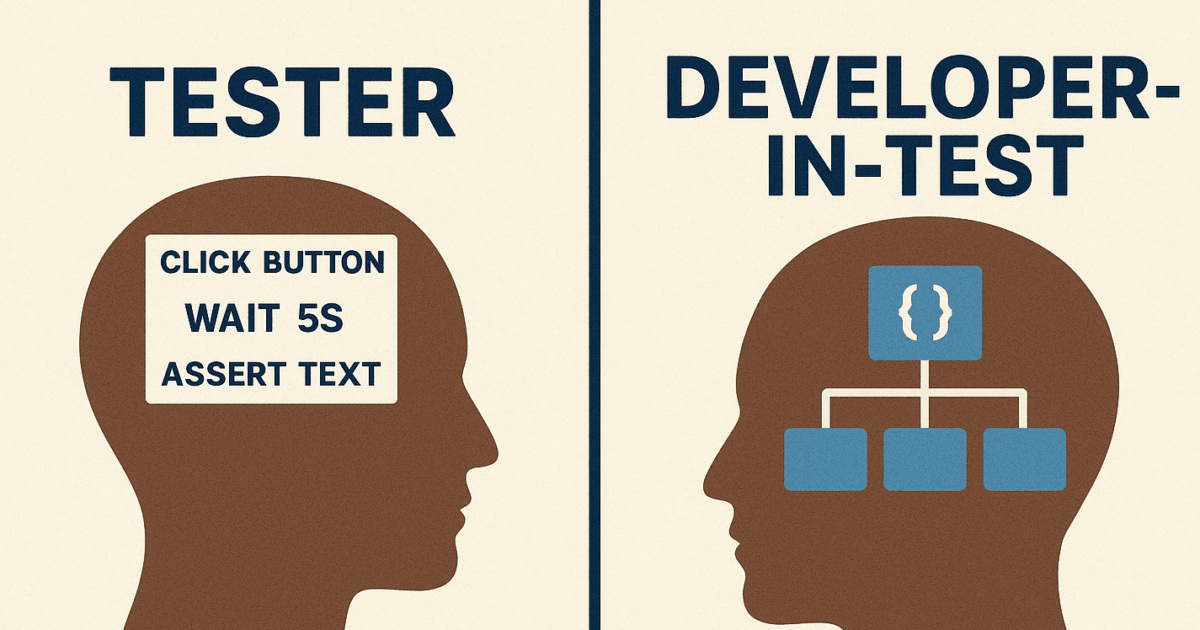
If you’re writing Cypress tests like Selenium scripts — clicking buttons, waiting for elements, and repeating selectors everywhere — you’re missing the entire point of modern test automation. 😬
Cypress isn’t Selenium 2.0.
It’s a developer-friendly testing framework designed to make your automation smarter, faster, and more maintainable.
Let’s unpack how to move from “test executor” to “test architect.”
⚙️ 1. Selenium vs. Cypress: The Mental Shift
| Selenium Mindset | Cypress Mindset |
| Focus on UI Automation | Focus on end-to-end experience |
| Test Runs outside the browser | Runs inside the browser |
| Explicit waits everywhere | Automatic waits built-in |
| Imperative code (“do this, then that”) | Reactive code (“assert on what happens”) |
| Page Object Model | Custom Commands & Modular Utilities |
✅ Key takeaway:
Stop thinking in terms of “steps,” start thinking in terms of behavior and architecture.
🧩 2. Don’t Repeat Yourself — Reusable Commands FTW
If your Cypress tests have repeated selectors and actions like this 👇
cy.get('#username').type('admin')
cy.get('#password').type('admin123')
cy.get('#login-btn').click()
You’re writing procedural tests, not modular ones.
✅ Instead, define custom commands:
// cypress/support/commands.js
Cypress.Commands.add('login', (username, password) => {
  cy.get('#username').type(username)
  cy.get('#password').type(password)
  cy.get('#login-btn').click()
})
Then use them cleanly:
cy.login('admin', 'admin123')This way, one change in the login flow updates across the entire suite.
🧠 3. Think in Architecture, Not Actions
Don’t clutter your tests with raw selectors.
Separate intent from implementation — just like real developers do.
✅ Use a modular folder structure:
cypress/
├── e2e/
│   ├── login.spec.js
│   └── dashboard.spec.js
├── support/
│   ├── commands.js
│   ├── api.js
│   └── utils.js
└── fixtures/
    └── users.json
Your spec files should read like stories, not scripts.
🌐 4. Smart Intercepts > Static Waits
Selenium testers often use fixed waits (cy.wait(5000) 😩).
Cypress gives you powerful network control — use it!
✅ Example:
cy.intercept('GET', '/api/users').as('getUsers')
cy.visit('/dashboard')
cy.wait('@getUsers').its('response.statusCode').should('eq', 200)
This ensures your test syncs with real app behavior, not arbitrary timeouts.
💡 5. Write Cypress Tests Like Code, Not Checklists
Your test code should follow the same engineering principles as production code:
- DRY (Don’t Repeat Yourself)
- SRP (Single Responsibility Principle)
- Modularity
- Readability
✅ Example of a clean test:
describe('Dashboard Tests', () => {
  beforeEach(() => cy.login('admin', 'admin123'))

it('loads user data correctly', () => {
    cy.intercept('/api/users', { fixture: 'users.json' }).as('users')
    cy.visit('/dashboard')
    cy.wait('@users')
    cy.get('.user-name').should('contain', 'John Doe')
  })
})
🧰 6. Test Like a Developer: Abstract, Reuse, Extend
✅ Create helper functions
export const addUser = (name, role) => {
  cy.get('#add-user').click()
  cy.get('#user-name').type(name)
  cy.get('#user-role').select(role)
  cy.get('#submit').click()
}
✅ Use config-driven tests
const roles = ['admin', 'editor', 'viewer']
roles.forEach(role => {
  it(`should create a ${role}`, () => {
    addUser(`test-${role}`, role)
  })
})
That’s not “automation” — that’s software engineering in testing.
🚀 7. Stop Copy-Pasting Selectors
Use data attributes (data-testid) instead of fragile CSS/XPath selectors:
<button data-testid="login-btn">Login</button>
Then in your tests:
cy.get('[data-testid="login-btn"]').click()This makes tests resilient to UI redesigns.
🔍 8. Mindset Shift Recap
| Tester Mindset | Developer-in-Test Mindset |
| “Does this button work?” | How can I make this test reusable? |
| “Add more waits.” | Sync with App behaviour |
| One big test file | Modular, componentized tests |
| Script | Framework |
💬 Final Thoughts
Cypress isn’t about clicking faster — it’s about testing smarter.
The real power of Cypress comes when you start thinking like a developer, not a tester.
Because in 2025, the best automation engineers won’t just write tests —
they’ll design test systems. ⚙️💡
More Relevant Articles
- How I Reduced Flaky Tests by 40% Using Self-Healing Locators + AI
- The Architecture Mistake 90% of Playwright Projects Make And How the Top 1% Quietly Avoid it
- Autonomous Load Pipelines: GitHub Actions + Grafana k6 + GPT5 Run Your Tests Before You Even Commit