QA
QA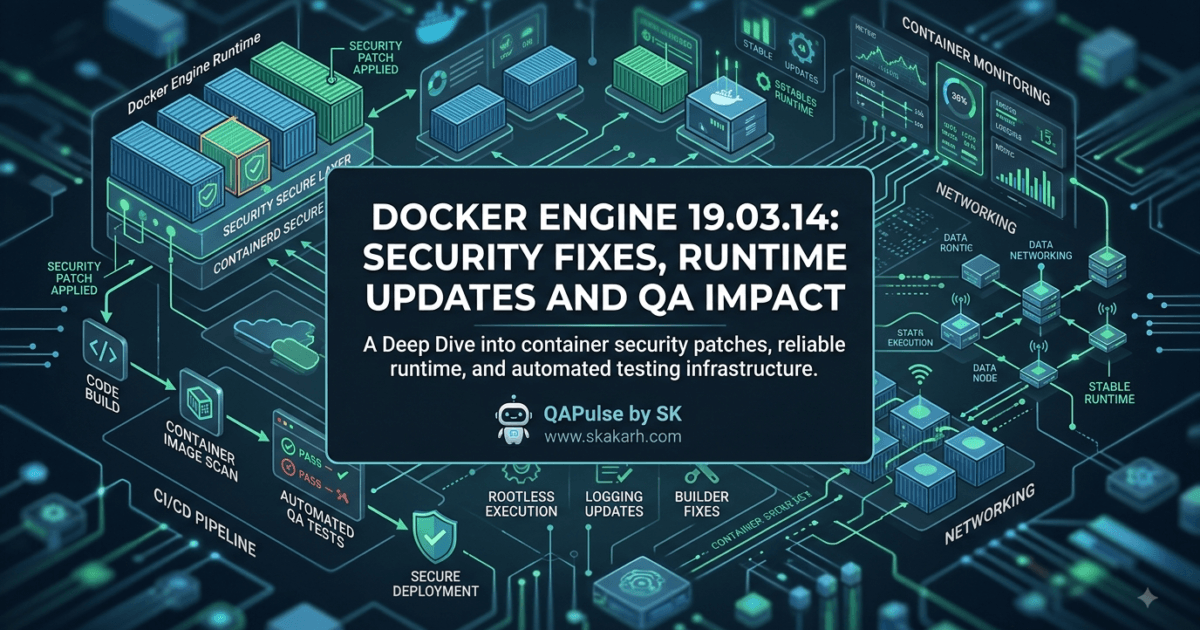
Docker Engine 19.03.14 was released in December 2020 as a maintenance release focused heavily on security, runtime reliability, rootless Docker, networking, build behavior, and logging improvements. For QA engineers and SDETs, this is the kind of release that can look minor in a version history while still affecting the reliability and security of the test infrastructure underneath your automation stack.
The first thing to understand is that Docker Engine is not merely something that runs your test containers.
It can influence the entire test environment:
QA Automation
     ↓
CI/CD Pipeline
     ↓
Docker Engine
     ↓
Containers
     ↓
Application + Dependencies
     ↓
Test Results
If the container runtime has a security issue, networking problem, resource leak, or runtime instability, your test results can become unreliable even when your test code itself is perfectly correct.
That is why Docker Engine 19.03.14 deserves attention from SDETs beyond simply asking whether the version can be installed.
What Changed in Docker Engine 19.03.14?
The 19.03.14 release is primarily a maintenance and security update.
The most important documented changes include an update to bundled containerd static binaries, fixes affecting AppArmor parsing, SwarmKit startup behavior, runtime error handling, rootless Docker, and logging drivers.
| Area | Change | QA/SDET relevance |
|---|---|---|
| Security | Updated bundled containerd binaries to v1.3.9 | Important for secure CI/test infrastructure |
| Builder | AppArmor parsing fixes | Can prevent build failures |
| Networking | SwarmKit service startup panic fix | Improves environment stability |
| Runtime | Correct error handling instead of spurious -EINVAL | Better diagnostic reliability |
| Rootless | State-directory locking improvements | More reliable rootless environments |
| Logging | gcplogs leak fix | Important for long-running test environments |
| Logging | AWS IMDSv2 support | Relevant to AWS-hosted workloads |
The release also references fixes from earlier 19.03.x releases, so engineers maintaining older Docker environments should look at the broader maintenance history rather than evaluating the version number in isolation.

The Most Important Change: containerd Security Update
One of the most significant items in the release is the update of bundled static containerd binaries to containerd v1.3.9 in response to CVE-2020-15257.
The release notes specifically state that package managers should update the containerd.io package. The official Docker release information should be treated as the primary source when evaluating this change.
For QA teams, the important lesson is simple:
The security of your automation environment is part of the security of your testing system.
Consider a CI runner:
CI Runner
   ↓
Docker Engine
   ↓
containerd
   ↓
Container
   ↓
Test Application
Your Playwright, Selenium, Cypress, API, or Python test code might be secure, but the underlying runtime still needs to be maintained.
This is especially important when the CI system executes:
- untrusted pull requests
- third-party dependencies
- dynamically generated test environments
- browser containers
- API test containers
- database containers
- service mocks
- temporary build environments
A vulnerable runtime can create a much larger risk than an individual test failure.
Why QA Engineers Should Care About Container Runtime Security
A common mindset is:
“Docker is infrastructure, so DevOps owns it.”
That is incomplete.
SDETs increasingly build test infrastructure directly around containers.
For example:
Playwright
   ↓
Browser Container
   ↓
Docker
   ↓
CI Runner
Or:
PyTest
   ↓
Application Container
   ↓
PostgreSQL Container
   ↓
Docker Engine
Or:
API Tests
   ↓
Service Containers
   ↓
Docker Network
   ↓
Docker Engine
The automation engineer therefore has a direct dependency on the runtime.
A mature QA organization should know:
Test framework version
        +
Browser version
        +
Container image
        +
Docker Engine
        +
CI runner
        =
Test environment
Ignoring any one of these can create unexpected behavior.
Docker Engine 19.03.14 and Build Reliability
Another important area is the builder.
The release fixes an issue where beta versions of AppArmor were not parsed correctly, potentially preventing builds from succeeding.
That may sound like an infrastructure problem rather than a QA problem.
But imagine your pipeline:
Pull Request
     ↓
Build Docker Image
     ↓
Start Test Environment
     ↓
Run Automation
     ↓
Publish Results
If the build fails:
Docker build
     ↓
FAIL
     ↓
Tests never execute
The test framework gets blamed even though the failure occurred before the test suite started.
This is why SDETs should distinguish between:
Test failure
and:
Test infrastructure failure
That distinction dramatically improves debugging speed.
A Practical CI Failure Classification
Instead of reporting everything as “automation failed,” classify the pipeline:
Pipeline
   │
   ├── Build failure
   │
   ├── Container startup failure
   │
   ├── Network failure
   │
   ├── Application failure
   │
   ├── Test failure
   │
   └── Reporting failure
For example:
docker build -t qa-app:test .
If this command fails, there is no reason to start investigating a Playwright assertion.
Likewise:
docker run --rm qa-app:test
failing does not automatically mean the application test is broken.
Good SDETs isolate the failure layer first.
Runtime Error Handling Matters for Automation
The release also addresses runtime behavior involving spurious -EINVAL errors.
For QA engineers, correct error reporting is not a cosmetic improvement.
Automation depends heavily on diagnostics.
Consider:
Test failed
     ↓
Container operation failed
     ↓
Runtime error
     ↓
CI log
If the runtime reports an incorrect or misleading error, engineers can spend hours debugging the wrong layer.
Good failure diagnostics reduce:
- triage time
- false defect reports
- unnecessary test retries
- infrastructure escalations
- wasted debugging effort
This is why runtime maintenance should be considered part of test automation quality.
Rootless Docker: Why SDETs Should Pay Attention
Docker’s rootless mode allows the Docker daemon and containers to run without requiring root privileges.
That matters in environments where security policies restrict privileged operations.
A simplified model looks like:
Traditional Docker

Root
 ↓
Docker daemon
 ↓
Container
versus:
Rootless Docker

Regular user
 ↓
Rootless Docker daemon
 ↓
Container
The release includes fixes related to locking the rootless state directory and supporting the newer containerd shim socket-path convention.
For QA teams running containerized test infrastructure in restricted environments, rootless behavior can be particularly important.
Potential environments include:
- shared CI runners
- developer workstations
- security-hardened build systems
- enterprise environments
- restricted Linux environments
The strategic point is:
Test infrastructure should not require unnecessary privileges simply because the automation stack depends on containers.
Docker Engine 19.03.14 vs Newer Docker Releases
Because this is an older Docker release, it is important not to present it as a modern recommendation without context.
For historical release analysis, the useful comparison is:
| Area | Docker Engine 19.03.14 | Modern Docker approach |
|---|---|---|
| containerd | Updated to 1.3.9 | Modern containerd versions |
| Rootless | Supported with targeted fixes | More mature ecosystem |
| Build tooling | BuildKit-era improvements | More advanced build workflows |
| Security | Important historical security fixes | Continuous security maintenance |
| QA relevance | Useful for legacy environments | Prefer supported current versions |
| Upgrade strategy | Maintenance/compatibility driven | Security + feature + support driven |
If a team is still running Docker Engine 19.03.14 today, the question should not simply be:
“Should we install 19.03.14?”
The better question is:
“Why are we still running a 19.03.x-era Docker Engine, and what is our supported upgrade path?”
That distinction is critical because a historical release article should not accidentally encourage readers to deploy an obsolete runtime in a modern environment.
Docker Engine vs Docker Compose for QA
Another common source of confusion is the difference between Docker Engine and Docker Compose.
They solve different problems.
| Technology | Primary role | QA relevance |
|---|---|---|
| Docker Engine | Container runtime | Runs the underlying containers |
| Docker Compose | Multi-container orchestration/configuration | Defines test environments |
| Testcontainers | Test-controlled infrastructure | Creates dependencies during tests |
| Kubernetes | Container orchestration platform | Large-scale distributed environments |
Consider:
services:
  app:
    image: qa-app

  database:
    image: postgres
Docker Compose describes the environment.
Docker Engine actually provides the runtime underneath it.
So the architecture becomes:
Docker Compose
      ↓
Docker Engine
      ↓
Containers
This distinction matters when troubleshooting.
If Compose reports that a service cannot start, the problem may actually be underneath Compose.
Docker Engine 19.03.14 and Logging
The release also includes a fix for a memory/connection leak in the gcplogs logging driver.
For a short-lived local test, a leak might not immediately appear significant.
For long-running CI infrastructure, it can become much more interesting.
Consider a runner executing:
Test Run 1
    ↓
Test Run 2
    ↓
Test Run 3
    ↓
...
    ↓
Test Run 500
If resources are continuously leaked, eventually you can experience:
Memory consumption ↑
       ↓
Performance ↓
       ↓
Runner instability
       ↓
Unexpected test failures
That is why long-running test infrastructure requires resource monitoring.
Useful metrics include:
CPU
Memory
Disk
Network
Container count
Container restart count
Log volume
AWS IMDSv2 Support and Cloud-Based Testing
The AWS logs-related change also adds support for AWS IMDSv2.
This becomes relevant when Docker workloads interact with AWS infrastructure.
A cloud-based QA architecture may look like:
GitHub Actions / Jenkins
        ↓
AWS Runner
        ↓
Docker Engine
        ↓
Test Container
        ↓
AWS-dependent Application
When infrastructure interacts with cloud metadata services, security controls become important.
For QA engineers, the lesson is not simply “AWS support was added.”
The larger lesson is:
Cloud security assumptions can affect containerized test environments just as much as production environments.
How to Upgrade Docker Engine Safely
Do not use:
pip install docker-engine --upgrade
or:
npm install docker-engine@latest
Docker Engine is not a Python or Node.js package that should be upgraded using those commands.
This is an important correction to the generic upgrade instructions often found in automatically generated release summaries.
Docker Engine is installed through the operating system’s Docker packages and repositories.
For historical 19.03.14 installations, the correct upgrade path depends on the Linux distribution, Docker packaging method, and whether you are using Docker CE or EE.
Before making a production or CI change, verify:
docker version
and:
docker info
Then record:
Client version
Server version
containerd version
runc version
Operating system
Kernel version
This gives you a baseline for troubleshooting.
A Better QA Upgrade Workflow
Treat a Docker runtime upgrade as an infrastructure change.
Start by capturing the existing environment:
docker version
docker info
docker ps
Then execute a simple smoke test:
docker run --rm hello-world
Follow it with the actual test environment:
docker compose up -d
Then run:
pytest tests/integration
or your relevant automation suite.
Finally:
docker compose down
Your validation pipeline should look like:
Record baseline
      ↓
Upgrade Docker runtime
      ↓
Validate Docker
      ↓
Start test dependencies
      ↓
Run smoke tests
      ↓
Run integration tests
      ↓
Run regression tests
      ↓
Compare results
That is much safer than upgrading the runtime and immediately declaring success because docker --version returns the expected value.
What Should SDETs Validate After a Docker Runtime Change?
| Validation | Why it matters |
|---|---|
| Image pulling | Detect registry/network problems |
| Image building | Detect builder issues |
| Container startup | Validate runtime behavior |
| Port mapping | Validate networking |
| Volume mounting | Validate filesystem behavior |
| Environment variables | Detect configuration issues |
| Container-to-container networking | Validate service dependencies |
| Logs | Validate observability |
| Exit codes | Validate runtime behavior |
| CI execution | Validate real pipeline compatibility |
| Rootless execution | Validate restricted environments |
| Resource usage | Detect leaks and instability |
A runtime upgrade should be treated as a test-environment compatibility exercise.
A Useful Diagnostic Strategy
Imagine your test suddenly starts failing after the Docker runtime changes.
Don’t immediately change the test.
Use this sequence:
1. Can Docker start?
        ↓
2. Can the image be pulled?
        ↓
3. Can the image be built?
        ↓
4. Can the container start?
        ↓
5. Can containers communicate?
        ↓
6. Can the application start?
        ↓
7. Can the test execute?
        ↓
8. Is the assertion actually failing?
This approach prevents infrastructure problems from being misdiagnosed as application defects.
Interactive SDET Challenge
Imagine your CI pipeline suddenly reports:
148 tests failed
Your first reaction might be:
“The latest test code broke everything.”
But suppose the real pipeline looked like:
Docker Engine
      ↓
Container networking
      ↓
Application
      ↓
API
      ↓
Tests
What would you investigate first?
Answer: start at the lowest failed infrastructure layer.
If every test fails because the application container cannot start, investigating 148 individual assertions is wasted effort.
This is one of the most useful habits an experienced SDET can develop:
When many unrelated tests fail simultaneously, investigate shared infrastructure before investigating individual tests.
Docker Runtime Health Should Be Part of Test Observability
Modern QA observability should not stop at:
Passed: 950
Failed: 12
Skipped: 8
Add infrastructure signals:
Docker startup time
Container startup failures
Image pull failures
Container restarts
Memory consumption
CPU consumption
Network failures
Build failures
Then your test dashboard can distinguish:
Application defect
        vs
Test defect
        vs
Environment defect
        vs
Infrastructure defect
That classification makes automation reporting much more valuable to engineering teams.


The Bigger Lesson From Docker Engine 19.03.14
The release may be historical, but the engineering lessons remain relevant.
A QA engineer working with containers should understand that:
Automation framework
        ↓
Application
        ↓
Container
        ↓
Runtime
        ↓
Operating system
        ↓
Infrastructure
Every layer can influence test reliability.
A failed test does not automatically mean bad test logic.
A flaky test does not automatically mean bad assertions.
A build failure does not automatically mean a broken Dockerfile.
A large number of simultaneous failures can be a signal that the infrastructure layer has changed.
That is why SDETs need infrastructure awareness.
The Strategic Upgrade Question
If you encounter Docker Engine 19.03.14 in a legacy environment, don’t treat this article as a recommendation to install this old release today.
Instead, use it to understand the engineering significance of the release and the types of problems maintenance releases can address.
For a legacy environment, ask:
Why are we on 19.03.x?
        ↓
What applications depend on it?
        ↓
What Docker APIs are being used?
        ↓
What CI runners depend on it?
        ↓
What container images are validated?
        ↓
What is the supported upgrade target?
        ↓
What regression suite protects the migration?
That is a much more responsible upgrade strategy than simply replacing one version number with another.
What I Would Validate as an SDET
If I inherited a CI platform running Docker Engine 19.03.14, my first step would be inventory rather than immediate migration.
I would document:
Docker Engine
containerd
runc
Linux kernel
CI platform
Container images
Docker Compose version
Test frameworks
Browser containers
Database containers
Network configuration
Rootless usage
Logging drivers
Then I would create a compatibility matrix:
| Component | Current | Target | Validation |
|---|---|---|---|
| Docker Engine | 19.03.14 | Supported release | Runtime smoke tests |
| containerd | 1.3.9-era | Target version | Container lifecycle |
| Compose | Current | Target | Multi-service startup |
| Browser image | Current | Target | UI automation |
| Database image | Current | Target | Integration tests |
| Test framework | Current | Current | Regression suite |
This transforms a potentially risky infrastructure upgrade into a controlled engineering project.
Key Notes
Docker Engine 19.03.14 is a maintenance release whose most important themes are security, runtime correctness, builder reliability, rootless Docker behavior, networking, and logging stability.
For QA engineers, the bigger lesson is not simply which Docker fixes were included.
It is understanding that the container runtime is part of the test system.
Your automation depends on:
Framework
+
Application
+
Container images
+
Docker Engine
+
Operating system
+
CI infrastructure
A weakness or incompatibility at any of these layers can affect test reliability.
The release also demonstrates why SDETs should distinguish test failures from test-infrastructure failures. When hundreds of unrelated tests suddenly fail together, the runtime, networking, container startup, or environment should be investigated before changing individual test cases.
And because Docker Engine 19.03.14 is an older release, teams encountering it today should focus on migration planning toward a currently supported Docker release, rather than treating 19.03.14 itself as a modern installation recommendation.
The most valuable SDET skill here is not memorizing Docker release notes.
It is learning to understand the entire execution environment in which your tests run.
Security, Runtime Reliability, and QA Impact
Docker Engine 19.03.14 is best understood as a maintenance and security-focused release rather than a feature-heavy Docker update. For QA engineers and SDETs working with legacy containerized environments, the important question is how these fixes affect the reliability, security, and reproducibility of the test infrastructure.
The release included a security update for bundled containerd binaries, builder fixes, networking corrections, runtime error handling improvements, rootless Docker fixes, and logging-related changes.
For an automation team, these changes can affect the pipeline even when no test script has been modified.
Security Fixes Should Be Treated as Test Infrastructure Changes
The container runtime sits underneath many modern test environments:
Test Framework
      ↓
Application
      ↓
Container
      ↓
Docker Engine
      ↓
containerd
      ↓
Operating System
The Docker Engine 19.03.14 release updated bundled static containerd binaries to version 1.3.9 in response to CVE-2020-15257.
That matters because a QA environment can execute a significant amount of untrusted or externally supplied code.
For example:
Pull Request
     ↓
CI Runner
     ↓
Docker Build
     ↓
Test Container
     ↓
Application
     ↓
Automated Tests
A secure test pipeline therefore requires more than secure test code.
It also requires a properly maintained execution environment.
What should an SDET ask?
Before approving a container-runtime change, ask:
- Is the Docker Engine version supported?
- Which containerd version is being used?
- Which runtime components are bundled?
- Are CI runners patched?
- Are privileged containers being used?
- Are pull-request workloads isolated?
- Are container images coming from trusted registries?
This changes the mindset from:
“Docker is DevOps infrastructure.”
to:
“Docker is part of the environment in which my tests execute.”
Docker Engine 19.03.14 and Containerd
Docker Engine and containerd should not be treated as interchangeable components.
A simplified architecture is:
Docker CLI
    ↓
Docker Engine
    ↓
containerd
    ↓
runc
    ↓
Linux kernel
    ↓
Container
Each layer has a different responsibility.
| Component | Main responsibility | QA relevance |
|---|---|---|
| Docker CLI | User interaction | Commands used by CI/scripts |
| Docker Engine | Container management API/runtime coordination | Test environment lifecycle |
| containerd | Container lifecycle management | Startup, execution and image handling |
| runc | Low-level container execution | Actual process isolation |
| Linux kernel | OS-level isolation/resources | Networking, filesystem, security |
Understanding this hierarchy makes troubleshooting much easier.
If:
docker run hello-world
fails, don’t immediately inspect your Selenium or Playwright test.
First determine which infrastructure layer failed.
Builder Reliability Can Affect Every Test
The release also included an AppArmor-related builder fix.
This is particularly important for CI pipelines that build application images before executing tests.
Consider:
Git Push
   ↓
CI Pipeline
   ↓
Docker Build
   ↓
Application Image
   ↓
Container Startup
   ↓
Test Suite
If the Docker build fails, the automation suite never reaches the execution stage.
A pipeline may report:
Tests: 0
Build: FAILED
A less experienced team may describe this as a “test failure.”
A stronger SDET team reports:
Category: Infrastructure
Stage: Docker Build
Result: Failed
Tests executed: 0
That classification makes reports much more useful.
Build Failure vs Test Failure
Consider these two situations.
Situation 1 — Test failure
Docker Build       PASS
Container Startup  PASS
Application        PASS
Test Execution     FAIL
This is likely a test/application problem.
Situation 2 — Infrastructure failure
Docker Build       FAIL
Container Startup  NOT EXECUTED
Application        NOT EXECUTED
Test Execution     NOT EXECUTED
This is not a failed functional test.
The distinction is important when measuring automation quality.
Docker Engine 19.03.14 and Runtime Diagnostics
The release also corrected runtime behavior involving spurious -EINVAL errors.
Correct error reporting matters because CI troubleshooting depends heavily on logs.
Imagine:
Test Failure
     ↓
Container Failure
     ↓
Runtime Error
     ↓
CI Log
If the runtime produces an inaccurate error, engineers may investigate the wrong component.
Good infrastructure diagnostics should answer:
What failed?
Where did it fail?
When did it fail?
What resource was involved?
What was the underlying error?
For SDETs, that means collecting more than test assertions.
Useful evidence includes:
docker version
docker info
docker ps -a
docker logs <container>
docker inspect <container>
For example:
docker inspect my-test-container
can help reveal configuration, networking, mounts, environment variables, and runtime state.
Rootless Docker and Test Environments
Another area worth understanding is rootless Docker.
Traditional Docker deployments often involve a privileged Docker daemon:
Root
 ↓
Docker daemon
 ↓
Containers
Rootless Docker changes the model:
Regular User
     ↓
Rootless Docker
     ↓
Containers
This can be useful in environments where reducing privileges is important.
The release included rootless-related fixes involving state-directory locking and containerd shim socket-path behavior.
For QA infrastructure, rootless execution can be relevant when:
- CI runners have restricted privileges
- multiple users share infrastructure
- enterprise security policies limit root access
- developers need local containerized testing
- security teams prohibit privileged Docker configurations
The important question is not:
“Should every QA engineer use rootless Docker?”
Instead ask:
“What privilege level does our test infrastructure actually require?”
Privileged Containers vs Rootless Environments
There is a significant security difference between these approaches.
| Approach | Privilege model | Typical concern |
|---|---|---|
| Privileged Docker setup | High privileges | Larger security exposure |
| Standard Docker | Daemon typically has elevated privileges | Requires careful host security |
| Rootless Docker | User-level daemon | Some compatibility/performance limitations |
| Managed CI container platform | Platform controlled | Depends on provider/security model |
For an SDET team, security decisions should be made together with the infrastructure/security team rather than based solely on test convenience.
Logging Improvements Matter During Long Test Runs
The release also included a gcplogs memory/connection leak fix.
This may seem unrelated to functional testing, but consider a long-running test runner.
Test Run 1
   ↓
Test Run 2
   ↓
Test Run 3
   ↓
...
   ↓
Test Run 500
A small resource leak can become significant over time.
You might eventually see:
Memory ↑
Connections ↑
Performance ↓
Runner stability ↓
Then tests begin failing for apparently random reasons.
This is where test observability becomes important.
Instead of monitoring only:
Passed
Failed
Skipped
monitor infrastructure signals too:
CPU
Memory
Disk
Network
Container count
Container restarts
Log volume
Container startup time


AWS IMDSv2 and Cloud-Based QA Infrastructure
The release also added AWS IMDSv2 support for the AWS logs driver.
For teams running Docker-based testing in AWS, this is another reminder that cloud infrastructure and QA infrastructure are increasingly connected.
A cloud test environment can look like:
CI Platform
     ↓
AWS Runner
     ↓
Docker Engine
     ↓
Application Containers
     ↓
AWS Services
Cloud metadata security can therefore influence test infrastructure behavior.
The important lesson for SDETs is:
A cloud-based test environment should be secured and maintained with the same engineering discipline as any other production-like infrastructure.
Docker Engine 19.03.14 vs Docker Compose
Docker Engine and Docker Compose are often mentioned together, but they serve different purposes.
| Capability | Docker Engine | Docker Compose |
|---|---|---|
| Container runtime | Yes | No |
| Defines multiple services | No | Yes |
| Starts containers | Yes | Uses Docker Engine |
| Creates networks | Yes | Configures them |
| Defines test environment | Indirectly | Yes |
| Runtime troubleshooting | Primary layer | Higher-level layer |
A Compose configuration might contain:
services:
  application:
    image: qa-app

  database:
    image: postgres

  redis:
    image: redis
Compose describes the environment.
Docker Engine provides the runtime.
Therefore:
Docker Compose
      ↓
Docker Engine
      ↓
Containers
If Compose reports that a container cannot start, investigating only the Compose file may not reveal the real problem.
Docker Engine 19.03.14 vs Testcontainers
Testcontainers introduces another layer of comparison.
| Capability | Docker Engine | Docker Compose | Testcontainers |
|---|---|---|---|
| Runs containers | Yes | Through Engine | Through runtime |
| Defines services | Limited | Excellent | In test code |
| Test-controlled lifecycle | No | Limited | Excellent |
| Per-test dependencies | No | Possible | Excellent |
| Full local environment | Moderate | Excellent | Good |
| Integration testing | Foundation | Good | Excellent |
The relationship is important:
             Testcontainers
                   ↓
             Docker Engine
                   ↓
              Containers
Testcontainers does not replace Docker Engine.
It uses the container runtime as part of its infrastructure strategy.
This distinction becomes particularly useful when diagnosing integration-test failures.
Docker Engine 19.03.14 and Browser Automation
Consider a browser automation environment:
Playwright / Selenium
       ↓
Browser Container
       ↓
Docker Engine
       ↓
CI Runner
A test could fail because:
- The locator is wrong.
- The application is broken.
- The browser container failed.
- The Docker network failed.
- The image could not start.
- The CI runner ran out of resources.
Only the first two are necessarily test/application defects.
This is why experienced SDETs investigate the environment systematically.
A Practical Failure Investigation
Suppose you receive:
148 tests failed
Don’t start with test #1.
Start with the shared dependency chain:
Did Docker work?
       ↓
Did containers start?
       ↓
Did networking work?
       ↓
Did the application start?
       ↓
Did the browser/service become ready?
       ↓
Did tests execute?
If all 148 tests fail at the same time, the probability of a common infrastructure issue becomes much more interesting than 148 unrelated application defects.
This is a simple but powerful diagnostic principle:
The wider the blast radius, the higher you should look in the infrastructure stack first.
A Safe Docker Validation Workflow
When validating an old Docker environment or preparing a migration, start with a baseline.
docker version
Then:
docker info
Check basic container execution:
docker run --rm hello-world
Then test image building:
docker build -t qa-smoke-test .
Then container networking:
docker network ls
Then run your actual integration environment.
For Compose-based projects:
docker compose up -d
Then execute:
pytest tests/integration
Finally:
docker compose down
The goal is to validate the entire lifecycle, not just the Docker version number.
Build a Runtime Compatibility Matrix
For enterprise QA environments, maintain a compatibility matrix.
| Component | Current Version | Target Version | Validation |
|---|---|---|---|
| Docker Engine | 19.03.14 | Supported target | Container smoke test |
| containerd | 1.3.9-era | Target | Container lifecycle |
| Linux | Current | Target | Runtime compatibility |
| Docker Compose | Current | Target | Multi-service startup |
| Browser image | Current | Target | UI tests |
| Database image | Current | Target | Integration tests |
| Test framework | Current | Current | Regression suite |
This helps identify hidden dependencies.
For example:
Docker upgrade
      ↓
Browser image compatibility
      ↓
Network behavior
      ↓
Application startup
      ↓
Test execution
A runtime change can affect several layers even when your test code remains untouched.
How SDETs Should Think About Legacy Docker Releases
If you encounter Docker Engine 19.03.14 in a current environment, don’t automatically interpret this article as a recommendation to deploy it.
It is an old release.
The useful question is:
What does this legacy environment depend on, and what is the safest supported migration target?
Start with discovery:
docker version
docker info
Then inventory:
Docker Engine
containerd
runc
Linux kernel
Docker Compose
CI runner
Container images
Test frameworks
Browser images
Database images
Logging configuration
Networking
Then test compatibility before changing production CI infrastructure.
Upgrade Testing Should Be Risk-Based
Not every Docker change requires the same amount of validation.
For a small development environment:
Docker update
   ↓
Smoke test
   ↓
Integration tests
For a critical enterprise CI platform:
Docker update
      ↓
Compatibility analysis
      ↓
Dedicated CI runner
      ↓
Smoke tests
      ↓
Integration tests
      ↓
Browser regression
      ↓
API regression
      ↓
Performance checks
      ↓
Parallel execution
      ↓
Rollback validation
      ↓
Production CI rollout
The more critical the infrastructure, the stronger the validation should be.
Interactive SDET Exercise
Imagine your CI system has this result:
UI tests:       120 failed
API tests:       85 failed
Unit tests:       4 failed
What would you investigate first?
A good investigation starts with the shared infrastructure.
Why?
Because unrelated UI and API suites failing simultaneously suggests that a common dependency may have changed.
Look at:
Docker
   ↓
Networking
   ↓
Application startup
   ↓
Environment variables
   ↓
External dependencies
Only after those layers are healthy should you begin investigating individual assertions.
The Strategic Lesson
The most valuable lesson from Docker Engine 19.03.14 is not a particular command or configuration option.
It is the relationship between infrastructure and test reliability.
Your test system is effectively:
Test Code
    +
Application
    +
Container Images
    +
Docker Runtime
    +
Operating System
    +
CI Infrastructure
A change at any layer can change the behavior of the complete system.
That means SDETs should develop enough infrastructure knowledge to answer:
- What actually runs my test?
- Where is the container runtime?
- Which component manages containers?
- How are containers networked?
- Where are logs stored?
- What happens when a container crashes?
- How are resources monitored?
- What privileges does the test environment require?
These questions make the difference between simply writing automated tests and engineering a reliable automation platform.
Recommended Approach for Legacy Environments
If your organization still has a Docker Engine 19.03.14-based environment, use a controlled assessment:
Inventory
   ↓
Security assessment
   ↓
Dependency analysis
   ↓
Select supported target
   ↓
Create dedicated CI runner
   ↓
Run smoke tests
   ↓
Run regression suite
   ↓
Run parallel tests
   ↓
Monitor resources
   ↓
Compare results
   ↓
Roll out gradually
Measure:
| Metric | Before | After |
|---|---|---|
| Container startup time | Measure | Measure |
| Build success rate | Measure | Measure |
| Test execution time | Measure | Measure |
| Infrastructure failures | Measure | Measure |
| Container restarts | Measure | Measure |
| Memory usage | Measure | Measure |
| CI reliability | Measure | Measure |
This turns an infrastructure upgrade into an evidence-based engineering decision.
Internal Links:
- Learn MCP – Zero to Hero
- Learn AI Agents for QA – Zero to Hero
- Playwright Automation – Zero to Hero
- TencentDB Agent Memory: Complete Zero to Hero
- LangGraph: Complete Zero to Hero
- Learn Python – Zero to Hero
- OpenAI Codex: Complete Zero to Hero
- Cursor AI: Complete Zero to Hero
- Claude Code Tutorial: Complete Zero to Hero
- AutoGen: Complete Zero to Hero Guide
- Free QA Resources Built From Real Experience
- QA Glossary: Test Automation Terms Every Engineer Should Know
External Links
- Docker Engine 19.03.14 release information
- Docker security information
- Docker Engine documentation
- CVE-2020-15257 information
People Asked Questions
What is Docker Engine 19.03.14?
Docker Engine 19.03.14 is a maintenance and security release from the Docker 19.03 series, published in December 2020. It includes fixes involving containerd, builder behavior, networking, runtime errors, rootless Docker, and logging.
What changed in Docker Engine 19.03.14?
The release includes a containerd security update, AppArmor-related builder fixes, a SwarmKit networking correction, runtime error handling improvements, rootless Docker fixes, and logging-related fixes.
What security issue was addressed in Docker Engine 19.03.14?
Docker Engine 19.03.14 updated bundled containerd static binaries to version 1.3.9 in response to CVE-2020-15257.
Is Docker Engine 19.03.14 still recommended?
No. Docker Engine 19.03.14 is a historical release. In a modern environment, teams should generally evaluate a currently supported Docker release rather than deploying an old 19.03.x version.
Why is Docker Engine important for QA engineers?
Docker Engine provides the runtime infrastructure for many containerized test environments. Changes to the runtime can affect container startup, networking, builds, resource usage, logging, and therefore automated-test reliability.
Does Docker Engine 19.03.14 affect Docker Compose?
Docker Compose operates above the Docker Engine runtime. A Compose-based test environment can therefore still be affected by Docker Engine runtime behavior.
Does Docker Engine 19.03.14 affect Testcontainers?
Testcontainers relies on container infrastructure to create and manage test dependencies. Runtime compatibility and container behavior can therefore affect Testcontainers-based integration tests.
What should QA engineers test after a Docker Engine upgrade?
QA teams should validate container startup, image pulling, image building, networking, volumes, application startup, logging, resource usage, CI execution, and the relevant automation regression suite.
What is the difference between a Docker failure and a test failure?
A Docker failure occurs in the infrastructure layer, such as container startup, networking, image building, or runtime execution. A test failure occurs when the test actually executes and produces an unexpected result.
Should I upgrade Docker Engine 19.03.14 immediately?
For a legacy environment, the better approach is to evaluate the complete dependency chain and identify a currently supported upgrade target. The release should not be treated as a modern Docker installation recommendation.
AI Overview / Answer Engine Optimization
Docker Engine 19.03.14 is a security and maintenance release that includes a containerd update plus fixes for builder behavior, networking, runtime errors, rootless Docker, and logging. For QA teams, its main significance is improved security and reliability of containerized test infrastructure.
| Query | Direct answer |
|---|---|
| What is Docker Engine 19.03.14? | A 19.03-series maintenance/security release |
| What changed? | containerd, builder, networking, runtime, rootless and logging fixes |
| What security issue was addressed? | CVE-2020-15257 through the containerd update |
| Is it current? | No; it is a historical release |
| Should teams deploy it now? | Prefer a currently supported Docker release |
| Why does QA care? | Docker runtime behavior affects containerized test infrastructure |
| What should be tested? | Build, startup, networking, resources, logs, CI and automation regression |
Conclusion
Docker Engine 19.03.14 demonstrates why maintenance releases deserve attention from QA engineers even when they do not introduce exciting new testing features.
Its security, builder, networking, runtime, rootless, and logging fixes can influence the reliability of the environment in which automated tests execute.
The release also reinforces a critical SDET principle:
Test reliability is partly a property of the infrastructure running the test.
If hundreds of unrelated tests fail after an infrastructure change, investigate the shared runtime before rewriting test cases.
If a container cannot start, investigate the container before debugging application assertions.
If the build fails, don’t classify it as a failed test.
And if you encounter this release in a modern environment today, remember that Docker Engine 19.03.14 is historical legacy software, not a current deployment recommendation. The appropriate action is to understand the dependencies and plan migration toward a currently supported Docker release.
Final Key Takeaways
- Docker Engine 19.03.14 was primarily a security and maintenance release.
- The release updated bundled containerd binaries to address CVE-2020-15257.
- Builder fixes can directly affect CI pipelines before tests even start.
- Runtime error corrections improve troubleshooting and diagnostic accuracy.
- Rootless Docker improvements matter for security-conscious test environments.
- Logging fixes can improve stability during long-running automation workloads.
- AWS IMDSv2 support is relevant to cloud-hosted container environments.
- Docker Engine, Docker Compose, and Testcontainers solve different problems.
- Docker Engine is the runtime foundation underneath many containerized QA environments.
- SDETs should classify failures as test, application, environment, or infrastructure failures.
- Large numbers of unrelated test failures should trigger infrastructure investigation first.
- Docker runtime changes should be validated with smoke, integration, regression, and CI tests.
- Legacy Docker environments should be assessed before migration rather than blindly upgraded.
- Docker Engine 19.03.14 should not be treated as a modern installation recommendation in 2026.
- The deeper SDET lesson is that reliable automation requires reliable infrastructure underneath the tests.
Continue Learning
Explore more expert articles on Mobile Testing, Backend & API, AI & Agentic, AI Tools, n8n, LangChain, CrewAI, MCP Servers, AI Agents, LlamaIndex, Docker, FastAPI, Playwright, Cypress, Test Automation, DevOps, and Software Engineering at www.skakarh.com.
QAPulse by SK delivers expert release analysis, AI engineering insights, enterprise automation strategies, migration guidance, DevOps best practices, and practical testing knowledge to help software professionals build scalable, intelligent, and production-ready software systems.