QA
QA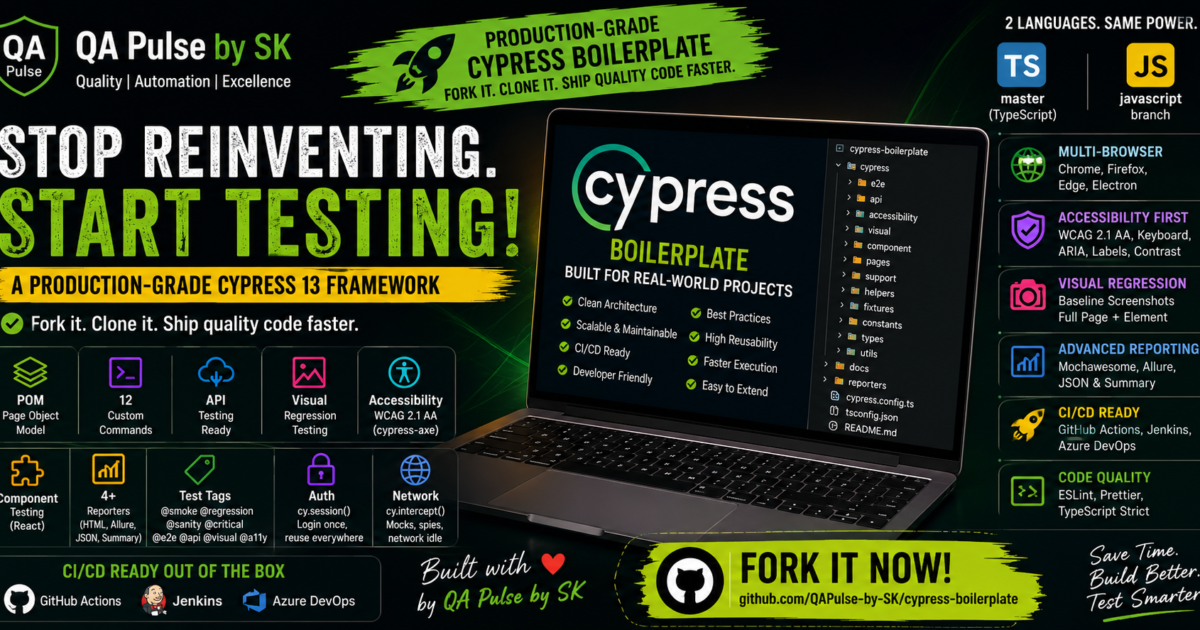
If you’ve used Cypress in real projects…
You already know the truth:
Starting is easy.
Scaling is painful.
😤 The Hidden Problem No One Talks About
Every new project looks like this:
- “Let’s just start with Cypress quickly”
- “We’ll structure it later”
- “We’ll add reporting later”
👉 Later never comes.
And suddenly you have:
💀 Messy test files
💀 Duplicate logic
💀 No architecture
💀 Flaky pipelines
💡 So I Built a Real Framework (Not a Starter)
Instead of repeating this mess…
I built a production-grade Cypress 13 boilerplate:
👉 QA Pulse by SK Cypress Boilerplate
🔗 https://github.com/QAPulse-by-SK/cypress-boilerplate
🔥 What Makes This Different?
This isn’t “Hello World”.
This is how real teams structure Cypress at scale.
🧠 Deep Dive — What You Actually Get
🏗️ Architecture That Won’t Collapse
- Page Object Model (with BasePage)
- 12 powerful custom commands
- Clean separation: pages / helpers / utils / fixtures
👉 Your framework stays clean even after 500+ tests.
🌐 Multi-Browser E2E Testing
👉 Real coverage, not Chrome-only comfort zone.
🔌 API Testing (Properly Integrated)
ApiHelperclass- Custom commands:
cy.apiGet()cy.apiPost()cy.apiPut()cy.apiDelete()
👉 UI + API = complete testing strategy.
📸 Visual Regression (Ready Out of the Box)
- Full-page + element screenshots
- Baseline comparison strategy
👉 Catch UI bugs before users do.
♿ Accessibility Testing (Serious Level
Powered by cypress-axe:
- WCAG 2.1 AA checks
- Keyboard navigation
- ARIA validation
- Contrast + labels
👉 Not checkbox testing — real accessibility coverage.
🧩 Component Testing (Modern Cypress)
- Cypress Component Testing (React supported)
👉 Test components in isolation before full flows.
📊 Reporting That Teams Love
- Mochawesome (HTML)
- Allure dashboard
- JSON summary
- Custom terminal output
👉 Debug faster. Share results easily.
🏷️ Smart Tagging Syste
Using cypress-grep:
@smoke @regression @sanity @critical @e2e @api @visual @a11y
👉 Run only what matters.
🔐 Smart Authentication Handlin
cy.session()
👉 Login once → reuse across tests
👉 Faster + stable execution
🌐 Network Control (Advanced Level)
cy.intercept()- API mocking
- Request spying
cy.waitForNetworkIdle()
👉 Full control over test environment.
🛡️ Code Quality Built-In
- ESLint
- Prettier
- TypeScript strict
👉 Clean, scalable codebase from day one.
🪵 Developer-Friendly Logging
cy.logStep("User logs in successfully")
👉 Clean, readable execution logs.
🔁 CI/CD Ready (No Setup Needed)
Works with:
- GitHub Actions
- Jenkins
- Azure DevOps
👉 Multi-browser pipelines already configured.
⚡ Real Project Structure (Not Fake Examples)
This is where it stands out 👇
e2e/→ Real UI flowsapi/→ API testsvisual/→ Visual regressionaccessibility/→ A11y testscomponent/→ Component testshelpers/→ Reusable logicpages/→ Clean POM
👉 This is production-ready structure, not tutorial code.
🚀 Quick Start (2 Minutes)
git clone https://github.com/QAPulse-by-SK/cypress-boilerplate.git
cd cypress-boilerplate
npm install
cp .env.example .env
npm test
👉 That’s it. You’re running a full framework.
😤 Why This Will Save You Weeks
Because the hardest part isn’t writing tests…
👉 It’s designing a system that doesn’t break later
This boilerplate gives you:
✔ Stability
✔ Structure
✔ Speed
✔ Maintainability
👨💻 Who Should Use This?
- QA Engineers
- SDETs
- Automation Engineers
- Freelancers
- Teams starting Cypress projects
👉 Basically… anyone serious about testing.
💬 Real Talk
You have two choices:
❌ Keep rebuilding frameworks every project
✅ Start from something already engineered properly
🌍 Learn More
💡 you can go to www.skakarh.com for more blogs, QA, AI testing etc QAPulse by SK
🔥 Final CTA
👉 Fork it
👉 Use it
👉 Scale it
And most importantly…
👉 Stop starting Cypress projects from zero.